CISCO CCNA
PPP MULTILINK CONFIGURATION
TO WATCH OUR CISCO CCNA VIDEO TRAININGS PLEASE CHECK OUT THE LINK BELOW:
WWW.ASMED.COM/C1
ASM Educational Center Inc. (ASM)
Where Training, Technology & Service Converge
Phone: (301) 984-7400
Rockville,MD
GRE TUNNEL CONFIGURATION
Now I will do small Lab:
The Goal is that PC1 (private Network) be
able to Ping PC2 another Private Network, by
going Via R3 which represent internet. R3 has
no connectivity to LAN 192.168.2.0 and
192.168.1.0 /24
GRE TUNNEL CONFIGURATION
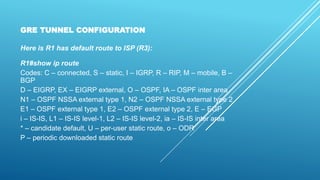
Here is R1 has default route to ISP (R3):
R1#show ip route
Codes: C – connected, S – static, I – IGRP, R – RIP, M – mobile, B –
BGP
D – EIGRP, EX – EIGRP external, O – OSPF, IA – OSPF inter area
N1 – OSPF NSSA external type 1, N2 – OSPF NSSA external type 2
E1 – OSPF external type 1, E2 – OSPF external type 2, E – EGP
i – IS-IS, L1 – IS-IS level-1, L2 – IS-IS level-2, ia – IS-IS inter area
* – candidate default, U – per-user static route, o – ODR
P – periodic downloaded static route
Gateway of last resort is 20.20.20.2 to network 0.0.0.0
20.0.0.0/30 is subnetted, 1 subnets
C 20.20.20.0 is directly connected, Serial0/0/0
C 192.168.1.0/24 is directly connected, FastEthernet0/0
S* 0.0.0.0/0 [1/0] via 20.20.20.2
R1#
GRE TUNNEL CONFIGURATION
Also R2 has a default route to ISP (R3):
R2#show ip route
Codes: C – connected, S – static, I – IGRP, R – RIP, M – mobile, B – BGP
D – EIGRP, EX – EIGRP external, O – OSPF, IA – OSPF inter area
N1 – OSPF NSSA external type 1, N2 – OSPF NSSA external type 2
E1 – OSPF external type 1, E2 – OSPF external type 2, E – EGP
i – IS-IS, L1 – IS-IS level-1, L2 – IS-IS level-2, ia – IS-IS inter area
* – candidate default, U – per-user static route, o – ODR
P – periodic downloaded static route
Gateway of last resort is 30.30.30.1 to network 0.0.0.0
30.0.0.0/30 is subnetted, 1 subnets
C 30.30.30.0 is directly connected, Serial0/0/0
C 192.168.2.0/24 is directly connected, FastEthernet0/0
S* 0.0.0.0/0 [1/0] via 30.30.30.1
GRE TUNNEL CONFIGURATION
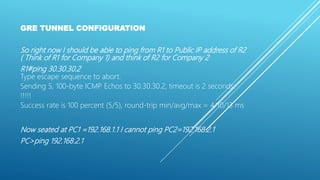
So right now I should be able to ping from R1 to Public IP address of R2
( Think of R1 for Company 1) and think of R2 for Company 2
R1#ping 30.30.30.2
Type escape sequence to abort.
Sending 5, 100-byte ICMP Echos to 30.30.30.2, timeout is 2 seconds:
!!!!!
Success rate is 100 percent (5/5), round-trip min/avg/max = 4/10/13 ms
Now seated at PC1 =192.168.1.1 I cannot ping PC2=192.168.2.1
PC>ping 192.168.2.1
GRE TUNNEL CONFIGURATION
Pinging 192.168.2.1 with 32 bytes of data:
Request timed out.
Request timed out.
Request timed out.
Request timed out.
Ping statistics for 192.168.2.1:
Packets: Sent = 4, Received = 0, Lost = 4 (100% loss),
So Goal is to have a GRE Tunnel Between R1 and R2,
over internet; and PC1 be able to Ping PC2
GRE TUNNEL CONFIGURATION
Step 1) Create an Int Tunnel 0 on R1 as follow
R1#
interface Tunnel0
ip address 10.10.10.1 255.255.255.252
tunnel mode gre ip
tunnel source Serial0/0/0
tunnel destination 30.30.30.2
!
GRE TUNNEL CONFIGURATION
As we see in above I need to use source (I use my S0/0/0 that is
talking to ISP) and also I need to use the destination, which I need
to use Public IP address of R2 = 30.30.30.2
R1#config t
Enter configuration commands, one per line. End with CNTL/Z.
R1(config)#int tunnel 0
R1(config-if)#
%LINK-5-CHANGED: Interface Tunnel0, changed state to up
GRE TUNNEL CONFIGURATION
R1(config-if)#
R1(config-if)#ip add
R1(config-if)#ip address 10.10.10.1 255.255.255.252
R1(config-if)#tun
R1(config-if)#tunnel ?
destination destination of tunnel
mode tunnel encapsulation method
source source of tunnel packets
GRE TUNNEL CONFIGURATION
R1(config-if)#tunnel sou
R1(config-if)#tunnel source ?
Ethernet IEEE 802.3
FastEthernet FastEthernet IEEE 802.3
GigabitEthernet GigabitEthernet IEEE 802.3z
Loopback Loopback interface
Serial Serial
R1(config-if)#tunnel source s0/0/0
R1(config-if)#
R1(config-if)#
R1(config-if)#tunne
GRE TUNNEL CONFIGURATION
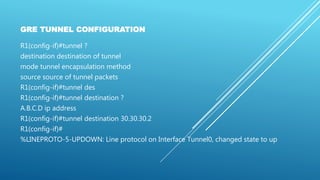
R1(config-if)#tunnel ?
destination destination of tunnel
mode tunnel encapsulation method
source source of tunnel packets
R1(config-if)#tunnel des
R1(config-if)#tunnel destination ?
A.B.C.D ip address
R1(config-if)#tunnel destination 30.30.30.2
R1(config-if)#
%LINEPROTO-5-UPDOWN: Line protocol on Interface Tunnel0, changed state to up
GRE TUNNEL CONFIGURATION
R1(config-if)#tun
R1(config-if)#tunnel ?
destination destination of tunnel
mode tunnel encapsulation method
source source of tunnel packets
R1(config-if)#tunnel mo
R1(config-if)#tunnel mode ?
gre generic route encapsulation protocol
ipv6ip IPv6 over IP encapsulation
R1(config-if)#tunnel mode gr
R1(config-if)#tunnel mode gre ?
ip over IP
R1(config-if)#tunnel mode gre ip ?
<cr>
R1(config-if)#tunnel mode gre ip
GRE TUNNEL CONFIGURATION
Here is show run so far:
interface Tunnel0
ip address 10.10.10.1 255.255.255.252
tunnel mode gre ip
tunnel source Serial0/0/0
tunnel destination 30.30.30.2
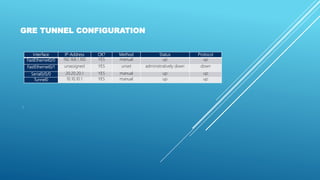
Lets check R1# show ip int brief
R1#show ip int brief
GRE TUNNEL CONFIGURATION
Interface IP-Address OK? Method Status Protocol
FastEthernet0/0 192.168.1.100 YES manual up up
FastEthernet0/1 unassigned YES unset administratively down down
Serial0/0/0 20.20.20.1 YES manual up up
Tunnel0 10.10.10.1 YES manual up up
!
GRE TUNNEL CONFIGURATION
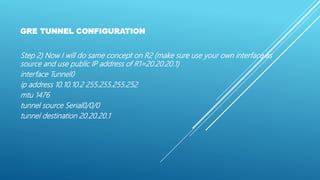
Step 2) Now I will do same concept on R2 (make sure use your own interface as
source and use public IP address of R1=20.20.20.1)
interface Tunnel0
ip address 10.10.10.2 255.255.255.252
mtu 1476
tunnel source Serial0/0/0
tunnel destination 20.20.20.1
GRE TUNNEL CONFIGURATION
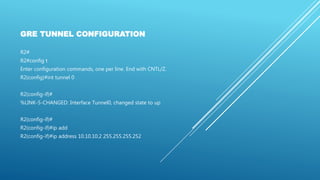
R2#
R2#config t
Enter configuration commands, one per line. End with CNTL/Z.
R2(config)#int tunnel 0
R2(config-if)#
%LINK-5-CHANGED: Interface Tunnel0, changed state to up
R2(config-if)#
R2(config-if)#ip add
R2(config-if)#ip address 10.10.10.2 255.255.255.252
GRE TUNNEL CONFIGURATION
R2(config-if)#
R2(config-if)#tun
R2(config-if)#tunnel ?
destination destination of tunnel
mode tunnel encapsulation method
source source of tunnel packets
R2(config-if)#tunnel sou
R2(config-if)#tunnel source s0/0/0
R2(config-if)#tunnel des
R2(config-if)#tunnel destination 20.20.20.1
R2(config-if)#
%LINEPROTO-5-UPDOWN: Line protocol on Interface
Tunnel0, changed state to up
GRE TUNNEL CONFIGURATION
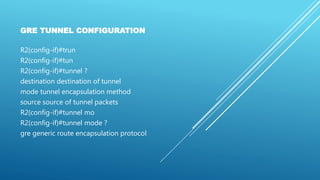
R2(config-if)#trun
R2(config-if)#tun
R2(config-if)#tunnel ?
destination destination of tunnel
mode tunnel encapsulation method
source source of tunnel packets
R2(config-if)#tunnel mo
R2(config-if)#tunnel mode ?
gre generic route encapsulation protocol
GRE TUNNEL CONFIGURATION
ipv6ip IPv6 over IP encapsulation
R2(config-if)#tunnel mode gr
R2(config-if)#tunnel mode gre ?
ip over IP
R2(config-if)#tunnel mode gre ip ?
<cr>
R2(config-if)#tunnel mode gre ip
R2(config-if)#
GRE TUNNEL CONFIGURATION
Here is show run so far on R2#:
interface Tunnel0
ip address 10.10.10.2 255.255.255.252
mtu 1476
tunnel source Serial0/0/0
tunnel destination 20.20.20.1
Now Lets look at R2#show ip int brief and See if I can ping from R1 to R2 Tunnel IP
address=10.10.10.2
R2#show ip int brief
GRE TUNNEL CONFIGURATION
R2#
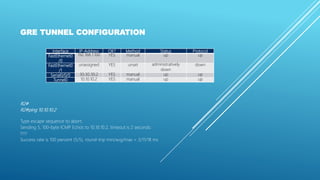
R2#ping 10.10.10.2
Type escape sequence to abort.
Sending 5, 100-byte ICMP Echos to 10.10.10.2, timeout is 2 seconds:
!!!!!
Success rate is 100 percent (5/5), round-trip min/avg/max = 3/11/18 ms
Interface IP-Address OK? Method Status Protocol
FastEthernet0
/0
192.168.1.100 YES manual up up
FastEthernet0
/1
unassigned YES unset administratively
down
down
Serial0/0/0 30.30.30.2 YES manual up up
Tunnel0 10.10.10.2 YES manual up up
GRE TUNNEL CONFIGURATION
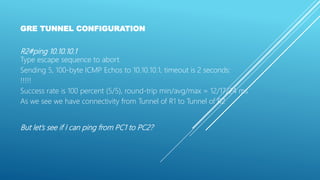
R2#ping 10.10.10.1
Type escape sequence to abort.
Sending 5, 100-byte ICMP Echos to 10.10.10.1, timeout is 2 seconds:
!!!!!
Success rate is 100 percent (5/5), round-trip min/avg/max = 12/17/24 ms
As we see we have connectivity from Tunnel of R1 to Tunnel of R2
But let’s see if I can ping from PC1 to PC2?
GRE TUNNEL CONFIGURATION
PC>ping 192.168.2.1
Pinging 192.168.2.1 with 32 bytes of data:
Request timed out.
Request timed out.
Request timed out.
Request timed out.
Ping statistics for 192.168.2.1:
Packets: Sent = 4, Received = 0, Lost = 4 (100%
GRE TUNNEL CONFIGURATION
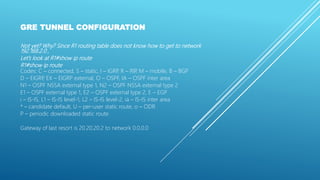
Not yet? Why? Since R1 routing table does not know how to get to network
192.168.2.0 ,
Let’s look at R1#show ip route
R1#show ip route
Codes: C – connected, S – static, I – IGRP, R – RIP, M – mobile, B – BGP
D – EIGRP, EX – EIGRP external, O – OSPF, IA – OSPF inter area
N1 – OSPF NSSA external type 1, N2 – OSPF NSSA external type 2
E1 – OSPF external type 1, E2 – OSPF external type 2, E – EGP
i – IS-IS, L1 – IS-IS level-1, L2 – IS-IS level-2, ia – IS-IS inter area
* – candidate default, U – per-user static route, o – ODR
P – periodic downloaded static route
Gateway of last resort is 20.20.20.2 to network 0.0.0.0
GRE TUNNEL CONFIGURATION
10.0.0.0/30 is subnetted, 1 subnets
C 10.10.10.0 is directly connected, Tunnel0
20.0.0.0/30 is subnetted, 1 subnets
C 20.20.20.0 is directly connected, Serial0/0/0
C 192.168.1.0/24 is directly connected,
FastEthernet0/0
S* 0.0.0.0/0 [1/0] via 20.20.20.2
GRE TUNNEL CONFIGURATION
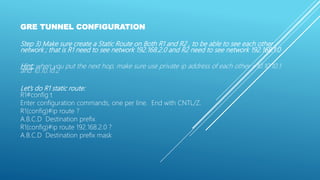
Step 3) Make sure create a Static Route on Both R1 and R2 , to be able to see each other
network ; that is R1 need to see network 192.168.2.0 and R2 need to see network 192.168.1.0
Hint: when you put the next hop, make sure use private ip address of each other =10.10.10.1
and 10.10.10.2
Let’s do R1 static route:
R1#config t
Enter configuration commands, one per line. End with CNTL/Z.
R1(config)#ip route ?
A.B.C.D Destination prefix
R1(config)#ip route 192.168.2.0 ?
A.B.C.D Destination prefix mask
GRE TUNNEL CONFIGURATION
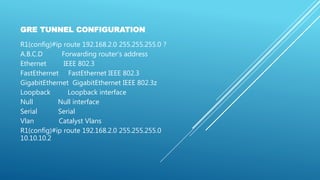
R1(config)#ip route 192.168.2.0 255.255.255.0 ?
A.B.C.D Forwarding router’s address
Ethernet IEEE 802.3
FastEthernet FastEthernet IEEE 802.3
GigabitEthernet GigabitEthernet IEEE 802.3z
Loopback Loopback interface
Null Null interface
Serial Serial
Vlan Catalyst Vlans
R1(config)#ip route 192.168.2.0 255.255.255.0
10.10.10.2
GRE TUNNEL CONFIGURATION
Here is show run on R1:
R1#show run
ip route 192.168.2.0 255.255.255.0 10.10.10.2
(destination Net) (Next hop)
Here is show ip route on R1#:
R1#show ip route
Codes: C – connected, S – static, I – IGRP, R – RIP, M – mobile, B – BGP
D – EIGRP, EX – EIGRP external, O – OSPF, IA – OSPF inter area
N1 – OSPF NSSA external type 1, N2 – OSPF NSSA external type 2
E1 – OSPF external type 1, E2 – OSPF external type 2, E – EGP
i – IS-IS, L1 – IS-IS level-1, L2 – IS-IS level-2, ia – IS-IS inter area
* – candidate default, U – per-user static route, o – ODR
P – periodic downloaded static route
Gateway of last resort is 20.20.20.2 to network 0.0.0.0
GRE TUNNEL CONFIGURATION
10.0.0.0/30 is subnetted, 1 subnets
C 10.10.10.0 is directly connected, Tunnel0
20.0.0.0/30 is subnetted, 1 subnets
C 20.20.20.0 is directly connected, Serial0/0/0
C 192.168.1.0/24 is directly connected, FastEthernet0/0
S 192.168.2.0/24 [1/0] via 10.10.10.2
S* 0.0.0.0/0 [1/0] via 20.20.20.2
R1#
GRE TUNNEL CONFIGURATION
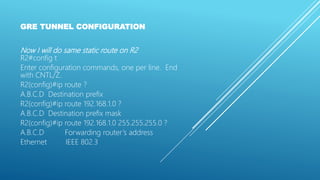
Now I will do same static route on R2
R2#config t
Enter configuration commands, one per line. End
with CNTL/Z.
R2(config)#ip route ?
A.B.C.D Destination prefix
R2(config)#ip route 192.168.1.0 ?
A.B.C.D Destination prefix mask
R2(config)#ip route 192.168.1.0 255.255.255.0 ?
A.B.C.D Forwarding router’s address
Ethernet IEEE 802.3
GRE TUNNEL CONFIGURATION
FastEthernet FastEthernet IEEE 802.3
GigabitEthernet GigabitEthernet IEEE 802.3z
Loopback Loopback interface
Null Null interface
Serial Serial
Vlan Catalyst Vlans
R2(config)#ip route 192.168.1.0 255.255.255.0 10.10.10.1
R2(config)#
GRE TUNNEL CONFIGURATION
Here is my show run on R2#:
ip route 192.168.1.0 255.255.255.0 10.10.10.1
(dest net ) (Next Hop)
Now I should be able to ping from PC1 to PC2 ,
PC>ping 192.168.2.1
GRE TUNNEL CONFIGURATION
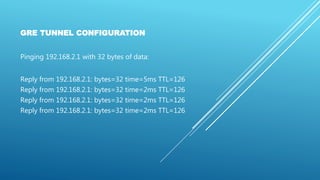
Pinging 192.168.2.1 with 32 bytes of data:
Reply from 192.168.2.1: bytes=32 time=5ms TTL=126
Reply from 192.168.2.1: bytes=32 time=2ms TTL=126
GRE TUNNEL CONFIGURATION
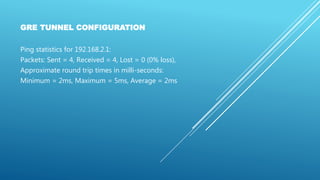
Ping statistics for 192.168.2.1:
Packets: Sent = 4, Received = 4, Lost = 0 (0% loss),
Approximate round trip times in milli-seconds:
Minimum = 2ms, Maximum = 5ms, Average = 2ms
GRE TUNNEL CONFIGURATION
So here is summary of each router:
R1#show run
interface Tunnel0
ip address 10.10.10.1 255.255.255.252
mtu 1476
tunnel source Serial0/0/0 (use your own
tunnel destination 30.30.30.2 ( use Public IP address
R2)
!
!
GRE TUNNEL CONFIGURATION
interface FastEthernet0/0
ip address 192.168.1.100 255.255.255.0
duplex auto
speed auto
!
interface FastEthernet0/1
no ip address
duplex auto
speed auto
shutdown
!
GRE TUNNEL CONFIGURATION
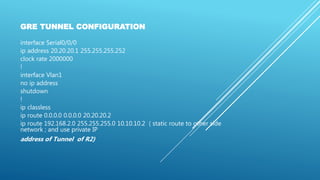
interface Serial0/0/0
ip address 20.20.20.1 255.255.255.252
clock rate 2000000
!
interface Vlan1
no ip address
shutdown
!
ip classless
ip route 0.0.0.0 0.0.0.0 20.20.20.2
ip route 192.168.2.0 255.255.255.0 10.10.10.2 ( static route to other side
network ; and use private IP
address of Tunnel of R2)
GRE TUNNEL CONFIGURATION
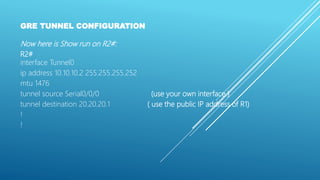
Now here is Show run on R2#:
R2#
interface Tunnel0
ip address 10.10.10.2 255.255.255.252
mtu 1476
tunnel source Serial0/0/0 (use your own interface )
tunnel destination 20.20.20.1 ( use the public IP address of R1)
!
!
GRE TUNNEL CONFIGURATION
interface FastEthernet0/0
ip address 192.168.2.100 255.255.255.0
duplex auto
speed auto
!
interface FastEthernet0/1
no ip address
duplex auto
speed auto
shutdown
!
GRE TUNNEL CONFIGURATION
interface Serial0/0/0
ip address 30.30.30.2 255.255.255.252
clock rate 2000000
!
interface Vlan1
no ip address
shutdown
!
ip classless
ip route 0.0.0.0 0.0.0.0 30.30.30.1
ip route 192.168.1.0 255.255.255.0 10.10.10.1 (static route to other
network with remote Tunnel IP Address)
ASM EDUCATIONAL CENTER INC. (ASM)
WHERE TRAINING, TECHNOLOGY & SERVICE CONVERGE
To watch our Cisco CCNA Video Trainings Please Check out the link below:
www.asmed.com/c1
Phone: (301) 984-7400
Rockville,MD

Cisco CCNA GRE Tunnel Configuration

  • 1.
    CISCO CCNA PPP MULTILINKCONFIGURATION TO WATCH OUR CISCO CCNA VIDEO TRAININGS PLEASE CHECK OUT THE LINK BELOW: WWW.ASMED.COM/C1 ASM Educational Center Inc. (ASM) Where Training, Technology & Service Converge Phone: (301) 984-7400 Rockville,MD
  • 2.
    GRE TUNNEL CONFIGURATION NowI will do small Lab: The Goal is that PC1 (private Network) be able to Ping PC2 another Private Network, by going Via R3 which represent internet. R3 has no connectivity to LAN 192.168.2.0 and 192.168.1.0 /24
  • 3.
    GRE TUNNEL CONFIGURATION Hereis R1 has default route to ISP (R3): R1#show ip route Codes: C – connected, S – static, I – IGRP, R – RIP, M – mobile, B – BGP D – EIGRP, EX – EIGRP external, O – OSPF, IA – OSPF inter area N1 – OSPF NSSA external type 1, N2 – OSPF NSSA external type 2 E1 – OSPF external type 1, E2 – OSPF external type 2, E – EGP i – IS-IS, L1 – IS-IS level-1, L2 – IS-IS level-2, ia – IS-IS inter area * – candidate default, U – per-user static route, o – ODR P – periodic downloaded static route
  • 4.
    Gateway of lastresort is 20.20.20.2 to network 0.0.0.0 20.0.0.0/30 is subnetted, 1 subnets C 20.20.20.0 is directly connected, Serial0/0/0 C 192.168.1.0/24 is directly connected, FastEthernet0/0 S* 0.0.0.0/0 [1/0] via 20.20.20.2 R1# GRE TUNNEL CONFIGURATION
  • 5.
    GRE TUNNEL CONFIGURATION AlsoR2 has a default route to ISP (R3): R2#show ip route Codes: C – connected, S – static, I – IGRP, R – RIP, M – mobile, B – BGP D – EIGRP, EX – EIGRP external, O – OSPF, IA – OSPF inter area N1 – OSPF NSSA external type 1, N2 – OSPF NSSA external type 2 E1 – OSPF external type 1, E2 – OSPF external type 2, E – EGP i – IS-IS, L1 – IS-IS level-1, L2 – IS-IS level-2, ia – IS-IS inter area * – candidate default, U – per-user static route, o – ODR P – periodic downloaded static route Gateway of last resort is 30.30.30.1 to network 0.0.0.0 30.0.0.0/30 is subnetted, 1 subnets C 30.30.30.0 is directly connected, Serial0/0/0 C 192.168.2.0/24 is directly connected, FastEthernet0/0 S* 0.0.0.0/0 [1/0] via 30.30.30.1
  • 6.
    GRE TUNNEL CONFIGURATION Soright now I should be able to ping from R1 to Public IP address of R2 ( Think of R1 for Company 1) and think of R2 for Company 2 R1#ping 30.30.30.2 Type escape sequence to abort. Sending 5, 100-byte ICMP Echos to 30.30.30.2, timeout is 2 seconds: !!!!! Success rate is 100 percent (5/5), round-trip min/avg/max = 4/10/13 ms Now seated at PC1 =192.168.1.1 I cannot ping PC2=192.168.2.1 PC>ping 192.168.2.1
  • 7.
    GRE TUNNEL CONFIGURATION Pinging192.168.2.1 with 32 bytes of data: Request timed out. Request timed out. Request timed out. Request timed out. Ping statistics for 192.168.2.1: Packets: Sent = 4, Received = 0, Lost = 4 (100% loss), So Goal is to have a GRE Tunnel Between R1 and R2, over internet; and PC1 be able to Ping PC2
  • 8.
    GRE TUNNEL CONFIGURATION Step1) Create an Int Tunnel 0 on R1 as follow R1# interface Tunnel0 ip address 10.10.10.1 255.255.255.252 tunnel mode gre ip tunnel source Serial0/0/0 tunnel destination 30.30.30.2 !
  • 9.
    GRE TUNNEL CONFIGURATION Aswe see in above I need to use source (I use my S0/0/0 that is talking to ISP) and also I need to use the destination, which I need to use Public IP address of R2 = 30.30.30.2 R1#config t Enter configuration commands, one per line. End with CNTL/Z. R1(config)#int tunnel 0 R1(config-if)# %LINK-5-CHANGED: Interface Tunnel0, changed state to up
  • 10.
    GRE TUNNEL CONFIGURATION R1(config-if)# R1(config-if)#ipadd R1(config-if)#ip address 10.10.10.1 255.255.255.252 R1(config-if)#tun R1(config-if)#tunnel ? destination destination of tunnel mode tunnel encapsulation method source source of tunnel packets
  • 11.
    GRE TUNNEL CONFIGURATION R1(config-if)#tunnelsou R1(config-if)#tunnel source ? Ethernet IEEE 802.3 FastEthernet FastEthernet IEEE 802.3 GigabitEthernet GigabitEthernet IEEE 802.3z Loopback Loopback interface Serial Serial R1(config-if)#tunnel source s0/0/0 R1(config-if)# R1(config-if)# R1(config-if)#tunne
  • 12.
    GRE TUNNEL CONFIGURATION R1(config-if)#tunnel? destination destination of tunnel mode tunnel encapsulation method source source of tunnel packets R1(config-if)#tunnel des R1(config-if)#tunnel destination ? A.B.C.D ip address R1(config-if)#tunnel destination 30.30.30.2 R1(config-if)# %LINEPROTO-5-UPDOWN: Line protocol on Interface Tunnel0, changed state to up
  • 13.
    GRE TUNNEL CONFIGURATION R1(config-if)#tun R1(config-if)#tunnel? destination destination of tunnel mode tunnel encapsulation method source source of tunnel packets R1(config-if)#tunnel mo R1(config-if)#tunnel mode ? gre generic route encapsulation protocol ipv6ip IPv6 over IP encapsulation R1(config-if)#tunnel mode gr R1(config-if)#tunnel mode gre ? ip over IP R1(config-if)#tunnel mode gre ip ? <cr> R1(config-if)#tunnel mode gre ip
  • 14.
    GRE TUNNEL CONFIGURATION Hereis show run so far: interface Tunnel0 ip address 10.10.10.1 255.255.255.252 tunnel mode gre ip tunnel source Serial0/0/0 tunnel destination 30.30.30.2 Lets check R1# show ip int brief R1#show ip int brief
  • 15.
    GRE TUNNEL CONFIGURATION InterfaceIP-Address OK? Method Status Protocol FastEthernet0/0 192.168.1.100 YES manual up up FastEthernet0/1 unassigned YES unset administratively down down Serial0/0/0 20.20.20.1 YES manual up up Tunnel0 10.10.10.1 YES manual up up !
  • 16.
    GRE TUNNEL CONFIGURATION Step2) Now I will do same concept on R2 (make sure use your own interface as source and use public IP address of R1=20.20.20.1) interface Tunnel0 ip address 10.10.10.2 255.255.255.252 mtu 1476 tunnel source Serial0/0/0 tunnel destination 20.20.20.1
  • 17.
    GRE TUNNEL CONFIGURATION R2# R2#configt Enter configuration commands, one per line. End with CNTL/Z. R2(config)#int tunnel 0 R2(config-if)# %LINK-5-CHANGED: Interface Tunnel0, changed state to up R2(config-if)# R2(config-if)#ip add R2(config-if)#ip address 10.10.10.2 255.255.255.252
  • 18.
    GRE TUNNEL CONFIGURATION R2(config-if)# R2(config-if)#tun R2(config-if)#tunnel? destination destination of tunnel mode tunnel encapsulation method source source of tunnel packets R2(config-if)#tunnel sou R2(config-if)#tunnel source s0/0/0 R2(config-if)#tunnel des R2(config-if)#tunnel destination 20.20.20.1 R2(config-if)# %LINEPROTO-5-UPDOWN: Line protocol on Interface Tunnel0, changed state to up
  • 19.
    GRE TUNNEL CONFIGURATION R2(config-if)#trun R2(config-if)#tun R2(config-if)#tunnel? destination destination of tunnel mode tunnel encapsulation method source source of tunnel packets R2(config-if)#tunnel mo R2(config-if)#tunnel mode ? gre generic route encapsulation protocol
  • 20.
    GRE TUNNEL CONFIGURATION ipv6ipIPv6 over IP encapsulation R2(config-if)#tunnel mode gr R2(config-if)#tunnel mode gre ? ip over IP R2(config-if)#tunnel mode gre ip ? <cr> R2(config-if)#tunnel mode gre ip R2(config-if)#
  • 21.
    GRE TUNNEL CONFIGURATION Hereis show run so far on R2#: interface Tunnel0 ip address 10.10.10.2 255.255.255.252 mtu 1476 tunnel source Serial0/0/0 tunnel destination 20.20.20.1 Now Lets look at R2#show ip int brief and See if I can ping from R1 to R2 Tunnel IP address=10.10.10.2 R2#show ip int brief
  • 22.
    GRE TUNNEL CONFIGURATION R2# R2#ping10.10.10.2 Type escape sequence to abort. Sending 5, 100-byte ICMP Echos to 10.10.10.2, timeout is 2 seconds: !!!!! Success rate is 100 percent (5/5), round-trip min/avg/max = 3/11/18 ms Interface IP-Address OK? Method Status Protocol FastEthernet0 /0 192.168.1.100 YES manual up up FastEthernet0 /1 unassigned YES unset administratively down down Serial0/0/0 30.30.30.2 YES manual up up Tunnel0 10.10.10.2 YES manual up up
  • 23.
    GRE TUNNEL CONFIGURATION R2#ping10.10.10.1 Type escape sequence to abort. Sending 5, 100-byte ICMP Echos to 10.10.10.1, timeout is 2 seconds: !!!!! Success rate is 100 percent (5/5), round-trip min/avg/max = 12/17/24 ms As we see we have connectivity from Tunnel of R1 to Tunnel of R2 But let’s see if I can ping from PC1 to PC2?
  • 24.
    GRE TUNNEL CONFIGURATION PC>ping192.168.2.1 Pinging 192.168.2.1 with 32 bytes of data: Request timed out. Request timed out. Request timed out. Request timed out. Ping statistics for 192.168.2.1: Packets: Sent = 4, Received = 0, Lost = 4 (100%
  • 25.
    GRE TUNNEL CONFIGURATION Notyet? Why? Since R1 routing table does not know how to get to network 192.168.2.0 , Let’s look at R1#show ip route R1#show ip route Codes: C – connected, S – static, I – IGRP, R – RIP, M – mobile, B – BGP D – EIGRP, EX – EIGRP external, O – OSPF, IA – OSPF inter area N1 – OSPF NSSA external type 1, N2 – OSPF NSSA external type 2 E1 – OSPF external type 1, E2 – OSPF external type 2, E – EGP i – IS-IS, L1 – IS-IS level-1, L2 – IS-IS level-2, ia – IS-IS inter area * – candidate default, U – per-user static route, o – ODR P – periodic downloaded static route Gateway of last resort is 20.20.20.2 to network 0.0.0.0
  • 26.
    GRE TUNNEL CONFIGURATION 10.0.0.0/30is subnetted, 1 subnets C 10.10.10.0 is directly connected, Tunnel0 20.0.0.0/30 is subnetted, 1 subnets C 20.20.20.0 is directly connected, Serial0/0/0 C 192.168.1.0/24 is directly connected, FastEthernet0/0 S* 0.0.0.0/0 [1/0] via 20.20.20.2
  • 27.
    GRE TUNNEL CONFIGURATION Step3) Make sure create a Static Route on Both R1 and R2 , to be able to see each other network ; that is R1 need to see network 192.168.2.0 and R2 need to see network 192.168.1.0 Hint: when you put the next hop, make sure use private ip address of each other =10.10.10.1 and 10.10.10.2 Let’s do R1 static route: R1#config t Enter configuration commands, one per line. End with CNTL/Z. R1(config)#ip route ? A.B.C.D Destination prefix R1(config)#ip route 192.168.2.0 ? A.B.C.D Destination prefix mask
  • 28.
    GRE TUNNEL CONFIGURATION R1(config)#iproute 192.168.2.0 255.255.255.0 ? A.B.C.D Forwarding router’s address Ethernet IEEE 802.3 FastEthernet FastEthernet IEEE 802.3 GigabitEthernet GigabitEthernet IEEE 802.3z Loopback Loopback interface Null Null interface Serial Serial Vlan Catalyst Vlans R1(config)#ip route 192.168.2.0 255.255.255.0 10.10.10.2
  • 29.
    GRE TUNNEL CONFIGURATION Hereis show run on R1: R1#show run ip route 192.168.2.0 255.255.255.0 10.10.10.2 (destination Net) (Next hop) Here is show ip route on R1#: R1#show ip route Codes: C – connected, S – static, I – IGRP, R – RIP, M – mobile, B – BGP D – EIGRP, EX – EIGRP external, O – OSPF, IA – OSPF inter area N1 – OSPF NSSA external type 1, N2 – OSPF NSSA external type 2 E1 – OSPF external type 1, E2 – OSPF external type 2, E – EGP i – IS-IS, L1 – IS-IS level-1, L2 – IS-IS level-2, ia – IS-IS inter area * – candidate default, U – per-user static route, o – ODR P – periodic downloaded static route Gateway of last resort is 20.20.20.2 to network 0.0.0.0
  • 30.
    GRE TUNNEL CONFIGURATION 10.0.0.0/30is subnetted, 1 subnets C 10.10.10.0 is directly connected, Tunnel0 20.0.0.0/30 is subnetted, 1 subnets C 20.20.20.0 is directly connected, Serial0/0/0 C 192.168.1.0/24 is directly connected, FastEthernet0/0 S 192.168.2.0/24 [1/0] via 10.10.10.2 S* 0.0.0.0/0 [1/0] via 20.20.20.2 R1#
  • 31.
    GRE TUNNEL CONFIGURATION NowI will do same static route on R2 R2#config t Enter configuration commands, one per line. End with CNTL/Z. R2(config)#ip route ? A.B.C.D Destination prefix R2(config)#ip route 192.168.1.0 ? A.B.C.D Destination prefix mask R2(config)#ip route 192.168.1.0 255.255.255.0 ? A.B.C.D Forwarding router’s address Ethernet IEEE 802.3
  • 32.
    GRE TUNNEL CONFIGURATION FastEthernetFastEthernet IEEE 802.3 GigabitEthernet GigabitEthernet IEEE 802.3z Loopback Loopback interface Null Null interface Serial Serial Vlan Catalyst Vlans R2(config)#ip route 192.168.1.0 255.255.255.0 10.10.10.1 R2(config)#
  • 33.
    GRE TUNNEL CONFIGURATION Hereis my show run on R2#: ip route 192.168.1.0 255.255.255.0 10.10.10.1 (dest net ) (Next Hop) Now I should be able to ping from PC1 to PC2 , PC>ping 192.168.2.1
  • 34.
    GRE TUNNEL CONFIGURATION Pinging192.168.2.1 with 32 bytes of data: Reply from 192.168.2.1: bytes=32 time=5ms TTL=126 Reply from 192.168.2.1: bytes=32 time=2ms TTL=126 Reply from 192.168.2.1: bytes=32 time=2ms TTL=126 Reply from 192.168.2.1: bytes=32 time=2ms TTL=126
  • 35.
    GRE TUNNEL CONFIGURATION Pingstatistics for 192.168.2.1: Packets: Sent = 4, Received = 4, Lost = 0 (0% loss), Approximate round trip times in milli-seconds: Minimum = 2ms, Maximum = 5ms, Average = 2ms
  • 36.
    GRE TUNNEL CONFIGURATION Sohere is summary of each router: R1#show run interface Tunnel0 ip address 10.10.10.1 255.255.255.252 mtu 1476 tunnel source Serial0/0/0 (use your own tunnel destination 30.30.30.2 ( use Public IP address R2) ! !
  • 37.
    GRE TUNNEL CONFIGURATION interfaceFastEthernet0/0 ip address 192.168.1.100 255.255.255.0 duplex auto speed auto ! interface FastEthernet0/1 no ip address duplex auto speed auto shutdown !
  • 38.
    GRE TUNNEL CONFIGURATION interfaceSerial0/0/0 ip address 20.20.20.1 255.255.255.252 clock rate 2000000 ! interface Vlan1 no ip address shutdown ! ip classless ip route 0.0.0.0 0.0.0.0 20.20.20.2 ip route 192.168.2.0 255.255.255.0 10.10.10.2 ( static route to other side network ; and use private IP address of Tunnel of R2)
  • 39.
    GRE TUNNEL CONFIGURATION Nowhere is Show run on R2#: R2# interface Tunnel0 ip address 10.10.10.2 255.255.255.252 mtu 1476 tunnel source Serial0/0/0 (use your own interface ) tunnel destination 20.20.20.1 ( use the public IP address of R1) ! !
  • 40.
    GRE TUNNEL CONFIGURATION interfaceFastEthernet0/0 ip address 192.168.2.100 255.255.255.0 duplex auto speed auto ! interface FastEthernet0/1 no ip address duplex auto speed auto shutdown !
  • 41.
    GRE TUNNEL CONFIGURATION interfaceSerial0/0/0 ip address 30.30.30.2 255.255.255.252 clock rate 2000000 ! interface Vlan1 no ip address shutdown ! ip classless ip route 0.0.0.0 0.0.0.0 30.30.30.1 ip route 192.168.1.0 255.255.255.0 10.10.10.1 (static route to other network with remote Tunnel IP Address)
  • 42.
    ASM EDUCATIONAL CENTERINC. (ASM) WHERE TRAINING, TECHNOLOGY & SERVICE CONVERGE To watch our Cisco CCNA Video Trainings Please Check out the link below: www.asmed.com/c1 Phone: (301) 984-7400 Rockville,MD