CCNA COMMAND WITH EXPLANATION 
Page 1 
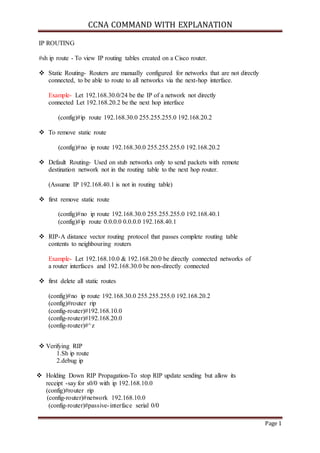
IP ROUTING 
#sh ip route - To view IP routing tables created on a Cisco router. 
 Static Routing- Routers are manually configured for networks that are not directly 
connected, to be able to route to all networks via the next-hop interface. 
Example- Let 192.168.30.0/24 be the IP of a network not directly 
connected Let 192.168.20.2 be the next hop interface 
(config)#ip route 192.168.30.0 255.255.255.0 192.168.20.2 
 To remove static route 
(config)#no ip route 192.168.30.0 255.255.255.0 192.168.20.2 
 Default Routing- Used on stub networks only to send packets with remote 
destination network not in the routing table to the next hop router. 
(Assume IP 192.168.40.1 is not in routing table) 
 first remove static route 
(config)#no ip route 192.168.30.0 255.255.255.0 192.168.40.1 
(config)#ip route 0.0.0.0 0.0.0.0 192.168.40.1 
 RIP-A distance vector routing protocol that passes complete routing table 
contents to neighbouring routers 
Example- Let 192.168.10.0 & 192.168.20.0 be directly connected networks of 
a router interfaces and 192.168.30.0 be non-directly connected 
 first delete all static routes 
(config)#no ip route 192.168.30.0 255.255.255.0 192.168.20.2 
(config)#router rip 
(config-router)#192.168.10.0 
(config-router)#192.168.20.0 
(config-router)#^z 
 Verifying RIP 
1.Sh ip route 
2.debug ip 
 Holding Down RIP Propagation-To stop RIP update sending but allow its 
receipt -say for s0/0 with ip 192.168.10.0 
(config)#router rip 
(config-router)#network 192.168.10.0 
(config-router)#passive- interface serial 0/0
CCNA COMMAND WITH EXPLANATION 
Page 2 
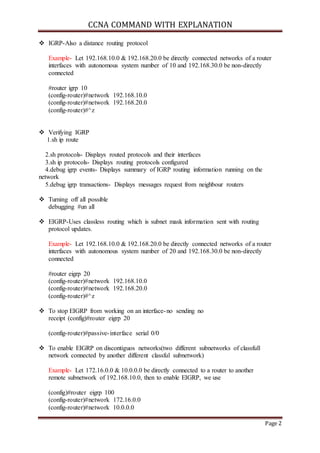
 IGRP-Also a distance routing protocol 
Example- Let 192.168.10.0 & 192.168.20.0 be directly connected networks of a router 
interfaces with autonomous system number of 10 and 192.168.30.0 be non-directly 
connected 
#router igrp 10 
(config-router)#network 192.168.10.0 
(config-router)#network 192.168.20.0 
(config-router)#^z 
 Verifying IGRP 
1.sh ip route 
2.sh protocols- Displays routed protocols and their interfaces 
3.sh ip protocols- Displays routing protocols configured 
4.debug igrp events- Displays summary of IGRP routing information running on the 
network 
5.debug igrp transactions- Displays messages request from neighbour routers 
 Turning off all possible 
debugging #un all 
 EIGRP-Uses classless routing which is subnet mask information sent with routing 
protocol updates. 
Example- Let 192.168.10.0 & 192.168.20.0 be directly connected networks of a router 
interfaces with autonomous system number of 20 and 192.168.30.0 be non-directly 
connected 
#router eigrp 20 
(config-router)#network 192.168.10.0 
(config-router)#network 192.168.20.0 
(config-router)#^z 
 To stop EIGRP from working on an interface-no sending no 
receipt (config)#router eigrp 20 
(config-router)#passive- interface serial 0/0 
 To enable EIGRP on discontiguos networks(two different subnetworks of classfull 
network connected by another different classful subnetwork) 
Example- Let 172.16.0.0 & 10.0.0.0 be directly connected to a router to another 
remote subnetwork of 192.168.10.0, then to enable EIGRP, we use 
(config)#router eigrp 100 
(config-router)#network 172.16.0.0 
(config-router)#network 10.0.0.0
CCNA COMMAND WITH EXPLANATION 
Page 3 
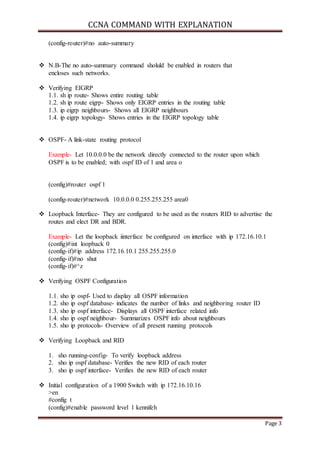
(config-router)#no auto-summary 
 N.B-The no auto-summary command sholuld be enabled in routers that 
encloses such networks. 
 Verifying EIGRP 
1.1. sh ip route- Shows entire routing table 
1.2. sh ip route eigrp- Shows only EIGRP entries in the routing table 
1.3. ip eigrp neighbours- Shows all EIGRP neighbours 
1.4. ip eigrp topology- Shows entries in the EIGRP topology table 
 OSPF- A link-state routing protocol 
Example- Let 10.0.0.0 be the network directly connected to the router upon which 
OSPF is to be enabled; with ospf ID of 1 and area o 
(config)#router ospf 1 
(config-router)#network 10.0.0.0 0.255.255.255 area0 
 Loopback Interface- They are configured to be used as the routers RID to advertise the 
routes and elect DR and BDR. 
Example- Let the loopback iinterface be configured on interface with ip 172.16.10.1 
(config)#int loopback 0 
(config- if)#ip address 172.16.10.1 255.255.255.0 
(config- if)#no shut 
(config- if)#^z 
 Verifying OSPF Configuration 
1.1. sho ip ospf- Used to display all OSPF information 
1.2. sho ip ospf database- indicates the number of links and neighboring router ID 
1.3. sho ip ospf interface- Displays all OSPF interface related info 
1.4. sho ip ospf neighbour- Summarizes OSPF info about neighbours 
1.5. sho ip protocols- Overview of all present running protocols 
 Verifying Loopback and RID 
1. sho running-config- To verify loopback address 
2. sho ip ospf database- Verifies the new RID of each router 
3. sho ip ospf interface- Verifies the new RID of each router 
 Initial configuration of a 1900 Switch with ip 172.16.10.16 
>en 
#config t 
(config)#enable password level 1 kennifeh
CCNA COMMAND WITH EXPLANATION 
Page 4 
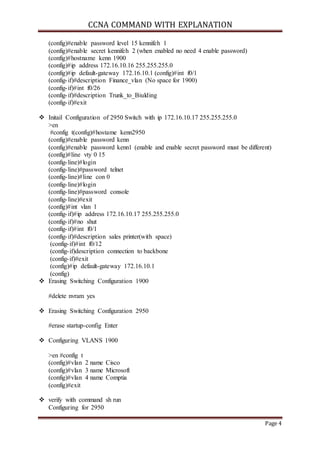
(config)#enable password level 15 kennifeh 1 
(config)#enable secret kennifeh 2 (when enabled no need 4 enable password) 
(config)#hostname kenn 1900 
(config)#ip address 172.16.10.16 255.255.255.0 
(config)#ip default-gateway 172.16.10.1 (config)#int f0/1 
(config- if)#description Finance_vlan (No space for 1900) 
(config- if)#int f0/26 
(config- if)#description Trunk_to_Biulding 
(config- if)#exit 
 Initail Configuration of 2950 Switch with ip 172.16.10.17 255.255.255.0 
>en 
#config t(config)#hostame kenn2950 
(config)#enable password kenn 
(config)#enable password kenn1 (enable and enable secret password must be different) 
(config)#line vty 0 15 
(config- line)#login 
(config- line)#password telnet 
(config- line)#line con 0 
(config- line)#login 
(config- line)#password console 
(config- line)#exit 
(config)#int vlan 1 
(config- if)#ip address 172.16.10.17 255.255.255.0 
(config- if)#no shut 
(config- if)#int f0/1 
(config- if)#description sales printer(with space) 
(config- if)#int f0/12 
(config- if)description connection to backbone 
(config- if)#exit 
(config)#ip default-gateway 172.16.10.1 
(config) 
 Erasing Switching Configuration 1900 
#delete nvram yes 
 Erasing Switching Configuration 2950 
#erase startup-config Enter 
 Configuring VLANS 1900 
>en #config t 
(config)#vlan 2 name Cisco 
(config)#vlan 3 name Microsoft 
(config)#vlan 4 name Comptia 
(config)#exit 
 verify with command sh run 
Configuring for 2950
CCNA COMMAND WITH EXPLANATION 
Page 5 
>en 
#vlan database 
(vlan)#vlan 2 name Cisco 
(vlan)#vlan 3 name Microsoft 
(vlan)#vlan 4 name 
Comptia (vlan)#apply 
(vlan)#^c 
 Verify with command sh vlan brief 
Assigning Switch Ports To Vlan-1900 
(config)#int e0/2 
(config- if)#vlan-membership static 2 
(config- if)#int e0/3 
(config- if)#vlan-membership static 3 
(config- if)#exit 
 Verify with sh vlan 
Assigning Switch Ports To Vlan-2950 
(config)#int f0/2 
(config- if)#switchport access vlan 2 
(config- if)#int f0/3 
(config-t)#switchport access vlan 3 
(config- if)#int f0/4 
(config- if)#switchport access vlan 4 
(config- if)#verify with sh vlan brief 
 Configuring Trunks ports 
(config)#int f0/26 
(config- if)#trunk on 
 Configuring Trunk Ports for 2950 
(config)#int f0/12 
(config- if)#switchport mode trunk 
(config- if)#^z 
 To disable Trunk use- switchport mode access 
 To verify Trunking use sh running config 
 Configuring Inter-vlan Routing for 1900 connecting to 2600 
(config)#int f0/0.1 
(config- if)#encapsulation isl vlan (d number) 
 Configuring Inter-vlan Routing for 2950 connecting to 2600 
(config)#int f0/0.1 
(config- if)#encapsulation dot1q vlan (d number)
CCNA COMMAND WITH EXPLANATION 
Page 6 
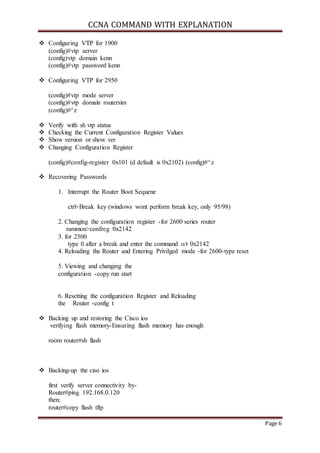
 Configuring VTP for 1900 
(config)#vtp server 
(config)vtp domain kenn 
(config)#vtp password kenn 
 Configuring VTP for 2950 
(config)#vtp mode server 
(config)#vtp domain routersim 
(config)#^z 
 Verify with sh vtp status 
 Checking the Current Configuration Register Values 
 Show version or show ver 
 Changing Configuration Register 
(config)#config-register 0x101 (d default is 0x2102) (config)#^z 
 Recovering Passwords 
1. Interrupt the Router Boot Sequene 
ctrl+Break key (windows wont perform break key, only 95/98) 
2. Changing the configuration register -for 2600 series router 
rammon>confreg 0x2142 
3. for 2500 
type 0 after a break and enter the command o/r 0x2142 
4. Reloading the Router and Entering Privilged mode -for 2600-type reset 
5. Viewing and changing the 
configuration -copy run start 
6. Resetting the configuration Register and Reloading 
the Router -config t 
 Backing up and restoring the Cisco ios 
verifying flash memory-Ensuring flash memory has enough 
room router#sh flash 
 Backing-up the ciso ios 
first verify server connectivity by- 
Router#ping 192.168.0.120 
then; 
router#copy flash tftp
CCNA COMMAND WITH EXPLANATION 
Page 7 
 Restoring or upgrading the cisco 
router 
ios router#copy tftp flash 
[confirm][ENTER] 
?[ENTER] 
 Backing up and Restoring the Cisco configuration 
 Backing up the cisco router configuration -copy runing config tftp 
 Verifying the current configuration -sh run 
 copying the current cofiguration to NVRAM -copy run start 
 copying the current configuration to a TFTP server -copy run TFTP 
 Restoring the Cisco Router Configuration 
 copy TFTP run 
 Erasing the configuration -erase startup-config 
 Getting CDP timers and Holdtime 
information Router#config t 
Router(config)#cdp timer 90 
Router(config)#cdp holdtime 240 
Router(config)#^z 
 To turn-off CDP Completely-no cdp run 
 Gathering Neighbour information 
kenn2509#sh cdp nei 
 delivers information about directly connected devices OR 
kenn2509#sh cdp neighbour 
 detail Also sh cdp entry 
 Gathering Interface Traffic 
Information kenn2509#sh cdp 
traffic 
 Gathering port and Interface 
information kenn2509#sh cdp interface 
 To turn off cdp on a 
router, use no cdp 
enable then ^z 
 Using Telnet 
kenn2509#telnet 172.16.10.2 
 Telnetting into multiple devices 
simultaneously kenn2509#telnet 172.16.10.2 
then, 2501B>{cntl+shift+6, then x}
CCNA COMMAND WITH EXPLANATION 
Page 8 
 Checking Telnet connections 
kenn2509#sh sessions-connections from your router to remote 
 Checking Telnet users 
kenn2509#sh user 
 Closing Telnet sessions 
1900switch>exit OR 
kenn2509#disconnect1 (num of active networks) 
 Resolving Hostname 
kenn2509#config t 
kenn2509(config)#ip host 2501B 172.16.10.2 
kenn2509(config)#ip host 1900switch 192.168.0.148 
kenn2509(config)#^z 
 To remove a hostname from a table, use 
RouterA(config)#no ip host routerB 
 Using DNS to resolve names 
#config t 
(config)#ip domain-lookup (usually turned on by default) 
(config)#ip name-server 192.168.0.70 (ip of an assumed DNS set) 
(config)#ip domain-name kenn.com (Appends the domain name to a host) 
(config)#^z 
 Check Network Connectivity use ping command 
#ping kenn2509 
 Using Traceroute 
command #trace 
2501B 
 Creating a Standard Access Lists (1-99 or 1,300-1,999) 
(config)#access- list 10 deny 172.16.30.2 (using the ip as a test) 
 Controlling vty(Telnet) sessions 
(config)#access- list 50 permit 172.16.30.2 
(config)#line vty 0 4 
(config- line)#access-class 50 in 
 Creating Extended Access-lists (100 to 199) OR (2000 to 2699) 
(config)#access- list 110 deny tcp any host 172.16.30.2 
eq 23 log (config)#access- list 110 permit ip any any 
(config)#int f0/0 
(config- if)#ip access-group 110 in 
(config- if)#ipaccess-group 110 out
CCNA COMMAND WITH EXPLANATION 
Page 9

Ccna command

  • 1.
    CCNA COMMAND WITHEXPLANATION Page 1 IP ROUTING #sh ip route - To view IP routing tables created on a Cisco router.  Static Routing- Routers are manually configured for networks that are not directly connected, to be able to route to all networks via the next-hop interface. Example- Let 192.168.30.0/24 be the IP of a network not directly connected Let 192.168.20.2 be the next hop interface (config)#ip route 192.168.30.0 255.255.255.0 192.168.20.2  To remove static route (config)#no ip route 192.168.30.0 255.255.255.0 192.168.20.2  Default Routing- Used on stub networks only to send packets with remote destination network not in the routing table to the next hop router. (Assume IP 192.168.40.1 is not in routing table)  first remove static route (config)#no ip route 192.168.30.0 255.255.255.0 192.168.40.1 (config)#ip route 0.0.0.0 0.0.0.0 192.168.40.1  RIP-A distance vector routing protocol that passes complete routing table contents to neighbouring routers Example- Let 192.168.10.0 & 192.168.20.0 be directly connected networks of a router interfaces and 192.168.30.0 be non-directly connected  first delete all static routes (config)#no ip route 192.168.30.0 255.255.255.0 192.168.20.2 (config)#router rip (config-router)#192.168.10.0 (config-router)#192.168.20.0 (config-router)#^z  Verifying RIP 1.Sh ip route 2.debug ip  Holding Down RIP Propagation-To stop RIP update sending but allow its receipt -say for s0/0 with ip 192.168.10.0 (config)#router rip (config-router)#network 192.168.10.0 (config-router)#passive- interface serial 0/0
  • 2.
    CCNA COMMAND WITHEXPLANATION Page 2  IGRP-Also a distance routing protocol Example- Let 192.168.10.0 & 192.168.20.0 be directly connected networks of a router interfaces with autonomous system number of 10 and 192.168.30.0 be non-directly connected #router igrp 10 (config-router)#network 192.168.10.0 (config-router)#network 192.168.20.0 (config-router)#^z  Verifying IGRP 1.sh ip route 2.sh protocols- Displays routed protocols and their interfaces 3.sh ip protocols- Displays routing protocols configured 4.debug igrp events- Displays summary of IGRP routing information running on the network 5.debug igrp transactions- Displays messages request from neighbour routers  Turning off all possible debugging #un all  EIGRP-Uses classless routing which is subnet mask information sent with routing protocol updates. Example- Let 192.168.10.0 & 192.168.20.0 be directly connected networks of a router interfaces with autonomous system number of 20 and 192.168.30.0 be non-directly connected #router eigrp 20 (config-router)#network 192.168.10.0 (config-router)#network 192.168.20.0 (config-router)#^z  To stop EIGRP from working on an interface-no sending no receipt (config)#router eigrp 20 (config-router)#passive- interface serial 0/0  To enable EIGRP on discontiguos networks(two different subnetworks of classfull network connected by another different classful subnetwork) Example- Let 172.16.0.0 & 10.0.0.0 be directly connected to a router to another remote subnetwork of 192.168.10.0, then to enable EIGRP, we use (config)#router eigrp 100 (config-router)#network 172.16.0.0 (config-router)#network 10.0.0.0
  • 3.
    CCNA COMMAND WITHEXPLANATION Page 3 (config-router)#no auto-summary  N.B-The no auto-summary command sholuld be enabled in routers that encloses such networks.  Verifying EIGRP 1.1. sh ip route- Shows entire routing table 1.2. sh ip route eigrp- Shows only EIGRP entries in the routing table 1.3. ip eigrp neighbours- Shows all EIGRP neighbours 1.4. ip eigrp topology- Shows entries in the EIGRP topology table  OSPF- A link-state routing protocol Example- Let 10.0.0.0 be the network directly connected to the router upon which OSPF is to be enabled; with ospf ID of 1 and area o (config)#router ospf 1 (config-router)#network 10.0.0.0 0.255.255.255 area0  Loopback Interface- They are configured to be used as the routers RID to advertise the routes and elect DR and BDR. Example- Let the loopback iinterface be configured on interface with ip 172.16.10.1 (config)#int loopback 0 (config- if)#ip address 172.16.10.1 255.255.255.0 (config- if)#no shut (config- if)#^z  Verifying OSPF Configuration 1.1. sho ip ospf- Used to display all OSPF information 1.2. sho ip ospf database- indicates the number of links and neighboring router ID 1.3. sho ip ospf interface- Displays all OSPF interface related info 1.4. sho ip ospf neighbour- Summarizes OSPF info about neighbours 1.5. sho ip protocols- Overview of all present running protocols  Verifying Loopback and RID 1. sho running-config- To verify loopback address 2. sho ip ospf database- Verifies the new RID of each router 3. sho ip ospf interface- Verifies the new RID of each router  Initial configuration of a 1900 Switch with ip 172.16.10.16 >en #config t (config)#enable password level 1 kennifeh
  • 4.
    CCNA COMMAND WITHEXPLANATION Page 4 (config)#enable password level 15 kennifeh 1 (config)#enable secret kennifeh 2 (when enabled no need 4 enable password) (config)#hostname kenn 1900 (config)#ip address 172.16.10.16 255.255.255.0 (config)#ip default-gateway 172.16.10.1 (config)#int f0/1 (config- if)#description Finance_vlan (No space for 1900) (config- if)#int f0/26 (config- if)#description Trunk_to_Biulding (config- if)#exit  Initail Configuration of 2950 Switch with ip 172.16.10.17 255.255.255.0 >en #config t(config)#hostame kenn2950 (config)#enable password kenn (config)#enable password kenn1 (enable and enable secret password must be different) (config)#line vty 0 15 (config- line)#login (config- line)#password telnet (config- line)#line con 0 (config- line)#login (config- line)#password console (config- line)#exit (config)#int vlan 1 (config- if)#ip address 172.16.10.17 255.255.255.0 (config- if)#no shut (config- if)#int f0/1 (config- if)#description sales printer(with space) (config- if)#int f0/12 (config- if)description connection to backbone (config- if)#exit (config)#ip default-gateway 172.16.10.1 (config)  Erasing Switching Configuration 1900 #delete nvram yes  Erasing Switching Configuration 2950 #erase startup-config Enter  Configuring VLANS 1900 >en #config t (config)#vlan 2 name Cisco (config)#vlan 3 name Microsoft (config)#vlan 4 name Comptia (config)#exit  verify with command sh run Configuring for 2950
  • 5.
    CCNA COMMAND WITHEXPLANATION Page 5 >en #vlan database (vlan)#vlan 2 name Cisco (vlan)#vlan 3 name Microsoft (vlan)#vlan 4 name Comptia (vlan)#apply (vlan)#^c  Verify with command sh vlan brief Assigning Switch Ports To Vlan-1900 (config)#int e0/2 (config- if)#vlan-membership static 2 (config- if)#int e0/3 (config- if)#vlan-membership static 3 (config- if)#exit  Verify with sh vlan Assigning Switch Ports To Vlan-2950 (config)#int f0/2 (config- if)#switchport access vlan 2 (config- if)#int f0/3 (config-t)#switchport access vlan 3 (config- if)#int f0/4 (config- if)#switchport access vlan 4 (config- if)#verify with sh vlan brief  Configuring Trunks ports (config)#int f0/26 (config- if)#trunk on  Configuring Trunk Ports for 2950 (config)#int f0/12 (config- if)#switchport mode trunk (config- if)#^z  To disable Trunk use- switchport mode access  To verify Trunking use sh running config  Configuring Inter-vlan Routing for 1900 connecting to 2600 (config)#int f0/0.1 (config- if)#encapsulation isl vlan (d number)  Configuring Inter-vlan Routing for 2950 connecting to 2600 (config)#int f0/0.1 (config- if)#encapsulation dot1q vlan (d number)
  • 6.
    CCNA COMMAND WITHEXPLANATION Page 6  Configuring VTP for 1900 (config)#vtp server (config)vtp domain kenn (config)#vtp password kenn  Configuring VTP for 2950 (config)#vtp mode server (config)#vtp domain routersim (config)#^z  Verify with sh vtp status  Checking the Current Configuration Register Values  Show version or show ver  Changing Configuration Register (config)#config-register 0x101 (d default is 0x2102) (config)#^z  Recovering Passwords 1. Interrupt the Router Boot Sequene ctrl+Break key (windows wont perform break key, only 95/98) 2. Changing the configuration register -for 2600 series router rammon>confreg 0x2142 3. for 2500 type 0 after a break and enter the command o/r 0x2142 4. Reloading the Router and Entering Privilged mode -for 2600-type reset 5. Viewing and changing the configuration -copy run start 6. Resetting the configuration Register and Reloading the Router -config t  Backing up and restoring the Cisco ios verifying flash memory-Ensuring flash memory has enough room router#sh flash  Backing-up the ciso ios first verify server connectivity by- Router#ping 192.168.0.120 then; router#copy flash tftp
  • 7.
    CCNA COMMAND WITHEXPLANATION Page 7  Restoring or upgrading the cisco router ios router#copy tftp flash [confirm][ENTER] ?[ENTER]  Backing up and Restoring the Cisco configuration  Backing up the cisco router configuration -copy runing config tftp  Verifying the current configuration -sh run  copying the current cofiguration to NVRAM -copy run start  copying the current configuration to a TFTP server -copy run TFTP  Restoring the Cisco Router Configuration  copy TFTP run  Erasing the configuration -erase startup-config  Getting CDP timers and Holdtime information Router#config t Router(config)#cdp timer 90 Router(config)#cdp holdtime 240 Router(config)#^z  To turn-off CDP Completely-no cdp run  Gathering Neighbour information kenn2509#sh cdp nei  delivers information about directly connected devices OR kenn2509#sh cdp neighbour  detail Also sh cdp entry  Gathering Interface Traffic Information kenn2509#sh cdp traffic  Gathering port and Interface information kenn2509#sh cdp interface  To turn off cdp on a router, use no cdp enable then ^z  Using Telnet kenn2509#telnet 172.16.10.2  Telnetting into multiple devices simultaneously kenn2509#telnet 172.16.10.2 then, 2501B>{cntl+shift+6, then x}
  • 8.
    CCNA COMMAND WITHEXPLANATION Page 8  Checking Telnet connections kenn2509#sh sessions-connections from your router to remote  Checking Telnet users kenn2509#sh user  Closing Telnet sessions 1900switch>exit OR kenn2509#disconnect1 (num of active networks)  Resolving Hostname kenn2509#config t kenn2509(config)#ip host 2501B 172.16.10.2 kenn2509(config)#ip host 1900switch 192.168.0.148 kenn2509(config)#^z  To remove a hostname from a table, use RouterA(config)#no ip host routerB  Using DNS to resolve names #config t (config)#ip domain-lookup (usually turned on by default) (config)#ip name-server 192.168.0.70 (ip of an assumed DNS set) (config)#ip domain-name kenn.com (Appends the domain name to a host) (config)#^z  Check Network Connectivity use ping command #ping kenn2509  Using Traceroute command #trace 2501B  Creating a Standard Access Lists (1-99 or 1,300-1,999) (config)#access- list 10 deny 172.16.30.2 (using the ip as a test)  Controlling vty(Telnet) sessions (config)#access- list 50 permit 172.16.30.2 (config)#line vty 0 4 (config- line)#access-class 50 in  Creating Extended Access-lists (100 to 199) OR (2000 to 2699) (config)#access- list 110 deny tcp any host 172.16.30.2 eq 23 log (config)#access- list 110 permit ip any any (config)#int f0/0 (config- if)#ip access-group 110 in (config- if)#ipaccess-group 110 out
  • 9.
    CCNA COMMAND WITHEXPLANATION Page 9