Web 2.0 and Social
Media for Business
Chapter 5: Videocasting, Screencasting
     and Live Streaming: Part A


    Roger McHaney, Kansas State University
Videocasting, Screencasting and Live Streaming
    Podcasting, blogs, and RSS are technologies rooted in the idea that
2
    broadcasts can be created and made available to listeners at their
    convenience. Technology makes it possible to use. Web 2.0 concepts
    enable businesses to reach their customers and stakeholders in real time
    via video. The idea of synchronous communication on the web has
    captured the imagination of many developers who have introduced
    products ranging from live radio broadcasting software to television-like
    live streaming sites.
What is Videocasting?
3
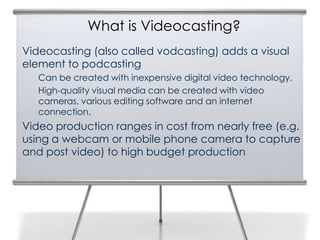
    Videocasting (also called vodcasting) adds a visual
    element to podcasting
       Can be created with inexpensive digital video technology.
       High-quality visual media can be created with video
       cameras, various editing software and an internet
       connection.
    Video production ranges in cost from nearly free (e.g.
    using a webcam or mobile phone camera to capture
    and post video) to high budget production
4


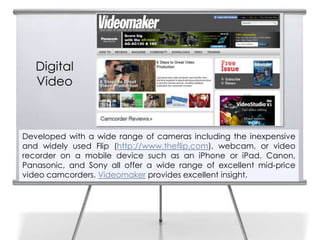
       Digital
       Video


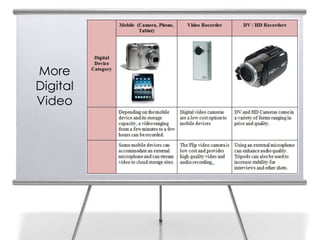
    Developed with a wide range of cameras including the inexpensive
    and widely used Flip (http://www.theflip.com), webcam, or video
    recorder on a mobile device such as an iPhone or iPad. Canon,
    Panasonic, and Sony all offer a wide range of excellent mid-price
    video camcorders. Videomaker provides excellent insight.
5


    More
    Digital
    Video
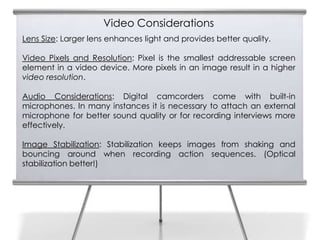
Video Considerations
    Lens Size: Larger lens enhances light and provides better quality.
6
    Video Pixels and Resolution: Pixel is the smallest addressable screen
    element in a video device. More pixels in an image result in a higher
    video resolution.

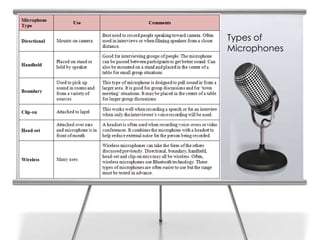
    Audio Considerations: Digital camcorders come with built-in
    microphones. In many instances it is necessary to attach an external
    microphone for better sound quality or for recording interviews more
    effectively.

    Image Stabilization: Stabilization keeps images from shaking and
    bouncing around when recording action sequences. (Optical
    stabilization better!)
Types of
7   Microphones
Lighting
8


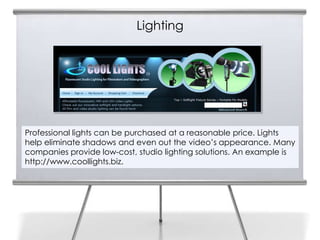
    Professional lights can be purchased at a reasonable price. Lights
    help eliminate shadows and even out the video’s appearance. Many
    companies provide low-cost, studio lighting solutions. An example is
    http://www.coollights.biz.
Lighting Guidelines
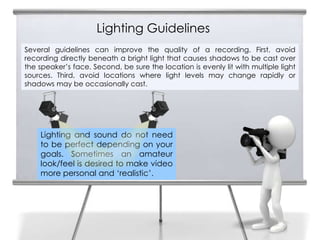
9   Several guidelines can improve the quality of a recording. First, avoid
    recording directly beneath a bright light that causes shadows to be cast over
    the speaker’s face. Second, be sure the location is evenly lit with multiple light
    sources. Third, avoid locations where light levels may change rapidly or
    shadows may be occasionally cast.


        Lighting and sound do not need
        to be perfect depending on your
        goals. Sometimes an amateur
        look/feel is desired to make video
        more personal and ‘realistic’.
Computer Considerations
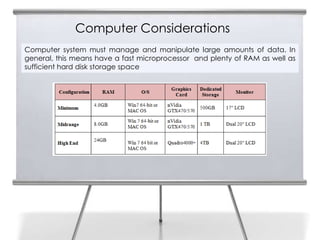
10   Computer system must manage and manipulate large amounts of data. In
     general, this means have a fast microprocessor and plenty of RAM as well as
     sufficient hard disk storage space
Preparing to Record a Videocast

11


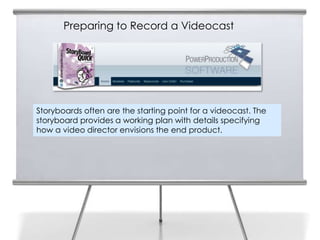
     Storyboards often are the starting point for a videocast. The
     storyboard provides a working plan with details specifying
     how a video director envisions the end product.
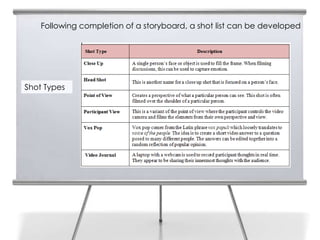
Following completion of a storyboard, a shot list can be developed

12


     Shot Types
13


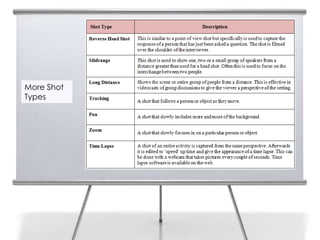
     More Shot
     Types
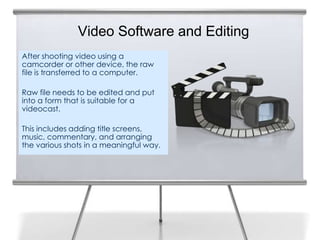
Video Software and Editing
After shooting video using a
camcorder or other device, the raw
file is transferred to a computer.

Raw file needs to be edited and put
into a form that is suitable for a
videocast.

This includes adding title screens,
music, commentary, and arranging
the various shots in a meaningful way.
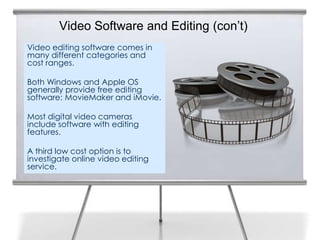
Video Software and Editing (con’t)
Video editing software comes in
many different categories and
cost ranges.

Both Windows and Apple OS
generally provide free editing
software: MovieMaker and iMovie.

Most digital video cameras
include software with editing
features.

A third low cost option is to
investigate online video editing
service.
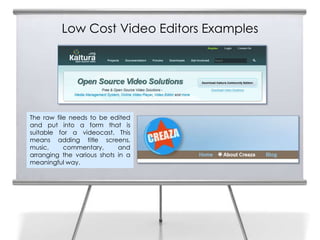
Low Cost Video Editors Examples


The raw file needs to be edited
and put into a form that is
suitable for a videocast. This
means adding title screens,
music,     commentary,      and
arranging the various shots in a
meaningful way.
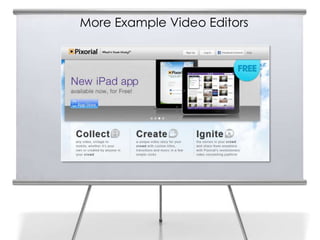
More Example Video Editors
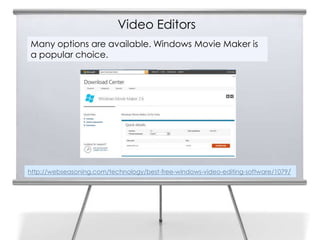
Video Editors
18
     Many options are available. Windows Movie Maker is
     a popular choice.


     http://webseasoning.com/technology/best-free-windows-video-editing-software/1079/
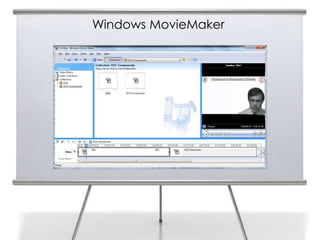
Windows MovieMaker
19
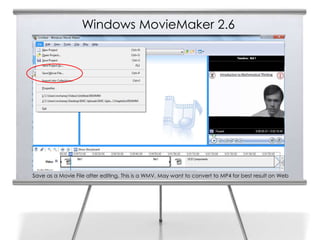
Windows MovieMaker 2.6
20


     Save as a Movie File after editing. This is a WMV. May want to convert to MP4 for best result on Web
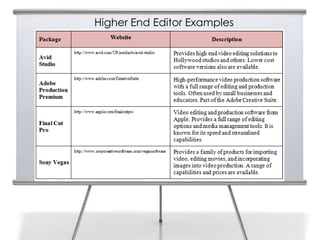
Higher End Editor Examples
Web 2.0 and Social
Media for Business
       End of
   Chapter 5 Part A
Slide Media from:
Slides Prepared by Professor Roger McHaney
Kansas State University                      PresenterMedia.com
Twitter: @mchaney                            support@presentermedia.com
Blog: http://mchaney.com
Email : mchaney@ksu.edu
                                             4416 S. Technology Dr
                                             Sioux Falls, SD 57106

Chapter5a McHaney

  • 1.
    Web 2.0 andSocial Media for Business Chapter 5: Videocasting, Screencasting and Live Streaming: Part A Roger McHaney, Kansas State University
  • 2.
    Videocasting, Screencasting andLive Streaming Podcasting, blogs, and RSS are technologies rooted in the idea that 2 broadcasts can be created and made available to listeners at their convenience. Technology makes it possible to use. Web 2.0 concepts enable businesses to reach their customers and stakeholders in real time via video. The idea of synchronous communication on the web has captured the imagination of many developers who have introduced products ranging from live radio broadcasting software to television-like live streaming sites.
  • 3.
    What is Videocasting? 3 Videocasting (also called vodcasting) adds a visual element to podcasting Can be created with inexpensive digital video technology. High-quality visual media can be created with video cameras, various editing software and an internet connection. Video production ranges in cost from nearly free (e.g. using a webcam or mobile phone camera to capture and post video) to high budget production
  • 4.
    4 Digital Video Developed with a wide range of cameras including the inexpensive and widely used Flip (http://www.theflip.com), webcam, or video recorder on a mobile device such as an iPhone or iPad. Canon, Panasonic, and Sony all offer a wide range of excellent mid-price video camcorders. Videomaker provides excellent insight.
  • 5.
    5 More Digital Video
  • 6.
    Video Considerations Lens Size: Larger lens enhances light and provides better quality. 6 Video Pixels and Resolution: Pixel is the smallest addressable screen element in a video device. More pixels in an image result in a higher video resolution. Audio Considerations: Digital camcorders come with built-in microphones. In many instances it is necessary to attach an external microphone for better sound quality or for recording interviews more effectively. Image Stabilization: Stabilization keeps images from shaking and bouncing around when recording action sequences. (Optical stabilization better!)
  • 7.
    Types of 7 Microphones
  • 8.
    Lighting 8 Professional lights can be purchased at a reasonable price. Lights help eliminate shadows and even out the video’s appearance. Many companies provide low-cost, studio lighting solutions. An example is http://www.coollights.biz.
  • 9.
    Lighting Guidelines 9 Several guidelines can improve the quality of a recording. First, avoid recording directly beneath a bright light that causes shadows to be cast over the speaker’s face. Second, be sure the location is evenly lit with multiple light sources. Third, avoid locations where light levels may change rapidly or shadows may be occasionally cast. Lighting and sound do not need to be perfect depending on your goals. Sometimes an amateur look/feel is desired to make video more personal and ‘realistic’.
  • 10.
    Computer Considerations 10 Computer system must manage and manipulate large amounts of data. In general, this means have a fast microprocessor and plenty of RAM as well as sufficient hard disk storage space
  • 11.
    Preparing to Recorda Videocast 11 Storyboards often are the starting point for a videocast. The storyboard provides a working plan with details specifying how a video director envisions the end product.
  • 12.
    Following completion ofa storyboard, a shot list can be developed 12 Shot Types
  • 13.
    13 More Shot Types
  • 14.
    Video Software andEditing After shooting video using a camcorder or other device, the raw file is transferred to a computer. Raw file needs to be edited and put into a form that is suitable for a videocast. This includes adding title screens, music, commentary, and arranging the various shots in a meaningful way.
  • 15.
    Video Software andEditing (con’t) Video editing software comes in many different categories and cost ranges. Both Windows and Apple OS generally provide free editing software: MovieMaker and iMovie. Most digital video cameras include software with editing features. A third low cost option is to investigate online video editing service.
  • 16.
    Low Cost VideoEditors Examples The raw file needs to be edited and put into a form that is suitable for a videocast. This means adding title screens, music, commentary, and arranging the various shots in a meaningful way.
  • 17.
  • 18.
    Video Editors 18 Many options are available. Windows Movie Maker is a popular choice. http://webseasoning.com/technology/best-free-windows-video-editing-software/1079/
  • 19.
  • 20.
    Windows MovieMaker 2.6 20 Save as a Movie File after editing. This is a WMV. May want to convert to MP4 for best result on Web
  • 21.
  • 22.
    Web 2.0 andSocial Media for Business End of Chapter 5 Part A
  • 23.
    Slide Media from: SlidesPrepared by Professor Roger McHaney Kansas State University PresenterMedia.com Twitter: @mchaney support@presentermedia.com Blog: http://mchaney.com Email : mchaney@ksu.edu 4416 S. Technology Dr Sioux Falls, SD 57106