Video Creation 101
Types of Video

                           Informational
                              How-to
                           Product demo
                               Humor

Discussion: What kind of video do you envision
creating for your business?
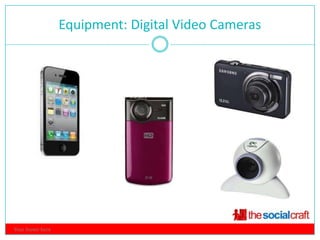
Equipment: Digital Video Cameras
                                  3


Your footer here
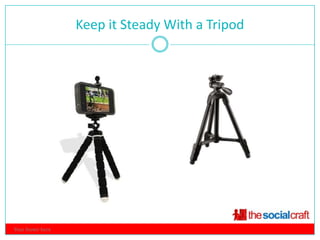
Keep it Steady With a Tripod
                                4


Your footer here
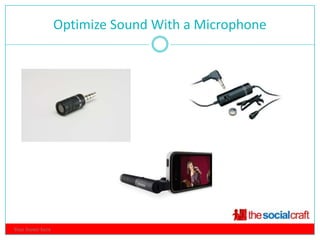
Optimize Sound With a Microphone
                                  5


Your footer here
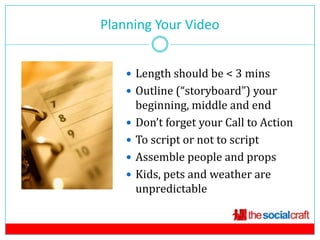
Planning Your Video
            6


     Length should be < 3 mins
     Outline (“storyboard”) your
        beginning, middle and end
       Don’t forget your Call to Action
       To script or not to script
       Assemble people and props
       Kids, pets and weather are
        unpredictable
Production: Set the Stage

 Find the best light (outdoors is great!)
 Grab a friend to help
 Turn off your house phone
 Do a sound check
 Relax!
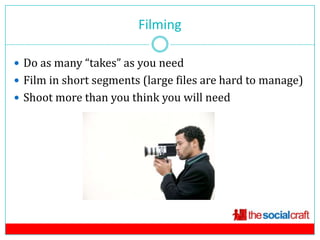
Filming

 Do as many “takes” as you need
 Film in short segments (large files are hard to manage)
 Shoot more than you think you will need
Uploading Video Files
                             9

 Delete unnecessary files before uploading
 Give them their own folders
 Label files whenever possible
 Lots of files? Consider an external hard drive
 Use Dropbox to share files with colleagues
Editing Video
                               10


 Free editing tools: iMovie
  (Mac), Windows Movie Maker
  (PC)
 Simple video snipping on the
  iPhone: Splice App
 iPad Video Editing App: Avid
 The big guns: Software such as
  Adobe, Sony Vegas
Other Video Options
                          11

 Slideshows with photos and video clips (Animoto)
 Screencasts (Jing/Screencast.com)
 Live webcasts (Livestream, Ustream)
Making the Most of Your Content
                           12

 Upload it to YouTube
 Optimize your YouTube title
  and description
 Embed your video on your
  website or blog
 Post your video to social
  channels such as Facebook
  and Twitter

Video Creation 101: Creating Amateur Video Content on a Budget

  • 1.
  • 2.
    Types of Video Informational How-to Product demo Humor Discussion: What kind of video do you envision creating for your business?
  • 3.
    Equipment: Digital VideoCameras 3 Your footer here
  • 4.
    Keep it SteadyWith a Tripod 4 Your footer here
  • 5.
    Optimize Sound Witha Microphone 5 Your footer here
  • 6.
    Planning Your Video 6  Length should be < 3 mins  Outline (“storyboard”) your beginning, middle and end  Don’t forget your Call to Action  To script or not to script  Assemble people and props  Kids, pets and weather are unpredictable
  • 7.
    Production: Set theStage  Find the best light (outdoors is great!)  Grab a friend to help  Turn off your house phone  Do a sound check  Relax!
  • 8.
    Filming  Do asmany “takes” as you need  Film in short segments (large files are hard to manage)  Shoot more than you think you will need
  • 9.
    Uploading Video Files 9  Delete unnecessary files before uploading  Give them their own folders  Label files whenever possible  Lots of files? Consider an external hard drive  Use Dropbox to share files with colleagues
  • 10.
    Editing Video 10  Free editing tools: iMovie (Mac), Windows Movie Maker (PC)  Simple video snipping on the iPhone: Splice App  iPad Video Editing App: Avid  The big guns: Software such as Adobe, Sony Vegas
  • 11.
    Other Video Options 11  Slideshows with photos and video clips (Animoto)  Screencasts (Jing/Screencast.com)  Live webcasts (Livestream, Ustream)
  • 12.
    Making the Mostof Your Content 12  Upload it to YouTube  Optimize your YouTube title and description  Embed your video on your website or blog  Post your video to social channels such as Facebook and Twitter