Web 2.0 and Social
Media for Business
Chapter 5: Videocasting, Screencasting
     and Live Streaming: Part C


    Roger McHaney, Kansas State University
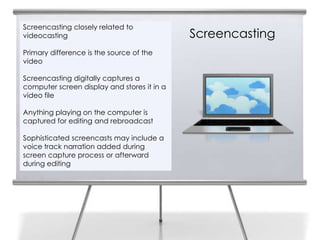
Screencasting closely related to
    videocasting                                 Screencasting
2
    Primary difference is the source of the
    video

    Screencasting digitally captures a
    computer screen display and stores it in a
    video file

    Anything playing on the computer is
    captured for editing and rebroadcast

    Sophisticated screencasts may include a
    voice track narration added during
    screen capture process or afterward
    during editing
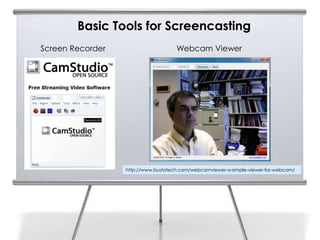
Basic Tools for Screencasting
Screen Recorder                      Webcam Viewer


                  http://www.bustatech.com/webcamviewer-a-simple-viewer-for-webcam/
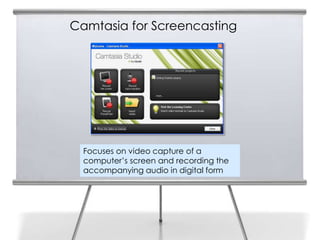
Camtasia for Screencasting


  Focuses on video capture of a
  computer’s screen and recording the
  accompanying audio in digital form
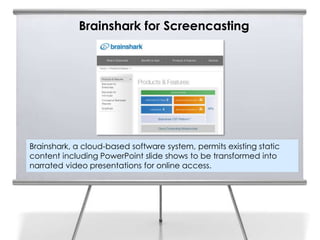
Brainshark for Screencasting


Brainshark, a cloud-based software system, permits existing static
content including PowerPoint slide shows to be transformed into
narrated video presentations for online access.
Video Production Creation Tool
Animoto generated video
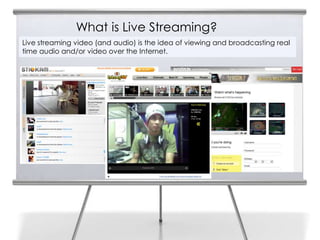
What is Live Streaming?
    Live streaming video (and audio) is the idea of viewing and broadcasting real
8   time audio and/or video over the Internet.
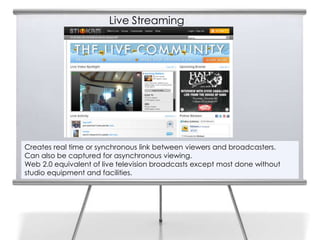
Live Streaming

9


    Creates real time or synchronous link between viewers and broadcasters.
    Can also be captured for asynchronous viewing.
    Web 2.0 equivalent of live television broadcasts except most done without
    studio equipment and facilities.
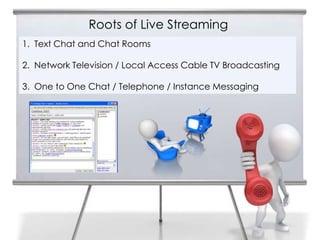
Roots of Live Streaming
     1. Text Chat and Chat Rooms
10

     2. Network Television / Local Access Cable TV Broadcasting

     3. One to One Chat / Telephone / Instance Messaging
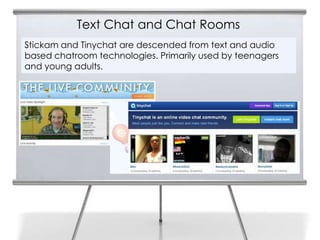
Text Chat and Chat Rooms
11
     Stickam and Tinychat are descended from text and audio
     based chatroom technologies. Primarily used by teenagers
     and young adults.
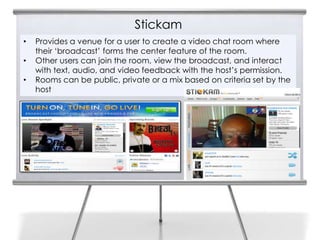
Stickam
     •   Provides a venue for a user to create a video chat room where
12       their ‘broadcast’ forms the center feature of the room.
     •   Other users can join the room, view the broadcast, and interact
         with text, audio, and video feedback with the host’s permission.
     •   Rooms can be public, private or a mix based on criteria set by the
         host
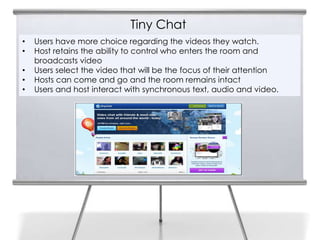
Tiny Chat
     •   Users have more choice regarding the videos they watch.
13   •   Host retains the ability to control who enters the room and
         broadcasts video
     •   Users select the video that will be the focus of their attention
     •   Hosts can come and go and the room remains intact
     •   Users and host interact with synchronous text, audio and video.
Tiny Chat and Stickam for Business
14   •   Used by businesses, not-for-profit
         organizations, and various companies to
         broadcast live events, stream presentations,
         publicize album releases, offer
         training/instruction, and provide question and
         answer venues for authors, musicians, and
         celebrities.
     •   Cutting edge businesses in entertainment and
         music industries make up a sizable share of
         commercial clients
     •   Social live streaming is becoming more
         popular and is being recognized as a
         powerful new way to reach customers,
         potential customers, and other stakeholders.
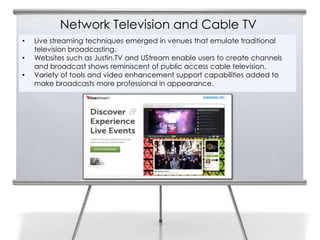
Network Television and Cable TV
     •   Live streaming techniques emerged in venues that emulate traditional
15       television broadcasting.
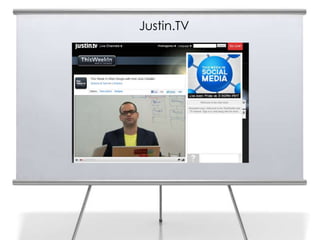
     •   Websites such as Justin.TV and UStream enable users to create channels
         and broadcast shows reminiscent of public access cable television.
     •   Variety of tools and video enhancement support capabilities added to
         make broadcasts more professional in appearance.
Justin.TV
Justin.TV


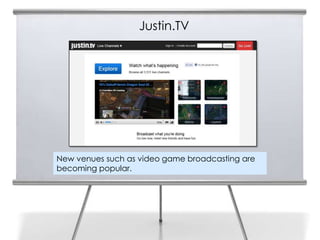
New venues such as video game broadcasting are
becoming popular.
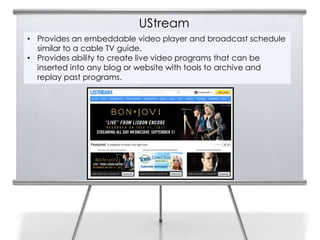
UStream
• Provides an embeddable video player and broadcast schedule
  similar to a cable TV guide.
• Provides ability to create live video programs that can be
  inserted into any blog or website with tools to archive and
  replay past programs.
UStream
Synchronous online video has become widely available and easy to
incorporate into blogs, websites and specialty sites. This trend
portends the rapidly approaching era of Internet television. This
means every business and person will have the means to develop
and broadcast their own video programs.
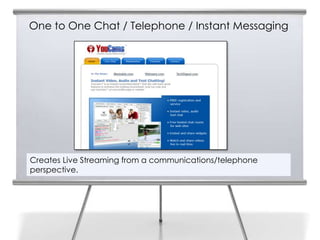
One to One Chat / Telephone / Instant Messaging


Creates Live Streaming from a communications/telephone
perspective.
YouCams
• YouCams provides tools for
  embedding live streaming into
  existing website structures.
• Has been marketed as a
  webcam chat widget with
  capabilities.
• Works best from an established
  website with preexisting
  audience and focus on smaller
  groups.
• Capability to enable groups to
  watch YouTube videos and see
  participant reactions in real
  time.
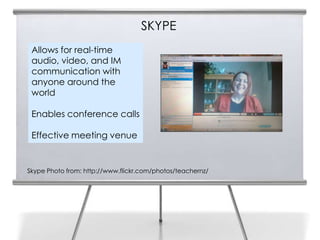
SKYPE
22    Allows for real-time
      audio, video, and IM
      communication with
      anyone around the
      world

      Enables conference calls

      Effective meeting venue


     Skype Photo from: http://www.flickr.com/photos/teachernz/
Kyte

•   Kyte.TV was a direct competitor of YouCams but seeks to differentiate
    itself with added features for scheduled programming.
•   Kyte permits a user to combine live feeds with existing video footage,
    images, music and other artifacts.
•   Using a drag and drop interface, various media and transitions create a
    media rich broadcast which is scheduled for release on the Kyte
    website.
•   Live text chat is added when the broadcast takes place. Kyte provides
    tools for customizing and specializing the look and feel of the media
    player to match an organization’s branding.
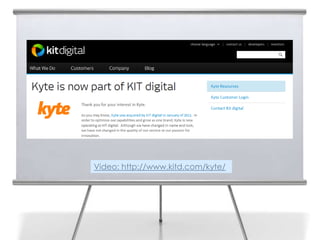
•   Now has been compiled into the toolkit of a much larger company that
    serves mainstream media organizations.
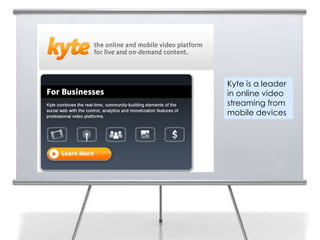
Kyte is a leader
in online video
streaming from
mobile devices
Video: http://www.kitd.com/kyte/
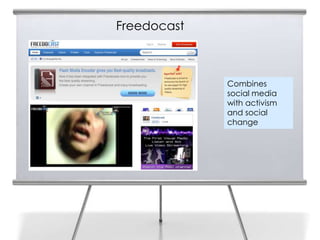
Freedocast


             Combines
             social media
             with activism
             and social
             change
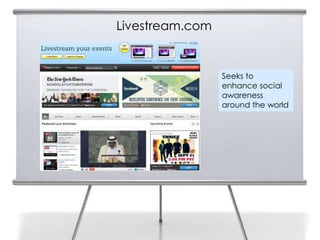
Livestream.com


                 Seeks to
                 enhance social
                 awareness
                 around the world
Live Streaming Features
Live broadcasting (synchronous) - Stream live video from user's
video capture device.
Scheduled broadcasting (asynchronous) – Allows video to be
rebroadcast at a predetermined time.
On-demand broadcasting (asynchronous) – Users determine the
time that they will view the broadcast.
Embedded live player – Allows the video producer to embed a
customized video player displaying live video. Usually the
embedded player will be inserted into an existing website or
blog.
Live Streaming Features (con’t.)
Embedded recorded player – Permits the video producer to
embed a customized video player displaying pre-recorded or
archived video. Multiple participants – Allows more than one
broadcaster to participate in a video presentation session.
Integrated text messages – Provides facility for viewers to interact
with broadcasters or each other via text messages typed into a
common interface during a video broadcast.
Integrated audio chat – Provides the facility for viewers to interact
with broadcasters or each other via audio chat spoken during a
video broadcast.
Live Streaming Features (con’t.)
Integrated video chat – Provides the facility for viewers to
interact with broadcasters or each other via video chat during a
video broadcast.
Webcam capture – Some live streaming websites provide the
capability of direct video capture.
Audio capture – The capability of direct audio capture is a
feature on some live streaming websites
Mobile device capture – Another feature of some live streaming
websites includes the capture of video or still photos from a
mobile smart device.
Live Streaming Features (con’t.)

Import video – Many live streaming sites have the capability of
importing existing video.
Import digital images – Photographs, illustrations, graphics and
other artifacts can be uploaded or pulled from other websites
for use in live streaming.
Import audio tracks – Music and other audio tracks often can
be acquired from websites, computers, mobile devices or
storage devices.
Titles and transitions – Live streaming sites often contain tools for
adding header screens and building transitions for broadcasts
or stored video footage.
Live Audio Streaming
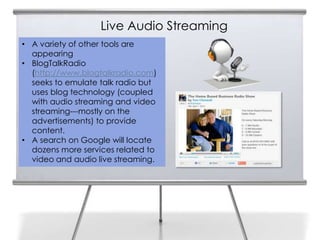
• A variety of other tools are
  appearing
• BlogTalkRadio
  (http://www.blogtalkradio.com)
  seeks to emulate talk radio but
  uses blog technology (coupled
  with audio streaming and video
  streaming---mostly on the
  advertisements) to provide
  content.
• A search on Google will locate
  dozens more services related to
  video and audio live streaming.
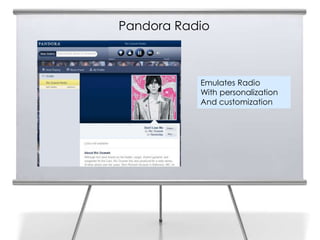
Pandora Radio
33


                Emulates Radio
                With personalization
                And customization
Summary
Web 2.0 applications have moved the power of live audio and video broadcasting into
the hands of businesses and individuals.

Businesses can reach their customers and stakeholders in real time and create archived
material for later use.

Convergence moves the best facets of many services into platforms with components
derived from chatrooms, radio, television, blogs, video sharing sites and other traditions.

Web 2.0 broadcasts range from people speaking into their webcams to sophisticated
digital productions beginning to rival Hollywood capabilities.

Businesses now have the opportunity to personalize their communications and operate at
different levels to achieve their goals and objectives.
Slide Media from:
Slides Prepared by Professor Roger McHaney
Kansas State University                      PresenterMedia.com
Twitter: @mchaney                            support@presentermedia.com
Blog: http://mchaney.com
Email : mchaney@ksu.edu
                                             4416 S. Technology Dr
                                             Sioux Falls, SD 57106

Chapter5c McHaney

  • 1.
    Web 2.0 andSocial Media for Business Chapter 5: Videocasting, Screencasting and Live Streaming: Part C Roger McHaney, Kansas State University
  • 2.
    Screencasting closely relatedto videocasting Screencasting 2 Primary difference is the source of the video Screencasting digitally captures a computer screen display and stores it in a video file Anything playing on the computer is captured for editing and rebroadcast Sophisticated screencasts may include a voice track narration added during screen capture process or afterward during editing
  • 3.
    Basic Tools forScreencasting Screen Recorder Webcam Viewer http://www.bustatech.com/webcamviewer-a-simple-viewer-for-webcam/
  • 4.
    Camtasia for Screencasting Focuses on video capture of a computer’s screen and recording the accompanying audio in digital form
  • 5.
    Brainshark for Screencasting Brainshark,a cloud-based software system, permits existing static content including PowerPoint slide shows to be transformed into narrated video presentations for online access.
  • 6.
  • 7.
  • 8.
    What is LiveStreaming? Live streaming video (and audio) is the idea of viewing and broadcasting real 8 time audio and/or video over the Internet.
  • 9.
    Live Streaming 9 Creates real time or synchronous link between viewers and broadcasters. Can also be captured for asynchronous viewing. Web 2.0 equivalent of live television broadcasts except most done without studio equipment and facilities.
  • 10.
    Roots of LiveStreaming 1. Text Chat and Chat Rooms 10 2. Network Television / Local Access Cable TV Broadcasting 3. One to One Chat / Telephone / Instance Messaging
  • 11.
    Text Chat andChat Rooms 11 Stickam and Tinychat are descended from text and audio based chatroom technologies. Primarily used by teenagers and young adults.
  • 12.
    Stickam • Provides a venue for a user to create a video chat room where 12 their ‘broadcast’ forms the center feature of the room. • Other users can join the room, view the broadcast, and interact with text, audio, and video feedback with the host’s permission. • Rooms can be public, private or a mix based on criteria set by the host
  • 13.
    Tiny Chat • Users have more choice regarding the videos they watch. 13 • Host retains the ability to control who enters the room and broadcasts video • Users select the video that will be the focus of their attention • Hosts can come and go and the room remains intact • Users and host interact with synchronous text, audio and video.
  • 14.
    Tiny Chat andStickam for Business 14 • Used by businesses, not-for-profit organizations, and various companies to broadcast live events, stream presentations, publicize album releases, offer training/instruction, and provide question and answer venues for authors, musicians, and celebrities. • Cutting edge businesses in entertainment and music industries make up a sizable share of commercial clients • Social live streaming is becoming more popular and is being recognized as a powerful new way to reach customers, potential customers, and other stakeholders.
  • 15.
    Network Television andCable TV • Live streaming techniques emerged in venues that emulate traditional 15 television broadcasting. • Websites such as Justin.TV and UStream enable users to create channels and broadcast shows reminiscent of public access cable television. • Variety of tools and video enhancement support capabilities added to make broadcasts more professional in appearance.
  • 16.
  • 17.
    Justin.TV New venues suchas video game broadcasting are becoming popular.
  • 18.
    UStream • Provides anembeddable video player and broadcast schedule similar to a cable TV guide. • Provides ability to create live video programs that can be inserted into any blog or website with tools to archive and replay past programs.
  • 19.
    UStream Synchronous online videohas become widely available and easy to incorporate into blogs, websites and specialty sites. This trend portends the rapidly approaching era of Internet television. This means every business and person will have the means to develop and broadcast their own video programs.
  • 20.
    One to OneChat / Telephone / Instant Messaging Creates Live Streaming from a communications/telephone perspective.
  • 21.
    YouCams • YouCams providestools for embedding live streaming into existing website structures. • Has been marketed as a webcam chat widget with capabilities. • Works best from an established website with preexisting audience and focus on smaller groups. • Capability to enable groups to watch YouTube videos and see participant reactions in real time.
  • 22.
    SKYPE 22 Allows for real-time audio, video, and IM communication with anyone around the world Enables conference calls Effective meeting venue Skype Photo from: http://www.flickr.com/photos/teachernz/
  • 23.
    Kyte • Kyte.TV was a direct competitor of YouCams but seeks to differentiate itself with added features for scheduled programming. • Kyte permits a user to combine live feeds with existing video footage, images, music and other artifacts. • Using a drag and drop interface, various media and transitions create a media rich broadcast which is scheduled for release on the Kyte website. • Live text chat is added when the broadcast takes place. Kyte provides tools for customizing and specializing the look and feel of the media player to match an organization’s branding. • Now has been compiled into the toolkit of a much larger company that serves mainstream media organizations.
  • 24.
    Kyte is aleader in online video streaming from mobile devices
  • 25.
  • 26.
    Freedocast Combines social media with activism and social change
  • 27.
    Livestream.com Seeks to enhance social awareness around the world
  • 28.
    Live Streaming Features Livebroadcasting (synchronous) - Stream live video from user's video capture device. Scheduled broadcasting (asynchronous) – Allows video to be rebroadcast at a predetermined time. On-demand broadcasting (asynchronous) – Users determine the time that they will view the broadcast. Embedded live player – Allows the video producer to embed a customized video player displaying live video. Usually the embedded player will be inserted into an existing website or blog.
  • 29.
    Live Streaming Features(con’t.) Embedded recorded player – Permits the video producer to embed a customized video player displaying pre-recorded or archived video. Multiple participants – Allows more than one broadcaster to participate in a video presentation session. Integrated text messages – Provides facility for viewers to interact with broadcasters or each other via text messages typed into a common interface during a video broadcast. Integrated audio chat – Provides the facility for viewers to interact with broadcasters or each other via audio chat spoken during a video broadcast.
  • 30.
    Live Streaming Features(con’t.) Integrated video chat – Provides the facility for viewers to interact with broadcasters or each other via video chat during a video broadcast. Webcam capture – Some live streaming websites provide the capability of direct video capture. Audio capture – The capability of direct audio capture is a feature on some live streaming websites Mobile device capture – Another feature of some live streaming websites includes the capture of video or still photos from a mobile smart device.
  • 31.
    Live Streaming Features(con’t.) Import video – Many live streaming sites have the capability of importing existing video. Import digital images – Photographs, illustrations, graphics and other artifacts can be uploaded or pulled from other websites for use in live streaming. Import audio tracks – Music and other audio tracks often can be acquired from websites, computers, mobile devices or storage devices. Titles and transitions – Live streaming sites often contain tools for adding header screens and building transitions for broadcasts or stored video footage.
  • 32.
    Live Audio Streaming •A variety of other tools are appearing • BlogTalkRadio (http://www.blogtalkradio.com) seeks to emulate talk radio but uses blog technology (coupled with audio streaming and video streaming---mostly on the advertisements) to provide content. • A search on Google will locate dozens more services related to video and audio live streaming.
  • 33.
    Pandora Radio 33 Emulates Radio With personalization And customization
  • 34.
    Summary Web 2.0 applicationshave moved the power of live audio and video broadcasting into the hands of businesses and individuals. Businesses can reach their customers and stakeholders in real time and create archived material for later use. Convergence moves the best facets of many services into platforms with components derived from chatrooms, radio, television, blogs, video sharing sites and other traditions. Web 2.0 broadcasts range from people speaking into their webcams to sophisticated digital productions beginning to rival Hollywood capabilities. Businesses now have the opportunity to personalize their communications and operate at different levels to achieve their goals and objectives.
  • 35.
    Slide Media from: SlidesPrepared by Professor Roger McHaney Kansas State University PresenterMedia.com Twitter: @mchaney support@presentermedia.com Blog: http://mchaney.com Email : mchaney@ksu.edu 4416 S. Technology Dr Sioux Falls, SD 57106