Web 2.0 and Social
   Media for Business
Chapter 3: More Blogging: WordPress Options: Part A


          Roger McHaney, Kansas State University
WordPress Blogs
    •   Powerful tool
2
    •   Helps a business get its message into the world
    •   Allows business to provide news to its stakeholders
    •   Material accessible to everyone immediately
    •   Material remains in original words of the writer
    •   Some organizations use blogs to communicate press
        releases, others use blogs for voice of internal entities such as
        marketing, research and development, production, or upper
        management
WordPress Blogs (con’t)
3   •   Wide variety of blog uses has resulted in the deployment of
        numerous options and tools
    •   Community of WordPress users has provided many ways of
        customizing and organizing blogs
    •   Because of parallels to traditional press releases and a desire
        to promote a wider content distribution, a system for blog
        syndication has been developed
Why Use WordPress?


http://www.businessesgrow.com/2011/01/05/the-10-best-corporate-blogs-in-the-world
Customization
5   Earlier we covered basics for obtaining a WordPress blog
    account, starting a blog, and selecting a theme. The blog can
    be further customized with options and features specific to the
    needs of a business.
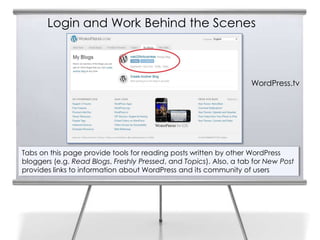
Login and Work Behind the Scenes


                                                                    WordPress.tv


Tabs on this page provide tools for reading posts written by other WordPress
bloggers (e.g. Read Blogs, Freshly Pressed, and Topics). Also, a tab for New Post
provides links to information about WordPress and its community of users
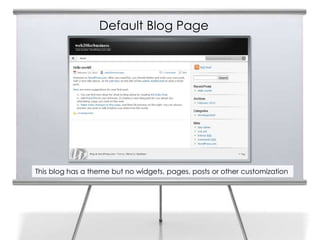
Default Blog Page


This blog has a theme but no widgets, pages, posts or other customization
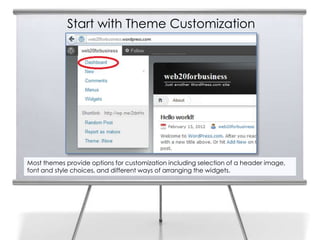
Start with Theme Customization


Most themes provide options for customization including selection of a header image,
font and style choices, and different ways of arranging the widgets.
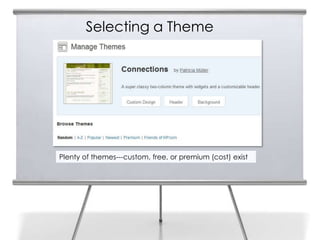
Selecting a Theme


Plenty of themes---custom, free, or premium (cost) exist
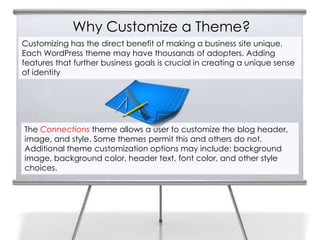
Why Customize a Theme?
Customizing has the direct benefit of making a business site unique.
Each WordPress theme may have thousands of adopters. Adding
features that further business goals is crucial in creating a unique sense
of identity


The Connections theme allows a user to customize the blog header,
image, and style. Some themes permit this and others do not.
Additional theme customization options may include: background
image, background color, header text, font color, and other style
choices.
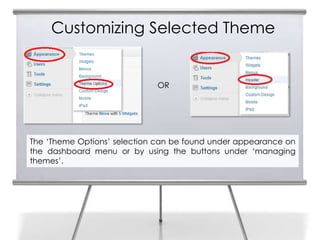
Customizing Selected Theme


                             OR


The ‘Theme Options’ selection can be found under appearance on
the dashboard menu or by using the buttons under ‘managing
themes’.
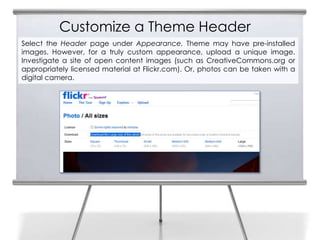
Customize a Theme Header
Select the Header page under Appearance. Theme may have pre-installed
images. However, for a truly custom appearance, upload a unique image.
Investigate a site of open content images (such as CreativeCommons.org or
appropriately licensed material at Flickr.com). Or, photos can be taken with a
digital camera.
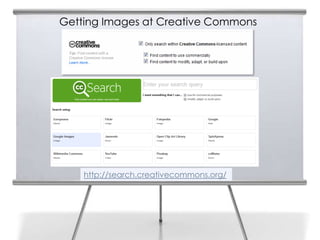
Getting Images at Creative Commons


    http://search.creativecommons.org/
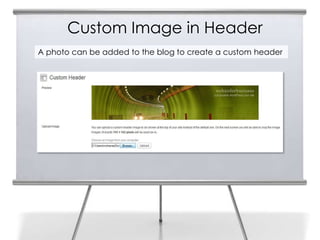
Custom Image in Header
A photo can be added to the blog to create a custom header
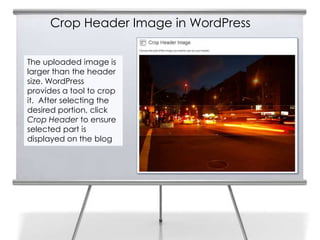
Crop Header Image in WordPress


The uploaded image is
larger than the header
size. WordPress
provides a tool to crop
it. After selecting the
desired portion, click
Crop Header to ensure
selected part is
displayed on the blog
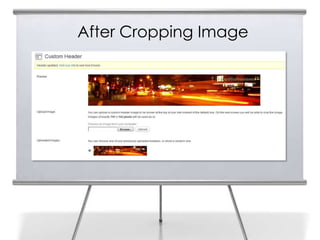
After Cropping Image
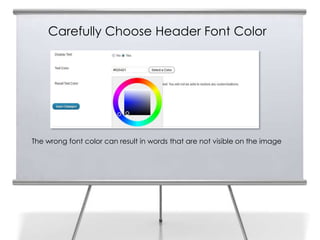
Carefully Choose Header Font Color


The wrong font color can result in words that are not visible on the image
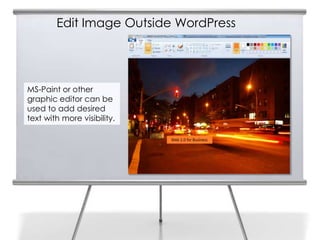
Edit Image Outside WordPress


MS-Paint or other
graphic editor can be
used to add desired
text with more visibility.
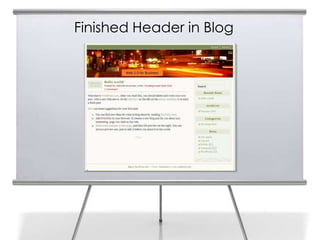
Finished Header in Blog
Customizing Background

Navigating to Background under Appearance in the Dashboard
provides background options.
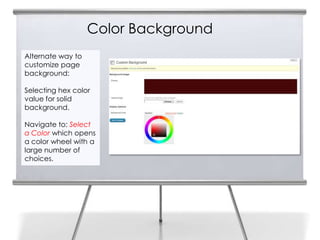
Color Background
Alternate way to
customize page
background:

Selecting hex color
value for solid
background.

Navigate to: Select
a Color which opens
a color wheel with a
large number of
choices.
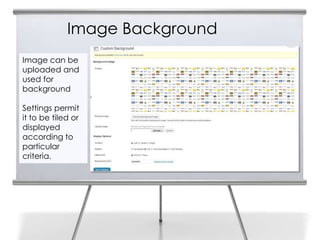
Image Background
Image can be
uploaded and
used for
background

Settings permit
it to be tiled or
displayed
according to
particular
criteria.
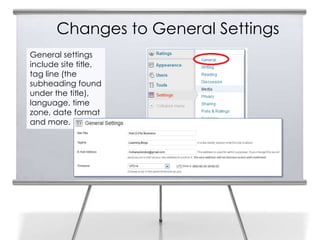
Changes to General Settings
General settings
include site title,
tag line (the
subheading found
under the title),
language, time
zone, date format
and more.
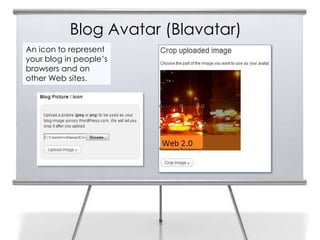
Blog Avatar (Blavatar)
An icon to represent
your blog in people’s
browsers and on
other Web sites.
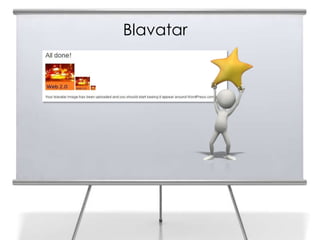
Blavatar
Web 2.0 and Social
Media for Business
       End of
   Chapter 3 Part A
Slide Media from:
Slides Prepared by Professor Roger McHaney
Kansas State University                      PresenterMedia.com
Twitter: @mchaney                            support@presentermedia.com
Blog: http://mchaney.com
Email : mchaney@ksu.edu
                                             4416 S. Technology Dr
                                             Sioux Falls, SD 57106

Chapter3a McHaney

  • 1.
    Web 2.0 andSocial Media for Business Chapter 3: More Blogging: WordPress Options: Part A Roger McHaney, Kansas State University
  • 2.
    WordPress Blogs • Powerful tool 2 • Helps a business get its message into the world • Allows business to provide news to its stakeholders • Material accessible to everyone immediately • Material remains in original words of the writer • Some organizations use blogs to communicate press releases, others use blogs for voice of internal entities such as marketing, research and development, production, or upper management
  • 3.
    WordPress Blogs (con’t) 3 • Wide variety of blog uses has resulted in the deployment of numerous options and tools • Community of WordPress users has provided many ways of customizing and organizing blogs • Because of parallels to traditional press releases and a desire to promote a wider content distribution, a system for blog syndication has been developed
  • 4.
  • 5.
    Customization 5 Earlier we covered basics for obtaining a WordPress blog account, starting a blog, and selecting a theme. The blog can be further customized with options and features specific to the needs of a business.
  • 6.
    Login and WorkBehind the Scenes WordPress.tv Tabs on this page provide tools for reading posts written by other WordPress bloggers (e.g. Read Blogs, Freshly Pressed, and Topics). Also, a tab for New Post provides links to information about WordPress and its community of users
  • 7.
    Default Blog Page Thisblog has a theme but no widgets, pages, posts or other customization
  • 8.
    Start with ThemeCustomization Most themes provide options for customization including selection of a header image, font and style choices, and different ways of arranging the widgets.
  • 9.
    Selecting a Theme Plentyof themes---custom, free, or premium (cost) exist
  • 10.
    Why Customize aTheme? Customizing has the direct benefit of making a business site unique. Each WordPress theme may have thousands of adopters. Adding features that further business goals is crucial in creating a unique sense of identity The Connections theme allows a user to customize the blog header, image, and style. Some themes permit this and others do not. Additional theme customization options may include: background image, background color, header text, font color, and other style choices.
  • 11.
    Customizing Selected Theme OR The ‘Theme Options’ selection can be found under appearance on the dashboard menu or by using the buttons under ‘managing themes’.
  • 12.
    Customize a ThemeHeader Select the Header page under Appearance. Theme may have pre-installed images. However, for a truly custom appearance, upload a unique image. Investigate a site of open content images (such as CreativeCommons.org or appropriately licensed material at Flickr.com). Or, photos can be taken with a digital camera.
  • 13.
    Getting Images atCreative Commons http://search.creativecommons.org/
  • 14.
    Custom Image inHeader A photo can be added to the blog to create a custom header
  • 15.
    Crop Header Imagein WordPress The uploaded image is larger than the header size. WordPress provides a tool to crop it. After selecting the desired portion, click Crop Header to ensure selected part is displayed on the blog
  • 16.
  • 17.
    Carefully Choose HeaderFont Color The wrong font color can result in words that are not visible on the image
  • 18.
    Edit Image OutsideWordPress MS-Paint or other graphic editor can be used to add desired text with more visibility.
  • 19.
  • 20.
    Customizing Background Navigating toBackground under Appearance in the Dashboard provides background options.
  • 21.
    Color Background Alternate wayto customize page background: Selecting hex color value for solid background. Navigate to: Select a Color which opens a color wheel with a large number of choices.
  • 22.
    Image Background Image canbe uploaded and used for background Settings permit it to be tiled or displayed according to particular criteria.
  • 23.
    Changes to GeneralSettings General settings include site title, tag line (the subheading found under the title), language, time zone, date format and more.
  • 24.
    Blog Avatar (Blavatar) Anicon to represent your blog in people’s browsers and on other Web sites.
  • 25.
  • 26.
    Web 2.0 andSocial Media for Business End of Chapter 3 Part A
  • 27.
    Slide Media from: SlidesPrepared by Professor Roger McHaney Kansas State University PresenterMedia.com Twitter: @mchaney support@presentermedia.com Blog: http://mchaney.com Email : mchaney@ksu.edu 4416 S. Technology Dr Sioux Falls, SD 57106