4. Computer Software
CHAPTER
CHAPTER HIGHLIGHTS
• Main categories of software
– Operating system
– Application
– Programming
• Functions of the operating system
• Types of programming languages
• Software for multimedia development
2
SOFTWARE
• A collection of computer programs that govern the operation
of a computer.
– Program: list of instructions that can be carried out by the computer.
• Three categories of software:
– Operating systems
– Programming languages
– Applications
3
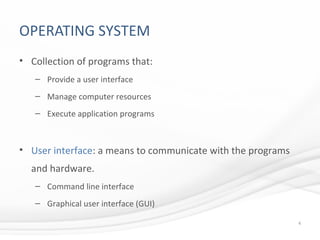
OPERATING SYSTEM
• Collection of programs that:
– Provide a user interface
– Manage computer resources
– Execute application programs
• User interface: a means to communicate with the programs
and hardware.
– Command line interface
– Graphical user interface (GUI)
4
OPERATING SYSTEM
• Manages computer resources such as:
– Processor
– Memory
– Peripheral devices
– Networks
5
PROGRAMMING LANGUAGES
6
SYNTAX AND SEMANTICS TO
WRITE COMPUTER PROGRAMS.
PROGRAMMING LANGUAGES
• Low-Level Languages.
– Programs are written for a specific computer system.
– Machine code — binary code the processor directly executes.
– Assembly code — text abbreviations for binary commands.
• Requires a program (assembler) to convert the abbreviations to binary
code.
7
PROGRAMMING LANGUAGES
• High-Level Languages.
– Syntax and semantics are not dependent on a specific computer
system.
– More English-like commands.
– Easier to debug errors.
• Two methods to convert to machine code:
– Interpreter converts and executes one line of code at a time.
– Compiler converts entire program to an executable file.
8
PROGRAMMING TRENDS
• Object-Oriented languages.
– Self contained programmed objects are reused in an application.
– Modular approach reduces time to recode similar object routines.
• Visual programming.
– Use graphical interface to expedite programming process.
– Enable Rapid Application Development.
9
APPLICATION SOFTWARE
10
SOFTWARE THAT PERFORMS A
SPECIFIC TASK.
APPLICATION SOFTWARE
• Two main categories for multimedia development.
– Media-specific applications.
• Create and edit specific media content.
– Authoring applications.
• Tools to integrate media components and provide a user interface.
11
MEDIA-SPECIFIC APPLICATIONS
• Text media applications include:
– Word processors
– Text editors
– Portable document generators
• Graphics media applications include:
– Paint programs
– Drawing programs
– 3-D imaging applications
12
MEDIA-SPECIFIC APPLICATIONS
• Sound media.
– Sound capture applications.
– Synthesized sound applications.
• Video applications combine:
– Source material
– Synchronize clips to sound track
– Add special effects
– Save as a digital video.
13
MEDIA-SPECIFIC APPLICATIONS
• Animation applications.
– Software to create and edit animated sequences.
– Objects are drawn or imported into the software where they are
manipulated in a series of frames.
• Media utilities.
– Add functionality to media-specific applications such as file
compression and file conversion.
14
AUTHORING SOFTWARE
• Programs designed to facilitate the creation of multimedia
products.
– Assemble media elements
– Synchronize content
– Design user interface
– Provide user interactivity
• Authoring metaphors are:
– Card based (Toolbook, Hypercard)
– Timeline (Director)
– Icon (Authorware)
15
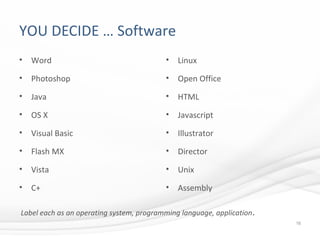
YOU DECIDE … Software
• Word
• Photoshop
• Java
• OS X
• Visual Basic
• Flash MX
• Vista
• C+
• Linux
• Open Office
• HTML
• Javascript
• Illustrator
• Director
• Unix
• Assembly
16
Label each as an operating system, programming language, application.
WRAP UP
• Three software categories.
• Functions of operating system.
• Disk and file management practices.
• Levels of programming languages.
• Application software for multimedia.
– Media-specific software.
– Authoring software.
17

Chapter 4 Computer Software

  • 1.
  • 2.
    CHAPTER HIGHLIGHTS • Maincategories of software – Operating system – Application – Programming • Functions of the operating system • Types of programming languages • Software for multimedia development 2
  • 3.
    SOFTWARE • A collectionof computer programs that govern the operation of a computer. – Program: list of instructions that can be carried out by the computer. • Three categories of software: – Operating systems – Programming languages – Applications 3
  • 4.
    OPERATING SYSTEM • Collectionof programs that: – Provide a user interface – Manage computer resources – Execute application programs • User interface: a means to communicate with the programs and hardware. – Command line interface – Graphical user interface (GUI) 4
  • 5.
    OPERATING SYSTEM • Managescomputer resources such as: – Processor – Memory – Peripheral devices – Networks 5
  • 6.
    PROGRAMMING LANGUAGES 6 SYNTAX ANDSEMANTICS TO WRITE COMPUTER PROGRAMS.
  • 7.
    PROGRAMMING LANGUAGES • Low-LevelLanguages. – Programs are written for a specific computer system. – Machine code — binary code the processor directly executes. – Assembly code — text abbreviations for binary commands. • Requires a program (assembler) to convert the abbreviations to binary code. 7
  • 8.
    PROGRAMMING LANGUAGES • High-LevelLanguages. – Syntax and semantics are not dependent on a specific computer system. – More English-like commands. – Easier to debug errors. • Two methods to convert to machine code: – Interpreter converts and executes one line of code at a time. – Compiler converts entire program to an executable file. 8
  • 9.
    PROGRAMMING TRENDS • Object-Orientedlanguages. – Self contained programmed objects are reused in an application. – Modular approach reduces time to recode similar object routines. • Visual programming. – Use graphical interface to expedite programming process. – Enable Rapid Application Development. 9
  • 10.
    APPLICATION SOFTWARE 10 SOFTWARE THATPERFORMS A SPECIFIC TASK.
  • 11.
    APPLICATION SOFTWARE • Twomain categories for multimedia development. – Media-specific applications. • Create and edit specific media content. – Authoring applications. • Tools to integrate media components and provide a user interface. 11
  • 12.
    MEDIA-SPECIFIC APPLICATIONS • Textmedia applications include: – Word processors – Text editors – Portable document generators • Graphics media applications include: – Paint programs – Drawing programs – 3-D imaging applications 12
  • 13.
    MEDIA-SPECIFIC APPLICATIONS • Soundmedia. – Sound capture applications. – Synthesized sound applications. • Video applications combine: – Source material – Synchronize clips to sound track – Add special effects – Save as a digital video. 13
  • 14.
    MEDIA-SPECIFIC APPLICATIONS • Animationapplications. – Software to create and edit animated sequences. – Objects are drawn or imported into the software where they are manipulated in a series of frames. • Media utilities. – Add functionality to media-specific applications such as file compression and file conversion. 14
  • 15.
    AUTHORING SOFTWARE • Programsdesigned to facilitate the creation of multimedia products. – Assemble media elements – Synchronize content – Design user interface – Provide user interactivity • Authoring metaphors are: – Card based (Toolbook, Hypercard) – Timeline (Director) – Icon (Authorware) 15
  • 16.
    YOU DECIDE …Software • Word • Photoshop • Java • OS X • Visual Basic • Flash MX • Vista • C+ • Linux • Open Office • HTML • Javascript • Illustrator • Director • Unix • Assembly 16 Label each as an operating system, programming language, application.
  • 17.
    WRAP UP • Threesoftware categories. • Functions of operating system. • Disk and file management practices. • Levels of programming languages. • Application software for multimedia. – Media-specific software. – Authoring software. 17

Editor's Notes

  • #5 Name some operating systems: Windows 98, ME, XP, Vista, 7 Mac: OS9, OSX, Tiger, Leopard, Linux: redhat
  • #8 Remind students that all computers execute machine code. If a program is not directly written in binary code, it must be converted to binary using a program like an assembler or compiler.
  • #9 Review the benefits of using high level languages. Consider the advantages and disadvantages of using an interpreter and compiler to convert the source code to machine code.
  • #10 Have students research visual programming and report on how it is being used.
  • #12 Media Specific examples: Illustrator, Photoshop, Video Editing, Rendering Software Authoring Applications examples - Authorware, Director, etc..
  • #13 Have students identify specific software packages for each of these and discuss the benefits and features of each. Paint – photoshop/paint Drawing – illustrator 3-D images – maya
  • #14 Sampled sound applications such as Audacity can record from microphone, CD, tape and user then edits the sound wave to create a new digital sound. Synthesized applications such as Garageband give user an interface to create original sounds through commands. Video software such as Premiere and Final Cut are often used to edit source clips with transitions, sound tracks, still images to create an original digital video.
  • #15 Common animation applications are Flash and Director. Students could research media utilities that are currently used for clip art, font libraries, compression and streaming media formats.
  • #16 Use functions of authoring software to determine if Word is considered an authoring application, PowerPoint, Photoshop. Metaphors for authoring software are developed in more detail in Ch.10. Students will be familiar with PowerPoint as a type of card or page based application. Use that as an example to explain notion of metaphor.
  • #17 Use this slide to survey student awareness of specific software packages to introduce the class, or use at the end of class as part of the wrap up.