What is Computer Software?
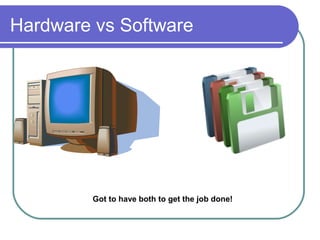
Hardware vs Software


         Got to have both to get the job done!
How does Software work?
  Algorithms  have to be written
  Algorithm turned into computer language
  Another specialized program turned this
   language into something the computer
   understands
  Software development – multi-step process
  First programmer – Grace Hooper – created
   FLOW MATIC (later known as – COBOL)
Types of Software

  Applications
              Software
  Systems Software
    Operating   systems
    Utilities

    Language    translators
Applications Software
Operating Systems

  Interface
           between user and the
   computer
  Many brands
  Windows – designed for processor Intel
  Macintosh computers use processor
   made by Motorola - OS
Utility Software

  Helps perform housekeeping chores
  Tasks include:
    Antivirus programs
    Copy file from hard drive to another location

    Convert graphics file so it can be used by
     another program
    Backup copy of hard drive
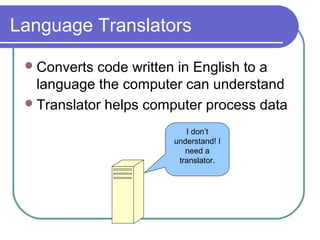
Language Translators

  Converts code written in English to a
   language the computer can understand
  Translator helps computer process data

                          I don’t
                       understand! I
                          need a
                        translator.
Operating Systems
  Mac    OS
  DOS
  Windows
  Unix  – portable operating system (can run on
   just about any hardware platform)
  Networking Operating System – group of two
   or more computers to be connected
    Window NT
    Novell’s Netware
    IBM’s Warp Server
User Interfaces

  Determines   how user friendly the
   computer is
  Part we interact with when using the
   computer
  Command-line interface such as DOS
  Graphical interfaces such as Windows
Command Line

  Early computers used only this
  Have to memorize codes
  Not very user friendly
  Not colorful – usually written in black and
   white
  No pictures
Graphical User interfaces
  Came   about with menus
  Graphical user interface (GUI)
  Came about with Apple’s development
   of Macintosh Finder
  Pictures (icons) represent software
  Colorful
  Contributed to the explosion of computer
   use.
Project
  Research   the three operating systems:
    Mac  OS v.?
    Windows XP or Vista
    Unix

  Determine  advantages and
   disadvantages of each, create a two
   page report on your findings. Which one
   do you think would be the best for
   someone to use in a home business.

What is computer software

  • 1.
  • 2.
    Hardware vs Software Got to have both to get the job done!
  • 3.
    How does Softwarework?  Algorithms have to be written  Algorithm turned into computer language  Another specialized program turned this language into something the computer understands  Software development – multi-step process  First programmer – Grace Hooper – created FLOW MATIC (later known as – COBOL)
  • 4.
    Types of Software  Applications Software  Systems Software  Operating systems  Utilities  Language translators
  • 5.
  • 6.
    Operating Systems Interface between user and the computer  Many brands  Windows – designed for processor Intel  Macintosh computers use processor made by Motorola - OS
  • 7.
    Utility Software Helps perform housekeeping chores  Tasks include:  Antivirus programs  Copy file from hard drive to another location  Convert graphics file so it can be used by another program  Backup copy of hard drive
  • 8.
    Language Translators Converts code written in English to a language the computer can understand  Translator helps computer process data I don’t understand! I need a translator.
  • 9.
    Operating Systems Mac OS  DOS  Windows  Unix – portable operating system (can run on just about any hardware platform)  Networking Operating System – group of two or more computers to be connected  Window NT  Novell’s Netware  IBM’s Warp Server
  • 10.
    User Interfaces Determines how user friendly the computer is  Part we interact with when using the computer  Command-line interface such as DOS  Graphical interfaces such as Windows
  • 11.
    Command Line Early computers used only this  Have to memorize codes  Not very user friendly  Not colorful – usually written in black and white  No pictures
  • 12.
    Graphical User interfaces  Came about with menus  Graphical user interface (GUI)  Came about with Apple’s development of Macintosh Finder  Pictures (icons) represent software  Colorful  Contributed to the explosion of computer use.
  • 13.
    Project  Research the three operating systems:  Mac OS v.?  Windows XP or Vista  Unix  Determine advantages and disadvantages of each, create a two page report on your findings. Which one do you think would be the best for someone to use in a home business.