CHAPTER 21: TECHNOLOGY
Best Practice: Technology should not drive educational
decisions around distance education—rather,
technology should support educational decisions.
TECHNOLOGY
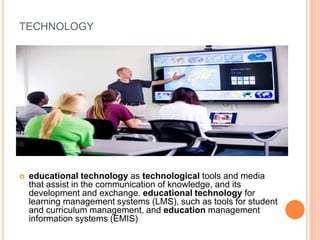
 educational technology as technological tools and media
that assist in the communication of knowledge, and its
development and exchange. educational technology for
learning management systems (LMS), such as tools for student
and curriculum management, and education management
information systems (EMIS)
THE CHOICE OF TECHNOLOGIES SHOULD BE
GUIDED BY MULTIPLE FACTORS:
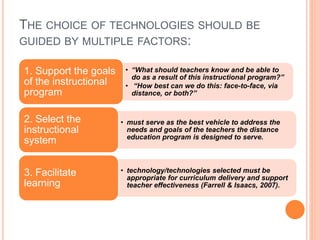
• “What should teachers know and be able to
do as a result of this instructional program?”
• “How best can we do this: face-to-face, via
distance, or both?”
1. Support the goals
of the instructional
program
• must serve as the best vehicle to address the
needs and goals of the teachers the distance
education program is designed to serve.
2. Select the
instructional
system
• technology/technologies selected must be
appropriate for curriculum delivery and support
teacher effectiveness (Farrell & Isaacs, 2007).
3. Facilitate
learning
THE CHOICE OF TECHNOLOGIES SHOULD BE
GUIDED BY MULTIPLE FACTORS:
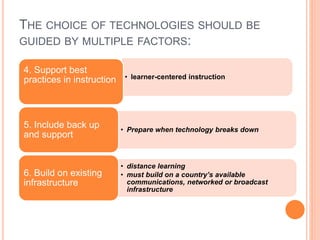
• learner-centered instruction
4. Support best
practices in instruction
• Prepare when technology breaks down
5. Include back up
and support
• distance learning
• must build on a country’s available
communications, networked or broadcast
infrastructure
6. Build on existing
infrastructure
THE CHOICE OF TECHNOLOGIES SHOULD BE
GUIDED BY MULTIPLE FACTORS:
• skills and readiness of distance instructors
and learners is a critical in selecting a
particular mode of distance education
delivery.
• technology medium identified must be easy
enough for instructors and learners to use
7. Design with
ease of use in
mind
• New technologies offer options to expand
educational opportunities and improve
educational quality.
5. An eye to the
future
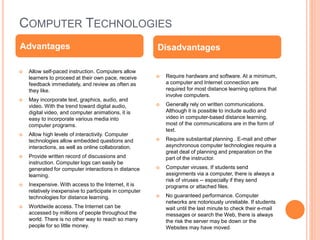
COMPUTER TECHNOLOGIES
 Allow self-paced instruction. Computers allow
learners to proceed at their own pace, receive
feedback immediately, and review as often as
they like.
 May incorporate text, graphics, audio, and
video. With the trend toward digital audio,
digital video, and computer animations, it is
easy to incorporate various media into
computer programs.
 Allow high levels of interactivity. Computer
technologies allow embedded questions and
interactions, as well as online collaboration.
 Provide written record of discussions and
instruction. Computer logs can easily be
generated for computer interactions in distance
learning.
 Inexpensive. With access to the Internet, it is
relatively inexpensive to participate in computer
technologies for distance learning.
 Worldwide access. The Internet can be
accessed by millions of people throughout the
world. There is no other way to reach so many
people for so little money.
 Require hardware and software. At a minimum,
a computer and Internet connection are
required for most distance learning options that
involve computers.
 Generally rely on written communications.
Although it is possible to include audio and
video in computer-based distance learning,
most of the communications are in the form of
text.
 Require substantial planning . E-mail and other
asynchronous computer technologies require a
great deal of planning and preparation on the
part of the instructor.
 Computer viruses. If students send
assignments via a computer, there is always a
risk of viruses -- especially if they send
programs or attached files.
 No guaranteed performance. Computer
networks are notoriously unreliable. If students
wait until the last minute to check their e-mail
messages or search the Web, there is always
the risk the server may be down or the
Websites may have moved.
Advantages Disadvantages
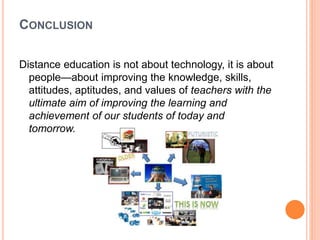
CONCLUSION
Distance education is not about technology, it is about
people—about improving the knowledge, skills,
attitudes, aptitudes, and values of teachers with the
ultimate aim of improving the learning and
achievement of our students of today and
tomorrow.

Chapter 21 Technology

  • 1.
    CHAPTER 21: TECHNOLOGY BestPractice: Technology should not drive educational decisions around distance education—rather, technology should support educational decisions.
  • 2.
    TECHNOLOGY  educational technologyas technological tools and media that assist in the communication of knowledge, and its development and exchange. educational technology for learning management systems (LMS), such as tools for student and curriculum management, and education management information systems (EMIS)
  • 3.
    THE CHOICE OFTECHNOLOGIES SHOULD BE GUIDED BY MULTIPLE FACTORS: • “What should teachers know and be able to do as a result of this instructional program?” • “How best can we do this: face-to-face, via distance, or both?” 1. Support the goals of the instructional program • must serve as the best vehicle to address the needs and goals of the teachers the distance education program is designed to serve. 2. Select the instructional system • technology/technologies selected must be appropriate for curriculum delivery and support teacher effectiveness (Farrell & Isaacs, 2007). 3. Facilitate learning
  • 4.
    THE CHOICE OFTECHNOLOGIES SHOULD BE GUIDED BY MULTIPLE FACTORS: • learner-centered instruction 4. Support best practices in instruction • Prepare when technology breaks down 5. Include back up and support • distance learning • must build on a country’s available communications, networked or broadcast infrastructure 6. Build on existing infrastructure
  • 5.
    THE CHOICE OFTECHNOLOGIES SHOULD BE GUIDED BY MULTIPLE FACTORS: • skills and readiness of distance instructors and learners is a critical in selecting a particular mode of distance education delivery. • technology medium identified must be easy enough for instructors and learners to use 7. Design with ease of use in mind • New technologies offer options to expand educational opportunities and improve educational quality. 5. An eye to the future
  • 6.
    COMPUTER TECHNOLOGIES  Allowself-paced instruction. Computers allow learners to proceed at their own pace, receive feedback immediately, and review as often as they like.  May incorporate text, graphics, audio, and video. With the trend toward digital audio, digital video, and computer animations, it is easy to incorporate various media into computer programs.  Allow high levels of interactivity. Computer technologies allow embedded questions and interactions, as well as online collaboration.  Provide written record of discussions and instruction. Computer logs can easily be generated for computer interactions in distance learning.  Inexpensive. With access to the Internet, it is relatively inexpensive to participate in computer technologies for distance learning.  Worldwide access. The Internet can be accessed by millions of people throughout the world. There is no other way to reach so many people for so little money.  Require hardware and software. At a minimum, a computer and Internet connection are required for most distance learning options that involve computers.  Generally rely on written communications. Although it is possible to include audio and video in computer-based distance learning, most of the communications are in the form of text.  Require substantial planning . E-mail and other asynchronous computer technologies require a great deal of planning and preparation on the part of the instructor.  Computer viruses. If students send assignments via a computer, there is always a risk of viruses -- especially if they send programs or attached files.  No guaranteed performance. Computer networks are notoriously unreliable. If students wait until the last minute to check their e-mail messages or search the Web, there is always the risk the server may be down or the Websites may have moved. Advantages Disadvantages
  • 7.
    CONCLUSION Distance education isnot about technology, it is about people—about improving the knowledge, skills, attitudes, aptitudes, and values of teachers with the ultimate aim of improving the learning and achievement of our students of today and tomorrow.

Editor's Notes

  • #7 Computers allow learners to proceed at their own pace, receive feedback immediately, and review as often as they like.