

Educational technology
          
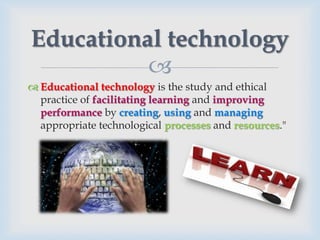
 Educational technology is the study and ethical
  practice of facilitating learning and improving
  performance by creating, using and managing
  appropriate technological processes and resources."
Technology
                 
 Educational Technology relies on a broad definition
  of the word "technology."
 Technology can refer to material objects of use to
  humanity, such as machines or hardware, but it can
  also encompass broader themes, including systems,
  methods of organization, and techniques.
Technology of Education
                         
 Technology of education is most simply and
  comfortably defined as an array of tools that might
  prove helpful in advancing student learning and
  may be measured in how and why individuals
  behave.
Educational technology tools
                         
 Some modern tools include but are not limited to
  overhead projectors, laptop computers, and
  calculators.
 Newer tools such as "smartphones" and games
  (both online and offline) are beginning to draw
  serious attention for their learning potential.
 Media psychology is the field of study that applies
  theories in human behavior to educational
  technology.

Technology-Enhanced Learning
                        
 Technology enhanced learning (or TEL) refers to
  the support of any learning activity through
  technology.
 the definition of TEL must be as broad and general
  as possible in order to capture all aspects:
 Technology enhanced learning (TEL) has the goal of
  providing socio-technical innovations (also
  improving efficiency and cost effectiveness) for
  learning practices, regarding individuals and
  organizations, independent of time, place and pace.
TEL & E-Learning
                        
 TEL is often used synonymously with E-
  Learning even though there are significant
  differences.
 The main difference between the two expressions is
  that TEL focuses on the technological support of
  any pedagogical approach that utilizes technology.
TEL & Learning Activities
                         
 Learning activities can follow different pedagogical
  approaches and didactic concepts.
 The main focus in TEL is on the interplay between
  these activities and respective technologies.
A Learning Activity
                           
 A learning activity can be described in terms of the
 Resources: creation, distribution, access, compilation,
  consumption of digital content; tools and services
 Actions: communication, collaboration, interaction
  with software tools
 Context: time, duration, surrounding people and location
 Roles: A learning activity is carried out by various actors
  in changing roles (e.g. student, teacher, facilitator,
  learning coach, human resource or education manager).
 Objective: to support every human in achieving her or
  his learning goals, respecting individual as well
  as organizational learning preferences.
Examples of Learning Activities
                           
 Enabling access to and authoring of a learning resource.
 Elaborate software systems managing (e.g. learning
  management system, learning content management
  systems, learning repositories, adaptive learning
  hypermedia systems, etc.)
 Managing (human resource management systems; tools
  for self-directed learning, etc.)
 The learning process of learners with technical means.
 Other examples include distance learning, emergency
  preparedness for instructors, emerging technologies,
  Blackboard-Learning Management System, and mobile
  website and applications.

Computer-based learning
                        
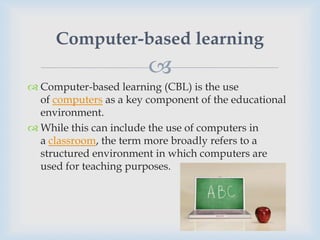
 Computer-based learning (CBL) is the use
  of computers as a key component of the educational
  environment.
 While this can include the use of computers in
  a classroom, the term more broadly refers to a
  structured environment in which computers are
  used for teaching purposes.
Computers in Learning
                        
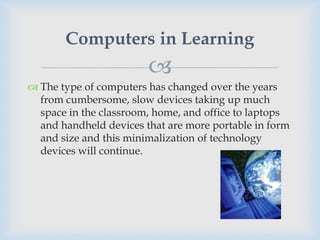
 The type of computers has changed over the years
  from cumbersome, slow devices taking up much
  space in the classroom, home, and office to laptops
  and handheld devices that are more portable in form
  and size and this minimalization of technology
  devices will continue.

Computer-based training
                         
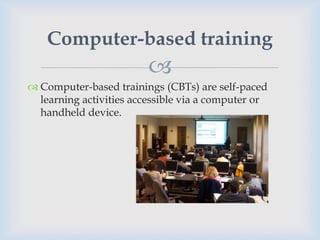
 Computer-based trainings (CBTs) are self-paced
  learning activities accessible via a computer or
  handheld device.
CBT & WBT
                       
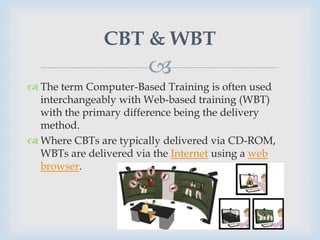
 The term Computer-Based Training is often used
  interchangeably with Web-based training (WBT)
  with the primary difference being the delivery
  method.
 Where CBTs are typically delivered via CD-ROM,
  WBTs are delivered via the Internet using a web
  browser.
CBT & Assessment
                        
 Assessing learning in a CBT usually comes in form of
  multiple choice questions, or other assessments that
  can be easily scored by a computer such as drag-and-
  drop, radio button, simulation or other interactive
  means.
 Assessments are easily scored and recorded via
  online software, providing immediate end-user
  feedback and completion status. Users are often able
  to print completion records in the form of
  certificates.
Advantages of CBT
                       
1. CBTs provide learning stimulus beyond traditional
   learning methodology from textbook, manual, or
   classroom-based instruction. For example, CBTs
   offer user-friendly solutions for satisfying
   continuing education requirements.
Advantages of CBT
                         
2. Instead of limiting students to attending courses or
   reading printed manuals, students are able to
   acquire knowledge and skills through methods that
   are much more conducive to individual learning
   preferences. For example, CBTs offer visual
   learning benefits through animation or video, not
   typically offered by any other means.
Advantages of CBT
                         
3. CBTs can be a good alternative to printed learning
   materials since rich media, including videos or
   animations, can easily be embedded to enhance the
   learning.
4. Another advantage to CBTs is that they can be
   easily distributed to a wide audience at a relatively
   low cost once the initial development is completed.

Computer-Supported Collaborative
          Learning (CSCL)
                       
 Computer-supported collaborative learning
  (CSCL) is one of the most promising innovations to
  improve teaching and learning with the help of
  modern information and communication technology.
 Most recent developments in CSCL have been called
  E-Learning 2.0.
CSCL Vs. CBL
               
 The concept of collaborative or group learning refers
  to instructional methods are designed to encourage
  or require students to work together on learning
  tasks.
 It is widely agreed to distinguish collaborative
  learning from the traditional 'direct transfer' model
  in which the instructor is assumed to be the
  distributor of knowledge and skills, which is often
  given the neologism E-Learning 1.0, even though this
  direct transfer method most accurately reflects
  Computer-Based Learning systems (CBL).
Collaborative Tools

                         
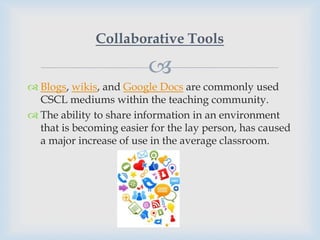
 Blogs, wikis, and Google Docs are commonly used
  CSCL mediums within the teaching community.
 The ability to share information in an environment
  that is becoming easier for the lay person, has caused
  a major increase of use in the average classroom.
Advantages of CSCL (Web 2.0)

                          
1. One of the main reasons for its usage states that it is
   "a breeding ground for creative and engaging
   educational endeavors."
2. Using Web 2.0 social tools in the classroom allows
   for students and teachers to work collaboratively,
   discuss ideas, and promote information.
3. According to Sendall (2008), blogs, wikis, and social
   networking skills are found to be significantly
   useful in the classroom.
Advantages of CSCL (Web 2.0)

                          
4. After initial instruction on using the tools, students
   also reported an increase in knowledge and comfort
   level for using Web 2.0 tools.
5. The collaborative tools additionally prepare
   students with technology skills necessary in today's
   workforce.

Technology and Learning

  • 2.
  • 3.
  • 4.
    Educational technology   Educational technology is the study and ethical practice of facilitating learning and improving performance by creating, using and managing appropriate technological processes and resources."
  • 5.
    Technology   Educational Technology relies on a broad definition of the word "technology."  Technology can refer to material objects of use to humanity, such as machines or hardware, but it can also encompass broader themes, including systems, methods of organization, and techniques.
  • 6.
    Technology of Education   Technology of education is most simply and comfortably defined as an array of tools that might prove helpful in advancing student learning and may be measured in how and why individuals behave.
  • 7.
    Educational technology tools   Some modern tools include but are not limited to overhead projectors, laptop computers, and calculators.  Newer tools such as "smartphones" and games (both online and offline) are beginning to draw serious attention for their learning potential.  Media psychology is the field of study that applies theories in human behavior to educational technology.
  • 8.
  • 9.
    Technology-Enhanced Learning   Technology enhanced learning (or TEL) refers to the support of any learning activity through technology.  the definition of TEL must be as broad and general as possible in order to capture all aspects:  Technology enhanced learning (TEL) has the goal of providing socio-technical innovations (also improving efficiency and cost effectiveness) for learning practices, regarding individuals and organizations, independent of time, place and pace.
  • 10.
    TEL & E-Learning   TEL is often used synonymously with E- Learning even though there are significant differences.  The main difference between the two expressions is that TEL focuses on the technological support of any pedagogical approach that utilizes technology.
  • 11.
    TEL & LearningActivities   Learning activities can follow different pedagogical approaches and didactic concepts.  The main focus in TEL is on the interplay between these activities and respective technologies.
  • 12.
    A Learning Activity   A learning activity can be described in terms of the  Resources: creation, distribution, access, compilation, consumption of digital content; tools and services  Actions: communication, collaboration, interaction with software tools  Context: time, duration, surrounding people and location  Roles: A learning activity is carried out by various actors in changing roles (e.g. student, teacher, facilitator, learning coach, human resource or education manager).  Objective: to support every human in achieving her or his learning goals, respecting individual as well as organizational learning preferences.
  • 13.
    Examples of LearningActivities   Enabling access to and authoring of a learning resource.  Elaborate software systems managing (e.g. learning management system, learning content management systems, learning repositories, adaptive learning hypermedia systems, etc.)  Managing (human resource management systems; tools for self-directed learning, etc.)  The learning process of learners with technical means.  Other examples include distance learning, emergency preparedness for instructors, emerging technologies, Blackboard-Learning Management System, and mobile website and applications.
  • 14.
  • 15.
    Computer-based learning   Computer-based learning (CBL) is the use of computers as a key component of the educational environment.  While this can include the use of computers in a classroom, the term more broadly refers to a structured environment in which computers are used for teaching purposes.
  • 16.
    Computers in Learning   The type of computers has changed over the years from cumbersome, slow devices taking up much space in the classroom, home, and office to laptops and handheld devices that are more portable in form and size and this minimalization of technology devices will continue.
  • 17.
  • 18.
    Computer-based training   Computer-based trainings (CBTs) are self-paced learning activities accessible via a computer or handheld device.
  • 19.
    CBT & WBT   The term Computer-Based Training is often used interchangeably with Web-based training (WBT) with the primary difference being the delivery method.  Where CBTs are typically delivered via CD-ROM, WBTs are delivered via the Internet using a web browser.
  • 20.
    CBT & Assessment   Assessing learning in a CBT usually comes in form of multiple choice questions, or other assessments that can be easily scored by a computer such as drag-and- drop, radio button, simulation or other interactive means.  Assessments are easily scored and recorded via online software, providing immediate end-user feedback and completion status. Users are often able to print completion records in the form of certificates.
  • 21.
    Advantages of CBT  1. CBTs provide learning stimulus beyond traditional learning methodology from textbook, manual, or classroom-based instruction. For example, CBTs offer user-friendly solutions for satisfying continuing education requirements.
  • 22.
    Advantages of CBT  2. Instead of limiting students to attending courses or reading printed manuals, students are able to acquire knowledge and skills through methods that are much more conducive to individual learning preferences. For example, CBTs offer visual learning benefits through animation or video, not typically offered by any other means.
  • 23.
    Advantages of CBT  3. CBTs can be a good alternative to printed learning materials since rich media, including videos or animations, can easily be embedded to enhance the learning. 4. Another advantage to CBTs is that they can be easily distributed to a wide audience at a relatively low cost once the initial development is completed.
  • 24.
  • 25.
    Computer-Supported Collaborative Learning (CSCL)   Computer-supported collaborative learning (CSCL) is one of the most promising innovations to improve teaching and learning with the help of modern information and communication technology.  Most recent developments in CSCL have been called E-Learning 2.0.
  • 26.
    CSCL Vs. CBL   The concept of collaborative or group learning refers to instructional methods are designed to encourage or require students to work together on learning tasks.  It is widely agreed to distinguish collaborative learning from the traditional 'direct transfer' model in which the instructor is assumed to be the distributor of knowledge and skills, which is often given the neologism E-Learning 1.0, even though this direct transfer method most accurately reflects Computer-Based Learning systems (CBL).
  • 27.
    Collaborative Tools   Blogs, wikis, and Google Docs are commonly used CSCL mediums within the teaching community.  The ability to share information in an environment that is becoming easier for the lay person, has caused a major increase of use in the average classroom.
  • 28.
    Advantages of CSCL(Web 2.0)  1. One of the main reasons for its usage states that it is "a breeding ground for creative and engaging educational endeavors." 2. Using Web 2.0 social tools in the classroom allows for students and teachers to work collaboratively, discuss ideas, and promote information. 3. According to Sendall (2008), blogs, wikis, and social networking skills are found to be significantly useful in the classroom.
  • 29.
    Advantages of CSCL(Web 2.0)  4. After initial instruction on using the tools, students also reported an increase in knowledge and comfort level for using Web 2.0 tools. 5. The collaborative tools additionally prepare students with technology skills necessary in today's workforce.