)
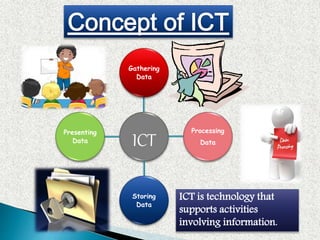
ICT
Gathering
Data
Processing
Data
Storing
Data
Presenting
Data
ICT is technology that
supports activities
involving information.
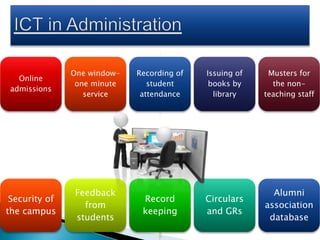
Online
admissions
One window-
one minute
service
Recording of
student
attendance
Issuing of
books by
library
Musters for
the non-
teaching staff
Security of
the campus
Feedback
from
students
Record
keeping
Circulars
and GRs
Alumni
association
database
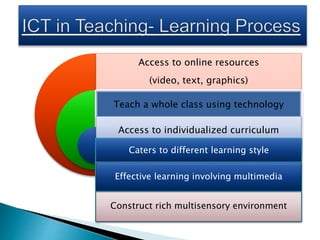
Access to online resources
(video, text, graphics)
Teach a whole class using technology
Access to individualized curriculum
Caters to different learning style
Effective learning involving multimedia
Construct rich multisensory environment
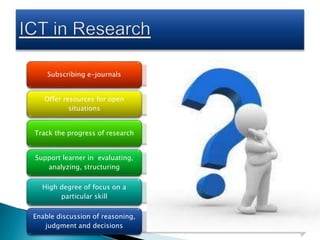
Subscribing e-journals
Offer resources for open
situations
Track the progress of research
Support learner in evaluating,
analyzing, structuring
High degree of focus on a
particular skill
Enable discussion of reasoning,
judgment and decisions
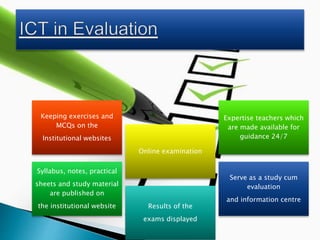
Keeping exercises and
MCQs on the
Institutional websites
Online examination
Expertise teachers which
are made available for
guidance 24/7
Syllabus, notes, practical
sheets and study material
are published on
the institutional website Results of the
exams displayed
Serve as a study cum
evaluation
and information centre
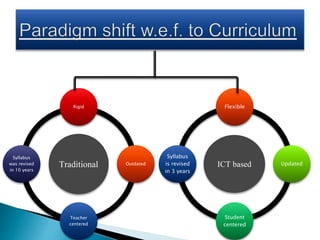
Traditional
Rigid
Outdated
Teacher
centered
Syllabus
was revised
in 10 years
ICT based
Flexible
Updated
Student
centered
Syllabus
is revised
in 3 years
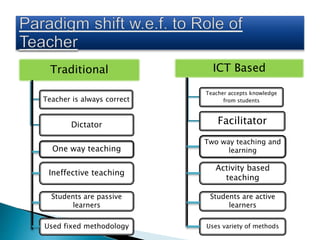
Traditional
Teacher is always correct
Dictator
ICT Based
Teacher accepts knowledge
from students
Facilitator
Ineffective teaching
Activity based
teaching
Students are passive
learners
Students are active
learners
Used fixed methodology Uses variety of methods
One way teaching
Two way teaching and
learning
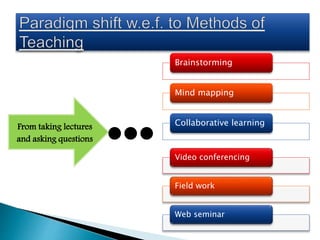
From taking lectures
and asking questions
Brainstorming
Mind mapping
Collaborative learning
Video conferencing
Field work
Web seminar
Fixed space
Inside class wall
Traditional
Classroom
Multipurpose space
Inter-connected lab
(E-LAB)
Modern
Classroom
Learner’s participation
is less practical
Time constraint
learning
Isolated work
Learner’s participation
is more practical
Learning occurs
anywhere
Collaborative
work
Que by students:
1] how does it work?
Que by students:
1] How do I build it?
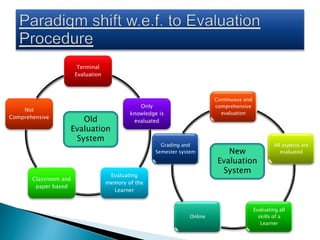
Terminal
Evaluation
Only
knowledge is
evaluated
Evaluating
memory of the
Learner
Classroom and
paper based
Not
Comprehensive
Continuous and
comprehensive
evaluation
All aspects are
evaluated
Evaluating all
skills of a
Learner
Online
Grading and
Semester system
Old
Evaluation
System
New
Evaluation
System
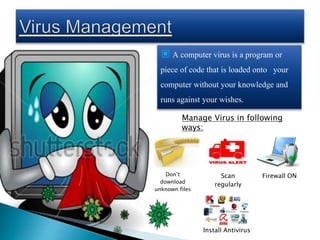
▣ A computer virus is a program or
piece of code that is loaded onto your
computer without your knowledge and
runs against your wishes.
Don’t
download
unknown files
Scan
regularly
Firewall ON
Install Antivirus
Manage Virus in following
ways:
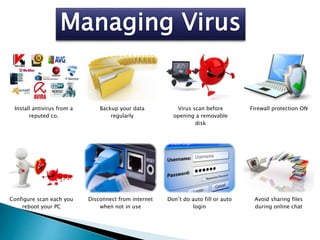
Install antivirus from a
reputed co.
Backup your data
regularly
Virus scan before
opening a removable
disk
Firewall protection ON
Configure scan each you
reboot your PC
Disconnect from internet
when not in use
Don’t do auto fill or auto
login
Avoid sharing files
during online chat
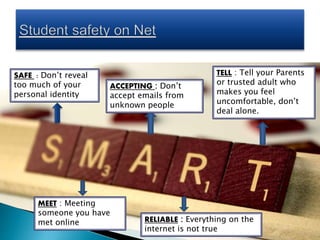
SAFE : Don’t reveal
too much of your
personal identity
MEET : Meeting
someone you have
met online
ACCEPTING : Don’t
accept emails from
unknown people
RELIABLE : Everything on the
internet is not true
TELL : Tell your Parents
or trusted adult who
makes you feel
uncomfortable, don’t
deal alone.
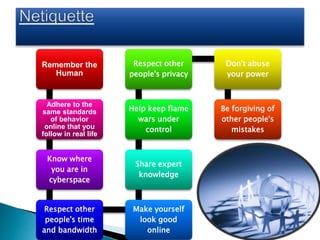
Remember the
Human
Adhere to the
same standards
of behavior
online that you
follow in real life
Know where
you are in
cyberspace
Respect other
people's time
and bandwidth
Make yourself
look good
online
Share expert
knowledge
Help keep flame
wars under
control
Respect other
people's privacy
Don't abuse
your power
Be forgiving of
other people's
mistakes
Don’t reply
to ‘reply all’
Properly format
your email replies
and be lazy
Avoid
irony in
emails
Let people know their
email has been
received
Take
another
look
before
sending
mails
Use
punctuation
Use acronyms
sparingly
When in
doubt
don’t
send rich
HTML
Resize
pictures
Talk about
one subject
per email
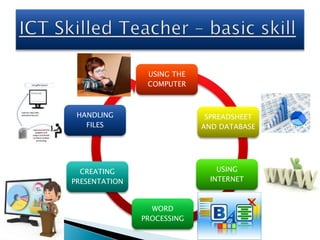
USING THE
COMPUTER
SPREADSHEET
AND DATABASE
USING
INTERNET
WORD
PROCESSING
CREATING
PRESENTATION
HANDLING
FILES
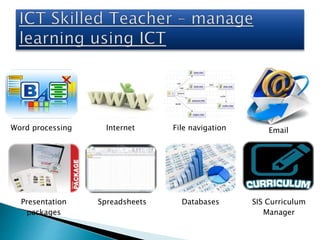
Word processing Internet File navigation Email
Presentation
packages
Spreadsheets Databases SIS Curriculum
Manager
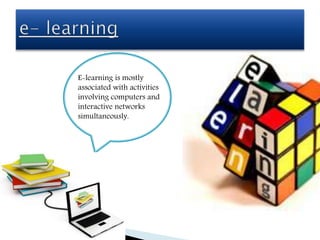
E-learning is mostly
associated with activities
involving computers and
interactive networks
simultaneously.
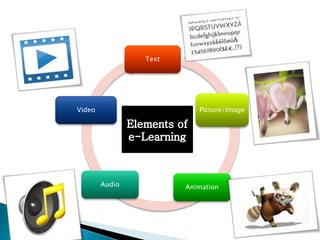
Text
Picture/Image
AnimationAudio
Video
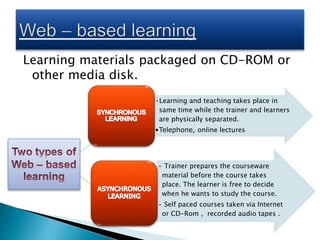
Learning materials packaged on CD-ROM or
other media disk.
•Learning and teaching takes place in
same time while the trainer and learners
are physically separated.
•Telephone, online lectures
• Trainer prepares the courseware
material before the course takes
place. The learner is free to decide
when he wants to study the course.
• Self paced courses taken via Internet
or CD-Rom , recorded audio tapes .
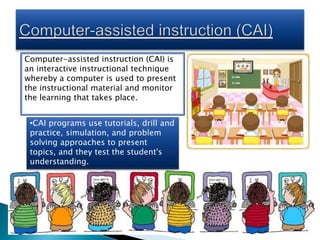
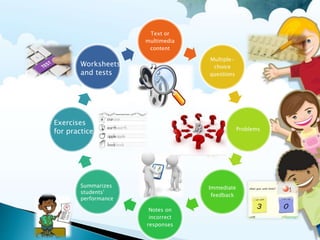
Computer-assisted instruction (CAI) is
an interactive instructional technique
whereby a computer is used to present
the instructional material and monitor
the learning that takes place.
•CAI programs use tutorials, drill and
practice, simulation, and problem
solving approaches to present
topics, and they test the student's
understanding.
Text or
multimedia
content
Multiple-
choice
questions
Problems
Immediate
feedback
Notes on
incorrect
responses
Summarizes
students'
performance
Exercises
for practice
Worksheets
and tests
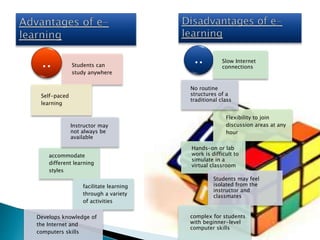
Students can
study anywhere
Self-paced
learning
Flexibility to join
discussion areas at any
hour
accommodate
different learning
styles
facilitate learning
through a variety
of activities
Develops knowledge of
the Internet and
computers skills
.. .. Slow Internet
connections
No routine
structures of a
traditional class
Instructor may
not always be
available
Hands-on or lab
work is difficult to
simulate in a
virtual classroom
Students may feel
isolated from the
instructor and
classmates
complex for students
with beginner-level
computer skills
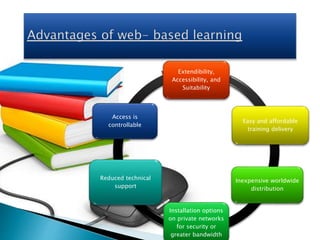
Extendibility,
Accessibility, and
Suitability
Easy and affordable
training delivery
Inexpensive worldwide
distribution
Installation options
on private networks
for security or
greater bandwidth
Reduced technical
support
Access is
controllable
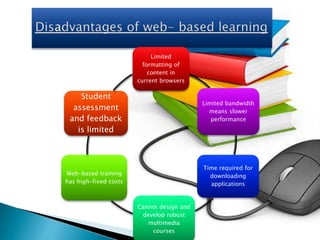
Limited
formatting of
content in
current browsers
Limited bandwidth
means slower
performance
Time required for
downloading
applications
Cannot design and
develop robust
multimedia
courses
Web-based training
has high-fixed costs
Student
assessment
and feedback
is limited
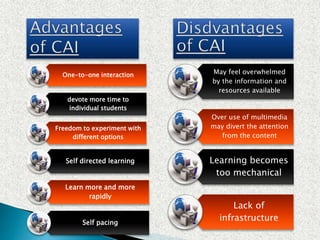
One-to-one interaction
devote more time to
individual students
Freedom to experiment with
different options
Self directed learning
Learn more and more
rapidly
Self pacing
May feel overwhelmed
by the information and
resources available
Over use of multimedia
may divert the attention
from the content
Learning becomes
too mechanical
Lack of
infrastructure
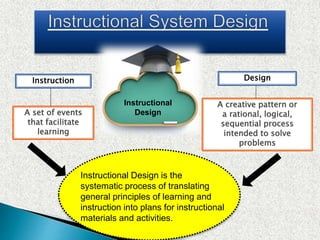
Instructional
Design
Instruction Design
A set of events
that facilitate
learning
A creative pattern or
a rational, logical,
sequential process
intended to solve
problems
Instructional Design is the
systematic process of translating
general principles of learning and
instruction into plans for instructional
materials and activities.
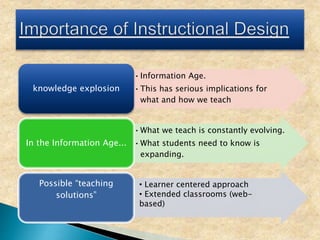
•Information Age.
•This has serious implications for
what and how we teach
knowledge explosion
•What we teach is constantly evolving.
•What students need to know is
expanding.
In the Information Age...
Possible “teaching
solutions”
• Learner centered approach
• Extended classrooms (web-
based)
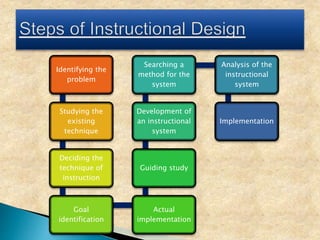
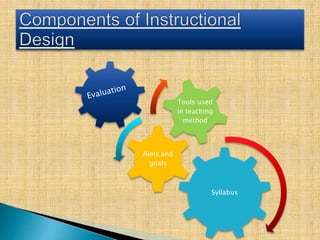
Identifying the
problem
Studying the
existing
technique
Deciding the
technique of
instruction
Goal
identification
Actual
implementation
Guiding study
Development of
an instructional
system
Searching a
method for the
system
Analysis of the
instructional
system
Implementation
Syllabus
Aims and
goals
Tools used
in teaching
method
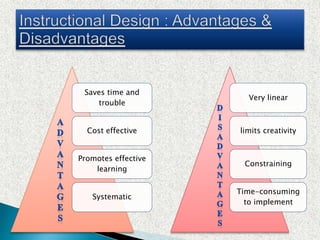
Saves time and
trouble
Cost effective
Promotes effective
learning
Systematic
Very linear
limits creativity
Constraining
Time-consuming
to implement
‘The variety of self- regulation strategies that
students can use to manage themselves as
learners and direct their own behaviour,
including their attention’
- (Graham, Harris, & Reid, 1992)
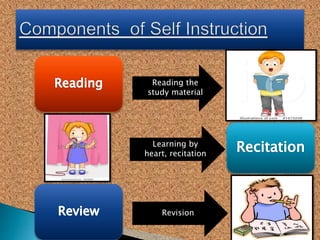
Reading the
study material
Learning by
heart, recitation
Revision
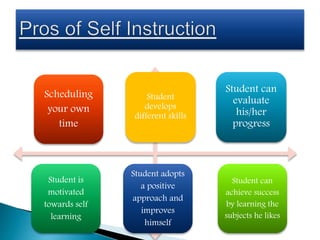
Scheduling
your own
time
Student can
achieve success
by learning the
subjects he likes
Student is
motivated
towards self
learning
Student adopts
a positive
approach and
improves
himself
Student
develops
different skills
Student can
evaluate
his/her
progress
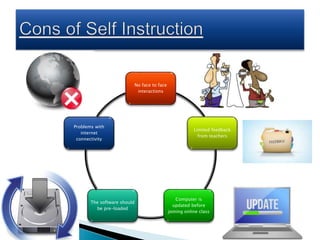
No face to face
interactions
Limited feedback
from teachers
Computer is
updated before
joining online class
The software should
be pre-loaded
Problems with
internet
connectivity
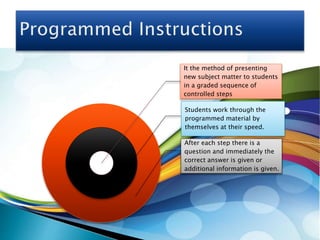
It the method of presenting
new subject matter to students
in a graded sequence of
controlled steps
Students work through the
programmed material by
themselves at their speed.
After each step there is a
question and immediately the
correct answer is given or
additional information is given.
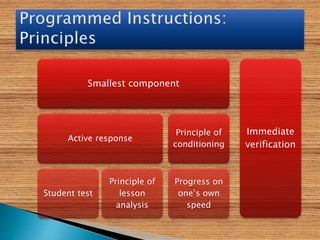
Smallest component
Active response
Student test
Principle of
lesson
analysis
Principle of
conditioning
Progress on
one’s own
speed
Immediate
verification
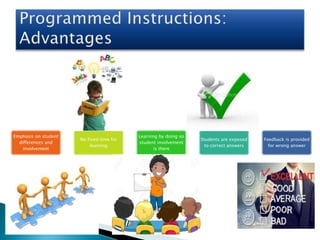
Emphasis on student
differences and
involvement
No fixed time for
learning
Learning by doing so
student involvement
is there
Students are exposed
to correct answers
Feedback is provided
for wrong answer
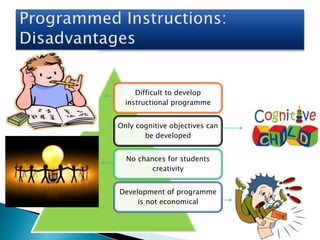
Difficult to develop
instructional programme
Only cognitive objectives can
be developed
No chances for students
creativity
Development of programme
is not economical
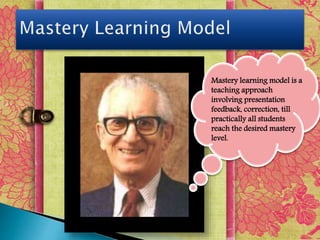
Mastery learning model is a
teaching approach
involving presentation
feedback, correction, till
practically all students
reach the desired mastery
level.
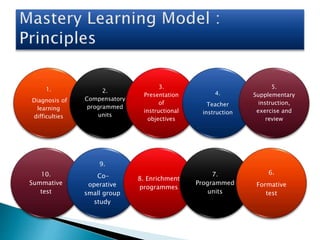
1.
Diagnosis of
learning
difficulties
2.
Compensatory
programmed
units
3.
Presentation
of
instructional
objectives
4.
Teacher
instruction
5.
Supplementary
instruction,
exercise and
review
10.
Summative
test
9.
Co-
operative
small group
study
8. Enrichment
programmes
7.
Programmed
units
6.
Formative
test
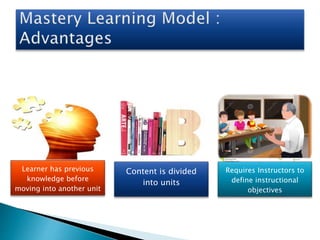
Learner has previous
knowledge before
moving into another unit
Content is divided
into units
Requires Instructors to
define instructional
objectives
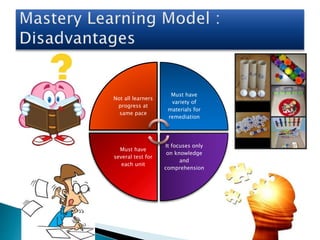
Not all learners
progress at
same pace
Must have
variety of
materials for
remediation
It focuses only
on knowledge
and
comprehension
Must have
several test for
each unit

ICT- concept mapping

  • 1.
  • 2.
  • 3.
    Online admissions One window- one minute service Recordingof student attendance Issuing of books by library Musters for the non- teaching staff Security of the campus Feedback from students Record keeping Circulars and GRs Alumni association database
  • 4.
    Access to onlineresources (video, text, graphics) Teach a whole class using technology Access to individualized curriculum Caters to different learning style Effective learning involving multimedia Construct rich multisensory environment
  • 6.
    Subscribing e-journals Offer resourcesfor open situations Track the progress of research Support learner in evaluating, analyzing, structuring High degree of focus on a particular skill Enable discussion of reasoning, judgment and decisions
  • 7.
    Keeping exercises and MCQson the Institutional websites Online examination Expertise teachers which are made available for guidance 24/7 Syllabus, notes, practical sheets and study material are published on the institutional website Results of the exams displayed Serve as a study cum evaluation and information centre
  • 8.
    Traditional Rigid Outdated Teacher centered Syllabus was revised in 10years ICT based Flexible Updated Student centered Syllabus is revised in 3 years
  • 9.
    Traditional Teacher is alwayscorrect Dictator ICT Based Teacher accepts knowledge from students Facilitator Ineffective teaching Activity based teaching Students are passive learners Students are active learners Used fixed methodology Uses variety of methods One way teaching Two way teaching and learning
  • 10.
    From taking lectures andasking questions Brainstorming Mind mapping Collaborative learning Video conferencing Field work Web seminar
  • 11.
    Fixed space Inside classwall Traditional Classroom Multipurpose space Inter-connected lab (E-LAB) Modern Classroom Learner’s participation is less practical Time constraint learning Isolated work Learner’s participation is more practical Learning occurs anywhere Collaborative work Que by students: 1] how does it work? Que by students: 1] How do I build it?
  • 12.
    Terminal Evaluation Only knowledge is evaluated Evaluating memory ofthe Learner Classroom and paper based Not Comprehensive Continuous and comprehensive evaluation All aspects are evaluated Evaluating all skills of a Learner Online Grading and Semester system Old Evaluation System New Evaluation System
  • 14.
    ▣ A computervirus is a program or piece of code that is loaded onto your computer without your knowledge and runs against your wishes. Don’t download unknown files Scan regularly Firewall ON Install Antivirus Manage Virus in following ways:
  • 15.
    Install antivirus froma reputed co. Backup your data regularly Virus scan before opening a removable disk Firewall protection ON Configure scan each you reboot your PC Disconnect from internet when not in use Don’t do auto fill or auto login Avoid sharing files during online chat
  • 16.
    SAFE : Don’treveal too much of your personal identity MEET : Meeting someone you have met online ACCEPTING : Don’t accept emails from unknown people RELIABLE : Everything on the internet is not true TELL : Tell your Parents or trusted adult who makes you feel uncomfortable, don’t deal alone.
  • 17.
    Remember the Human Adhere tothe same standards of behavior online that you follow in real life Know where you are in cyberspace Respect other people's time and bandwidth Make yourself look good online Share expert knowledge Help keep flame wars under control Respect other people's privacy Don't abuse your power Be forgiving of other people's mistakes
  • 18.
    Don’t reply to ‘replyall’ Properly format your email replies and be lazy Avoid irony in emails Let people know their email has been received Take another look before sending mails Use punctuation Use acronyms sparingly When in doubt don’t send rich HTML Resize pictures Talk about one subject per email
  • 19.
  • 20.
    Word processing InternetFile navigation Email Presentation packages Spreadsheets Databases SIS Curriculum Manager
  • 21.
    E-learning is mostly associatedwith activities involving computers and interactive networks simultaneously.
  • 22.
  • 23.
    Learning materials packagedon CD-ROM or other media disk. •Learning and teaching takes place in same time while the trainer and learners are physically separated. •Telephone, online lectures • Trainer prepares the courseware material before the course takes place. The learner is free to decide when he wants to study the course. • Self paced courses taken via Internet or CD-Rom , recorded audio tapes .
  • 24.
    Computer-assisted instruction (CAI)is an interactive instructional technique whereby a computer is used to present the instructional material and monitor the learning that takes place. •CAI programs use tutorials, drill and practice, simulation, and problem solving approaches to present topics, and they test the student's understanding.
  • 25.
  • 26.
    Students can study anywhere Self-paced learning Flexibilityto join discussion areas at any hour accommodate different learning styles facilitate learning through a variety of activities Develops knowledge of the Internet and computers skills .. .. Slow Internet connections No routine structures of a traditional class Instructor may not always be available Hands-on or lab work is difficult to simulate in a virtual classroom Students may feel isolated from the instructor and classmates complex for students with beginner-level computer skills
  • 27.
    Extendibility, Accessibility, and Suitability Easy andaffordable training delivery Inexpensive worldwide distribution Installation options on private networks for security or greater bandwidth Reduced technical support Access is controllable
  • 28.
    Limited formatting of content in currentbrowsers Limited bandwidth means slower performance Time required for downloading applications Cannot design and develop robust multimedia courses Web-based training has high-fixed costs Student assessment and feedback is limited
  • 29.
    One-to-one interaction devote moretime to individual students Freedom to experiment with different options Self directed learning Learn more and more rapidly Self pacing May feel overwhelmed by the information and resources available Over use of multimedia may divert the attention from the content Learning becomes too mechanical Lack of infrastructure
  • 30.
    Instructional Design Instruction Design A setof events that facilitate learning A creative pattern or a rational, logical, sequential process intended to solve problems Instructional Design is the systematic process of translating general principles of learning and instruction into plans for instructional materials and activities.
  • 31.
    •Information Age. •This hasserious implications for what and how we teach knowledge explosion •What we teach is constantly evolving. •What students need to know is expanding. In the Information Age... Possible “teaching solutions” • Learner centered approach • Extended classrooms (web- based)
  • 32.
    Identifying the problem Studying the existing technique Decidingthe technique of instruction Goal identification Actual implementation Guiding study Development of an instructional system Searching a method for the system Analysis of the instructional system Implementation
  • 33.
  • 34.
    Saves time and trouble Costeffective Promotes effective learning Systematic Very linear limits creativity Constraining Time-consuming to implement
  • 35.
    ‘The variety ofself- regulation strategies that students can use to manage themselves as learners and direct their own behaviour, including their attention’ - (Graham, Harris, & Reid, 1992)
  • 36.
    Reading the study material Learningby heart, recitation Revision
  • 37.
    Scheduling your own time Student can achievesuccess by learning the subjects he likes Student is motivated towards self learning Student adopts a positive approach and improves himself Student develops different skills Student can evaluate his/her progress
  • 38.
    No face toface interactions Limited feedback from teachers Computer is updated before joining online class The software should be pre-loaded Problems with internet connectivity
  • 39.
    It the methodof presenting new subject matter to students in a graded sequence of controlled steps Students work through the programmed material by themselves at their speed. After each step there is a question and immediately the correct answer is given or additional information is given.
  • 41.
    Smallest component Active response Studenttest Principle of lesson analysis Principle of conditioning Progress on one’s own speed Immediate verification
  • 42.
    Emphasis on student differencesand involvement No fixed time for learning Learning by doing so student involvement is there Students are exposed to correct answers Feedback is provided for wrong answer
  • 43.
    Difficult to develop instructionalprogramme Only cognitive objectives can be developed No chances for students creativity Development of programme is not economical
  • 44.
    Mastery learning modelis a teaching approach involving presentation feedback, correction, till practically all students reach the desired mastery level.
  • 45.
  • 46.
    Learner has previous knowledgebefore moving into another unit Content is divided into units Requires Instructors to define instructional objectives
  • 47.
    Not all learners progressat same pace Must have variety of materials for remediation It focuses only on knowledge and comprehension Must have several test for each unit