Chapter    14
          Using Technology to Manage
          Information
Learning Objectives

1   Distinguish between data and information     5   Discuss the security and ethical
    and explain the role of management               issues involving computer
    information systems in business.                 information systems.

2   List the components and different types of   6   Explain the steps that companies go
    information systems.                             through in anticipating, planning for,
                                                     and recovering from information
3   Outline how computer hardware and                system disasters.
    software are used to manage information.
                                                 7   Review current trends in information
4   Describe the networking and                      systems.
    telecommunications technology and types
    of computer networks.
Information Systems

s   Data– raw facts and figures
s   Information– knowledge gained from
    processing data
s   Information system– organized method for
    collecting, storing, and communicating
    information on operations
s   Chief information officer– executive
    responsible for directing information systems
    and operations
Components of Information Systems

s   Computer Hardware

s   Computer Software

s   Telecommunications and Computer Networks

s   Data Resource Management
Types of Information Systems
s   Operational Support Systems
    s   Transaction Processing System
    s   Process Control System


s   Management Support Systems
    s   Management Information System (MIS)
    s   Decision Support System (DSS)
    s   Executive Support System (ESS)
Computer Hardware

s   The tangible elements of a computer system
s   The components that store and process data,
    perform calculations
s   Input devices like the keyboard and mouse allow
    users to enter data and commands.
s   Storage and processing components consist of
    the hard drive and other storage components
    like flash drives.
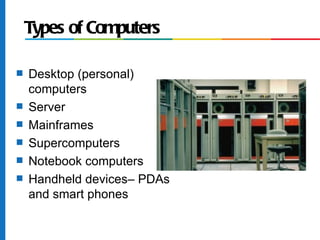
Types of Computers

s   Desktop (personal)
    computers
s   Server
s   Mainframes
s   Supercomputers
s   Notebook computers
s   Handheld devices– PDAs
    and smart phones
Computer Software
s   Programs, routines, and computer
    languages that control a computer

s   Operating System
    s   Windows Operating System
    s   Mac Operating System

s   Application Software
    s   Microsoft PowerPoint
    s   Quicken
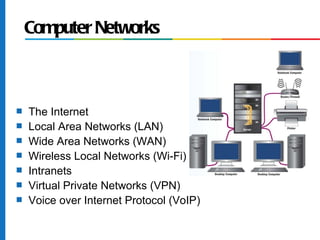
Computer Networks


s   The Internet
s   Local Area Networks (LAN)
s   Wide Area Networks (WAN)
s   Wireless Local Networks (Wi-Fi)
s   Intranets
s   Virtual Private Networks (VPN)
s   Voice over Internet Protocol (VoIP)
Security Issues

s   E-Crime
s   Computer Viruses
    s   Worms
    s   Trojan Horses
    s   Spyware
Ethical Issues
s   Use of information systems by employees
    and vendors:
    s   Personal use
    s   Privacy
s   Organizational use of information:
    s   Employment records
    s   Employee monitoring
    s   Customer data
Disaster Recovery and Backup

s   Natural Disasters
s   Power Failures           90% of firms that sustained

s   Equipment Malfunctions   a loss of critical data went

s   Software Glitches        out of business within two

s   Human Error              years.

s   Terrorist Attacks
s   The most basic
    precaution– backup.
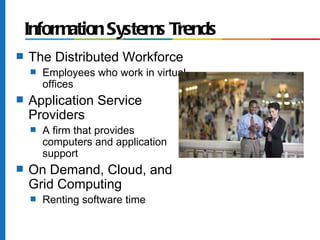
Information Systems Trends
s   The Distributed Workforce
    s   Employees who work in virtual
        offices
s   Application Service
    Providers
    s   A firm that provides
        computers and application
        support
s   On Demand, Cloud, and
    Grid Computing
    s   Renting software time
Chapter 14: Information Technology

Chapter 14: Information Technology

  • 1.
    Chapter 14 Using Technology to Manage Information
  • 2.
    Learning Objectives 1 Distinguish between data and information 5 Discuss the security and ethical and explain the role of management issues involving computer information systems in business. information systems. 2 List the components and different types of 6 Explain the steps that companies go information systems. through in anticipating, planning for, and recovering from information 3 Outline how computer hardware and system disasters. software are used to manage information. 7 Review current trends in information 4 Describe the networking and systems. telecommunications technology and types of computer networks.
  • 3.
    Information Systems s Data– raw facts and figures s Information– knowledge gained from processing data s Information system– organized method for collecting, storing, and communicating information on operations s Chief information officer– executive responsible for directing information systems and operations
  • 4.
    Components of InformationSystems s Computer Hardware s Computer Software s Telecommunications and Computer Networks s Data Resource Management
  • 5.
    Types of InformationSystems s Operational Support Systems s Transaction Processing System s Process Control System s Management Support Systems s Management Information System (MIS) s Decision Support System (DSS) s Executive Support System (ESS)
  • 6.
    Computer Hardware s The tangible elements of a computer system s The components that store and process data, perform calculations s Input devices like the keyboard and mouse allow users to enter data and commands. s Storage and processing components consist of the hard drive and other storage components like flash drives.
  • 7.
    Types of Computers s Desktop (personal) computers s Server s Mainframes s Supercomputers s Notebook computers s Handheld devices– PDAs and smart phones
  • 8.
    Computer Software s Programs, routines, and computer languages that control a computer s Operating System s Windows Operating System s Mac Operating System s Application Software s Microsoft PowerPoint s Quicken
  • 9.
    Computer Networks s The Internet s Local Area Networks (LAN) s Wide Area Networks (WAN) s Wireless Local Networks (Wi-Fi) s Intranets s Virtual Private Networks (VPN) s Voice over Internet Protocol (VoIP)
  • 10.
    Security Issues s E-Crime s Computer Viruses s Worms s Trojan Horses s Spyware
  • 11.
    Ethical Issues s Use of information systems by employees and vendors: s Personal use s Privacy s Organizational use of information: s Employment records s Employee monitoring s Customer data
  • 12.
    Disaster Recovery andBackup s Natural Disasters s Power Failures 90% of firms that sustained s Equipment Malfunctions a loss of critical data went s Software Glitches out of business within two s Human Error years. s Terrorist Attacks s The most basic precaution– backup.
  • 13.
    Information Systems Trends s The Distributed Workforce s Employees who work in virtual offices s Application Service Providers s A firm that provides computers and application support s On Demand, Cloud, and Grid Computing s Renting software time