Organisational Information Systems
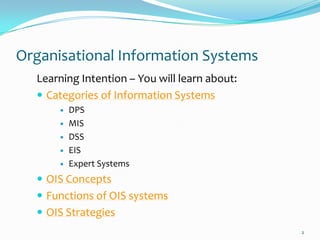
  Learning Intention – You will learn about:
   Categories of Information Systems
         DPS
         MIS
         DSS
         EIS
         Expert Systems
   OIS Concepts
   Functions of OIS systems
   OIS Strategies
                                               2
Categories of Information Systems


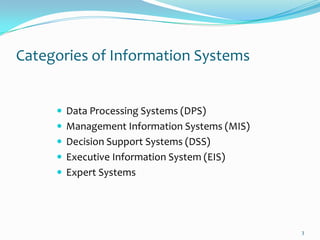
      Data Processing Systems (DPS)
      Management Information Systems (MIS)
      Decision Support Systems (DSS)
      Executive Information System (EIS)
      Expert Systems


                                              3
Categories of Information Systems
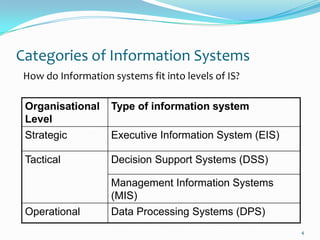
 How do Information systems fit into levels of IS?

 Organisational     Type of information system
 Level
 Strategic          Executive Information System (EIS)

 Tactical           Decision Support Systems (DSS)

                    Management Information Systems
                    (MIS)
 Operational        Data Processing Systems (DPS)
                                                         4
Concepts in Relation to Organisational Management
Systems

  Speed
     The processor is able to carry out millions of calculations per second.
  Accuracy
     Computers store and process numbers to a high degree of accuracy.
     The software and hardware combined will perform the calculation
       correctly every time.
  Volume
     The number of transactions processed in a period of time is the
       volume.
  Efficiency
     The efficiency of an Information System is a combination of the
       speed, accuracy and volume of the data processed.


                                                                                5
Data Processing Systems (DPS)
 Transactional Processing System
   Deals with day-to-day transactions
   Accountancy, invoicing, stock control
   Items scanned by bar code reader etc


 DPS are the tools used at the Operational level of an
  organisation
 DPS involves use of a computer

                                                          6
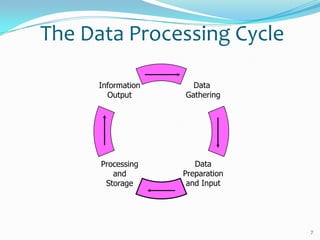
The Data Processing Cycle

      Information     Data
        Output      Gathering


      Processing       Data
         and        Preparation
       Storage       and Input


                                  7
Functions
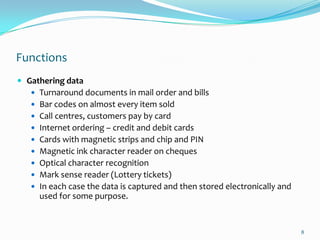
 Gathering data
    Turnaround documents in mail order and bills
    Bar codes on almost every item sold
    Call centres, customers pay by card
    Internet ordering – credit and debit cards
    Cards with magnetic strips and chip and PIN
    Magnetic ink character reader on cheques
    Optical character recognition
    Mark sense reader (Lottery tickets)
    In each case the data is captured and then stored electronically and
     used for some purpose.


                                                                            8
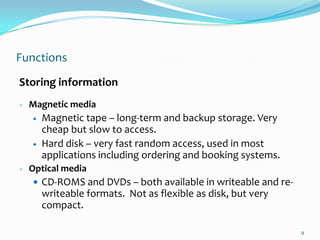
Functions
Storing information
   Magnetic media
       Magnetic tape – long-term and backup storage. Very
        cheap but slow to access.
       Hard disk – very fast random access, used in most
        applications including ordering and booking systems.
   Optical media
     CD-ROMS and DVDs – both available in writeable and re-
        writeable formats. Not as flexible as disk, but very
        compact.

                                                               9
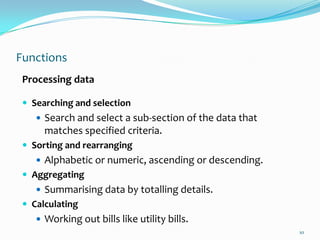
Functions
 Processing data

  Searching and selection
     Search and select a sub-section of the data that
      matches specified criteria.
  Sorting and rearranging
     Alphabetic or numeric, ascending or descending.
  Aggregating
     Summarising data by totalling details.
  Calculating
     Working out bills like utility bills.
                                                         10
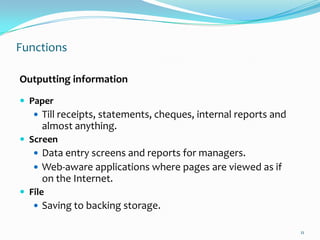
Functions

Outputting information

 Paper
    Till receipts, statements, cheques, internal reports and
     almost anything.
 Screen
    Data entry screens and reports for managers.
    Web-aware applications where pages are viewed as if
     on the Internet.
 File
    Saving to backing storage.

                                                                11
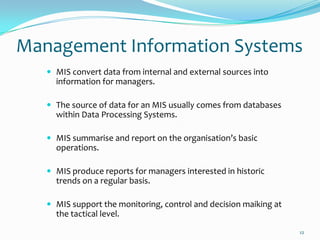
Management Information Systems
    MIS convert data from internal and external sources into
     information for managers.

    The source of data for an MIS usually comes from databases
     within Data Processing Systems.

    MIS summarise and report on the organisation’s basic
     operations.

    MIS produce reports for managers interested in historic
     trends on a regular basis.

    MIS support the monitoring, control and decision maiking at
     the tactical level.
                                                                   12
Decision Support Systems
  DSS provide information and models in a form to help tactical and
   strategic decision-making.

  They support management decision-making by integrating:
       Company performance data
       Business rules in a decision table
       Analytical tools and models for forecasting and planning
       A simple user interface to query the system.

  DSS are much more flexible and so are useful when making ad-hoc, one-
   off decisions.

  The sources of data for DSS tend to be a combination of summary
   information gathered from lower-level DPS and MIS.

  Spreadsheets and databases are commonly used
                                                                           13
Executive Information Systems
 EIS provide senior managers with systems to assist in taking strategic and
  tactical decisions.
 Purpose – to analyse, compare and identify trends to help the strategic
  direction of the organisation.
 EIS incorporate data about external events. They:
     draw summarised information from internal MIS and DSS.
     filter, compress, and track critical data.
     reduce time and effort required to obtain information useful to strategic
      management.
     employ advanced graphics software to provide highly visual and easy-to-
      use representations of complex information and current trends.
     do not provide analytical models.
 EIS allow the user to look at specific data that has been summarised from
  lower levels within the organisation and then drill down to increase the level of
  detail - data warehouse analysis.


                                                                                      14
Task
   Read through Scholar Using Information – Topic 3
   Summarise the main points of each system
   Answer questions 1-5 on page 218
   Prepare memory cards or a brief mind map
   (leave room for Expert Systems)

 This should take 2 periods.


                                                       15
Expert Systems
 An expert system is a computer program that tries to
  emulate human reasoning.
 It does this by combining the knowledge of human
  experts and then, following a set of rules, draws
  inferences (solutions).


                                                         16
Expert Systems
 An expert system is made up of three parts:


    A knowledge base stores all of the facts, rules and
     information needed to represent the knowledge of the
     expert.
    An inference engine interprets the rules and facts to find
     solutions to user queries.
    A user interface allows new knowledge to be entered
     and the system queried.


                                                                  17
Expert Systems
 Expert systems are used for the following purposes:
   To store information in an active form as
    organisational memory.
   To create a mechanism that is not subject to human
    feelings, such as fatigue and worry.
   To generate solutions to specific problems that are
    too substantial and complex to be analysed by human
    beings in a short period of time.


                                                          18
Task on expert systems
 Find out:
 What is a ‘knowledge engineer’?
 What is ‘Artificial Intelligence’?

 Find a business example of an expert system and write
  a little about it.
 Click on this link to try a simple one:
        Whale Watcher
 Add Expert Systems to your mind map


                                                          19
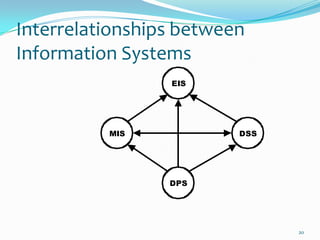
Interrelationships between
Information Systems
                 EIS


          MIS            DSS


                 DPS


                               20

Organisational information systems

  • 2.
    Organisational Information Systems Learning Intention – You will learn about:  Categories of Information Systems  DPS  MIS  DSS  EIS  Expert Systems  OIS Concepts  Functions of OIS systems  OIS Strategies 2
  • 3.
    Categories of InformationSystems  Data Processing Systems (DPS)  Management Information Systems (MIS)  Decision Support Systems (DSS)  Executive Information System (EIS)  Expert Systems 3
  • 4.
    Categories of InformationSystems How do Information systems fit into levels of IS? Organisational Type of information system Level Strategic Executive Information System (EIS) Tactical Decision Support Systems (DSS) Management Information Systems (MIS) Operational Data Processing Systems (DPS) 4
  • 5.
    Concepts in Relationto Organisational Management Systems  Speed  The processor is able to carry out millions of calculations per second.  Accuracy  Computers store and process numbers to a high degree of accuracy.  The software and hardware combined will perform the calculation correctly every time.  Volume  The number of transactions processed in a period of time is the volume.  Efficiency  The efficiency of an Information System is a combination of the speed, accuracy and volume of the data processed. 5
  • 6.
    Data Processing Systems(DPS)  Transactional Processing System  Deals with day-to-day transactions  Accountancy, invoicing, stock control  Items scanned by bar code reader etc  DPS are the tools used at the Operational level of an organisation  DPS involves use of a computer 6
  • 7.
    The Data ProcessingCycle Information Data Output Gathering Processing Data and Preparation Storage and Input 7
  • 8.
    Functions  Gathering data  Turnaround documents in mail order and bills  Bar codes on almost every item sold  Call centres, customers pay by card  Internet ordering – credit and debit cards  Cards with magnetic strips and chip and PIN  Magnetic ink character reader on cheques  Optical character recognition  Mark sense reader (Lottery tickets)  In each case the data is captured and then stored electronically and used for some purpose. 8
  • 9.
    Functions Storing information  Magnetic media  Magnetic tape – long-term and backup storage. Very cheap but slow to access.  Hard disk – very fast random access, used in most applications including ordering and booking systems.  Optical media  CD-ROMS and DVDs – both available in writeable and re- writeable formats. Not as flexible as disk, but very compact. 9
  • 10.
    Functions Processing data  Searching and selection  Search and select a sub-section of the data that matches specified criteria.  Sorting and rearranging  Alphabetic or numeric, ascending or descending.  Aggregating  Summarising data by totalling details.  Calculating  Working out bills like utility bills. 10
  • 11.
    Functions Outputting information  Paper  Till receipts, statements, cheques, internal reports and almost anything.  Screen  Data entry screens and reports for managers.  Web-aware applications where pages are viewed as if on the Internet.  File  Saving to backing storage. 11
  • 12.
    Management Information Systems  MIS convert data from internal and external sources into information for managers.  The source of data for an MIS usually comes from databases within Data Processing Systems.  MIS summarise and report on the organisation’s basic operations.  MIS produce reports for managers interested in historic trends on a regular basis.  MIS support the monitoring, control and decision maiking at the tactical level. 12
  • 13.
    Decision Support Systems  DSS provide information and models in a form to help tactical and strategic decision-making.  They support management decision-making by integrating:  Company performance data  Business rules in a decision table  Analytical tools and models for forecasting and planning  A simple user interface to query the system.  DSS are much more flexible and so are useful when making ad-hoc, one- off decisions.  The sources of data for DSS tend to be a combination of summary information gathered from lower-level DPS and MIS.  Spreadsheets and databases are commonly used 13
  • 14.
    Executive Information Systems EIS provide senior managers with systems to assist in taking strategic and tactical decisions.  Purpose – to analyse, compare and identify trends to help the strategic direction of the organisation.  EIS incorporate data about external events. They:  draw summarised information from internal MIS and DSS.  filter, compress, and track critical data.  reduce time and effort required to obtain information useful to strategic management.  employ advanced graphics software to provide highly visual and easy-to- use representations of complex information and current trends.  do not provide analytical models.  EIS allow the user to look at specific data that has been summarised from lower levels within the organisation and then drill down to increase the level of detail - data warehouse analysis. 14
  • 15.
    Task  Read through Scholar Using Information – Topic 3  Summarise the main points of each system  Answer questions 1-5 on page 218  Prepare memory cards or a brief mind map  (leave room for Expert Systems)  This should take 2 periods. 15
  • 16.
    Expert Systems  Anexpert system is a computer program that tries to emulate human reasoning.  It does this by combining the knowledge of human experts and then, following a set of rules, draws inferences (solutions). 16
  • 17.
    Expert Systems  Anexpert system is made up of three parts:  A knowledge base stores all of the facts, rules and information needed to represent the knowledge of the expert.  An inference engine interprets the rules and facts to find solutions to user queries.  A user interface allows new knowledge to be entered and the system queried. 17
  • 18.
    Expert Systems  Expertsystems are used for the following purposes:  To store information in an active form as organisational memory.  To create a mechanism that is not subject to human feelings, such as fatigue and worry.  To generate solutions to specific problems that are too substantial and complex to be analysed by human beings in a short period of time. 18
  • 19.
    Task on expertsystems  Find out:  What is a ‘knowledge engineer’?  What is ‘Artificial Intelligence’?  Find a business example of an expert system and write a little about it.  Click on this link to try a simple one: Whale Watcher  Add Expert Systems to your mind map 19
  • 20.