12/3/2019 1
Samina khan
Fazaia Degree College Risalpur
• Chapter 1 More on Number System
• Chapter 2 Working on Word
• Chapter 3 Working with Spreadsheet
• Chapter 4 Problem solving
• Chapter 5 Introduction to programming
• Chapter 6 Programming in GW-BASIC
• Chapter 7 Data verification & validation
• Chapter 8 Data protection & security
• Chapter 9 Applications of computers
• Chapter 11 The future of Technology
• Chapter 12 Creating webpages
12/3/2019
2
CHAPTER 8
What is data protection and security?
• Being connected to the internet involves sharing
a lot of information.
• We disclose our address, bank account number,
and credit card number when we shop online.
• All of this information is personal. It should not
be shown to any unconcerned person.
• Both businesses and users suffer because of
poor information security.
• Your personal data might reveal things that you
would not like to disclose to the general public.
Continued…
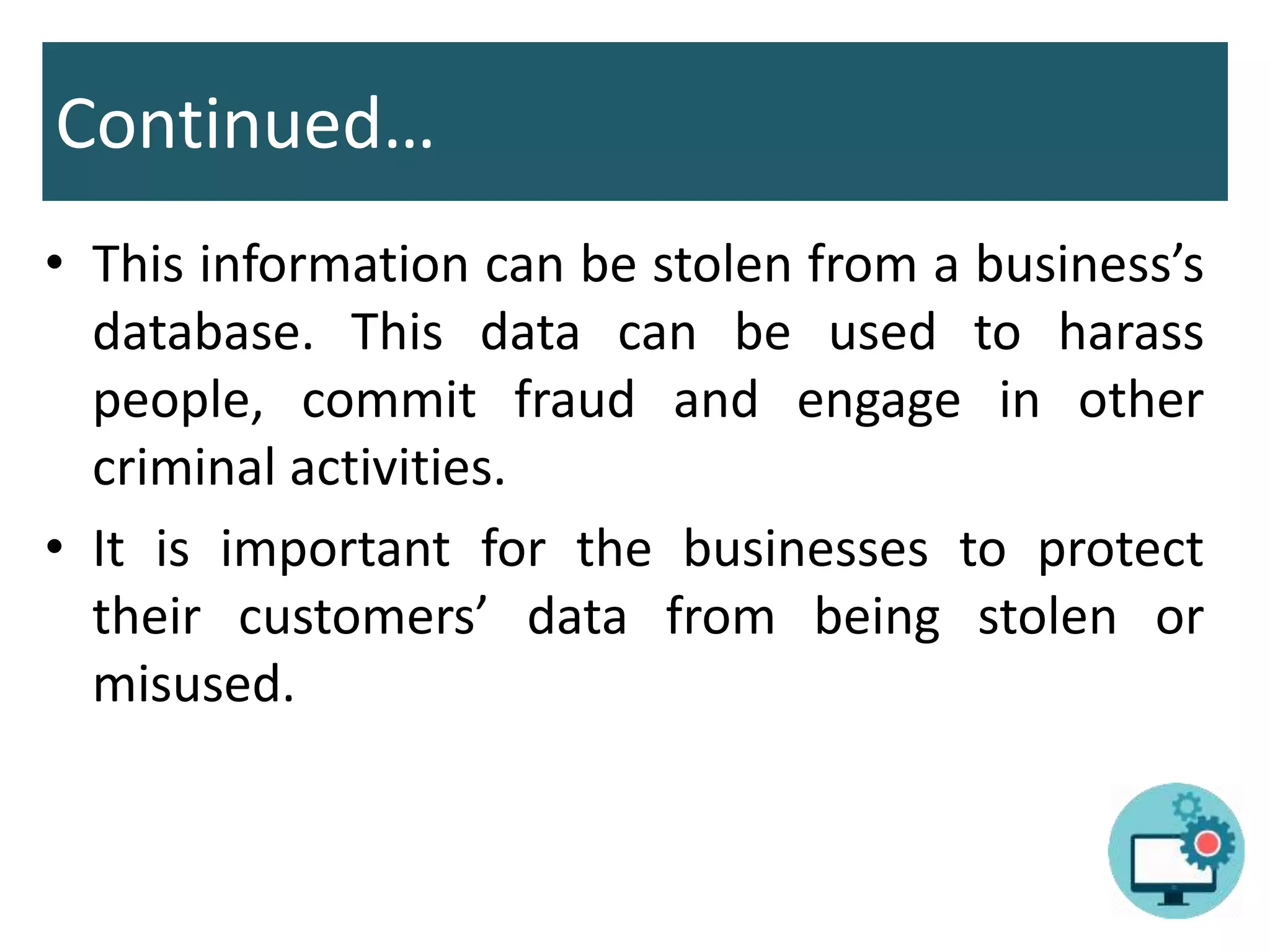
• This information can be stolen from a business’s
database. This data can be used to harass
people, commit fraud and engage in other
criminal activities.
• It is important for the businesses to protect
their customers’ data from being stolen or
misused.
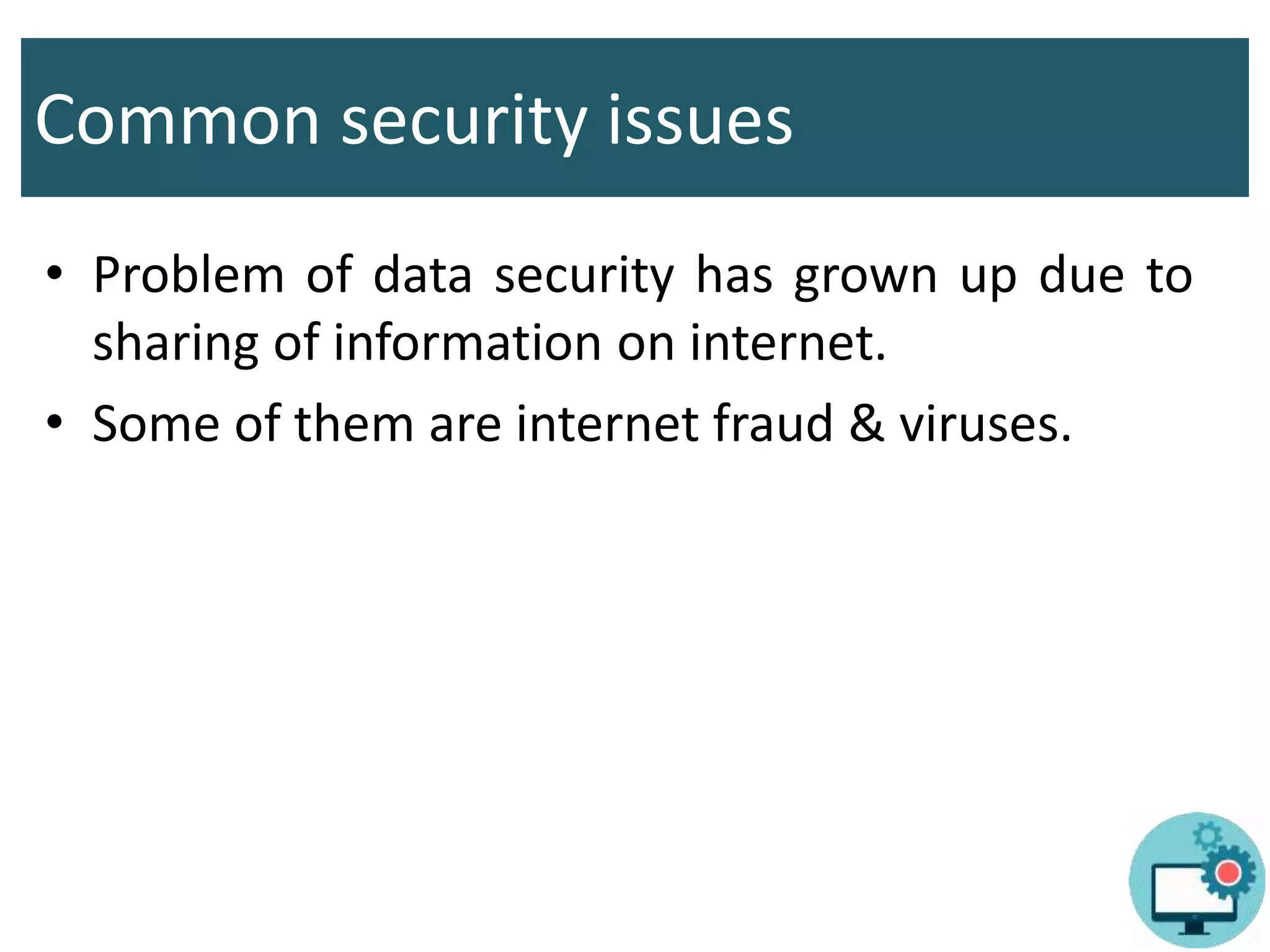
Common security issues
• Problem of data security has grown up due to
sharing of information on internet.
• Some of them are internet fraud & viruses.
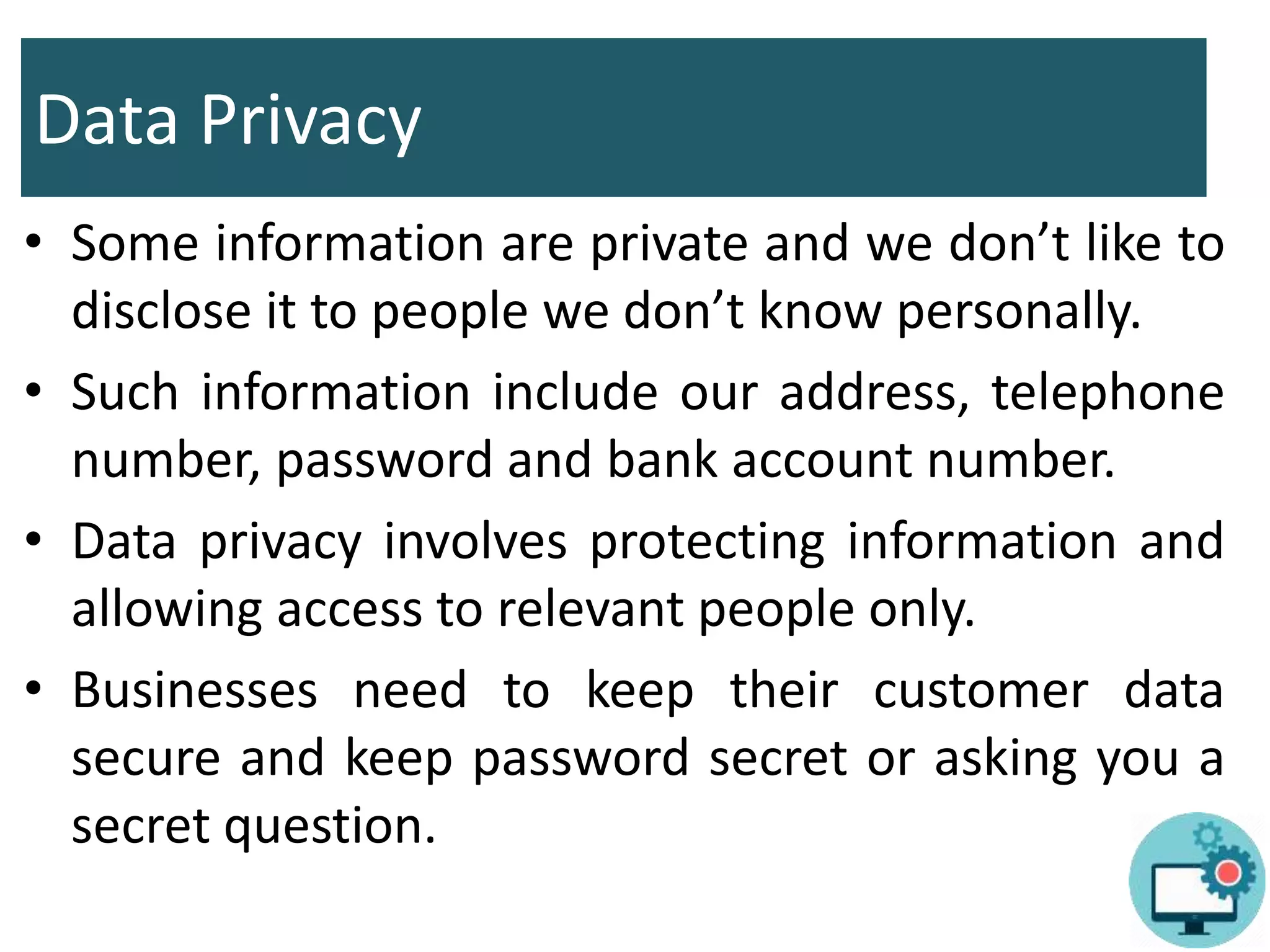
Data Privacy
• Some information are private and we don’t like to
disclose it to people we don’t know personally.
• Such information include our address, telephone
number, password and bank account number.
• Data privacy involves protecting information and
allowing access to relevant people only.
• Businesses need to keep their customer data
secure and keep password secret or asking you a
secret question.
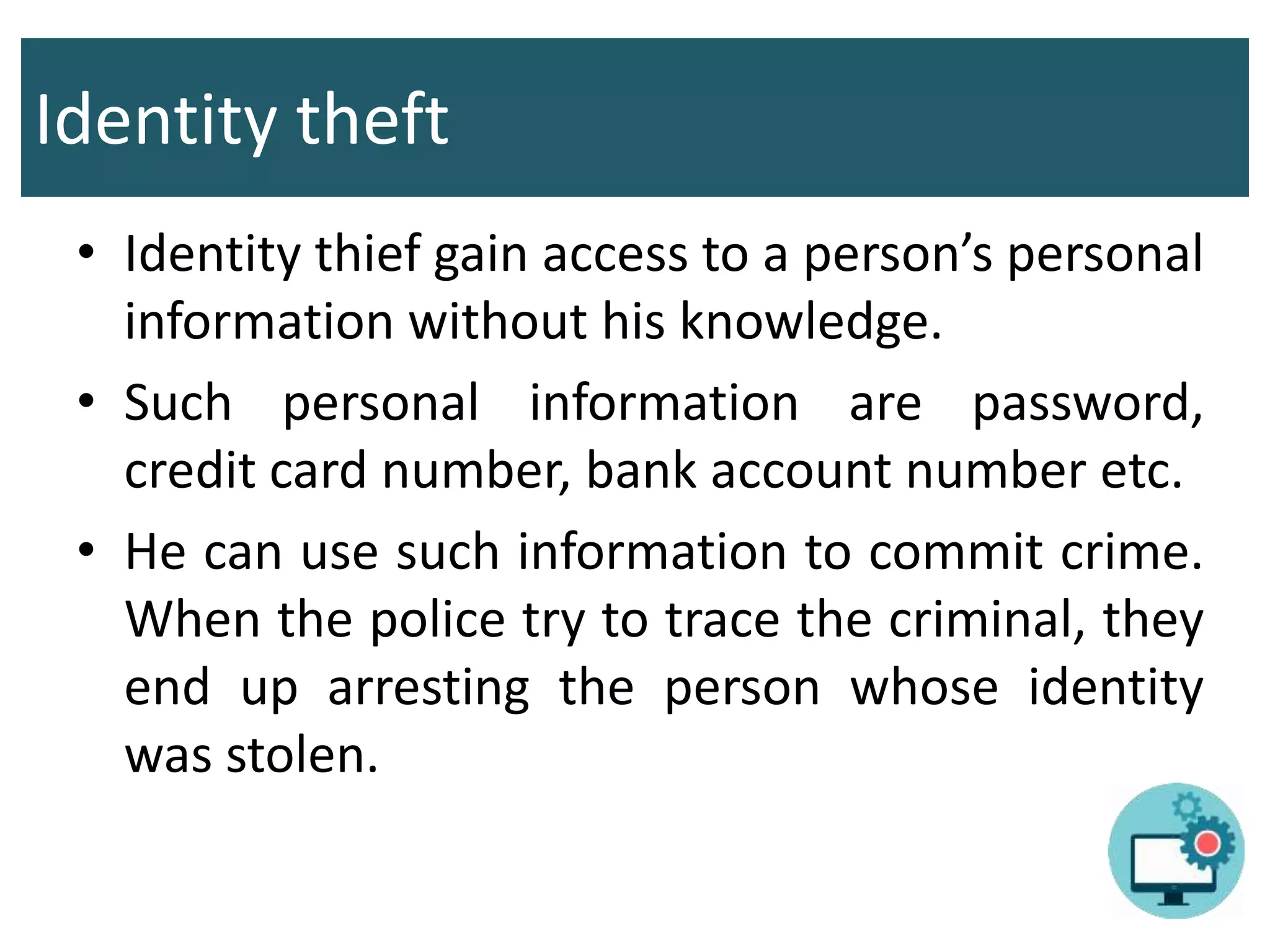
Identity theft
• Identity thief gain access to a person’s personal
information without his knowledge.
• Such personal information are password,
credit card number, bank account number etc.
• He can use such information to commit crime.
When the police try to trace the criminal, they
end up arresting the person whose identity
was stolen.
Continued…
• Employees who are fired from their jobs might
steal the personal data of customer as a form
of revenge against the company .
• Some thieves might use this information to
purchase items and then charge them to the
original person’s credit card without his
knowledge.
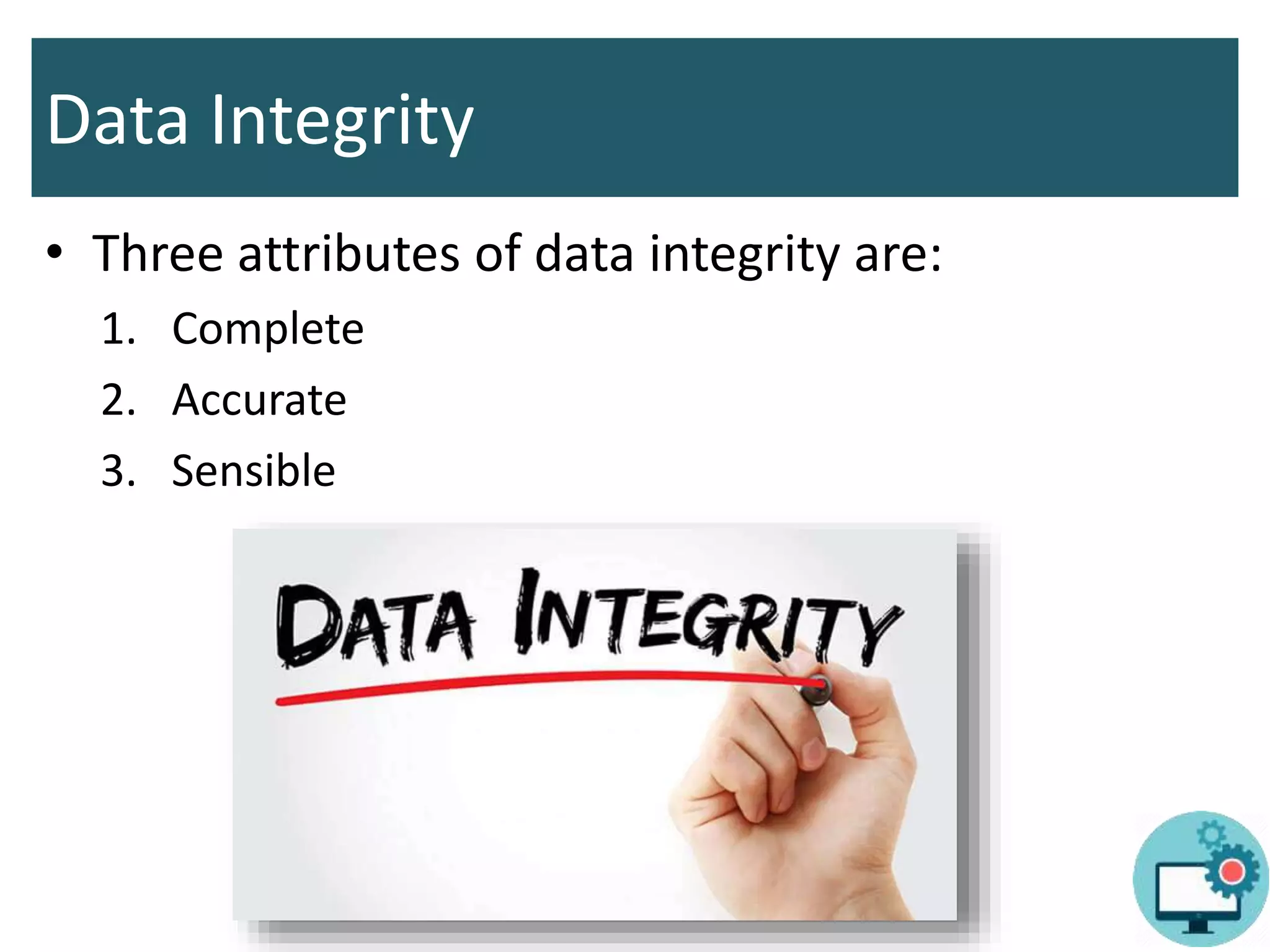
Data Integrity
• Three attributes of data integrity are:
1. Complete
2. Accurate
3. Sensible
Continued…
• When an unauthorized user gain access to
data and change it, it loses its integrity.
• They might delete some information or add
incorrect information.
• This happens very commonly on websites.
Therefore, it is important to protect
information from any unauthorized changes.
FORMS OF SECURITY THREATS
Forms of security threats
• Threats to data privacy, identity and integrity
can take several forms.
• We should know about these forms.
• Some of them are:
1. Internet fraud
2. Hacking
3. Phishing
4. Adware & spyware
Internet Fraud
• Fraud happens when a person cheats another
for some financial gain. it is quite common in
business.
• Internet fraud take place online and it is very
easy because buyers and sellers cannot see
each other or meet personally.
• Internet fraud can take the form of scams.
Continued…
• A scam is committed when a person promises
to give out huge prizes to the people who
provide their personal details on a website or
through email. However, after providing
personal data, they receive nothing.
• The fraudster disappears with all their
personal information and cannot be caught.
• He might then use that information to commit
crimes.
Hacking
• Hackers are people who gain access to a
computer without the knowledge of the
original user.
• He can steal the data or can change it.
• Hackers usually target e-commerce websites
and online banking websites.
• A hacker might hack a system to steal money
and information, or just for fun.
Phishing
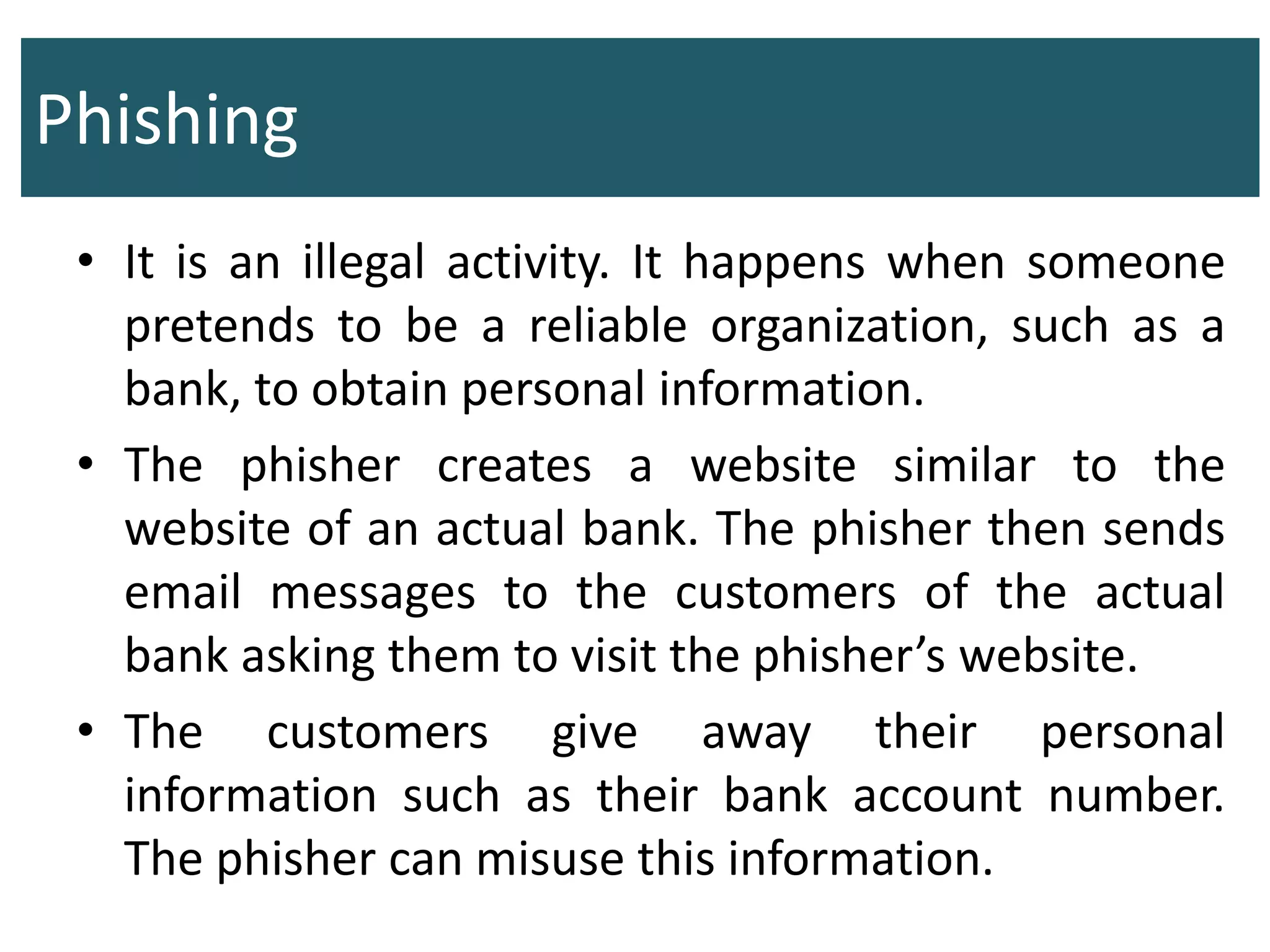
• It is an illegal activity. It happens when someone
pretends to be a reliable organization, such as a
bank, to obtain personal information.
• The phisher creates a website similar to the
website of an actual bank. The phisher then sends
email messages to the customers of the actual
bank asking them to visit the phisher’s website.
• The customers give away their personal
information such as their bank account number.
The phisher can misuse this information.
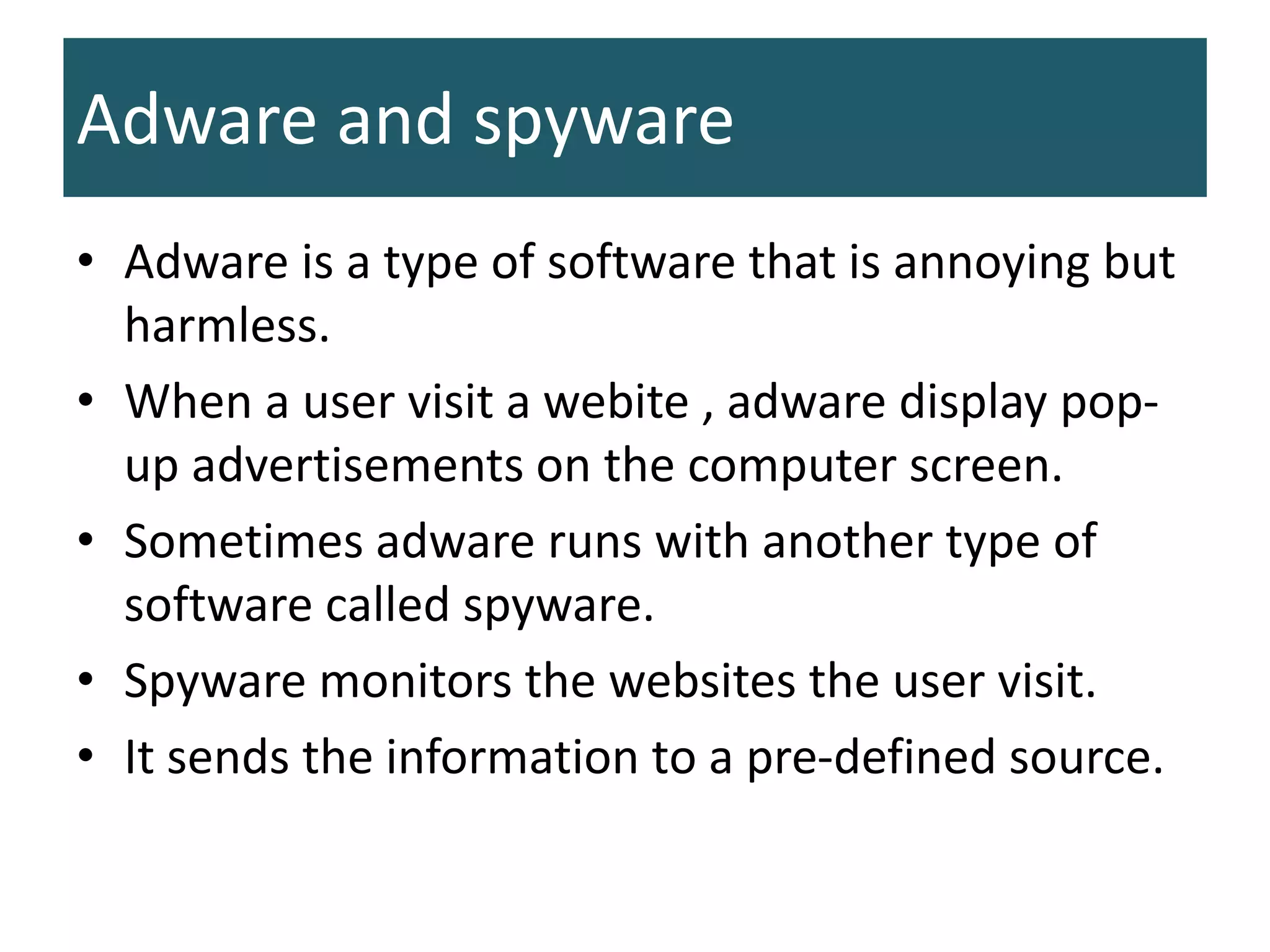
Adware and spyware
• Adware is a type of software that is annoying but
harmless.
• When a user visit a webite , adware display pop-
up advertisements on the computer screen.
• Sometimes adware runs with another type of
software called spyware.
• Spyware monitors the websites the user visit.
• It sends the information to a pre-defined source.
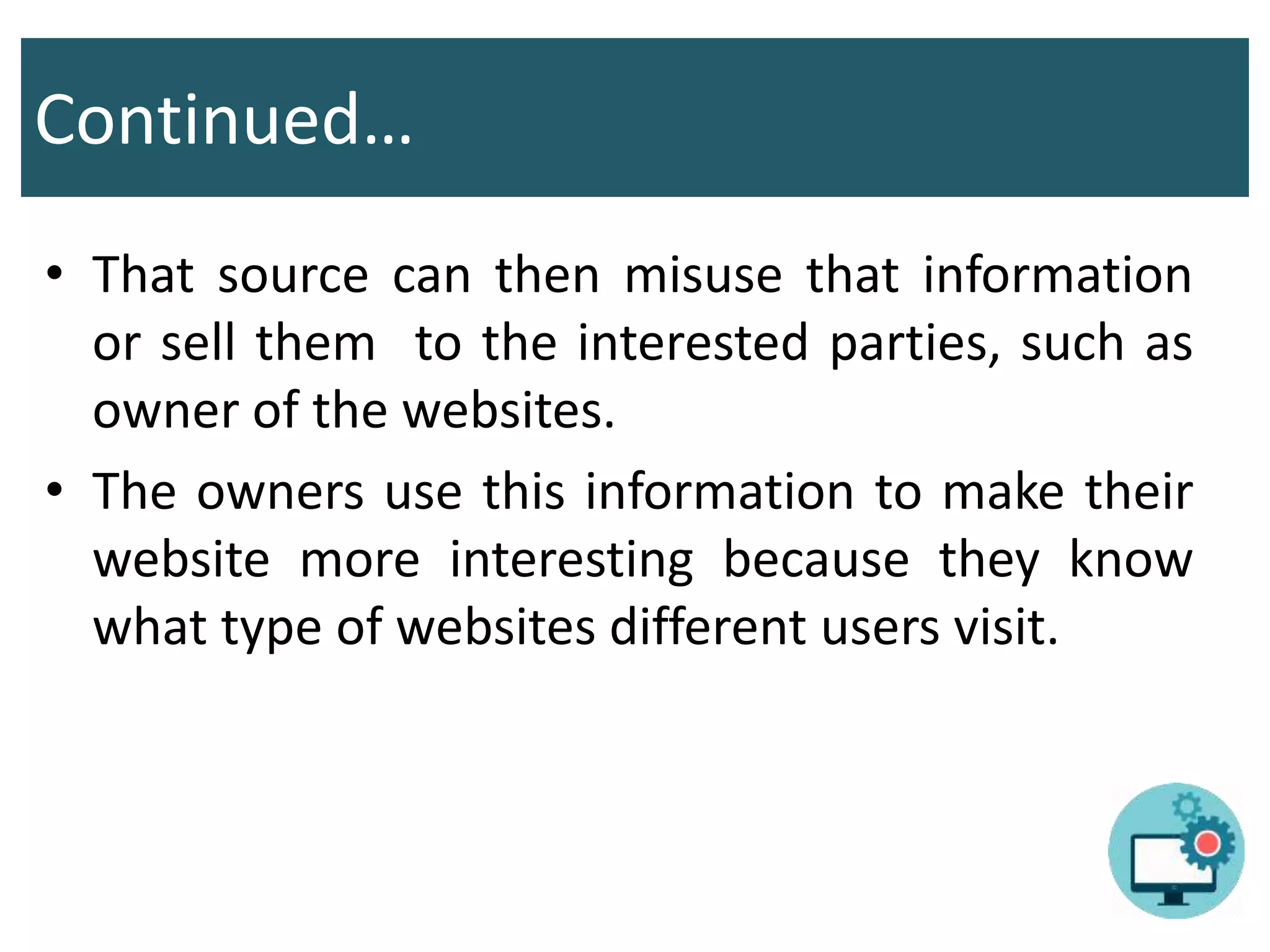
Continued…
• That source can then misuse that information
or sell them to the interested parties, such as
owner of the websites.
• The owners use this information to make their
website more interesting because they know
what type of websites different users visit.
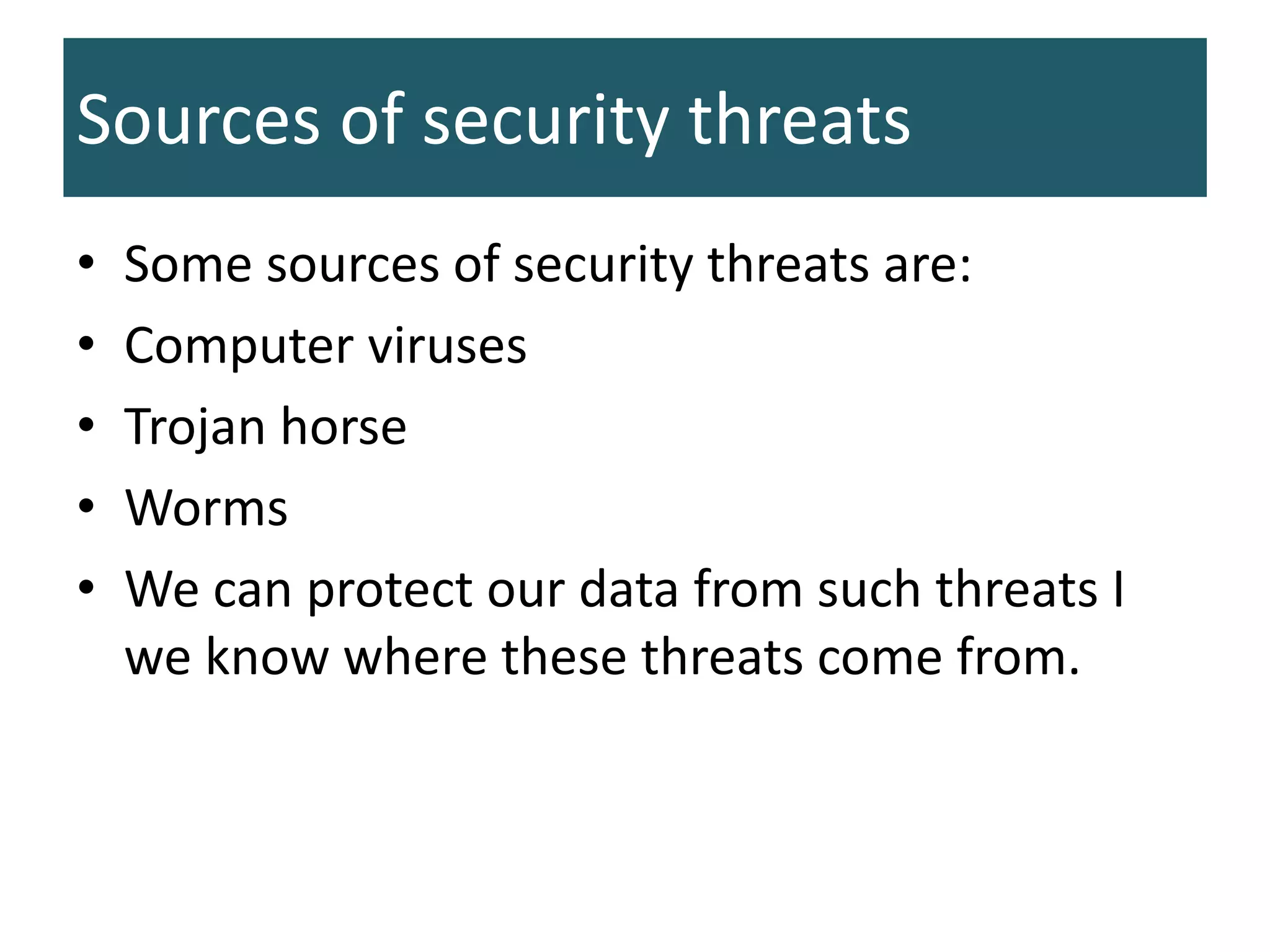
Sources of security threats
• Some sources of security threats are:
• Computer viruses
• Trojan horse
• Worms
• We can protect our data from such threats I
we know where these threats come from.
Common modes of security threats
• We know where threats to data security come
from. We also know how the virus, worm and
Trojan horse enter our system.
• That help us to create barriers that prevent
them from infecting our computers.
• Common modes of security threats are:
1. Infected drives and devices
2. Email attachments
3. Unsecured websites
4. Pirated software
Infected drives and devices
• Viruses can infect any kind of device such as
hard disk, CD,USB etc. When we connect this
device to other computer, the computer get
infected too.
• Viruses destroy data stored on the computer or
cause it to malfunction.
• We should avoid using portable storage devices
from unknown sources and should install an
antivirus program.
Email attachments
• Some internet users circulate a virus infected
email messages that can cause harm to
computer system and result in loss of data
when the user click on email attachment .
• We can avoid this by only opening email sent
by people we know.
Unsecured websites
• Each website offers contents that attracts user.
• These users might also include hackers. They
might hack these websites so that any
personal data that users provide to the
website is redirected to the hackers.
• Website should maintain high security levels
and users should think twice before giving
away personal information to anyone on
internet
Pirated software
• Most companies require users to pay a certain
amount of money as licensing fee before installing
and using their software.
• If a user obtain that software from some other
source and start using it without paying, this s
called software piracy.
• Pirated software is a copied software from a local
computer vendor. Most of the time the vendor’s
computer is virus infected and that virus being
transferred to the CD and would be transferred to
our computer.
Antivirus Software
• Computer viruses are extremely dangerous for the
computer and the information stored on it.
• Antivirus programs have been designed to prevent
viruses from affecting our data.
• They detect computer viruses and make them
ineffective.
• A virus is a program written in some programming
language. When this program is represented in
machine code, it is called virus definition.
Continued…
• Antivirus software contains a store of several
virus definitions.
• To identify a virus that has infected the
computer, it matches its code to virus
definition stored in its database.
• An antivirus can only control a virus if the
virus definition is stored in its database.
• New viruses are being created all the time. It
is impossible for a single antivirus to have all
possible virus definition in its database.
• It is important to update an antivirus on
regular basis to add new virus definition in its
database.
Continued…
Data protection and security

Data protection and security

  • 1.
    12/3/2019 1 Samina khan FazaiaDegree College Risalpur
  • 2.
    • Chapter 1More on Number System • Chapter 2 Working on Word • Chapter 3 Working with Spreadsheet • Chapter 4 Problem solving • Chapter 5 Introduction to programming • Chapter 6 Programming in GW-BASIC • Chapter 7 Data verification & validation • Chapter 8 Data protection & security • Chapter 9 Applications of computers • Chapter 11 The future of Technology • Chapter 12 Creating webpages 12/3/2019 2
  • 3.
  • 5.
    What is dataprotection and security? • Being connected to the internet involves sharing a lot of information. • We disclose our address, bank account number, and credit card number when we shop online. • All of this information is personal. It should not be shown to any unconcerned person. • Both businesses and users suffer because of poor information security. • Your personal data might reveal things that you would not like to disclose to the general public.
  • 6.
    Continued… • This informationcan be stolen from a business’s database. This data can be used to harass people, commit fraud and engage in other criminal activities. • It is important for the businesses to protect their customers’ data from being stolen or misused.
  • 7.
    Common security issues •Problem of data security has grown up due to sharing of information on internet. • Some of them are internet fraud & viruses.
  • 8.
    Data Privacy • Someinformation are private and we don’t like to disclose it to people we don’t know personally. • Such information include our address, telephone number, password and bank account number. • Data privacy involves protecting information and allowing access to relevant people only. • Businesses need to keep their customer data secure and keep password secret or asking you a secret question.
  • 9.
    Identity theft • Identitythief gain access to a person’s personal information without his knowledge. • Such personal information are password, credit card number, bank account number etc. • He can use such information to commit crime. When the police try to trace the criminal, they end up arresting the person whose identity was stolen.
  • 10.
    Continued… • Employees whoare fired from their jobs might steal the personal data of customer as a form of revenge against the company . • Some thieves might use this information to purchase items and then charge them to the original person’s credit card without his knowledge.
  • 11.
    Data Integrity • Threeattributes of data integrity are: 1. Complete 2. Accurate 3. Sensible
  • 12.
    Continued… • When anunauthorized user gain access to data and change it, it loses its integrity. • They might delete some information or add incorrect information. • This happens very commonly on websites. Therefore, it is important to protect information from any unauthorized changes.
  • 13.
  • 14.
    Forms of securitythreats • Threats to data privacy, identity and integrity can take several forms. • We should know about these forms. • Some of them are: 1. Internet fraud 2. Hacking 3. Phishing 4. Adware & spyware
  • 15.
    Internet Fraud • Fraudhappens when a person cheats another for some financial gain. it is quite common in business. • Internet fraud take place online and it is very easy because buyers and sellers cannot see each other or meet personally. • Internet fraud can take the form of scams.
  • 16.
    Continued… • A scamis committed when a person promises to give out huge prizes to the people who provide their personal details on a website or through email. However, after providing personal data, they receive nothing. • The fraudster disappears with all their personal information and cannot be caught. • He might then use that information to commit crimes.
  • 17.
    Hacking • Hackers arepeople who gain access to a computer without the knowledge of the original user. • He can steal the data or can change it. • Hackers usually target e-commerce websites and online banking websites. • A hacker might hack a system to steal money and information, or just for fun.
  • 18.
    Phishing • It isan illegal activity. It happens when someone pretends to be a reliable organization, such as a bank, to obtain personal information. • The phisher creates a website similar to the website of an actual bank. The phisher then sends email messages to the customers of the actual bank asking them to visit the phisher’s website. • The customers give away their personal information such as their bank account number. The phisher can misuse this information.
  • 19.
    Adware and spyware •Adware is a type of software that is annoying but harmless. • When a user visit a webite , adware display pop- up advertisements on the computer screen. • Sometimes adware runs with another type of software called spyware. • Spyware monitors the websites the user visit. • It sends the information to a pre-defined source.
  • 20.
    Continued… • That sourcecan then misuse that information or sell them to the interested parties, such as owner of the websites. • The owners use this information to make their website more interesting because they know what type of websites different users visit.
  • 21.
    Sources of securitythreats • Some sources of security threats are: • Computer viruses • Trojan horse • Worms • We can protect our data from such threats I we know where these threats come from.
  • 22.
    Common modes ofsecurity threats • We know where threats to data security come from. We also know how the virus, worm and Trojan horse enter our system. • That help us to create barriers that prevent them from infecting our computers. • Common modes of security threats are: 1. Infected drives and devices 2. Email attachments 3. Unsecured websites 4. Pirated software
  • 23.
    Infected drives anddevices • Viruses can infect any kind of device such as hard disk, CD,USB etc. When we connect this device to other computer, the computer get infected too. • Viruses destroy data stored on the computer or cause it to malfunction. • We should avoid using portable storage devices from unknown sources and should install an antivirus program.
  • 24.
    Email attachments • Someinternet users circulate a virus infected email messages that can cause harm to computer system and result in loss of data when the user click on email attachment . • We can avoid this by only opening email sent by people we know.
  • 25.
    Unsecured websites • Eachwebsite offers contents that attracts user. • These users might also include hackers. They might hack these websites so that any personal data that users provide to the website is redirected to the hackers. • Website should maintain high security levels and users should think twice before giving away personal information to anyone on internet
  • 26.
    Pirated software • Mostcompanies require users to pay a certain amount of money as licensing fee before installing and using their software. • If a user obtain that software from some other source and start using it without paying, this s called software piracy. • Pirated software is a copied software from a local computer vendor. Most of the time the vendor’s computer is virus infected and that virus being transferred to the CD and would be transferred to our computer.
  • 27.
    Antivirus Software • Computerviruses are extremely dangerous for the computer and the information stored on it. • Antivirus programs have been designed to prevent viruses from affecting our data. • They detect computer viruses and make them ineffective. • A virus is a program written in some programming language. When this program is represented in machine code, it is called virus definition.
  • 28.
    Continued… • Antivirus softwarecontains a store of several virus definitions. • To identify a virus that has infected the computer, it matches its code to virus definition stored in its database. • An antivirus can only control a virus if the virus definition is stored in its database.
  • 29.
    • New virusesare being created all the time. It is impossible for a single antivirus to have all possible virus definition in its database. • It is important to update an antivirus on regular basis to add new virus definition in its database. Continued…