RECORDS MANAGEMENT
Judith Read and Mary Lea Ginn
Chapter 12
The Records and Information
Management Program
Copyright 2011 South-Western, Cengage Learning
RIM Program Components
• Record storage
• Records retention and destruction
– Retention schedule development
– Retention schedule implementation
• Compliance
– Laws and regulations
– Policies and procedures (ISO15489)
2
Cost Containments
• Records management costs
– Salaries
– Storage space
– Equipment
– Supplies
• To reduce costs
– Identify costs for each
category
– Consider offsite services
3
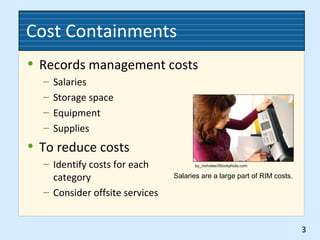
Salaries are a large part of RIM costs.
by_nicholas/iStockphoto.com
Electronic Document Imaging
• Is a computerized replacement for physical
or micrographics systems
• Documents produced by
– Scanning microforms or physical documents
– Saving electronic documents
• Indexing is essential for accessing records
• Procedures explained in a system manual
4
Records Retention and Migration
• Retention periods given on retention
schedule
• Hard drives and optical disks used for
storage
• Migration assures continued access to
records
5
Legal Issues
• Considerations for digital or electronic
records as evidence
• Conversion of records should be
documented
• Systems should handle
– Expungement of records
– Protection for confidential records
6
Media Handling and Storage
• Disk labeling
• Operations manual
7
Converting to Electronic Images
• Advantages
– Productivity improvement with rapid online searches
– Assured file integrity since images are not removed
from the files
– Images can be accessed from remote locations via a
computer/network
– Document security through restricted access
– Fewer copies are needed due to online access for
reference
8
Inactive Records Management
• Inactive records storage
– In a records center—either in-house or offsite
– In a commercial records storage facility
• Vital records protection
– Special procedures
– Controlled environment
– Increased security
9
Records Audit
• A periodic inspection to verify compliance
with a records management program
• Information about current operations
• Analysis of the current system and needs
• Recommendations for improving the RIM
program
10
Records and Information Manual
• Contains information for managing a RIM
program
– Policy statements
– Records retention schedules
– Filing procedures
– Records inventory procedures
– Administrative responsibilities
– Disaster prevention and recovery plans
11
Forms Management
• Types of forms
– Single copy
– Multicopy
– Electronic
• Forms design
– How the form will be used
– Types of data to be filled in and their sequence
– The amount of space needed for each fill-in item
– Size, color, and weight of paper stock to be used
12
Disaster Prevention and Recovery
• Disaster recovery plan
– Protecting records
– Continuing business operations
• Plan phases
– Prevention
– Preparedness
– Recovery
13
Knowledge Management
• Systematic, effective use of an
organization’s knowledge resources
• Explicit knowledge
• Tacit knowledge
14
RIM Software
• Allows management of electronic
documents
• Automates the records retention process
• Allows tracking of patent, trademark, and
copyright records
• Facilitates searching documents
• Provides statutory and regulatory research
• Provides online backup
15
Retention Policy Implementation
• Identify records series eligible for retention
actions
• Destroy records with elapsed periods
• Transfer inactive paper or image records to
offsite storage
• Transfer inactive electronic records to
removable media
• Destroy paper copies after records are
microfilmed
16

Ch12 records management

  • 1.
    RECORDS MANAGEMENT Judith Readand Mary Lea Ginn Chapter 12 The Records and Information Management Program Copyright 2011 South-Western, Cengage Learning
  • 2.
    RIM Program Components •Record storage • Records retention and destruction – Retention schedule development – Retention schedule implementation • Compliance – Laws and regulations – Policies and procedures (ISO15489) 2
  • 3.
    Cost Containments • Recordsmanagement costs – Salaries – Storage space – Equipment – Supplies • To reduce costs – Identify costs for each category – Consider offsite services 3 Salaries are a large part of RIM costs. by_nicholas/iStockphoto.com
  • 4.
    Electronic Document Imaging •Is a computerized replacement for physical or micrographics systems • Documents produced by – Scanning microforms or physical documents – Saving electronic documents • Indexing is essential for accessing records • Procedures explained in a system manual 4
  • 5.
    Records Retention andMigration • Retention periods given on retention schedule • Hard drives and optical disks used for storage • Migration assures continued access to records 5
  • 6.
    Legal Issues • Considerationsfor digital or electronic records as evidence • Conversion of records should be documented • Systems should handle – Expungement of records – Protection for confidential records 6
  • 7.
    Media Handling andStorage • Disk labeling • Operations manual 7
  • 8.
    Converting to ElectronicImages • Advantages – Productivity improvement with rapid online searches – Assured file integrity since images are not removed from the files – Images can be accessed from remote locations via a computer/network – Document security through restricted access – Fewer copies are needed due to online access for reference 8
  • 9.
    Inactive Records Management •Inactive records storage – In a records center—either in-house or offsite – In a commercial records storage facility • Vital records protection – Special procedures – Controlled environment – Increased security 9
  • 10.
    Records Audit • Aperiodic inspection to verify compliance with a records management program • Information about current operations • Analysis of the current system and needs • Recommendations for improving the RIM program 10
  • 11.
    Records and InformationManual • Contains information for managing a RIM program – Policy statements – Records retention schedules – Filing procedures – Records inventory procedures – Administrative responsibilities – Disaster prevention and recovery plans 11
  • 12.
    Forms Management • Typesof forms – Single copy – Multicopy – Electronic • Forms design – How the form will be used – Types of data to be filled in and their sequence – The amount of space needed for each fill-in item – Size, color, and weight of paper stock to be used 12
  • 13.
    Disaster Prevention andRecovery • Disaster recovery plan – Protecting records – Continuing business operations • Plan phases – Prevention – Preparedness – Recovery 13
  • 14.
    Knowledge Management • Systematic,effective use of an organization’s knowledge resources • Explicit knowledge • Tacit knowledge 14
  • 15.
    RIM Software • Allowsmanagement of electronic documents • Automates the records retention process • Allows tracking of patent, trademark, and copyright records • Facilitates searching documents • Provides statutory and regulatory research • Provides online backup 15
  • 16.
    Retention Policy Implementation •Identify records series eligible for retention actions • Destroy records with elapsed periods • Transfer inactive paper or image records to offsite storage • Transfer inactive electronic records to removable media • Destroy paper copies after records are microfilmed 16