Downloaded 433 times
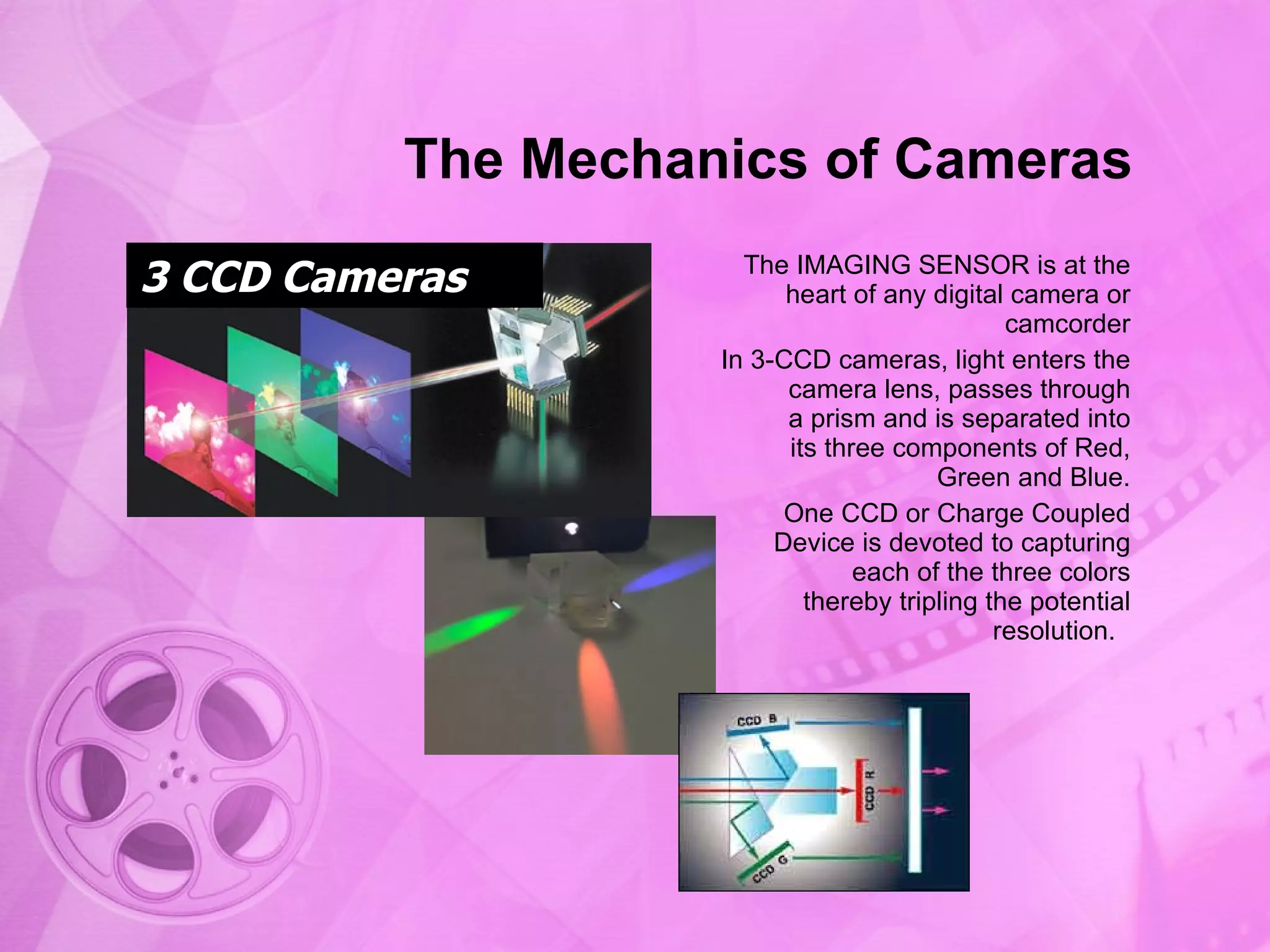
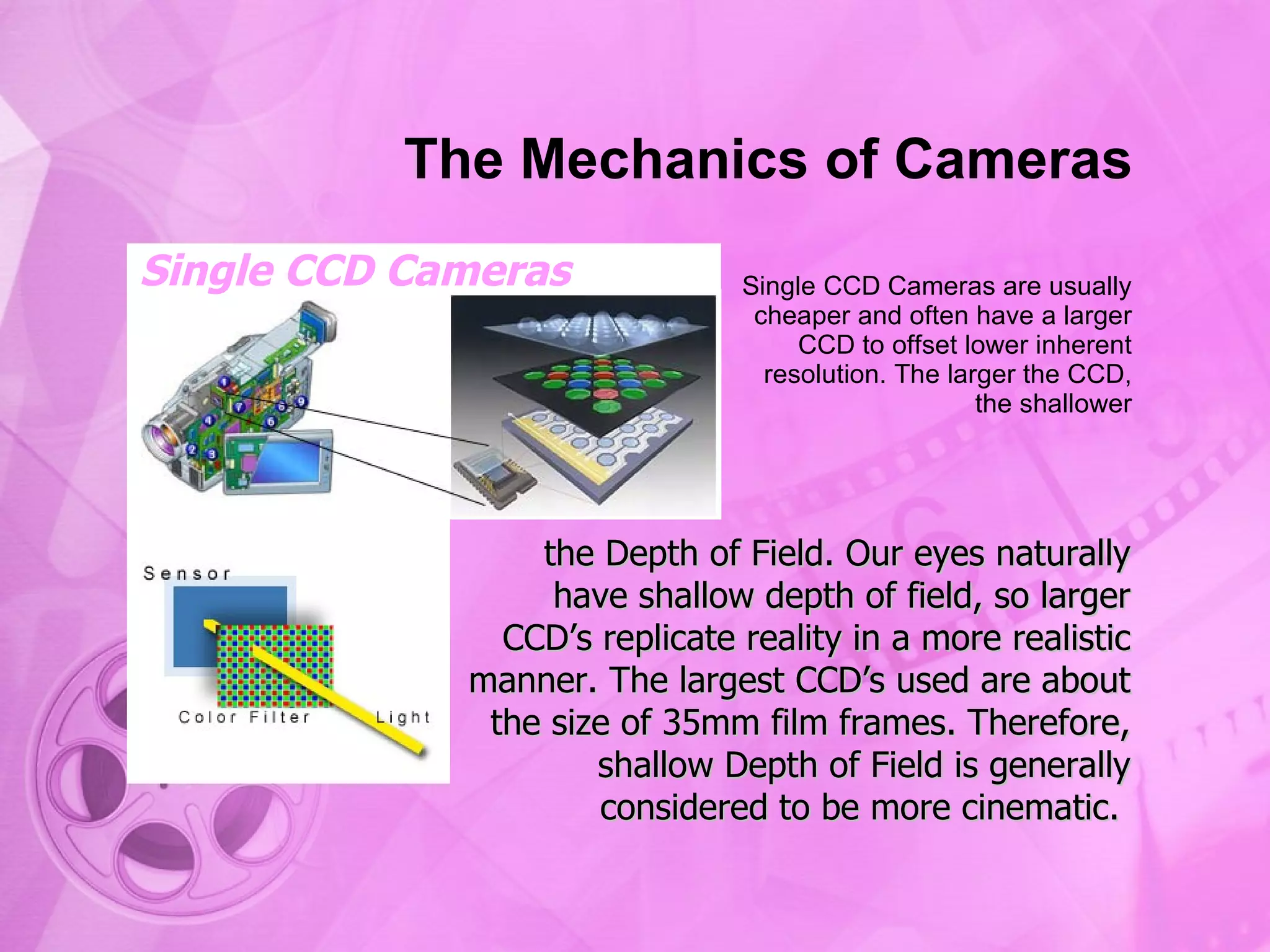
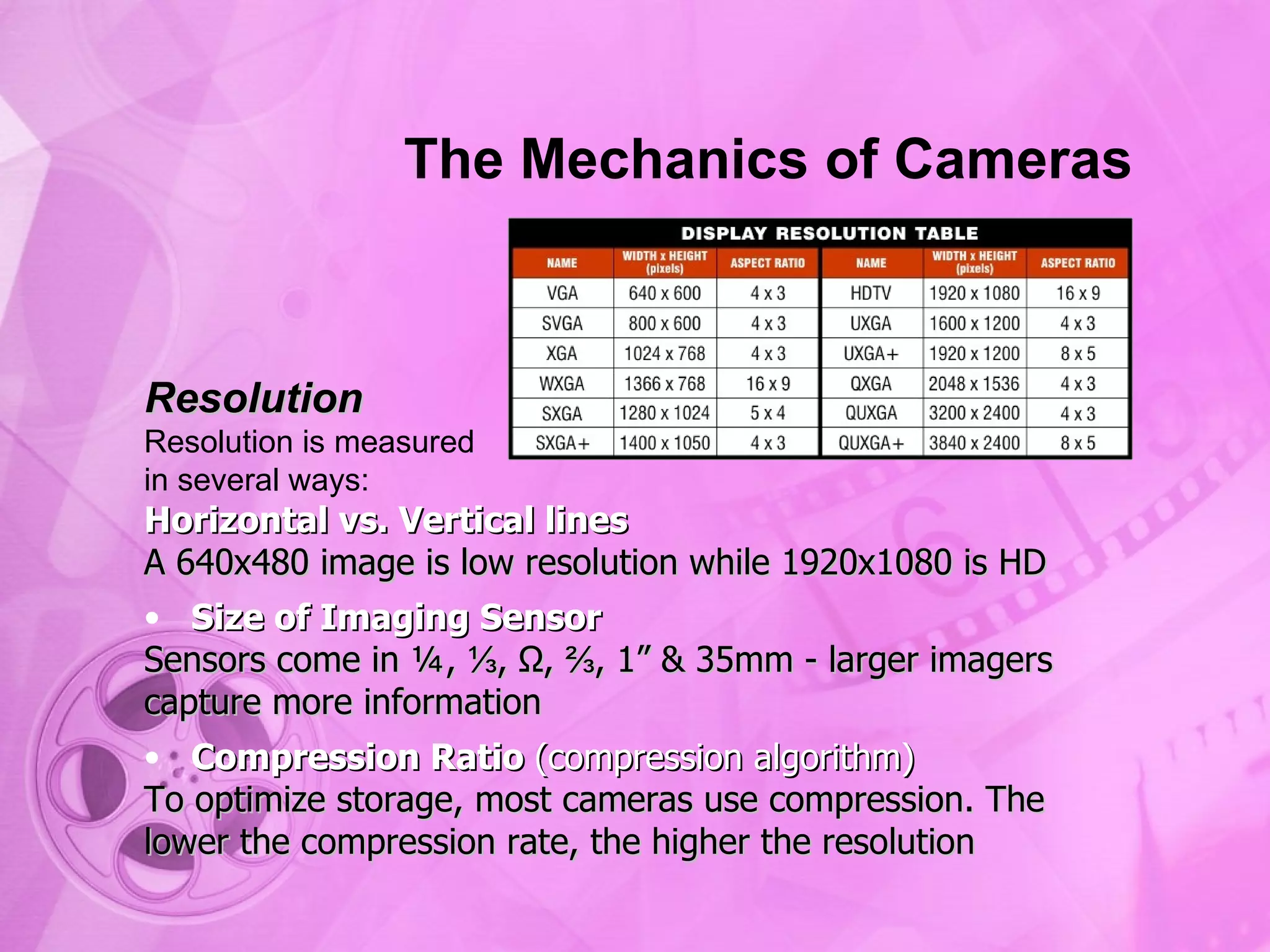

The document presents an overview of camera components and mechanics, detailing the parts of a camera such as the body, zoom lens, and various controls. It explains the differences between single CCD and 3-CCD cameras, specifically in relation to image resolution, depth of field, and sensor size. Additionally, the document covers key concepts such as resolution measurement, compression ratios, and manual control settings for exposure and focus.
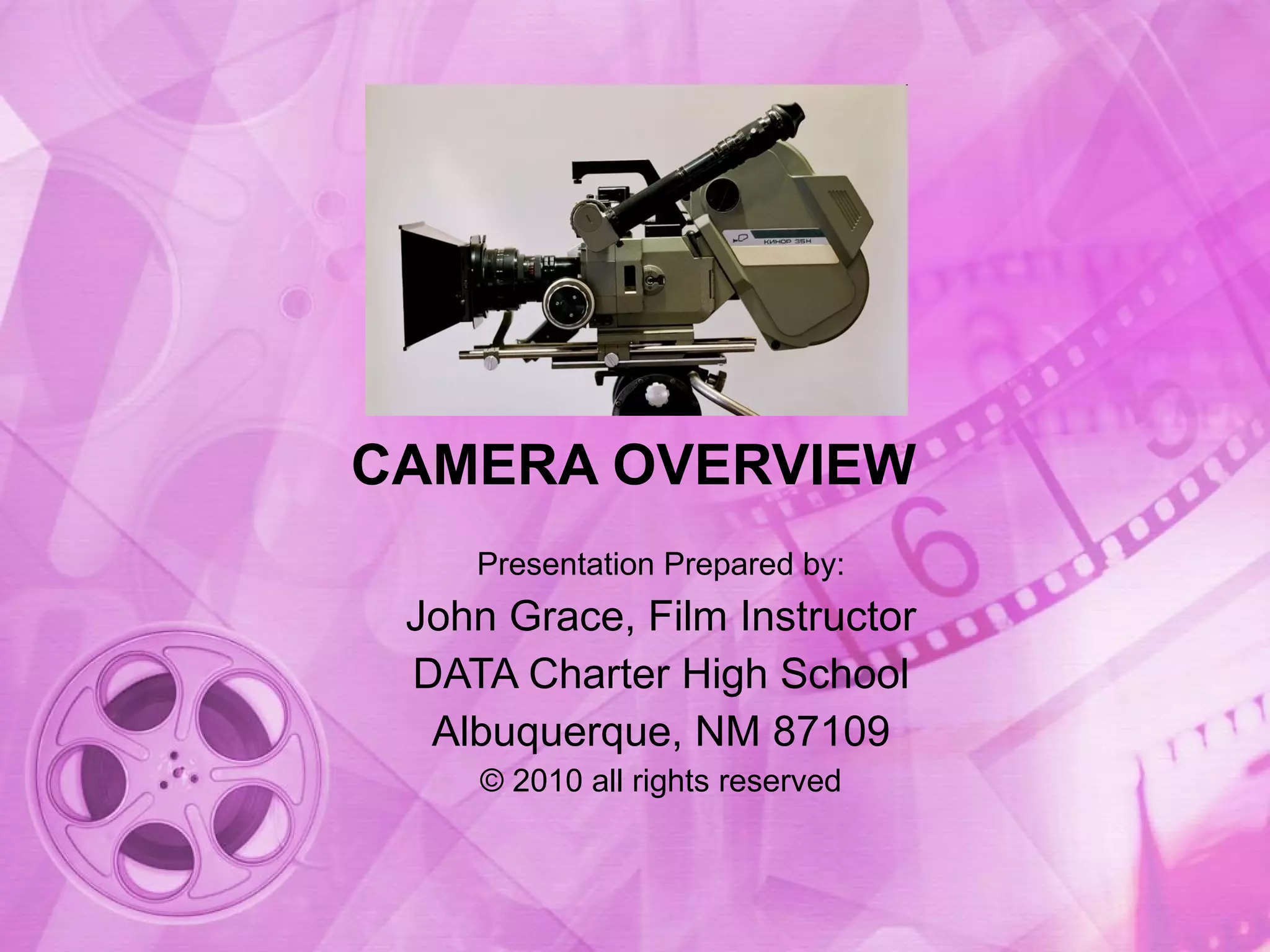
Introduction of the presentation by John Grace, focusing on camera overview.
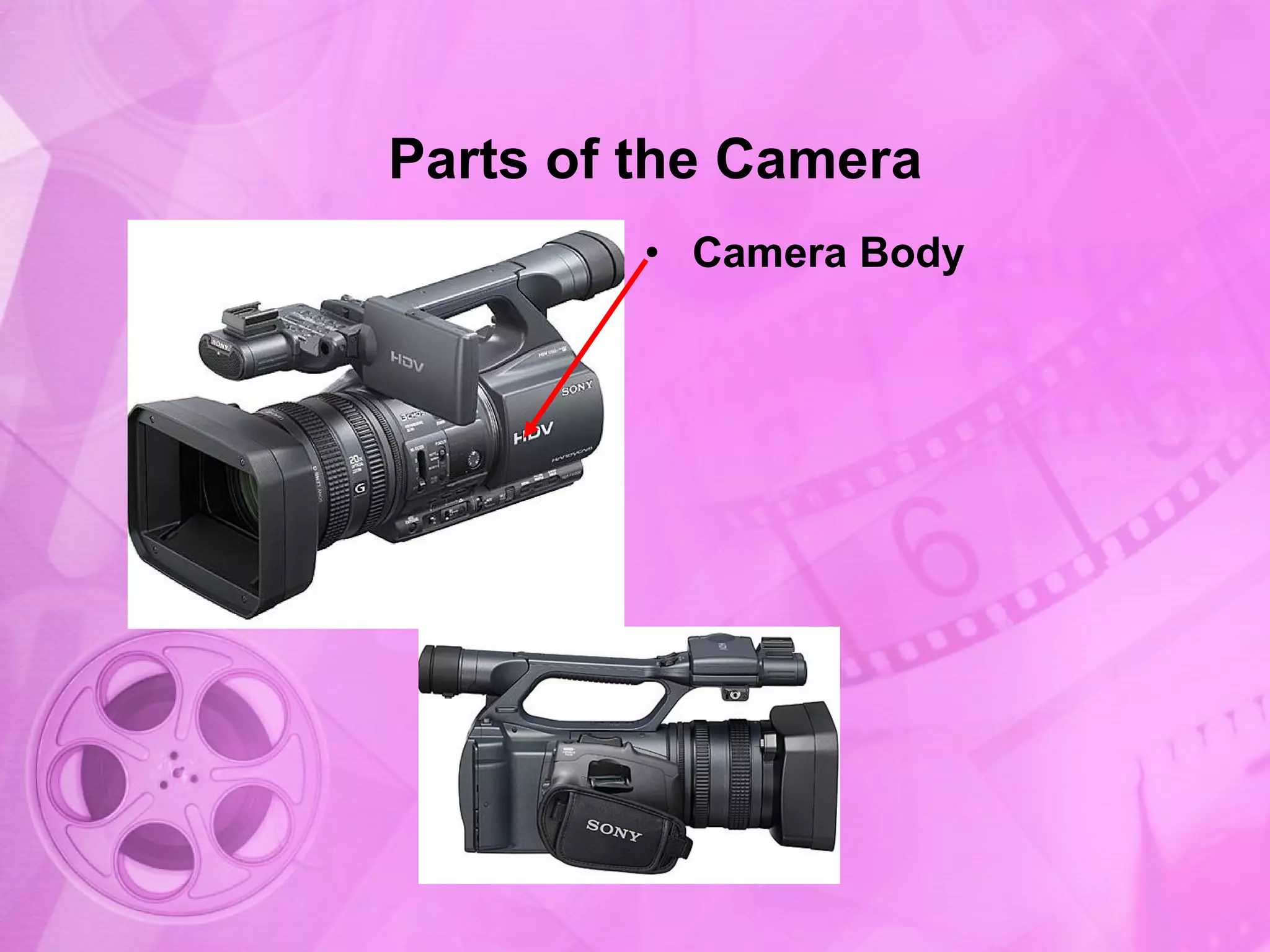
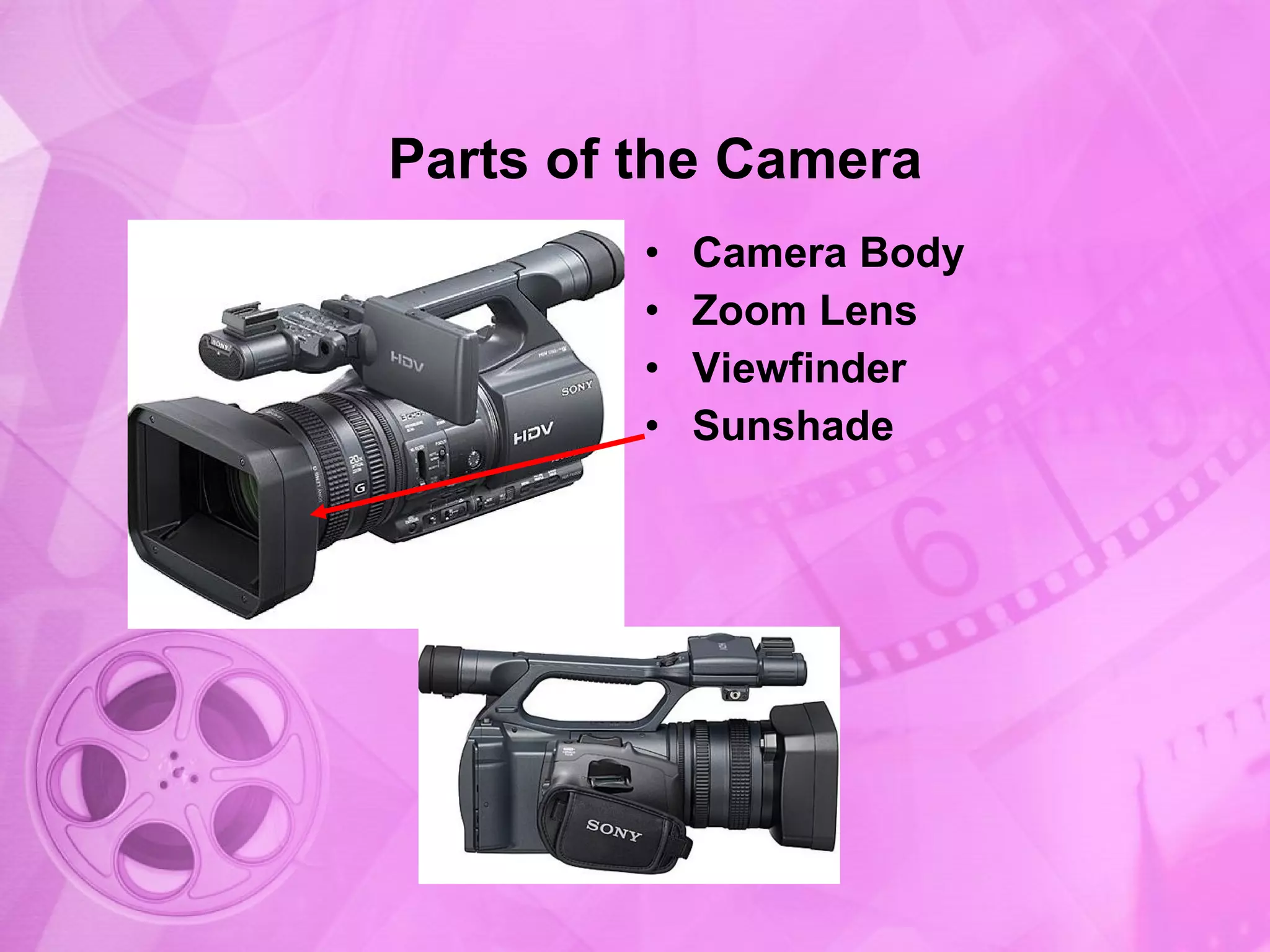
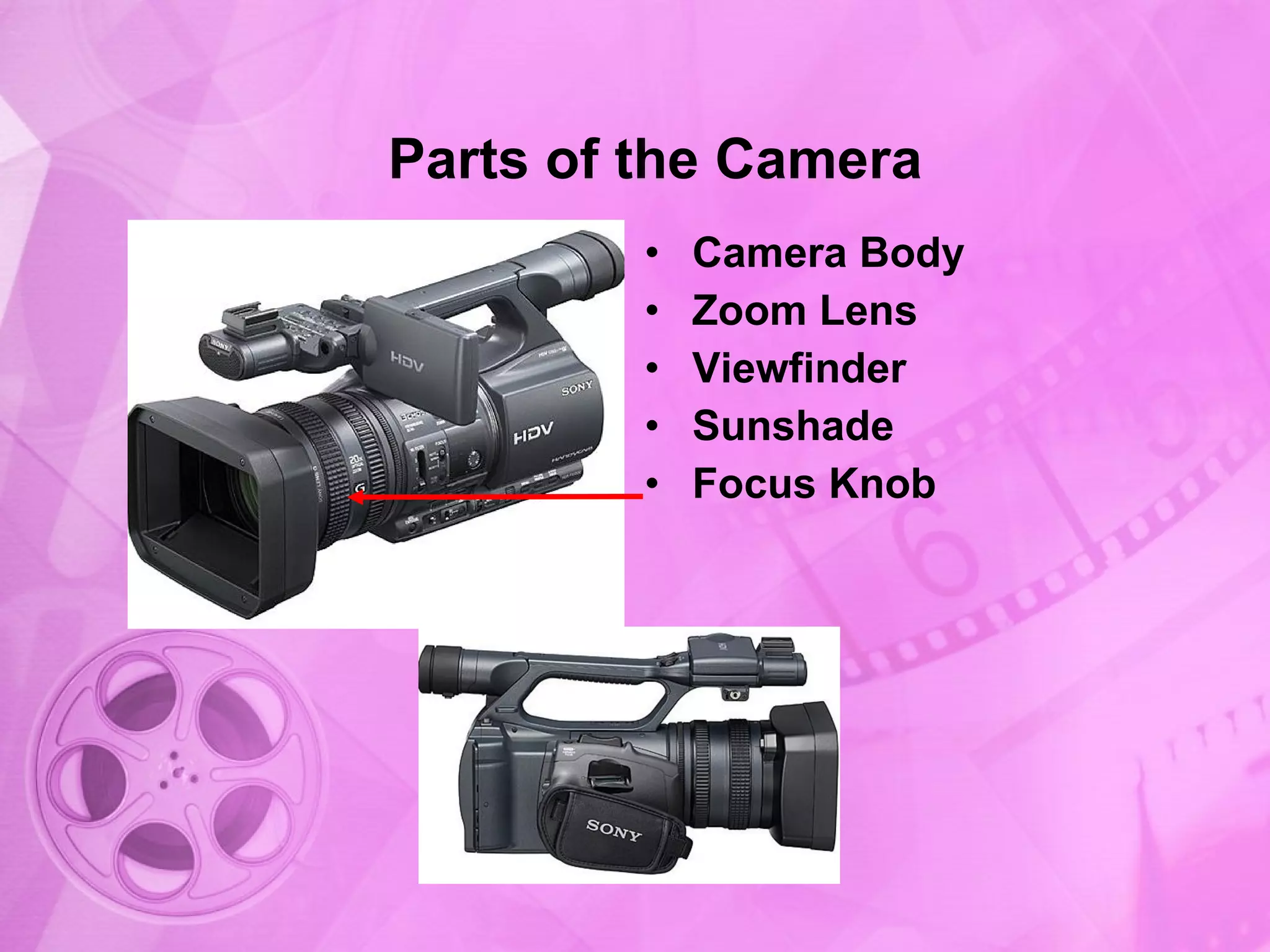
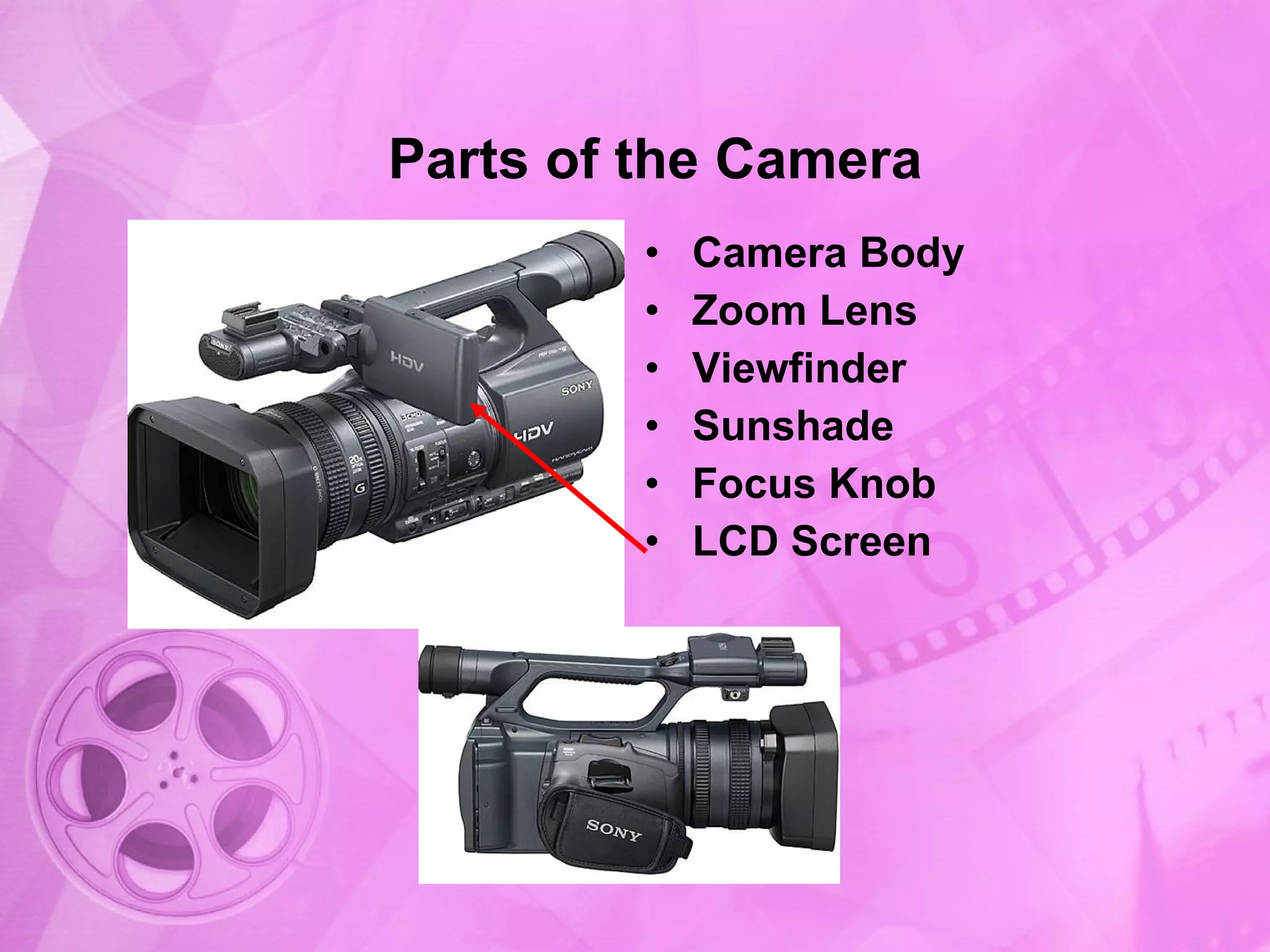
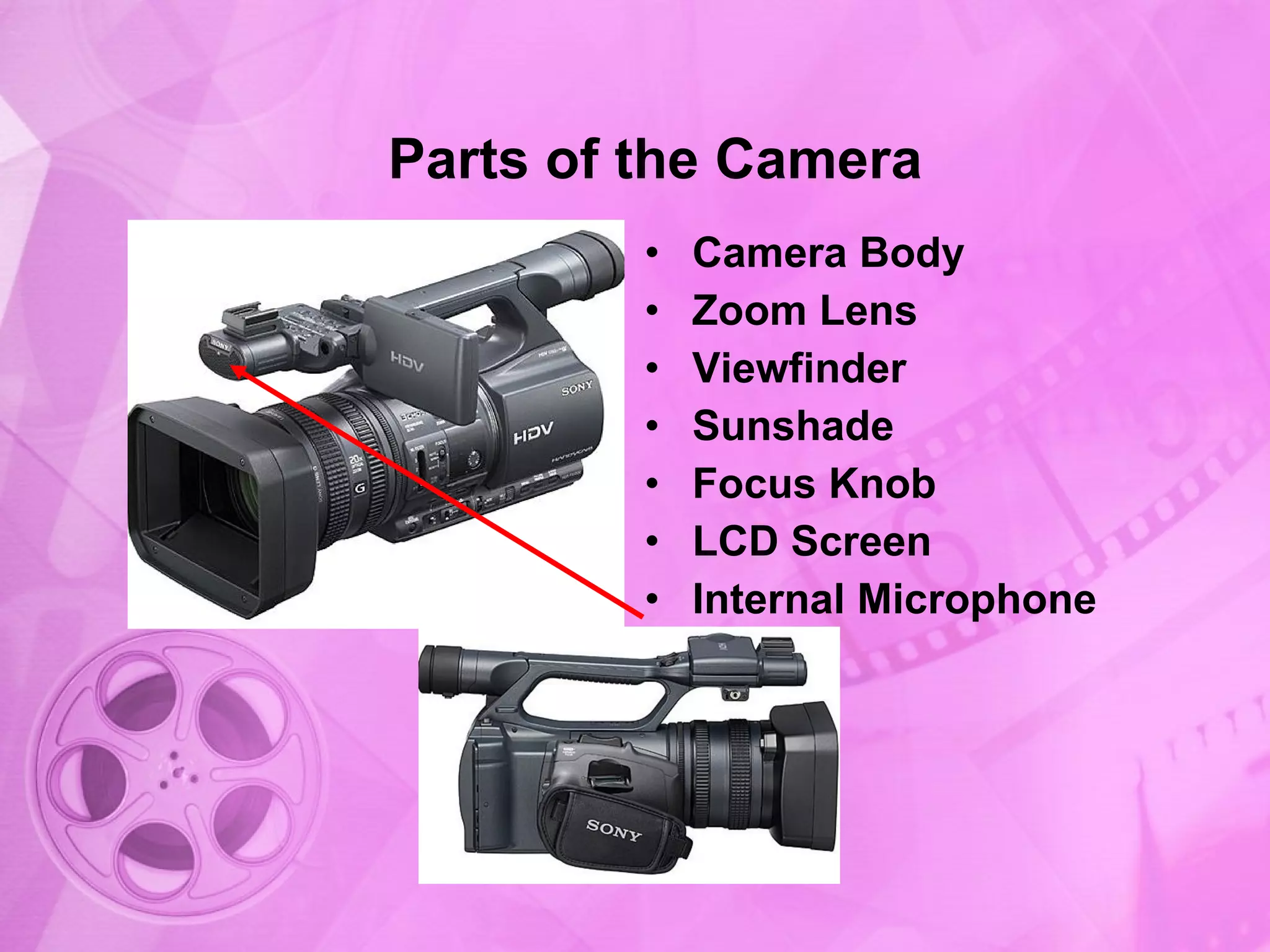
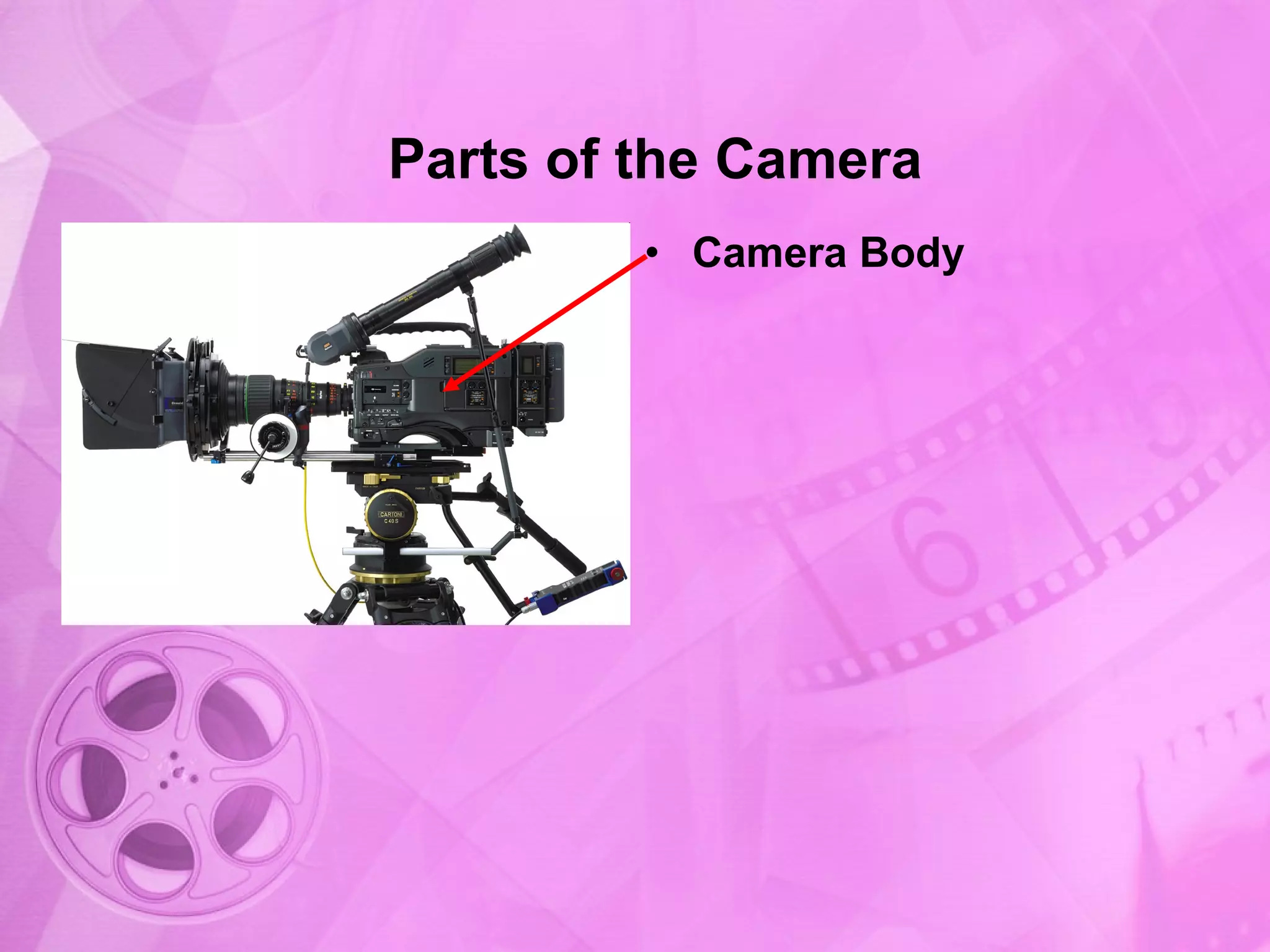
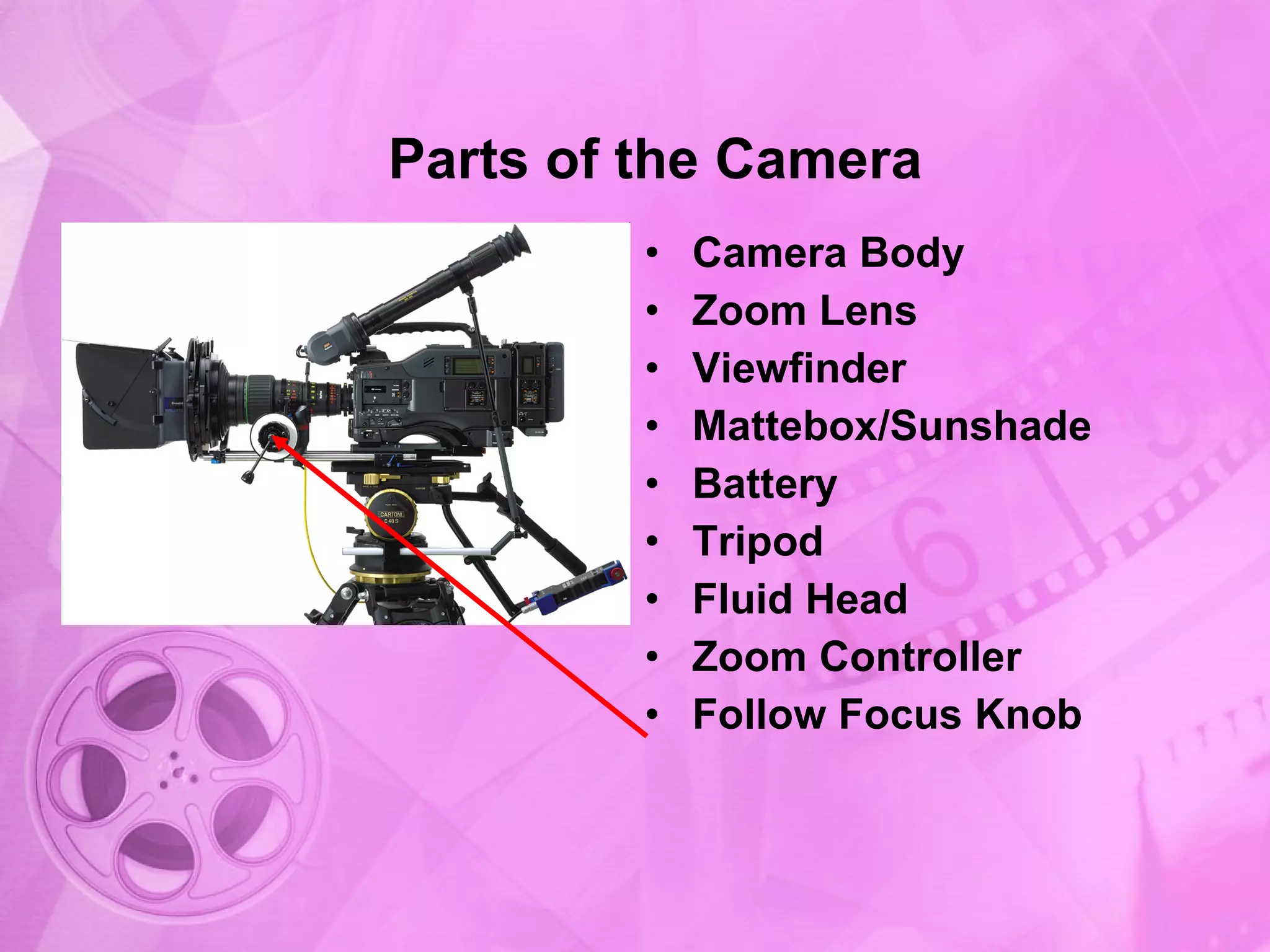
Introduction to the camera body, a fundamental part of camera construction.
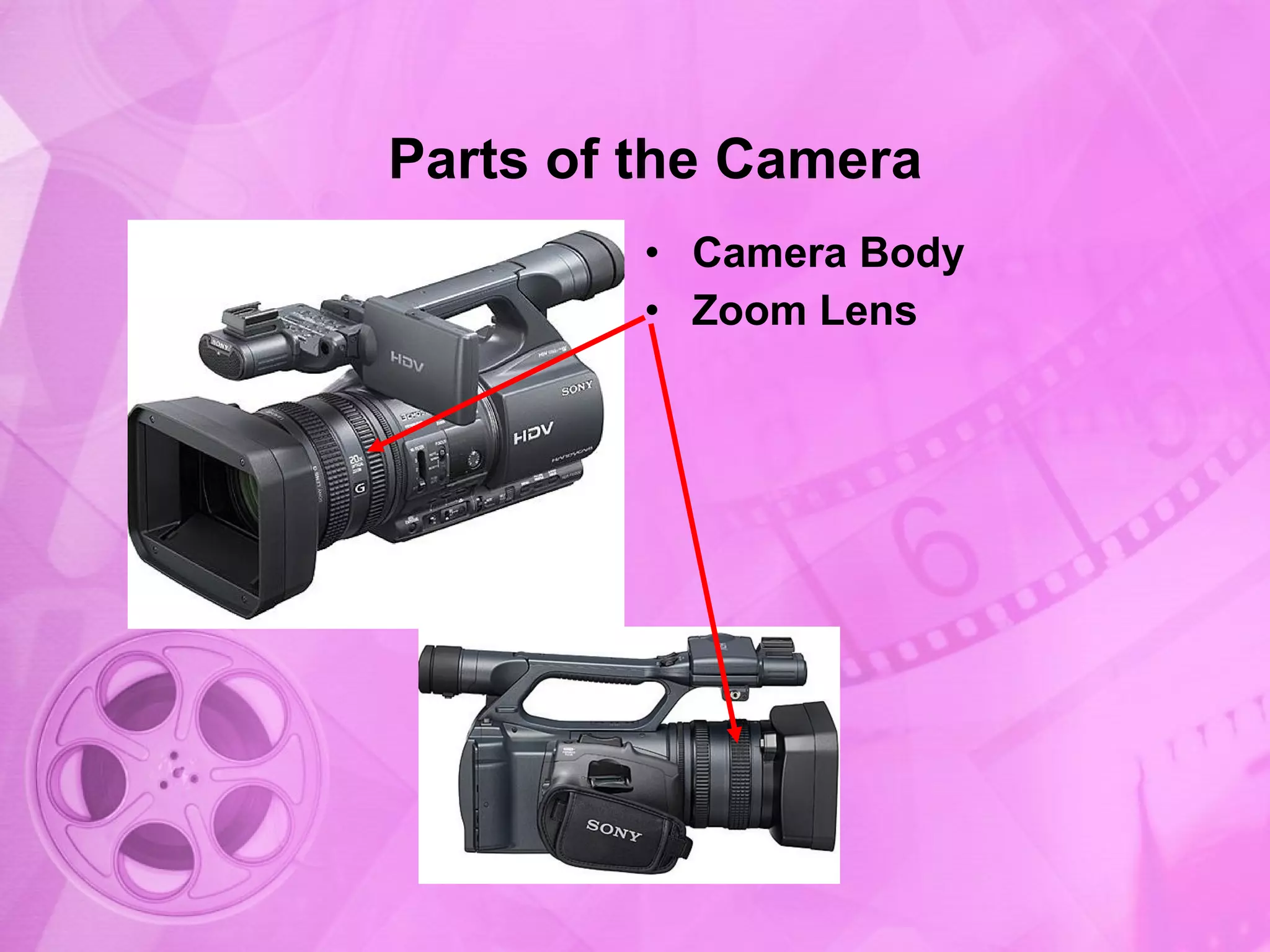
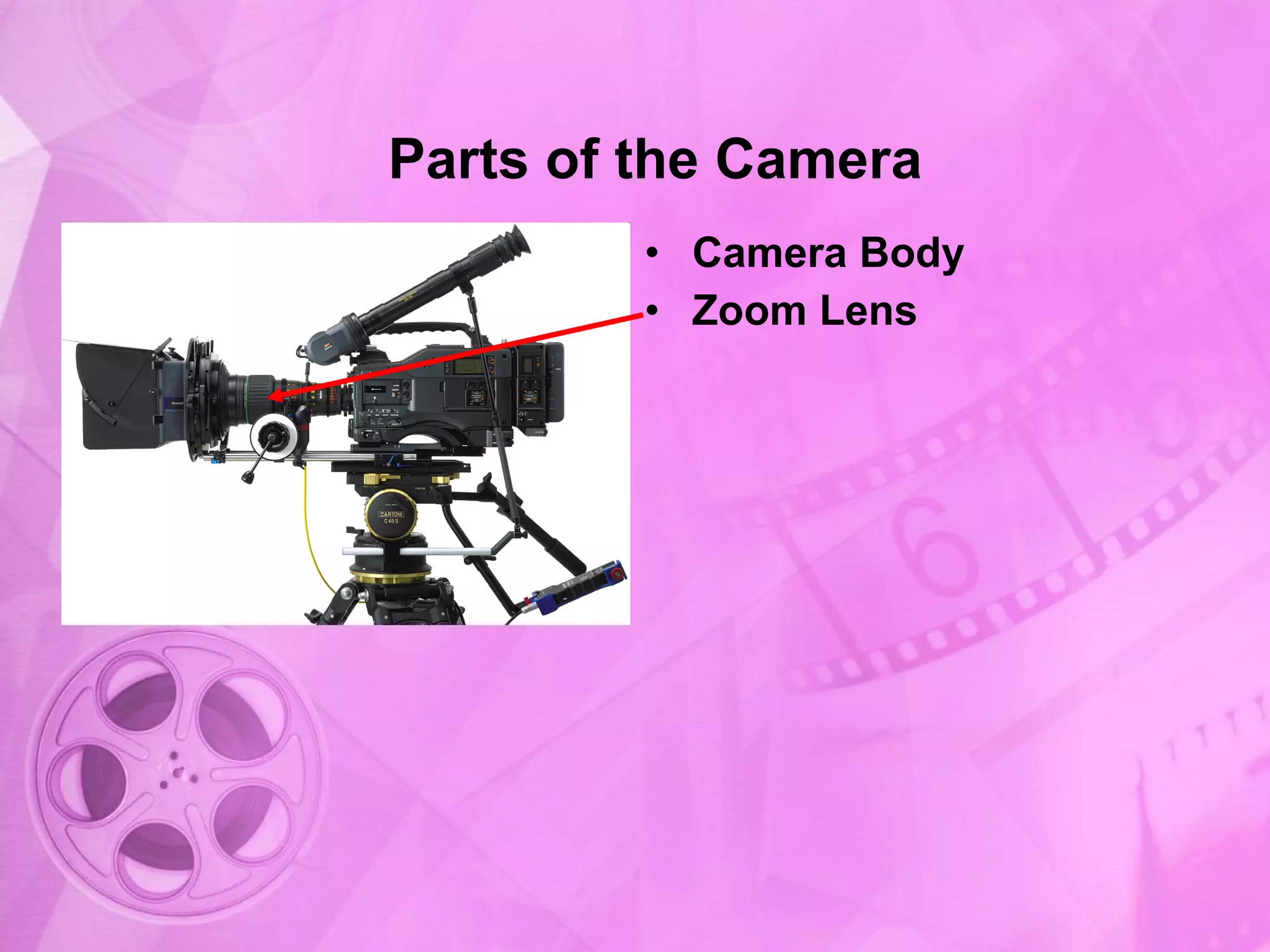
Further details on camera body introducing the zoom lens.
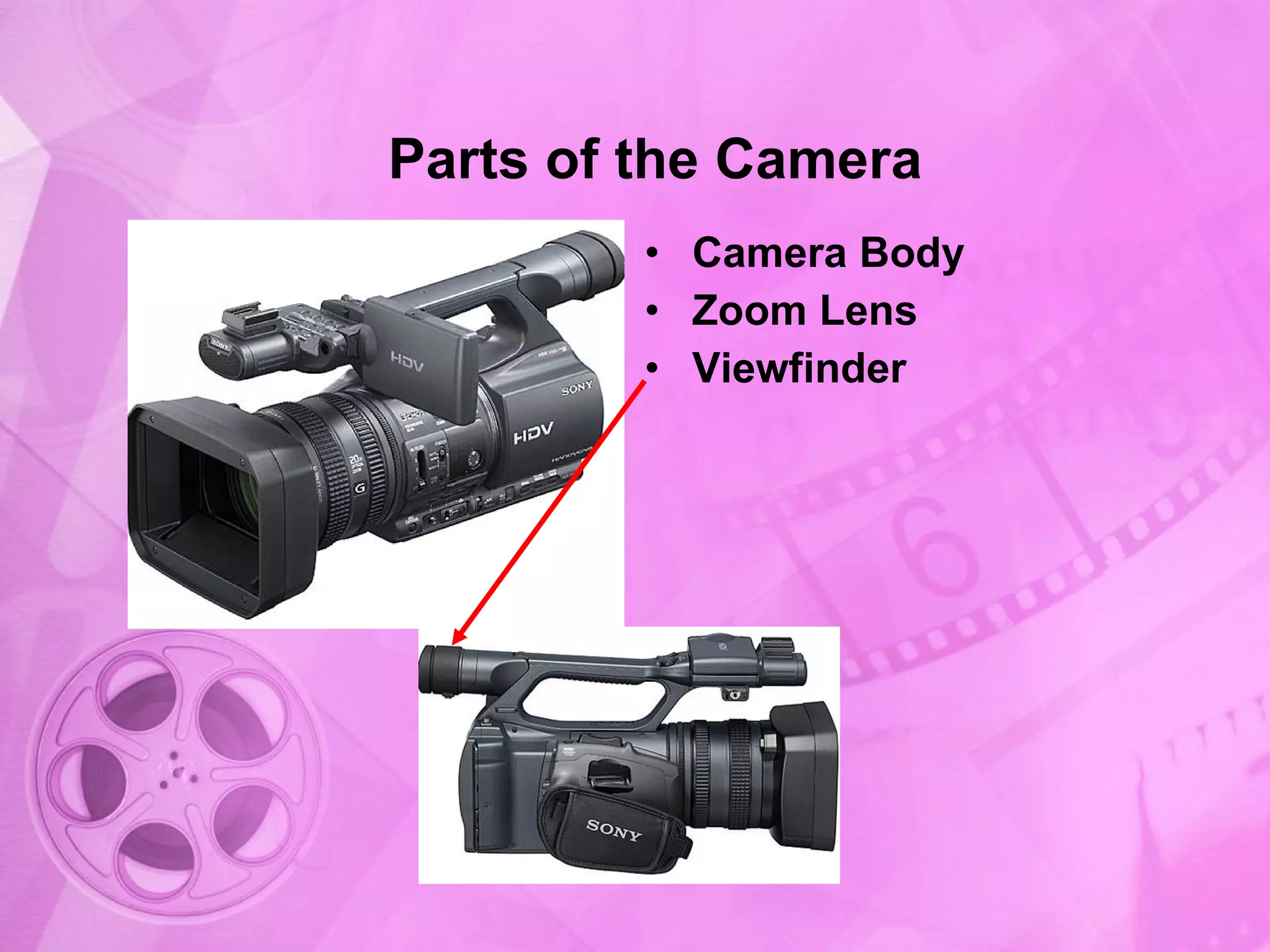
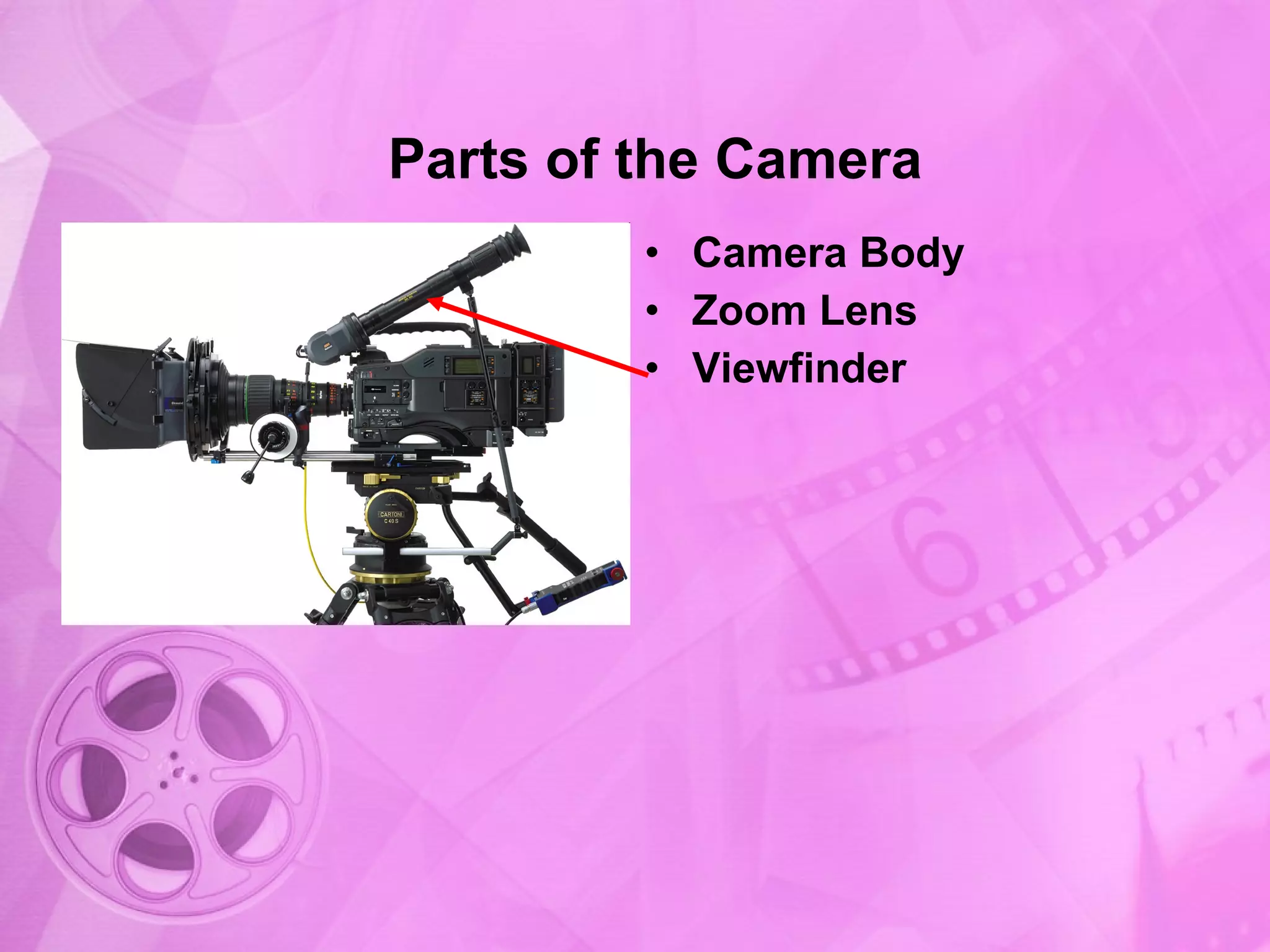
Introduction of the viewfinder as part of the camera body and zoom lens.
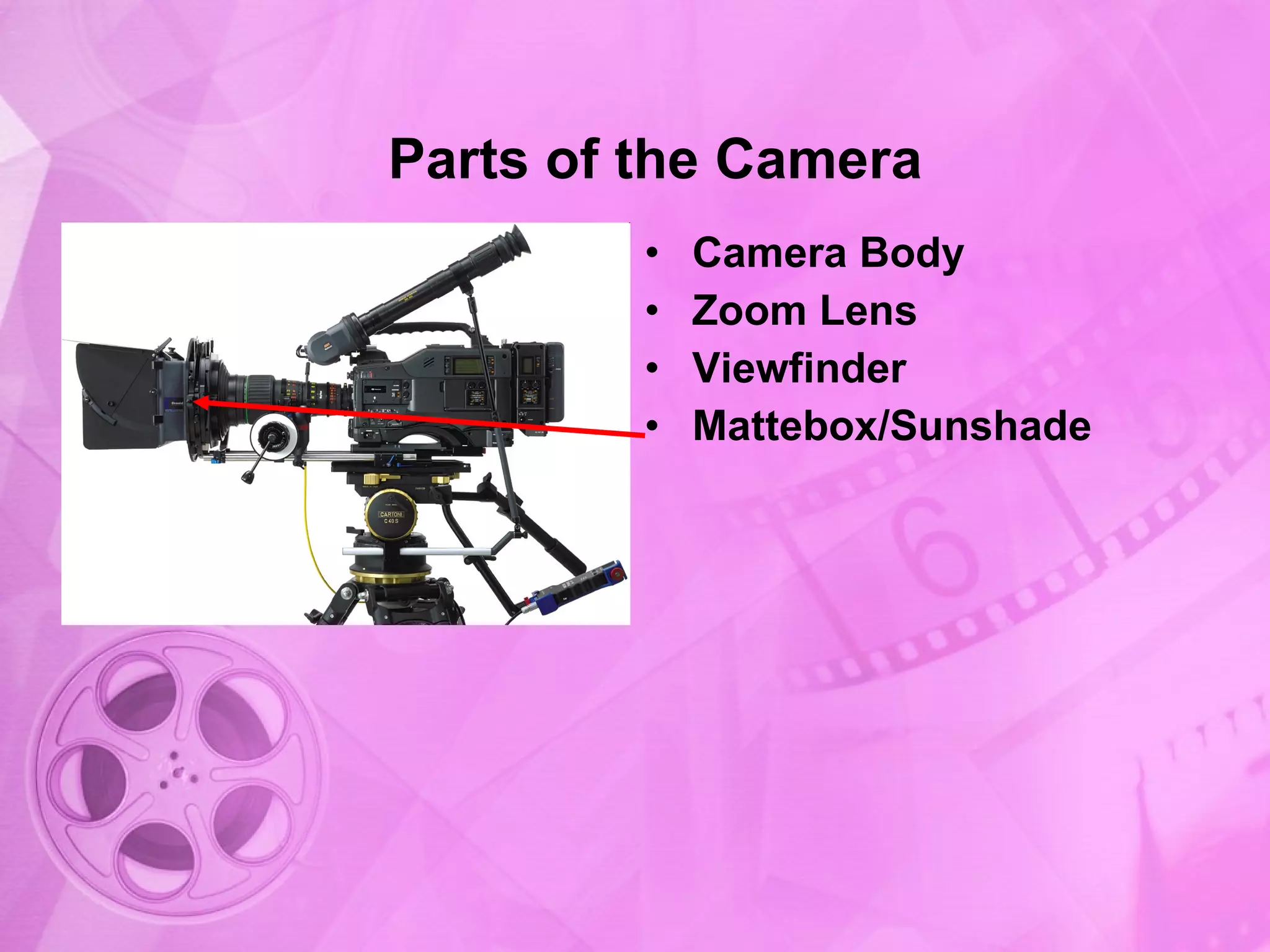
Inclusion of the sunshade and focus knob to enhance camera operation.
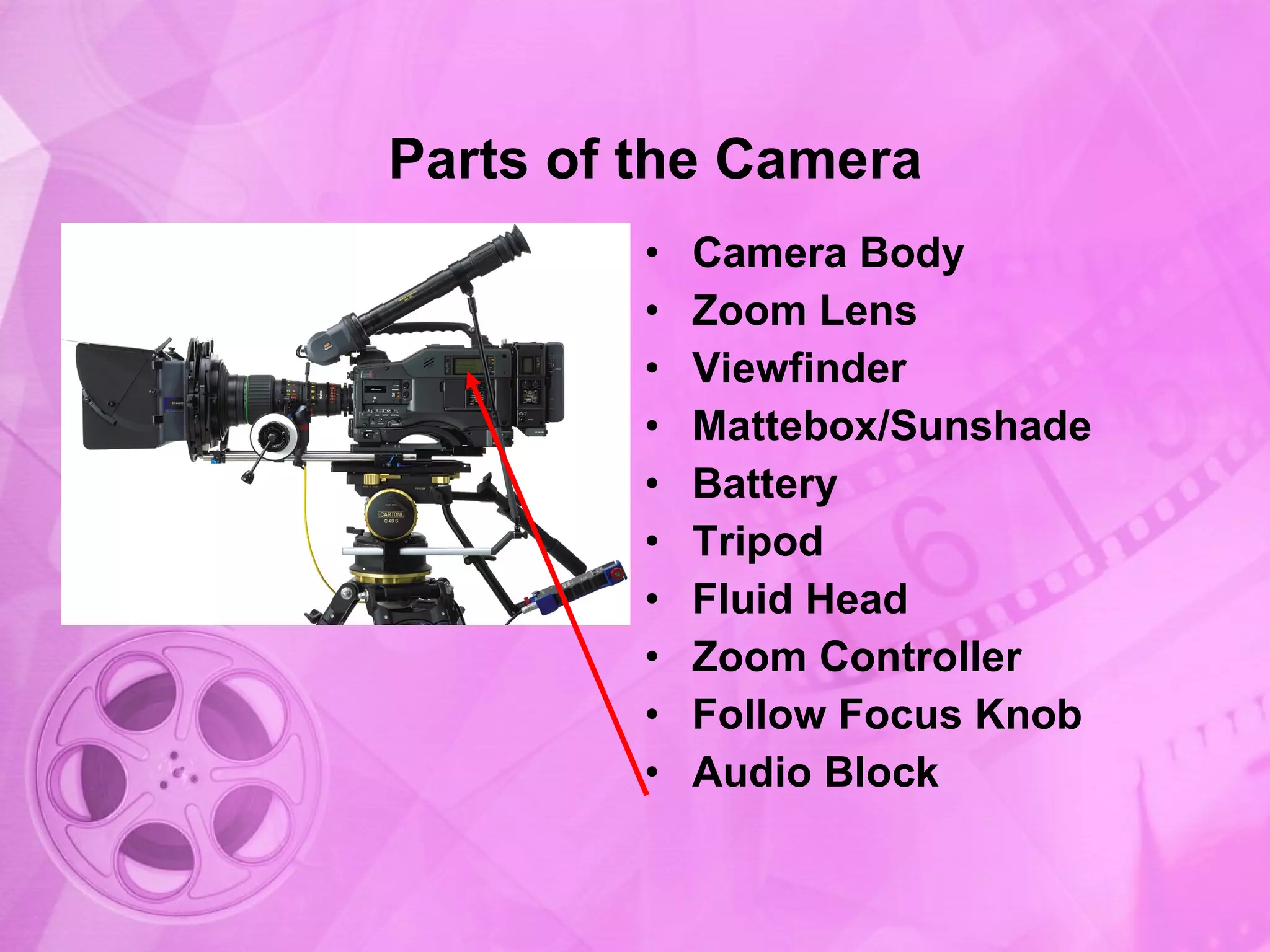
Adding features like LCD screens and internal microphones to the camera body.
Repetition of camera components focusing on the camera body and associated parts.
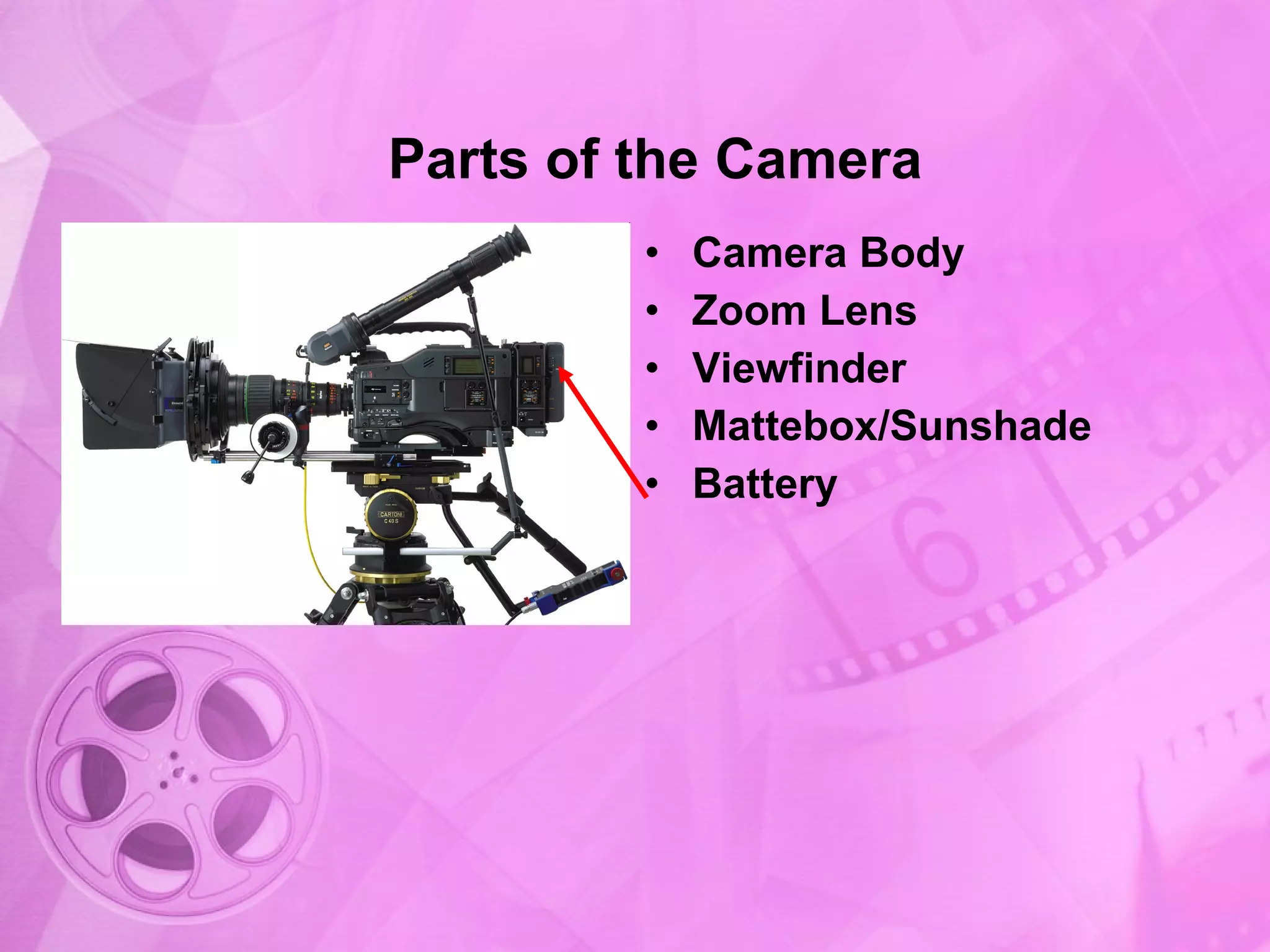
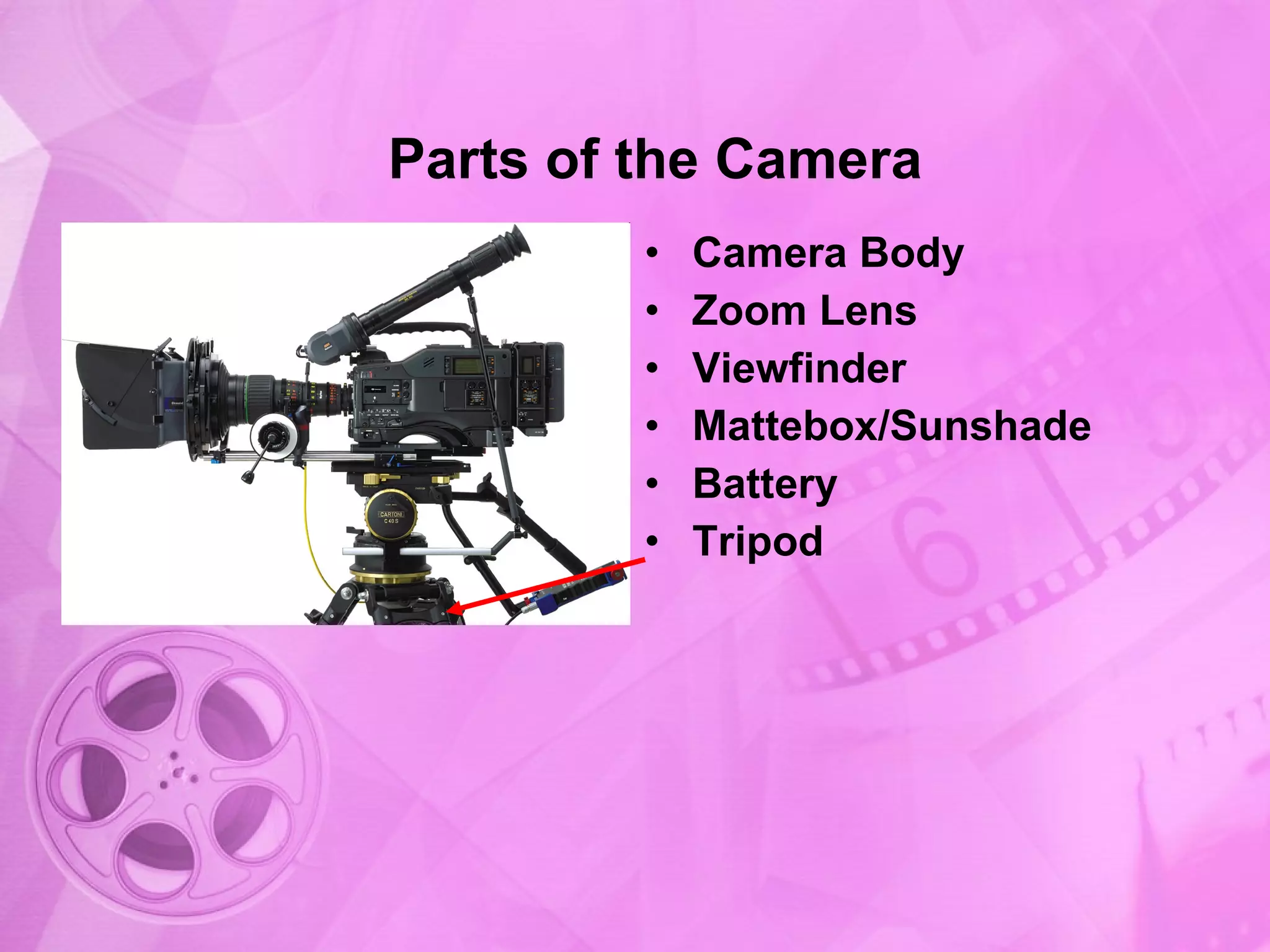
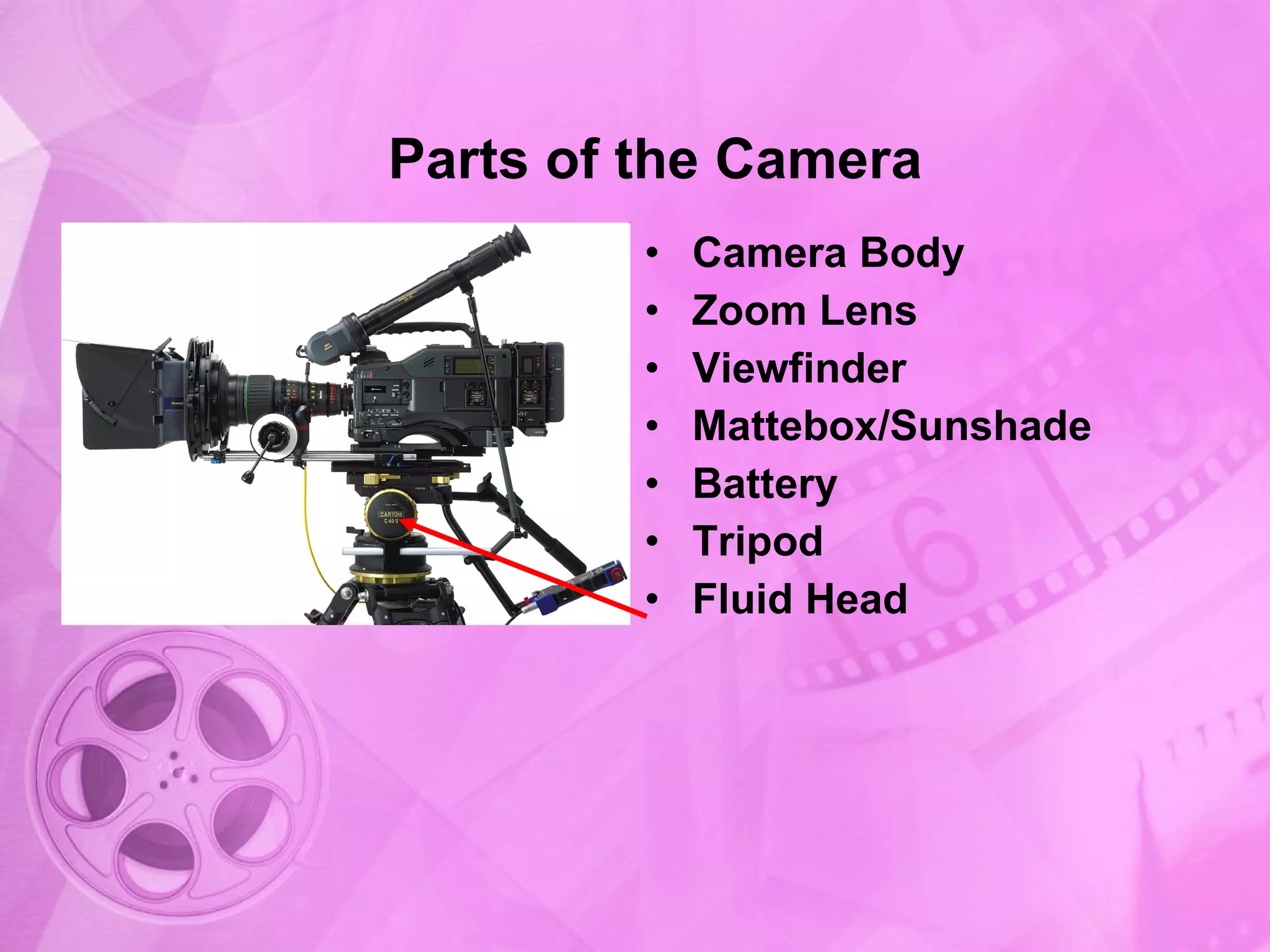
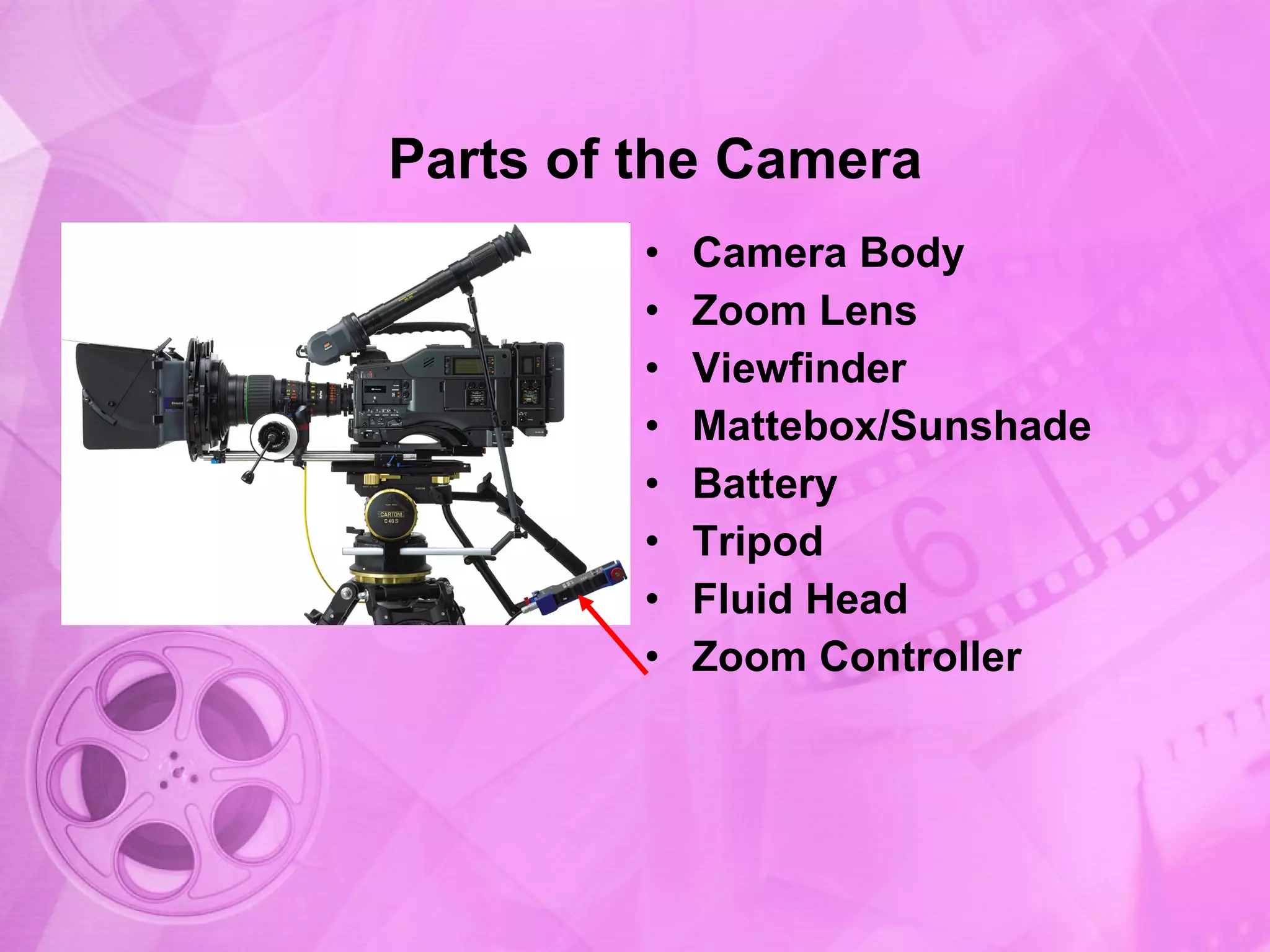
Detailed exploration of a mattebox/sunshade, battery, tripod, and fluid head.
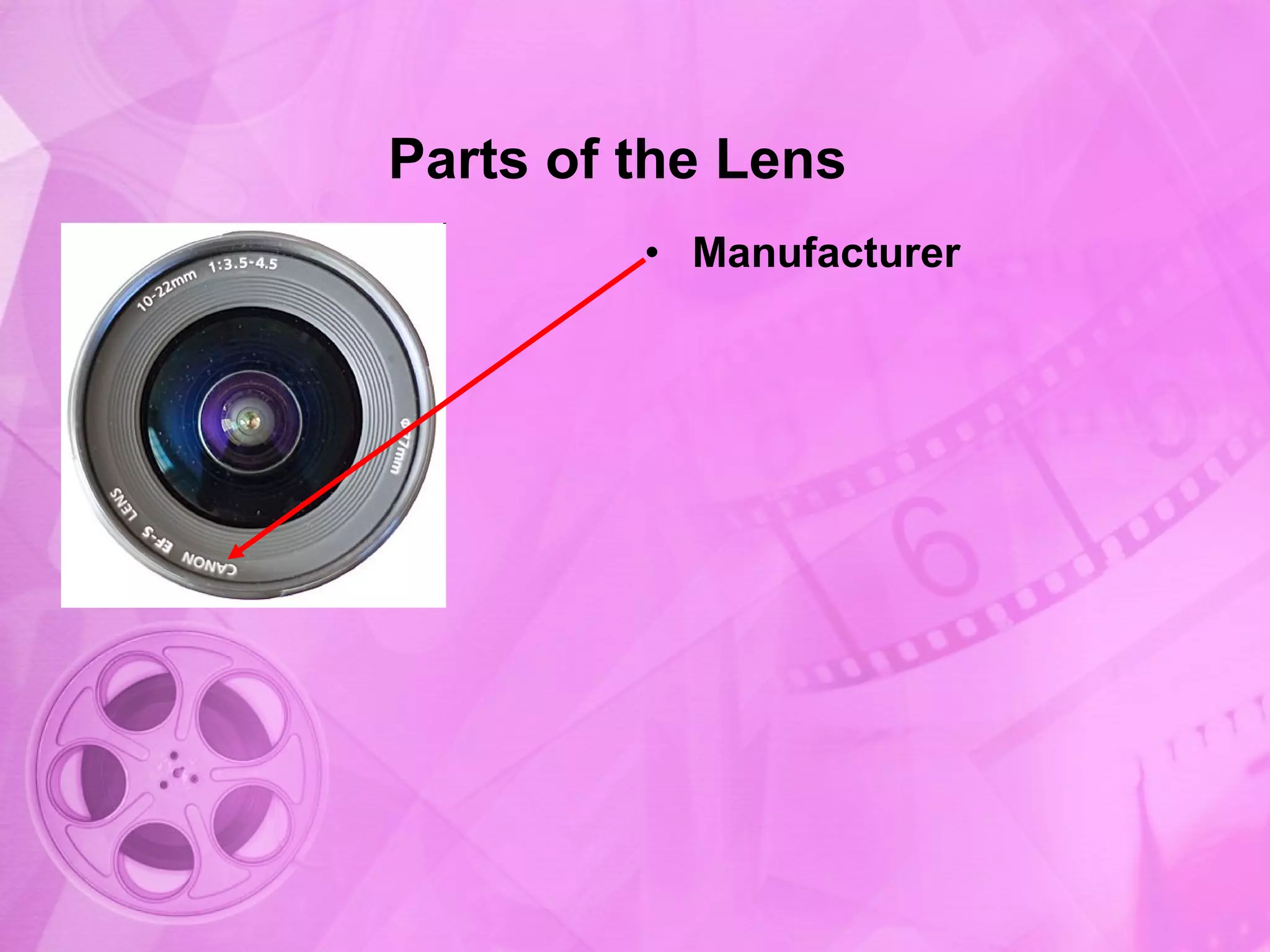
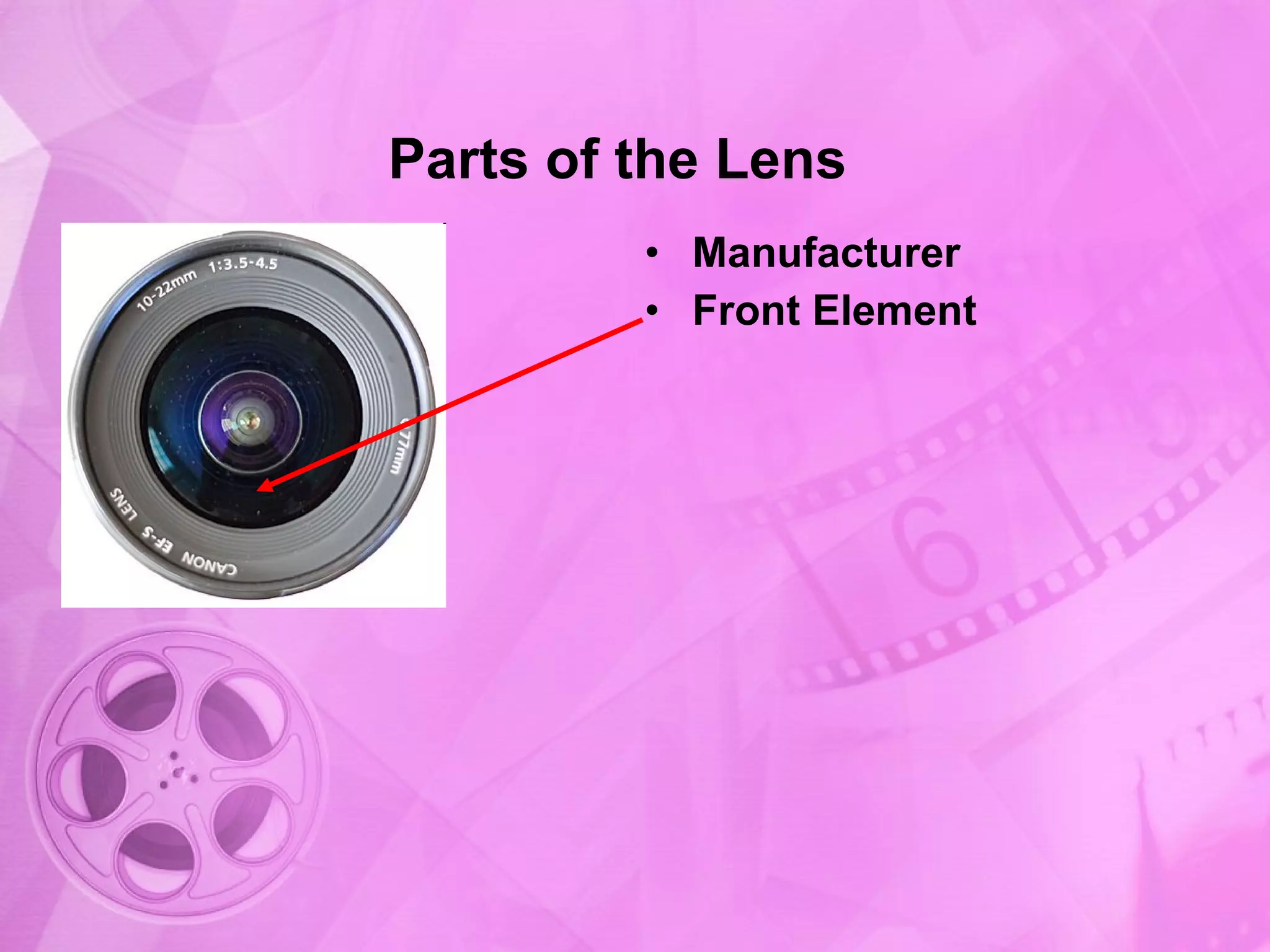
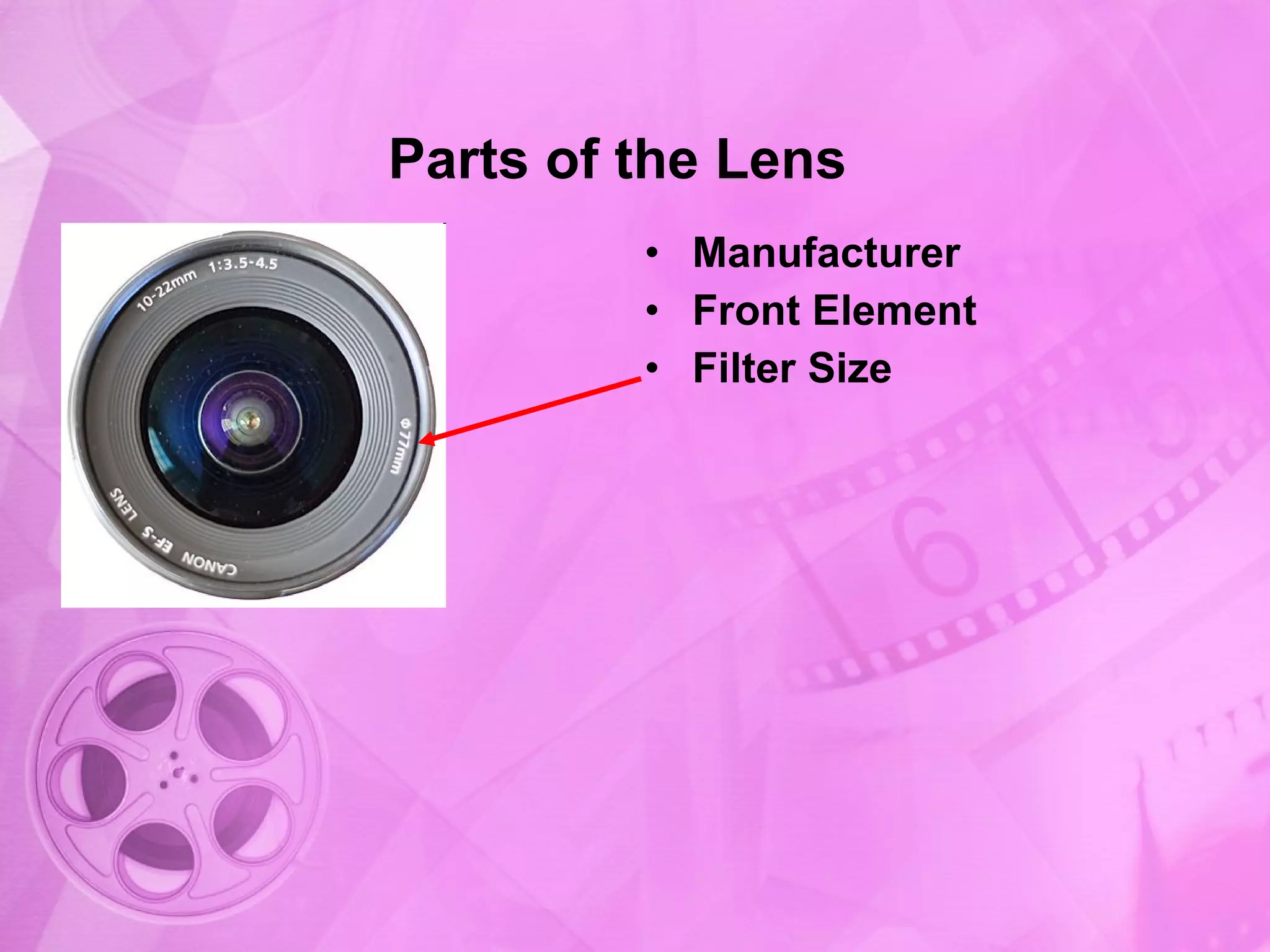
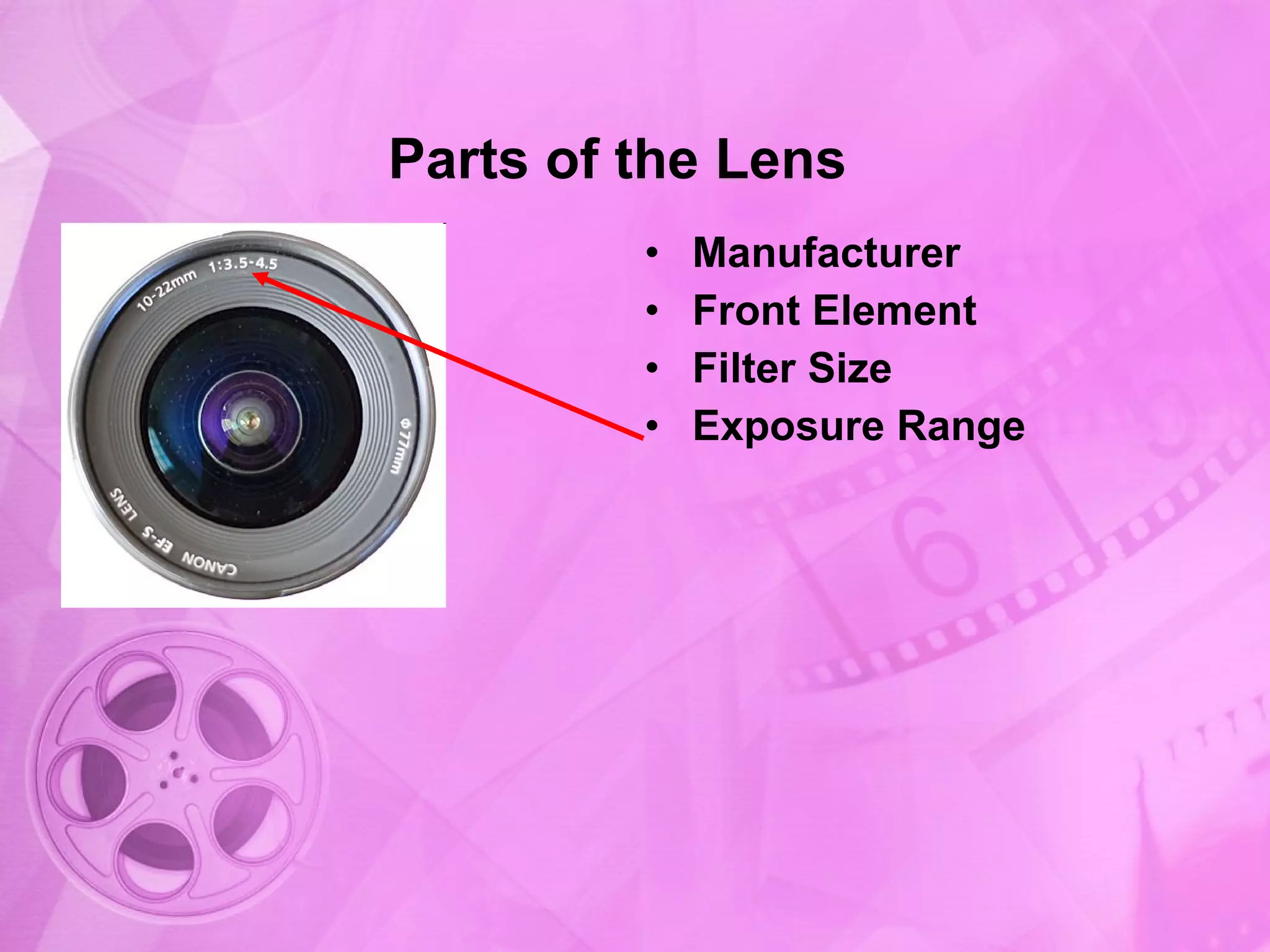
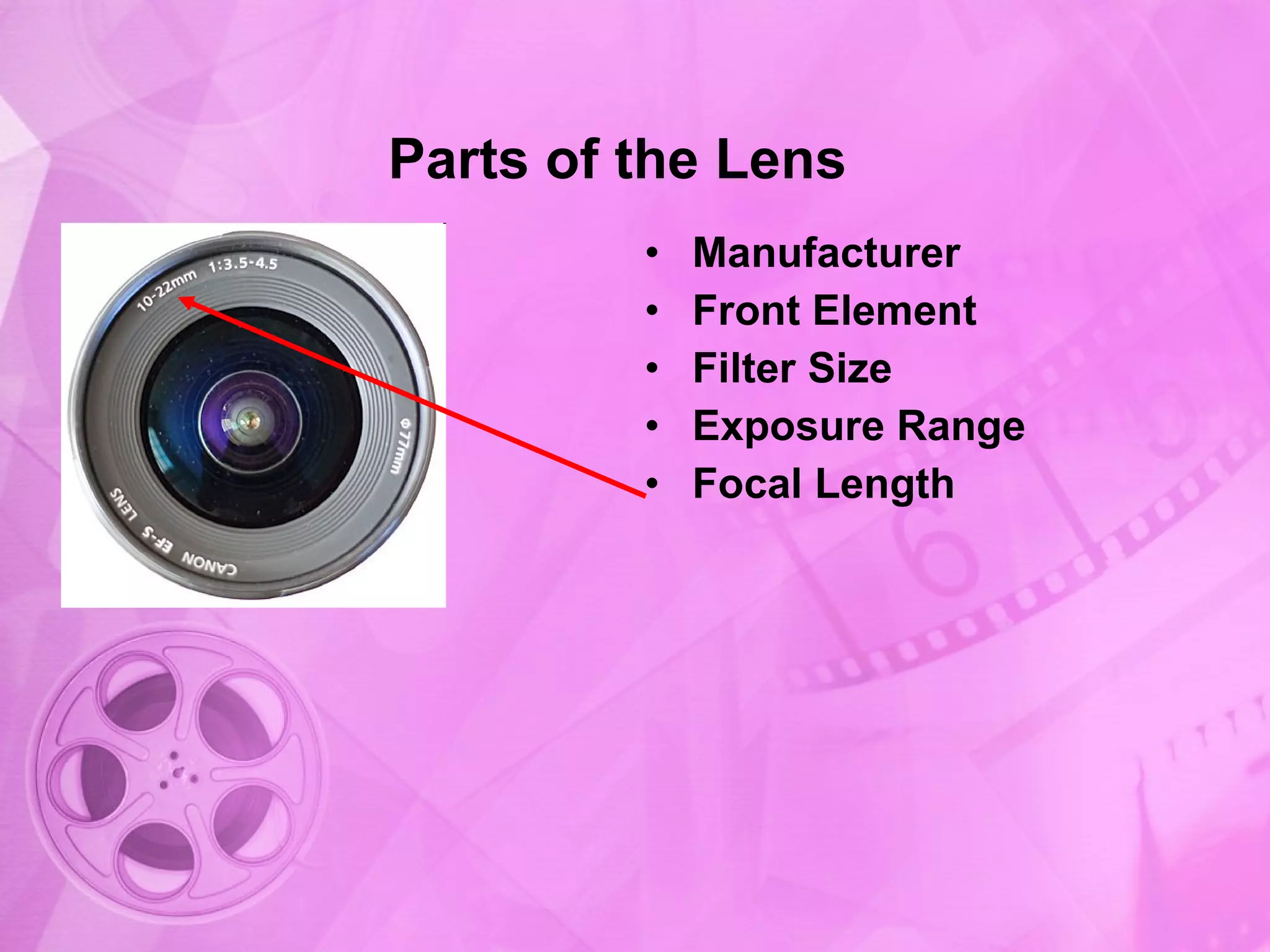
Introduction to the parts of the lens including the manufacturer and front element.
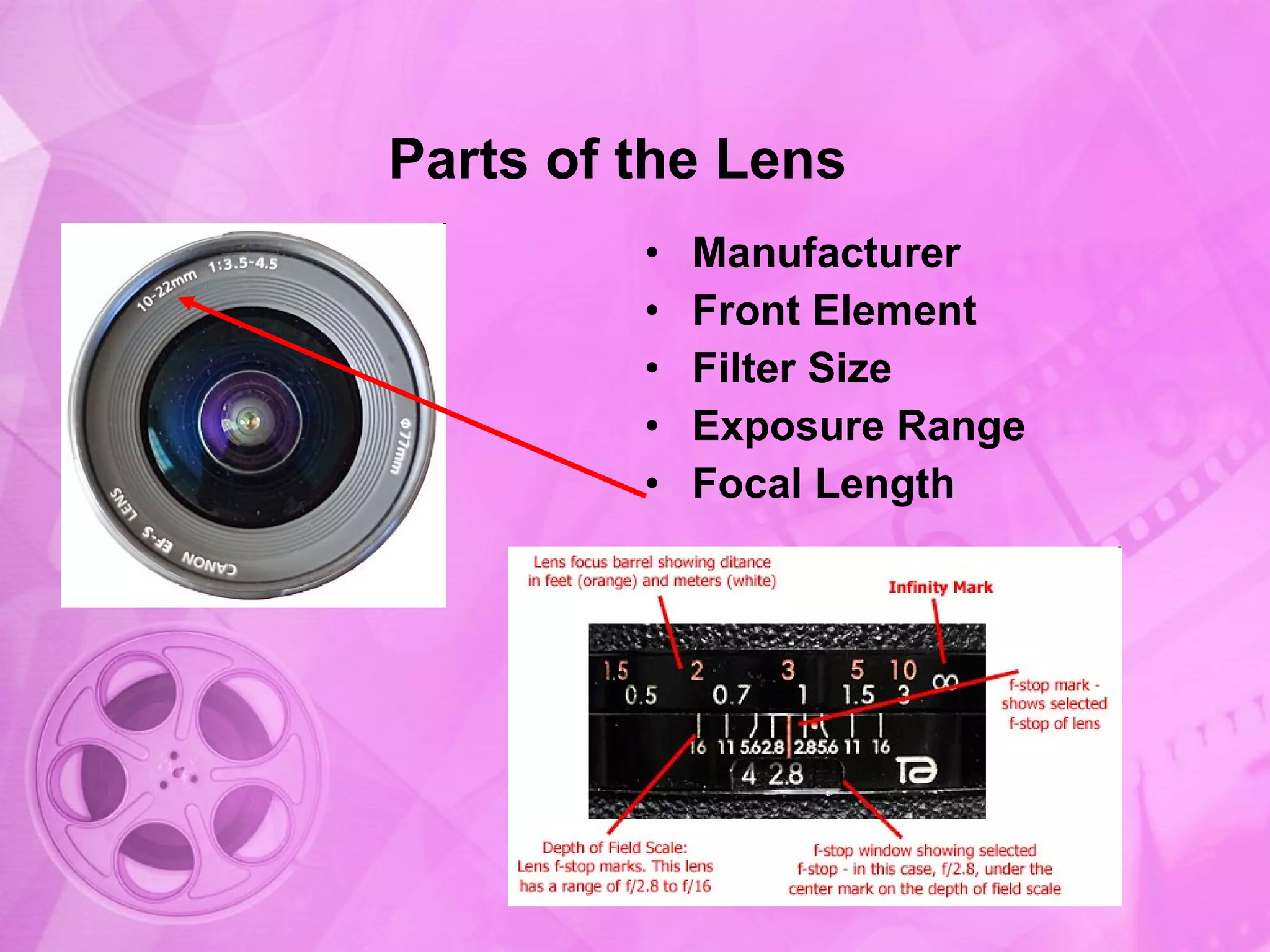
Further details on filter size, exposure range, and focal length of the lens.
Explanation of imaging sensors, highlighting 3-CCD technology.
Discussion of single CCD cameras, emphasizing their cost and depth of field.
Overview of resolution metrics, discussing sizes of imaging sensors and compression.
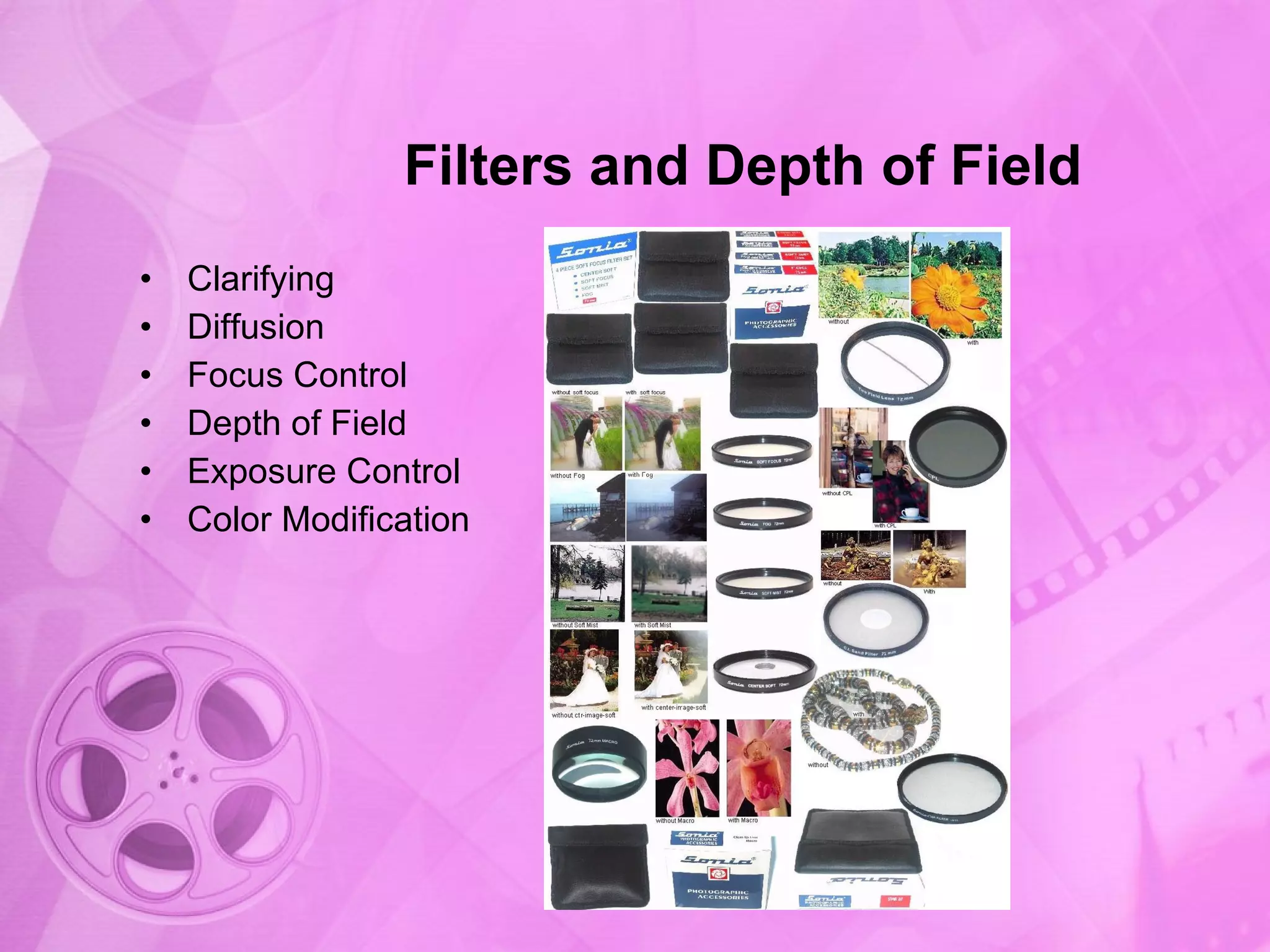
Information on the importance of filters for depth of field and color modification.
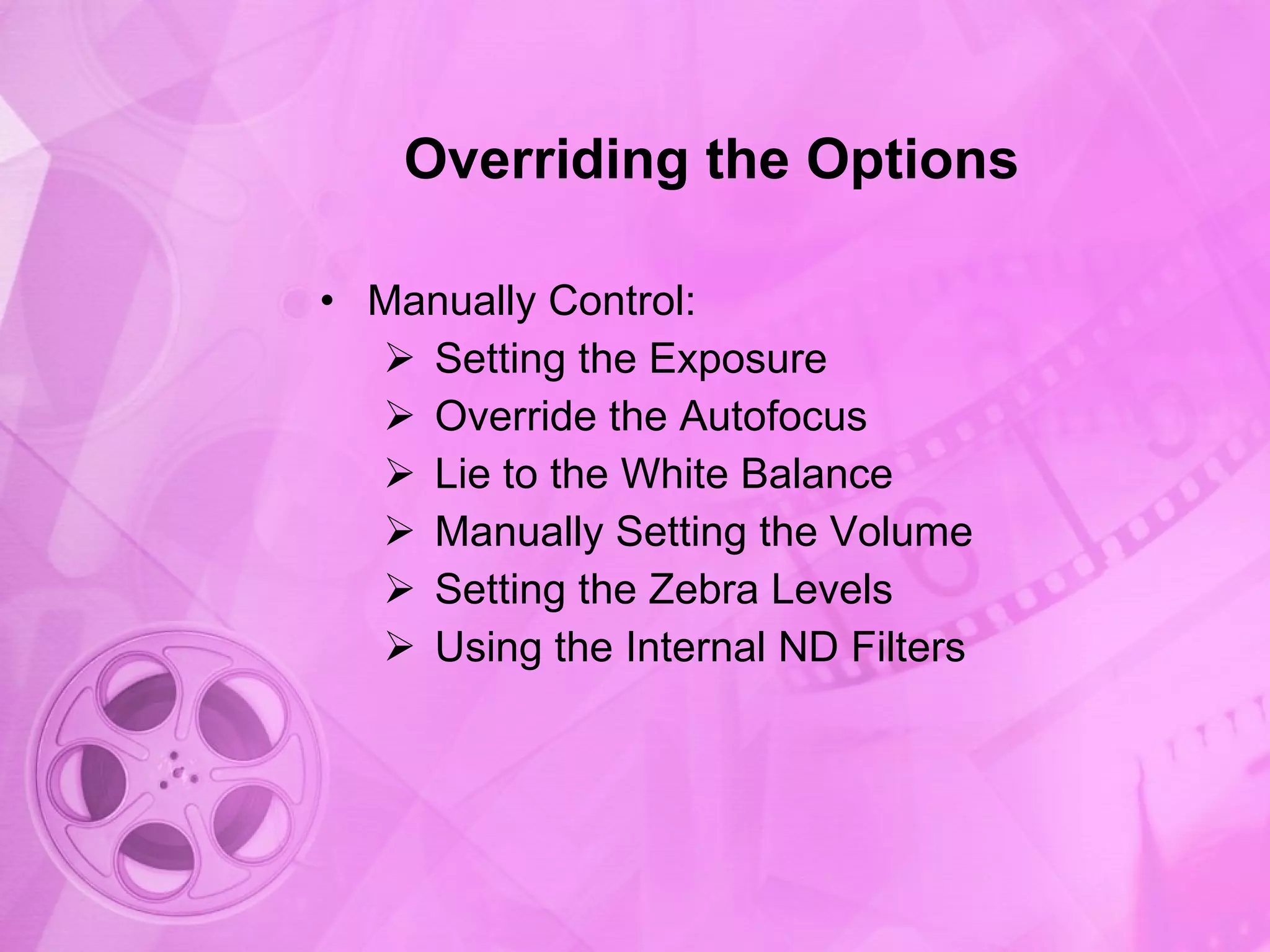
Overview of manual control settings to override automatic features for better photography.


![2. [pro forma] camera getting started guide(4)](https://cdn.slidesharecdn.com/ss_thumbnails/2-170705214618-thumbnail.jpg?width=640&height=640&fit=bounds)


