


© 2015 NetSpeed Learning Solutions. All rights reserved. 1
Building Collaborative
Webinars and Virtual
Meetings
May 12, 2015
© 2015 NetSpeed Learning Solutions. All rights reserved. 2
Webinar Objectives
• Use every interaction tool in your web
conference platform to build
engagement in classes and meetings
• Design virtual meetings and training
sessions with participant engagement
in mind
• Minimize multi-tasking in your
meetings and webinars
© 2015 NetSpeed Learning Solutions. All rights reserved. 3
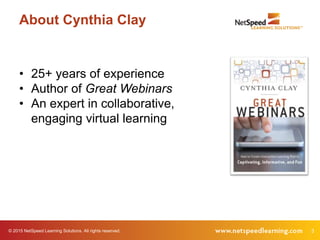
About Cynthia Clay
• 25+ years of experience
• Author of Great Webinars
• An expert in collaborative,
engaging virtual learning
© 2015 NetSpeed Learning Solutions. All rights reserved. 4
Questions!
What is your top-of-mind question today?
5© 2015 NetSpeed Learning Solutions. All rights reserved.
Confess
How often do you multi-
task when attending
webinars?
6© 2015 NetSpeed Learning Solutions. All rights reserved.
Confess
Why do you choose to
multi-task?
© 2015 NetSpeed Learning Solutions. All rights reserved. 7
Self Assessment
I design engaging online
learning programs and
virtual meetings.
© 2015 NetSpeed Learning Solutions. All rights reserved. 8
Self Assessment
I build virtual presence
when I facilitate online
learning and virtual
meetings.
© 2015 NetSpeed Learning Solutions. All rights reserved. 9
Self Assessment
I facilitate learning instead
of lecturing in the virtual
classroom.
© 2015 NetSpeed Learning Solutions. All rights reserved. 10
Self Assessment
I use all the interaction
tools in my web platform
when I lead a class or a
meeting.
© 2015 NetSpeed Learning Solutions. All rights reserved. 11
Self Assessment
I make my virtual learning
sessions “sticky.”
© 2015 NetSpeed Learning Solutions. All rights reserved. 12
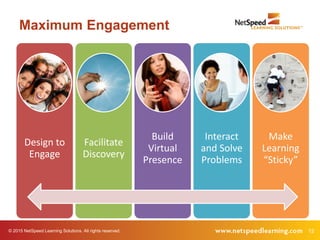
Maximum Engagement
Design to
Engage
Facilitate
Discovery
Build
Virtual
Presence
Interact
and Solve
Problems
Make
Learning
“Sticky”
© 2015 NetSpeed Learning Solutions. All rights reserved. 13
Design to Engage
© 2015 NetSpeed Learning Solutions. All rights reserved. 14
This is a Visual Medium
15© 2015 NetSpeed Learning Solutions. All rights reserved.
Spend no more
than one minute
per slide.
Technique 1
16© 2015 NetSpeed Learning Solutions. All rights reserved.
Use less text and
more compelling
images.
Technique 2
17© 2015 NetSpeed Learning Solutions. All rights reserved.
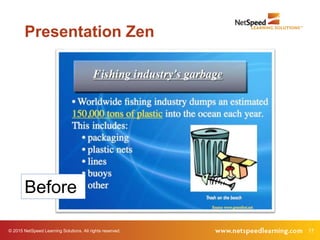
Presentation Zen
Before
18© 2015 NetSpeed Learning Solutions. All rights reserved.
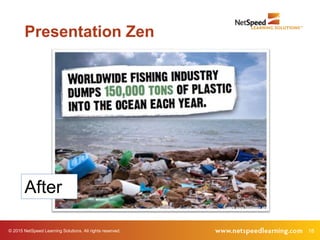
Presentation Zen
After
19© 2015 NetSpeed Learning Solutions. All rights reserved.
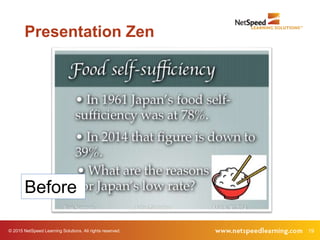
Presentation Zen
Before
20© 2015 NetSpeed Learning Solutions. All rights reserved.
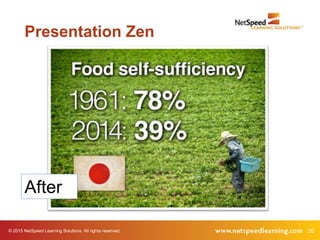
Presentation Zen
After
© 2015 NetSpeed Learning Solutions. All rights reserved. 21
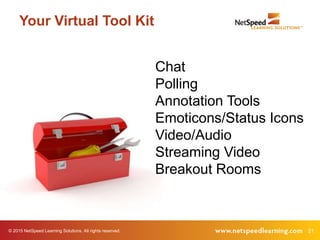
Your Virtual Tool Kit
Chat
Polling
Annotation Tools
Emoticons/Status Icons
Video/Audio
Streaming Video
Breakout Rooms
© 2015 NetSpeed Learning Solutions. All rights reserved. 22
Your Virtual Tool Kit
What interaction tools do you use
most often?
© 2015 NetSpeed Learning Solutions. All rights reserved. 23
Your Virtual Tool Kit
Chat
Polling
Annotation Tools
Emoticons/Status Icons
Video/Audio
Streaming Video
Breakout Rooms
© 2015 NetSpeed Learning Solutions. All rights reserved. 24
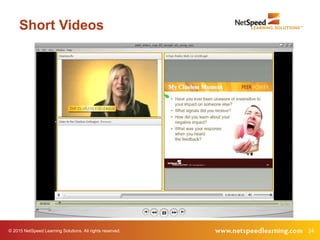
Short Videos
© 2015 NetSpeed Learning Solutions. All rights reserved. 25
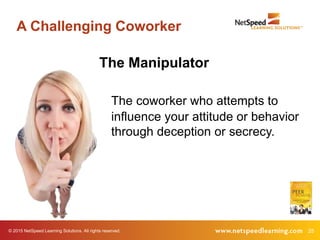
A Challenging Coworker
The Manipulator
The coworker who attempts to
influence your attitude or behavior
through deception or secrecy.
© 2015 NetSpeed Learning Solutions. All rights reserved. 26
Short Video
© 2015 NetSpeed Learning Solutions. All rights reserved. 27
Chat with Video
What clues in the video tell you that you might be
working with a manipulator?
Example
© 2015 NetSpeed Learning Solutions. All rights reserved. 28
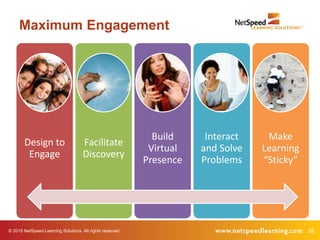
Maximum Engagement
Design to
Engage
Facilitate
Discovery
Build
Virtual
Presence
Interact
and Solve
Problems
Make
Learning
“Sticky”
© 2015 NetSpeed Learning Solutions. All rights reserved. 29
Facilitate Discovery
© 2015 NetSpeed Learning Solutions. All rights reserved. 30
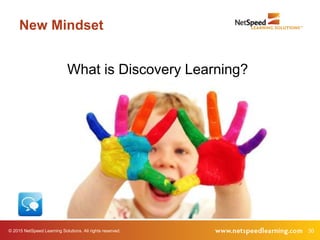
New Mindset
What is Discovery Learning?
31© 2015 NetSpeed Learning Solutions. All rights reserved.
Discovery Learning?
Is it possible to create a discovery learning
experience in the virtual classroom?
32© 2015 NetSpeed Learning Solutions. All rights reserved.
Ask good
questions to
facilitate learning
Technique 3
33© 2015 NetSpeed Learning Solutions. All rights reserved.
Why Ask Questions?
• Develop interest in the topic
• Check on learner readiness
• Review key concepts
• Stimulate thinking and
insight
• Develop critical thinking skills
• Encourage learning transfer
34© 2015 NetSpeed Learning Solutions. All rights reserved.
Research
• More effective in producing
achievement gains
• Foster learning (particularly oral
questions)
• Result in greater comprehension
35© 2015 NetSpeed Learning Solutions. All rights reserved.
Lower Cognitive Questions
• Probe for facts
• Usually closed
• Direct
• Stimulate recall
• Check for knowledge
Should you ask lower cognitive
questions?
36© 2015 NetSpeed Learning Solutions. All rights reserved.
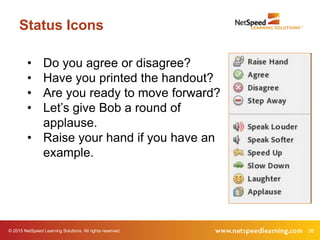
Status Icons
• Do you agree or disagree?
• Have you printed the handout?
• Are you ready to move forward?
• Let’s give Bob a round of
applause.
• Raise your hand if you have an
example.
37© 2015 NetSpeed Learning Solutions. All rights reserved.
Higher Cognitive Questions
• Stimulate thinking
• Require learners to combine
information or provide
evidence
• Usually open-ended
• Encourage interpretation
• May lead to synthesis or call
for inference
38© 2015 NetSpeed Learning Solutions. All rights reserved.
Example
What is an example of a
higher cognitive question?
© 2015 NetSpeed Learning Solutions. All rights reserved. 39
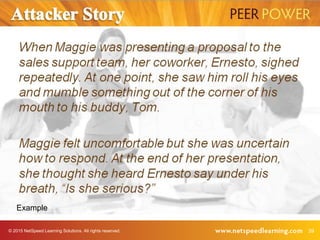
Example
© 2015 NetSpeed Learning Solutions. All rights reserved. 40
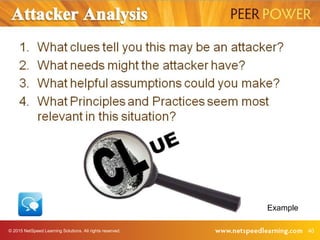
Example
© 2015 NetSpeed Learning Solutions. All rights reserved. 41
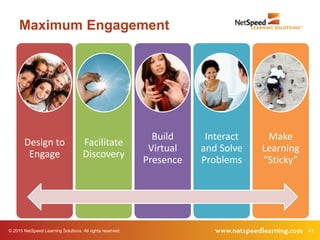
Maximum Engagement
Design to
Engage
Facilitate
Discovery
Build
Virtual
Presence
Interact
and Solve
Problems
Make
Learning
“Sticky”
© 2015 NetSpeed Learning Solutions. All rights reserved. 42
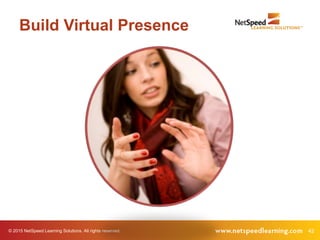
Build Virtual Presence
© 2015 NetSpeed Learning Solutions. All rights reserved. 43
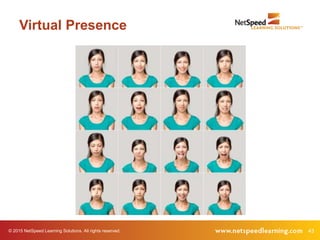
Virtual Presence
© 2015 NetSpeed Learning Solutions. All rights reserved. 44
Social or Virtual Presence
The way people represent themselves
in their online environment
The degree to which a facilitator is
perceived as a “real” person online
© 2015 NetSpeed Learning Solutions. All rights reserved. 45
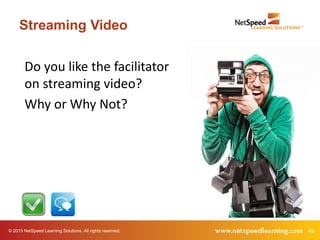
Streaming Video
Do you like the facilitator
on streaming video?
Why or Why Not?
© 2015 NetSpeed Learning Solutions. All rights reserved. 46
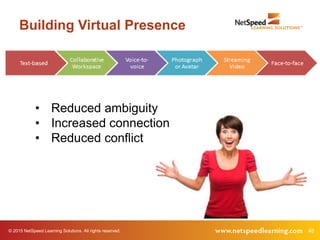
Building Virtual Presence
• Reduced ambiguity
• Increased connection
• Reduced conflict
© 2015 NetSpeed Learning Solutions. All rights reserved. 47
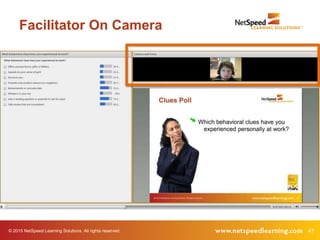
Facilitator On Camera
48© 2015 NetSpeed Learning Solutions. All rights reserved.
Look into the
camera when you
are speaking
Technique 4
49© 2015 NetSpeed Learning Solutions. All rights reserved.
Look into the
camera when
they are speaking
Technique 5
50© 2015 NetSpeed Learning Solutions. All rights reserved.
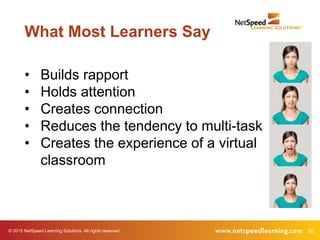
What Most Learners Say
• Builds rapport
• Holds attention
• Creates connection
• Reduces the tendency to multi-task
• Creates the experience of a virtual
classroom
© 2015 NetSpeed Learning Solutions. All rights reserved. 51
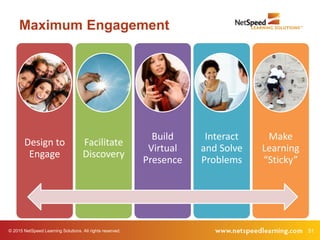
Maximum Engagement
Design to
Engage
Facilitate
Discovery
Build
Virtual
Presence
Interact
and Solve
Problems
Make
Learning
“Sticky”
© 2015 NetSpeed Learning Solutions. All rights reserved. 52
Interact & Solve Problems
53© 2015 NetSpeed Learning Solutions. All rights reserved.
Interact every two
to three minutes
Technique 6
© 2015 NetSpeed Learning Solutions. All rights reserved. 54
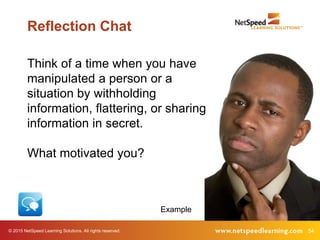
Think of a time when you have
manipulated a person or a
situation by withholding
information, flattering, or sharing
information in secret.
What motivated you?
Reflection Chat
Example
© 2015 NetSpeed Learning Solutions. All rights reserved. 55
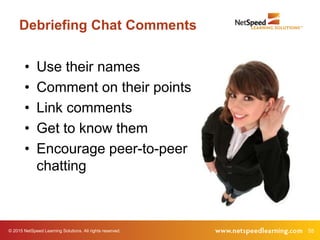
Debriefing Chat Comments
• Use their names
• Comment on their points
• Link comments
• Get to know them
• Encourage peer-to-peer
chatting
56© 2015 NetSpeed Learning Solutions. All rights reserved.
Collaborate on
shared problems
Technique 7
© 2015 NetSpeed Learning Solutions. All rights reserved. 57
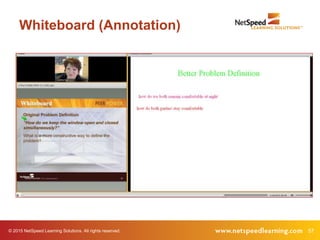
Whiteboard (Annotation)
© 2015 NetSpeed Learning Solutions. All rights reserved. 58
Breakout Rooms
© 2015 NetSpeed Learning Solutions. All rights reserved. 59
Interact!
• Pose juicy questions to stimulate
thinking.
• Use chat to solicit open responses.
• Use polls to capture and compare
opinions.
• Generate ideas on a whiteboard.
• Use breakout rooms to problem
solve.
© 2015 NetSpeed Learning Solutions. All rights reserved. 60
Can You Lecture?
Yes.
Keep it short.
© 2015 NetSpeed Learning Solutions. All rights reserved. 61
Extend Respect
• Use good listening and questioning skills to
encourage openness.
• Pay attention to your gut/intuition.
Example
© 2015 NetSpeed Learning Solutions. All rights reserved. 62
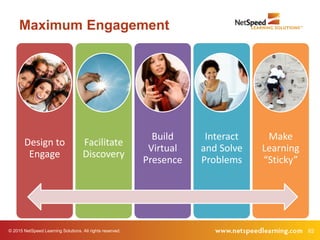
Maximum Engagement
Design to
Engage
Facilitate
Discovery
Build
Virtual
Presence
Interact
and Solve
Problems
Make
Learning
“Sticky”
© 2015 NetSpeed Learning Solutions. All rights reserved. 63
Make Learning “Sticky”
64© 2015 NetSpeed Learning Solutions. All rights reserved.
Use stories to
frame key points
Technique 8
© 2015 NetSpeed Learning Solutions. All rights reserved. 65
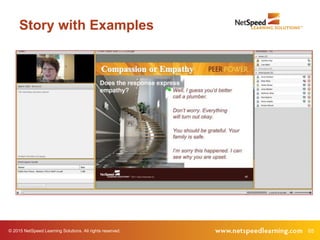
Story with Examples
© 2015 NetSpeed Learning Solutions. All rights reserved. 66
Story with Poll
Which behavioral clues have you
experienced personally at work?
• Offers unusual favors, gifts or flattery
• Appeals to your sense of guilt
• Deceives you
• Presents only positive reasons (no
negatives)
• Misrepresents or excludes data
• Whispers in your ear
• Asks a leading question or pretends to
ask for input
• Tells stories that are inconsistent
Example
67© 2015 NetSpeed Learning Solutions. All rights reserved.
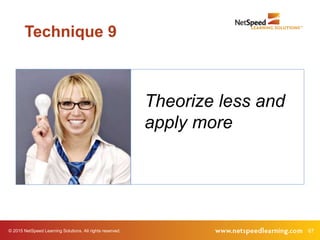
Theorize less and
apply more
Technique 9
© 2015 NetSpeed Learning Solutions. All rights reserved. 68
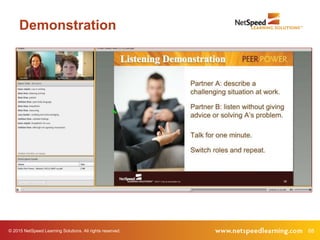
Demonstration
© 2015 NetSpeed Learning Solutions. All rights reserved. 69
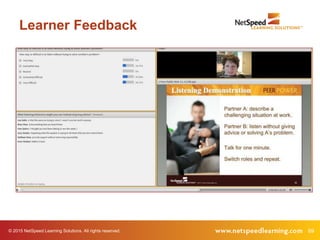
Learner Feedback
© 2015 NetSpeed Learning Solutions. All rights reserved. 70
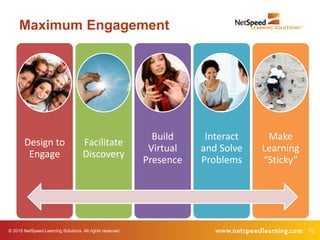
Maximum Engagement
Design to
Engage
Facilitate
Discovery
Build
Virtual
Presence
Interact
and Solve
Problems
Make
Learning
“Sticky”
© 2015 NetSpeed Learning Solutions. All rights reserved. 71
What’s Next?
What is one action you intend to take as
a result of participating in this webinar?
© 2015 NetSpeed Learning Solutions. All rights reserved. 72
Virtual Facilitator Training
• Deep dive, comprehensive course
• Focused on virtual design and delivery
• Public courses offered six times/year
• Customized for private delivery in your web
conference platform
© 2015 NetSpeed Learning Solutions. All rights reserved. 73
1. The Power of Connection: Building Virtual
Relationships
Create rapport and connection by strengthening virtual and social
presence in online interactions.
2. The Power of Web Conferencing: Running Effective
Virtual Meetings
Build consensus, solve problems, make decisions, and present
information effectively in virtual team meetings.
© 2015 NetSpeed Learning Solutions. All rights reserved. 74
3. The Power of Calibration: Building
Accountability on a Virtual Team
Gain commitment through clear goals and expectations without
micro-managing.
4. The Power of Collaboration: Harnessing Individual
and Team Strengths
Delegate and assign tasks effectively, hold motivating one-to-one
conversations, and increase commitment to tasks and projects.
© 2015 NetSpeed Learning Solutions. All rights reserved. 75
5. The Power of Celebration: Recognizing
Individual and Team Results
Create meaningful work opportunities, celebrate
accomplishments, and strengthen personal relationships to
increase accountability and commitment.
Programs include asynchronous assignments to increase learning
transfer after each web workshop.
76© 2015 NetSpeed Learning Solutions. All rights reserved.
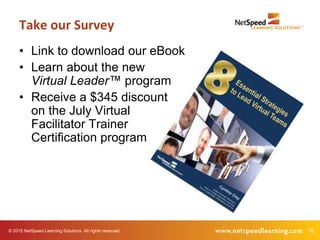
• Link to download our eBook
• Learn about the new
Virtual Leader™ program
• Receive a $345 discount
on the July Virtual
Facilitator Trainer
Certification program
Take our Survey
© 2015 NetSpeed Learning Solutions. All rights reserved. 77
Q & A
78
Thank You!

Building Collaborative Webinars and Virtual Meetings

  • 1.
    © 2015 NetSpeedLearning Solutions. All rights reserved. 1 Building Collaborative Webinars and Virtual Meetings May 12, 2015
  • 2.
    © 2015 NetSpeedLearning Solutions. All rights reserved. 2 Webinar Objectives • Use every interaction tool in your web conference platform to build engagement in classes and meetings • Design virtual meetings and training sessions with participant engagement in mind • Minimize multi-tasking in your meetings and webinars
  • 3.
    © 2015 NetSpeedLearning Solutions. All rights reserved. 3 About Cynthia Clay • 25+ years of experience • Author of Great Webinars • An expert in collaborative, engaging virtual learning
  • 4.
    © 2015 NetSpeedLearning Solutions. All rights reserved. 4 Questions! What is your top-of-mind question today?
  • 5.
    5© 2015 NetSpeedLearning Solutions. All rights reserved. Confess How often do you multi- task when attending webinars?
  • 6.
    6© 2015 NetSpeedLearning Solutions. All rights reserved. Confess Why do you choose to multi-task?
  • 7.
    © 2015 NetSpeedLearning Solutions. All rights reserved. 7 Self Assessment I design engaging online learning programs and virtual meetings.
  • 8.
    © 2015 NetSpeedLearning Solutions. All rights reserved. 8 Self Assessment I build virtual presence when I facilitate online learning and virtual meetings.
  • 9.
    © 2015 NetSpeedLearning Solutions. All rights reserved. 9 Self Assessment I facilitate learning instead of lecturing in the virtual classroom.
  • 10.
    © 2015 NetSpeedLearning Solutions. All rights reserved. 10 Self Assessment I use all the interaction tools in my web platform when I lead a class or a meeting.
  • 11.
    © 2015 NetSpeedLearning Solutions. All rights reserved. 11 Self Assessment I make my virtual learning sessions “sticky.”
  • 12.
    © 2015 NetSpeedLearning Solutions. All rights reserved. 12 Maximum Engagement Design to Engage Facilitate Discovery Build Virtual Presence Interact and Solve Problems Make Learning “Sticky”
  • 13.
    © 2015 NetSpeedLearning Solutions. All rights reserved. 13 Design to Engage
  • 14.
    © 2015 NetSpeedLearning Solutions. All rights reserved. 14 This is a Visual Medium
  • 15.
    15© 2015 NetSpeedLearning Solutions. All rights reserved. Spend no more than one minute per slide. Technique 1
  • 16.
    16© 2015 NetSpeedLearning Solutions. All rights reserved. Use less text and more compelling images. Technique 2
  • 17.
    17© 2015 NetSpeedLearning Solutions. All rights reserved. Presentation Zen Before
  • 18.
    18© 2015 NetSpeedLearning Solutions. All rights reserved. Presentation Zen After
  • 19.
    19© 2015 NetSpeedLearning Solutions. All rights reserved. Presentation Zen Before
  • 20.
    20© 2015 NetSpeedLearning Solutions. All rights reserved. Presentation Zen After
  • 21.
    © 2015 NetSpeedLearning Solutions. All rights reserved. 21 Your Virtual Tool Kit Chat Polling Annotation Tools Emoticons/Status Icons Video/Audio Streaming Video Breakout Rooms
  • 22.
    © 2015 NetSpeedLearning Solutions. All rights reserved. 22 Your Virtual Tool Kit What interaction tools do you use most often?
  • 23.
    © 2015 NetSpeedLearning Solutions. All rights reserved. 23 Your Virtual Tool Kit Chat Polling Annotation Tools Emoticons/Status Icons Video/Audio Streaming Video Breakout Rooms
  • 24.
    © 2015 NetSpeedLearning Solutions. All rights reserved. 24 Short Videos
  • 25.
    © 2015 NetSpeedLearning Solutions. All rights reserved. 25 A Challenging Coworker The Manipulator The coworker who attempts to influence your attitude or behavior through deception or secrecy.
  • 26.
    © 2015 NetSpeedLearning Solutions. All rights reserved. 26 Short Video
  • 27.
    © 2015 NetSpeedLearning Solutions. All rights reserved. 27 Chat with Video What clues in the video tell you that you might be working with a manipulator? Example
  • 28.
    © 2015 NetSpeedLearning Solutions. All rights reserved. 28 Maximum Engagement Design to Engage Facilitate Discovery Build Virtual Presence Interact and Solve Problems Make Learning “Sticky”
  • 29.
    © 2015 NetSpeedLearning Solutions. All rights reserved. 29 Facilitate Discovery
  • 30.
    © 2015 NetSpeedLearning Solutions. All rights reserved. 30 New Mindset What is Discovery Learning?
  • 31.
    31© 2015 NetSpeedLearning Solutions. All rights reserved. Discovery Learning? Is it possible to create a discovery learning experience in the virtual classroom?
  • 32.
    32© 2015 NetSpeedLearning Solutions. All rights reserved. Ask good questions to facilitate learning Technique 3
  • 33.
    33© 2015 NetSpeedLearning Solutions. All rights reserved. Why Ask Questions? • Develop interest in the topic • Check on learner readiness • Review key concepts • Stimulate thinking and insight • Develop critical thinking skills • Encourage learning transfer
  • 34.
    34© 2015 NetSpeedLearning Solutions. All rights reserved. Research • More effective in producing achievement gains • Foster learning (particularly oral questions) • Result in greater comprehension
  • 35.
    35© 2015 NetSpeedLearning Solutions. All rights reserved. Lower Cognitive Questions • Probe for facts • Usually closed • Direct • Stimulate recall • Check for knowledge Should you ask lower cognitive questions?
  • 36.
    36© 2015 NetSpeedLearning Solutions. All rights reserved. Status Icons • Do you agree or disagree? • Have you printed the handout? • Are you ready to move forward? • Let’s give Bob a round of applause. • Raise your hand if you have an example.
  • 37.
    37© 2015 NetSpeedLearning Solutions. All rights reserved. Higher Cognitive Questions • Stimulate thinking • Require learners to combine information or provide evidence • Usually open-ended • Encourage interpretation • May lead to synthesis or call for inference
  • 38.
    38© 2015 NetSpeedLearning Solutions. All rights reserved. Example What is an example of a higher cognitive question?
  • 39.
    © 2015 NetSpeedLearning Solutions. All rights reserved. 39 Example
  • 40.
    © 2015 NetSpeedLearning Solutions. All rights reserved. 40 Example
  • 41.
    © 2015 NetSpeedLearning Solutions. All rights reserved. 41 Maximum Engagement Design to Engage Facilitate Discovery Build Virtual Presence Interact and Solve Problems Make Learning “Sticky”
  • 42.
    © 2015 NetSpeedLearning Solutions. All rights reserved. 42 Build Virtual Presence
  • 43.
    © 2015 NetSpeedLearning Solutions. All rights reserved. 43 Virtual Presence
  • 44.
    © 2015 NetSpeedLearning Solutions. All rights reserved. 44 Social or Virtual Presence The way people represent themselves in their online environment The degree to which a facilitator is perceived as a “real” person online
  • 45.
    © 2015 NetSpeedLearning Solutions. All rights reserved. 45 Streaming Video Do you like the facilitator on streaming video? Why or Why Not?
  • 46.
    © 2015 NetSpeedLearning Solutions. All rights reserved. 46 Building Virtual Presence • Reduced ambiguity • Increased connection • Reduced conflict
  • 47.
    © 2015 NetSpeedLearning Solutions. All rights reserved. 47 Facilitator On Camera
  • 48.
    48© 2015 NetSpeedLearning Solutions. All rights reserved. Look into the camera when you are speaking Technique 4
  • 49.
    49© 2015 NetSpeedLearning Solutions. All rights reserved. Look into the camera when they are speaking Technique 5
  • 50.
    50© 2015 NetSpeedLearning Solutions. All rights reserved. What Most Learners Say • Builds rapport • Holds attention • Creates connection • Reduces the tendency to multi-task • Creates the experience of a virtual classroom
  • 51.
    © 2015 NetSpeedLearning Solutions. All rights reserved. 51 Maximum Engagement Design to Engage Facilitate Discovery Build Virtual Presence Interact and Solve Problems Make Learning “Sticky”
  • 52.
    © 2015 NetSpeedLearning Solutions. All rights reserved. 52 Interact & Solve Problems
  • 53.
    53© 2015 NetSpeedLearning Solutions. All rights reserved. Interact every two to three minutes Technique 6
  • 54.
    © 2015 NetSpeedLearning Solutions. All rights reserved. 54 Think of a time when you have manipulated a person or a situation by withholding information, flattering, or sharing information in secret. What motivated you? Reflection Chat Example
  • 55.
    © 2015 NetSpeedLearning Solutions. All rights reserved. 55 Debriefing Chat Comments • Use their names • Comment on their points • Link comments • Get to know them • Encourage peer-to-peer chatting
  • 56.
    56© 2015 NetSpeedLearning Solutions. All rights reserved. Collaborate on shared problems Technique 7
  • 57.
    © 2015 NetSpeedLearning Solutions. All rights reserved. 57 Whiteboard (Annotation)
  • 58.
    © 2015 NetSpeedLearning Solutions. All rights reserved. 58 Breakout Rooms
  • 59.
    © 2015 NetSpeedLearning Solutions. All rights reserved. 59 Interact! • Pose juicy questions to stimulate thinking. • Use chat to solicit open responses. • Use polls to capture and compare opinions. • Generate ideas on a whiteboard. • Use breakout rooms to problem solve.
  • 60.
    © 2015 NetSpeedLearning Solutions. All rights reserved. 60 Can You Lecture? Yes. Keep it short.
  • 61.
    © 2015 NetSpeedLearning Solutions. All rights reserved. 61 Extend Respect • Use good listening and questioning skills to encourage openness. • Pay attention to your gut/intuition. Example
  • 62.
    © 2015 NetSpeedLearning Solutions. All rights reserved. 62 Maximum Engagement Design to Engage Facilitate Discovery Build Virtual Presence Interact and Solve Problems Make Learning “Sticky”
  • 63.
    © 2015 NetSpeedLearning Solutions. All rights reserved. 63 Make Learning “Sticky”
  • 64.
    64© 2015 NetSpeedLearning Solutions. All rights reserved. Use stories to frame key points Technique 8
  • 65.
    © 2015 NetSpeedLearning Solutions. All rights reserved. 65 Story with Examples
  • 66.
    © 2015 NetSpeedLearning Solutions. All rights reserved. 66 Story with Poll Which behavioral clues have you experienced personally at work? • Offers unusual favors, gifts or flattery • Appeals to your sense of guilt • Deceives you • Presents only positive reasons (no negatives) • Misrepresents or excludes data • Whispers in your ear • Asks a leading question or pretends to ask for input • Tells stories that are inconsistent Example
  • 67.
    67© 2015 NetSpeedLearning Solutions. All rights reserved. Theorize less and apply more Technique 9
  • 68.
    © 2015 NetSpeedLearning Solutions. All rights reserved. 68 Demonstration
  • 69.
    © 2015 NetSpeedLearning Solutions. All rights reserved. 69 Learner Feedback
  • 70.
    © 2015 NetSpeedLearning Solutions. All rights reserved. 70 Maximum Engagement Design to Engage Facilitate Discovery Build Virtual Presence Interact and Solve Problems Make Learning “Sticky”
  • 71.
    © 2015 NetSpeedLearning Solutions. All rights reserved. 71 What’s Next? What is one action you intend to take as a result of participating in this webinar?
  • 72.
    © 2015 NetSpeedLearning Solutions. All rights reserved. 72 Virtual Facilitator Training • Deep dive, comprehensive course • Focused on virtual design and delivery • Public courses offered six times/year • Customized for private delivery in your web conference platform
  • 73.
    © 2015 NetSpeedLearning Solutions. All rights reserved. 73 1. The Power of Connection: Building Virtual Relationships Create rapport and connection by strengthening virtual and social presence in online interactions. 2. The Power of Web Conferencing: Running Effective Virtual Meetings Build consensus, solve problems, make decisions, and present information effectively in virtual team meetings.
  • 74.
    © 2015 NetSpeedLearning Solutions. All rights reserved. 74 3. The Power of Calibration: Building Accountability on a Virtual Team Gain commitment through clear goals and expectations without micro-managing. 4. The Power of Collaboration: Harnessing Individual and Team Strengths Delegate and assign tasks effectively, hold motivating one-to-one conversations, and increase commitment to tasks and projects.
  • 75.
    © 2015 NetSpeedLearning Solutions. All rights reserved. 75 5. The Power of Celebration: Recognizing Individual and Team Results Create meaningful work opportunities, celebrate accomplishments, and strengthen personal relationships to increase accountability and commitment. Programs include asynchronous assignments to increase learning transfer after each web workshop.
  • 76.
    76© 2015 NetSpeedLearning Solutions. All rights reserved. • Link to download our eBook • Learn about the new Virtual Leader™ program • Receive a $345 discount on the July Virtual Facilitator Trainer Certification program Take our Survey
  • 77.
    © 2015 NetSpeedLearning Solutions. All rights reserved. 77 Q & A
  • 78.