© 2015 NetSpeed Learning Solutions. All rights reserved. 1
Bring Your Mojo
to the
Virtual Classroom
February 11, 2015
© 2015 NetSpeed Learning Solutions. All rights reserved. 2
Webinar Objectives
• Apply seven presentation and
interaction tools creatively to create a
compelling virtual learning experience
• Incorporate what you learn to your
own virtual program design
• Maximize the competencies of a
skilled virtual facilitator
© 2015 NetSpeed Learning Solutions. All rights reserved. 3
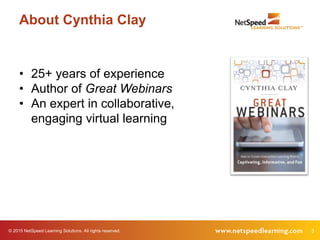
About Cynthia Clay
• 25+ years of experience
• Author of Great Webinars
• An expert in collaborative,
engaging virtual learning
© 2015 NetSpeed Learning Solutions. All rights reserved. 4
Tweet
#virtuallearning
© 2015 NetSpeed Learning Solutions. All rights reserved. 5
Purpose Poll
What is your purpose in attending this
webinar?
© 2015 NetSpeed Learning Solutions. All rights reserved. 6
Mojo-Crushing Mistakes
What mojo-crushing
mistakes have you
experienced in webinars?
7© 2015 NetSpeed Learning Solutions. All rights reserved.
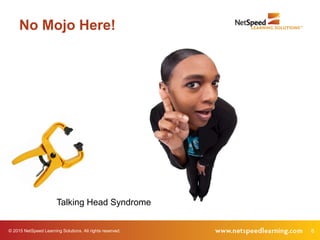
No Mojo Here!
Talking Head Syndrome
8© 2015 NetSpeed Learning Solutions. All rights reserved.
No Mojo Here!
Talking Head Syndrome
9© 2015 NetSpeed Learning Solutions. All rights reserved.
No Mojo Here!
No Side Talking!
10© 2015 NetSpeed Learning Solutions. All rights reserved.
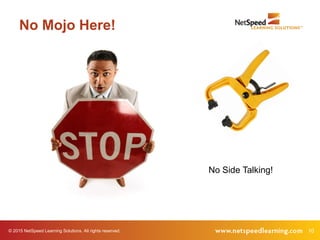
No Mojo Here!
No Side Talking!
11© 2015 NetSpeed Learning Solutions. All rights reserved.
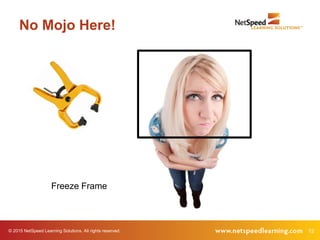
No Mojo Here!
Freeze Frame
12© 2015 NetSpeed Learning Solutions. All rights reserved.
No Mojo Here!
Freeze Frame
13© 2015 NetSpeed Learning Solutions. All rights reserved.
No Mojo Here!
Hold Your Questions
14© 2015 NetSpeed Learning Solutions. All rights reserved.
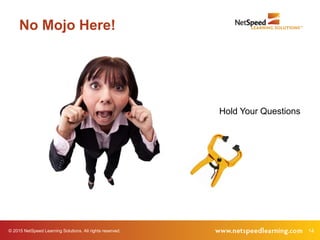
No Mojo Here!
Hold Your Questions
15© 2015 NetSpeed Learning Solutions. All rights reserved.
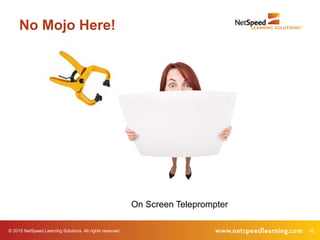
No Mojo Here!
On Screen Teleprompter
16© 2015 NetSpeed Learning Solutions. All rights reserved.
No Mojo Here!
On Screen Teleprompter
17© 2015 NetSpeed Learning Solutions. All rights reserved.
No Mojo Here!
Flying Solo
18© 2015 NetSpeed Learning Solutions. All rights reserved.
No Mojo Here!
Flying Solo
© 2015 NetSpeed Learning Solutions. All rights reserved. 19
Mojo-Crushing Poll
What is the worst Mojo
Crusher in your opinion?
© 2015 NetSpeed Learning Solutions. All rights reserved. 20
Your Virtual Tool Kit
What interaction tools in your
virtual tool kit can help you avoid
these Mojo Crushers?
© 2015 NetSpeed Learning Solutions. All rights reserved. 21
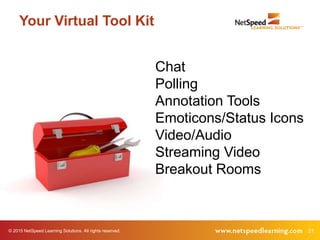
Your Virtual Tool Kit
Chat
Polling
Annotation Tools
Emoticons/Status Icons
Video/Audio
Streaming Video
Breakout Rooms
22© 2015 NetSpeed Learning Solutions. All rights reserved.
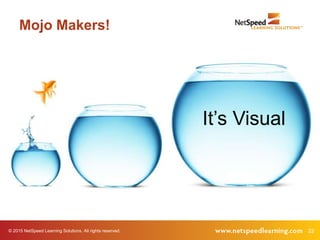
Mojo Makers!
It’s Visual
© 2015 NetSpeed Learning Solutions. All rights reserved. 23
Your Virtual Tool Kit
If you want to capitalize
on “It’s Visual,” what
tools can you use?
© 2015 NetSpeed Learning Solutions. All rights reserved. 24
It’s Visual
Make your slides compelling.
© 2015 NetSpeed Learning Solutions. All rights reserved. 25
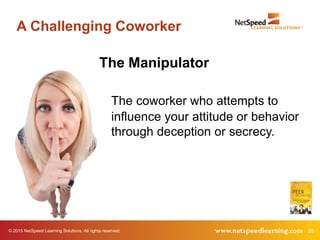
A Challenging Coworker
The Manipulator
The coworker who attempts to
influence your attitude or behavior
through deception or secrecy.
© 2015 NetSpeed Learning Solutions. All rights reserved. 26
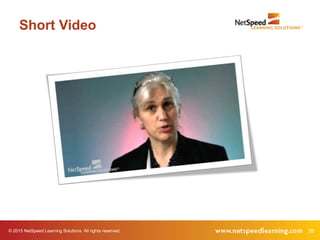
Short Video
© 2015 NetSpeed Learning Solutions. All rights reserved. 27
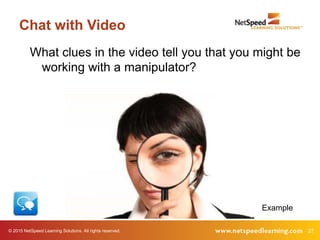
Chat with Video
What clues in the video tell you that you might be
working with a manipulator?
Example
© 2015 NetSpeed Learning Solutions. All rights reserved. 28
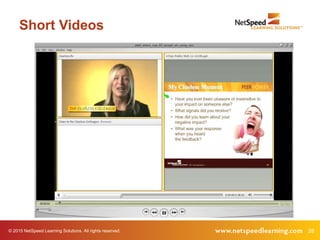
Short Videos
29© 2015 NetSpeed Learning Solutions. All rights reserved.
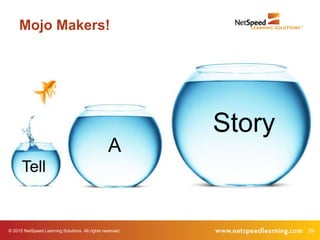
Mojo Makers!
Story
A
Tell
© 2015 NetSpeed Learning Solutions. All rights reserved. 30
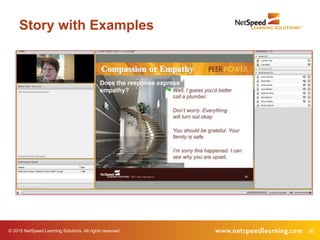
Story with Examples
© 2015 NetSpeed Learning Solutions. All rights reserved. 31
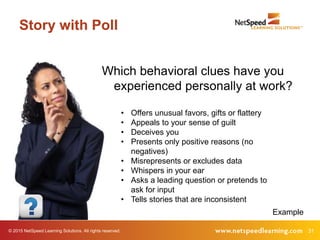
Story with Poll
Which behavioral clues have you
experienced personally at work?
• Offers unusual favors, gifts or flattery
• Appeals to your sense of guilt
• Deceives you
• Presents only positive reasons (no
negatives)
• Misrepresents or excludes data
• Whispers in your ear
• Asks a leading question or pretends to
ask for input
• Tells stories that are inconsistent
Example
© 2015 NetSpeed Learning Solutions. All rights reserved. 32
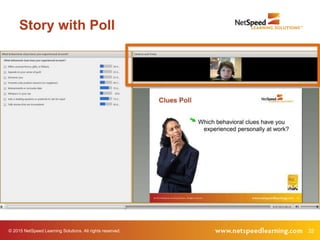
Story with Poll
© 2015 NetSpeed Learning Solutions. All rights reserved. 33
Streaming Video
Do you like the facilitator
on streaming video?
Why or Why Not?
© 2015 NetSpeed Learning Solutions. All rights reserved. 34
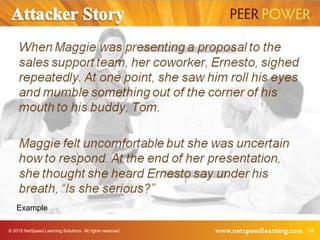
Example
© 2015 NetSpeed Learning Solutions. All rights reserved. 35
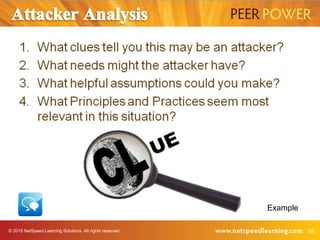
Example
36© 2015 NetSpeed Learning Solutions. All rights reserved.
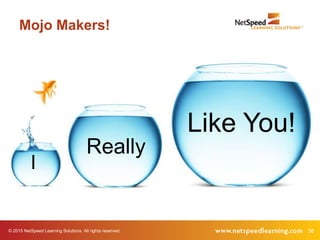
Mojo Makers!
Like You!
Really
I
© 2015 NetSpeed Learning Solutions. All rights reserved. 37
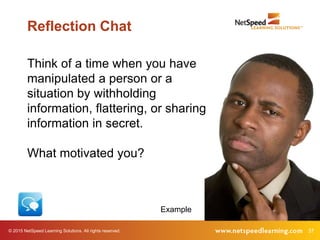
Think of a time when you have
manipulated a person or a
situation by withholding
information, flattering, or sharing
information in secret.
What motivated you?
Reflection Chat
Example
© 2015 NetSpeed Learning Solutions. All rights reserved. 38
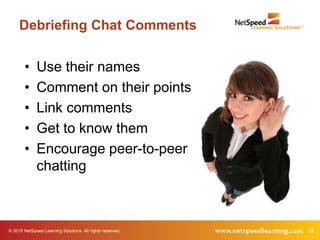
Debriefing Chat Comments
• Use their names
• Comment on their points
• Link comments
• Get to know them
• Encourage peer-to-peer
chatting
39© 2015 NetSpeed Learning Solutions. All rights reserved.
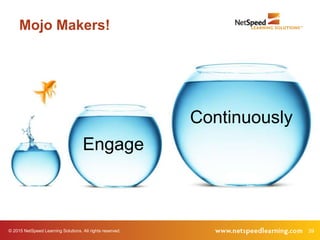
Mojo Makers!
Continuously
Engage
© 2015 NetSpeed Learning Solutions. All rights reserved. 40
Rule of Thumb
Engage your learners every
three minutes.
© 2015 NetSpeed Learning Solutions. All rights reserved. 41
New Mindset
What is Discovery Learning?
42© 2015 NetSpeed Learning Solutions. All rights reserved.
Status Icons
Is it possible to create a discovery learning
experience in the virtual classroom?
43© 2015 NetSpeed Learning Solutions. All rights reserved.
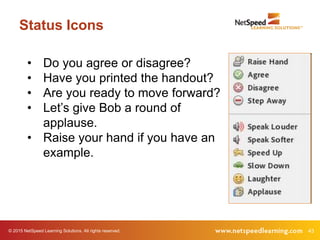
Status Icons
• Do you agree or disagree?
• Have you printed the handout?
• Are you ready to move forward?
• Let’s give Bob a round of
applause.
• Raise your hand if you have an
example.
44© 2015 NetSpeed Learning Solutions. All rights reserved.
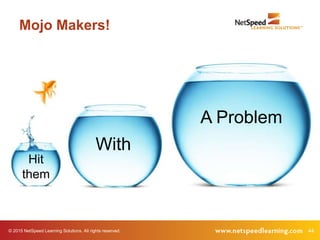
Mojo Makers!
A Problem
With
Hit
them
© 2015 NetSpeed Learning Solutions. All rights reserved. 45
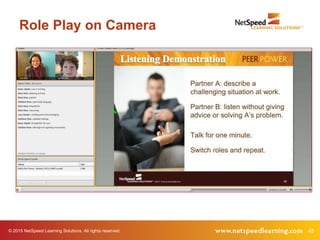
Role Play on Camera
© 2015 NetSpeed Learning Solutions. All rights reserved. 46
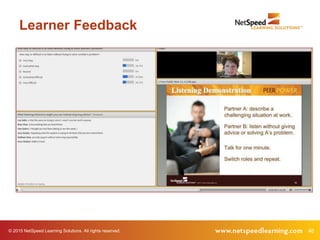
Learner Feedback
© 2015 NetSpeed Learning Solutions. All rights reserved. 47
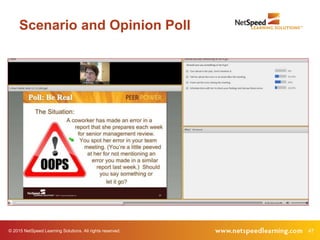
Scenario and Opinion Poll
© 2015 NetSpeed Learning Solutions. All rights reserved. 48
Breakout Rooms
© 2015 NetSpeed Learning Solutions. All rights reserved. 49
Breakout Rooms
When should you use breakout
rooms in the virtual classroom?
50© 2015 NetSpeed Learning Solutions. All rights reserved.
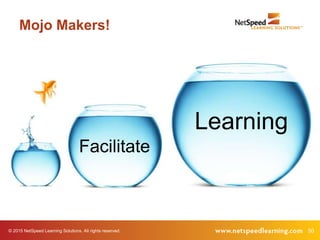
Mojo Makers!
Facilitate
Learning
© 2015 NetSpeed Learning Solutions. All rights reserved. 51
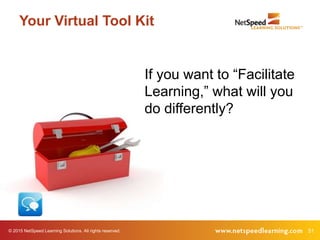
Your Virtual Tool Kit
If you want to “Facilitate
Learning,” what will you
do differently?
© 2015 NetSpeed Learning Solutions. All rights reserved. 52
Don’t Pontificate. Facilitate.
• Pose juicy questions to stimulate
thinking.
• Use chat to solicit open responses.
• Use polls to capture and compare
opinions.
• Use breakout rooms to problem
solve.
© 2015 NetSpeed Learning Solutions. All rights reserved. 53
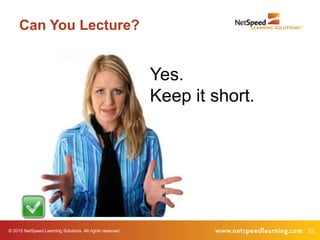
Can You Lecture?
Yes.
Keep it short.
© 2015 NetSpeed Learning Solutions. All rights reserved. 54
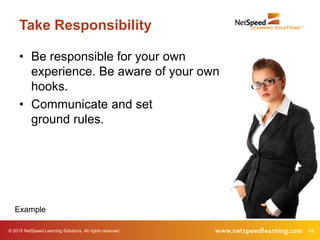
Take Responsibility
• Be responsible for your own
experience. Be aware of your own
hooks.
• Communicate and set
ground rules.
Example
© 2015 NetSpeed Learning Solutions. All rights reserved. 55
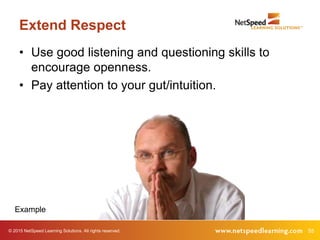
Extend Respect
• Use good listening and questioning skills to
encourage openness.
• Pay attention to your gut/intuition.
Example
© 2015 NetSpeed Learning Solutions. All rights reserved. 56
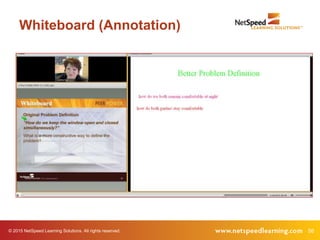
Whiteboard (Annotation)
57© 2015 NetSpeed Learning Solutions. All rights reserved.
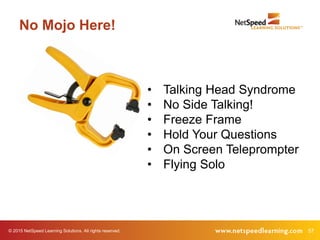
No Mojo Here!
• Talking Head Syndrome
• No Side Talking!
• Freeze Frame
• Hold Your Questions
• On Screen Teleprompter
• Flying Solo
58© 2015 NetSpeed Learning Solutions. All rights reserved.
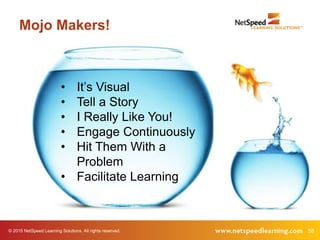
• It’s Visual
• Tell a Story
• I Really Like You!
• Engage Continuously
• Hit Them With a
Problem
• Facilitate Learning
Mojo Makers!
© 2015 NetSpeed Learning Solutions. All rights reserved. 59
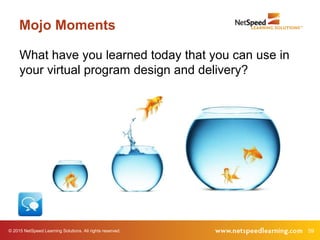
Mojo Moments
What have you learned today that you can use in
your virtual program design and delivery?
© 2015 NetSpeed Learning Solutions. All rights reserved. 60
Virtual Facilitator Training
• Deep dive, comprehensive course
• Focused on virtual design and delivery
• Public courses offered six times/year
• Customized for private delivery in your web
conference platform
61© 2015 NetSpeed Learning Solutions. All rights reserved.
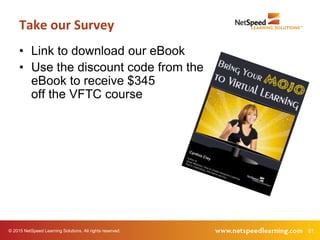
• Link to download our eBook
• Use the discount code from the
eBook to receive $345
off the VFTC course
Take our Survey
© 2015 NetSpeed Learning Solutions. All rights reserved. 62
Q & A
63
Thank You!

Bring Your Mojo to the Virtual Classroom - ASTDI

  • 1.
    © 2015 NetSpeedLearning Solutions. All rights reserved. 1 Bring Your Mojo to the Virtual Classroom February 11, 2015
  • 2.
    © 2015 NetSpeedLearning Solutions. All rights reserved. 2 Webinar Objectives • Apply seven presentation and interaction tools creatively to create a compelling virtual learning experience • Incorporate what you learn to your own virtual program design • Maximize the competencies of a skilled virtual facilitator
  • 3.
    © 2015 NetSpeedLearning Solutions. All rights reserved. 3 About Cynthia Clay • 25+ years of experience • Author of Great Webinars • An expert in collaborative, engaging virtual learning
  • 4.
    © 2015 NetSpeedLearning Solutions. All rights reserved. 4 Tweet #virtuallearning
  • 5.
    © 2015 NetSpeedLearning Solutions. All rights reserved. 5 Purpose Poll What is your purpose in attending this webinar?
  • 6.
    © 2015 NetSpeedLearning Solutions. All rights reserved. 6 Mojo-Crushing Mistakes What mojo-crushing mistakes have you experienced in webinars?
  • 7.
    7© 2015 NetSpeedLearning Solutions. All rights reserved. No Mojo Here! Talking Head Syndrome
  • 8.
    8© 2015 NetSpeedLearning Solutions. All rights reserved. No Mojo Here! Talking Head Syndrome
  • 9.
    9© 2015 NetSpeedLearning Solutions. All rights reserved. No Mojo Here! No Side Talking!
  • 10.
    10© 2015 NetSpeedLearning Solutions. All rights reserved. No Mojo Here! No Side Talking!
  • 11.
    11© 2015 NetSpeedLearning Solutions. All rights reserved. No Mojo Here! Freeze Frame
  • 12.
    12© 2015 NetSpeedLearning Solutions. All rights reserved. No Mojo Here! Freeze Frame
  • 13.
    13© 2015 NetSpeedLearning Solutions. All rights reserved. No Mojo Here! Hold Your Questions
  • 14.
    14© 2015 NetSpeedLearning Solutions. All rights reserved. No Mojo Here! Hold Your Questions
  • 15.
    15© 2015 NetSpeedLearning Solutions. All rights reserved. No Mojo Here! On Screen Teleprompter
  • 16.
    16© 2015 NetSpeedLearning Solutions. All rights reserved. No Mojo Here! On Screen Teleprompter
  • 17.
    17© 2015 NetSpeedLearning Solutions. All rights reserved. No Mojo Here! Flying Solo
  • 18.
    18© 2015 NetSpeedLearning Solutions. All rights reserved. No Mojo Here! Flying Solo
  • 19.
    © 2015 NetSpeedLearning Solutions. All rights reserved. 19 Mojo-Crushing Poll What is the worst Mojo Crusher in your opinion?
  • 20.
    © 2015 NetSpeedLearning Solutions. All rights reserved. 20 Your Virtual Tool Kit What interaction tools in your virtual tool kit can help you avoid these Mojo Crushers?
  • 21.
    © 2015 NetSpeedLearning Solutions. All rights reserved. 21 Your Virtual Tool Kit Chat Polling Annotation Tools Emoticons/Status Icons Video/Audio Streaming Video Breakout Rooms
  • 22.
    22© 2015 NetSpeedLearning Solutions. All rights reserved. Mojo Makers! It’s Visual
  • 23.
    © 2015 NetSpeedLearning Solutions. All rights reserved. 23 Your Virtual Tool Kit If you want to capitalize on “It’s Visual,” what tools can you use?
  • 24.
    © 2015 NetSpeedLearning Solutions. All rights reserved. 24 It’s Visual Make your slides compelling.
  • 25.
    © 2015 NetSpeedLearning Solutions. All rights reserved. 25 A Challenging Coworker The Manipulator The coworker who attempts to influence your attitude or behavior through deception or secrecy.
  • 26.
    © 2015 NetSpeedLearning Solutions. All rights reserved. 26 Short Video
  • 27.
    © 2015 NetSpeedLearning Solutions. All rights reserved. 27 Chat with Video What clues in the video tell you that you might be working with a manipulator? Example
  • 28.
    © 2015 NetSpeedLearning Solutions. All rights reserved. 28 Short Videos
  • 29.
    29© 2015 NetSpeedLearning Solutions. All rights reserved. Mojo Makers! Story A Tell
  • 30.
    © 2015 NetSpeedLearning Solutions. All rights reserved. 30 Story with Examples
  • 31.
    © 2015 NetSpeedLearning Solutions. All rights reserved. 31 Story with Poll Which behavioral clues have you experienced personally at work? • Offers unusual favors, gifts or flattery • Appeals to your sense of guilt • Deceives you • Presents only positive reasons (no negatives) • Misrepresents or excludes data • Whispers in your ear • Asks a leading question or pretends to ask for input • Tells stories that are inconsistent Example
  • 32.
    © 2015 NetSpeedLearning Solutions. All rights reserved. 32 Story with Poll
  • 33.
    © 2015 NetSpeedLearning Solutions. All rights reserved. 33 Streaming Video Do you like the facilitator on streaming video? Why or Why Not?
  • 34.
    © 2015 NetSpeedLearning Solutions. All rights reserved. 34 Example
  • 35.
    © 2015 NetSpeedLearning Solutions. All rights reserved. 35 Example
  • 36.
    36© 2015 NetSpeedLearning Solutions. All rights reserved. Mojo Makers! Like You! Really I
  • 37.
    © 2015 NetSpeedLearning Solutions. All rights reserved. 37 Think of a time when you have manipulated a person or a situation by withholding information, flattering, or sharing information in secret. What motivated you? Reflection Chat Example
  • 38.
    © 2015 NetSpeedLearning Solutions. All rights reserved. 38 Debriefing Chat Comments • Use their names • Comment on their points • Link comments • Get to know them • Encourage peer-to-peer chatting
  • 39.
    39© 2015 NetSpeedLearning Solutions. All rights reserved. Mojo Makers! Continuously Engage
  • 40.
    © 2015 NetSpeedLearning Solutions. All rights reserved. 40 Rule of Thumb Engage your learners every three minutes.
  • 41.
    © 2015 NetSpeedLearning Solutions. All rights reserved. 41 New Mindset What is Discovery Learning?
  • 42.
    42© 2015 NetSpeedLearning Solutions. All rights reserved. Status Icons Is it possible to create a discovery learning experience in the virtual classroom?
  • 43.
    43© 2015 NetSpeedLearning Solutions. All rights reserved. Status Icons • Do you agree or disagree? • Have you printed the handout? • Are you ready to move forward? • Let’s give Bob a round of applause. • Raise your hand if you have an example.
  • 44.
    44© 2015 NetSpeedLearning Solutions. All rights reserved. Mojo Makers! A Problem With Hit them
  • 45.
    © 2015 NetSpeedLearning Solutions. All rights reserved. 45 Role Play on Camera
  • 46.
    © 2015 NetSpeedLearning Solutions. All rights reserved. 46 Learner Feedback
  • 47.
    © 2015 NetSpeedLearning Solutions. All rights reserved. 47 Scenario and Opinion Poll
  • 48.
    © 2015 NetSpeedLearning Solutions. All rights reserved. 48 Breakout Rooms
  • 49.
    © 2015 NetSpeedLearning Solutions. All rights reserved. 49 Breakout Rooms When should you use breakout rooms in the virtual classroom?
  • 50.
    50© 2015 NetSpeedLearning Solutions. All rights reserved. Mojo Makers! Facilitate Learning
  • 51.
    © 2015 NetSpeedLearning Solutions. All rights reserved. 51 Your Virtual Tool Kit If you want to “Facilitate Learning,” what will you do differently?
  • 52.
    © 2015 NetSpeedLearning Solutions. All rights reserved. 52 Don’t Pontificate. Facilitate. • Pose juicy questions to stimulate thinking. • Use chat to solicit open responses. • Use polls to capture and compare opinions. • Use breakout rooms to problem solve.
  • 53.
    © 2015 NetSpeedLearning Solutions. All rights reserved. 53 Can You Lecture? Yes. Keep it short.
  • 54.
    © 2015 NetSpeedLearning Solutions. All rights reserved. 54 Take Responsibility • Be responsible for your own experience. Be aware of your own hooks. • Communicate and set ground rules. Example
  • 55.
    © 2015 NetSpeedLearning Solutions. All rights reserved. 55 Extend Respect • Use good listening and questioning skills to encourage openness. • Pay attention to your gut/intuition. Example
  • 56.
    © 2015 NetSpeedLearning Solutions. All rights reserved. 56 Whiteboard (Annotation)
  • 57.
    57© 2015 NetSpeedLearning Solutions. All rights reserved. No Mojo Here! • Talking Head Syndrome • No Side Talking! • Freeze Frame • Hold Your Questions • On Screen Teleprompter • Flying Solo
  • 58.
    58© 2015 NetSpeedLearning Solutions. All rights reserved. • It’s Visual • Tell a Story • I Really Like You! • Engage Continuously • Hit Them With a Problem • Facilitate Learning Mojo Makers!
  • 59.
    © 2015 NetSpeedLearning Solutions. All rights reserved. 59 Mojo Moments What have you learned today that you can use in your virtual program design and delivery?
  • 60.
    © 2015 NetSpeedLearning Solutions. All rights reserved. 60 Virtual Facilitator Training • Deep dive, comprehensive course • Focused on virtual design and delivery • Public courses offered six times/year • Customized for private delivery in your web conference platform
  • 61.
    61© 2015 NetSpeedLearning Solutions. All rights reserved. • Link to download our eBook • Use the discount code from the eBook to receive $345 off the VFTC course Take our Survey
  • 62.
    © 2015 NetSpeedLearning Solutions. All rights reserved. 62 Q & A
  • 63.