Crossing the Chasm to
          Engaging Virtual Facilitation


                                      August 28, 2012


© 2012 NetSpeed Learning Solutions. All rights reserved.   1
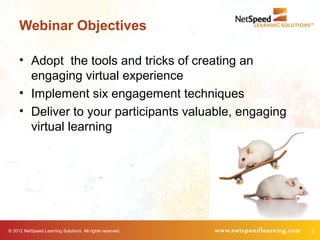
Webinar Objectives

     • Adopt the tools and tricks of creating an
       engaging virtual experience
     • Implement six engagement techniques
     • Deliver to your participants valuable, engaging
       virtual learning


© 2012 NetSpeed Learning Solutions. All rights reserved.   2
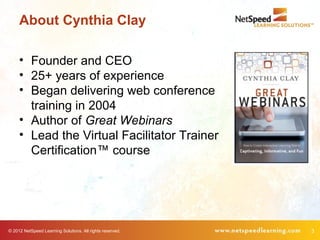
About Cynthia Clay

     • Founder and CEO
     • 25+ years of experience
     • Began delivering web conference
       training in 2004
     • Author of Great Webinars
     • Lead the Virtual Facilitator Trainer
       Certification™ course


© 2012 NetSpeed Learning Solutions. All rights reserved.   3
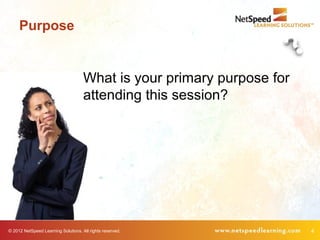
Purpose


                                     What is your primary purpose for
                                     attending this session?


© 2012 NetSpeed Learning Solutions. All rights reserved.                4
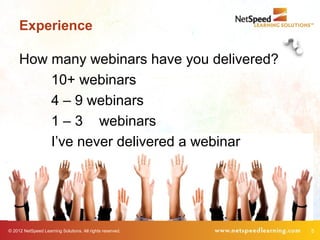
Experience

     How many webinars have you delivered?
         10+ webinars
         4 – 9 webinars
         1 – 3 webinars
         I’ve never delivered a webinar


© 2012 NetSpeed Learning Solutions. All rights reserved.   5
What Can Go Wrong?


© 2012 NetSpeed Learning Solutions. All rights reserved.   6
What Can Go Wrong?


                                                    Talking head presenter
                                                    Monotone voice
                                                    Reading slides
                                                    Little interaction
                                                    No peer-to-peer chatting


© 2012 NetSpeed Learning Solutions. All rights reserved.                       7
What Can Go Wrong?


                                                 Q&A at the end
                                                 Bullet-point presentations
                                                 No slide graphics
                                                 Feeling “alone” on the event
                                                 Technical difficulties


© 2012 NetSpeed Learning Solutions. All rights reserved.                        8
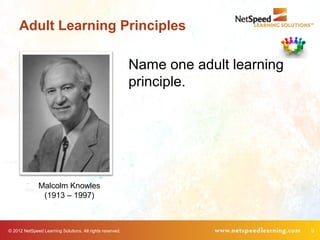
Adult Learning Principles

                                                           Name one adult learning
                                                           principle.


               Malcolm Knowles
                (1913 – 1997)


© 2012 NetSpeed Learning Solutions. All rights reserved.                             9
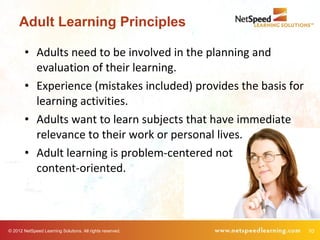
Adult Learning Principles

        • Adults need to be involved in the planning and
          evaluation of their learning.
        • Experience (mistakes included) provides the basis for
          learning activities.
        • Adults want to learn subjects that have immediate
          relevance to their work or personal lives.
        • Adult learning is problem-centered not
          content-oriented.


© 2012 NetSpeed Learning Solutions. All rights reserved.          10
Transforming the Virtual
     Classroom


© 2012 NetSpeed Learning Solutions. All rights reserved.   11
New Mindset


        The more you feel
        like a lecturer, the
        less effective you will
        be in the virtual
        classroom.


© 2012 NetSpeed Learning Solutions. All rights reserved.   12
It’s a Visual Medium


                                 Make your slides compelling.

© 2012 NetSpeed Learning Solutions. All rights reserved.        13
Rule of Thumb


        Engage participants every 3
        minutes with a poll, chat, or
        request for feedback.


© 2012 NetSpeed Learning Solutions. All rights reserved.   14
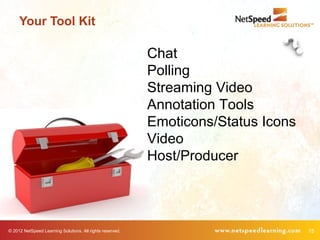
Your Tool Kit

                                                           Chat
                                                           Polling
                                                           Streaming Video
                                                           Annotation Tools
                                                           Emoticons/Status Icons
                                                           Video
                                                           Host/Producer


© 2012 NetSpeed Learning Solutions. All rights reserved.                            15
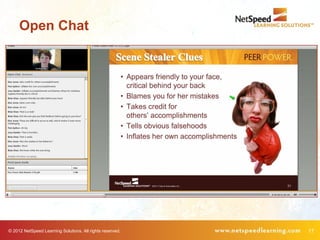
Chat


        Uses                                               Benefits
        Ask questions of participants                      Engage attention
        Encourage problem solving                          Activate their thinking
        Build peer-to-peer dialogue                        Increase collaboration
        Invite questions and observations Build commitment to the learning
                                          community


© 2012 NetSpeed Learning Solutions. All rights reserved.                             16
Open Chat


© 2012 NetSpeed Learning Solutions. All rights reserved.   17
© 2012 NetSpeed Learning Solutions. All rights reserved.   18
© 2012 NetSpeed Learning Solutions. All rights reserved.   19
© 2012 NetSpeed Learning Solutions. All rights reserved.   20
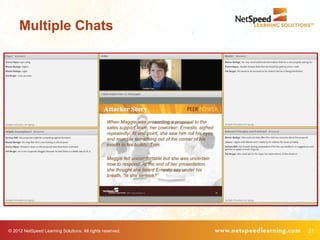
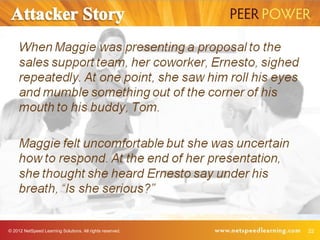
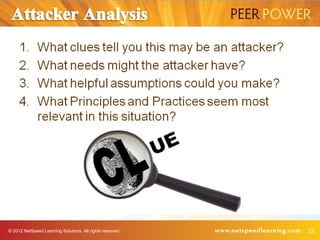
Multiple Chats


© 2012 NetSpeed Learning Solutions. All rights reserved.   21
© 2012 NetSpeed Learning Solutions. All rights reserved.   22
© 2012 NetSpeed Learning Solutions. All rights reserved.   23
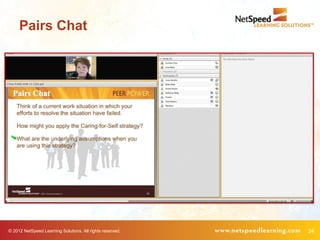
Pairs Chat


© 2012 NetSpeed Learning Solutions. All rights reserved.   24
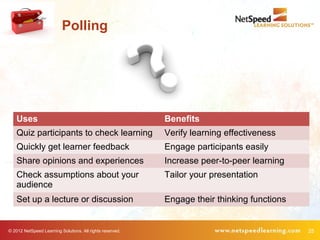
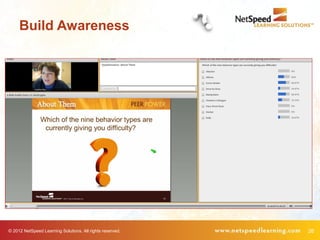
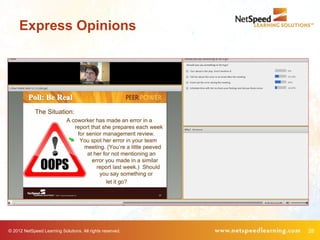
Polling


    Uses                                                   Benefits
    Quiz participants to check learning                    Verify learning effectiveness
    Quickly get learner feedback                           Engage participants easily
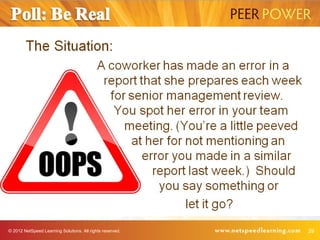
    Share opinions and experiences                         Increase peer-to-peer learning
    Check assumptions about your                           Tailor your presentation
    audience
    Set up a lecture or discussion                         Engage their thinking functions


© 2012 NetSpeed Learning Solutions. All rights reserved.                                     25
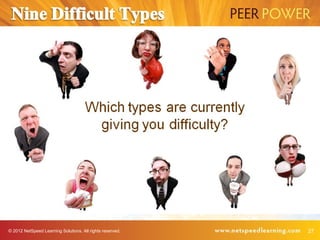
Build Awareness


© 2012 NetSpeed Learning Solutions. All rights reserved.   26
© 2012 NetSpeed Learning Solutions. All rights reserved.   27
Express Opinions


© 2012 NetSpeed Learning Solutions. All rights reserved.   28
© 2012 NetSpeed Learning Solutions. All rights reserved.   29
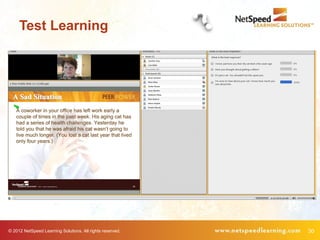
Test Learning


© 2012 NetSpeed Learning Solutions. All rights reserved.   30
© 2012 NetSpeed Learning Solutions. All rights reserved.   31
© 2012 NetSpeed Learning Solutions. All rights reserved.   32
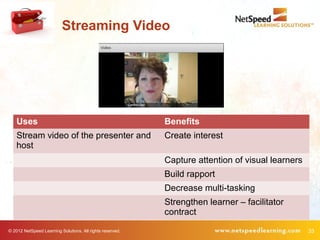
Streaming Video


    Uses                                                   Benefits
    Stream video of the presenter and                      Create interest
    host
                                                           Capture attention of visual learners
                                                           Build rapport
                                                           Decrease multi-tasking
                                                           Strengthen learner – facilitator
                                                           contract
© 2012 NetSpeed Learning Solutions. All rights reserved.                                          33
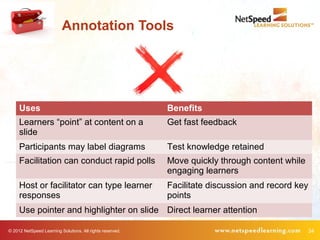
Annotation Tools


     Uses                                                  Benefits
     Learners “point” at content on a                      Get fast feedback
     slide
     Participants may label diagrams                       Test knowledge retained
     Facilitation can conduct rapid polls                  Move quickly through content while
                                                           engaging learners
     Host or facilitator can type learner                  Facilitate discussion and record key
     responses                                             points
     Use pointer and highlighter on slide Direct learner attention

© 2012 NetSpeed Learning Solutions. All rights reserved.                                          34
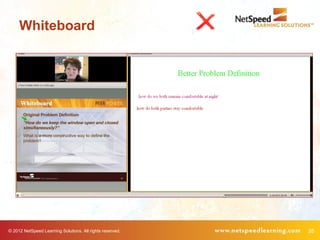
Whiteboard


© 2012 NetSpeed Learning Solutions. All rights reserved.   35
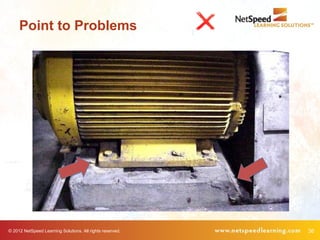
Point to Problems


© 2012 NetSpeed Learning Solutions. All rights reserved.   36
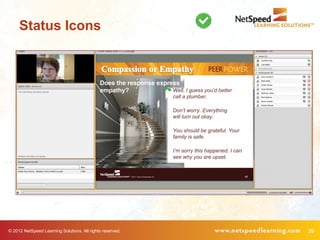
Emoticons/Status Icons


     Uses                                                  Benefits
     Check in with participants                            Quickly see
                                                           agreement/disagreement
     Replace eye contact                                   Confirm assumptions
     Check the pulse of the class                          See who’s ready to move forward
     Ask for volunteers                                    Keep everyone on track

© 2012 NetSpeed Learning Solutions. All rights reserved.                                     37
Status Icons


© 2012 NetSpeed Learning Solutions. All rights reserved.   38
Status Icons


© 2012 NetSpeed Learning Solutions. All rights reserved.   39
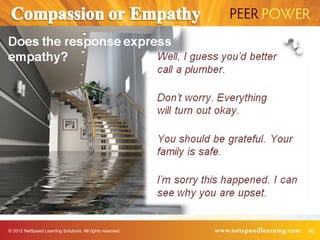
© 2012 NetSpeed Learning Solutions. All rights reserved.   40
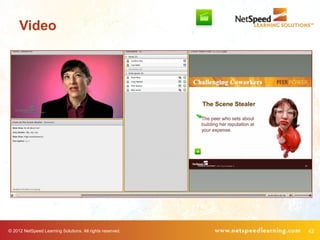
Video


    Uses                                                   Benefits
    Show short (< 2minutes) video                          Change the energy
                                                           Demonstrate skills or behaviors
                                                           Introduce a problem to solve


© 2012 NetSpeed Learning Solutions. All rights reserved.                                     41
Video


© 2012 NetSpeed Learning Solutions. All rights reserved.   42
Host/Producer


     Uses                                                  Benefits
     Use the Host as your delivery                         Energize the workshop
     partner
     Handle technology issues                              Don’t slow down your delivery
     Answer logistical questions                           Provide personal support to
                                                           learners
     Present role play and case                            Create interest
     examples.

© 2012 NetSpeed Learning Solutions. All rights reserved.                                   43
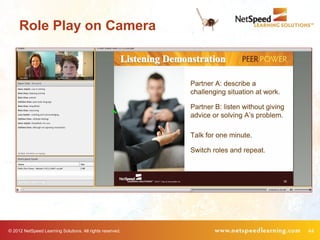
Role Play on Camera


© 2012 NetSpeed Learning Solutions. All rights reserved.   44
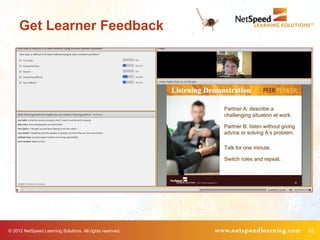
Get Learner Feedback


© 2012 NetSpeed Learning Solutions. All rights reserved.   45
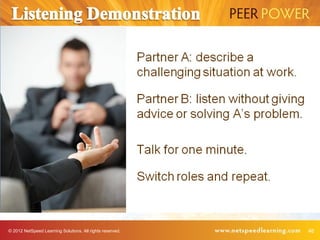
© 2012 NetSpeed Learning Solutions. All rights reserved.   46
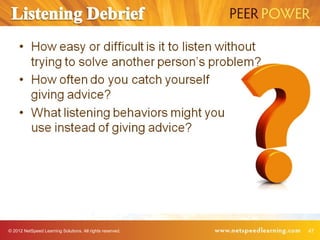
© 2012 NetSpeed Learning Solutions. All rights reserved.   47
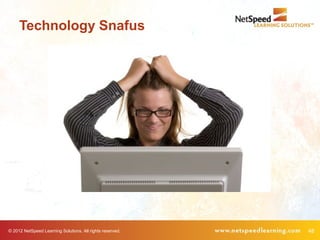
Technology Snafus


© 2012 NetSpeed Learning Solutions. All rights reserved.   48
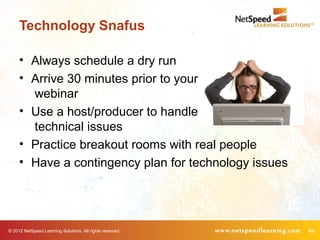
Technology Snafus

     • Always schedule a dry run
     • Arrive 30 minutes prior to your
       webinar
     • Use a host/producer to handle
       technical issues
     • Practice breakout rooms with real people
     • Have a contingency plan for technology issues


© 2012 NetSpeed Learning Solutions. All rights reserved.   49
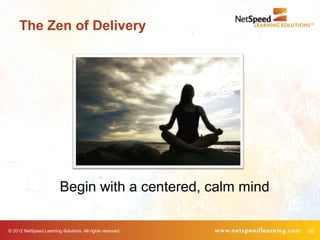
The Zen of Delivery


                         Begin with a centered, calm mind

© 2012 NetSpeed Learning Solutions. All rights reserved.    50
Action Planning

             •     One thing I can do….
             •     One thing my team can do….
             •     One thing my organization can do….
             •     One other thought….


© 2012 NetSpeed Learning Solutions. All rights reserved.   51
Complete the Survey

        •     Receive the slides
        •     Attend Virtual Facilitator Training course:
        •     (September 10 – October 3)
        •     Receive a 20% discount
        •     Use promo code
              “trainingindustry”


© 2012 NetSpeed Learning Solutions. All rights reserved.    52
Twitter: cclayatnetspeed
LinkedIn: cynthiaclay
Email: cclay@netspeedlearning.com

Crossing the chasm 12 0827

  • 1.
    Crossing the Chasmto Engaging Virtual Facilitation August 28, 2012 © 2012 NetSpeed Learning Solutions. All rights reserved. 1
  • 2.
    Webinar Objectives • Adopt the tools and tricks of creating an engaging virtual experience • Implement six engagement techniques • Deliver to your participants valuable, engaging virtual learning © 2012 NetSpeed Learning Solutions. All rights reserved. 2
  • 3.
    About Cynthia Clay • Founder and CEO • 25+ years of experience • Began delivering web conference training in 2004 • Author of Great Webinars • Lead the Virtual Facilitator Trainer Certification™ course © 2012 NetSpeed Learning Solutions. All rights reserved. 3
  • 4.
    Purpose What is your primary purpose for attending this session? © 2012 NetSpeed Learning Solutions. All rights reserved. 4
  • 5.
    Experience How many webinars have you delivered? 10+ webinars 4 – 9 webinars 1 – 3 webinars I’ve never delivered a webinar © 2012 NetSpeed Learning Solutions. All rights reserved. 5
  • 6.
    What Can GoWrong? © 2012 NetSpeed Learning Solutions. All rights reserved. 6
  • 7.
    What Can GoWrong? Talking head presenter Monotone voice Reading slides Little interaction No peer-to-peer chatting © 2012 NetSpeed Learning Solutions. All rights reserved. 7
  • 8.
    What Can GoWrong? Q&A at the end Bullet-point presentations No slide graphics Feeling “alone” on the event Technical difficulties © 2012 NetSpeed Learning Solutions. All rights reserved. 8
  • 9.
    Adult Learning Principles Name one adult learning principle. Malcolm Knowles (1913 – 1997) © 2012 NetSpeed Learning Solutions. All rights reserved. 9
  • 10.
    Adult Learning Principles • Adults need to be involved in the planning and evaluation of their learning. • Experience (mistakes included) provides the basis for learning activities. • Adults want to learn subjects that have immediate relevance to their work or personal lives. • Adult learning is problem-centered not content-oriented. © 2012 NetSpeed Learning Solutions. All rights reserved. 10
  • 11.
    Transforming the Virtual Classroom © 2012 NetSpeed Learning Solutions. All rights reserved. 11
  • 12.
    New Mindset The more you feel like a lecturer, the less effective you will be in the virtual classroom. © 2012 NetSpeed Learning Solutions. All rights reserved. 12
  • 13.
    It’s a VisualMedium Make your slides compelling. © 2012 NetSpeed Learning Solutions. All rights reserved. 13
  • 14.
    Rule of Thumb Engage participants every 3 minutes with a poll, chat, or request for feedback. © 2012 NetSpeed Learning Solutions. All rights reserved. 14
  • 15.
    Your Tool Kit Chat Polling Streaming Video Annotation Tools Emoticons/Status Icons Video Host/Producer © 2012 NetSpeed Learning Solutions. All rights reserved. 15
  • 16.
    Chat Uses Benefits Ask questions of participants Engage attention Encourage problem solving Activate their thinking Build peer-to-peer dialogue Increase collaboration Invite questions and observations Build commitment to the learning community © 2012 NetSpeed Learning Solutions. All rights reserved. 16
  • 17.
    Open Chat © 2012NetSpeed Learning Solutions. All rights reserved. 17
  • 18.
    © 2012 NetSpeedLearning Solutions. All rights reserved. 18
  • 19.
    © 2012 NetSpeedLearning Solutions. All rights reserved. 19
  • 20.
    © 2012 NetSpeedLearning Solutions. All rights reserved. 20
  • 21.
    Multiple Chats © 2012NetSpeed Learning Solutions. All rights reserved. 21
  • 22.
    © 2012 NetSpeedLearning Solutions. All rights reserved. 22
  • 23.
    © 2012 NetSpeedLearning Solutions. All rights reserved. 23
  • 24.
    Pairs Chat © 2012NetSpeed Learning Solutions. All rights reserved. 24
  • 25.
    Polling Uses Benefits Quiz participants to check learning Verify learning effectiveness Quickly get learner feedback Engage participants easily Share opinions and experiences Increase peer-to-peer learning Check assumptions about your Tailor your presentation audience Set up a lecture or discussion Engage their thinking functions © 2012 NetSpeed Learning Solutions. All rights reserved. 25
  • 26.
    Build Awareness © 2012NetSpeed Learning Solutions. All rights reserved. 26
  • 27.
    © 2012 NetSpeedLearning Solutions. All rights reserved. 27
  • 28.
    Express Opinions © 2012NetSpeed Learning Solutions. All rights reserved. 28
  • 29.
    © 2012 NetSpeedLearning Solutions. All rights reserved. 29
  • 30.
    Test Learning © 2012NetSpeed Learning Solutions. All rights reserved. 30
  • 31.
    © 2012 NetSpeedLearning Solutions. All rights reserved. 31
  • 32.
    © 2012 NetSpeedLearning Solutions. All rights reserved. 32
  • 33.
    Streaming Video Uses Benefits Stream video of the presenter and Create interest host Capture attention of visual learners Build rapport Decrease multi-tasking Strengthen learner – facilitator contract © 2012 NetSpeed Learning Solutions. All rights reserved. 33
  • 34.
    Annotation Tools Uses Benefits Learners “point” at content on a Get fast feedback slide Participants may label diagrams Test knowledge retained Facilitation can conduct rapid polls Move quickly through content while engaging learners Host or facilitator can type learner Facilitate discussion and record key responses points Use pointer and highlighter on slide Direct learner attention © 2012 NetSpeed Learning Solutions. All rights reserved. 34
  • 35.
    Whiteboard © 2012 NetSpeedLearning Solutions. All rights reserved. 35
  • 36.
    Point to Problems ©2012 NetSpeed Learning Solutions. All rights reserved. 36
  • 37.
    Emoticons/Status Icons Uses Benefits Check in with participants Quickly see agreement/disagreement Replace eye contact Confirm assumptions Check the pulse of the class See who’s ready to move forward Ask for volunteers Keep everyone on track © 2012 NetSpeed Learning Solutions. All rights reserved. 37
  • 38.
    Status Icons © 2012NetSpeed Learning Solutions. All rights reserved. 38
  • 39.
    Status Icons © 2012NetSpeed Learning Solutions. All rights reserved. 39
  • 40.
    © 2012 NetSpeedLearning Solutions. All rights reserved. 40
  • 41.
    Video Uses Benefits Show short (< 2minutes) video Change the energy Demonstrate skills or behaviors Introduce a problem to solve © 2012 NetSpeed Learning Solutions. All rights reserved. 41
  • 42.
    Video © 2012 NetSpeedLearning Solutions. All rights reserved. 42
  • 43.
    Host/Producer Uses Benefits Use the Host as your delivery Energize the workshop partner Handle technology issues Don’t slow down your delivery Answer logistical questions Provide personal support to learners Present role play and case Create interest examples. © 2012 NetSpeed Learning Solutions. All rights reserved. 43
  • 44.
    Role Play onCamera © 2012 NetSpeed Learning Solutions. All rights reserved. 44
  • 45.
    Get Learner Feedback ©2012 NetSpeed Learning Solutions. All rights reserved. 45
  • 46.
    © 2012 NetSpeedLearning Solutions. All rights reserved. 46
  • 47.
    © 2012 NetSpeedLearning Solutions. All rights reserved. 47
  • 48.
    Technology Snafus © 2012NetSpeed Learning Solutions. All rights reserved. 48
  • 49.
    Technology Snafus • Always schedule a dry run • Arrive 30 minutes prior to your webinar • Use a host/producer to handle technical issues • Practice breakout rooms with real people • Have a contingency plan for technology issues © 2012 NetSpeed Learning Solutions. All rights reserved. 49
  • 50.
    The Zen ofDelivery Begin with a centered, calm mind © 2012 NetSpeed Learning Solutions. All rights reserved. 50
  • 51.
    Action Planning • One thing I can do…. • One thing my team can do…. • One thing my organization can do…. • One other thought…. © 2012 NetSpeed Learning Solutions. All rights reserved. 51
  • 52.
    Complete the Survey • Receive the slides • Attend Virtual Facilitator Training course: • (September 10 – October 3) • Receive a 20% discount • Use promo code “trainingindustry” © 2012 NetSpeed Learning Solutions. All rights reserved. 52
  • 53.