Great Webinars
                        Changing the Face of Learning


                          Bellevue College

© 2012 NetSpeed Learning Solutions. All rights reserved.   1
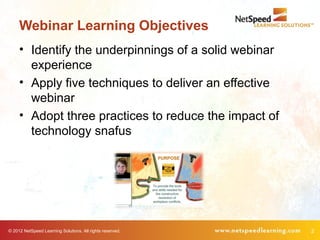
Webinar Learning Objectives
     • Identify the underpinnings of a solid webinar
       experience
     • Apply five techniques to deliver an effective
       webinar
     • Adopt three practices to reduce the impact of
       technology snafus


© 2012 NetSpeed Learning Solutions. All rights reserved.   2
About Cynthia Clay

     • 20+ years of experience
     • Began delivering web conference training in 2004
     • Expert on facilitating interactive web training
     • Author of Great Webinars
     • Leads the Virtual Facilitator Trainer Certification™
       course
     • Co-authored Peer Power: Transforming
       Workplace Relationships


© 2012 NetSpeed Learning Solutions. All rights reserved.      3
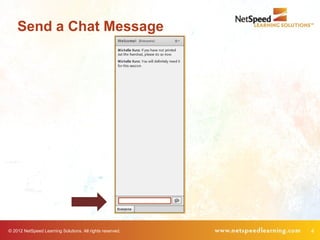
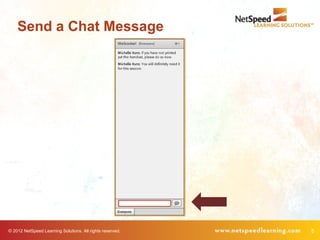
Send a Chat Message


© 2012 NetSpeed Learning Solutions. All rights reserved.   4
Send a Chat Message


© 2012 NetSpeed Learning Solutions. All rights reserved.   5
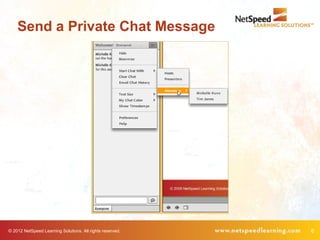
Send a Private Chat Message


© 2012 NetSpeed Learning Solutions. All rights reserved.   6
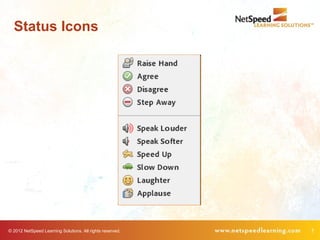
Status Icons


© 2012 NetSpeed Learning Solutions. All rights reserved.   7
Opening Poll


            What is your primary purpose in
            attending this webinar today?


© 2012 NetSpeed Learning Solutions. All rights reserved.   8
Opening Chat


                                                           What question have you
                                                           brought today?


© 2012 NetSpeed Learning Solutions. All rights reserved.                            9
What Can Go Wrong?


© 2012 NetSpeed Learning Solutions. All rights reserved.   10
Common Errors


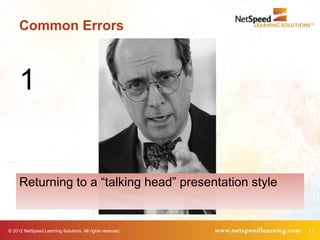
     1


     Returning to a “talking head” presentation style


© 2012 NetSpeed Learning Solutions. All rights reserved.   11
Common Errors


        The more you feel like a
        lecturer, the less effective
        you will be.


© 2012 NetSpeed Learning Solutions. All rights reserved.   12
Common Errors


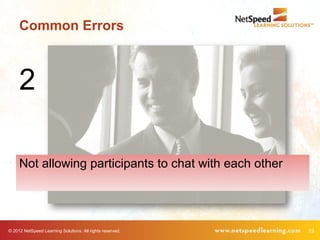
     2

     Not allowing participants to chat with each other


© 2012 NetSpeed Learning Solutions. All rights reserved.   13
Common Errors


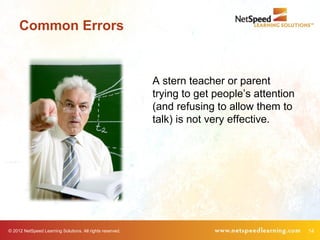
                                                           A stern teacher or parent
                                                           trying to get people’s attention
                                                           (and refusing to allow them to
                                                           talk) is not very effective.


© 2012 NetSpeed Learning Solutions. All rights reserved.                                      14
Common Errors


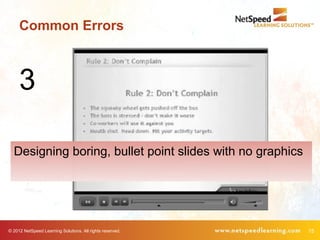
     3

  Designing boring, bullet point slides with no graphics


© 2012 NetSpeed Learning Solutions. All rights reserved.   15
Common Errors


                      If you’re Einstein, perhaps you can hold our
                      interest without interesting slides.


© 2012 NetSpeed Learning Solutions. All rights reserved.             16
Transforming the Virtual
     Classroom


© 2012 NetSpeed Learning Solutions. All rights reserved.   17
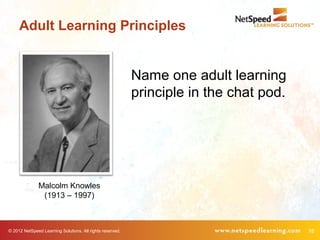
Adult Learning Principles


                                                           Name one adult learning
                                                           principle in the chat pod.


               Malcolm Knowles
                (1913 – 1997)


© 2012 NetSpeed Learning Solutions. All rights reserved.                                18
Adult Learning Principles

        • Adults need to be involved in the planning and
          evaluation of their learning.
        • Experience (mistakes included) provides the basis for
          learning activities.
        • Adults want to learn subjects that have immediate
          relevance to their work or personal lives.
        • Adult learning is problem-centered not content-
          oriented.

                (Source: Malcolm Knowles)


© 2012 NetSpeed Learning Solutions. All rights reserved.          19
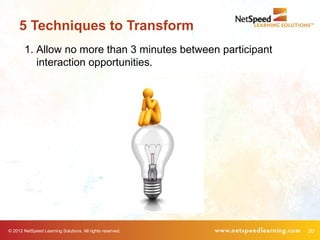
5 Techniques to Transform
        1. Allow no more than 3 minutes between participant
           interaction opportunities.


© 2012 NetSpeed Learning Solutions. All rights reserved.      20
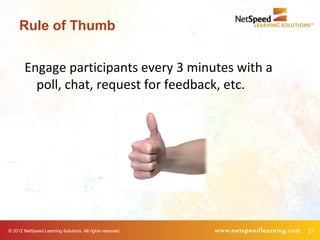
Rule of Thumb


        Engage participants every 3 minutes with a
          poll, chat, request for feedback, etc.


© 2012 NetSpeed Learning Solutions. All rights reserved.   21
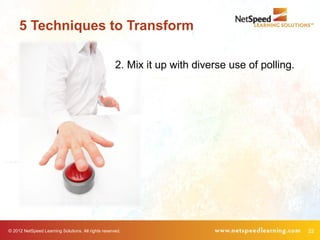
5 Techniques to Transform

                                                     2. Mix it up with diverse use of polling.


© 2012 NetSpeed Learning Solutions. All rights reserved.                                         22
Polling

         How many hours of productivity, on average,
         does each employee lose per day trying to
         process a change and how it might affect them?


 Sample Exercise: Meeting Change with Resilience


© 2012 NetSpeed Learning Solutions. All rights reserved.   23
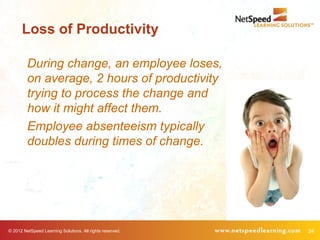
Loss of Productivity

         During change, an employee loses,
         on average, 2 hours of productivity
         trying to process the change and
         how it might affect them.
         Employee absenteeism typically
         doubles during times of change.


© 2012 NetSpeed Learning Solutions. All rights reserved.   24
Change Evaluation

                                    Recall a recent change that you’ve
                                    experienced or led. Consider the
                                    evaluation questions on the next
                                    several slides.


© 2012 NetSpeed Learning Solutions. All rights reserved.                 25
Evaluation Poll


             1. Were the business reasons driving
                the change clearly explained?


© 2012 NetSpeed Learning Solutions. All rights reserved.   26
Evaluation Poll


                                2. Were people give the opportunity to
                                   celebrate what had been created in
                                   the past?


© 2012 NetSpeed Learning Solutions. All rights reserved.                 27
Evaluation Poll


             3. Were people given the opportunity to
                acknowledge their losses?


© 2012 NetSpeed Learning Solutions. All rights reserved.   28
Evaluation Poll


                                        4. Did people receive frequent updates
                                           about the change process during the
                                           change?


© 2012 NetSpeed Learning Solutions. All rights reserved.                         29
Final Question


                What would you do differently in hindsight?


© 2012 NetSpeed Learning Solutions. All rights reserved.      30
5 Techniques to Transform

        3. Build opportunities for participants to exchange ideas
           and opinions using chat and voice.


© 2012 NetSpeed Learning Solutions. All rights reserved.            31
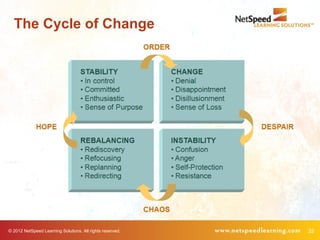
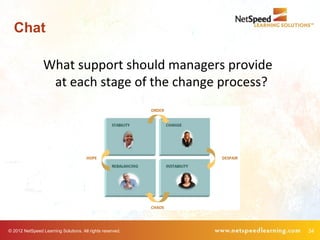
The Cycle of Change


© 2012 NetSpeed Learning Solutions. All rights reserved.   32
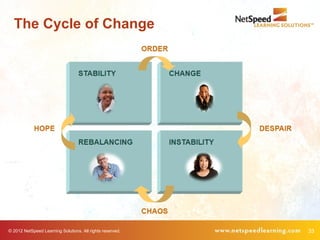
The Cycle of Change


© 2012 NetSpeed Learning Solutions. All rights reserved.   33
Chat

                 What support should managers provide
                  at each stage of the change process?


© 2012 NetSpeed Learning Solutions. All rights reserved.   34
Chat

                                                           What choices did you make
                                                           during a recent cycle of
                                                           change that helped you be
                                                           more resilient?


© 2012 NetSpeed Learning Solutions. All rights reserved.                               35
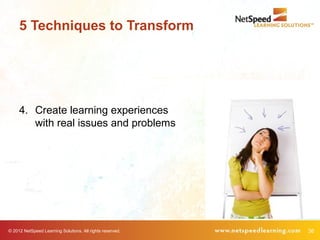
5 Techniques to Transform


     4. Create learning experiences
        with real issues and problems


© 2012 NetSpeed Learning Solutions. All rights reserved.   36
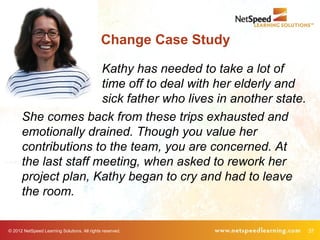
Change Case Study

                      Kathy has needed to take a lot of
                      time off to deal with her elderly and
                      sick father who lives in another state.
      She comes back from these trips exhausted and
      emotionally drained. Though you value her
      contributions to the team, you are concerned. At
      the last staff meeting, when asked to rework her
      project plan, Kathy began to cry and had to leave
      the room.

© 2012 NetSpeed Learning Solutions. All rights reserved.          37
5 Techniques to Transform


                  5. Request learner feedback regularly.


© 2012 NetSpeed Learning Solutions. All rights reserved.   38
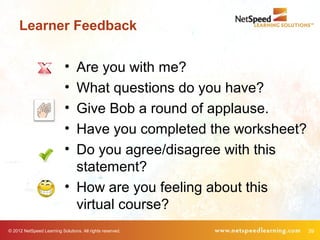
Learner Feedback

                            • Are you with me?
                            • What questions do you have?
                            • Give Bob a round of applause.
                            • Have you completed the worksheet?
                            • Do you agree/disagree with this
                              statement?
                            • How are you feeling about this
                              virtual course?
© 2012 NetSpeed Learning Solutions. All rights reserved.          39
5 Techniques to Transform
        1. Allow no more than 3 minutes between
           participant interaction opportunities.
        2. Mix it up with diverse use of polling.
        3. Build opportunities for participants to
           exchange ideas and opinions using chat and
           audio.
        4. Create learning experiences with real issues
           and problems.
        5. Request learner feedback regularly.


© 2012 NetSpeed Learning Solutions. All rights reserved.   40
Technology Snafus


© 2012 NetSpeed Learning Solutions. All rights reserved.   41
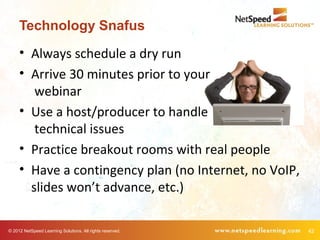
Technology Snafus
     • Always schedule a dry run
     • Arrive 30 minutes prior to your
        webinar
     • Use a host/producer to handle
        technical issues
     • Practice breakout rooms with real people
     • Have a contingency plan (no Internet, no VoIP,
       slides won’t advance, etc.)

© 2012 NetSpeed Learning Solutions. All rights reserved.   42
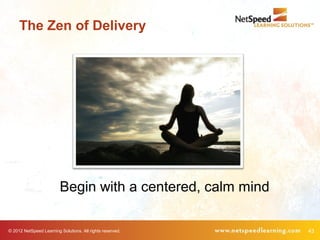
The Zen of Delivery


                         Begin with a centered, calm mind

© 2012 NetSpeed Learning Solutions. All rights reserved.    43
Action Planning

             •     One thing I can do….
             •     One thing my team can do….
             •     One thing my organization can do….
             •     One other thought….


© 2012 NetSpeed Learning Solutions. All rights reserved.   44
Great Webinars


                                                           Republished in
                                                           2012 by Pfeiffer.


© 2012 NetSpeed Learning Solutions. All rights reserved.                       45
Thank You!


             46

Great Webinars Bellevue College

  • 1.
    Great Webinars Changing the Face of Learning Bellevue College © 2012 NetSpeed Learning Solutions. All rights reserved. 1
  • 2.
    Webinar Learning Objectives • Identify the underpinnings of a solid webinar experience • Apply five techniques to deliver an effective webinar • Adopt three practices to reduce the impact of technology snafus © 2012 NetSpeed Learning Solutions. All rights reserved. 2
  • 3.
    About Cynthia Clay • 20+ years of experience • Began delivering web conference training in 2004 • Expert on facilitating interactive web training • Author of Great Webinars • Leads the Virtual Facilitator Trainer Certification™ course • Co-authored Peer Power: Transforming Workplace Relationships © 2012 NetSpeed Learning Solutions. All rights reserved. 3
  • 4.
    Send a ChatMessage © 2012 NetSpeed Learning Solutions. All rights reserved. 4
  • 5.
    Send a ChatMessage © 2012 NetSpeed Learning Solutions. All rights reserved. 5
  • 6.
    Send a PrivateChat Message © 2012 NetSpeed Learning Solutions. All rights reserved. 6
  • 7.
    Status Icons © 2012NetSpeed Learning Solutions. All rights reserved. 7
  • 8.
    Opening Poll What is your primary purpose in attending this webinar today? © 2012 NetSpeed Learning Solutions. All rights reserved. 8
  • 9.
    Opening Chat What question have you brought today? © 2012 NetSpeed Learning Solutions. All rights reserved. 9
  • 10.
    What Can GoWrong? © 2012 NetSpeed Learning Solutions. All rights reserved. 10
  • 11.
    Common Errors 1 Returning to a “talking head” presentation style © 2012 NetSpeed Learning Solutions. All rights reserved. 11
  • 12.
    Common Errors The more you feel like a lecturer, the less effective you will be. © 2012 NetSpeed Learning Solutions. All rights reserved. 12
  • 13.
    Common Errors 2 Not allowing participants to chat with each other © 2012 NetSpeed Learning Solutions. All rights reserved. 13
  • 14.
    Common Errors A stern teacher or parent trying to get people’s attention (and refusing to allow them to talk) is not very effective. © 2012 NetSpeed Learning Solutions. All rights reserved. 14
  • 15.
    Common Errors 3 Designing boring, bullet point slides with no graphics © 2012 NetSpeed Learning Solutions. All rights reserved. 15
  • 16.
    Common Errors If you’re Einstein, perhaps you can hold our interest without interesting slides. © 2012 NetSpeed Learning Solutions. All rights reserved. 16
  • 17.
    Transforming the Virtual Classroom © 2012 NetSpeed Learning Solutions. All rights reserved. 17
  • 18.
    Adult Learning Principles Name one adult learning principle in the chat pod. Malcolm Knowles (1913 – 1997) © 2012 NetSpeed Learning Solutions. All rights reserved. 18
  • 19.
    Adult Learning Principles • Adults need to be involved in the planning and evaluation of their learning. • Experience (mistakes included) provides the basis for learning activities. • Adults want to learn subjects that have immediate relevance to their work or personal lives. • Adult learning is problem-centered not content- oriented. (Source: Malcolm Knowles) © 2012 NetSpeed Learning Solutions. All rights reserved. 19
  • 20.
    5 Techniques toTransform 1. Allow no more than 3 minutes between participant interaction opportunities. © 2012 NetSpeed Learning Solutions. All rights reserved. 20
  • 21.
    Rule of Thumb Engage participants every 3 minutes with a poll, chat, request for feedback, etc. © 2012 NetSpeed Learning Solutions. All rights reserved. 21
  • 22.
    5 Techniques toTransform 2. Mix it up with diverse use of polling. © 2012 NetSpeed Learning Solutions. All rights reserved. 22
  • 23.
    Polling How many hours of productivity, on average, does each employee lose per day trying to process a change and how it might affect them? Sample Exercise: Meeting Change with Resilience © 2012 NetSpeed Learning Solutions. All rights reserved. 23
  • 24.
    Loss of Productivity During change, an employee loses, on average, 2 hours of productivity trying to process the change and how it might affect them. Employee absenteeism typically doubles during times of change. © 2012 NetSpeed Learning Solutions. All rights reserved. 24
  • 25.
    Change Evaluation Recall a recent change that you’ve experienced or led. Consider the evaluation questions on the next several slides. © 2012 NetSpeed Learning Solutions. All rights reserved. 25
  • 26.
    Evaluation Poll 1. Were the business reasons driving the change clearly explained? © 2012 NetSpeed Learning Solutions. All rights reserved. 26
  • 27.
    Evaluation Poll 2. Were people give the opportunity to celebrate what had been created in the past? © 2012 NetSpeed Learning Solutions. All rights reserved. 27
  • 28.
    Evaluation Poll 3. Were people given the opportunity to acknowledge their losses? © 2012 NetSpeed Learning Solutions. All rights reserved. 28
  • 29.
    Evaluation Poll 4. Did people receive frequent updates about the change process during the change? © 2012 NetSpeed Learning Solutions. All rights reserved. 29
  • 30.
    Final Question What would you do differently in hindsight? © 2012 NetSpeed Learning Solutions. All rights reserved. 30
  • 31.
    5 Techniques toTransform 3. Build opportunities for participants to exchange ideas and opinions using chat and voice. © 2012 NetSpeed Learning Solutions. All rights reserved. 31
  • 32.
    The Cycle ofChange © 2012 NetSpeed Learning Solutions. All rights reserved. 32
  • 33.
    The Cycle ofChange © 2012 NetSpeed Learning Solutions. All rights reserved. 33
  • 34.
    Chat What support should managers provide at each stage of the change process? © 2012 NetSpeed Learning Solutions. All rights reserved. 34
  • 35.
    Chat What choices did you make during a recent cycle of change that helped you be more resilient? © 2012 NetSpeed Learning Solutions. All rights reserved. 35
  • 36.
    5 Techniques toTransform 4. Create learning experiences with real issues and problems © 2012 NetSpeed Learning Solutions. All rights reserved. 36
  • 37.
    Change Case Study Kathy has needed to take a lot of time off to deal with her elderly and sick father who lives in another state. She comes back from these trips exhausted and emotionally drained. Though you value her contributions to the team, you are concerned. At the last staff meeting, when asked to rework her project plan, Kathy began to cry and had to leave the room. © 2012 NetSpeed Learning Solutions. All rights reserved. 37
  • 38.
    5 Techniques toTransform 5. Request learner feedback regularly. © 2012 NetSpeed Learning Solutions. All rights reserved. 38
  • 39.
    Learner Feedback • Are you with me? • What questions do you have? • Give Bob a round of applause. • Have you completed the worksheet? • Do you agree/disagree with this statement? • How are you feeling about this virtual course? © 2012 NetSpeed Learning Solutions. All rights reserved. 39
  • 40.
    5 Techniques toTransform 1. Allow no more than 3 minutes between participant interaction opportunities. 2. Mix it up with diverse use of polling. 3. Build opportunities for participants to exchange ideas and opinions using chat and audio. 4. Create learning experiences with real issues and problems. 5. Request learner feedback regularly. © 2012 NetSpeed Learning Solutions. All rights reserved. 40
  • 41.
    Technology Snafus © 2012NetSpeed Learning Solutions. All rights reserved. 41
  • 42.
    Technology Snafus • Always schedule a dry run • Arrive 30 minutes prior to your webinar • Use a host/producer to handle technical issues • Practice breakout rooms with real people • Have a contingency plan (no Internet, no VoIP, slides won’t advance, etc.) © 2012 NetSpeed Learning Solutions. All rights reserved. 42
  • 43.
    The Zen ofDelivery Begin with a centered, calm mind © 2012 NetSpeed Learning Solutions. All rights reserved. 43
  • 44.
    Action Planning • One thing I can do…. • One thing my team can do…. • One thing my organization can do…. • One other thought…. © 2012 NetSpeed Learning Solutions. All rights reserved. 44
  • 45.
    Great Webinars Republished in 2012 by Pfeiffer. © 2012 NetSpeed Learning Solutions. All rights reserved. 45
  • 46.

Editor's Notes

  • #24 Cindy, this is a setup to the next slide. It also gets people involved during the email discussion. Answers might be Very often (at least several times a day) Often (at least once a day) Sometimes Rarely Never