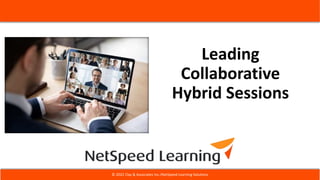


Leading
Collaborative
Hybrid Sessions
© 2022 Clay & Associates Inc./NetSpeed Learning Solutions
netspeedlearning.com
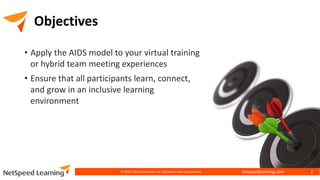
Objectives
• Apply the AIDS model to your virtual training
or hybrid team meeting experiences
• Ensure that all participants learn, connect,
and grow in an inclusive learning
environment
© 2022 Clay & Associates Inc./NetSpeed Learning Solutions 2
netspeedlearning.com
Introduction
• Cynthia Clay, President/CEO, NetSpeed Learning
• Author of Great Webinars: Interactive Learning
that is Captivating, Informative, and Fun
• Work with our clients to build thriving virtual
workplaces, better virtual leaders, and stellar
virtual learning
© 2022 Clay & Associates Inc./NetSpeed Learning Solutions 3
netspeedlearning.com
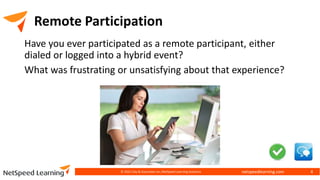
Remote Participation
Have you ever participated as a remote participant, either
dialed or logged into a hybrid event?
What was frustrating or unsatisfying about that experience?
© 2022 Clay & Associates Inc./NetSpeed Learning Solutions 4
netspeedlearning.com
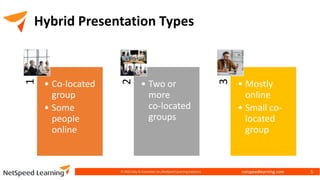
Hybrid Presentation Types
1
• Co-located
group
• Some
people
online 2
• Two or
more
co-located
groups
3
• Mostly
online
• Small co-
located
group
© 2022 Clay & Associates Inc./NetSpeed Learning Solutions 5
netspeedlearning.com
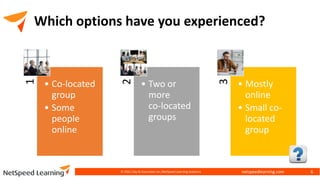
Which options have you experienced?
1
• Co-located
group
• Some
people
online 2
• Two or
more
co-located
groups
3
• Mostly
online
• Small co-
located
group
© 2021 Clay & Associates Inc./NetSpeed Learning Solutions 6
netspeedlearning.com
Where is the
Presenter?
In the room with the co-
located audience
Online presenting remotely
to a mixed audience
© 2022 Clay & Associates Inc./NetSpeed Learning Solutions 7
netspeedlearning.com
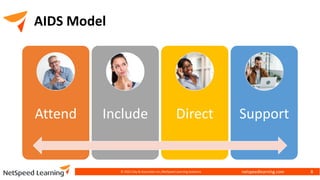
AIDS Model
Attend Include Direct Support
© 2022 Clay & Associates Inc./NetSpeed Learning Solutions 8
netspeedlearning.com
Social or Virtual Presence
How “real” or authentic a presenter feels to a remote audience
© 2022 Clay & Associates Inc./NetSpeed Learning Solutions 9
netspeedlearning.com
© 2022 Clay & Associates Inc./NetSpeed Learning Solutions 10
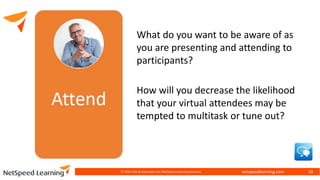
What do you want to be aware of as
you are presenting and attending to
participants?
How will you decrease the likelihood
that your virtual attendees may be
tempted to multitask or tune out?
netspeedlearning.com
• Encourage peer-to-peer chatting.
• Use chat for questions and discussions
• Tell them how to “raise your hand” to get the
presenter’s attention.
• Use reactions or status icons to keep
everyone focused.
• Use polling to gain participation.
• Call on people by name (remote and physical)
© 2022 Clay & Associates Inc./NetSpeed Learning Solutions 11
netspeedlearning.com
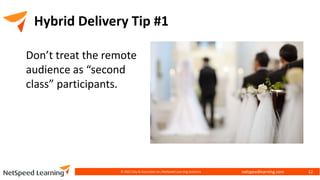
Hybrid Delivery Tip #1
© 2022 Clay & Associates Inc./NetSpeed Learning Solutions 12
Don’t treat the remote
audience as “second
class” participants.
netspeedlearning.com
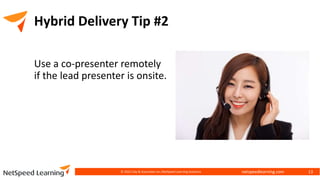
Hybrid Delivery Tip #2
Use a co-presenter remotely
if the lead presenter is onsite.
© 2022 Clay & Associates Inc./NetSpeed Learning Solutions 13
netspeedlearning.com
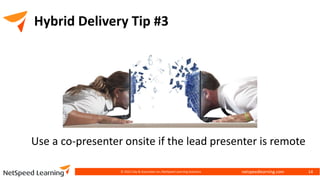
Hybrid Delivery Tip #3
Use a co-presenter onsite if the lead presenter is remote
© 2022 Clay & Associates Inc./NetSpeed Learning Solutions 14
netspeedlearning.com
© 2022 Clay & Associates Inc./NetSpeed Learning Solutions 15
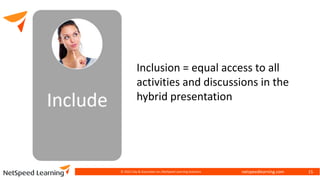
Inclusion = equal access to all
activities and discussions in the
hybrid presentation
netspeedlearning.com
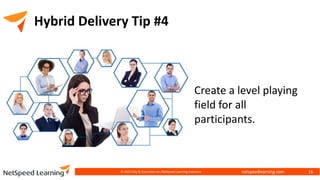
Hybrid Delivery Tip #4
© 2022 Clay & Associates Inc./NetSpeed Learning Solutions 16
Create a level playing
field for all
participants.
netspeedlearning.com
Design and Facilitate for Inclusion
How do you design for inclusion?
(First Name: A – K)
How do you facilitate for inclusion?
(First Name: L – Z)
© 2022 Clay & Associates Inc./NetSpeed Learning Solutions 17
netspeedlearning.com
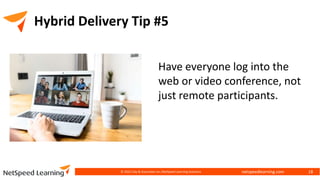
Hybrid Delivery Tip #5
© 2022 Clay & Associates Inc./NetSpeed Learning Solutions 18
Have everyone log into the
web or video conference, not
just remote participants.
netspeedlearning.com
Plan for Inclusion
• Plan a warm-up activity at opening with
everyone on webcam.
• Avoid facilitating in-person discussions while
remote people watch.
• Use chats and polls to include everyone.
• Use reactions (emojis) to check in with both co-
located and remote audiences.
© 2022 Clay & Associates Inc./NetSpeed Learning Solutions 19
netspeedlearning.com
© 2022 Clay & Associates Inc./NetSpeed Learning Solutions 20
Facilitate for Inclusion
• Check in with both co-located and remote
audiences.
• Use whiteboard built into the web conference
software, not the one in the meeting room.
• Display slides via the web conference platform
not from projector.
• Avoid focusing more attention on the physical
audience than the remote audience.
netspeedlearning.com
© 2022 Clay & Associates Inc./NetSpeed Learning Solutions 21
When do participants most
need clear direction?
netspeedlearning.com
• Be specific, clear, and visual in instructions.
• Consider testing them with a mixed audience.
• Remember See/Hear/Do when setting up case
study or activity.
• Put step-by-step directions on a slide for
reference.
• Try Directed Chat: assign questions to
subgroups.
© 2022 Clay & Associates Inc./NetSpeed Learning Solutions 22
netspeedlearning.com
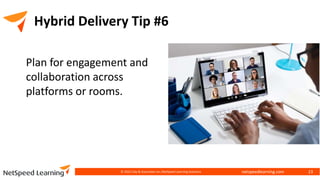
Hybrid Delivery Tip #6
© 2022 Clay & Associates Inc./NetSpeed Learning Solutions 23
Plan for engagement and
collaboration across
platforms or rooms.
netspeedlearning.com
• Tell people what to expect before they get
there.
• Offer a Hybrid Orientation session.
• Assign a co-presenter (producer) to pay
attention to chat.
© 2022 Clay & Associates Inc./NetSpeed Learning Solutions 24
netspeedlearning.com
• Ask a producer (co-presenter) to attend
to technical issues.
• Acknowledge each person by name.
• Praise and validate participant
contributions (both chat and verbal).
© 2022 Clay & Associates Inc./NetSpeed Learning Solutions 25
netspeedlearning.com
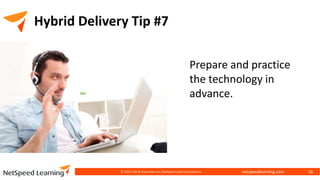
Hybrid Delivery Tip #7
© 2022 Clay & Associates Inc./NetSpeed Learning Solutions 26
Prepare and practice
the technology in
advance.
netspeedlearning.com
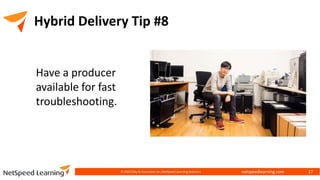
Hybrid Delivery Tip #8
© 2022 Clay & Associates Inc./NetSpeed Learning Solutions 27
Have a producer
available for fast
troubleshooting.
netspeedlearning.com
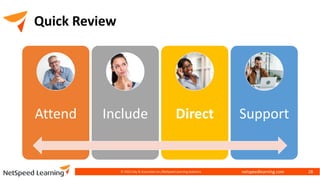
Quick Review
© 2022 Clay & Associates Inc./NetSpeed Learning Solutions 28
Attend Include Direct Support
netspeedlearning.com
Taking Action
What is one thing you intend to do now?
© 2022 Clay & Associates Inc./NetSpeed Learning Solutions 29
netspeedlearning.com
Thank you!
Cynthia Clay
NetSpeed Learning
206-517-5271
info@netspeedlearning.com
© 2022 Clay & Associates Inc./NetSpeed Learning Solutions 30

Leading Collaborative Hybrid Sessions

  • 1.
    Leading Collaborative Hybrid Sessions © 2022Clay & Associates Inc./NetSpeed Learning Solutions
  • 2.
    netspeedlearning.com Objectives • Apply theAIDS model to your virtual training or hybrid team meeting experiences • Ensure that all participants learn, connect, and grow in an inclusive learning environment © 2022 Clay & Associates Inc./NetSpeed Learning Solutions 2
  • 3.
    netspeedlearning.com Introduction • Cynthia Clay,President/CEO, NetSpeed Learning • Author of Great Webinars: Interactive Learning that is Captivating, Informative, and Fun • Work with our clients to build thriving virtual workplaces, better virtual leaders, and stellar virtual learning © 2022 Clay & Associates Inc./NetSpeed Learning Solutions 3
  • 4.
    netspeedlearning.com Remote Participation Have youever participated as a remote participant, either dialed or logged into a hybrid event? What was frustrating or unsatisfying about that experience? © 2022 Clay & Associates Inc./NetSpeed Learning Solutions 4
  • 5.
    netspeedlearning.com Hybrid Presentation Types 1 •Co-located group • Some people online 2 • Two or more co-located groups 3 • Mostly online • Small co- located group © 2022 Clay & Associates Inc./NetSpeed Learning Solutions 5
  • 6.
    netspeedlearning.com Which options haveyou experienced? 1 • Co-located group • Some people online 2 • Two or more co-located groups 3 • Mostly online • Small co- located group © 2021 Clay & Associates Inc./NetSpeed Learning Solutions 6
  • 7.
    netspeedlearning.com Where is the Presenter? Inthe room with the co- located audience Online presenting remotely to a mixed audience © 2022 Clay & Associates Inc./NetSpeed Learning Solutions 7
  • 8.
    netspeedlearning.com AIDS Model Attend IncludeDirect Support © 2022 Clay & Associates Inc./NetSpeed Learning Solutions 8
  • 9.
    netspeedlearning.com Social or VirtualPresence How “real” or authentic a presenter feels to a remote audience © 2022 Clay & Associates Inc./NetSpeed Learning Solutions 9
  • 10.
    netspeedlearning.com © 2022 Clay& Associates Inc./NetSpeed Learning Solutions 10 What do you want to be aware of as you are presenting and attending to participants? How will you decrease the likelihood that your virtual attendees may be tempted to multitask or tune out?
  • 11.
    netspeedlearning.com • Encourage peer-to-peerchatting. • Use chat for questions and discussions • Tell them how to “raise your hand” to get the presenter’s attention. • Use reactions or status icons to keep everyone focused. • Use polling to gain participation. • Call on people by name (remote and physical) © 2022 Clay & Associates Inc./NetSpeed Learning Solutions 11
  • 12.
    netspeedlearning.com Hybrid Delivery Tip#1 © 2022 Clay & Associates Inc./NetSpeed Learning Solutions 12 Don’t treat the remote audience as “second class” participants.
  • 13.
    netspeedlearning.com Hybrid Delivery Tip#2 Use a co-presenter remotely if the lead presenter is onsite. © 2022 Clay & Associates Inc./NetSpeed Learning Solutions 13
  • 14.
    netspeedlearning.com Hybrid Delivery Tip#3 Use a co-presenter onsite if the lead presenter is remote © 2022 Clay & Associates Inc./NetSpeed Learning Solutions 14
  • 15.
    netspeedlearning.com © 2022 Clay& Associates Inc./NetSpeed Learning Solutions 15 Inclusion = equal access to all activities and discussions in the hybrid presentation
  • 16.
    netspeedlearning.com Hybrid Delivery Tip#4 © 2022 Clay & Associates Inc./NetSpeed Learning Solutions 16 Create a level playing field for all participants.
  • 17.
    netspeedlearning.com Design and Facilitatefor Inclusion How do you design for inclusion? (First Name: A – K) How do you facilitate for inclusion? (First Name: L – Z) © 2022 Clay & Associates Inc./NetSpeed Learning Solutions 17
  • 18.
    netspeedlearning.com Hybrid Delivery Tip#5 © 2022 Clay & Associates Inc./NetSpeed Learning Solutions 18 Have everyone log into the web or video conference, not just remote participants.
  • 19.
    netspeedlearning.com Plan for Inclusion •Plan a warm-up activity at opening with everyone on webcam. • Avoid facilitating in-person discussions while remote people watch. • Use chats and polls to include everyone. • Use reactions (emojis) to check in with both co- located and remote audiences. © 2022 Clay & Associates Inc./NetSpeed Learning Solutions 19
  • 20.
    netspeedlearning.com © 2022 Clay& Associates Inc./NetSpeed Learning Solutions 20 Facilitate for Inclusion • Check in with both co-located and remote audiences. • Use whiteboard built into the web conference software, not the one in the meeting room. • Display slides via the web conference platform not from projector. • Avoid focusing more attention on the physical audience than the remote audience.
  • 21.
    netspeedlearning.com © 2022 Clay& Associates Inc./NetSpeed Learning Solutions 21 When do participants most need clear direction?
  • 22.
    netspeedlearning.com • Be specific,clear, and visual in instructions. • Consider testing them with a mixed audience. • Remember See/Hear/Do when setting up case study or activity. • Put step-by-step directions on a slide for reference. • Try Directed Chat: assign questions to subgroups. © 2022 Clay & Associates Inc./NetSpeed Learning Solutions 22
  • 23.
    netspeedlearning.com Hybrid Delivery Tip#6 © 2022 Clay & Associates Inc./NetSpeed Learning Solutions 23 Plan for engagement and collaboration across platforms or rooms.
  • 24.
    netspeedlearning.com • Tell peoplewhat to expect before they get there. • Offer a Hybrid Orientation session. • Assign a co-presenter (producer) to pay attention to chat. © 2022 Clay & Associates Inc./NetSpeed Learning Solutions 24
  • 25.
    netspeedlearning.com • Ask aproducer (co-presenter) to attend to technical issues. • Acknowledge each person by name. • Praise and validate participant contributions (both chat and verbal). © 2022 Clay & Associates Inc./NetSpeed Learning Solutions 25
  • 26.
    netspeedlearning.com Hybrid Delivery Tip#7 © 2022 Clay & Associates Inc./NetSpeed Learning Solutions 26 Prepare and practice the technology in advance.
  • 27.
    netspeedlearning.com Hybrid Delivery Tip#8 © 2022 Clay & Associates Inc./NetSpeed Learning Solutions 27 Have a producer available for fast troubleshooting.
  • 28.
    netspeedlearning.com Quick Review © 2022Clay & Associates Inc./NetSpeed Learning Solutions 28 Attend Include Direct Support
  • 29.
    netspeedlearning.com Taking Action What isone thing you intend to do now? © 2022 Clay & Associates Inc./NetSpeed Learning Solutions 29
  • 30.
    netspeedlearning.com Thank you! Cynthia Clay NetSpeedLearning 206-517-5271 info@netspeedlearning.com © 2022 Clay & Associates Inc./NetSpeed Learning Solutions 30