Become a Jedi Master:
Producing Webinars
in the Virtual Classroom
December 15, 2021
netspeedlearning.com
Tweet
2
#webproducing
#NSlive
© 2021 Clay & Associates Inc./NetSpeed Learning Solutions
netspeedlearning.com
Session Objectives
• Adopt the tools and tricks of technology-
savvy presenters and hosts
• Apply what you learn to your web training
programs
• Create mitigation strategies to
respond effectively to technology surprises
© 2021 Clay & Associates Inc./NetSpeed Learning Solutions 3
netspeedlearning.com
Purpose
4
What do you hope to gain from participating
actively in today’s webinar?
© 2021 Clay & Associates Inc./NetSpeed Learning Solutions
netspeedlearning.com
Opening Discussion
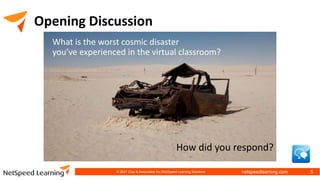
What is the worst cosmic disaster
you’ve experienced in the virtual classroom?
How did you respond?
© 2021 Clay & Associates Inc./NetSpeed Learning Solutions 5
netspeedlearning.com
Remember
What can go wrong will go wrong.
© 2021 Clay & Associates Inc./NetSpeed Learning Solutions 6
netspeedlearning.com
The Crashing Platform
• Keep your cool.
• Acknowledge what’s
happening one time.
• Then stop commenting on it.
• Text or chat privately with the
presenter, if needed
© 2021 Clay & Associates Inc./NetSpeed Learning Solutions 7
netspeedlearning.com
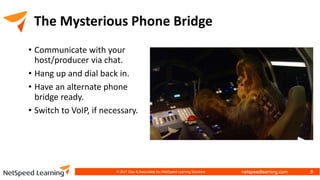
The Mysterious Phone Bridge
• Communicate with your
host/producer via chat.
• Hang up and dial back in.
• Have an alternate phone
bridge ready.
• Switch to VoIP, if necessary.
© 2021 Clay & Associates Inc./NetSpeed Learning Solutions 8
netspeedlearning.com
Locked Out
Have the host/producer log
in for the presenter before
opening the meeting.
© 2021 Clay & Associates Inc./NetSpeed Learning Solutions 9
netspeedlearning.com
Discussion
What are the primary causes of
cosmic disaster in the virtual
classroom?
© 2021 Clay & Associates Inc./NetSpeed Learning Solutions 10
netspeedlearning.com
Primary Causes
1. Unskilled presenters
2. Lack of preparation
3. Lack of rehearsal/practice
4. Presenter’s discomfort
with technology
5. Bandwidth issues
(slow Internet)
6. No standard checklists
© 2021 Clay & Associates Inc./NetSpeed Learning Solutions 11
netspeedlearning.com
Primary Causes
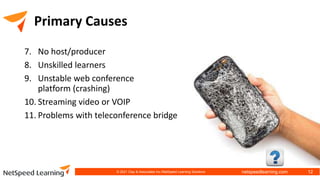
7. No host/producer
8. Unskilled learners
9. Unstable web conference
platform (crashing)
10. Streaming video or VOIP
11. Problems with teleconference bridge
© 2021 Clay & Associates Inc./NetSpeed Learning Solutions 12
netspeedlearning.com
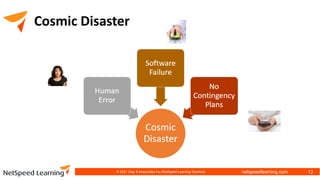
Cosmic Disaster
© 2021 Clay & Associates Inc./NetSpeed Learning Solutions 13
netspeedlearning.com
Cosmic Disaster
• Unskilled presenters
• Lack of rehearsal/practice
• Presenter’s discomfort with technology
• Unskilled learners
© 2021 Clay & Associates Inc./NetSpeed Learning Solutions 14
netspeedlearning.com
Cosmic Disaster
• Bandwidth issues (slow Internet)
• Unstable web conference
platform (crashing)
• Streaming video or VOIP
• Problems with teleconference
bridge
© 2021 Clay & Associates Inc./NetSpeed Learning Solutions 15
netspeedlearning.com
Cosmic Disaster
• Lack of preparation
• No host/producer
• No standard checklists
© 2021 Clay & Associates Inc./NetSpeed Learning Solutions 16
netspeedlearning.com
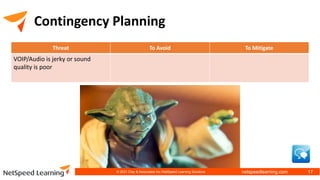
Contingency Planning
Threat To Avoid To Mitigate
VOIP/Audio is jerky or sound
quality is poor
© 2021 Clay & Associates Inc./NetSpeed Learning Solutions 17
netspeedlearning.com
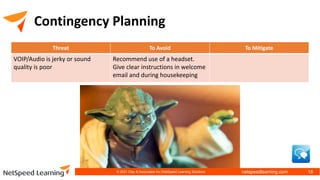
Contingency Planning
Threat To Avoid To Mitigate
VOIP/Audio is jerky or sound
quality is poor
Recommend use of a headset.
Give clear instructions in welcome
email and during housekeeping
© 2021 Clay & Associates Inc./NetSpeed Learning Solutions 18
netspeedlearning.com
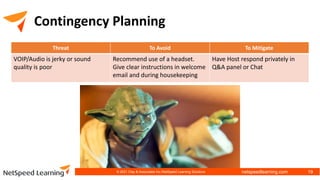
Contingency Planning
Threat To Avoid To Mitigate
VOIP/Audio is jerky or sound
quality is poor
Recommend use of a headset.
Give clear instructions in welcome
email and during housekeeping
Have Host respond privately in
Q&A panel or Chat
© 2021 Clay & Associates Inc./NetSpeed Learning Solutions 19
netspeedlearning.com
Contingency Planning
Threat To Avoid To Mitigate
Host exits prematurely (due to
user or technical error)
© 2021 Clay & Associates Inc./NetSpeed Learning Solutions 20
netspeedlearning.com
Contingency Planning
Threat To Avoid To Mitigate
Host exits prematurely (due to
user or technical error)
Have Host promote the Presenter
to Host or Co-host, if possible, at
entry
© 2021 Clay & Associates Inc./NetSpeed Learning Solutions 21
netspeedlearning.com
Contingency Planning
Threat To Avoid To Mitigate
Host exits prematurely (due to
user or technical error)
Have Host promote the Presenter
to Host or Co-host, if possible, at
entry
If session ends and can’t be
restarted: send new webinar link
in email
© 2021 Clay & Associates Inc./NetSpeed Learning Solutions 22
netspeedlearning.com
Contingency Planning
Threat To Avoid To Mitigate
Participant is unable to join
breakout session with audio
© 2021 Clay & Associates Inc./NetSpeed Learning Solutions 23
netspeedlearning.com
Contingency Planning
Threat To Avoid To Mitigate
Participant is unable to join
breakout session with audio
Set audio to VOIP only or phone
bridge only (Adobe); if phone
bridge, merge names with
numbers
© 2021 Clay & Associates Inc./NetSpeed Learning Solutions 24
netspeedlearning.com
Contingency Planning
Threat To Avoid To Mitigate
Participant is unable to join
breakout session with audio
Set audio to VOIP only or phone
bridge only (Adobe); if phone
bridge, merge names with
numbers
Have participants disconnect and
reconnect audio, or leave and
rejoin the session
© 2021 Clay & Associates Inc./NetSpeed Learning Solutions 25
netspeedlearning.com
Jedi Challenge A
The Presenter’s internet and power goes down
due to a snowstorm. (The Host is still logged in
with the participants.)
How would you avoid this threat?
How would you mitigate this threat?
© 2021 Clay & Associates Inc./NetSpeed Learning Solutions 26
netspeedlearning.com
Jedi Challenge B
Someone puts their phone line “on hold” instead of “on

mute” and loud music is playing over the phone line.

How would you avoid this threat?
How would you mitigate this threat?
© 2021 Clay & Associates Inc./NetSpeed Learning Solutions 27
netspeedlearning.com
Best Practices: Presenter
1. Know how to use the web conference platform.
2. Follow a defined checklist.
3. Schedule a dry run to test everything the day
before.
4. Practice breakout rooms with real people.
5. Print out a copy of your slides.
6. Give Host clear instructions for each slide, chat,
poll, or use of status icons.
7. Be ready to “pass the baton.”
© 2021 Clay & Associates Inc./NetSpeed Learning Solutions 28
netspeedlearning.com
Best Practices: Host/Producer
1. Follow a defined checklist.
2. Be ready to troubleshoot problems.
3. Schedule a dry run to test everything the day
before.
4. Practice breakout rooms with real people.
5. Keep written tech instructions at the ready.
6. Print out a copy of the Presenter’s slides.
7. Record clear instructions for each slide, chat, poll,
or use of status icons.
8. Be ready to “run the show.”
© 2021 Clay & Associates Inc./NetSpeed Learning Solutions 29
netspeedlearning.com
Best Practices: Learners
1. Provide clear instructions in a welcome email.
2. Test equipment and software in advance.
3. Orient new web conference users in a separate
session.
4. Provide links to review introductory videos.
5. Ask new users to log in early.
6. Tell learners how to chat privately
to the Host.
© 2021 Clay & Associates Inc./NetSpeed Learning Solutions 30
netspeedlearning.com
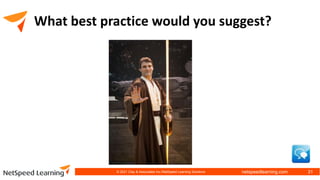
What best practice would you suggest?
31
© 2021 Clay & Associates Inc./NetSpeed Learning Solutions
netspeedlearning.com
Remember
What can go wrong will go wrong.
Anticipate issues and prepare to meet them.
© 2021 Clay & Associates Inc./NetSpeed Learning Solutions 32
netspeedlearning.com
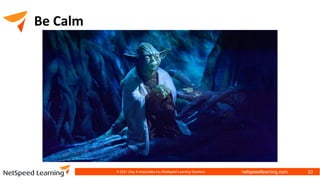
Be Calm
© 2021 Clay & Associates Inc./NetSpeed Learning Solutions 33
netspeedlearning.com
Be Calm
• Don’t resist (accept)
• Focus on your objectives
• Apologize once
• Call on your Host (or Presenter)
• Activate your back up plan
• Avoid constant commenting on the problem
© 2021 Clay & Associates Inc./NetSpeed Learning Solutions 34
netspeedlearning.com
Upcoming Courses
Virtual Producer
March 2022
https://netspeedlearning.com/virtual-producer/
Promo Code: March
35
© 2021 Clay & Associates Inc./NetSpeed Learning Solutions
netspeedlearning.com
Upcoming Courses
Virtual Facilitator
Trainer Certification (VFTC)
January – February 202
https://netspeedlearning.com/virtual-facilitator/
Promo Code: January
36
© 2021 Clay & Associates Inc./NetSpeed Learning Solutions
netspeedlearning.com
Upcoming Courses
NetSpeed Virtual Leader
January – February 202
https://netspeedlearning.com/virtual-leader/
Promo Code: January
37
© 2021 Clay & Associates Inc./NetSpeed Learning Solutions
netspeedlearning.com
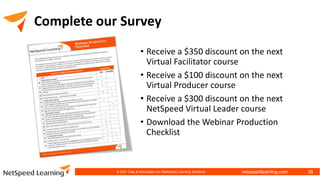
Complete our Survey
• Receive a $350 discount on the next
Virtual Facilitator course
• Receive a $100 discount on the next
Virtual Producer course
• Receive a $300 discount on the next
NetSpeed Virtual Leader course
• Download the Webinar Production
Checklist
38
© 2021 Clay & Associates Inc./NetSpeed Learning Solutions
netspeedlearning.com
Actions
?
© 2021 Clay & Associates Inc./NetSpeed Learning Solutions 39
netspeedlearning.com
Thank You!
206-517-5271
netspeedlearning.com
cclay@netspeedlearning.com
© 2021 Clay & Associates Inc./NetSpeed Learning Solutions 40

Become a Jedi Master: Producing Webinars for the Virtual Classroom

Editor's Notes

  • #4 Generic Jedi
  • #6 Disaster photo
  • #7 Jedi surrounded by enemies
  • #8 Crashing spaceship
  • #9 Something with communication that looks frustrating Or someone sitting at the controls of the spaceship with all the buttons and levers
  • #10 Jedi at closed door or having difficulty opening something
  • #11 Broken equipment or spaceship
  • #15 Generic Jedi Master for the next several slides
  • #18 Another Jedi Master for next several slides
  • #21 Another Jedi Master for next several slides
  • #24 Another Jedi master for next several slides
  • #27 Jedi enemy B
  • #28 Jedi Enemy C
  • #29 Jedi Master meditating for next several slides
  • #33 Same photo as slide 4
  • #34 Jedi Master looking calm for next several slides
  • #40 Jedi light saber