Chapter 9 Using ADO.NET
Overview This chapter  covers how to programmatically and declaratively work with data in databases.  It covers: accessing and modifying data within databases in ASP.NET using the classes of ADO.NET.  the codeless approach to accessing data using data source controls
Introducing ADO.NET ADO.NET refers to the various classes in the .NET Framework that provide data access.  ADO.NET is typically used to access relational databases.  can also be used to access other external data such as XML documents.
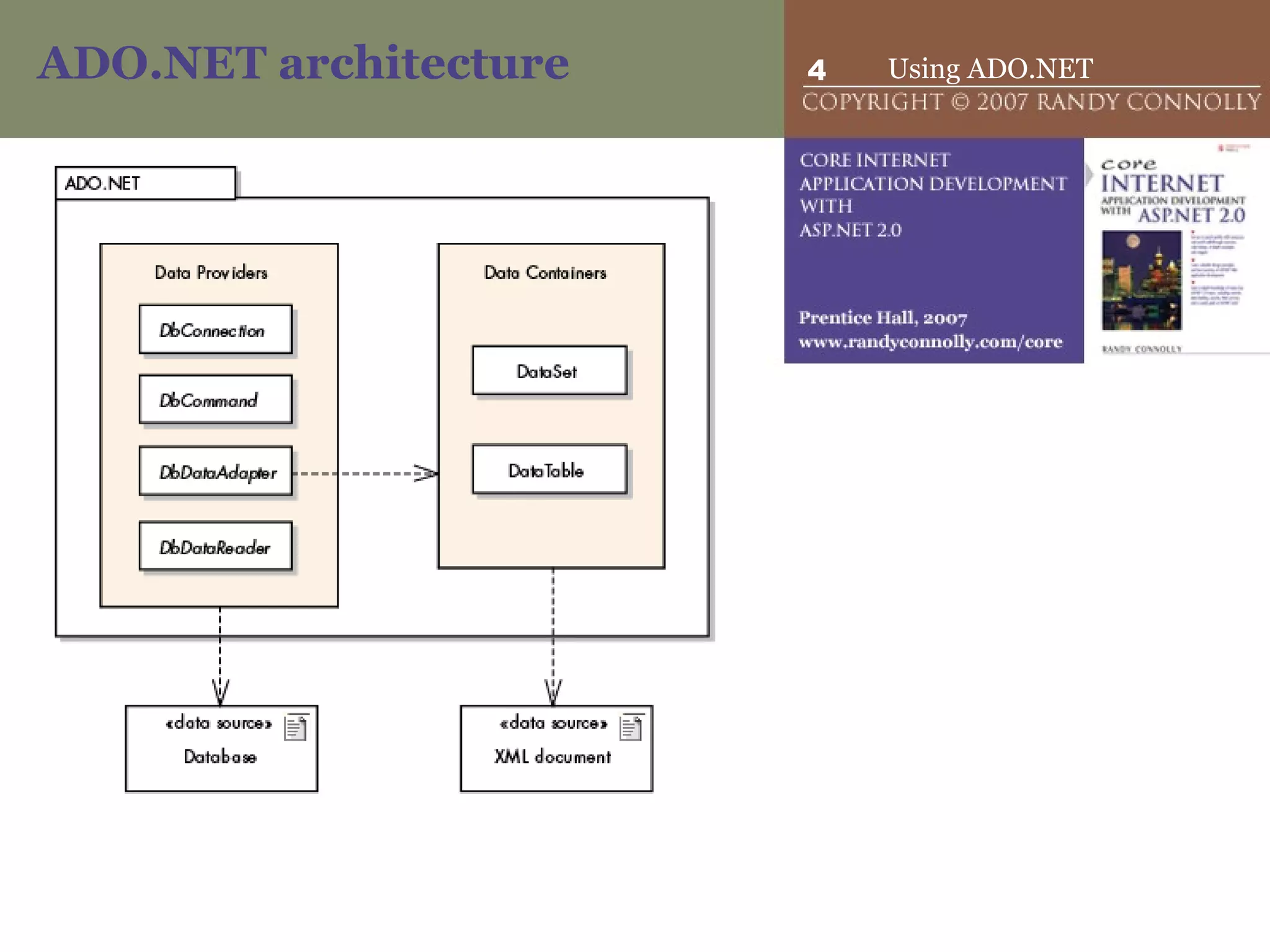
ADO.NET architecture
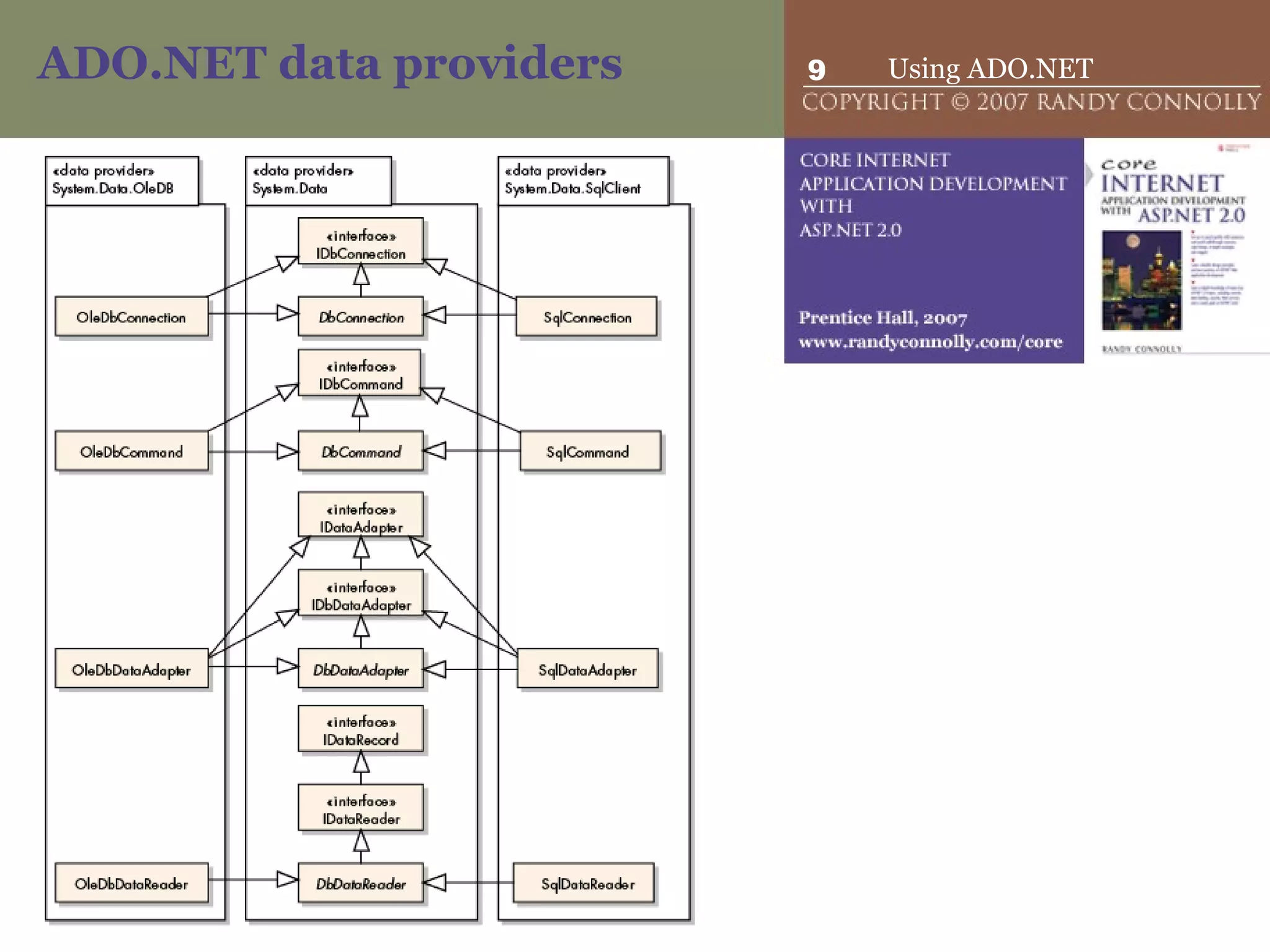
ADO.NET data providers  The ADO.NET data providers are a handful of .NET classes that are used for: connecting to a database,  executing data commands,  populating a  DataSet ,  providing fast, forward-only, read-only access to data.  The four main classes within a data provider are: DbConnection DbCommand DbDataAdapter   DbDataReader
ADO.NET data providers  The key point about .NET data providers is: each database type has its own version of these classes.   Because  DbConnection ,  DbCommand ,  DbDataAdapter , and  DbDataReader  are abstract classes, each provider implements its own concrete version of these classes.  SqlConnection  class defined in the SQL Server data provider  OracleConnection  class defined in the Oracle data provider
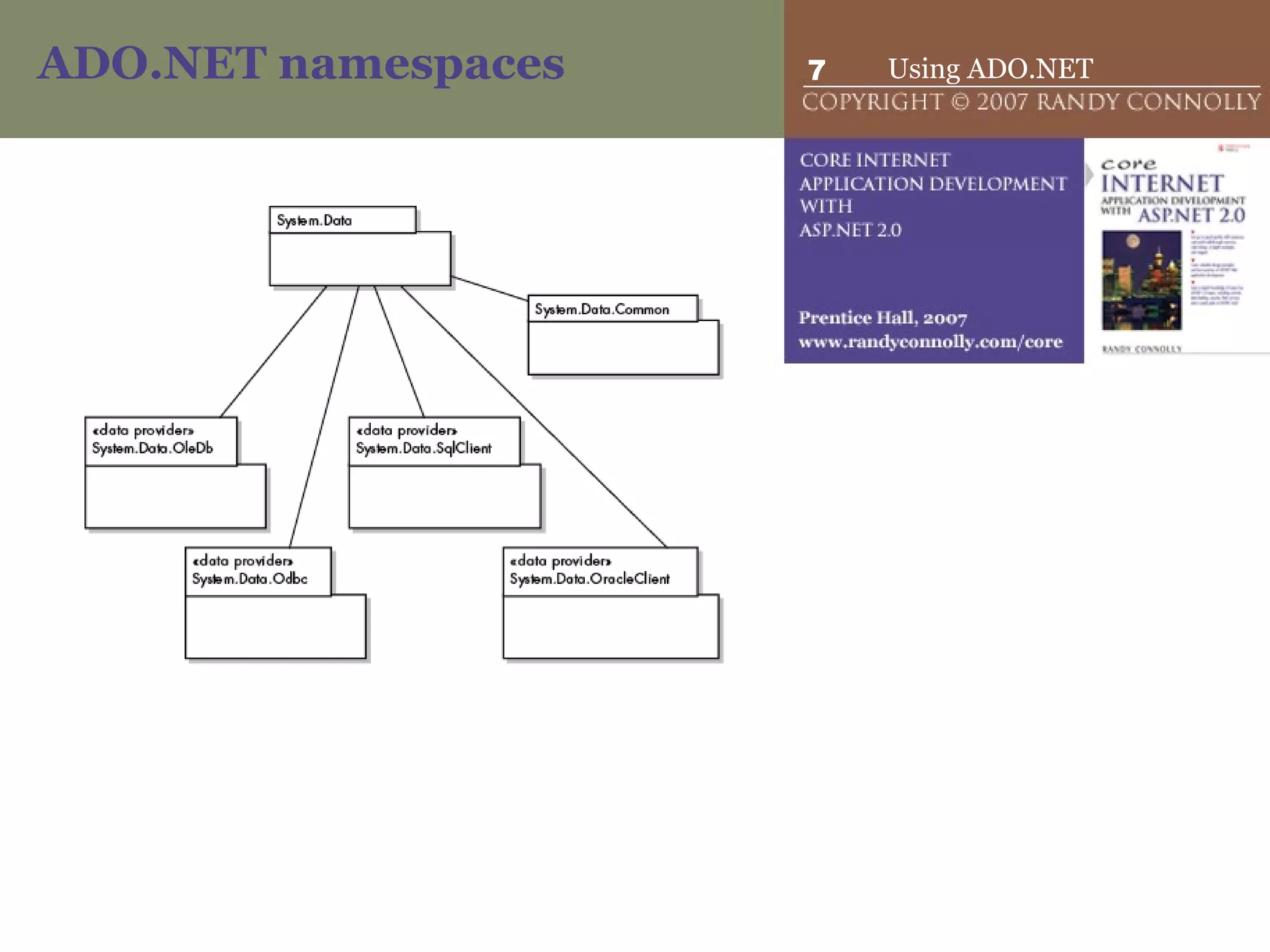
ADO.NET namespaces
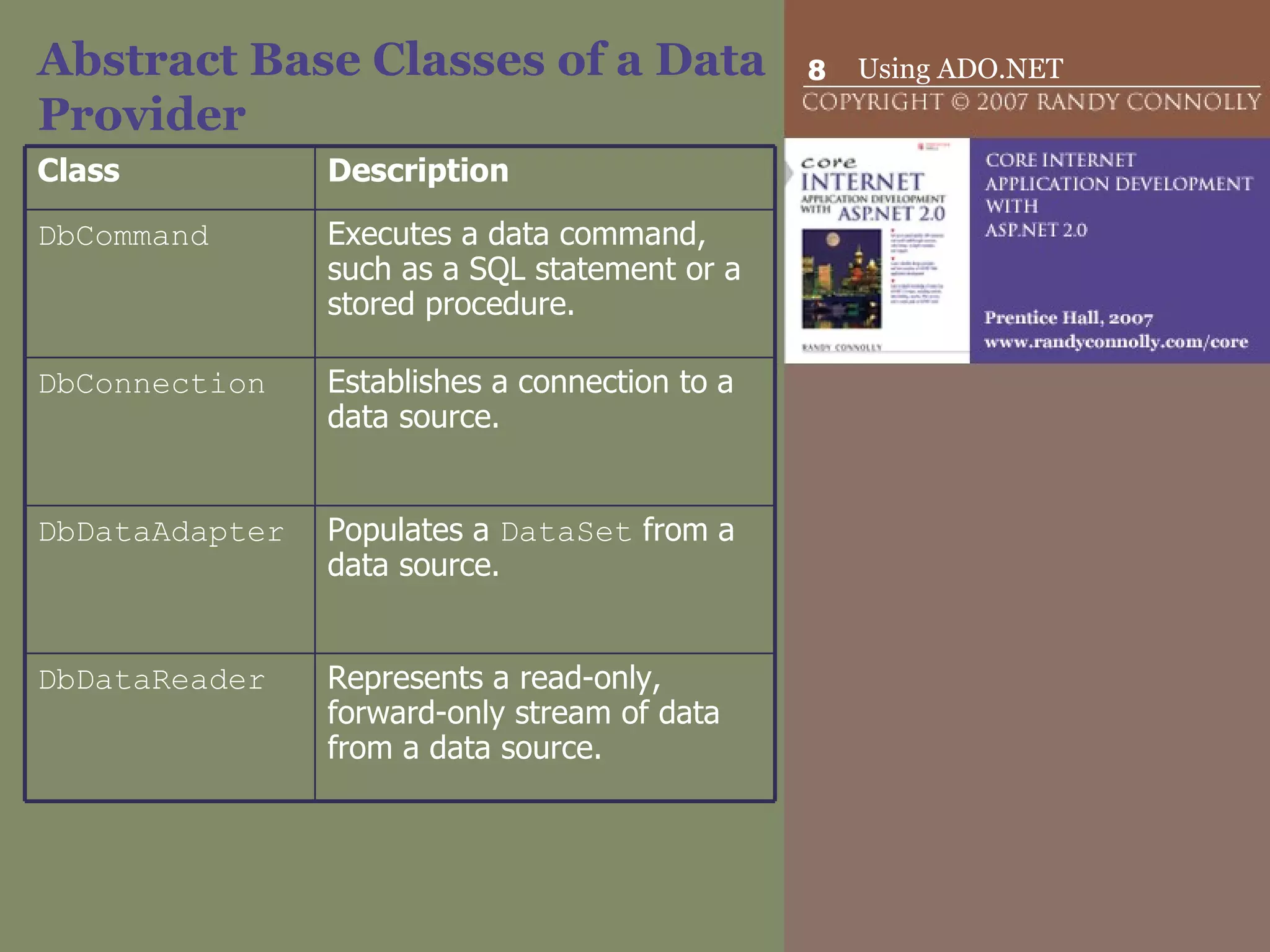
Abstract Base Classes of a Data Provider Class Description DbCommand  Executes a data command, such as a SQL statement or a stored procedure.  DbConnection  Establishes a connection to a data source.  DbDataAdapter  Populates a  DataSet  from a data source.  DbDataReader  Represents a read-only, forward-only stream of data from a data source.
ADO.NET data providers
Using Data Provider Classes The process for using these classes is as follows: Create a  DbConnection  to the database via a connection string. Create and execute a  DbCommand  for the database. [Optional] Fill a  DataSet  from the database using a  DbDataAdapter , or use a  DbDataReader  to retrieve data from the database.
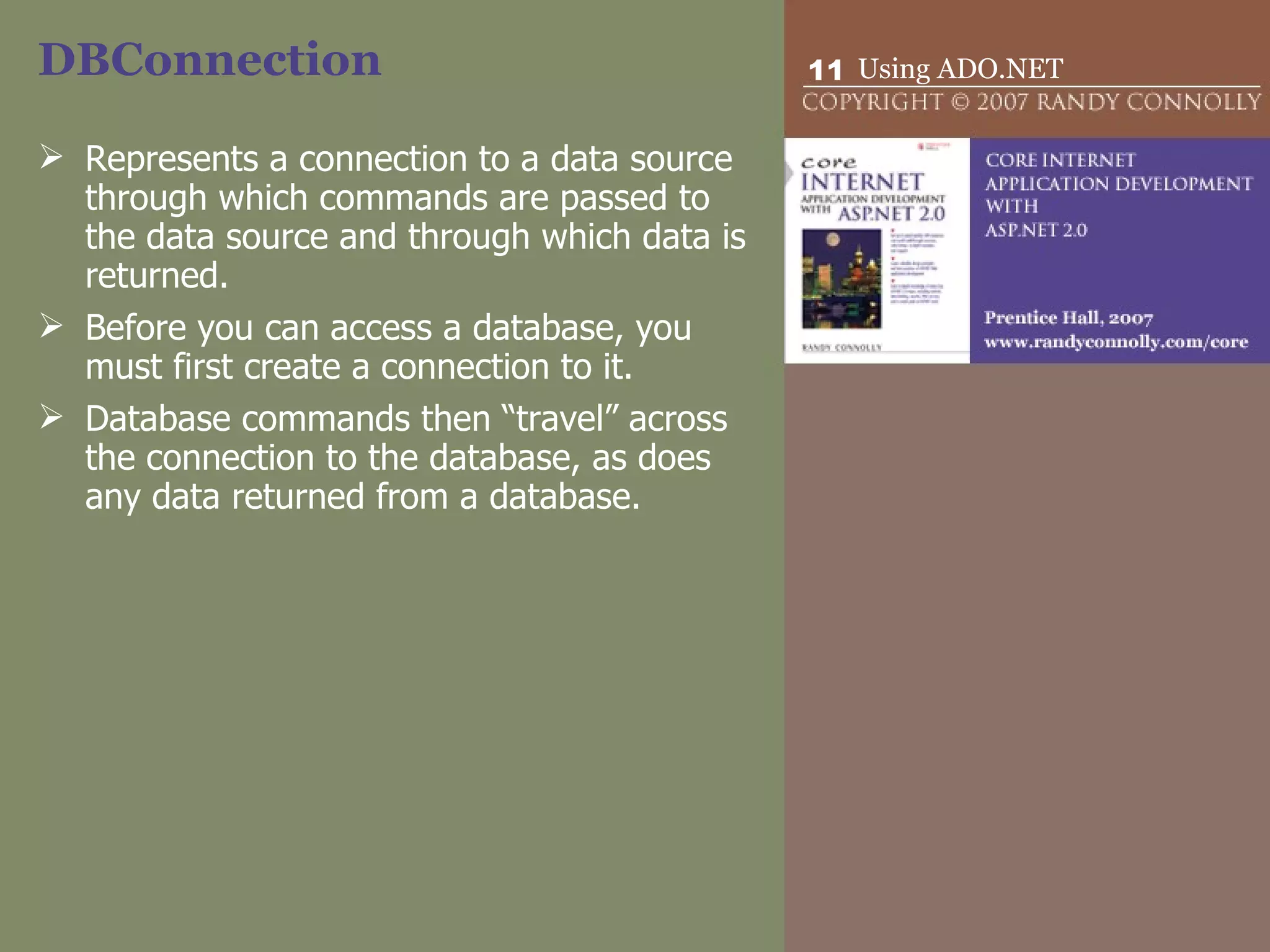
DBConnection Represents a connection to a data source through which commands are passed to the data source and through which data is returned.  Before you can access a database, you must first create a connection to it. Database commands then “travel” across the connection to the database, as does any data returned from a database.
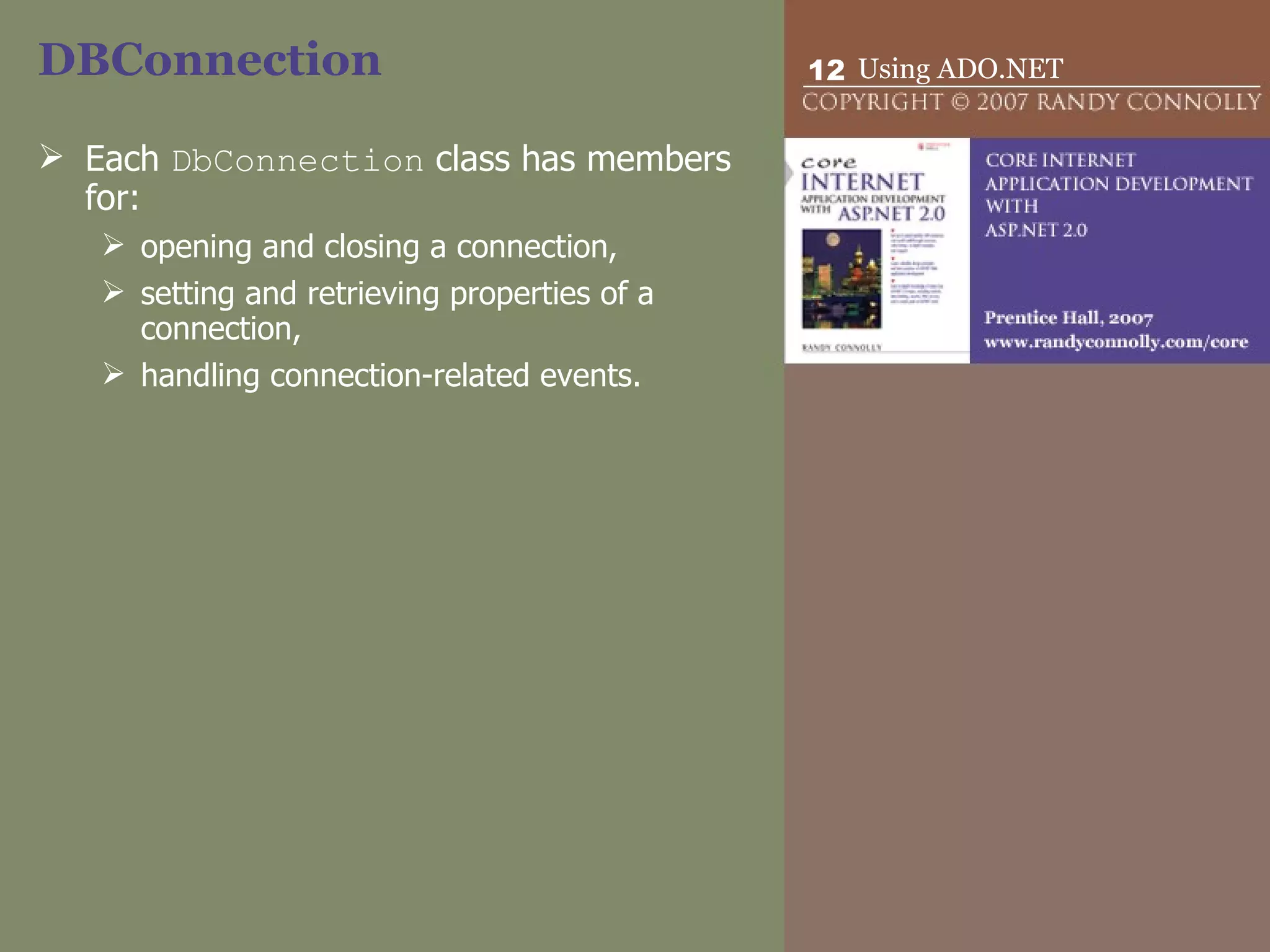
DBConnection Each  DbConnection  class has members for: opening and closing a connection,  setting and retrieving properties of a connection,  handling connection-related events.
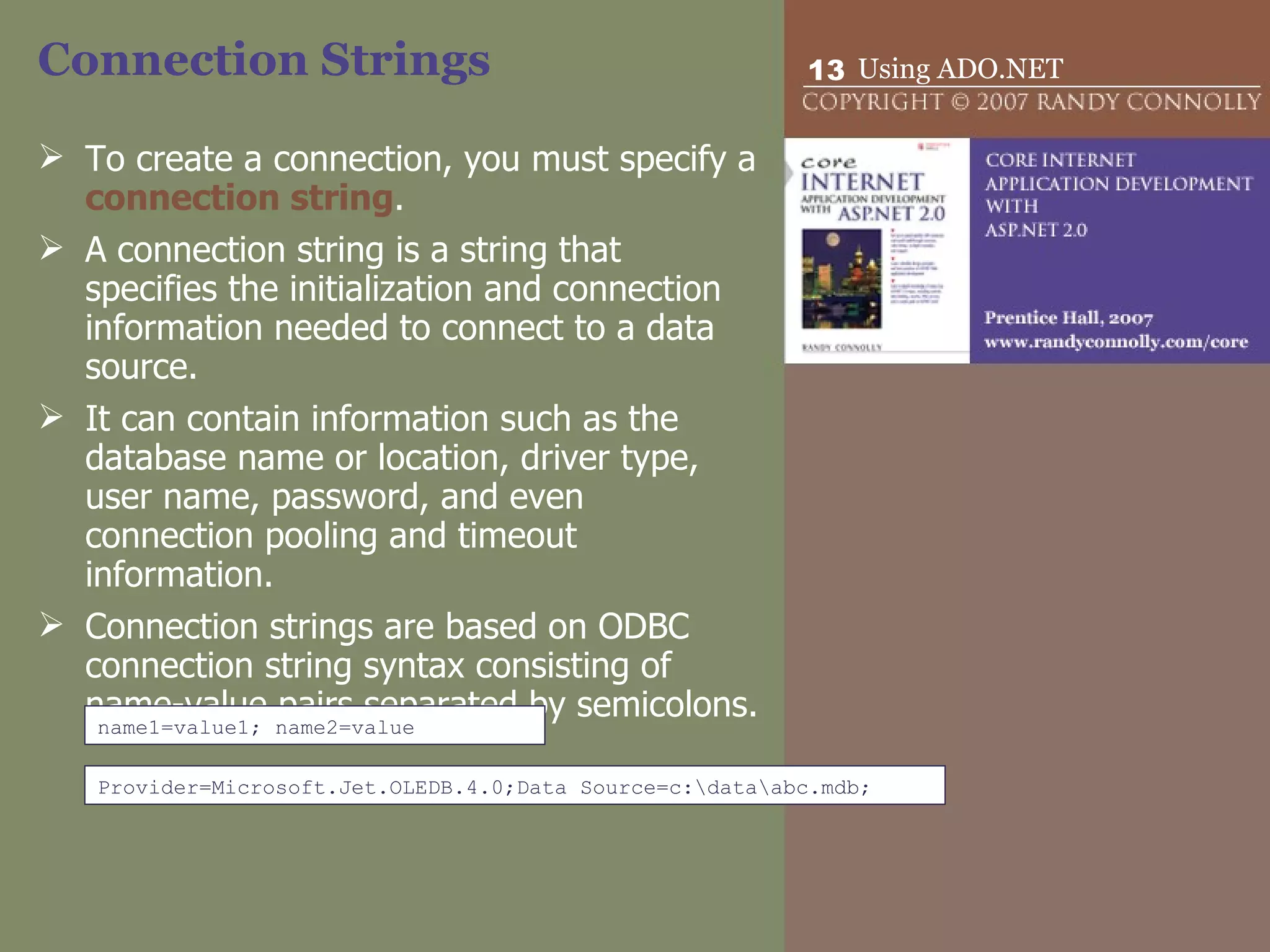
Connection Strings To create a connection, you must specify a  connection string .  A connection string is a string that specifies the initialization and connection information needed to connect to a data source.  It can contain information such as the database name or location, driver type, user name, password, and even connection pooling and timeout information.  Connection strings are based on ODBC connection string syntax consisting of name-value pairs separated by semicolons.  name1=value1; name2=value Provider=Microsoft.Jet.OLEDB.4.0;Data Source=c:\data\abc.mdb;
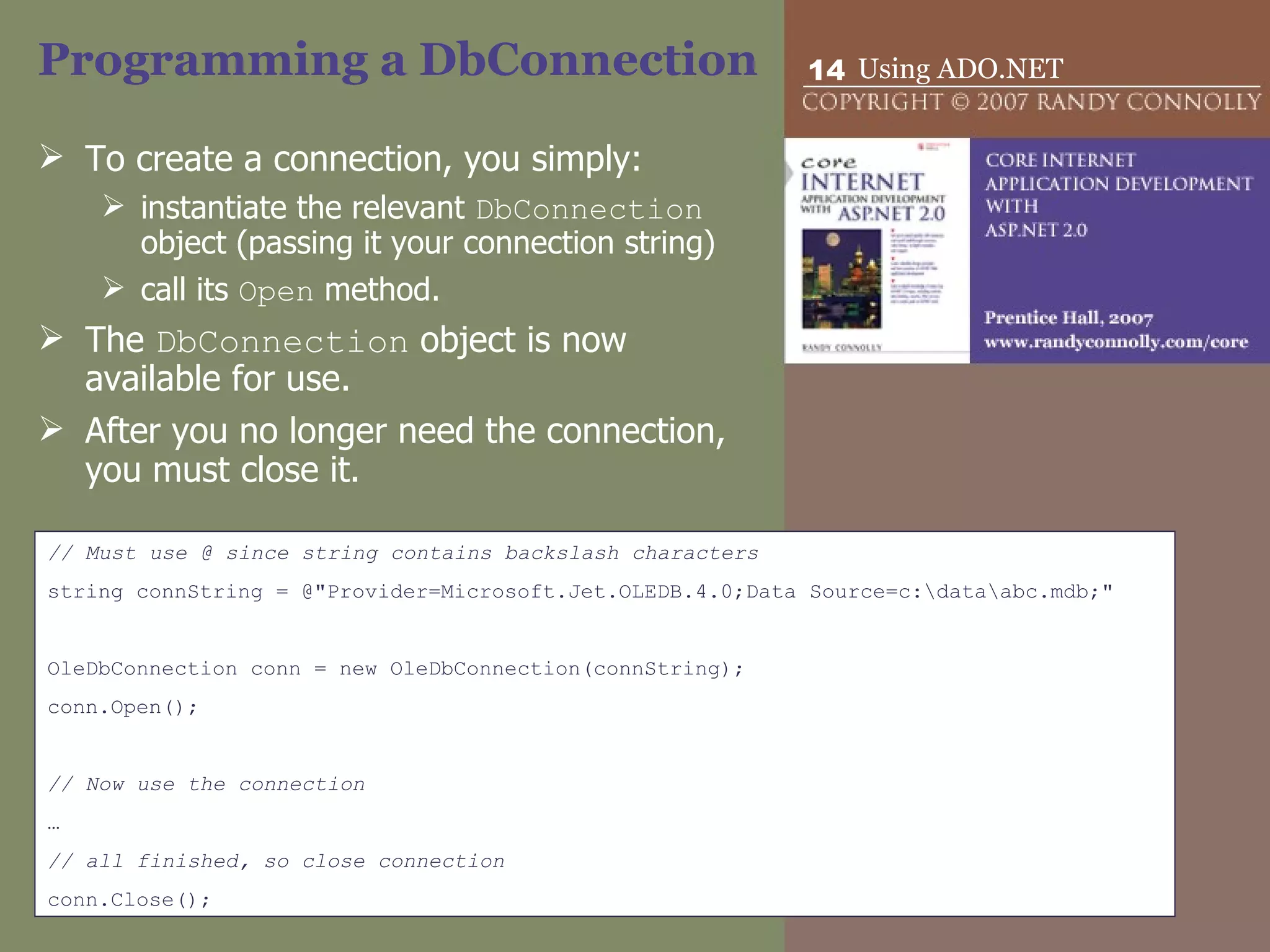
Programming a DbConnection To create a connection, you simply: instantiate the relevant  DbConnection  object (passing it your connection string)  call its  Open  method.  The  DbConnection  object is now available for use.  After you no longer need the connection, you must close it.  // Must use @ since string contains backslash characters string connString = @"Provider=Microsoft.Jet.OLEDB.4.0;Data Source=c:\data\abc.mdb;" OleDbConnection conn = new OleDbConnection(connString); conn.Open(); // Now use the connection … // all finished, so close connection conn.Close();
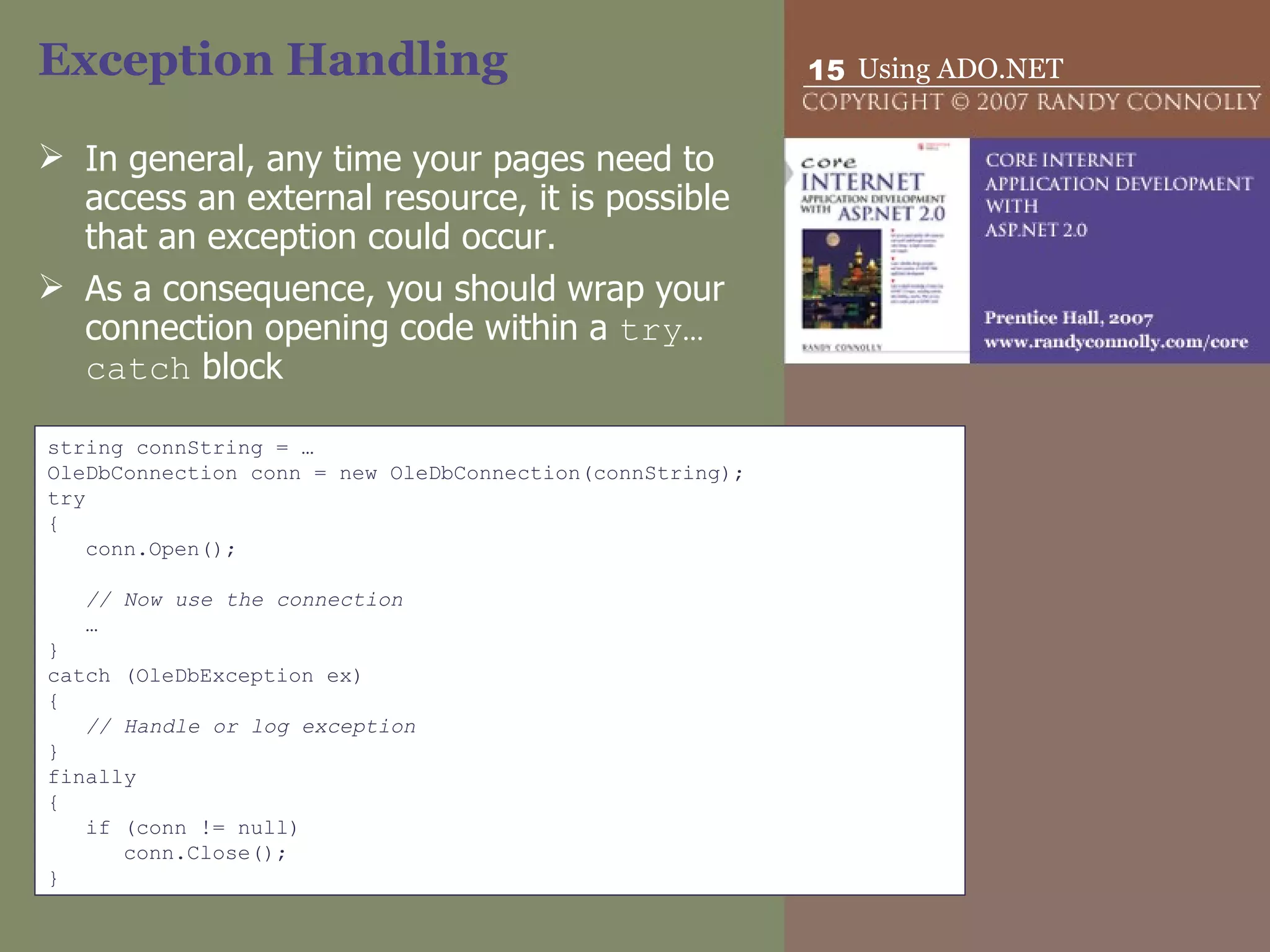
Exception Handling In general, any time your pages need to access an external resource, it is possible that an exception could occur.  As a consequence, you should wrap your connection opening code within a  try…catch  block  string connString = … OleDbConnection conn = new OleDbConnection(connString); try { conn.Open(); // Now use the connection … } catch (OleDbException ex) { // Handle or log exception } finally { if (conn != null) conn.Close(); }
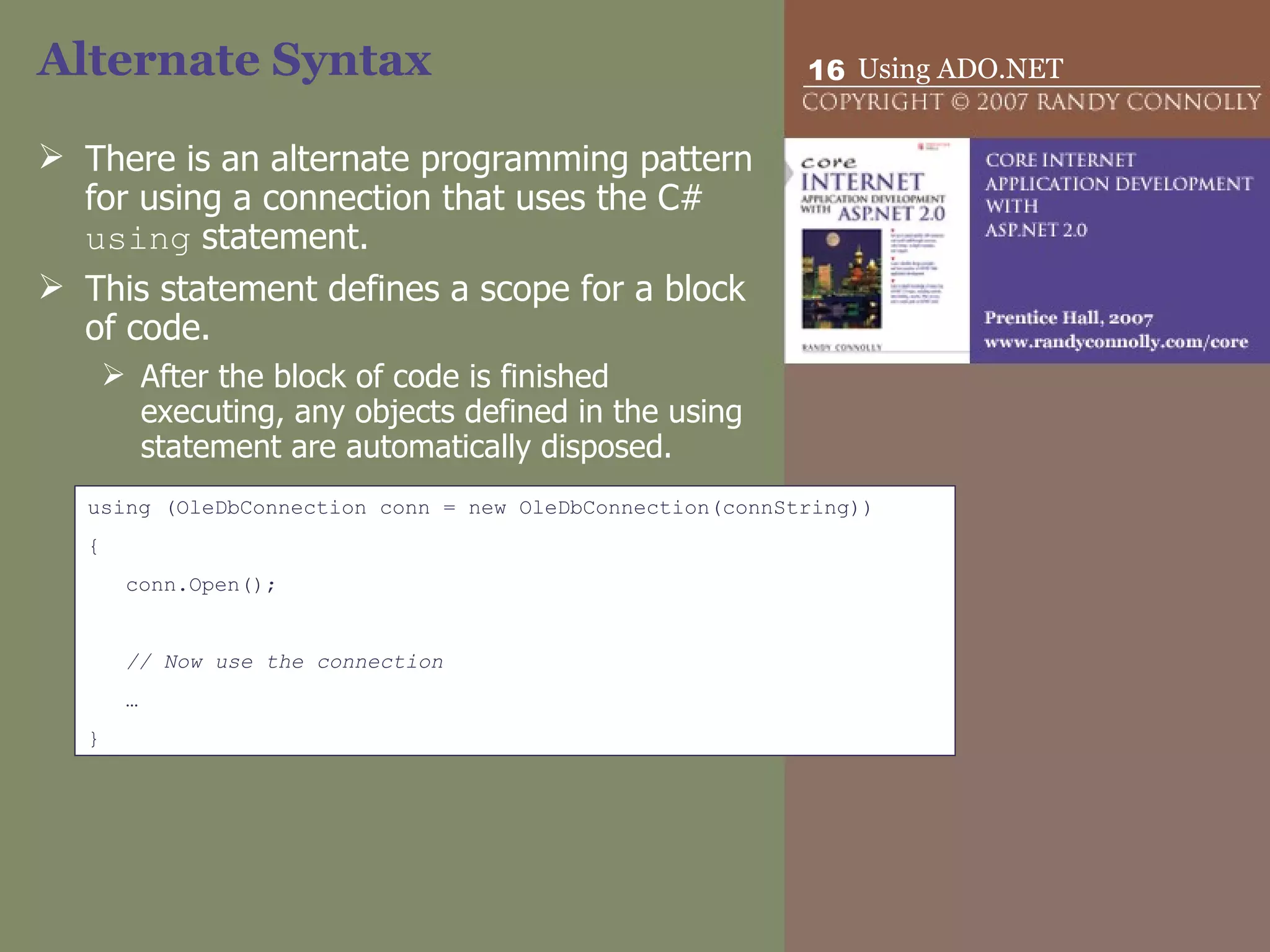
Alternate Syntax There is an alternate programming pattern for using a connection that uses the C#  using  statement.  This statement defines a scope for a block of code. After the block of code is finished executing, any objects defined in the using statement are automatically disposed.  using (OleDbConnection conn = new OleDbConnection(connString)) { conn.Open(); // Now use the connection … }
Storing Connection Strings In ASP.NET 2.0, you can define connection strings for your application in the  Web.config  file.  <configuration> <connectionStrings> <add name=&quot;Books&quot; connectionString=&quot;Provider=…&quot; />  <add name=&quot;Sales&quot; connectionString=&quot;Data Source=…&quot; />  </connectionStrings> <system.web> … </system.web> </configuration> string connString = WebConfigurationManager.ConnectionStrings[&quot;Books&quot;].ConnectionString;
Connection Pooling Two key points: Database connections are a finite commodity in a DBMS.  Creating and opening a connection is a relatively slow process.  In a typical real-world Web site with many simultaneous requests, you can improve the performance and scalability of your application by reducing the number of times you connect to the database by sharing, or pooling, your connections to a data source.
Connection Pooling Connection pooling is handled automatically behind-the-scenes by the ADO.NET providers.  For some of the providers you can customize how the pooling works or even turn it off, via various options in the connection string.
DbCommand Represents an SQL statement or a stored procedure that is executed by the data source.  Each  DbCommand  class has members for: representing an SQL statement,  creating data parameters,  executing SQL commands that either return data (e.g., SELECT) or do not return data (e.g., INSERT, DELETE, or UPDATE).  can also be used to run stored procedures if the database supports them.
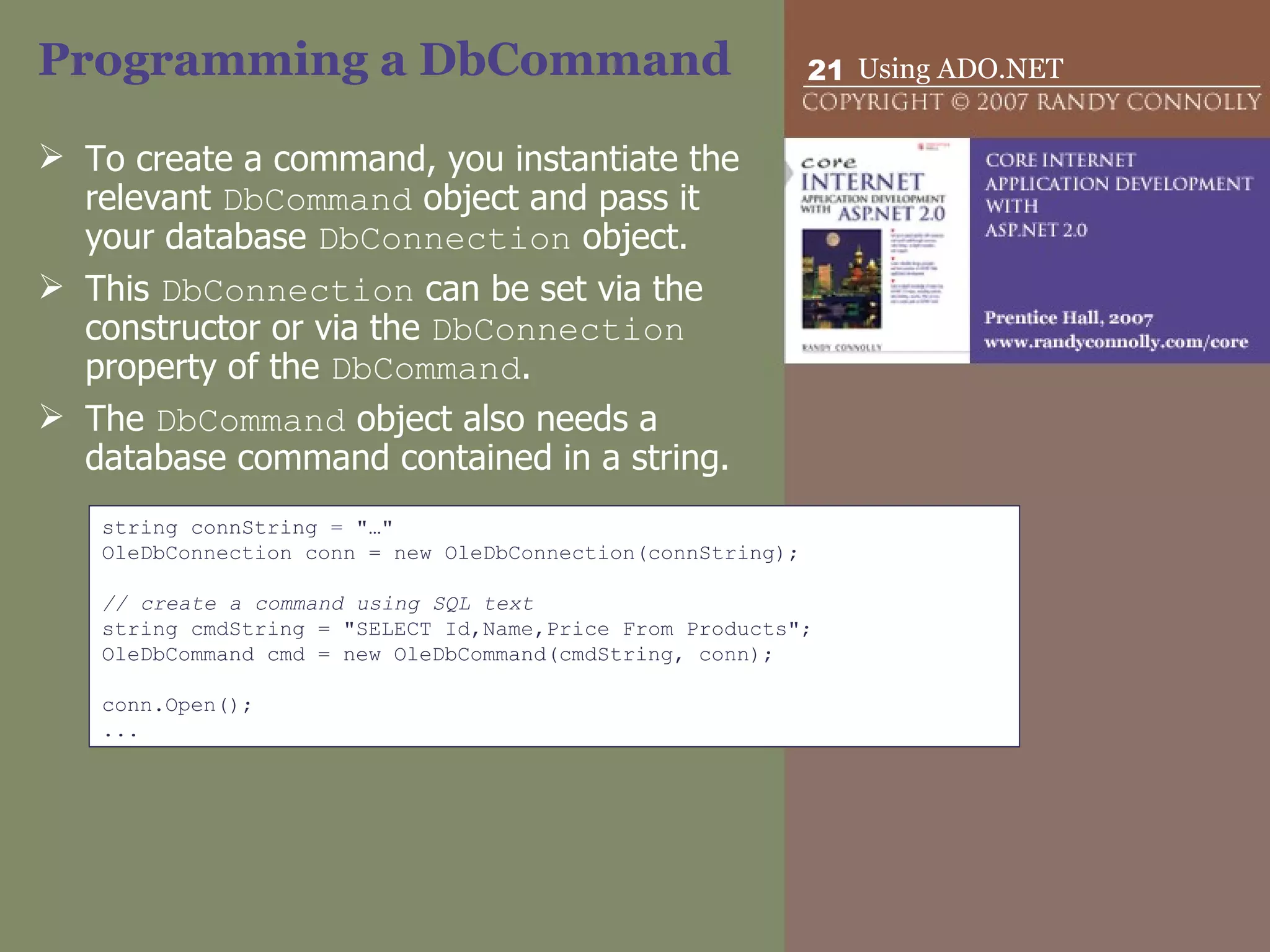
Programming a DbCommand To create a command, you instantiate the relevant  DbCommand  object and pass it your database  DbConnection  object.  This  DbConnection  can be set via the constructor or via the  DbConnection  property of the  DbCommand .  The  DbCommand  object also needs a database command contained in a string. string connString = &quot;…&quot; OleDbConnection conn = new OleDbConnection(connString);   // create a command using SQL text string cmdString = &quot;SELECT Id,Name,Price From Products&quot;; OleDbCommand cmd = new OleDbCommand(cmdString, conn);   conn.Open(); ...
Executing a DbCommand Once a  DbCommand  object has been instantiated and its command text, command type, and connection set, the command can be run by calling one of the  Execute  methods of the  DbCommand  class: ExecuteNonQuery for commands that do not return any record data, such as an SQL INSERT or DELETE. ExecuteScalar for SELECT commands that return a single value. ExecuteReader for SELECT commands that return multiple results. How are these results returned? returns a  DbDataReader .
Using DbParameters Represent a parameter to a command.  Parameters are used to specify criteria to a query that is, they are used to construct  parameterized queries .  They are a more secure alternative to simply building a query with criteria via string building.
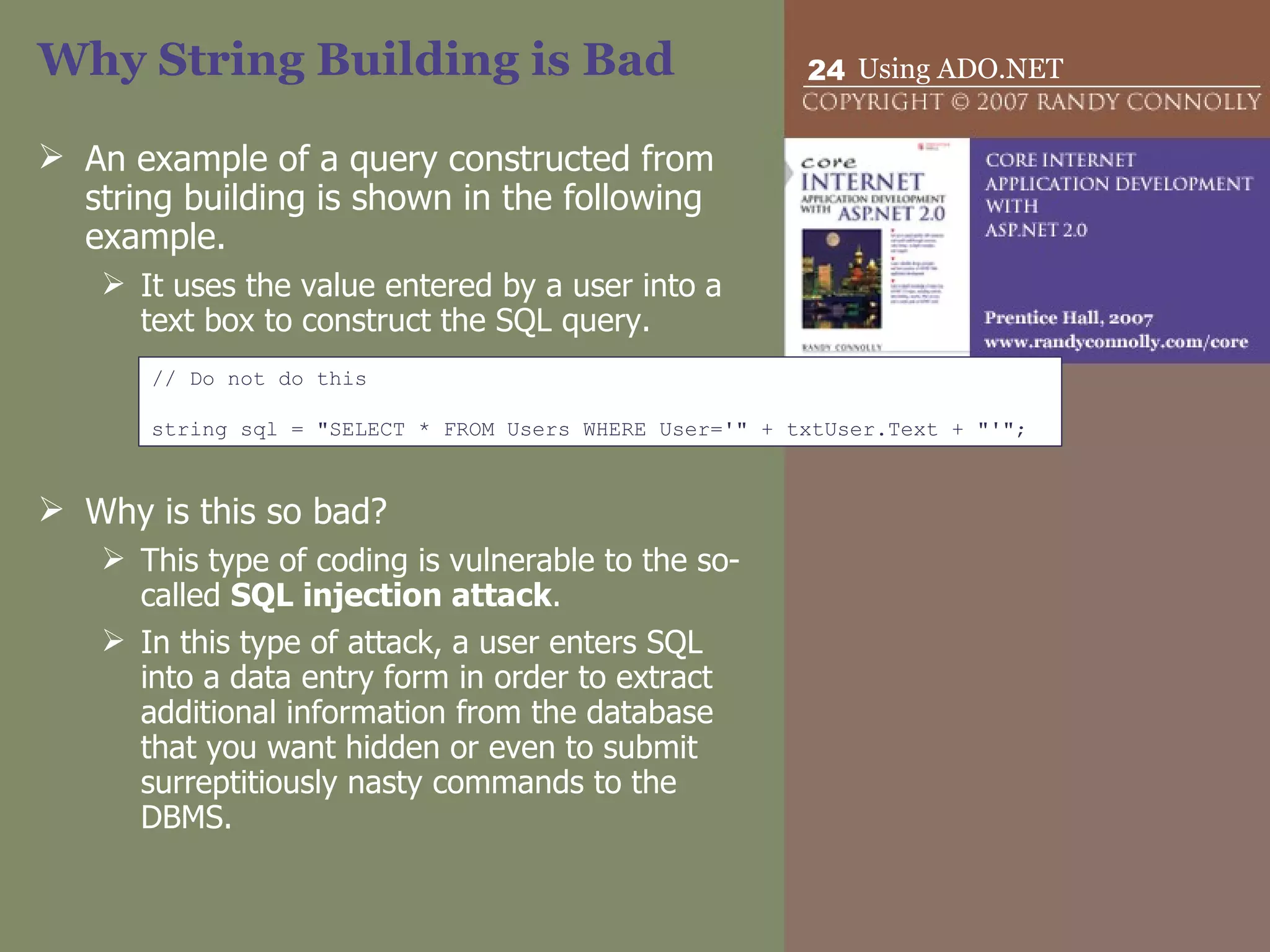
Why String Building is Bad An example of a query constructed from string building is shown in the following example.  It uses the value entered by a user into a text box to construct the SQL query. Why is this so bad? This type of coding is vulnerable to the so-called  SQL injection attack .  In this type of attack, a user enters SQL into a data entry form in order to extract additional information from the database that you want hidden or even to submit surreptitiously nasty commands to the DBMS. // Do not do this string sql = &quot;SELECT * FROM Users WHERE User='&quot; + txtUser.Text + &quot;'&quot;;
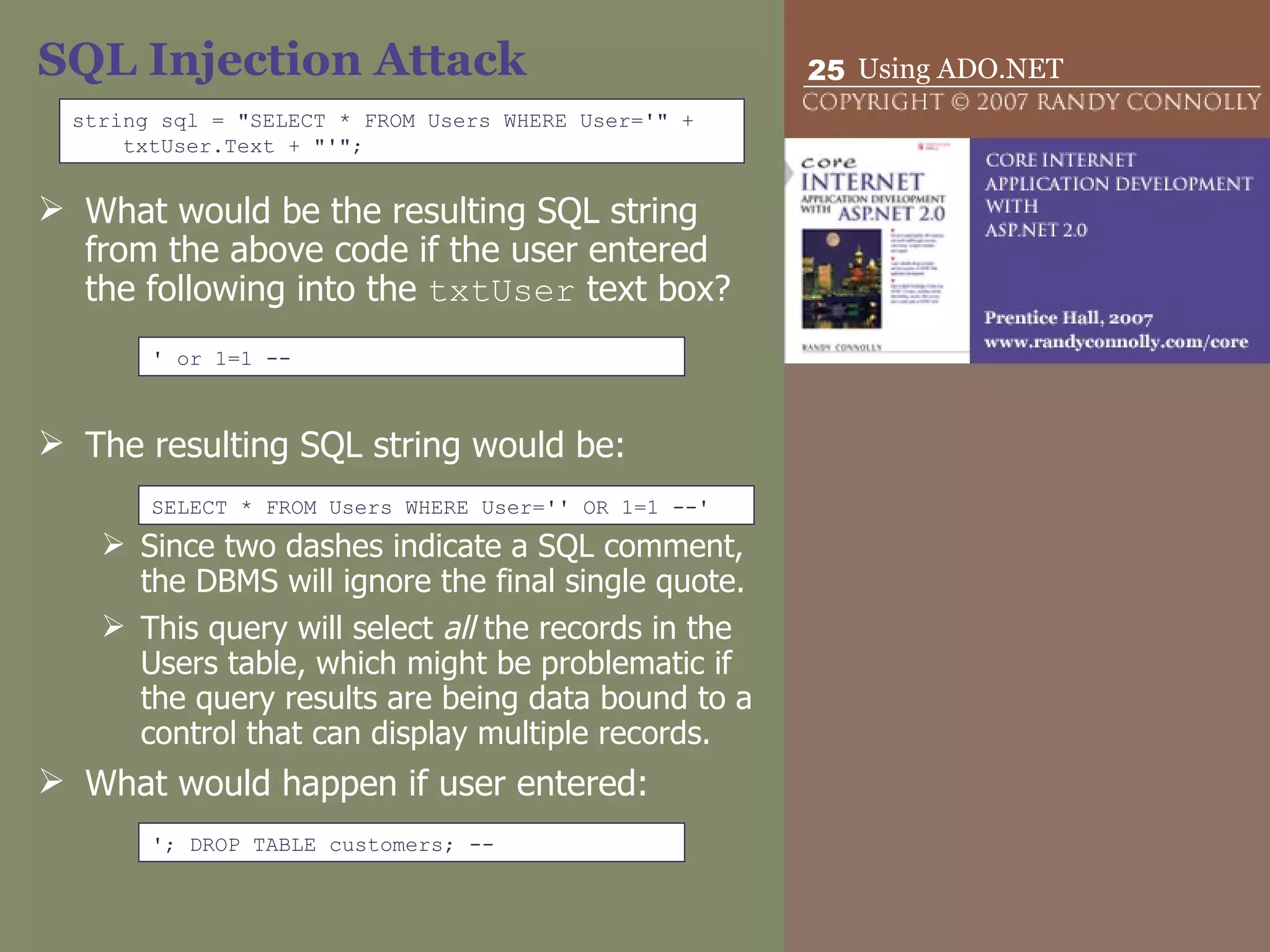
SQL Injection Attack What would be the resulting SQL string from the above code if the user entered the following into the  txtUser  text box? The resulting SQL string would be: Since two dashes indicate a SQL comment, the DBMS will ignore the final single quote.  This query will select  all  the records in the Users table, which might be problematic if the query results are being data bound to a control that can display multiple records. What would happen if user entered: string sql = &quot;SELECT * FROM Users WHERE User='&quot; + txtUser.Text + &quot;'&quot;; ' or 1=1 -- SELECT * FROM Users WHERE User='' OR 1=1 --' '; DROP TABLE customers; --
DbParameter Some of the dangers of SQL injection attacks can be avoided by using  DbParameter  objects to construct commands that use criteria constructed from user input.  A  DbParameter  is simply an object that represents a name-value pair,  name is the identifier for the parameter  value is the actual data for the parameter.
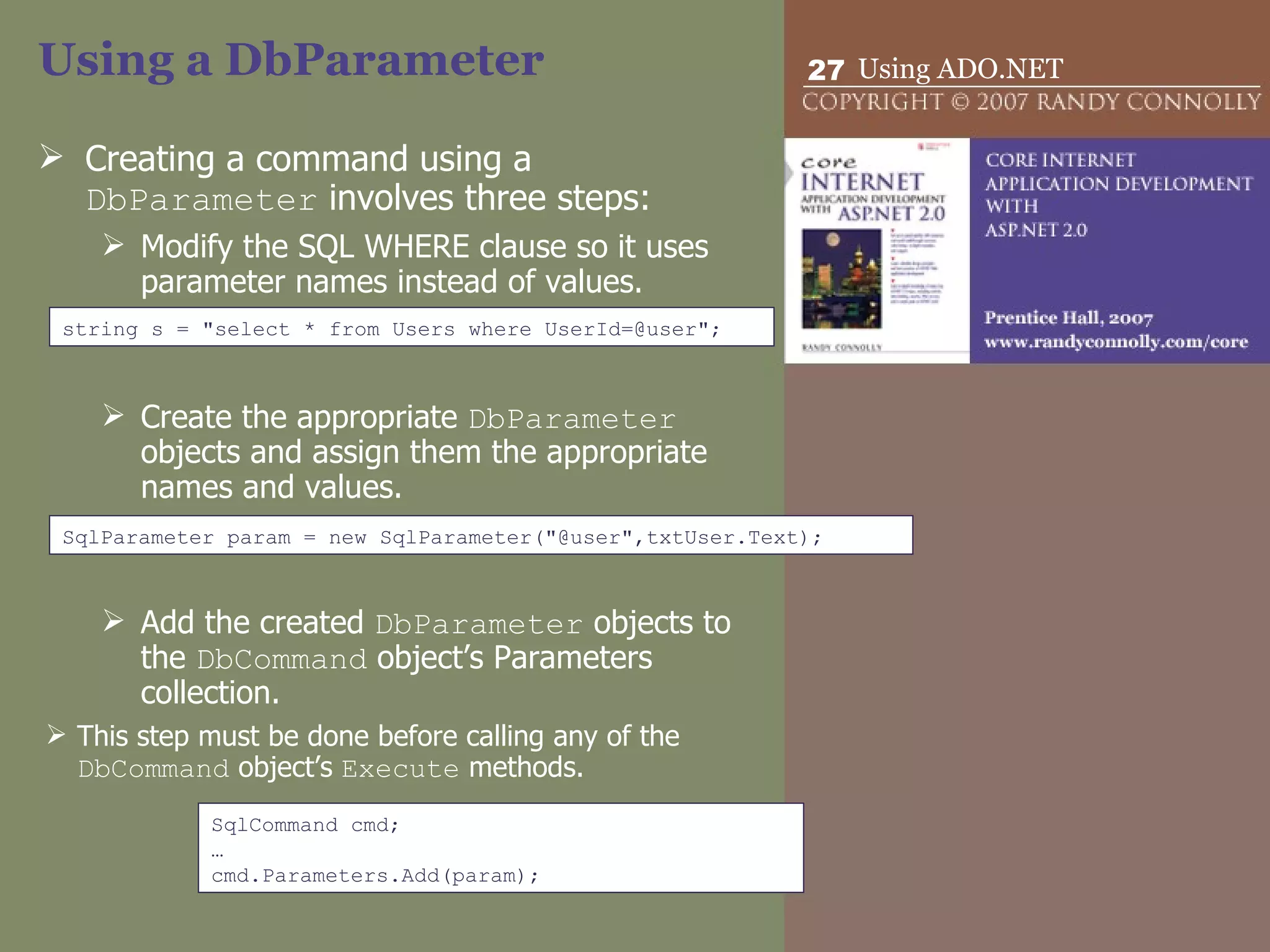
Using a DbParameter Creating a command using a  DbParameter  involves three steps: Modify the SQL WHERE clause so it uses parameter names instead of values. Create the appropriate  DbParameter  objects and assign them the appropriate names and values. Add the created  DbParameter  objects to the  DbCommand  object’s Parameters collection.  This step must be done before calling any of the  DbCommand  object’s  Execute  methods. SqlParameter param = new SqlParameter(&quot;@user&quot;,txtUser.Text); string s = &quot;select * from Users where UserId=@user&quot;; SqlCommand cmd; … cmd.Parameters.Add(param);
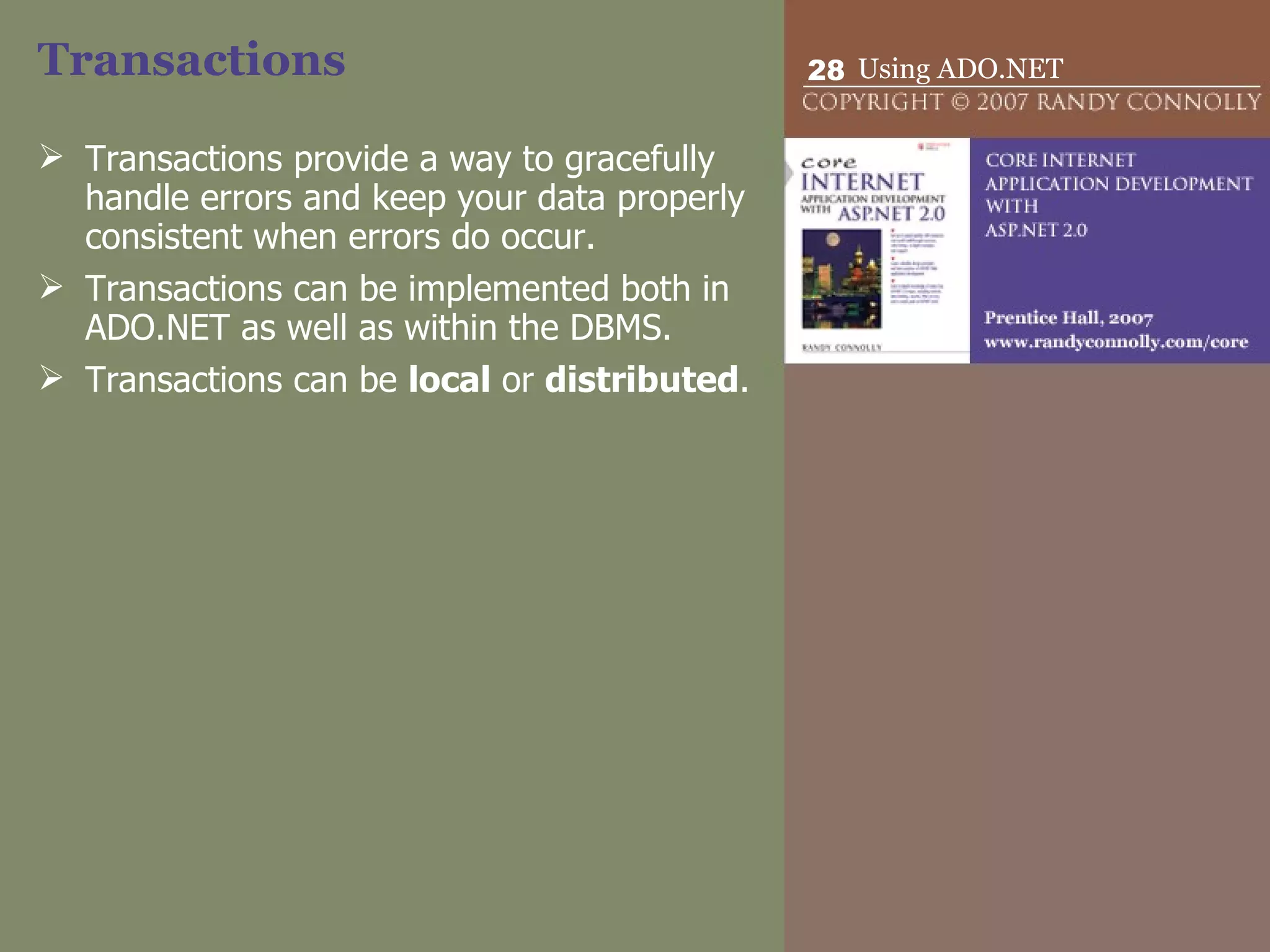
Transactions Transactions provide a way to gracefully handle errors and keep your data properly consistent when errors do occur. Transactions can be implemented both in ADO.NET as well as within the DBMS. Transactions can be  local  or  distributed .
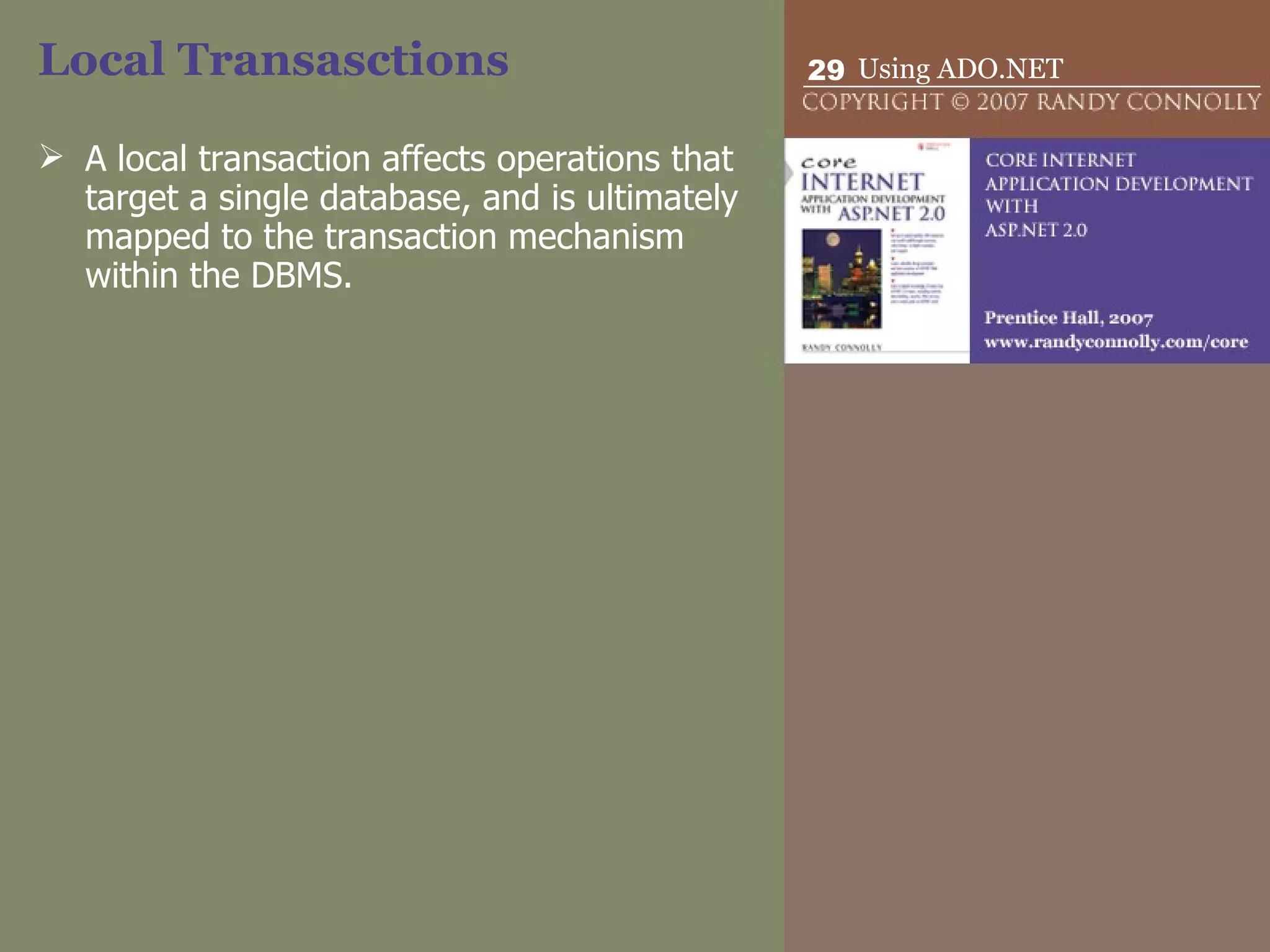
Local Transasctions A local transaction affects operations that target a single database, and is ultimately mapped to the transaction mechanism within the DBMS.
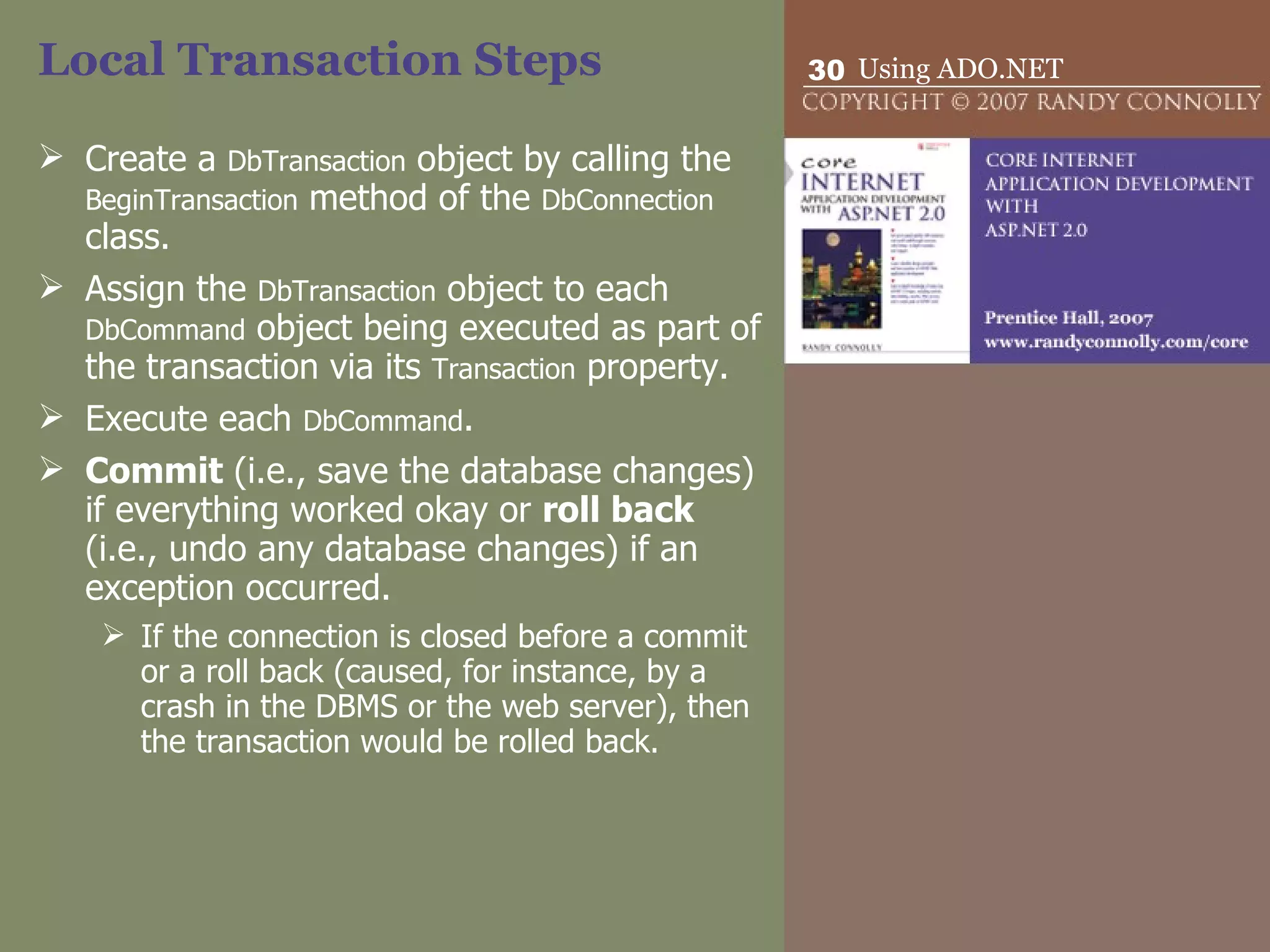
Local Transaction Steps Create a  DbTransaction  object by calling the  BeginTransaction  method of the  DbConnection  class. Assign the  DbTransaction  object to each  DbCommand  object being executed as part of the transaction via its  Transaction  property. Execute each  DbCommand . Commit  (i.e., save the database changes) if everything worked okay or  roll back  (i.e., undo any database changes) if an exception occurred.  If the connection is closed before a commit or a roll back (caused, for instance, by a crash in the DBMS or the web server), then the transaction would be rolled back.
Distributed Transactions A  distributed transaction  is a transaction that affects not just a single database, but multiple resources.  For instance, in a typical order processing site, a distributed transaction might be involved since an order requires not only a local database, but also:  the credit card processor,  And external legacy ordering system.  Because there are multiple external resources involved, distributed transactions are much more complicated than local transactions.
Distributed transactions  Distributed transactions are handled by classes in the  System.Transaction  namespace and may as well involve working with non-managed APIs such as Microsoft Message Queue (MSMQ) or COM+.
DbDataReader  The  DbDataReader  is optimized for the fast retrieval of a read-only stream of records and is thus ideal for web applications.  DbDataReader  is not a data container like the  DataSet , but a kind of pointer to a record in a result set (that is, a set of records returned from a database query). DbDataReader  also implements the  IEnumerable  interface so multi-value web server controls can be data bound to it.
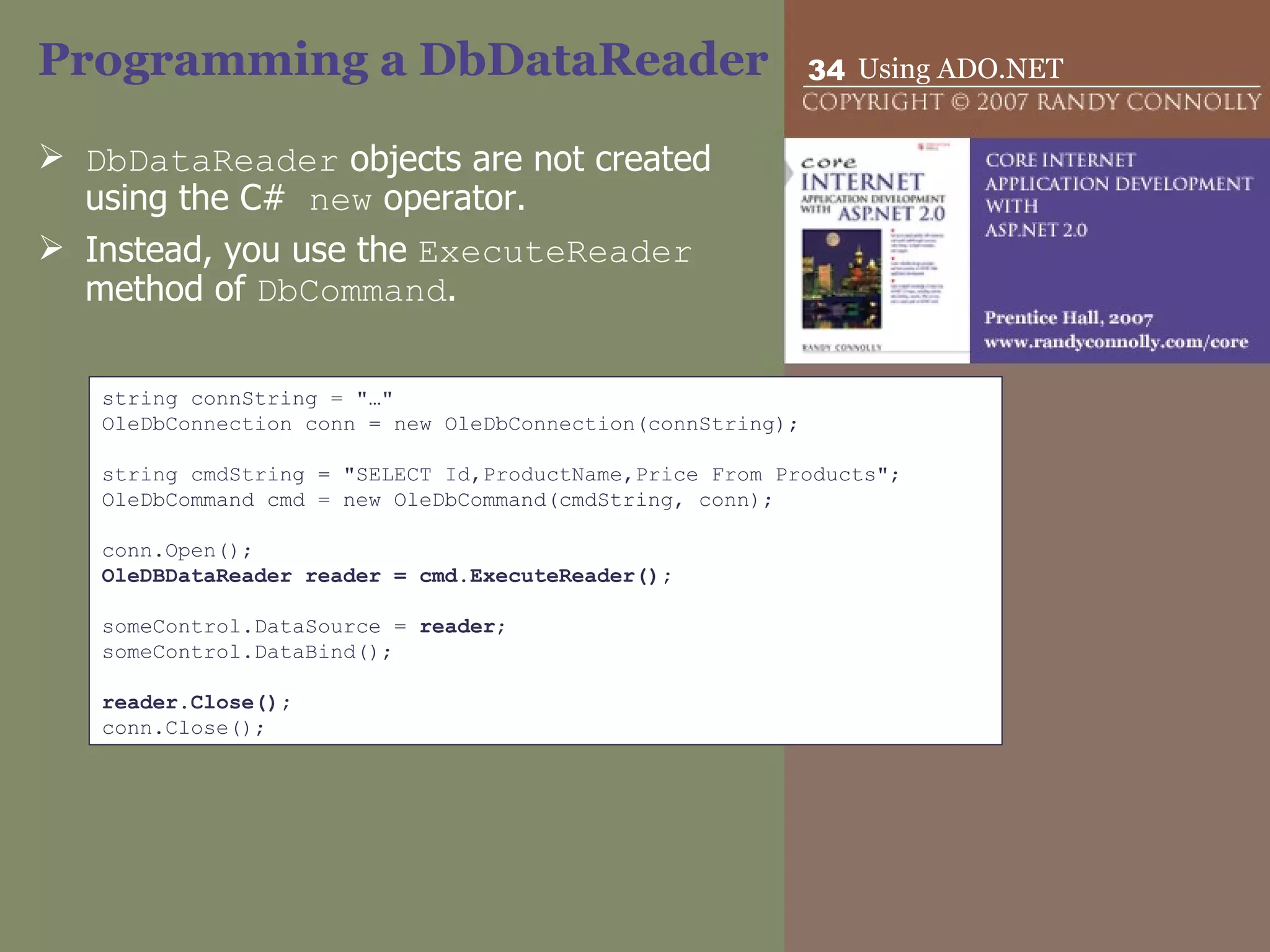
Programming a DbDataReader DbDataReader  objects are not created using the C#  new  operator.  Instead, you use the  ExecuteReader  method of  DbCommand .  string connString = &quot;…&quot; OleDbConnection conn = new OleDbConnection(connString);   string cmdString = &quot;SELECT Id,ProductName,Price From Products&quot;; OleDbCommand cmd = new OleDbCommand(cmdString, conn);   conn.Open(); OleDBDataReader reader = cmd.ExecuteReader();   someControl.DataSource =  reader ; someControl.DataBind();   reader.Close(); conn.Close();
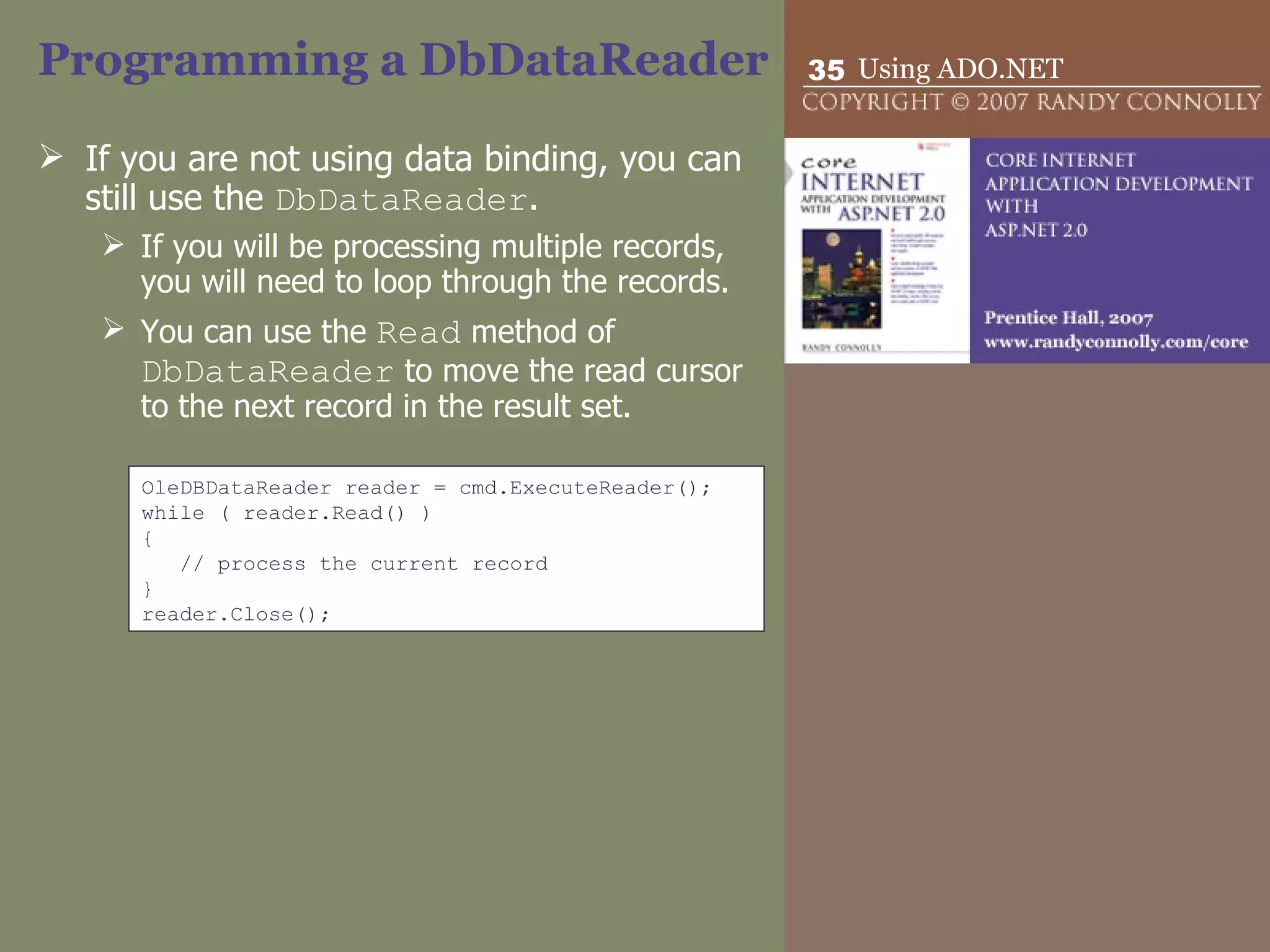
Programming a DbDataReader If you are not using data binding, you can still use the  DbDataReader . If you will be processing multiple records, you will need to loop through the records.  You can use the  Read  method of  DbDataReader  to move the read cursor to the next record in the result set. OleDBDataReader reader = cmd.ExecuteReader(); while ( reader.Read() ) { // process the current record } reader.Close();
Programming a DbDataReader Field data can be retrieved from the current record in the reader since the reader object acts like a collection, with each element in the collection corresponding to a field in the record.  SELECT Id,ProductName,Price FROM Products // retrieve using column name int id = (int)reader[&quot;Id&quot;]; string name = (string)reader[&quot;ProductName&quot;]; double price = (double)reader[&quot;Price&quot;];   // retrieve using a zero-based column ordinal int id = (int)reader[0]; string name = (string)reader[1]; double price = (double)reader[2];   // retrieve a typed value using column ordinal int id = reader.GetInt32(0); string name = reader.GetString(1); double price = reader.GetDouble(2);
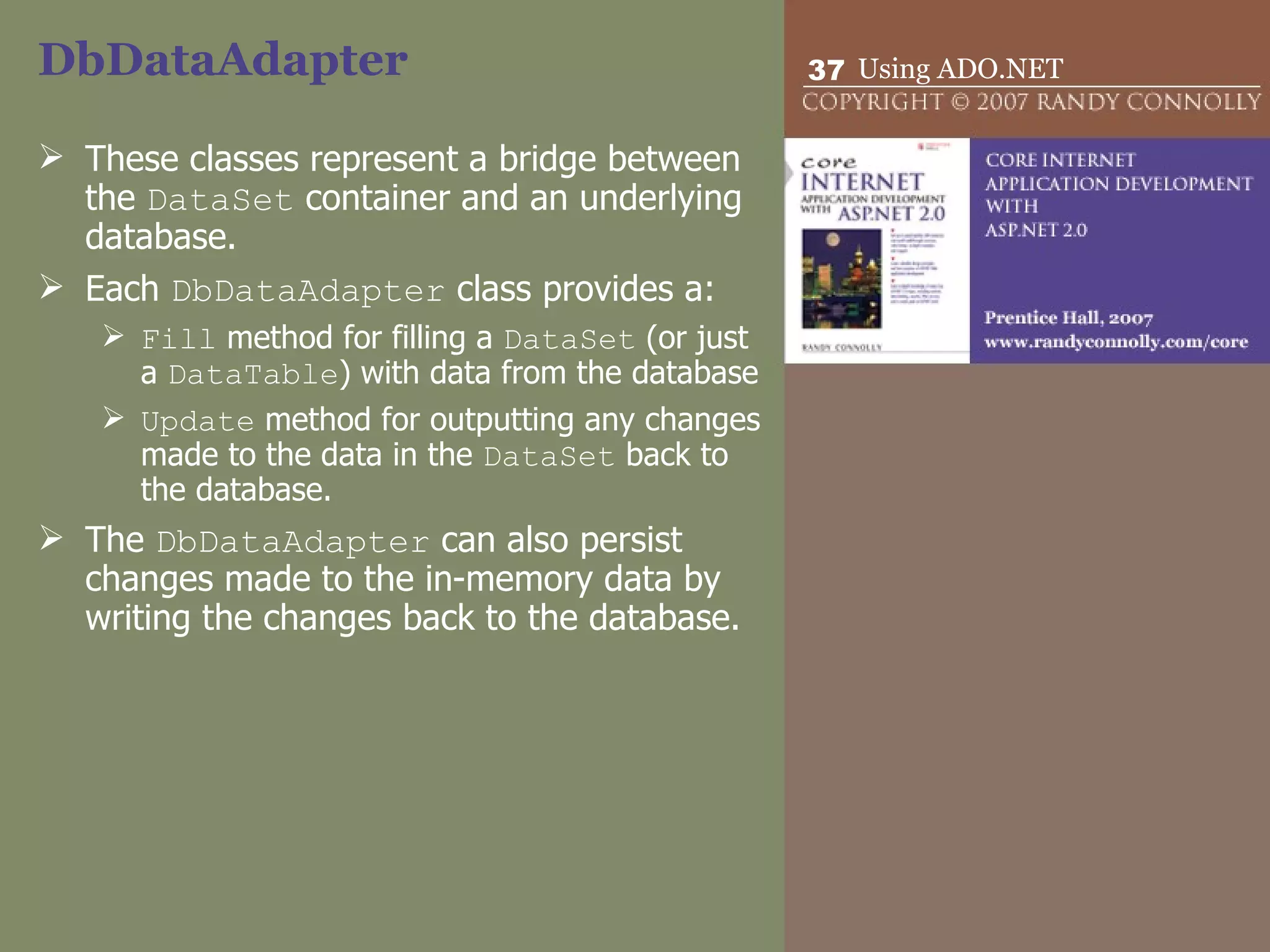
DbDataAdapter  These classes represent a bridge between the  DataSet  container and an underlying database.  Each  DbDataAdapter  class provides a: Fill  method for filling a  DataSet  (or just a  DataTable ) with data from the database  Update  method for outputting any changes made to the data in the  DataSet  back to the database.  The  DbDataAdapter  can also persist changes made to the in-memory data by writing the changes back to the database.
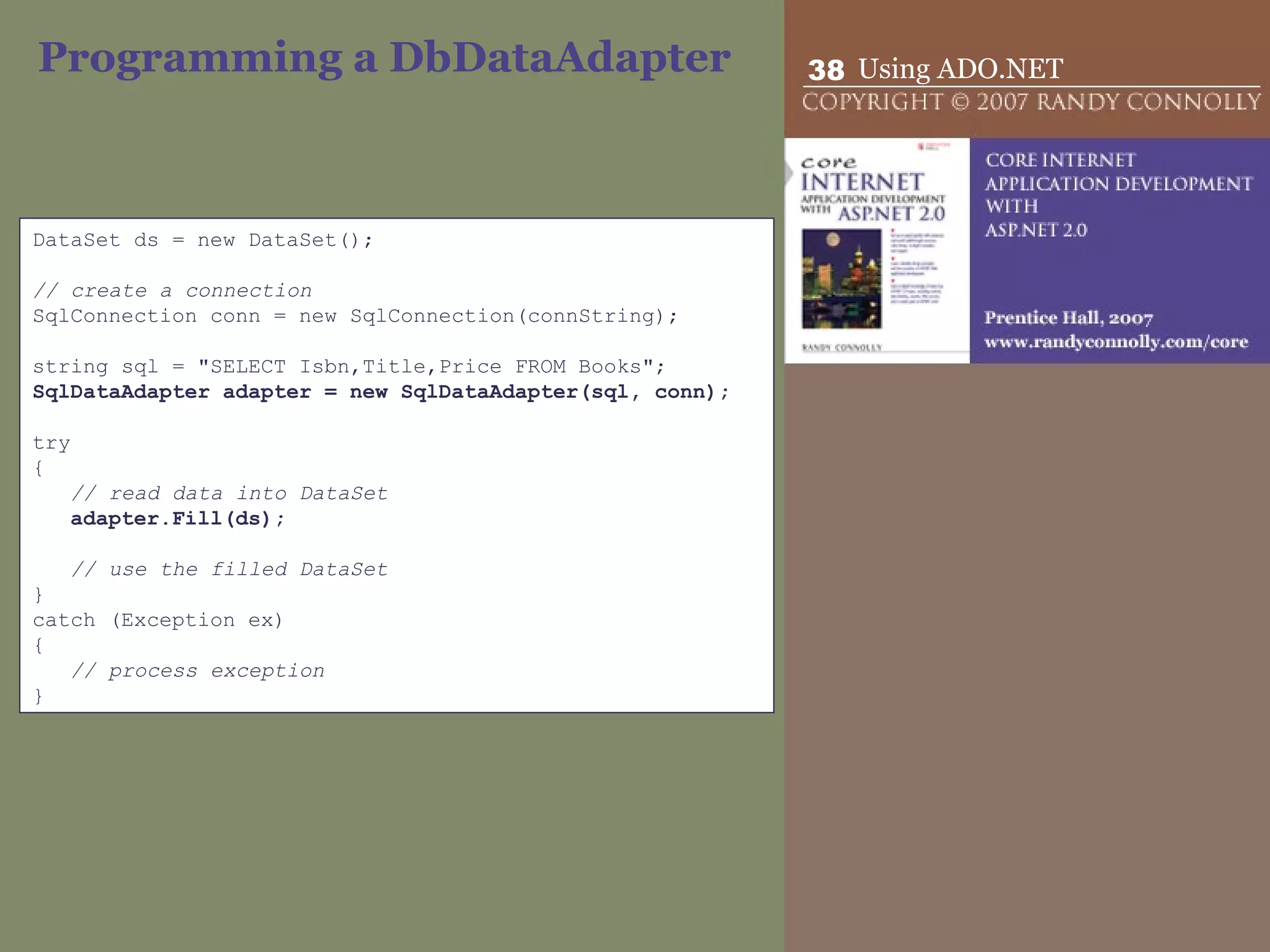
Programming a DbDataAdapter DataSet ds = new DataSet();   // create a connection SqlConnection conn = new SqlConnection(connString);   string sql = &quot;SELECT Isbn,Title,Price FROM Books&quot;; SqlDataAdapter adapter = new SqlDataAdapter(sql, conn);   try { // read data into DataSet adapter.Fill(ds);   // use the filled DataSet } catch (Exception ex) { // process exception }
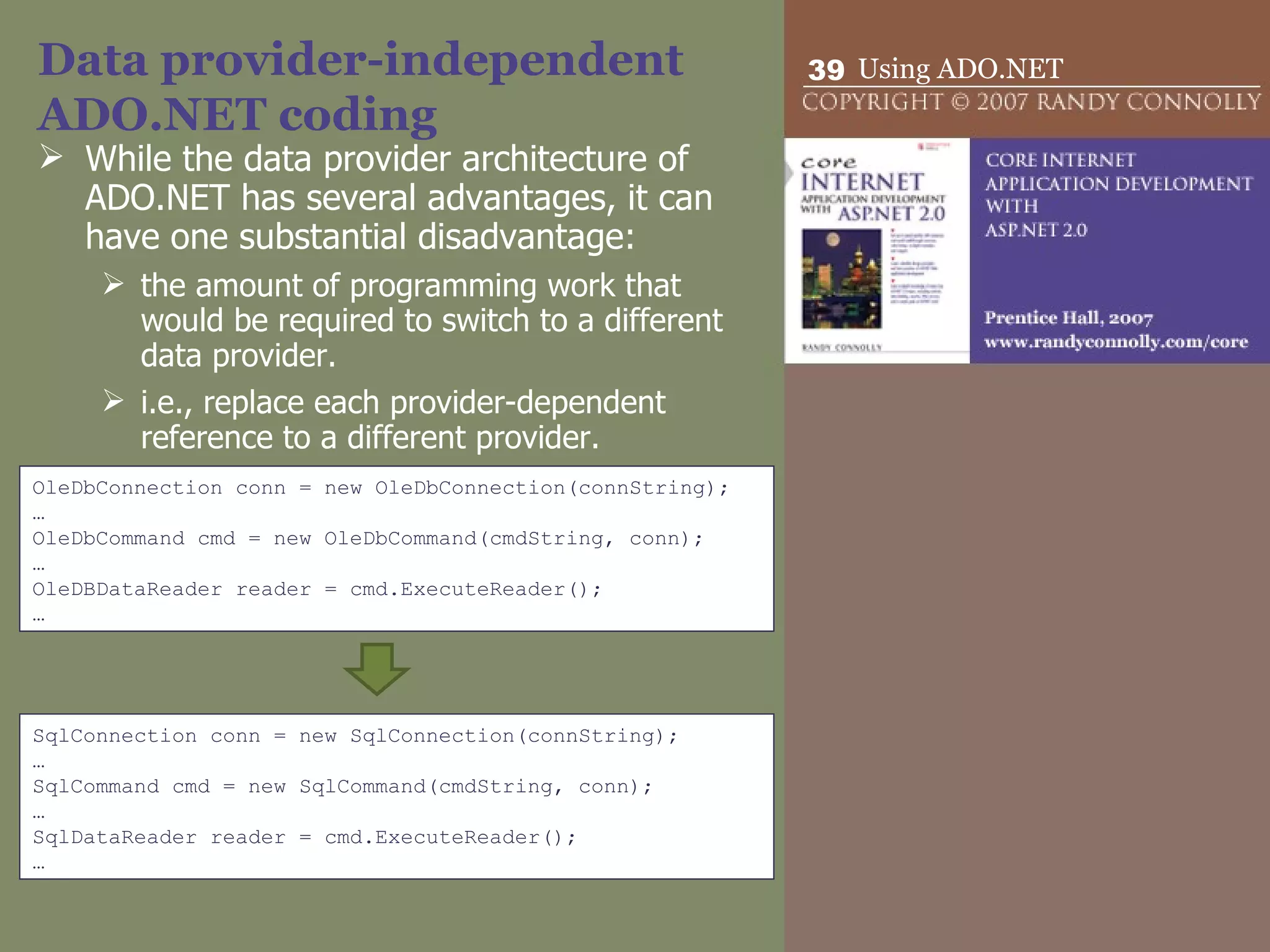
Data provider-independent ADO.NET coding While the data provider architecture of ADO.NET has several advantages, it can have one substantial disadvantage: the amount of programming work that would be required to switch to a different data provider. i.e., replace each provider-dependent reference to a different provider. OleDbConnection conn = new OleDbConnection(connString); … OleDbCommand cmd = new OleDbCommand(cmdString, conn); … OleDBDataReader reader = cmd.ExecuteReader(); … SqlConnection conn = new SqlConnection(connString); … SqlCommand cmd = new SqlCommand(cmdString, conn); … SqlDataReader reader = cmd.ExecuteReader(); …
Data provider-independent ADO.NET coding We can partially achieve this aim on the one hand by coding to the abstract base classes used by the specific provider classes  DbConnection  conn = new SqlConnection(connString);
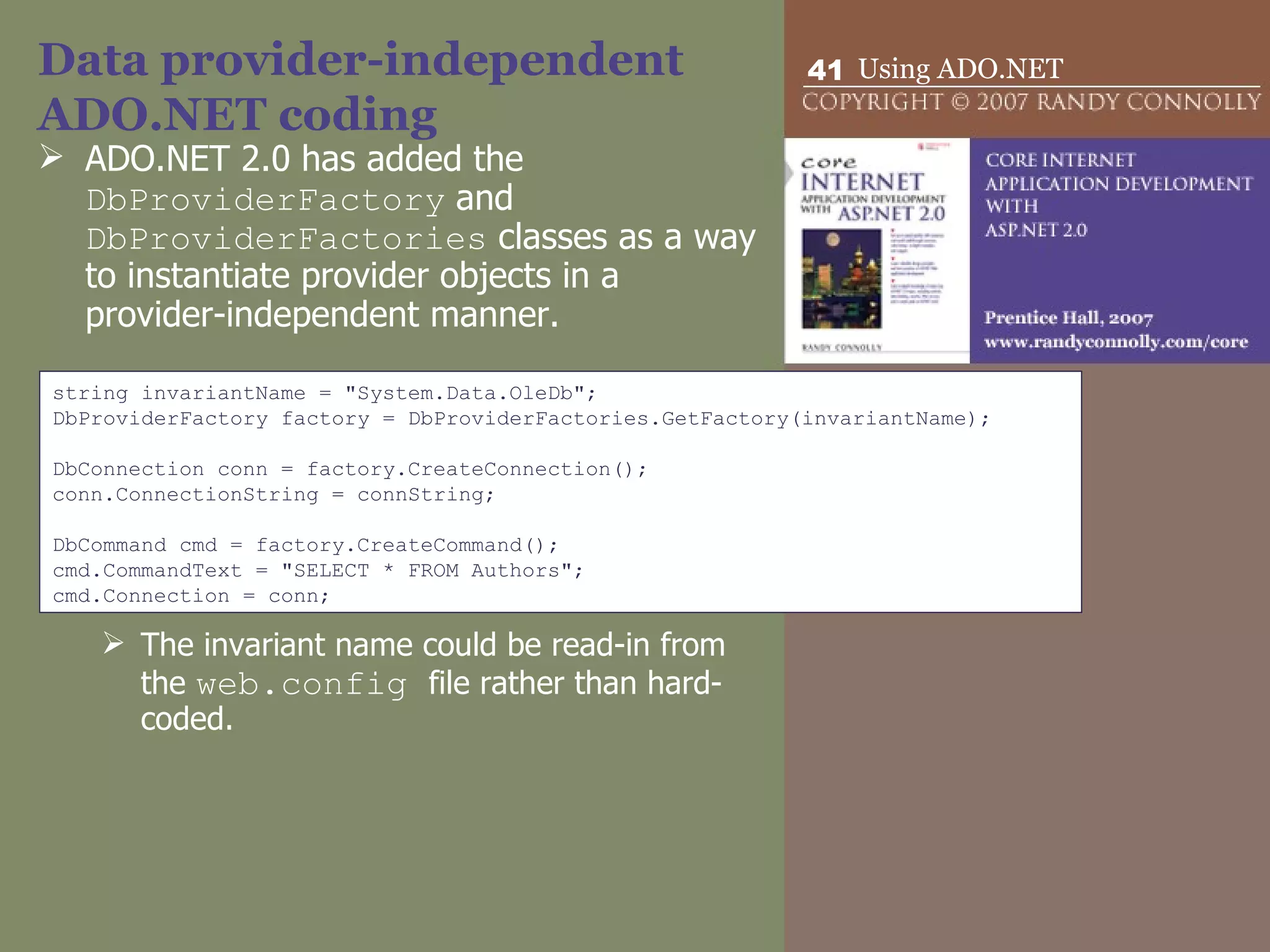
Data provider-independent ADO.NET coding ADO.NET 2.0 has added the  DbProviderFactory  and  DbProviderFactories  classes as a way to instantiate provider objects in a provider-independent manner. The invariant name could be read-in from the  web.config  file rather than hard-coded. string invariantName = &quot;System.Data.OleDb&quot;; DbProviderFactory factory = DbProviderFactories.GetFactory(invariantName);   DbConnection conn = factory.CreateConnection(); conn.ConnectionString = connString;   DbCommand cmd = factory.CreateCommand(); cmd.CommandText = &quot;SELECT * FROM Authors&quot;; cmd.Connection = conn;
Data Source Controls With  data source controls  it is possible to manipulate external data with  no  programming code.  Data source controls provide a declarative approach (i.e., use markup) for accessing external data.  They do not have a user interface.  Instead they declaratively encapsulate an external data source.
Data Source Controls There are five different data source controls that come with ASP.NET.  AccessDataSource   Provides simplified access to a Microsoft Access database.  SqlDataSource Provides access to any database that uses SQL.  ObjectDataSource Allows you to use your own custom class (such as a business object or a data access object) to access data. SiteMapDataSource Used by the site navigation controls to access the XML-based site map file. XmlDataSource Provides access to any XML document
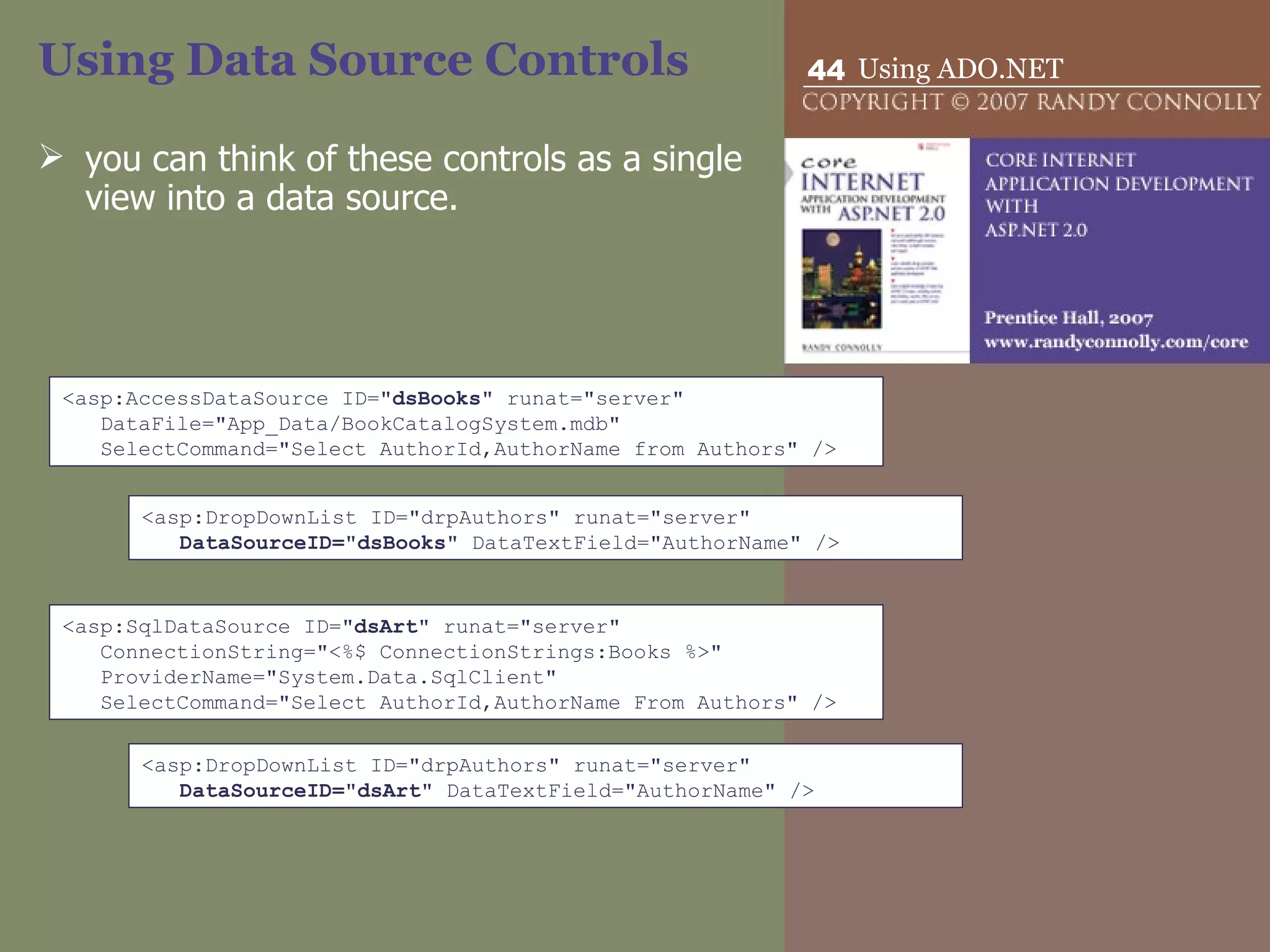
Using Data Source Controls you can think of these controls as a single view into a data source.  <asp:AccessDataSource ID=&quot; dsBooks &quot; runat=&quot;server&quot;  DataFile=&quot;App_Data/BookCatalogSystem.mdb&quot; SelectCommand=&quot;Select AuthorId,AuthorName from Authors&quot; /> <asp:DropDownList ID=&quot;drpAuthors&quot; runat=&quot;server&quot;  DataSourceID=&quot;dsBooks&quot;  DataTextField=&quot;AuthorName&quot; /> <asp:SqlDataSource ID=&quot; dsArt &quot; runat=&quot;server&quot; ConnectionString=&quot;<%$ ConnectionStrings:Books %>&quot; ProviderName=&quot;System.Data.SqlClient&quot; SelectCommand=&quot;Select AuthorId,AuthorName From Authors&quot; /> <asp:DropDownList ID=&quot;drpAuthors&quot; runat=&quot;server&quot;  DataSourceID=&quot;dsArt&quot;  DataTextField=&quot;AuthorName&quot; />
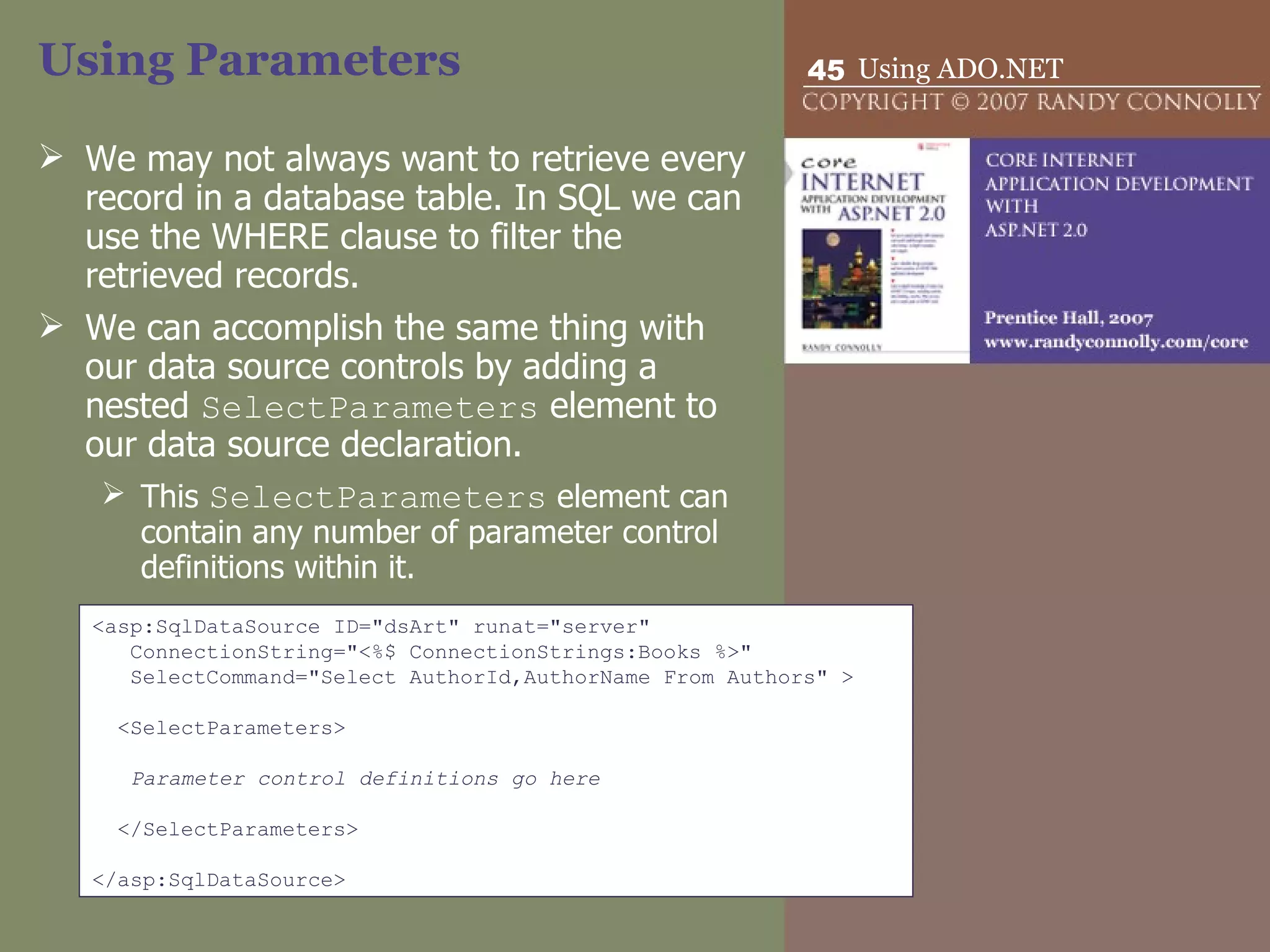
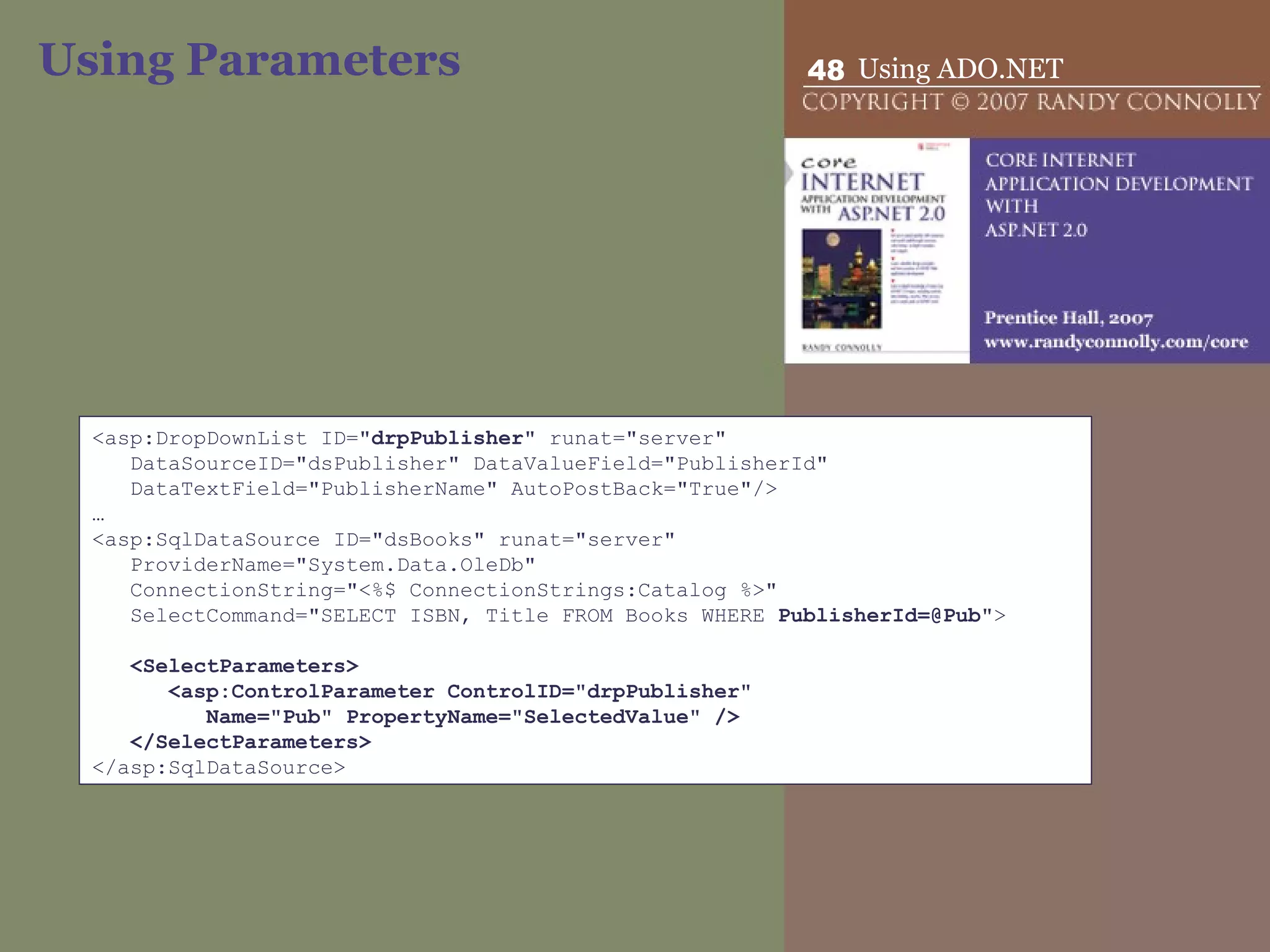
Using Parameters We may not always want to retrieve every record in a database table. In SQL we can use the WHERE clause to filter the retrieved records. We can accomplish the same thing with our data source controls by adding a nested  SelectParameters  element to our data source declaration.  This  SelectParameters  element can contain any number of parameter control definitions within it. <asp:SqlDataSource ID=&quot;dsArt&quot; runat=&quot;server&quot; ConnectionString=&quot;<%$ ConnectionStrings:Books %>&quot; SelectCommand=&quot;Select AuthorId,AuthorName From Authors&quot; >   <SelectParameters>   Parameter control definitions go here   </SelectParameters>   </asp:SqlDataSource>
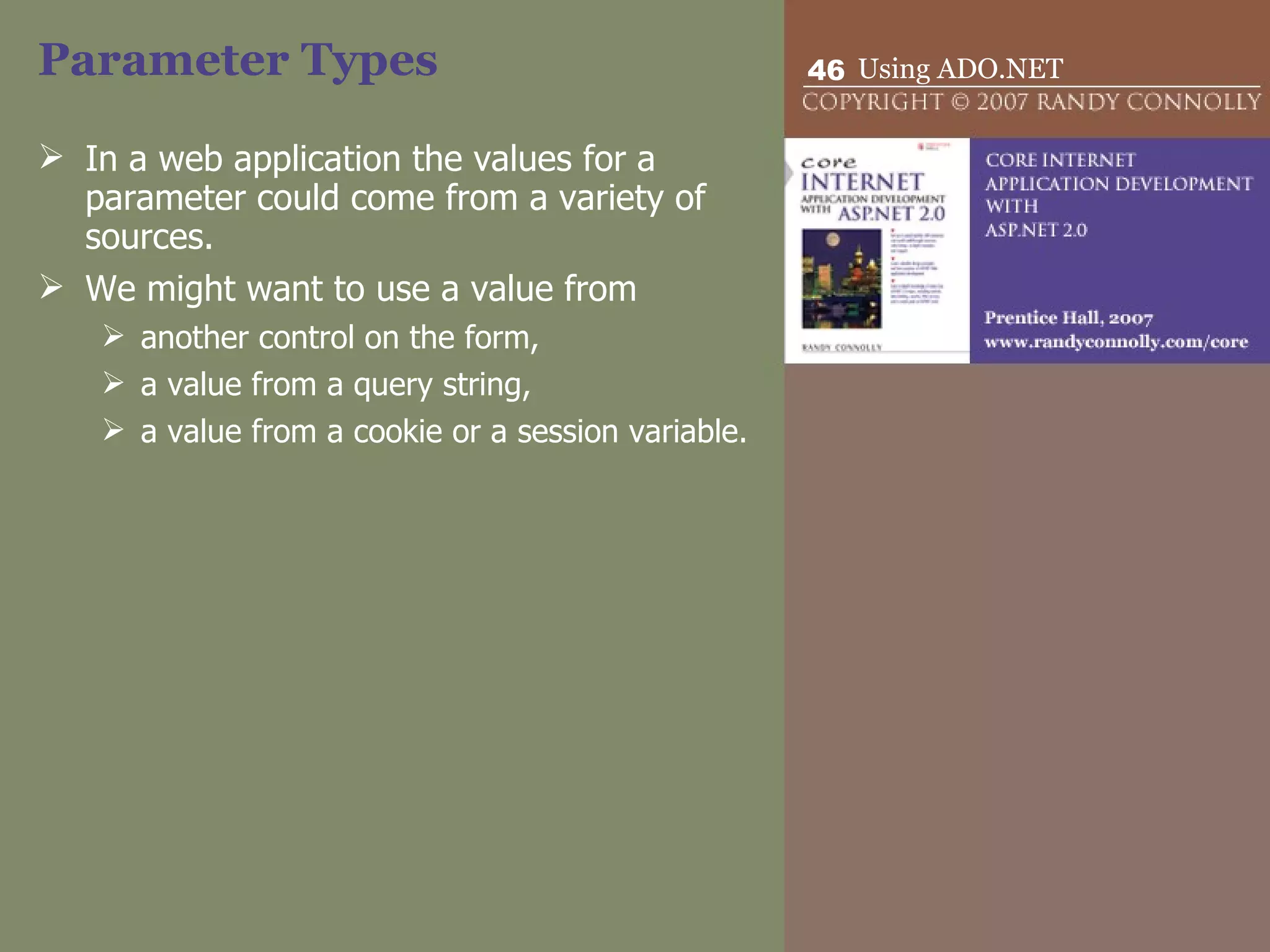
Parameter Types In a web application the values for a parameter could come from a variety of sources.  We might want to use a value from another control on the form,  a value from a query string,  a value from a cookie or a session variable.
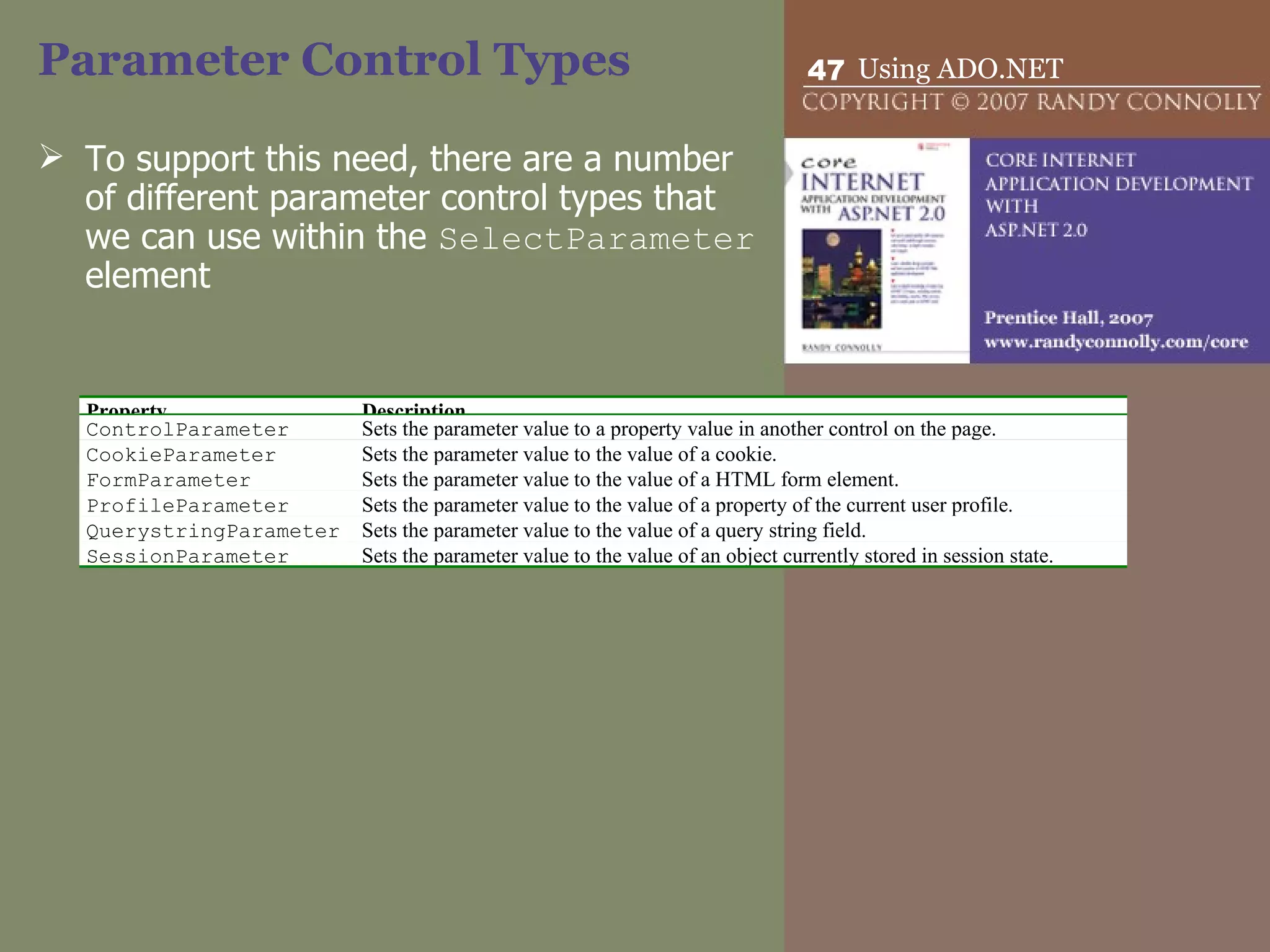
Parameter Control Types To support this need, there are a number of different parameter control types that we can use within the  SelectParameter  element Property Description ControlParameter Sets the parameter value to a property value in another control on the page. CookieParameter Sets the parameter value to the value of a cookie. FormParameter Sets the parameter value to the value of a HTML form element.  ProfileParameter Sets the parameter value to the value of a property of the current user profile. QuerystringParameter Sets the parameter value to the value of a query string field. SessionParameter Sets the parameter value to the value of an object currently stored in session state.
Using Parameters <asp:DropDownList ID=&quot; drpPublisher &quot; runat=&quot;server&quot; DataSourceID=&quot;dsPublisher&quot; DataValueField=&quot;PublisherId&quot; DataTextField=&quot;PublisherName&quot; AutoPostBack=&quot;True&quot;/> … <asp:SqlDataSource ID=&quot;dsBooks&quot; runat=&quot;server&quot; ProviderName=&quot;System.Data.OleDb&quot; ConnectionString=&quot;<%$ ConnectionStrings:Catalog %>&quot; SelectCommand=&quot;SELECT ISBN, Title FROM Books WHERE  PublisherId=@Pub &quot;>   <SelectParameters> <asp:ControlParameter ControlID=&quot;drpPublisher&quot;  Name=&quot;Pub&quot; PropertyName=&quot;SelectedValue&quot; /> </SelectParameters> </asp:SqlDataSource>
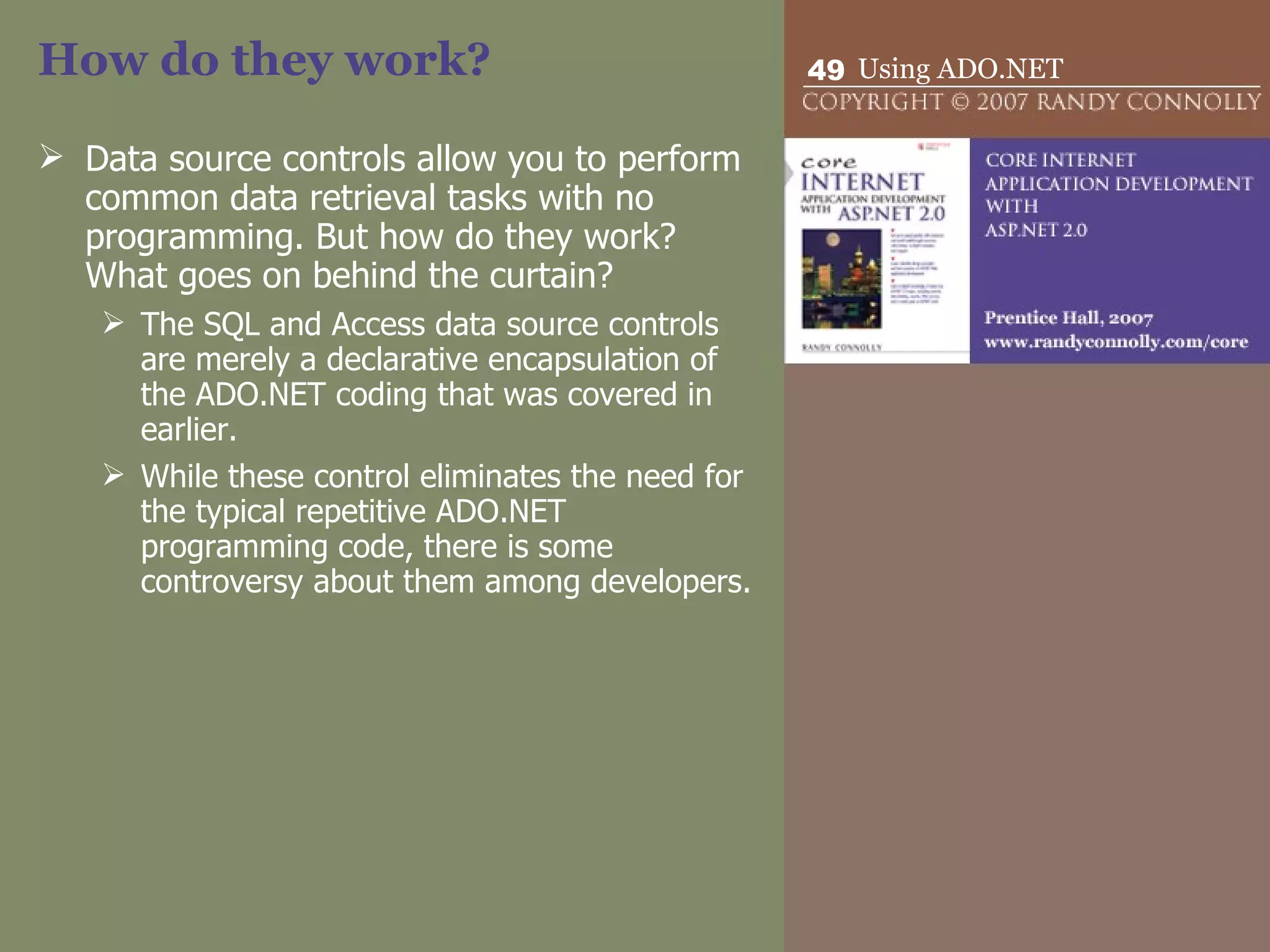
How do they work? Data source controls allow you to perform common data retrieval tasks with no programming. But how do they work? What goes on behind the curtain?  The SQL and Access data source controls are merely a declarative encapsulation of the ADO.NET coding that was covered in earlier. While these control eliminates the need for the typical repetitive ADO.NET programming code, there is some controversy about them among developers.
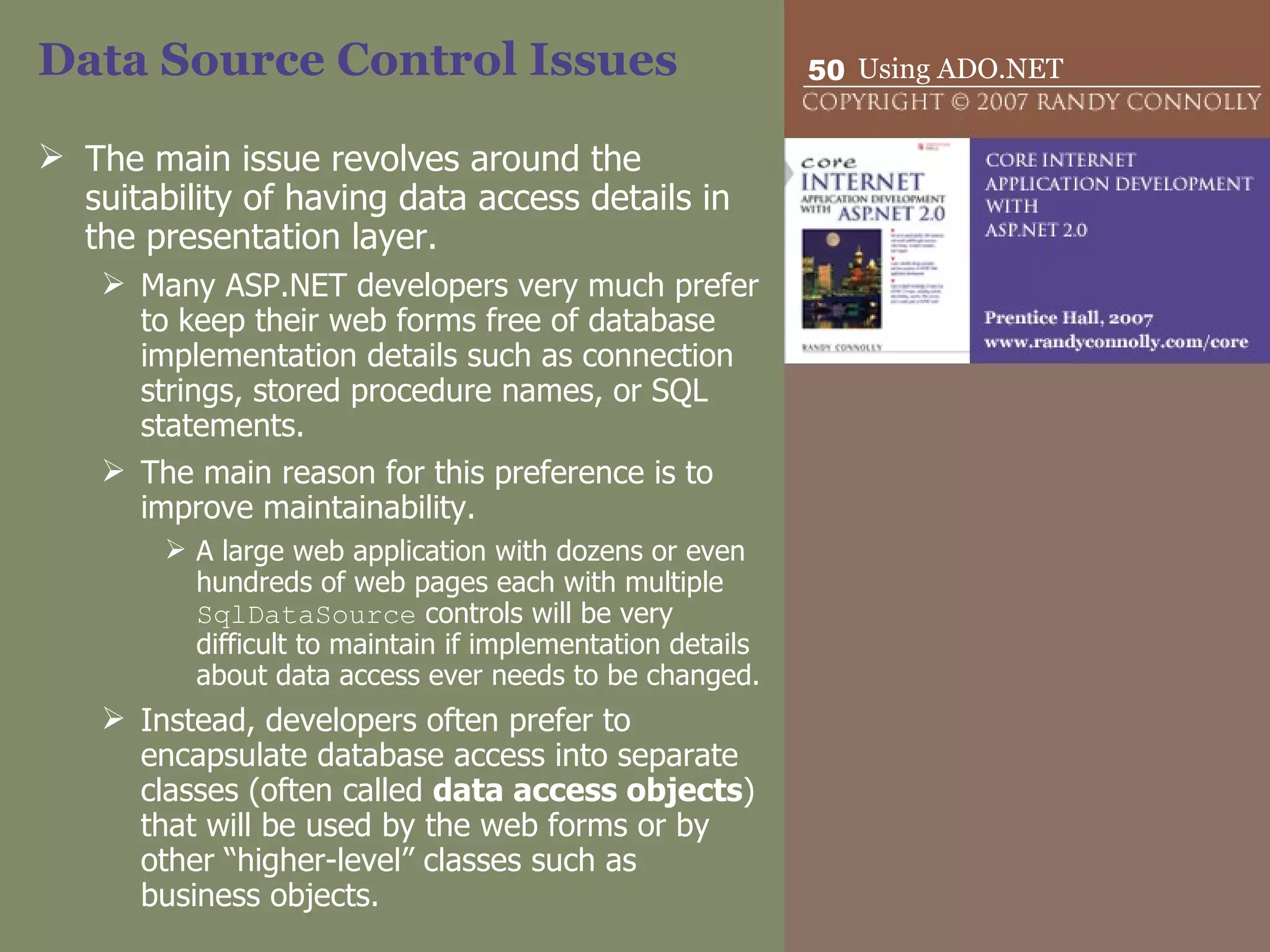
Data Source Control Issues The main issue revolves around the suitability of having data access details in the presentation layer.  Many ASP.NET developers very much prefer to keep their web forms free of database  implementation details such as connection strings, stored procedure names, or SQL statements.  The main reason for this preference is to improve maintainability.  A large web application with dozens or even hundreds of web pages each with multiple  SqlDataSource  controls will be very difficult to maintain if implementation details about data access ever needs to be changed.  Instead, developers often prefer to encapsulate database access into separate classes (often called  data access objects ) that will be used by the web forms or by other “higher-level” classes such as business objects.
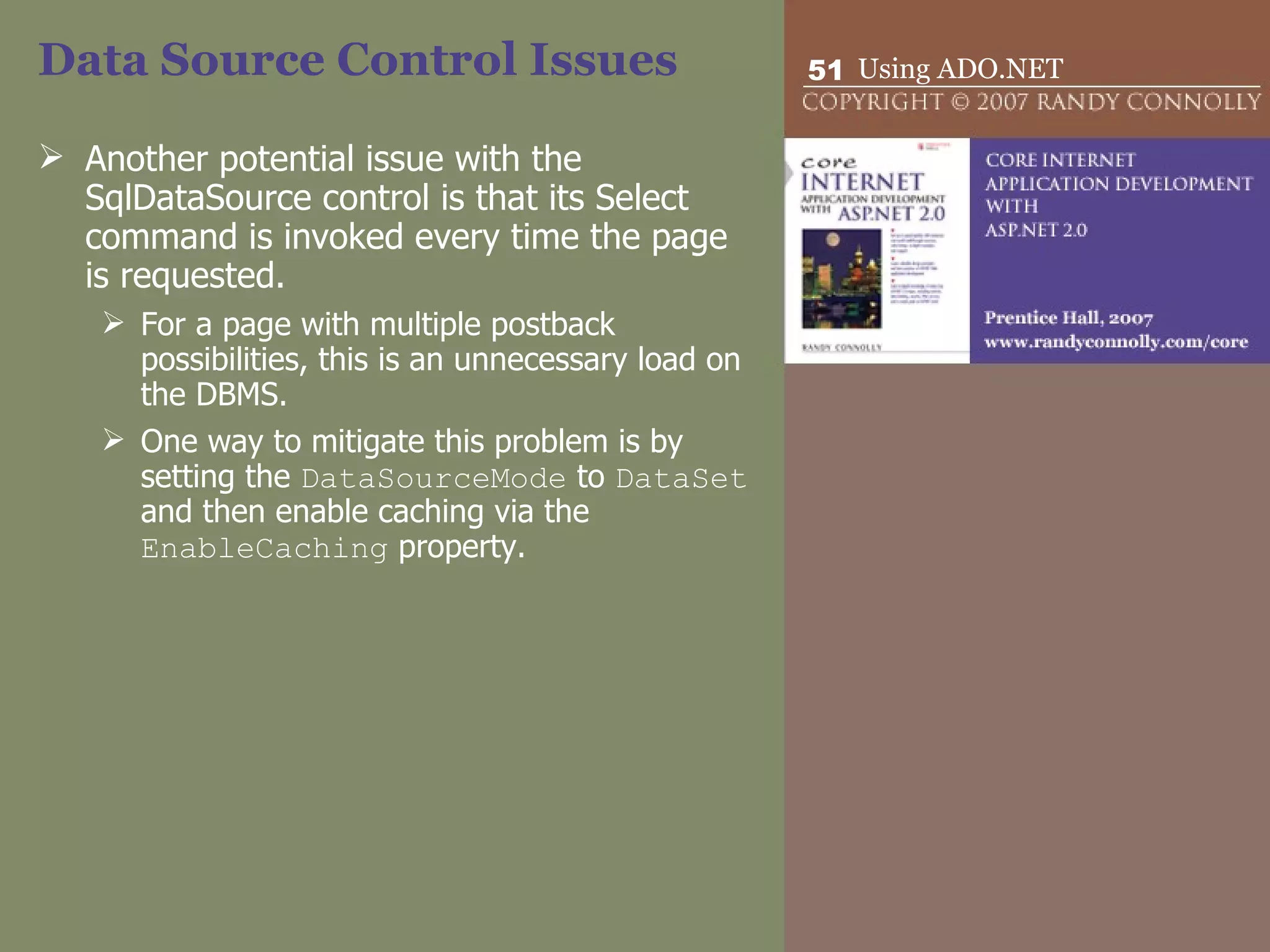
Data Source Control Issues Another potential issue with the SqlDataSource control is that its Select command is invoked every time the page is requested.  For a page with multiple postback possibilities, this is an unnecessary load on the DBMS.  One way to mitigate this problem is by setting the  DataSourceMode  to  DataSet  and then enable caching via the  EnableCaching  property.
ObjectDataSource Like the other data source controls, the  ObjectDataSource  control provides a codeless way to display and manipulate data.  Unlike with the  SqlDataSource  control, the  ObjectDataSource  control is not an intermediary for a database but for some other class.  Many developers prefer to design their web applications so that their web forms are only concerned with presentation details. Other classes are used to implement data access logic, business logic, and application logic.  The  ObjectDataSource  allows developers to maintain this type of application architecture and keep the benefits of codeless data binding.
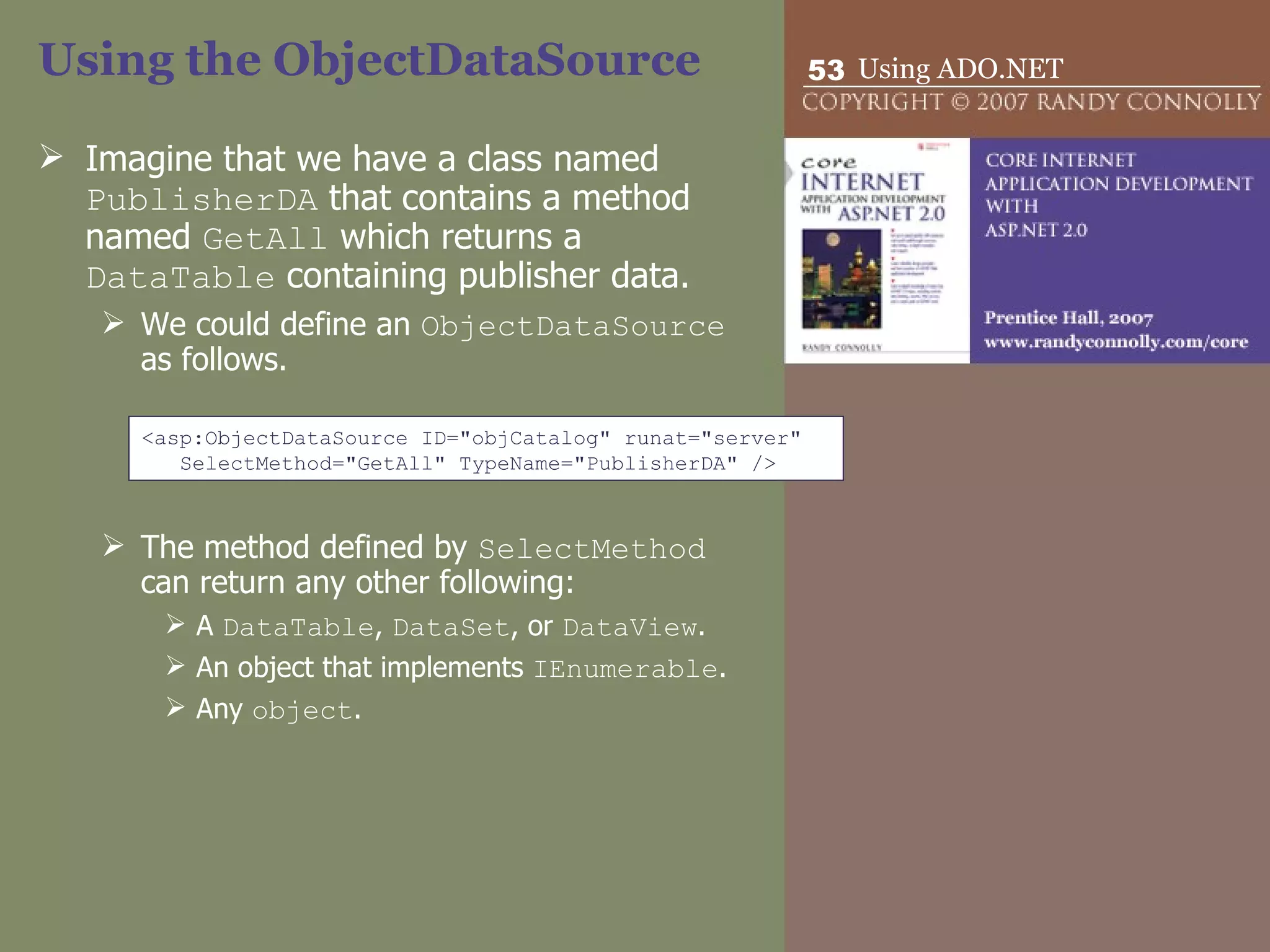
Using the ObjectDataSource Imagine that we have a class named  PublisherDA  that contains a method named  GetAll  which returns a  DataTable  containing publisher data.  We could define an  ObjectDataSource  as follows. The method defined by  SelectMethod  can return any other following: A  DataTable ,  DataSet , or  DataView . An object that implements  IEnumerable . Any  object . <asp:ObjectDataSource ID=&quot;objCatalog&quot; runat=&quot;server&quot;  SelectMethod=&quot;GetAll&quot; TypeName=&quot;PublisherDA&quot; />

ASP.NET 09 - ADO.NET

  • 1.
  • 2.
    Overview This chapter covers how to programmatically and declaratively work with data in databases. It covers: accessing and modifying data within databases in ASP.NET using the classes of ADO.NET. the codeless approach to accessing data using data source controls
  • 3.
    Introducing ADO.NET ADO.NETrefers to the various classes in the .NET Framework that provide data access. ADO.NET is typically used to access relational databases. can also be used to access other external data such as XML documents.
  • 4.
  • 5.
    ADO.NET data providers The ADO.NET data providers are a handful of .NET classes that are used for: connecting to a database, executing data commands, populating a DataSet , providing fast, forward-only, read-only access to data. The four main classes within a data provider are: DbConnection DbCommand DbDataAdapter DbDataReader
  • 6.
    ADO.NET data providers The key point about .NET data providers is: each database type has its own version of these classes. Because DbConnection , DbCommand , DbDataAdapter , and DbDataReader are abstract classes, each provider implements its own concrete version of these classes. SqlConnection class defined in the SQL Server data provider OracleConnection class defined in the Oracle data provider
  • 7.
  • 8.
    Abstract Base Classesof a Data Provider Class Description DbCommand Executes a data command, such as a SQL statement or a stored procedure. DbConnection Establishes a connection to a data source. DbDataAdapter Populates a DataSet from a data source. DbDataReader Represents a read-only, forward-only stream of data from a data source.
  • 9.
  • 10.
    Using Data ProviderClasses The process for using these classes is as follows: Create a DbConnection to the database via a connection string. Create and execute a DbCommand for the database. [Optional] Fill a DataSet from the database using a DbDataAdapter , or use a DbDataReader to retrieve data from the database.
  • 11.
    DBConnection Represents aconnection to a data source through which commands are passed to the data source and through which data is returned. Before you can access a database, you must first create a connection to it. Database commands then “travel” across the connection to the database, as does any data returned from a database.
  • 12.
    DBConnection Each DbConnection class has members for: opening and closing a connection, setting and retrieving properties of a connection, handling connection-related events.
  • 13.
    Connection Strings Tocreate a connection, you must specify a connection string . A connection string is a string that specifies the initialization and connection information needed to connect to a data source. It can contain information such as the database name or location, driver type, user name, password, and even connection pooling and timeout information. Connection strings are based on ODBC connection string syntax consisting of name-value pairs separated by semicolons. name1=value1; name2=value Provider=Microsoft.Jet.OLEDB.4.0;Data Source=c:\data\abc.mdb;
  • 14.
    Programming a DbConnectionTo create a connection, you simply: instantiate the relevant DbConnection object (passing it your connection string) call its Open method. The DbConnection object is now available for use. After you no longer need the connection, you must close it. // Must use @ since string contains backslash characters string connString = @&quot;Provider=Microsoft.Jet.OLEDB.4.0;Data Source=c:\data\abc.mdb;&quot; OleDbConnection conn = new OleDbConnection(connString); conn.Open(); // Now use the connection … // all finished, so close connection conn.Close();
  • 15.
    Exception Handling Ingeneral, any time your pages need to access an external resource, it is possible that an exception could occur. As a consequence, you should wrap your connection opening code within a try…catch block string connString = … OleDbConnection conn = new OleDbConnection(connString); try { conn.Open(); // Now use the connection … } catch (OleDbException ex) { // Handle or log exception } finally { if (conn != null) conn.Close(); }
  • 16.
    Alternate Syntax Thereis an alternate programming pattern for using a connection that uses the C# using statement. This statement defines a scope for a block of code. After the block of code is finished executing, any objects defined in the using statement are automatically disposed. using (OleDbConnection conn = new OleDbConnection(connString)) { conn.Open(); // Now use the connection … }
  • 17.
    Storing Connection StringsIn ASP.NET 2.0, you can define connection strings for your application in the Web.config file. <configuration> <connectionStrings> <add name=&quot;Books&quot; connectionString=&quot;Provider=…&quot; /> <add name=&quot;Sales&quot; connectionString=&quot;Data Source=…&quot; /> </connectionStrings> <system.web> … </system.web> </configuration> string connString = WebConfigurationManager.ConnectionStrings[&quot;Books&quot;].ConnectionString;
  • 18.
    Connection Pooling Twokey points: Database connections are a finite commodity in a DBMS. Creating and opening a connection is a relatively slow process. In a typical real-world Web site with many simultaneous requests, you can improve the performance and scalability of your application by reducing the number of times you connect to the database by sharing, or pooling, your connections to a data source.
  • 19.
    Connection Pooling Connectionpooling is handled automatically behind-the-scenes by the ADO.NET providers. For some of the providers you can customize how the pooling works or even turn it off, via various options in the connection string.
  • 20.
    DbCommand Represents anSQL statement or a stored procedure that is executed by the data source. Each DbCommand class has members for: representing an SQL statement, creating data parameters, executing SQL commands that either return data (e.g., SELECT) or do not return data (e.g., INSERT, DELETE, or UPDATE). can also be used to run stored procedures if the database supports them.
  • 21.
    Programming a DbCommandTo create a command, you instantiate the relevant DbCommand object and pass it your database DbConnection object. This DbConnection can be set via the constructor or via the DbConnection property of the DbCommand . The DbCommand object also needs a database command contained in a string. string connString = &quot;…&quot; OleDbConnection conn = new OleDbConnection(connString);   // create a command using SQL text string cmdString = &quot;SELECT Id,Name,Price From Products&quot;; OleDbCommand cmd = new OleDbCommand(cmdString, conn);   conn.Open(); ...
  • 22.
    Executing a DbCommandOnce a DbCommand object has been instantiated and its command text, command type, and connection set, the command can be run by calling one of the Execute methods of the DbCommand class: ExecuteNonQuery for commands that do not return any record data, such as an SQL INSERT or DELETE. ExecuteScalar for SELECT commands that return a single value. ExecuteReader for SELECT commands that return multiple results. How are these results returned? returns a DbDataReader .
  • 23.
    Using DbParameters Representa parameter to a command. Parameters are used to specify criteria to a query that is, they are used to construct parameterized queries . They are a more secure alternative to simply building a query with criteria via string building.
  • 24.
    Why String Buildingis Bad An example of a query constructed from string building is shown in the following example. It uses the value entered by a user into a text box to construct the SQL query. Why is this so bad? This type of coding is vulnerable to the so-called SQL injection attack . In this type of attack, a user enters SQL into a data entry form in order to extract additional information from the database that you want hidden or even to submit surreptitiously nasty commands to the DBMS. // Do not do this string sql = &quot;SELECT * FROM Users WHERE User='&quot; + txtUser.Text + &quot;'&quot;;
  • 25.
    SQL Injection AttackWhat would be the resulting SQL string from the above code if the user entered the following into the txtUser text box? The resulting SQL string would be: Since two dashes indicate a SQL comment, the DBMS will ignore the final single quote. This query will select all the records in the Users table, which might be problematic if the query results are being data bound to a control that can display multiple records. What would happen if user entered: string sql = &quot;SELECT * FROM Users WHERE User='&quot; + txtUser.Text + &quot;'&quot;; ' or 1=1 -- SELECT * FROM Users WHERE User='' OR 1=1 --' '; DROP TABLE customers; --
  • 26.
    DbParameter Some ofthe dangers of SQL injection attacks can be avoided by using DbParameter objects to construct commands that use criteria constructed from user input. A DbParameter is simply an object that represents a name-value pair, name is the identifier for the parameter value is the actual data for the parameter.
  • 27.
    Using a DbParameterCreating a command using a DbParameter involves three steps: Modify the SQL WHERE clause so it uses parameter names instead of values. Create the appropriate DbParameter objects and assign them the appropriate names and values. Add the created DbParameter objects to the DbCommand object’s Parameters collection. This step must be done before calling any of the DbCommand object’s Execute methods. SqlParameter param = new SqlParameter(&quot;@user&quot;,txtUser.Text); string s = &quot;select * from Users where UserId=@user&quot;; SqlCommand cmd; … cmd.Parameters.Add(param);
  • 28.
    Transactions Transactions providea way to gracefully handle errors and keep your data properly consistent when errors do occur. Transactions can be implemented both in ADO.NET as well as within the DBMS. Transactions can be local or distributed .
  • 29.
    Local Transasctions Alocal transaction affects operations that target a single database, and is ultimately mapped to the transaction mechanism within the DBMS.
  • 30.
    Local Transaction StepsCreate a DbTransaction object by calling the BeginTransaction method of the DbConnection class. Assign the DbTransaction object to each DbCommand object being executed as part of the transaction via its Transaction property. Execute each DbCommand . Commit (i.e., save the database changes) if everything worked okay or roll back (i.e., undo any database changes) if an exception occurred. If the connection is closed before a commit or a roll back (caused, for instance, by a crash in the DBMS or the web server), then the transaction would be rolled back.
  • 31.
    Distributed Transactions A distributed transaction is a transaction that affects not just a single database, but multiple resources. For instance, in a typical order processing site, a distributed transaction might be involved since an order requires not only a local database, but also: the credit card processor, And external legacy ordering system. Because there are multiple external resources involved, distributed transactions are much more complicated than local transactions.
  • 32.
    Distributed transactions Distributed transactions are handled by classes in the System.Transaction namespace and may as well involve working with non-managed APIs such as Microsoft Message Queue (MSMQ) or COM+.
  • 33.
    DbDataReader The DbDataReader is optimized for the fast retrieval of a read-only stream of records and is thus ideal for web applications. DbDataReader is not a data container like the DataSet , but a kind of pointer to a record in a result set (that is, a set of records returned from a database query). DbDataReader also implements the IEnumerable interface so multi-value web server controls can be data bound to it.
  • 34.
    Programming a DbDataReaderDbDataReader objects are not created using the C# new operator. Instead, you use the ExecuteReader method of DbCommand . string connString = &quot;…&quot; OleDbConnection conn = new OleDbConnection(connString);   string cmdString = &quot;SELECT Id,ProductName,Price From Products&quot;; OleDbCommand cmd = new OleDbCommand(cmdString, conn);   conn.Open(); OleDBDataReader reader = cmd.ExecuteReader();   someControl.DataSource = reader ; someControl.DataBind();   reader.Close(); conn.Close();
  • 35.
    Programming a DbDataReaderIf you are not using data binding, you can still use the DbDataReader . If you will be processing multiple records, you will need to loop through the records. You can use the Read method of DbDataReader to move the read cursor to the next record in the result set. OleDBDataReader reader = cmd.ExecuteReader(); while ( reader.Read() ) { // process the current record } reader.Close();
  • 36.
    Programming a DbDataReaderField data can be retrieved from the current record in the reader since the reader object acts like a collection, with each element in the collection corresponding to a field in the record. SELECT Id,ProductName,Price FROM Products // retrieve using column name int id = (int)reader[&quot;Id&quot;]; string name = (string)reader[&quot;ProductName&quot;]; double price = (double)reader[&quot;Price&quot;];   // retrieve using a zero-based column ordinal int id = (int)reader[0]; string name = (string)reader[1]; double price = (double)reader[2];   // retrieve a typed value using column ordinal int id = reader.GetInt32(0); string name = reader.GetString(1); double price = reader.GetDouble(2);
  • 37.
    DbDataAdapter Theseclasses represent a bridge between the DataSet container and an underlying database. Each DbDataAdapter class provides a: Fill method for filling a DataSet (or just a DataTable ) with data from the database Update method for outputting any changes made to the data in the DataSet back to the database. The DbDataAdapter can also persist changes made to the in-memory data by writing the changes back to the database.
  • 38.
    Programming a DbDataAdapterDataSet ds = new DataSet();   // create a connection SqlConnection conn = new SqlConnection(connString);   string sql = &quot;SELECT Isbn,Title,Price FROM Books&quot;; SqlDataAdapter adapter = new SqlDataAdapter(sql, conn);   try { // read data into DataSet adapter.Fill(ds);   // use the filled DataSet } catch (Exception ex) { // process exception }
  • 39.
    Data provider-independent ADO.NETcoding While the data provider architecture of ADO.NET has several advantages, it can have one substantial disadvantage: the amount of programming work that would be required to switch to a different data provider. i.e., replace each provider-dependent reference to a different provider. OleDbConnection conn = new OleDbConnection(connString); … OleDbCommand cmd = new OleDbCommand(cmdString, conn); … OleDBDataReader reader = cmd.ExecuteReader(); … SqlConnection conn = new SqlConnection(connString); … SqlCommand cmd = new SqlCommand(cmdString, conn); … SqlDataReader reader = cmd.ExecuteReader(); …
  • 40.
    Data provider-independent ADO.NETcoding We can partially achieve this aim on the one hand by coding to the abstract base classes used by the specific provider classes DbConnection conn = new SqlConnection(connString);
  • 41.
    Data provider-independent ADO.NETcoding ADO.NET 2.0 has added the DbProviderFactory and DbProviderFactories classes as a way to instantiate provider objects in a provider-independent manner. The invariant name could be read-in from the web.config file rather than hard-coded. string invariantName = &quot;System.Data.OleDb&quot;; DbProviderFactory factory = DbProviderFactories.GetFactory(invariantName);   DbConnection conn = factory.CreateConnection(); conn.ConnectionString = connString;   DbCommand cmd = factory.CreateCommand(); cmd.CommandText = &quot;SELECT * FROM Authors&quot;; cmd.Connection = conn;
  • 42.
    Data Source ControlsWith data source controls it is possible to manipulate external data with no programming code. Data source controls provide a declarative approach (i.e., use markup) for accessing external data. They do not have a user interface. Instead they declaratively encapsulate an external data source.
  • 43.
    Data Source ControlsThere are five different data source controls that come with ASP.NET. AccessDataSource Provides simplified access to a Microsoft Access database. SqlDataSource Provides access to any database that uses SQL. ObjectDataSource Allows you to use your own custom class (such as a business object or a data access object) to access data. SiteMapDataSource Used by the site navigation controls to access the XML-based site map file. XmlDataSource Provides access to any XML document
  • 44.
    Using Data SourceControls you can think of these controls as a single view into a data source. <asp:AccessDataSource ID=&quot; dsBooks &quot; runat=&quot;server&quot; DataFile=&quot;App_Data/BookCatalogSystem.mdb&quot; SelectCommand=&quot;Select AuthorId,AuthorName from Authors&quot; /> <asp:DropDownList ID=&quot;drpAuthors&quot; runat=&quot;server&quot; DataSourceID=&quot;dsBooks&quot; DataTextField=&quot;AuthorName&quot; /> <asp:SqlDataSource ID=&quot; dsArt &quot; runat=&quot;server&quot; ConnectionString=&quot;<%$ ConnectionStrings:Books %>&quot; ProviderName=&quot;System.Data.SqlClient&quot; SelectCommand=&quot;Select AuthorId,AuthorName From Authors&quot; /> <asp:DropDownList ID=&quot;drpAuthors&quot; runat=&quot;server&quot; DataSourceID=&quot;dsArt&quot; DataTextField=&quot;AuthorName&quot; />
  • 45.
    Using Parameters Wemay not always want to retrieve every record in a database table. In SQL we can use the WHERE clause to filter the retrieved records. We can accomplish the same thing with our data source controls by adding a nested SelectParameters element to our data source declaration. This SelectParameters element can contain any number of parameter control definitions within it. <asp:SqlDataSource ID=&quot;dsArt&quot; runat=&quot;server&quot; ConnectionString=&quot;<%$ ConnectionStrings:Books %>&quot; SelectCommand=&quot;Select AuthorId,AuthorName From Authors&quot; >   <SelectParameters>   Parameter control definitions go here   </SelectParameters>   </asp:SqlDataSource>
  • 46.
    Parameter Types Ina web application the values for a parameter could come from a variety of sources. We might want to use a value from another control on the form, a value from a query string, a value from a cookie or a session variable.
  • 47.
    Parameter Control TypesTo support this need, there are a number of different parameter control types that we can use within the SelectParameter element Property Description ControlParameter Sets the parameter value to a property value in another control on the page. CookieParameter Sets the parameter value to the value of a cookie. FormParameter Sets the parameter value to the value of a HTML form element. ProfileParameter Sets the parameter value to the value of a property of the current user profile. QuerystringParameter Sets the parameter value to the value of a query string field. SessionParameter Sets the parameter value to the value of an object currently stored in session state.
  • 48.
    Using Parameters <asp:DropDownListID=&quot; drpPublisher &quot; runat=&quot;server&quot; DataSourceID=&quot;dsPublisher&quot; DataValueField=&quot;PublisherId&quot; DataTextField=&quot;PublisherName&quot; AutoPostBack=&quot;True&quot;/> … <asp:SqlDataSource ID=&quot;dsBooks&quot; runat=&quot;server&quot; ProviderName=&quot;System.Data.OleDb&quot; ConnectionString=&quot;<%$ ConnectionStrings:Catalog %>&quot; SelectCommand=&quot;SELECT ISBN, Title FROM Books WHERE PublisherId=@Pub &quot;>   <SelectParameters> <asp:ControlParameter ControlID=&quot;drpPublisher&quot; Name=&quot;Pub&quot; PropertyName=&quot;SelectedValue&quot; /> </SelectParameters> </asp:SqlDataSource>
  • 49.
    How do theywork? Data source controls allow you to perform common data retrieval tasks with no programming. But how do they work? What goes on behind the curtain? The SQL and Access data source controls are merely a declarative encapsulation of the ADO.NET coding that was covered in earlier. While these control eliminates the need for the typical repetitive ADO.NET programming code, there is some controversy about them among developers.
  • 50.
    Data Source ControlIssues The main issue revolves around the suitability of having data access details in the presentation layer. Many ASP.NET developers very much prefer to keep their web forms free of database implementation details such as connection strings, stored procedure names, or SQL statements. The main reason for this preference is to improve maintainability. A large web application with dozens or even hundreds of web pages each with multiple SqlDataSource controls will be very difficult to maintain if implementation details about data access ever needs to be changed. Instead, developers often prefer to encapsulate database access into separate classes (often called data access objects ) that will be used by the web forms or by other “higher-level” classes such as business objects.
  • 51.
    Data Source ControlIssues Another potential issue with the SqlDataSource control is that its Select command is invoked every time the page is requested. For a page with multiple postback possibilities, this is an unnecessary load on the DBMS. One way to mitigate this problem is by setting the DataSourceMode to DataSet and then enable caching via the EnableCaching property.
  • 52.
    ObjectDataSource Like theother data source controls, the ObjectDataSource control provides a codeless way to display and manipulate data. Unlike with the SqlDataSource control, the ObjectDataSource control is not an intermediary for a database but for some other class. Many developers prefer to design their web applications so that their web forms are only concerned with presentation details. Other classes are used to implement data access logic, business logic, and application logic. The ObjectDataSource allows developers to maintain this type of application architecture and keep the benefits of codeless data binding.
  • 53.
    Using the ObjectDataSourceImagine that we have a class named PublisherDA that contains a method named GetAll which returns a DataTable containing publisher data. We could define an ObjectDataSource as follows. The method defined by SelectMethod can return any other following: A DataTable , DataSet , or DataView . An object that implements IEnumerable . Any object . <asp:ObjectDataSource ID=&quot;objCatalog&quot; runat=&quot;server&quot; SelectMethod=&quot;GetAll&quot; TypeName=&quot;PublisherDA&quot; />