Nikolay Kostov
Telerik Software Academy
academy.telerik.com
Senior Software Developer
andTechnicalTrainer
http://Nikolay.IT
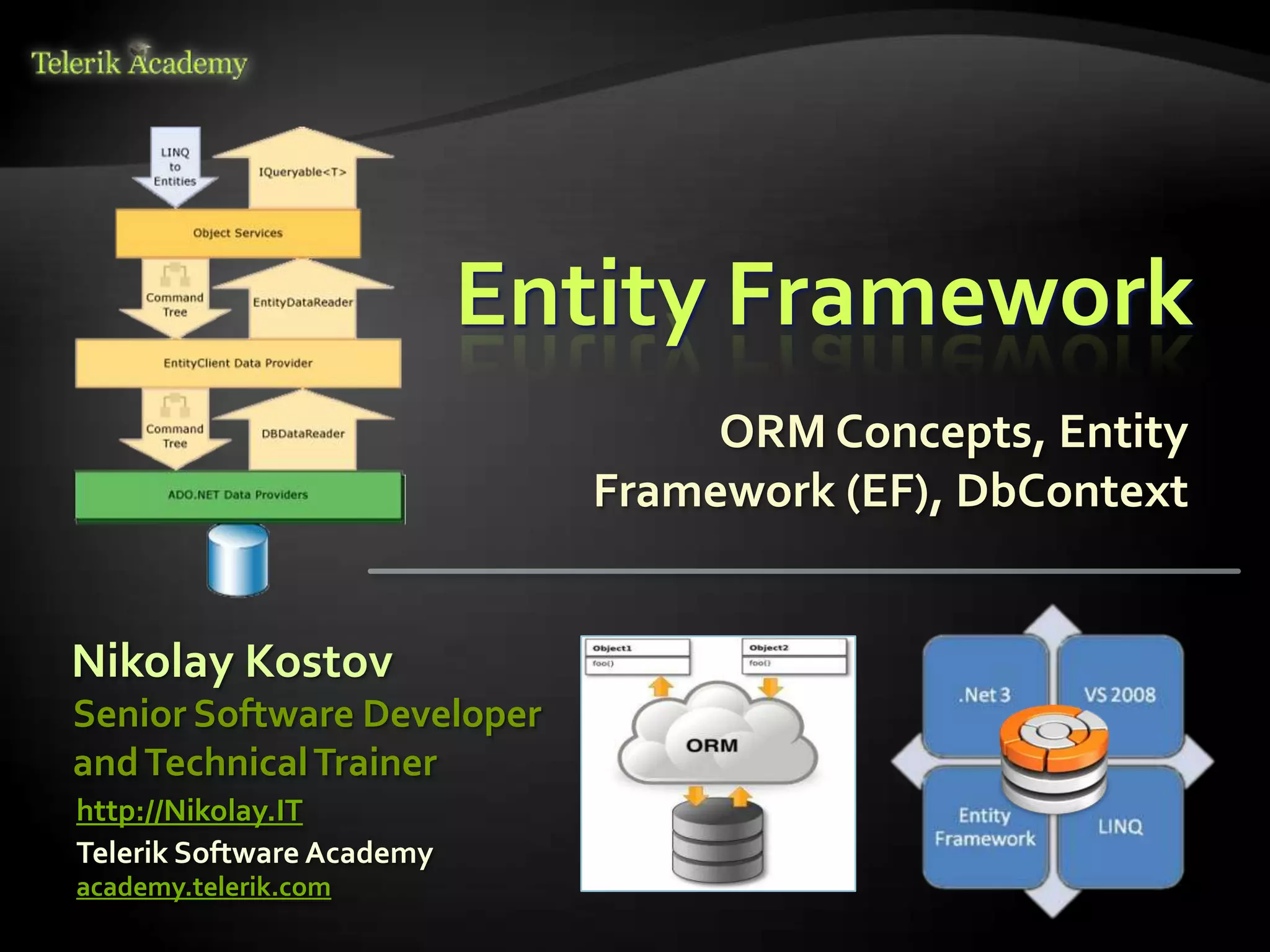
Entity Framework
ORM Concepts, Entity
Framework (EF), DbContext
Table of Contents
 ORMTechnologies – Basic Concepts
 Entity Framework – Overview
 Reading Data with EF
 Create, Update, Delete using Entity
Framework
 Extending Entity Classes
 Executing Native SQL Queries
 Joining and GroupingTables
 Attaching and Detaching Objects
2
Introduction to ORM
Object-Relational Mapping (ORM)Technologies
ORMTechnologies
 Object-Relational Mapping (ORM) is a
programming technique for automatic
mapping and converting data
 Between relational database tables and object-
oriented classes and objects
 ORM creates a "virtual object database"
 Which can be used from within the
programming language, e.g. C# or Java
 ORM frameworks automate the ORM process
 A.k.a. object-relational persistence frameworks
4
ORM Frameworks
 ORM frameworks typically provide the
following functionality:
 Creating object model by database schema
 Creating database schema by object model
 Querying data by object-oriented API
 Data manipulation operations
 CRUD – create, retrieve, update, delete
 ORM frameworks automatically generate SQL
to perform the requested data operations
5
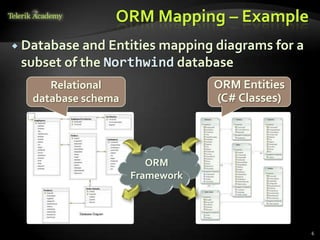
ORM Mapping – Example
 Database and Entities mapping diagrams for a
subset of the Northwind database
6
Relational
database schema
ORM Entities
(C# Classes)
ORM
Framework
ORM Advantages
 Object-relational mapping advantages
 Developer productivity
 Writing less code
 Abstract from differences between object and
relational world
 Complexity hidden within ORM
 Manageability of the CRUD operations for
complex relationships
 Easier maintainability
7
ORM Frameworks in .NET
 Built-in ORM tools in .NET Framework andVS
 Entity Framework (LINQ-to-Entities)
 LINQ-to-SQL
 Both combine entity class mappings and code
generation, SQL is generated at runtime
 Third party ORM tools
 NHibernate – the old daddy of ORM
 Telerik OpenAccess ORM
8
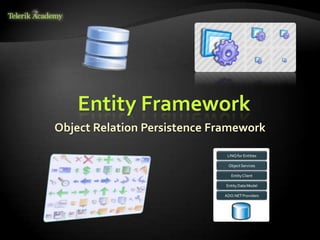
Entity Framework
Object Relation Persistence Framework
Overview of EF
 Entity Framework (EF) is a standard ORM
framework, part of .NET
 Provides a run-time infrastructure for managing
SQL-based database data as .NET objects
 The relational database schema is mapped to
an object model (classes and associations)
 Visual Studio has built-in tools for generating
Entity Framework SQL data mappings
 Data mappings consist of C# classes and XML
 A standard data manipulation API is provided
10
Entity Framework Features
 Maps tables, views, stored procedures and
functions as .NET objects
 Provides LINQ-based data queries
 Executed as SQL SELECTs on the database
server (parameterized queries)
 Built-in CRUD operations –
Create/Read/Update/Delete
 Creating or deleting the database schema
 Tracks changes to in-memory objects
11
Entity Framework Features (2)
 Works with any relational database with valid
Entity Framework provider
 Work with a visual model, database or with
your own classes
 Has very good default behavior
 Very flexible for more granular control
 Open source: entityframework.codeplex.com
 Not dependent on .NET release cycle
12
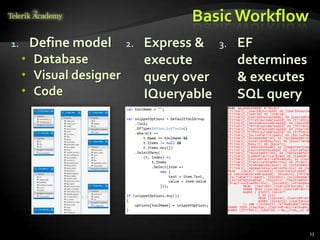
Basic Workflow
1. Define model
 Database
 Visual designer
 Code
13
2. Express &
execute
query over
IQueryable
3. EF
determines
& executes
SQL query
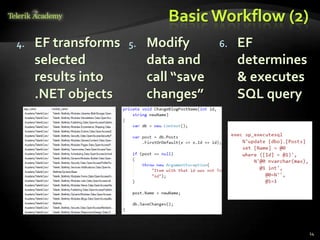
Basic Workflow (2)
4. EF transforms
selected
results into
.NET objects
14
5. Modify
data and
call “save
changes”
6. EF
determines
& executes
SQL query
EF Components
 The DbContext class
 DbContext holds the database connection and
the entity classes
 Provides LINQ-based data access
 Implements identity tracking, change tracking,
and API for CRUD operations
 Entity classes
 Each database table is typically mapped to a
single entity class (C# class)
15
EF Components (2)
 Associations (Relationship Management)
 An association is a primary key / foreign key
based relationship between two entity classes
 Allows navigation from one entity to another,
e.g. Student.Courses
 Concurrency control
 Entity Framework uses optimistic concurrency
control (no locking by default)
 Provides automatic concurrency conflict
detection and means for conflicts resolution
16
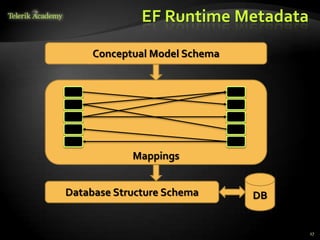
EF Runtime Metadata
17
Conceptual Model Schema
Database Structure Schema DB
Mappings
The Entity Framework
Designer inVisual Studio
Live Demo
Reading Data with Entity
Framework
The DbContext Class
 The DbContext class is generated by the
Visual Studio designer
 DbContext provides:
 Methods for accessing entities (object sets) and
creating new entities (Add() methods)
 Ability to manipulate database data though
entity classes (read, modify, delete, insert)
 Easily navigate through the table relationships
 Executing LINQ queries as native SQL queries
 Create the DB schema in the database server
20
Using DbContext Class
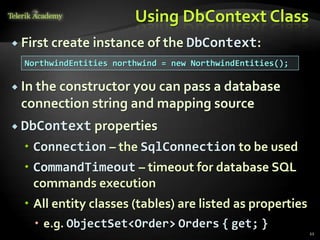
 First create instance of the DbContext:
 In the constructor you can pass a database
connection string and mapping source
 DbContext properties
 Connection – the SqlConnection to be used
 CommandTimeout – timeout for database SQL
commands execution
 All entity classes (tables) are listed as properties
 e.g. ObjectSet<Order> Orders { get; }
21
NorthwindEntities northwind = new NorthwindEntities();
Reading Data with LINQ Query
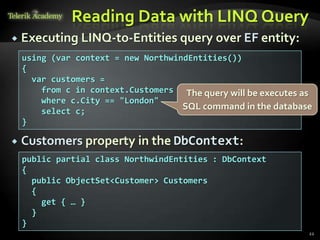
 Executing LINQ-to-Entities query over EF entity:
 Customers property in the DbContext:
22
public partial class NorthwindEntities : DbContext
{
public ObjectSet<Customer> Customers
{
get { … }
}
}
using (var context = new NorthwindEntities())
{
var customers =
from c in context.Customers
where c.City == "London"
select c;
}
The query will be executes as
SQL command in the database
Reading Data with LINQ Query
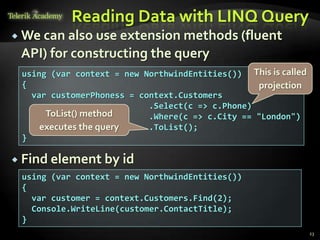
 We can also use extension methods (fluent
API) for constructing the query
 Find element by id
23
using (var context = new NorthwindEntities())
{
var customer = context.Customers.Find(2);
Console.WriteLine(customer.ContactTitle);
}
using (var context = new NorthwindEntities())
{
var customerPhoness = context.Customers
.Select(c => c.Phone)
.Where(c => c.City == "London")
.ToList();
}
ToList() method
executes the query
This is called
projection
Logging the Native SQL Queries
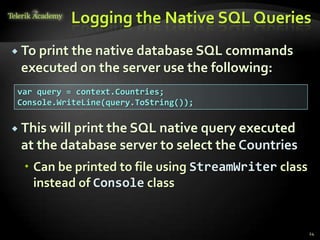
 To print the native database SQL commands
executed on the server use the following:
24
var query = context.Countries;
Console.WriteLine(query.ToString());
 This will print the SQL native query executed
at the database server to select the Countries
 Can be printed to file using StreamWriter class
instead of Console class
Retrieving Data with
LINQ to Entities
Live Demo
Create, Update, Delete
using Entity Framework
Creating New Data
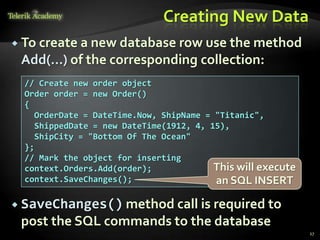
 To create a new database row use the method
Add(…) of the corresponding collection:
27
// Create new order object
Order order = new Order()
{
OrderDate = DateTime.Now, ShipName = "Titanic",
ShippedDate = new DateTime(1912, 4, 15),
ShipCity = "Bottom Of The Ocean"
};
// Mark the object for inserting
context.Orders.Add(order);
context.SaveChanges();
This will execute
an SQL INSERT
 SaveChanges() method call is required to
post the SQL commands to the database
Cascading Inserts
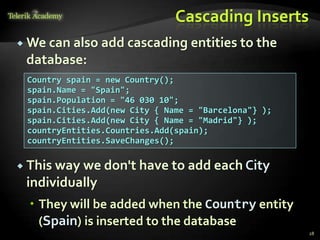
 We can also add cascading entities to the
database:
28
Country spain = new Country();
spain.Name = "Spain";
spain.Population = "46 030 10";
spain.Cities.Add(new City { Name = "Barcelona"} );
spain.Cities.Add(new City { Name = "Madrid"} );
countryEntities.Countries.Add(spain);
countryEntities.SaveChanges();
 This way we don't have to add each City
individually
 They will be added when the Country entity
(Spain) is inserted to the database
Updating Existing Data
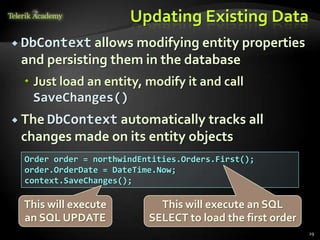
 DbContext allows modifying entity properties
and persisting them in the database
 Just load an entity, modify it and call
SaveChanges()
 The DbContext automatically tracks all
changes made on its entity objects
29
Order order = northwindEntities.Orders.First();
order.OrderDate = DateTime.Now;
context.SaveChanges();
This will execute an SQL
SELECT to load the first order
This will execute
an SQL UPDATE
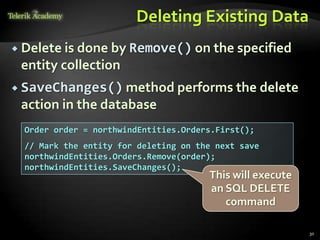
Deleting Existing Data
 Delete is done by Remove() on the specified
entity collection
 SaveChanges() method performs the delete
action in the database
30
Order order = northwindEntities.Orders.First();
// Mark the entity for deleting on the next save
northwindEntities.Orders.Remove(order);
northwindEntities.SaveChanges();
This will execute
an SQL DELETE
command
CRUD Operations with
Entity Framework
Live Demo
Extending Entity Classes
Add methods like ToString(), Equals(), etc…
Extending Entity Classes
 When using “database first” or “model first”
entity classes are separate .cs files that are
generated byT4 tempalte XXXModel.tt
 And each time we update the EntitiesModel
from the database all files are generated anew
 If we add methods likeToString(), they will be
overridden and lost
 That is why all the entity classes are "partial"
 We can extend them in another file with the
same partial class
 When using “code first” this is not a problem
Extending Entity Classes
Live Demo
Executing Native
SQL Queries
Parameterless and Parameterized
Executing Native SQL Queries
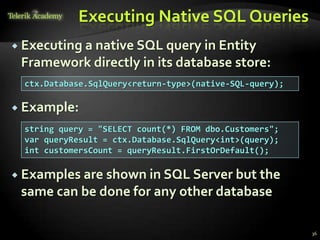
 Executing a native SQL query in Entity
Framework directly in its database store:
 Example:
 Examples are shown in SQL Server but the
same can be done for any other database
36
ctx.Database.SqlQuery<return-type>(native-SQL-query);
string query = "SELECT count(*) FROM dbo.Customers";
var queryResult = ctx.Database.SqlQuery<int>(query);
int customersCount = queryResult.FirstOrDefault();
Executing Native SQL Queries (2)
 Native SQL queries can also be parameterized:
37
NorthwindEntities context = new NorthwindEntities();
string nativeSQLQuery =
"SELECT FirstName + ' ' + LastName " +
"FROM dbo.Employees " +
"WHERE Country = {0} AND City = {1}";
object[] parameters = { country, city };
var employees = context.Database.SqlQuery<string>(
nativeSQLQuery, parameters);
foreach (var emp in employees)
{
Console.WriteLine(emp);
}
Executing Native
SQL Queries
Live Demo
Joining and
GroupingTables
Join and Group Using LINQ
JoiningTables in EF
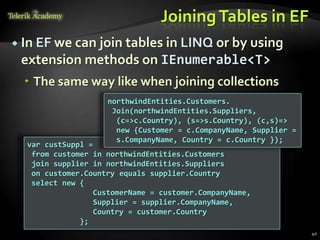
 In EF we can join tables in LINQ or by using
extension methods on IEnumerable<T>
 The same way like when joining collections
40
var custSuppl =
from customer in northwindEntities.Customers
join supplier in northwindEntities.Suppliers
on customer.Country equals supplier.Country
select new {
CustomerName = customer.CompanyName,
Supplier = supplier.CompanyName,
Country = customer.Country
};
northwindEntities.Customers.
Join(northwindEntities.Suppliers,
(c=>c.Country), (s=>s.Country), (c,s)=>
new {Customer = c.CompanyName, Supplier =
s.CompanyName, Country = c.Country });
GroupingTables in EF
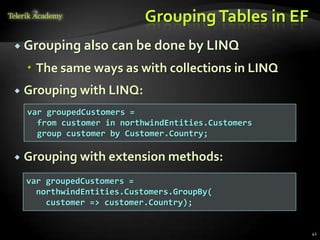
 Grouping also can be done by LINQ
 The same ways as with collections in LINQ
 Grouping with LINQ:
 Grouping with extension methods:
41
var groupedCustomers =
from customer in northwindEntities.Customers
group customer by Customer.Country;
var groupedCustomers =
northwindEntities.Customers.GroupBy(
customer => customer.Country);
Joining and
GroupingTables
Live Demo
Attaching and
Detaching Objects
Attaching and Detaching
Objects
 In Entity Framework, objects can be attached
to or detached from an object context
 Attached objects are tracked and managed by
the DbContext
 SaveChanges() persists all changes in DB
 Detached objects are not referenced by the
DbContext
 Behave like a normal objects, like all others,
which are not related to EF
44
Attaching Detached Objects
 When a query is executed inside an
DbContext, the returned objects are
automatically attached to it
 When a context is destroyed, all objects in it
are automatically detached
 E.g. in Web applications between the requests
 You might later on attach to a new context
objects that have been previously detached
45
Detaching Objects
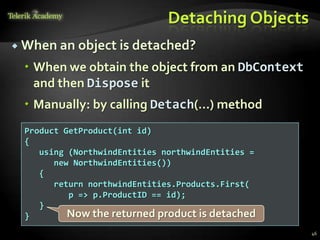
 When an object is detached?
 When we obtain the object from an DbContext
and then Dispose it
 Manually: by calling Detach(…) method
46
Product GetProduct(int id)
{
using (NorthwindEntities northwindEntities =
new NorthwindEntities())
{
return northwindEntities.Products.First(
p => p.ProductID == id);
}
} Now the returned product is detached
Attaching Objects
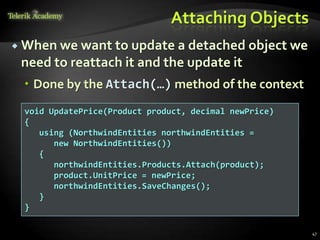
 When we want to update a detached object we
need to reattach it and the update it
 Done by the Attach(…) method of the context
47
void UpdatePrice(Product product, decimal newPrice)
{
using (NorthwindEntities northwindEntities =
new NorthwindEntities())
{
northwindEntities.Products.Attach(product);
product.UnitPrice = newPrice;
northwindEntities.SaveChanges();
}
}
Attaching and
Detaching Objects
Live Demo
форумпрограмиране,форум уеб дизайн
курсовеи уроци по програмиране,уеб дизайн – безплатно
програмиранеза деца – безплатни курсове и уроци
безплатенSEO курс -оптимизация за търсачки
уроципо уеб дизайн, HTML,CSS, JavaScript,Photoshop
уроципо програмиранеи уеб дизайн за ученици
ASP.NETMVCкурс – HTML,SQL,C#,.NET,ASP.NETMVC
безплатенкурс"Разработка на софтуер в cloud среда"
BGCoder -онлайн състезателна система -online judge
курсовеи уроци по програмиране,книги – безплатно отНаков
безплатенкурс"Качествен програменкод"
алгоакадемия – състезателно програмиране,състезания
ASP.NETкурс -уеб програмиране,бази данни, C#,.NET,ASP.NET
курсовеи уроци по програмиране– Телерик академия
курсмобилни приложения с iPhone, Android,WP7,PhoneGap
freeC#book, безплатна книга C#,книга Java,книга C#
Дончо Минков -сайт за програмиране
Николай Костов -блог за програмиране
C#курс,програмиране,безплатно
Entity Framework
http://academy.telerik.com
Homework
1. Using theVisual Studio Entity Framework designer
create a DbContext for the Northwind database
2. Create a DAO class with static methods which
provide functionality for inserting, modifying and
deleting customers. Write a testing class.
3. Write a method that finds all customers who have
orders made in 1997 and shipped to Canada.
4. Implement previous by using native SQL query and
executing it through the DbContext.
5. Write a method that finds all the sales by specified
region and period (start / end dates).
Homework (2)
6. Create a database called NorthwindTwin with the
same structure as Northwind using the features from
DbContext. Find for the API for schema generation in
MSDN or in Google.
7. Try to open two different data contexts and perform
concurrent changes on the same records. What will
happen at SaveChanges()? How to deal with it?
8. By inheriting the Employee entity class create a class
which allows employees to access their
corresponding territories as property of type
EntitySet<T>.
Homework (3)
9. Create a method that places a new order in the
Northwind database.The order should contain
several order items. Use transaction to ensure the
data consistency.
10. Create a stored procedures in the Northwind
database for finding the total incomes for given
supplier name and period (start date, end date).
Implement a C# method that calls the stored
procedure and returns the retuned record set.
52
Homework (4)
11. Create a database holding users and groups. Create
a transactional EF based method that creates an
user and puts it in a group "Admins". In case the
group "Admins" do not exist, create the group in the
same transaction. If some of the operations fail (e.g.
the username already exist), cancel the entire
transaction.
12. * Use SQL Server Profiler to view all your queries
from previous homework tasks
13. * Download and explore the full source code of
Entity Framework:
http://entityframework.codeplex.com/
53
FreeTrainings @Telerik Academy
 C# Programming @Telerik Academy
 csharpfundamentals.telerik.com
 Telerik Software Academy
 academy.telerik.com
 Telerik Academy @ Facebook
 facebook.com/TelerikAcademy
 Telerik Software Academy Forums
 forums.academy.telerik.com
54

05 entity framework

  • 1.
    Nikolay Kostov Telerik SoftwareAcademy academy.telerik.com Senior Software Developer andTechnicalTrainer http://Nikolay.IT Entity Framework ORM Concepts, Entity Framework (EF), DbContext
  • 2.
    Table of Contents ORMTechnologies – Basic Concepts  Entity Framework – Overview  Reading Data with EF  Create, Update, Delete using Entity Framework  Extending Entity Classes  Executing Native SQL Queries  Joining and GroupingTables  Attaching and Detaching Objects 2
  • 3.
    Introduction to ORM Object-RelationalMapping (ORM)Technologies
  • 4.
    ORMTechnologies  Object-Relational Mapping(ORM) is a programming technique for automatic mapping and converting data  Between relational database tables and object- oriented classes and objects  ORM creates a "virtual object database"  Which can be used from within the programming language, e.g. C# or Java  ORM frameworks automate the ORM process  A.k.a. object-relational persistence frameworks 4
  • 5.
    ORM Frameworks  ORMframeworks typically provide the following functionality:  Creating object model by database schema  Creating database schema by object model  Querying data by object-oriented API  Data manipulation operations  CRUD – create, retrieve, update, delete  ORM frameworks automatically generate SQL to perform the requested data operations 5
  • 6.
    ORM Mapping –Example  Database and Entities mapping diagrams for a subset of the Northwind database 6 Relational database schema ORM Entities (C# Classes) ORM Framework
  • 7.
    ORM Advantages  Object-relationalmapping advantages  Developer productivity  Writing less code  Abstract from differences between object and relational world  Complexity hidden within ORM  Manageability of the CRUD operations for complex relationships  Easier maintainability 7
  • 8.
    ORM Frameworks in.NET  Built-in ORM tools in .NET Framework andVS  Entity Framework (LINQ-to-Entities)  LINQ-to-SQL  Both combine entity class mappings and code generation, SQL is generated at runtime  Third party ORM tools  NHibernate – the old daddy of ORM  Telerik OpenAccess ORM 8
  • 9.
    Entity Framework Object RelationPersistence Framework
  • 10.
    Overview of EF Entity Framework (EF) is a standard ORM framework, part of .NET  Provides a run-time infrastructure for managing SQL-based database data as .NET objects  The relational database schema is mapped to an object model (classes and associations)  Visual Studio has built-in tools for generating Entity Framework SQL data mappings  Data mappings consist of C# classes and XML  A standard data manipulation API is provided 10
  • 11.
    Entity Framework Features Maps tables, views, stored procedures and functions as .NET objects  Provides LINQ-based data queries  Executed as SQL SELECTs on the database server (parameterized queries)  Built-in CRUD operations – Create/Read/Update/Delete  Creating or deleting the database schema  Tracks changes to in-memory objects 11
  • 12.
    Entity Framework Features(2)  Works with any relational database with valid Entity Framework provider  Work with a visual model, database or with your own classes  Has very good default behavior  Very flexible for more granular control  Open source: entityframework.codeplex.com  Not dependent on .NET release cycle 12
  • 13.
    Basic Workflow 1. Definemodel  Database  Visual designer  Code 13 2. Express & execute query over IQueryable 3. EF determines & executes SQL query
  • 14.
    Basic Workflow (2) 4.EF transforms selected results into .NET objects 14 5. Modify data and call “save changes” 6. EF determines & executes SQL query
  • 15.
    EF Components  TheDbContext class  DbContext holds the database connection and the entity classes  Provides LINQ-based data access  Implements identity tracking, change tracking, and API for CRUD operations  Entity classes  Each database table is typically mapped to a single entity class (C# class) 15
  • 16.
    EF Components (2) Associations (Relationship Management)  An association is a primary key / foreign key based relationship between two entity classes  Allows navigation from one entity to another, e.g. Student.Courses  Concurrency control  Entity Framework uses optimistic concurrency control (no locking by default)  Provides automatic concurrency conflict detection and means for conflicts resolution 16
  • 17.
    EF Runtime Metadata 17 ConceptualModel Schema Database Structure Schema DB Mappings
  • 18.
    The Entity Framework DesignerinVisual Studio Live Demo
  • 19.
    Reading Data withEntity Framework
  • 20.
    The DbContext Class The DbContext class is generated by the Visual Studio designer  DbContext provides:  Methods for accessing entities (object sets) and creating new entities (Add() methods)  Ability to manipulate database data though entity classes (read, modify, delete, insert)  Easily navigate through the table relationships  Executing LINQ queries as native SQL queries  Create the DB schema in the database server 20
  • 21.
    Using DbContext Class First create instance of the DbContext:  In the constructor you can pass a database connection string and mapping source  DbContext properties  Connection – the SqlConnection to be used  CommandTimeout – timeout for database SQL commands execution  All entity classes (tables) are listed as properties  e.g. ObjectSet<Order> Orders { get; } 21 NorthwindEntities northwind = new NorthwindEntities();
  • 22.
    Reading Data withLINQ Query  Executing LINQ-to-Entities query over EF entity:  Customers property in the DbContext: 22 public partial class NorthwindEntities : DbContext { public ObjectSet<Customer> Customers { get { … } } } using (var context = new NorthwindEntities()) { var customers = from c in context.Customers where c.City == "London" select c; } The query will be executes as SQL command in the database
  • 23.
    Reading Data withLINQ Query  We can also use extension methods (fluent API) for constructing the query  Find element by id 23 using (var context = new NorthwindEntities()) { var customer = context.Customers.Find(2); Console.WriteLine(customer.ContactTitle); } using (var context = new NorthwindEntities()) { var customerPhoness = context.Customers .Select(c => c.Phone) .Where(c => c.City == "London") .ToList(); } ToList() method executes the query This is called projection
  • 24.
    Logging the NativeSQL Queries  To print the native database SQL commands executed on the server use the following: 24 var query = context.Countries; Console.WriteLine(query.ToString());  This will print the SQL native query executed at the database server to select the Countries  Can be printed to file using StreamWriter class instead of Console class
  • 25.
    Retrieving Data with LINQto Entities Live Demo
  • 26.
  • 27.
    Creating New Data To create a new database row use the method Add(…) of the corresponding collection: 27 // Create new order object Order order = new Order() { OrderDate = DateTime.Now, ShipName = "Titanic", ShippedDate = new DateTime(1912, 4, 15), ShipCity = "Bottom Of The Ocean" }; // Mark the object for inserting context.Orders.Add(order); context.SaveChanges(); This will execute an SQL INSERT  SaveChanges() method call is required to post the SQL commands to the database
  • 28.
    Cascading Inserts  Wecan also add cascading entities to the database: 28 Country spain = new Country(); spain.Name = "Spain"; spain.Population = "46 030 10"; spain.Cities.Add(new City { Name = "Barcelona"} ); spain.Cities.Add(new City { Name = "Madrid"} ); countryEntities.Countries.Add(spain); countryEntities.SaveChanges();  This way we don't have to add each City individually  They will be added when the Country entity (Spain) is inserted to the database
  • 29.
    Updating Existing Data DbContext allows modifying entity properties and persisting them in the database  Just load an entity, modify it and call SaveChanges()  The DbContext automatically tracks all changes made on its entity objects 29 Order order = northwindEntities.Orders.First(); order.OrderDate = DateTime.Now; context.SaveChanges(); This will execute an SQL SELECT to load the first order This will execute an SQL UPDATE
  • 30.
    Deleting Existing Data Delete is done by Remove() on the specified entity collection  SaveChanges() method performs the delete action in the database 30 Order order = northwindEntities.Orders.First(); // Mark the entity for deleting on the next save northwindEntities.Orders.Remove(order); northwindEntities.SaveChanges(); This will execute an SQL DELETE command
  • 31.
    CRUD Operations with EntityFramework Live Demo
  • 32.
    Extending Entity Classes Addmethods like ToString(), Equals(), etc…
  • 33.
    Extending Entity Classes When using “database first” or “model first” entity classes are separate .cs files that are generated byT4 tempalte XXXModel.tt  And each time we update the EntitiesModel from the database all files are generated anew  If we add methods likeToString(), they will be overridden and lost  That is why all the entity classes are "partial"  We can extend them in another file with the same partial class  When using “code first” this is not a problem
  • 34.
  • 35.
  • 36.
    Executing Native SQLQueries  Executing a native SQL query in Entity Framework directly in its database store:  Example:  Examples are shown in SQL Server but the same can be done for any other database 36 ctx.Database.SqlQuery<return-type>(native-SQL-query); string query = "SELECT count(*) FROM dbo.Customers"; var queryResult = ctx.Database.SqlQuery<int>(query); int customersCount = queryResult.FirstOrDefault();
  • 37.
    Executing Native SQLQueries (2)  Native SQL queries can also be parameterized: 37 NorthwindEntities context = new NorthwindEntities(); string nativeSQLQuery = "SELECT FirstName + ' ' + LastName " + "FROM dbo.Employees " + "WHERE Country = {0} AND City = {1}"; object[] parameters = { country, city }; var employees = context.Database.SqlQuery<string>( nativeSQLQuery, parameters); foreach (var emp in employees) { Console.WriteLine(emp); }
  • 38.
  • 39.
  • 40.
    JoiningTables in EF In EF we can join tables in LINQ or by using extension methods on IEnumerable<T>  The same way like when joining collections 40 var custSuppl = from customer in northwindEntities.Customers join supplier in northwindEntities.Suppliers on customer.Country equals supplier.Country select new { CustomerName = customer.CompanyName, Supplier = supplier.CompanyName, Country = customer.Country }; northwindEntities.Customers. Join(northwindEntities.Suppliers, (c=>c.Country), (s=>s.Country), (c,s)=> new {Customer = c.CompanyName, Supplier = s.CompanyName, Country = c.Country });
  • 41.
    GroupingTables in EF Grouping also can be done by LINQ  The same ways as with collections in LINQ  Grouping with LINQ:  Grouping with extension methods: 41 var groupedCustomers = from customer in northwindEntities.Customers group customer by Customer.Country; var groupedCustomers = northwindEntities.Customers.GroupBy( customer => customer.Country);
  • 42.
  • 43.
  • 44.
    Attaching and Detaching Objects In Entity Framework, objects can be attached to or detached from an object context  Attached objects are tracked and managed by the DbContext  SaveChanges() persists all changes in DB  Detached objects are not referenced by the DbContext  Behave like a normal objects, like all others, which are not related to EF 44
  • 45.
    Attaching Detached Objects When a query is executed inside an DbContext, the returned objects are automatically attached to it  When a context is destroyed, all objects in it are automatically detached  E.g. in Web applications between the requests  You might later on attach to a new context objects that have been previously detached 45
  • 46.
    Detaching Objects  Whenan object is detached?  When we obtain the object from an DbContext and then Dispose it  Manually: by calling Detach(…) method 46 Product GetProduct(int id) { using (NorthwindEntities northwindEntities = new NorthwindEntities()) { return northwindEntities.Products.First( p => p.ProductID == id); } } Now the returned product is detached
  • 47.
    Attaching Objects  Whenwe want to update a detached object we need to reattach it and the update it  Done by the Attach(…) method of the context 47 void UpdatePrice(Product product, decimal newPrice) { using (NorthwindEntities northwindEntities = new NorthwindEntities()) { northwindEntities.Products.Attach(product); product.UnitPrice = newPrice; northwindEntities.SaveChanges(); } }
  • 48.
  • 49.
    форумпрограмиране,форум уеб дизайн курсовеиуроци по програмиране,уеб дизайн – безплатно програмиранеза деца – безплатни курсове и уроци безплатенSEO курс -оптимизация за търсачки уроципо уеб дизайн, HTML,CSS, JavaScript,Photoshop уроципо програмиранеи уеб дизайн за ученици ASP.NETMVCкурс – HTML,SQL,C#,.NET,ASP.NETMVC безплатенкурс"Разработка на софтуер в cloud среда" BGCoder -онлайн състезателна система -online judge курсовеи уроци по програмиране,книги – безплатно отНаков безплатенкурс"Качествен програменкод" алгоакадемия – състезателно програмиране,състезания ASP.NETкурс -уеб програмиране,бази данни, C#,.NET,ASP.NET курсовеи уроци по програмиране– Телерик академия курсмобилни приложения с iPhone, Android,WP7,PhoneGap freeC#book, безплатна книга C#,книга Java,книга C# Дончо Минков -сайт за програмиране Николай Костов -блог за програмиране C#курс,програмиране,безплатно Entity Framework http://academy.telerik.com
  • 50.
    Homework 1. Using theVisualStudio Entity Framework designer create a DbContext for the Northwind database 2. Create a DAO class with static methods which provide functionality for inserting, modifying and deleting customers. Write a testing class. 3. Write a method that finds all customers who have orders made in 1997 and shipped to Canada. 4. Implement previous by using native SQL query and executing it through the DbContext. 5. Write a method that finds all the sales by specified region and period (start / end dates).
  • 51.
    Homework (2) 6. Createa database called NorthwindTwin with the same structure as Northwind using the features from DbContext. Find for the API for schema generation in MSDN or in Google. 7. Try to open two different data contexts and perform concurrent changes on the same records. What will happen at SaveChanges()? How to deal with it? 8. By inheriting the Employee entity class create a class which allows employees to access their corresponding territories as property of type EntitySet<T>.
  • 52.
    Homework (3) 9. Createa method that places a new order in the Northwind database.The order should contain several order items. Use transaction to ensure the data consistency. 10. Create a stored procedures in the Northwind database for finding the total incomes for given supplier name and period (start date, end date). Implement a C# method that calls the stored procedure and returns the retuned record set. 52
  • 53.
    Homework (4) 11. Createa database holding users and groups. Create a transactional EF based method that creates an user and puts it in a group "Admins". In case the group "Admins" do not exist, create the group in the same transaction. If some of the operations fail (e.g. the username already exist), cancel the entire transaction. 12. * Use SQL Server Profiler to view all your queries from previous homework tasks 13. * Download and explore the full source code of Entity Framework: http://entityframework.codeplex.com/ 53
  • 54.
    FreeTrainings @Telerik Academy C# Programming @Telerik Academy  csharpfundamentals.telerik.com  Telerik Software Academy  academy.telerik.com  Telerik Academy @ Facebook  facebook.com/TelerikAcademy  Telerik Software Academy Forums  forums.academy.telerik.com 54