

















Mobile Web Architecture
Structure, architecture and capabilities of hybrid mobile
applications
Contact Me
•

Ynon Perek	


•

ynon@ynonperek.com	


•

http://ynonperek.com
Agenda
Introduction to Hybrid Apps (+Phonegap)

1

HTML5 Features for Hybrid Apps

2

Push Notifications

3
Why is mobile 	


different?
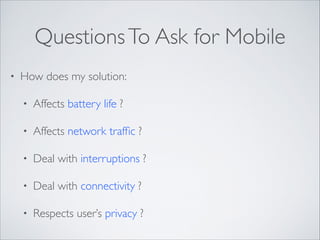
Questions To Ask for Mobile
•

How does my solution:	

•

Affects battery life ?	


•

Affects network traffic ?	


•

Deal with interruptions ?	


•

Deal with connectivity ?	


•

Respects user’s privacy ?
Choosing Mobile Technology
Problems With Native

•

Too many different programming languages
Problems With Native

•

Too many different programming languages	


•

“Same app”, different code
Web is not perfect either
•

Code runs in a browser:	

•

Slower	


•

Restricted by the browser
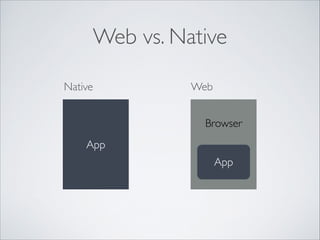
Web vs. Native
Native

Web
Browser

App
App
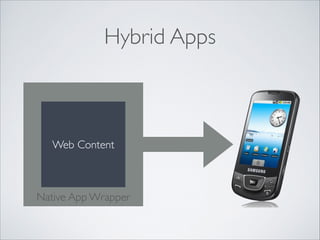
Hybrid Apps

Web Content

Native App Wrapper
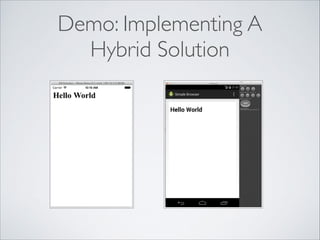
Demo: Implementing A 

Hybrid Solution
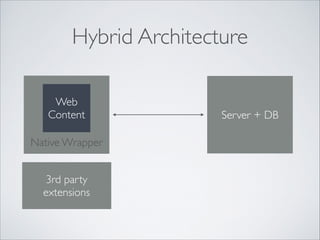
Hybrid Architecture
Web
Content
Native Wrapper
3rd party
extensions

Server + DB
Takeaways

•

Hybrid architecture provides the good AND bad
from both worlds	


•

Understanding the platform is necessary
Hybrid Apps +
•

Most of the app is written once	


•

Only native parts are written again and again	


•

“Feels” native	


•

Developer controls native code => can use native
APIs
Hybrid Apps •

Complex code	


•

Requires knowledge in many programming
languages	


•

Data is transferred between environments	


•

Hard to debug
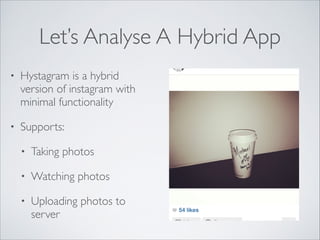
Let’s Analyse A Hybrid App
•

Hystagram is a hybrid
version of instagram with
minimal functionality	


•

Supports:	

•

Taking photos	


•

Watching photos	


•

Uploading photos to
server
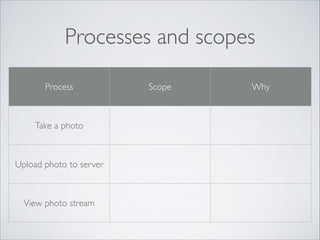
Processes and scopes
Process

Take a photo

Upload photo to server

View photo stream

Scope

Why
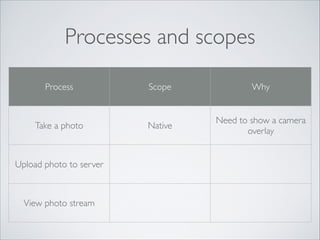
Processes and scopes
Process

Take a photo

Upload photo to server

View photo stream

Scope

Why

Native

Need to show a camera
overlay
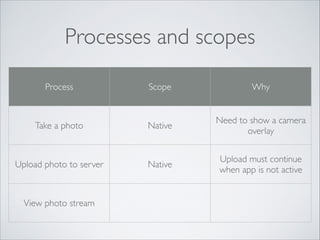
Processes and scopes
Process

Take a photo

Upload photo to server

View photo stream

Scope

Why

Native

Need to show a camera
overlay

Native

Upload must continue
when app is not active
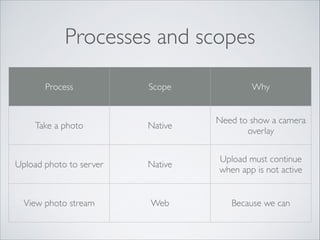
Processes and scopes
Process

Scope

Why

Native

Need to show a camera
overlay

Upload photo to server

Native

Upload must continue
when app is not active

View photo stream

Web

Because we can

Take a photo
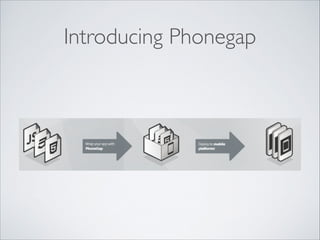
Introducing Phonegap
•

An open source connection layer between web
content and native	


•

Extensible	


•

Supported platforms: 

iOS, Android, Blackberry, WebOS, Windows
Phone, Symbian, Bada
Q&A
Agenda
Introduction to Hybrid Apps (+Phonegap)

1

HTML5 Features for Hybrid Apps

2

Push Notifications

3
The Web Side
Users and Sessions	

Location	

Camera	

Video	

Audio
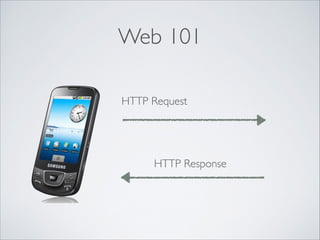
Web 101
HTTP Request

HTTP Response
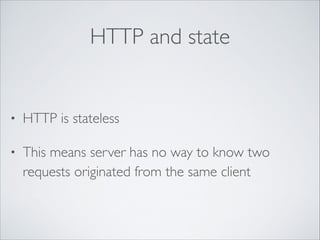
HTTP and state

•

HTTP is stateless	


•

This means server has no way to know two
requests originated from the same client
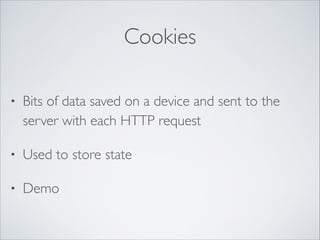
Cookies
•

Bits of data saved on a device and sent to the
server with each HTTP request	


•

Used to store state	


•

Demo
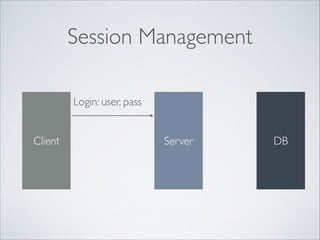
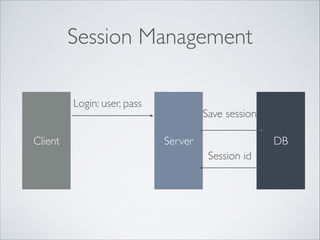
Session Management
Login: user, pass
Client

Server

DB
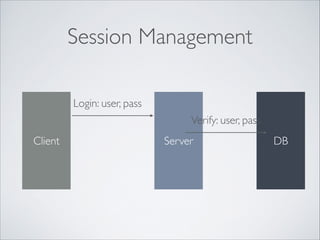
Session Management
Login: user, pass
Verify: user, pass
Client

Server

DB
Session Management
Login: user, pass
Client

Save session
Server

DB
Session id
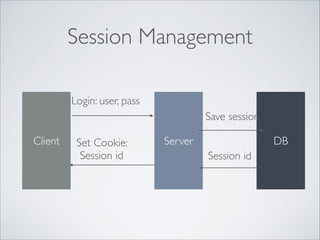
Session Management
Login: user, pass
Save session
Client

Set Cookie: 	

Session id

Server

DB
Session id
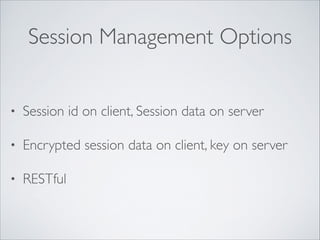
Session Management Options
•

Session id on client, Session data on server	


•

Encrypted session data on client, key on server	


•

RESTful
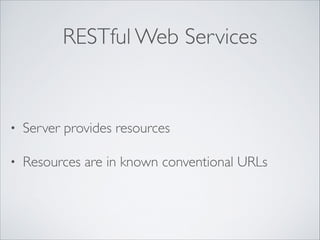
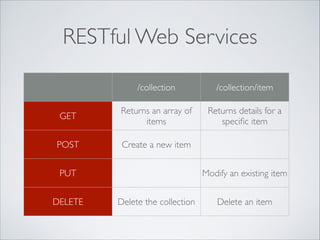
RESTful Web Services

•

Server provides resources	


•

Resources are in known conventional URLs
RESTful Web Services
/collection

/collection/item

GET

Returns an array of
items

Returns details for a
specific item

POST

Create a new item

PUT
DELETE

Modify an existing item
Delete the collection

Delete an item
RESTful authentication
•

Client uses a private authentication token to
access restricted resources	


•

Demo: 

https://developers.facebook.com/tools/explorer
What You Should Use
What You Should Use
•

For web clients, cookies are the easiest	


•

If possible, prefer to store only session id in the
cookie	


•

For other clients, consider a token
Q&A
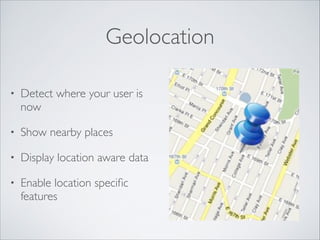
Geolocation
•

Detect where your user is
now	


•

Show nearby places	


•

Display location aware data	


•

Enable location specific
features
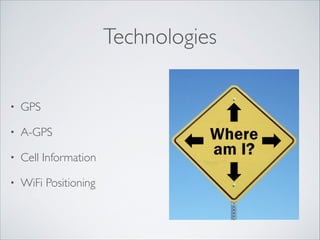
Technologies
•

GPS	


•

A-GPS	


•

Cell Information	


•

WiFi Positioning
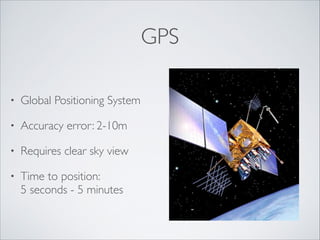
GPS
•

Global Positioning System	


•

Accuracy error: 2-10m	


•

Requires clear sky view 	


•

Time to position: 

5 seconds - 5 minutes
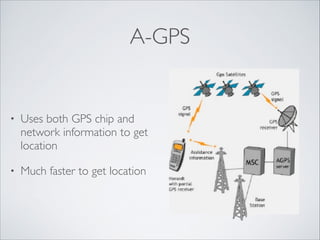
A-GPS

•

Uses both GPS chip and
network information to get
location	


•

Much faster to get location
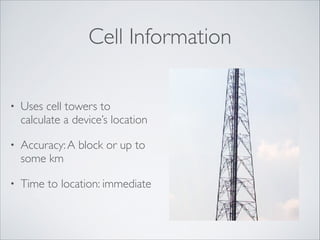
Cell Information
•

Uses cell towers to
calculate a device’s location	


•

Accuracy: A block or up to
some km	


•

Time to location: immediate
WiFi Positioning

•

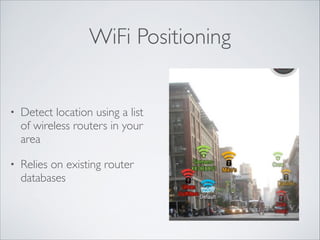
Detect location using a list
of wireless routers in your
area	


•

Relies on existing router
databases
Permissions

•

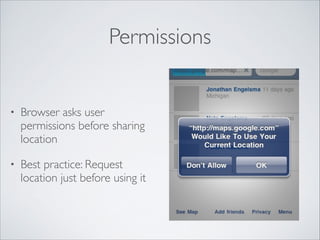
Browser asks user
permissions before sharing
location	


•

Best practice: Request
location just before using it
Location Failures
•

Location services don’t
always work	


•

Why ?	


•

What do you do when
you’re lost ?
Location API
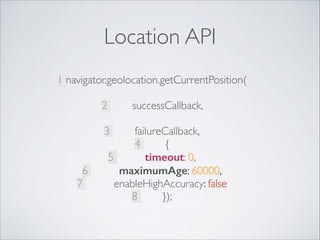
1 navigator.geolocation.getCurrentPosition(

successCallback, 


2
3
6
7

failureCallback,	

4
{	

5
timeout: 0,	

maximumAge: 60000,	

enableHighAccuracy: false	

8
});
Using A Map
Show Me The Map
•

Both iOS and Android have built in maps
applications	


•

Open the built-in maps application using a simple
link	


•

Demo
Built-In Maps +

•

Great UI	


•

User feels “at home”
Built-In Maps -

•

User leaves the app
When To Use

•

Use built-in maps app for navigation	


•

Use embedded maps for geo-data related to your
app
Map APIs
•

Google Maps	


•

Open Street maps	


•

Demo:

https://developers.google.com/maps/
documentation/javascript/examples/map-simple
Q&A
Taking Photos
getUserMedia

•

Desktop browsers support the new getUserMedia
API	


•

Demo: http://shinydemos.com/photo-booth/
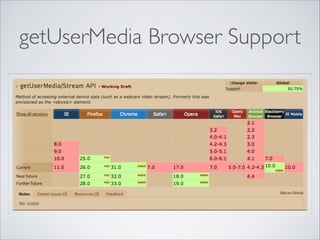
getUserMedia Browser Support
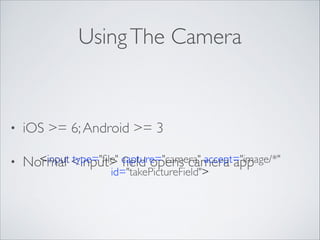
Using The Camera

•

iOS >= 6; Android >= 3	


•

<input type="file" field opens camera app
Normal <input> capture="camera" accept="image/*"
id="takePictureField">

What You Can Do
•

Take a picture and send it to server	


•

Analyse picture on the client - Demo	


•

Apply filters or edit - Demo
What You Still Can’t Do

•

Can’t check if camera is available	


•

No camera overlay
Q&A
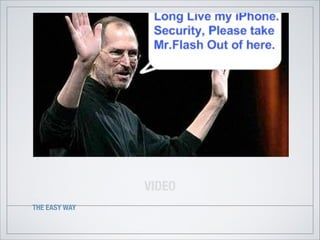
VIDEO
THE EASY WAY
Video Tag
•

HTML5 introduces a <video> tag to embed
videos in a web page.	


•

Different browsers support different video
formats. The <video> tag can specify multiple
formats.
Video Formats
•

Video formats are like
languages	


•

The same video can be
encoded in different
formats	


•

A browser must “speak the
language” to be able to play
the video
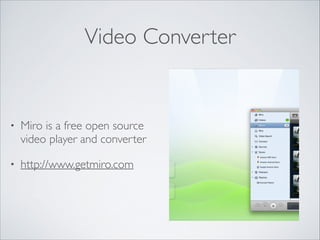
Video Converter

•

Miro is a free open source
video player and converter	


•

http://www.getmiro.com
Browser Support
•

HTML5 spec does not define a video codec to
use	


•

h.264 is the most widely supported. Plays on
iPhone and Android
The Markup

<video poster=”star.png”>	

<source src=”zebra.mp4” />	

</video>	

!
Limitations: Autoplay
“ Apple has made the decision to disable the
automatic playing of video on iOS devices,
through both script and attribute
implementations.”

Issue 159336: 	


On Android, html5 video autoplay attribute
does not work.
Limitations: Play Inline
“ Currently, Safari optimizes video
presentation for the smaller screen on
iPhone or iPod touch by playing video using
the full screen
”

Videos play inline for Android >= 3
Playing Audio
HTML5 Audio	

Audio API
Audio Tag
•

New addition of HTML5	


•

Simple to use	


•

Both HTML tag and JS api
Audio Tag
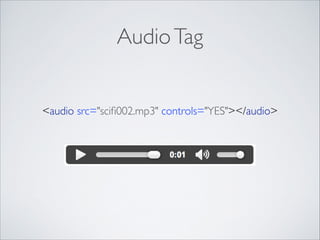
<audio src="scifi002.mp3" controls="YES"></audio>
Audio Tag JS API
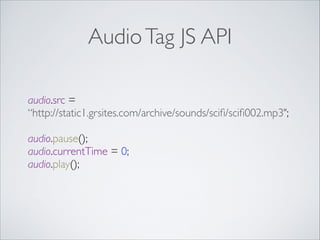
audio.src = 	

“http://static1.grsites.com/archive/sounds/scifi/scifi002.mp3";	


audio.pause();

audio.currentTime = 0;

audio.play();

Audio Tag

•

Demo	


•

Play a gun fire sound when button is clicked
Audio Tag Limitations on Mobile
•

Not accurate (has short delays)	


•

Starts to load sound after user interaction	


•

Can’t control the audio data
Audio API

•

A new improved API for playing sounds	


•

Timing considerations built-in
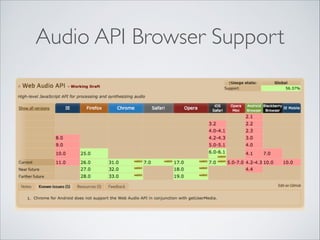
Audio API Browser Support
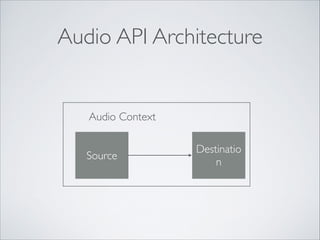
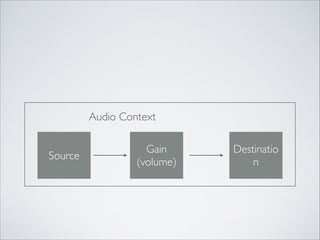
Audio API Architecture

Audio Context
Source

Destinatio
n
Audio Context
Source

Gain
(volume)

Destinatio
n
Quiz

How do you implement cross fade ?
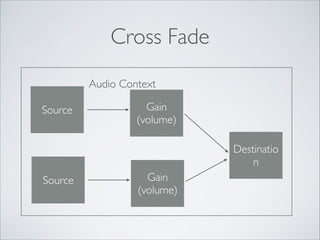
Cross Fade
Audio Context
Source

Gain
(volume)
Destinatio
n

Source

Gain
(volume)
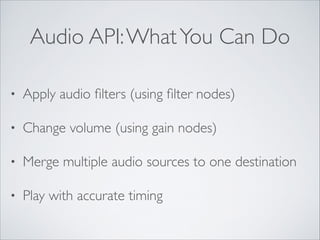
Audio API: What You Can Do
•

Apply audio filters (using filter nodes)	


•

Change volume (using gain nodes)	


•

Merge multiple audio sources to one destination	


•

Play with accurate timing
Audio API Demo
•

Same game as before	


•

This time no delays in playing the audio	


•

More complex demo:

http://labs.dinahmoe.com/ToneCraft/#
Recording Audio

•

getUserMedia() will allow audio recording	


•

Not yet supported on mobile
Q&A
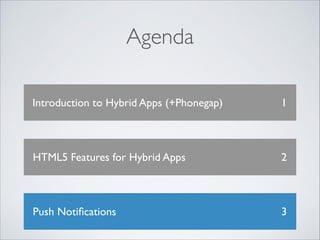
Agenda
Introduction to Hybrid Apps (+Phonegap)

1

HTML5 Features for Hybrid Apps

2

Push Notifications

3
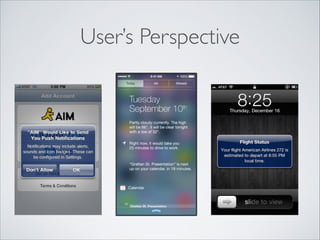
User’s Perspective
Marketer’s Perspective
“

For the first time in human
history, you can tap almost
two billion people on the
shoulder.
”
Developer’s Perspective

•

What is a notification ?
Developer’s Perspective

•

What is a notification ?	


•

User visible information reflecting some event
Developer’s Perspective

•

Why should I use notifications ?
Developer’s Perspective

•

Why should I use notifications ?	


•

Ensure time-sensitive delivery when your app isn’t
running
Developer’s Perspective

•

How does push compared to poll ?
Developer’s Perspective

•

How does push compared to poll ?	


•

Pushes are server driven and immediate, polls are
app driven and latent
Keep In Mind

•

Push notifications are not reliable	


•

(even if the APN server gets them)
Types Of Notifications

•

Badges (iOS only)	


•

Alerts
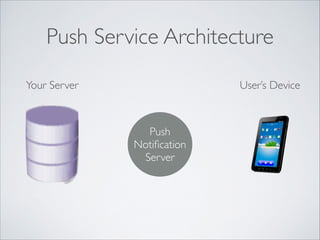
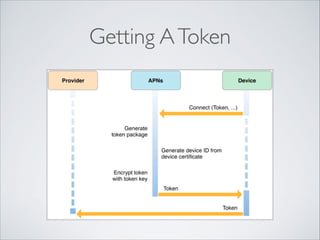
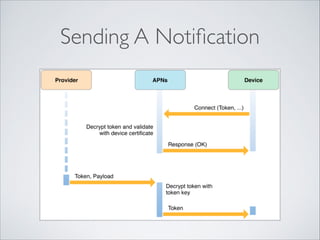
Push Service Architecture
Your Server

User’s Device

Push
Notification
Server
Getting A Token
Sending A Notification
Demo App
•

A simple push chat room hybrid app	


•

HTML layer handles user interface	


•

Native layer receives notifications
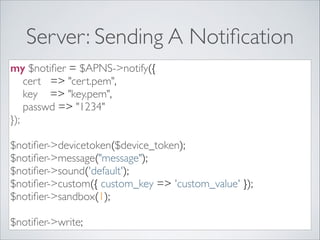
Server: Sending A Notification
my $notifier = $APNS->notify({	

cert => "cert.pem",	

key => "key.pem",	

passwd => "1234"	

});	

!

$notifier->devicetoken($device_token);	

$notifier->message("message");	

$notifier->sound('default');	

$notifier->custom({ custom_key => 'custom_value' });	

$notifier->sandbox(1);	

!

$notifier->write;
APNS Best Practices
•

Keep the connection open	


•

Use multiple connections to the gateway	


•

Be polite with your users
Q&A
Thanks For Listening
•

Ynon Perek	


•

ynon@ynonperek.com	


•

http://ynonperek.com
Photos Used In The Slides
•

Choices (slide 6):

http://www.flickr.com/photos/danmoyle/
11715566974/sizes/l/	


•

Man with camera (slide 43):

http://bit.ly/1gb5ZZM

Architecture app