Web Accessibility
What you need to know
Accessibility Goals

•

An accessible website should allow a disabled
person to get the same value as a non-disabled
person
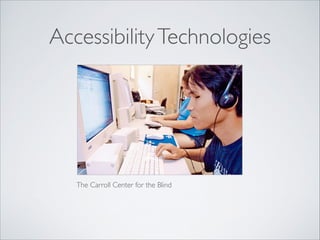
Accessibility Technologies

The Carroll Center for the Blind
Accessibility Challenges
•

Vision - Screen readers	


•

Motion - Special keyboards	


•

Hearing - audio subtitles
Accessibility Law
•

Every website servicing Israeli population must be
accessible to an AA grade	


•

Existing websites must be accessible by:
25/10/2016	


•

New websites must be accessible upon launch
Technical
Details
Complete guide:	

http://www.w3.org/TR/WCAG20/	

!

Hebrew guide: 

http://www.nagish.org.il/?
page_id=107
Agenda
•

Alt text for images	


•

Motion Control	


•

Audio and Video	


•

Text images	


•

Structure and flow	


•

Forms	


•

Text size and colour	


•

Tables	


•

Keyboard operation	


•

Navigation	


•

Skipping content	


•

Error messages	


•

Time limits	


•

Language definitions	


•

Using standards

•

Roles
Alt Text for Images
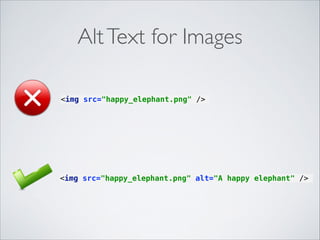
<img src="happy_elephant.png" />

<img src="happy_elephant.png" alt="A happy elephant" />
Alt text for images
•

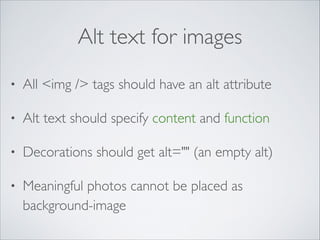
All <img /> tags should have an alt attribute	


•

Alt text should specify content and function	


•

Decorations should get alt="" (an empty alt)	


•

Meaningful photos cannot be placed as
background-image
Alt text for images

•

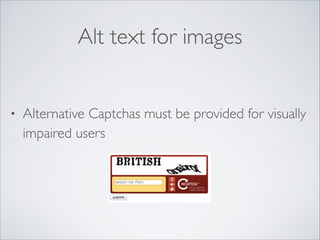
Alternative Captchas must be provided for visually
impaired users
Audio & Video
•

Provide alternatives to voice channel (subtitles)	


•

Provide alternatives to visual channel (audio
descriptions of important visual information)	


•

Alternatives must be in sync with video	


•

Player must be accessible
Subtitles Format
•

Subtitles can be provided as Open Captions or
Closed Captions	


•

Youtube guide:

http://www.youtube.com/watch?
v=WkQjYHx3NY8
Audio Highlights
•

If you want to play long
sounds (over 3 seconds):	

•

Provide a way for users
to stop it	


•

Provide volume control
Audio Highlights

•

Don’t use audio as a sole indication	


•

Visual aids must also be provided
Structure and Flow
•

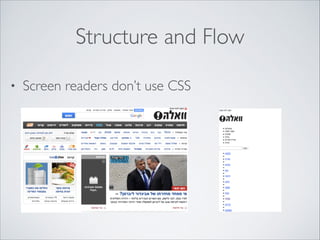
Screen readers don’t use CSS
Structure and Flow

•

Use semantic markup	


•

Use meaningful flow
Semantic Markup
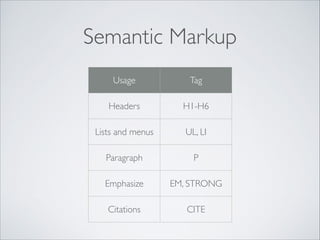
Usage

Tag

Headers

H1-H6

Lists and menus

UL, LI

Paragraph

P

Emphasize

EM, STRONG

Citations

CITE
Semantic Markup
•

Don’t style with tables	


•

Don’t link with onclick	


•

Don’t use inline css
Text

size

and colour
Contrast Ratio
•

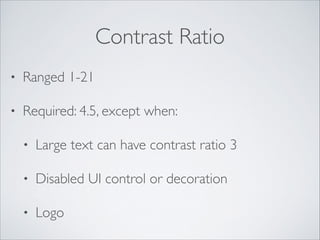
Ranged 1-21	


•

Required: 4.5, except when:	

•

Large text can have contrast ratio 3	


•

Disabled UI control or decoration	


•

Logo
Text Size

•

Website should be usable if resized by up to 200%
Contrast Checking Tool
•

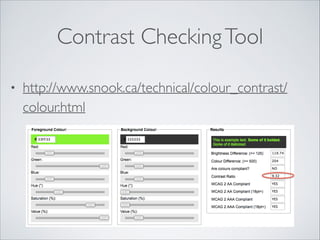
http://www.snook.ca/technical/colour_contrast/
colour.html
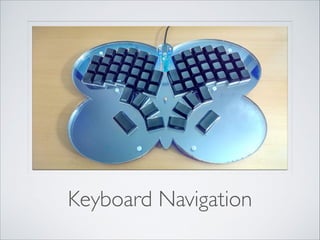
Keyboard Navigation
Keyboard

•

All content and functionality must be accessible
using keyboard only	


•

Keyboard focus should never be trapped
Keyboard
•

Keyboard focus order (tab order) should preserve
meaning	


•

Visual indication for keyboard focus is required	


•

Keyboard focus change should not change context
Skipping To Content
•

Add a link to main content at the head of every
page	


•

Add links to each content area (navigation links)	


•

Start each content block with a header	


•

Organize links in lists
Skipping To Content
•

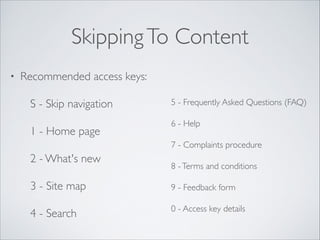
Recommended access keys:	

S - Skip navigation	

1 - Home page	


5 - Frequently Asked Questions (FAQ)	

6 - Help	

7 - Complaints procedure	


2 - What's new	


8 - Terms and conditions	


3 - Site map	


9 - Feedback form	


4 - Search

0 - Access key details
Time Based
Actions
What Is Time Based Actions
•

Every action that happens automatically after a
given time frame	


•

Examples:	

•

Content refresh	


•

Page transitions
Guidelines
•

User should be able to block time based events
before they occur	


•

User should be able to change time limits before
they occur	


•

User should be able to take an “extension”, when
facing a time limited action
Examples

•

Pause button for auto scroll texts	


•

Control time frames in user’s preferences
Movement Control

•

User can control all moving or blinking elements
on screen	


•

Same applies for self-updating information
Textual Images
•

Don’t use text-in-images unless	

•

User can visually customise the text	


•

Image is inseparable from the text 

(Example: logos)
Language Guidelines
•

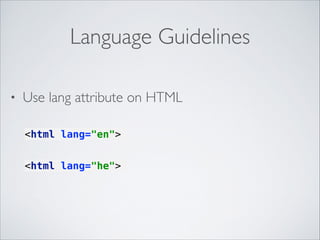
Use lang attribute on HTML
<html lang="en">
<html lang="he">
Language Guidelines
•

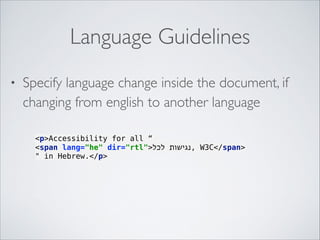
Specify language change inside the document, if
changing from english to another language
<p>Accessibility for all “
<span lang="he" dir="rtl">‫ ,נגישות לכל‬W3C</span>
" in Hebrew.</p>
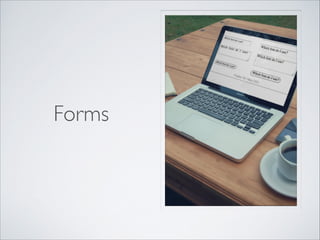
Forms
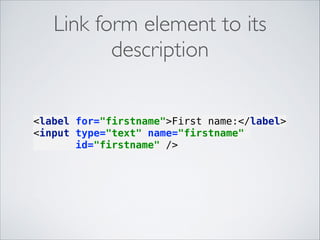
Link form element to its
description
<label for="firstname">First name:</label>

<input type="text" name="firstname"
id="firstname" />

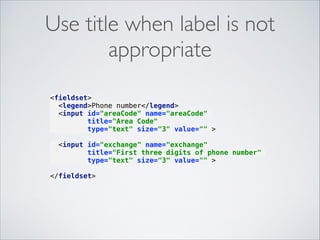
Use title when label is not
appropriate


<fieldset>

<legend>Phone number</legend>

<input id="areaCode" name="areaCode"
title="Area Code"
type="text" size="3" value="" >


<input id="exchange" name="exchange"
title="First three digits of phone number"
type="text" size="3" value="" >
</fieldset>

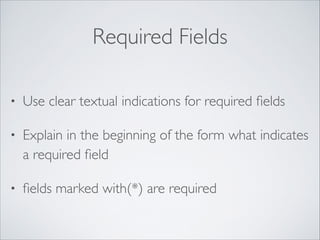
Required Fields
•

Use clear textual indications for required fields	


•

Explain in the beginning of the form what indicates
a required field	


•

fields marked with(*) are required
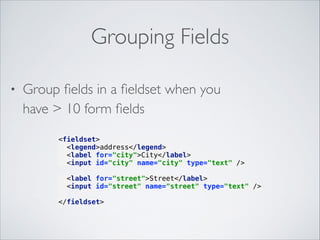
Grouping Fields
•

Group fields in a fieldset when you 

have > 10 form fields


<fieldset>

<legend>address</legend>

<label for="city">City</label>

<input id="city" name="city" type="text" />

<label for="street">Street</label>

<input id="street" name="street" type="text" />


</fieldset>

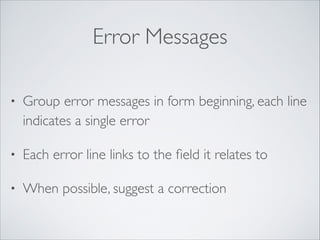
Error Messages
•

Group error messages in form beginning, each line
indicates a single error	


•

Each error line links to the field it relates to	


•

When possible, suggest a correction
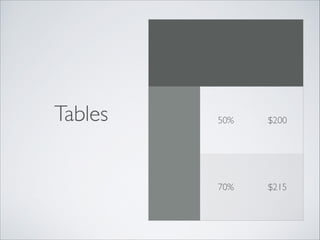
Tables

50%

$200

70%

$215
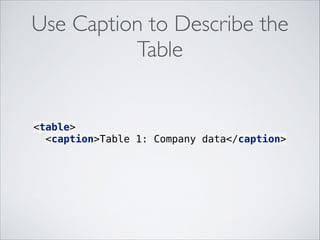
Use Caption to Describe the
Table

<table>

<caption>Table 1: Company data</caption>

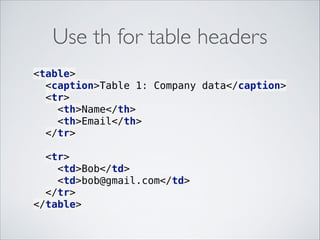
Use th for table headers
<table>

<caption>Table 1: Company data</caption>

<tr>

<th>Name</th>

<th>Email</th>

</tr>


<tr>

<td>Bob</td>

<td>bob@gmail.com</td>

</tr>

</table>
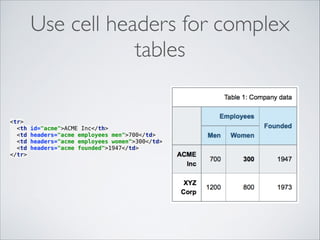
Use cell headers for complex
tables

<tr>

<th
<td
<td
<td
</tr>


id="acme">ACME Inc</th>

headers="acme employees men">700</td>

headers="acme employees women">300</td>

headers="acme founded">1947</td>

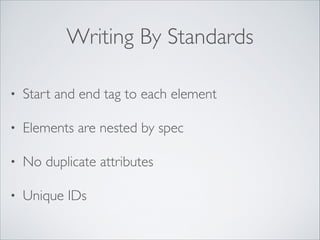
Writing By Standards
•

Start and end tag to each element	


•

Elements are nested by spec	


•

No duplicate attributes	


•

Unique IDs
Q&A
Thanks For Listening
•

Ynon Perek	


•

ynon@ynonperek.com	


•

http://ynonperek.com
Photos From

•

http://placeit.net	


•

http://123rf.com

Accessibility