Mobile App Development
   From a Web Developer’s Perspective
Chris Morrell
                  http://cmorrell.com/
                  @inxilpro


Who the heck am I?
 And what gives me the right to act as
though I know what I’m talking about?
PhillyNewMediaHub.com
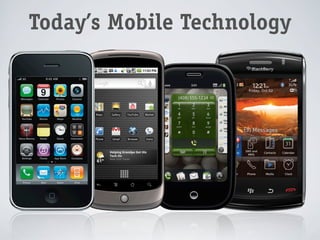
Today’s Mobile Technology
     • High-speed    Internet
      • Edge/3G:     100 Kbps–1.5 Mbps
      • Wifi:   10+ Mbps
     • Significant   processor speeds
     • Significant   graphical capabilities
     • Touch    interfaces
Today’s Mobile Technology


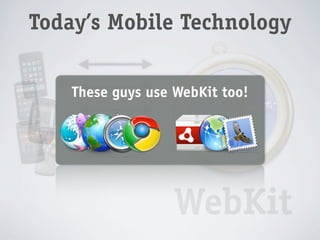
              WebKit
Today’s Mobile Technology


    These guys use WebKit too!


                   WebKit
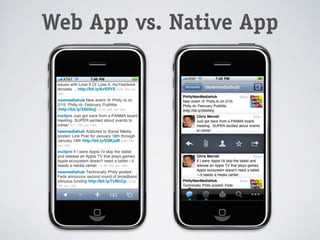
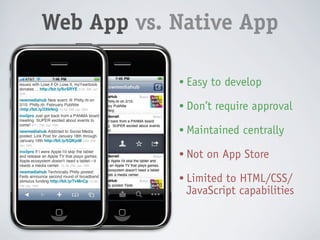
Web App vs. Native App

            • Easy   to develop
            • Don’t   require approval
            • Maintained   centrally
            • Not   on App Store
            • Limitedto HTML/CSS/
             JavaScript capabilities
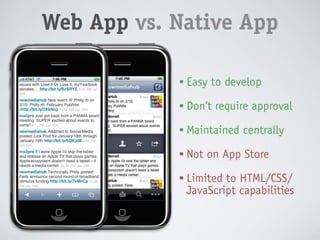
Web App vs. Native App

            • Better UI
            • Easy to develop
            • More powerful
            • Don’t require approval
            • More control
            • Maintained centrally
            • Access to GPU
            • Not on App Store
            • Costly to develop
            • Limited to HTML/CSS/
              JavaScript capabilities
            • Requires approval
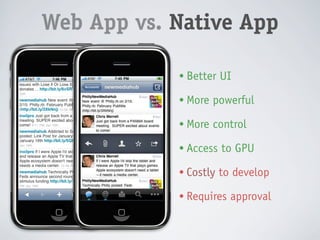
Web App vs. Native App

            • Better UI
            • Easy to develop
            • More powerful
            • Don’t require approval
            • More control
            • Maintained centrally
            • Access to GPU
            • Not on App Store
            • Costly to develop
            • Limited to HTML/CSS/
              JavaScript capabilities
            • Requires approval
Web App
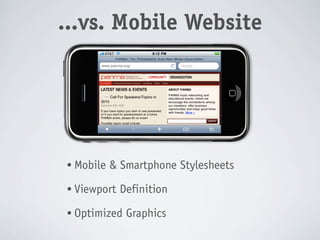
 ...vs. Mobile Website


  • Mobile   & Smartphone Stylesheets
  • Viewport   Definition
  • Optimized   Graphics
Technologies
• Objective-C   & Cocoa Touch (iPhone-only)
• Java   (Blackberry, Android, Symbian)
• Palm   Mojo [HTML5, JS, CSS + Dojo-based framework] (Palm-only)
• Visual   C#/Visual Basic/.NET (Windows Mobile-only)
• C++   (Symbian, Windows Mobile)
• HTML5,    JavaScript and CSS
• PhoneGap

• Titanium    Mobile
• Rhomobile
                                          Cross-platform w/ single API
Technologies
• Objective-C   & Cocoa Touch (iPhone-only)
• Java   (Blackberry, Android, Symbian)
• Palm   Mojo [HTML5, JS, CSS + Dojo-based framework] (Palm-only)
• Visual   C#/Visual Basic/.NET (Windows Mobile-only)
• C++   (Symbian, Windows Mobile)
• HTML5,    JavaScript and CSS
• PhoneGap

• Titanium    Mobile
• Rhomobile
                                          Cross-platform w/ single API
HTML5, JavaScript & CSS
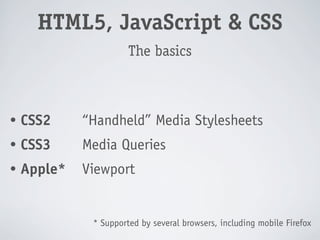
                       The basics


•   CSS2     “Handheld” Media Stylesheets
•   CSS3     Media Queries
•   Apple*   Viewport


              * Supported by several browsers, including mobile Firefox
HTML5, JavaScript & CSS
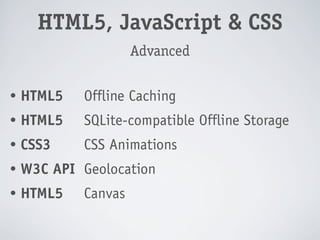
                     Advanced

•   HTML5   Offline Caching
•   HTML5   SQLite-compatible Offline Storage
•   CSS3    CSS Animations
•   W3C API Geolocation
•   HTML5   Canvas
*
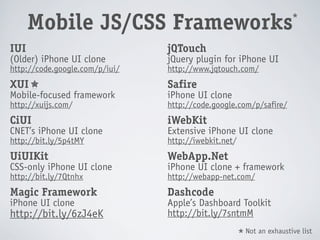
      Mobile JS/CSS Frameworks
IUI                             jQTouch
(Older) iPhone UI clone         jQuery plugin for iPhone UI
http://code.google.com/p/iui/   http://www.jqtouch.com/
XUI                             Safire
Mobile-focused framework        iPhone UI clone
http://xuijs.com/               http://code.google.com/p/safire/
CiUI                            iWebKit
CNET’s iPhone UI clone          Extensive iPhone UI clone
http://bit.ly/5p4tMY            http://iwebkit.net/
UiUIKit                         WebApp.Net
CSS-only iPhone UI clone        iPhone UI clone + framework
http://bit.ly/7Qtnhx            http://webapp-net.com/
Magic Framework                 Dashcode
iPhone UI clone                 Apple’s Dashboard Toolkit
http://bit.ly/6zJ4eK            http://bit.ly/7sntmM
                                                          Not an exhaustive list
                                                      *
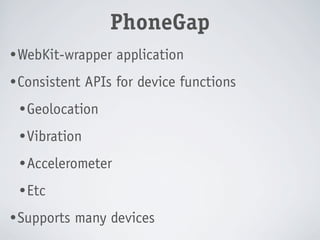
PhoneGap
PhoneGap
• WebKit-wrapper    application
• Consistent   APIs for device functions
 • Geolocation

 • Vibration

 • Accelerometer

 • Etc

• Supports   many devices
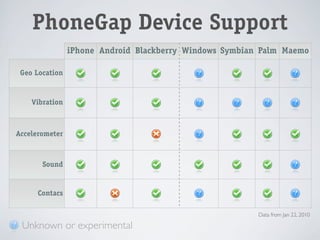
PhoneGap Device Support
                iPhone Android Blackberry Windows Symbian Palm Maemo

 Geo Location


    Vibration


Accelerometer


       Sound


      Contacs

                                                         Data from Jan 22, 2010

 Unknown or experimental
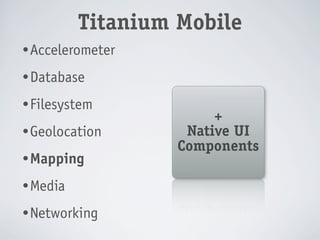
Titanium Mobile
Titanium Mobile
• Accelerometer

• Database

• Filesystem
                        +
• Geolocation       Native UI
                   Components
• Mapping

• Media

• Networking
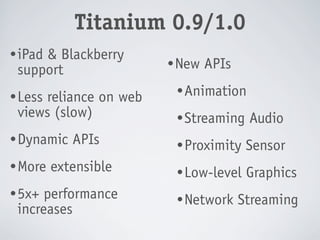
Titanium 0.9/1.0
• iPad
     & Blackberry
                       • New   APIs
 support
• Less                  • Animation
     reliance on web
 views (slow)           • Streaming    Audio
• Dynamic   APIs        • Proximity    Sensor
• More   extensible     • Low-level    Graphics
• 5x+ performance       • Network     Streaming
 increases
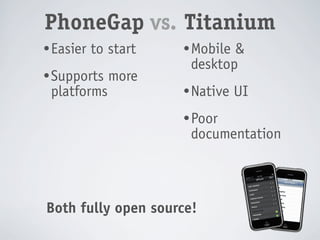
PhoneGap vs. Titanium
• Easier   to start   • Mobile&
                       desktop
• Supports    more
 platforms            • Native   UI
                      • Poor
                       documentation


Both fully open source!
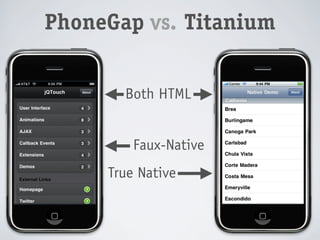
PhoneGap vs. Titanium


       Both HTML


         Faux-Native
     True Native
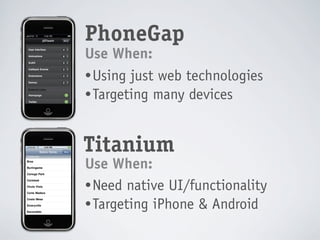
PhoneGap
Use When:
• Using just web technologies
• Targeting many devices


Titanium
Use When:
• Need native UI/functionality
• Targeting iPhone & Android
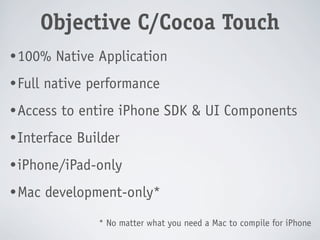
Objective-C/Cocoa Touch
Objective C/Cocoa Touch
• 100%    Native Application
• Full   native performance
• Access   to entire iPhone SDK & UI Components
• Interface   Builder
• iPhone/iPad-only

• Mac    development-only*
                 * No matter what you need a Mac to compile for iPhone
DEMO
!
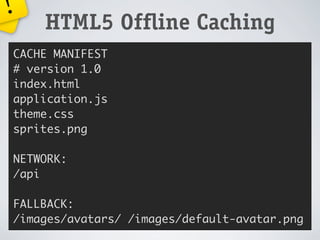
    HTML5 Offline Caching
CACHE MANIFEST
# version 1.0
index.html


                  !
application.js
theme.css
sprites.png      Ack!
                 Code Ahead
NETWORK:
/api

FALLBACK:
/images/avatars/ /images/default-avatar.png
!
Ack!
Code
       Ahea
              d


                  HTML5 Offline Caching
         CACHE MANIFEST
         # version 1.0
         index.html
         application.js
         theme.css
         sprites.png

         NETWORK:
         /api

         FALLBACK:
         /images/avatars/ /images/default-avatar.png
!
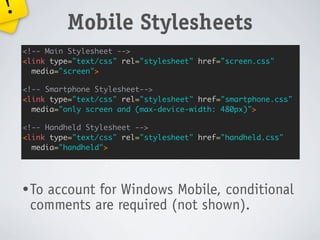
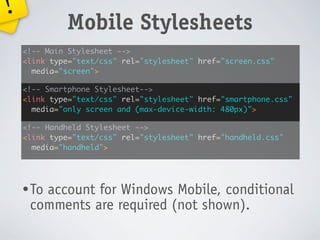
             Mobile Stylesheets
    <!-- Main Stylesheet -->
    <link type="text/css" rel="stylesheet" href="screen.css"
      media="screen">

    <!-- Smartphone Stylesheet-->
    <link type="text/css" rel="stylesheet" href="smartphone.css"
      media="only screen and (max-device-width: 480px)">

    <!-- Handheld Stylesheet -->
    <link type="text/css" rel="stylesheet" href="handheld.css"
      media="handheld">


    • To
       account for Windows Mobile, conditional
     comments are required (not shown).
!
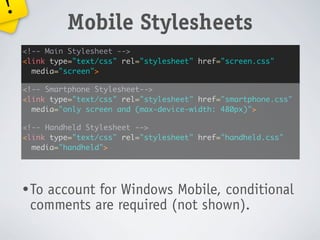
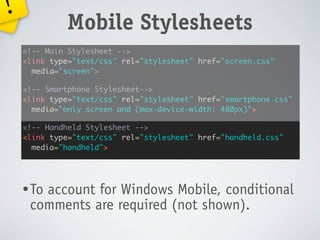
             Mobile Stylesheets
    <!-- Main Stylesheet -->
    <link type="text/css" rel="stylesheet" href="screen.css"
      media="screen">

    <!-- Smartphone Stylesheet-->
    <link type="text/css" rel="stylesheet" href="smartphone.css"
      media="only screen and (max-device-width: 480px)">

    <!-- Handheld Stylesheet -->
    <link type="text/css" rel="stylesheet" href="handheld.css"
      media="handheld">


    • To
       account for Windows Mobile, conditional
     comments are required (not shown).
!
             Mobile Stylesheets
    <!-- Main Stylesheet -->
    <link type="text/css" rel="stylesheet" href="screen.css"
      media="screen">

    <!-- Smartphone Stylesheet-->
    <link type="text/css" rel="stylesheet" href="smartphone.css"
      media="only screen and (max-device-width: 480px)">

    <!-- Handheld Stylesheet -->
    <link type="text/css" rel="stylesheet" href="handheld.css"
      media="handheld">


    • To
       account for Windows Mobile, conditional
     comments are required (not shown).
!
             Mobile Stylesheets
    <!-- Main Stylesheet -->
    <link type="text/css" rel="stylesheet" href="screen.css"
      media="screen">

    <!-- Smartphone Stylesheet-->
    <link type="text/css" rel="stylesheet" href="smartphone.css"
      media="only screen and (max-device-width: 480px)">

    <!-- Handheld Stylesheet -->
    <link type="text/css" rel="stylesheet" href="handheld.css"
      media="handheld">


    • To
       account for Windows Mobile, conditional
     comments are required (not shown).
!
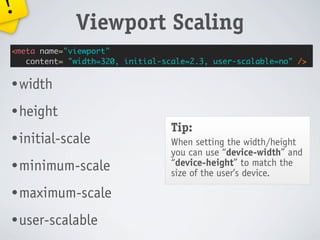
             Viewport Scaling
<meta name="viewport"
   content= "width=320, initial-scale=2.3, user-scalable=no" />


• width

• height
                                  Tip:
• initial-scale                   When setting the width/height
                                  you can use “device-width” and
• minimum-scale                   “device-height” to match the
                                  size of the user’s device.

• maximum-scale

• user-scalable
!
           HTML5 SQLite Storage
 1   var db = openDatabase("Demo", "1.0");
 2   if (db) {
 3     db.transaction(function(tx) {
 4       tx.executeSql("SELECT * FROM demo", [], function(result) {
 5         // “result” contains all rows in “demo” table
 6       }, function(tx, error) {
 7            var sql = "CREATE TABLE demo (id INTEGER, demo TEXT)";
 8            tx.executeSql(sql, [], function(result) {
 9              // database created, now do something
10            });
11       });
12     });
13   } else {
14     alert("Unable to open database!");
15   }


                                                          Ack!
!
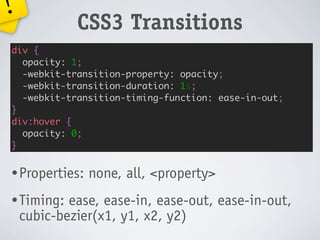
             CSS3 Transitions
div {
  opacity: 1;
  -webkit-transition-property: opacity;
  -webkit-transition-duration: 1s;
  -webkit-transition-timing-function: ease-in-out;
}
div:hover {
  opacity: 0;
}


• Properties:   none, all, <property>
• Timing:   ease, ease-in, ease-out, ease-in-out,
    cubic-bezier(x1, y1, x2, y2)
!
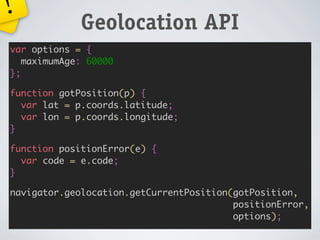
             Geolocation API
var options = {
   maximumAge: 60000
};

function gotPosition(p) {
  var lat = p.coords.latitude;
  var lon = p.coords.longitude;
}

function positionError(e) {
  var code = e.code;
}

navigator.geolocation.getCurrentPosition(gotPosition,
                                         positionError,
                                         options);
!
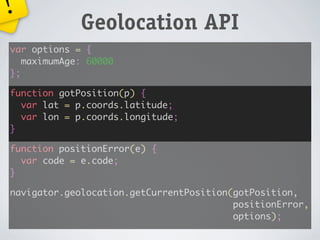
             Geolocation API
var options = {
   maximumAge: 60000
};

function gotPosition(p) {
  var lat = p.coords.latitude;
  var lon = p.coords.longitude;
}

function positionError(e) {
  var code = e.code;
}

navigator.geolocation.getCurrentPosition(gotPosition,
                                         positionError,
                                         options);
!
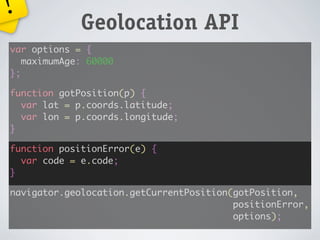
             Geolocation API
var options = {
   maximumAge: 60000
};

function gotPosition(p) {
  var lat = p.coords.latitude;
  var lon = p.coords.longitude;
}

function positionError(e) {
  var code = e.code;
}

navigator.geolocation.getCurrentPosition(gotPosition,
                                         positionError,
                                         options);
!
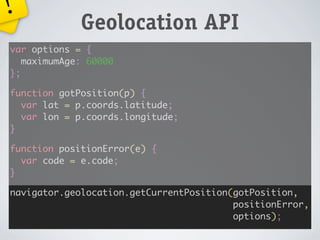
             Geolocation API
var options = {
   maximumAge: 60000
};

function gotPosition(p) {
  var lat = p.coords.latitude;
  var lon = p.coords.longitude;
}

function positionError(e) {
  var code = e.code;
}

navigator.geolocation.getCurrentPosition(gotPosition,
                                         positionError,
                                         options);
!
             Geolocation API
var options = {
   maximumAge: 60000
};

function gotPosition(p) {
  var lat = p.coords.latitude;
  var lon = p.coords.longitude;
}

function positionError(e) {
  var code = e.code;
}

navigator.geolocation.getCurrentPosition(gotPosition,
                                         positionError,
                                         options);
!
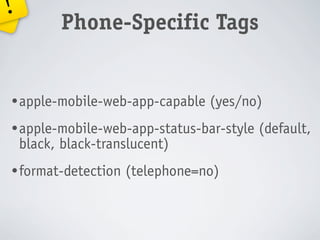
           Phone-Specific Tags


• apple-mobile-web-app-capable   (yes/no)
• apple-mobile-web-app-status-bar-style   (default,
    black, black-translucent)
• format-detection   (telephone=no)
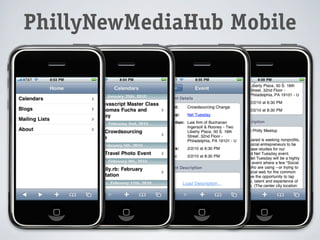
PhillyNewMediaHub Mobile
!
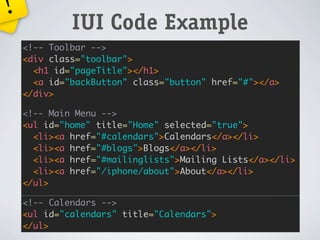
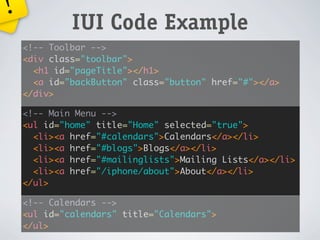
             IUI Code Example
    <!-- Toolbar -->
    <div class="toolbar">
      <h1 id="pageTitle"></h1>
      <a id="backButton" class="button" href="#"></a>
    </div>

    <!-- Main Menu -->
    <ul id="home" title="Home" selected="true">
      <li><a href="#calendars">Calendars</a></li>
      <li><a href="#blogs">Blogs</a></li>
      <li><a href="#mailinglists">Mailing Lists</a></li>
      <li><a href="/iphone/about">About</a></li>
    </ul>

    <!-- Calendars -->
    <ul id="calendars" title="Calendars">
    </ul>
!
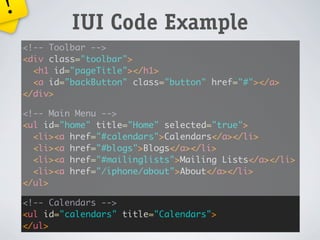
             IUI Code Example
    <!-- Toolbar -->
    <div class="toolbar">
      <h1 id="pageTitle"></h1>
      <a id="backButton" class="button" href="#"></a>
    </div>

    <!-- Main Menu -->
    <ul id="home" title="Home" selected="true">
      <li><a href="#calendars">Calendars</a></li>
      <li><a href="#blogs">Blogs</a></li>
      <li><a href="#mailinglists">Mailing Lists</a></li>
      <li><a href="/iphone/about">About</a></li>
    </ul>

    <!-- Calendars -->
    <ul id="calendars" title="Calendars">
    </ul>
!
             IUI Code Example
    <!-- Toolbar -->
    <div class="toolbar">
      <h1 id="pageTitle"></h1>
      <a id="backButton" class="button" href="#"></a>
    </div>

    <!-- Main Menu -->
    <ul id="home" title="Home" selected="true">
      <li><a href="#calendars">Calendars</a></li>
      <li><a href="#blogs">Blogs</a></li>
      <li><a href="#mailinglists">Mailing Lists</a></li>
      <li><a href="/iphone/about">About</a></li>
    </ul>

    <!-- Calendars -->
    <ul id="calendars" title="Calendars">
    </ul>
!
             IUI Code Example
    <!-- Toolbar -->
    <div class="toolbar">
      <h1 id="pageTitle"></h1>
      <a id="backButton" class="button" href="#"></a>
    </div>

    <!-- Main Menu -->
    <ul id="home" title="Home" selected="true">
      <li><a href="#calendars">Calendars</a></li>
      <li><a href="#blogs">Blogs</a></li>
      <li><a href="#mailinglists">Mailing Lists</a></li>
      <li><a href="/iphone/about">About</a></li>
    </ul>

    <!-- Calendars -->
    <ul id="calendars" title="Calendars">
    </ul>
Questions?
        Chris Morrell
          http://cmorrell.com/
          @inxilpro
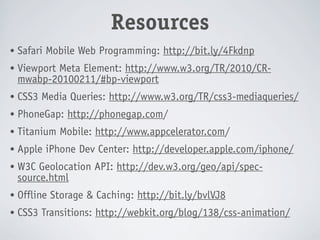
Resources
•   Safari Mobile Web Programming: http://bit.ly/4Fkdnp
•   Viewport Meta Element: http://www.w3.org/TR/2010/CR-
    mwabp-20100211/#bp-viewport
•   CSS3 Media Queries: http://www.w3.org/TR/css3-mediaqueries/
•   PhoneGap: http://phonegap.com/
•   Titanium Mobile: http://www.appcelerator.com/
•   Apple iPhone Dev Center: http://developer.apple.com/iphone/
•   W3C Geolocation API: http://dev.w3.org/geo/api/spec-
    source.html
•   Offline Storage & Caching: http://bit.ly/bvlVJ8
•   CSS3 Transitions: http://webkit.org/blog/138/css-animation/

Mobile App Development

  • 1.
    Mobile App Development From a Web Developer’s Perspective
  • 2.
    Chris Morrell http://cmorrell.com/ @inxilpro Who the heck am I? And what gives me the right to act as though I know what I’m talking about?
  • 4.
  • 5.
  • 6.
    Today’s Mobile Technology • High-speed Internet • Edge/3G: 100 Kbps–1.5 Mbps • Wifi: 10+ Mbps • Significant processor speeds • Significant graphical capabilities • Touch interfaces
  • 7.
  • 8.
    Today’s Mobile Technology These guys use WebKit too! WebKit
  • 9.
    Web App vs.Native App
  • 10.
    Web App vs.Native App • Easy to develop • Don’t require approval • Maintained centrally • Not on App Store • Limitedto HTML/CSS/ JavaScript capabilities
  • 11.
    Web App vs.Native App • Better UI • Easy to develop • More powerful • Don’t require approval • More control • Maintained centrally • Access to GPU • Not on App Store • Costly to develop • Limited to HTML/CSS/ JavaScript capabilities • Requires approval
  • 12.
    Web App vs.Native App • Better UI • Easy to develop • More powerful • Don’t require approval • More control • Maintained centrally • Access to GPU • Not on App Store • Costly to develop • Limited to HTML/CSS/ JavaScript capabilities • Requires approval
  • 13.
    Web App ...vs.Mobile Website • Mobile & Smartphone Stylesheets • Viewport Definition • Optimized Graphics
  • 14.
    Technologies • Objective-C & Cocoa Touch (iPhone-only) • Java (Blackberry, Android, Symbian) • Palm Mojo [HTML5, JS, CSS + Dojo-based framework] (Palm-only) • Visual C#/Visual Basic/.NET (Windows Mobile-only) • C++ (Symbian, Windows Mobile) • HTML5, JavaScript and CSS • PhoneGap • Titanium Mobile • Rhomobile Cross-platform w/ single API
  • 15.
    Technologies • Objective-C & Cocoa Touch (iPhone-only) • Java (Blackberry, Android, Symbian) • Palm Mojo [HTML5, JS, CSS + Dojo-based framework] (Palm-only) • Visual C#/Visual Basic/.NET (Windows Mobile-only) • C++ (Symbian, Windows Mobile) • HTML5, JavaScript and CSS • PhoneGap • Titanium Mobile • Rhomobile Cross-platform w/ single API
  • 16.
  • 17.
    HTML5, JavaScript &CSS The basics • CSS2 “Handheld” Media Stylesheets • CSS3 Media Queries • Apple* Viewport * Supported by several browsers, including mobile Firefox
  • 18.
    HTML5, JavaScript &CSS Advanced • HTML5 Offline Caching • HTML5 SQLite-compatible Offline Storage • CSS3 CSS Animations • W3C API Geolocation • HTML5 Canvas
  • 19.
    * Mobile JS/CSS Frameworks IUI jQTouch (Older) iPhone UI clone jQuery plugin for iPhone UI http://code.google.com/p/iui/ http://www.jqtouch.com/ XUI Safire Mobile-focused framework iPhone UI clone http://xuijs.com/ http://code.google.com/p/safire/ CiUI iWebKit CNET’s iPhone UI clone Extensive iPhone UI clone http://bit.ly/5p4tMY http://iwebkit.net/ UiUIKit WebApp.Net CSS-only iPhone UI clone iPhone UI clone + framework http://bit.ly/7Qtnhx http://webapp-net.com/ Magic Framework Dashcode iPhone UI clone Apple’s Dashboard Toolkit http://bit.ly/6zJ4eK http://bit.ly/7sntmM Not an exhaustive list *
  • 20.
  • 21.
    PhoneGap • WebKit-wrapper application • Consistent APIs for device functions • Geolocation • Vibration • Accelerometer • Etc • Supports many devices
  • 22.
    PhoneGap Device Support iPhone Android Blackberry Windows Symbian Palm Maemo Geo Location Vibration Accelerometer Sound Contacs Data from Jan 22, 2010 Unknown or experimental
  • 23.
  • 24.
    Titanium Mobile • Accelerometer •Database • Filesystem + • Geolocation Native UI Components • Mapping • Media • Networking
  • 25.
    Titanium 0.9/1.0 • iPad & Blackberry • New APIs support • Less • Animation reliance on web views (slow) • Streaming Audio • Dynamic APIs • Proximity Sensor • More extensible • Low-level Graphics • 5x+ performance • Network Streaming increases
  • 26.
    PhoneGap vs. Titanium •Easier to start • Mobile& desktop • Supports more platforms • Native UI • Poor documentation Both fully open source!
  • 27.
    PhoneGap vs. Titanium Both HTML Faux-Native True Native
  • 28.
    PhoneGap Use When: • Usingjust web technologies • Targeting many devices Titanium Use When: • Need native UI/functionality • Targeting iPhone & Android
  • 29.
  • 30.
    Objective C/Cocoa Touch •100% Native Application • Full native performance • Access to entire iPhone SDK & UI Components • Interface Builder • iPhone/iPad-only • Mac development-only* * No matter what you need a Mac to compile for iPhone
  • 31.
  • 32.
    ! HTML5 Offline Caching CACHE MANIFEST # version 1.0 index.html ! application.js theme.css sprites.png Ack! Code Ahead NETWORK: /api FALLBACK: /images/avatars/ /images/default-avatar.png
  • 33.
    ! Ack! Code Ahea d HTML5 Offline Caching CACHE MANIFEST # version 1.0 index.html application.js theme.css sprites.png NETWORK: /api FALLBACK: /images/avatars/ /images/default-avatar.png
  • 34.
    ! Mobile Stylesheets <!-- Main Stylesheet --> <link type="text/css" rel="stylesheet" href="screen.css" media="screen"> <!-- Smartphone Stylesheet--> <link type="text/css" rel="stylesheet" href="smartphone.css" media="only screen and (max-device-width: 480px)"> <!-- Handheld Stylesheet --> <link type="text/css" rel="stylesheet" href="handheld.css" media="handheld"> • To account for Windows Mobile, conditional comments are required (not shown).
  • 35.
    ! Mobile Stylesheets <!-- Main Stylesheet --> <link type="text/css" rel="stylesheet" href="screen.css" media="screen"> <!-- Smartphone Stylesheet--> <link type="text/css" rel="stylesheet" href="smartphone.css" media="only screen and (max-device-width: 480px)"> <!-- Handheld Stylesheet --> <link type="text/css" rel="stylesheet" href="handheld.css" media="handheld"> • To account for Windows Mobile, conditional comments are required (not shown).
  • 36.
    ! Mobile Stylesheets <!-- Main Stylesheet --> <link type="text/css" rel="stylesheet" href="screen.css" media="screen"> <!-- Smartphone Stylesheet--> <link type="text/css" rel="stylesheet" href="smartphone.css" media="only screen and (max-device-width: 480px)"> <!-- Handheld Stylesheet --> <link type="text/css" rel="stylesheet" href="handheld.css" media="handheld"> • To account for Windows Mobile, conditional comments are required (not shown).
  • 37.
    ! Mobile Stylesheets <!-- Main Stylesheet --> <link type="text/css" rel="stylesheet" href="screen.css" media="screen"> <!-- Smartphone Stylesheet--> <link type="text/css" rel="stylesheet" href="smartphone.css" media="only screen and (max-device-width: 480px)"> <!-- Handheld Stylesheet --> <link type="text/css" rel="stylesheet" href="handheld.css" media="handheld"> • To account for Windows Mobile, conditional comments are required (not shown).
  • 38.
    ! Viewport Scaling <meta name="viewport" content= "width=320, initial-scale=2.3, user-scalable=no" /> • width • height Tip: • initial-scale When setting the width/height you can use “device-width” and • minimum-scale “device-height” to match the size of the user’s device. • maximum-scale • user-scalable
  • 39.
    ! HTML5 SQLite Storage 1 var db = openDatabase("Demo", "1.0"); 2 if (db) { 3 db.transaction(function(tx) { 4 tx.executeSql("SELECT * FROM demo", [], function(result) { 5 // “result” contains all rows in “demo” table 6 }, function(tx, error) { 7 var sql = "CREATE TABLE demo (id INTEGER, demo TEXT)"; 8 tx.executeSql(sql, [], function(result) { 9 // database created, now do something 10 }); 11 }); 12 }); 13 } else { 14 alert("Unable to open database!"); 15 } Ack!
  • 40.
    ! CSS3 Transitions div { opacity: 1; -webkit-transition-property: opacity; -webkit-transition-duration: 1s; -webkit-transition-timing-function: ease-in-out; } div:hover { opacity: 0; } • Properties: none, all, <property> • Timing: ease, ease-in, ease-out, ease-in-out, cubic-bezier(x1, y1, x2, y2)
  • 41.
    ! Geolocation API var options = { maximumAge: 60000 }; function gotPosition(p) { var lat = p.coords.latitude; var lon = p.coords.longitude; } function positionError(e) { var code = e.code; } navigator.geolocation.getCurrentPosition(gotPosition, positionError, options);
  • 42.
    ! Geolocation API var options = { maximumAge: 60000 }; function gotPosition(p) { var lat = p.coords.latitude; var lon = p.coords.longitude; } function positionError(e) { var code = e.code; } navigator.geolocation.getCurrentPosition(gotPosition, positionError, options);
  • 43.
    ! Geolocation API var options = { maximumAge: 60000 }; function gotPosition(p) { var lat = p.coords.latitude; var lon = p.coords.longitude; } function positionError(e) { var code = e.code; } navigator.geolocation.getCurrentPosition(gotPosition, positionError, options);
  • 44.
    ! Geolocation API var options = { maximumAge: 60000 }; function gotPosition(p) { var lat = p.coords.latitude; var lon = p.coords.longitude; } function positionError(e) { var code = e.code; } navigator.geolocation.getCurrentPosition(gotPosition, positionError, options);
  • 45.
    ! Geolocation API var options = { maximumAge: 60000 }; function gotPosition(p) { var lat = p.coords.latitude; var lon = p.coords.longitude; } function positionError(e) { var code = e.code; } navigator.geolocation.getCurrentPosition(gotPosition, positionError, options);
  • 46.
    ! Phone-Specific Tags • apple-mobile-web-app-capable (yes/no) • apple-mobile-web-app-status-bar-style (default, black, black-translucent) • format-detection (telephone=no)
  • 47.
  • 48.
    ! IUI Code Example <!-- Toolbar --> <div class="toolbar"> <h1 id="pageTitle"></h1> <a id="backButton" class="button" href="#"></a> </div> <!-- Main Menu --> <ul id="home" title="Home" selected="true"> <li><a href="#calendars">Calendars</a></li> <li><a href="#blogs">Blogs</a></li> <li><a href="#mailinglists">Mailing Lists</a></li> <li><a href="/iphone/about">About</a></li> </ul> <!-- Calendars --> <ul id="calendars" title="Calendars"> </ul>
  • 49.
    ! IUI Code Example <!-- Toolbar --> <div class="toolbar"> <h1 id="pageTitle"></h1> <a id="backButton" class="button" href="#"></a> </div> <!-- Main Menu --> <ul id="home" title="Home" selected="true"> <li><a href="#calendars">Calendars</a></li> <li><a href="#blogs">Blogs</a></li> <li><a href="#mailinglists">Mailing Lists</a></li> <li><a href="/iphone/about">About</a></li> </ul> <!-- Calendars --> <ul id="calendars" title="Calendars"> </ul>
  • 50.
    ! IUI Code Example <!-- Toolbar --> <div class="toolbar"> <h1 id="pageTitle"></h1> <a id="backButton" class="button" href="#"></a> </div> <!-- Main Menu --> <ul id="home" title="Home" selected="true"> <li><a href="#calendars">Calendars</a></li> <li><a href="#blogs">Blogs</a></li> <li><a href="#mailinglists">Mailing Lists</a></li> <li><a href="/iphone/about">About</a></li> </ul> <!-- Calendars --> <ul id="calendars" title="Calendars"> </ul>
  • 51.
    ! IUI Code Example <!-- Toolbar --> <div class="toolbar"> <h1 id="pageTitle"></h1> <a id="backButton" class="button" href="#"></a> </div> <!-- Main Menu --> <ul id="home" title="Home" selected="true"> <li><a href="#calendars">Calendars</a></li> <li><a href="#blogs">Blogs</a></li> <li><a href="#mailinglists">Mailing Lists</a></li> <li><a href="/iphone/about">About</a></li> </ul> <!-- Calendars --> <ul id="calendars" title="Calendars"> </ul>
  • 52.
    Questions? Chris Morrell http://cmorrell.com/ @inxilpro
  • 53.
    Resources • Safari Mobile Web Programming: http://bit.ly/4Fkdnp • Viewport Meta Element: http://www.w3.org/TR/2010/CR- mwabp-20100211/#bp-viewport • CSS3 Media Queries: http://www.w3.org/TR/css3-mediaqueries/ • PhoneGap: http://phonegap.com/ • Titanium Mobile: http://www.appcelerator.com/ • Apple iPhone Dev Center: http://developer.apple.com/iphone/ • W3C Geolocation API: http://dev.w3.org/geo/api/spec- source.html • Offline Storage & Caching: http://bit.ly/bvlVJ8 • CSS3 Transitions: http://webkit.org/blog/138/css-animation/