Qt Concurrency 
Ynon Perek
Agenda 
• Doing things simultaneously 
• Using the event loop 
• Using threads 
• Using QtConcurrent algorithms
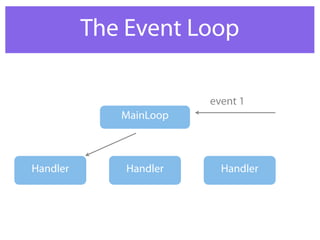
The Event Loop 
MainLoop 
event 1 
Handler Handler Handler
You’re Already Doing It 
• Network code runs in parallel 
• Timers
Unfortunately … 
• DB queries block 
• Disk operations block 
• CPU operations block
Latency Is The Enemy
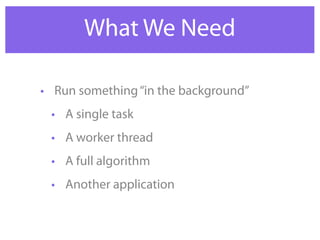
What We Need 
• Run something “in the background” 
• A single task 
• A worker thread 
• A full algorithm 
• Another application
Single Task 
QThread 
QThreadPool 
QRunnable 
Thread Synchronization
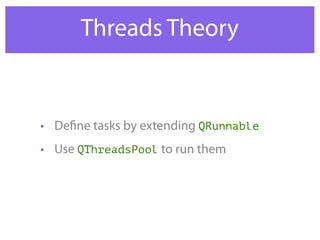
Threads Theory 
• Define tasks by extending QRunnable 
• Use QThreadsPool to run them
Demo Runnable 
class MyTask : public QRunnable 
{ 
virtual void run() 
{ 
for ( int i=0; i < 10; i++ ) 
{ 
qDebug() << "[" << 
QThread::currentThreadId() << 
"]" << 
" " << 
i; 
} 
} 
};
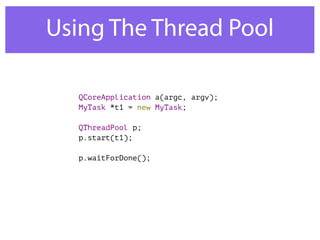
Using The Thread Pool 
QCoreApplication a(argc, argv); 
MyTask *t1 = new MyTask; 
QThreadPool p; 
p.start(t1); 
p.waitForDone();
Thread Pool Notes 
• start() takes ownership of the runnable. 
It will be deleted when done 
• Number of threads matches number of 
CPU cores 
• waitForDone() stops the event loop. Be 
careful with that one
Yielding 
• If you feel your thread has worked hard 
enough, rest with: 
QThread::yieldCurrentThread();
Sharing 
• Cool in real life 
• Uncool for threads
Sharing Problems 
• Shared resources can 
be manipulated from 
other threads 
• Even when you’re in 
the middle
Sharing Problems 
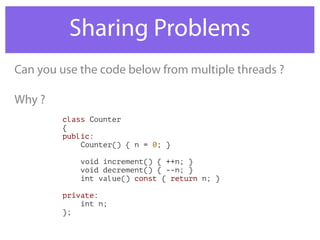
Can you use the code below from multiple threads ? 
class Counter 
{ 
public: 
Counter() { n = 0; } 
void increment() { ++n; } 
void decrement() { --n; } 
int value() const { return n; } 
private: 
int n; 
}; 
Why ?
Sharing Problems 
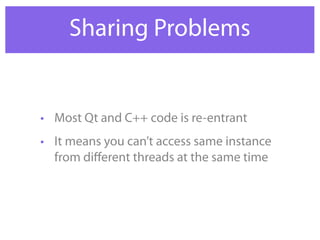
• Most Qt and C++ code is re-entrant 
• It means you can’t access same instance 
from different threads at the same time
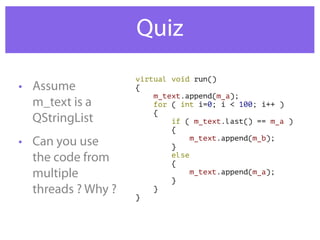
Quiz 
• Assume 
m_text is a 
QStringList 
• Can you use 
the code from 
multiple 
threads ? Why ? 
virtual void run() 
{ 
m_text.append(m_a); 
for ( int i=0; i < 100; i++ ) 
{ 
if ( m_text.last() == m_a ) 
{ 
m_text.append(m_b); 
} 
else 
{ 
m_text.append(m_a); 
} 
} 
}
Thread Safety 
• Code is marked thread-safe if it’s ok to use 
it from multiple threads, on the same 
instance. 
• Thread-safe code manages data access
Other Considerations 
• When locking threads, you lose 
concurrency 
• Previous example was better written by: 
• Separating the problem to sections 
• Solving each section in a thread
Locking Options 
• QMutex 
• QSemaphore 
• QReadWriteLock 
• QWaitCondition
QMutex 
• Only one thread can “hold” a mutex 
• Others wait till done 
• Like the java’s synchronized keyword
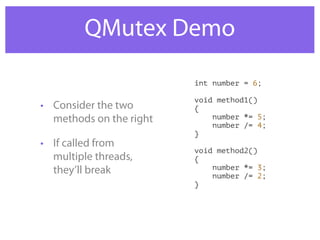
QMutex Demo 
• Consider the two 
methods on the right 
• If called from 
multiple threads, 
they’ll break 
int number = 6; 
void method1() 
{ 
number *= 5; 
number /= 4; 
} 
void method2() 
{ 
number *= 3; 
number /= 2; 
}
QMutex Demo 
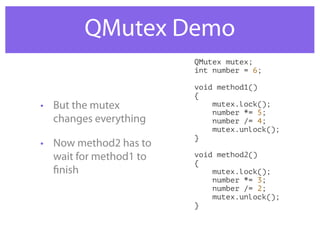
• But the mutex 
changes everything 
• Now method2 has to 
wait for method1 to 
finish 
QMutex mutex; 
int number = 6; 
void method1() 
{ 
mutex.lock(); 
number *= 5; 
number /= 4; 
mutex.unlock(); 
} 
void method2() 
{ 
mutex.lock(); 
number *= 3; 
number /= 2; 
mutex.unlock(); 
}
Deadlocks 
• Forgetting to unlock 
a mutex creates 
deadlocks 
• Unlocking in a wrong 
order creates 
deadlocks
QMutexLocker 
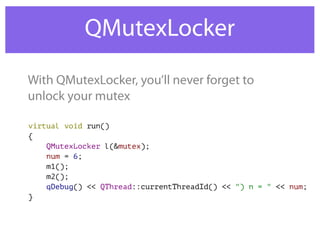
With QMutexLocker, you’ll never forget to 
unlock your mutex 
virtual void run() 
{ 
QMutexLocker l(&mutex); 
num = 6; 
m1(); 
m2(); 
qDebug() << QThread::currentThreadId() << ") n = " << num; 
}
Q & A
Lab 
• Modify Counter code so it is thread safe
QReadWriteLock 
• Multiple reads, single write 
• Prevents starvation
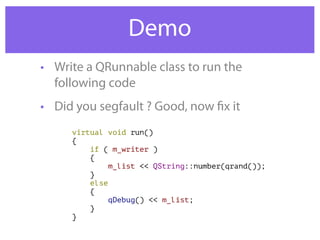
Demo 
• Write a QRunnable class to run the 
following code 
• Did you segfault ? Good, now fix it 
virtual void run() 
{ 
if ( m_writer ) 
{ 
m_list << QString::number(qrand()); 
} 
else 
{ 
qDebug() << m_list; 
} 
}
QReadWriteLock vs. QMutex 
• Use QReadWriteLock when you have many 
readers and few writers 
• For other cases, mutex is sufficient
QSemaphore 
• Producer-Consumer problem 
• One producer, multiple consumers
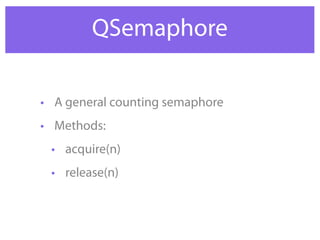
QSemaphore 
• A general counting semaphore 
• Methods: 
• acquire(n) 
• release(n)
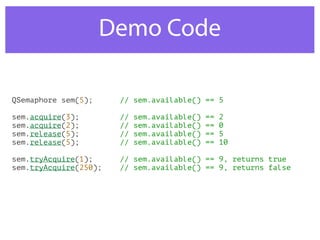
Demo Code 
QSemaphore sem(5); // sem.available() == 5 
sem.acquire(3); // sem.available() == 2 
sem.acquire(2); // sem.available() == 0 
sem.release(5); // sem.available() == 5 
sem.release(5); // sem.available() == 10 
sem.tryAcquire(1); // sem.available() == 9, returns true 
sem.tryAcquire(250); // sem.available() == 9, returns false
Locking Alternatives 
• Locking mechanisms are used to sync with 
worker threads 
• Some alternatives: 
• Using QtConcurrent algorithms
Q & A
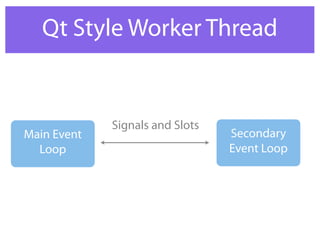
Qt Style Worker Thread 
Main Event 
Loop 
Secondary 
Event Loop 
Signals and Slots
The Code 
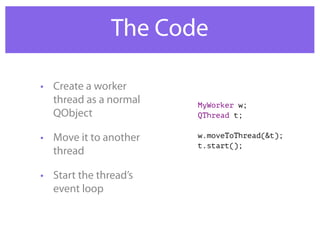
• Create a worker 
thread as a normal 
QObject 
• Move it to another 
thread 
• Start the thread’s 
event loop 
MyWorker w; 
QThread t; 
w.moveToThread(&t); 
t.start();
Why Is It Awesome 
• Write code with normal signals and slots 
• Make it multi-threaded when needed 
• Almost no change
Under The Hood 
• QObject::connect uses a message queue 
to call slots in other threads
Lab 
• Write a GUI app that displays an image 
• Use QFileDialog to choose image file 
• Read image file from a worker thread
Concurrent Algorithms
Concurrent Algorithms 
• Algorithms on collections can make use of 
concurrent primitives 
• Qt provides: 
• map 
• filter 
• reduce
Let’s Start With A Demo 
int main(int argc, char *argv[]) 
{ 
QCoreApplication a(argc, argv); 
QList<long> seq; 
QTime t1,t2; 
for (long i=2; i < 100000; i++ ) seq << i; 
t1.start(); 
QtConcurrent::blockingFiltered(seq, isPrime); 
qDebug("Time elapsed (Multi): %d ms", t1.elapsed()); 
t2.start(); 
foreach ( long n, seq ) isPrime(n); 
qDebug("Time elapsed (Single): %d ms", t2.elapsed()); 
return 0; 
}
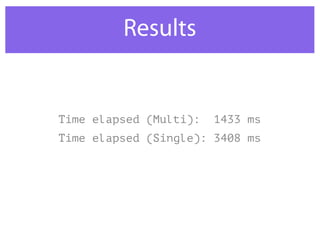
Results 
Time elapsed (Multi): 1433 ms 
Time elapsed (Single): 3408 ms
The Good Parts 
• Easily implement algorithms 
on collections 
• Avoid common mistakes 
• No need to synchronize threads
Other Primitives 
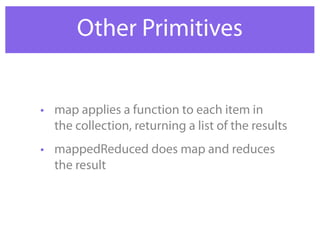
• map applies a function to each item in 
the collection, returning a list of the results 
• mappedReduced does map and reduces 
the result
Other Primitives 
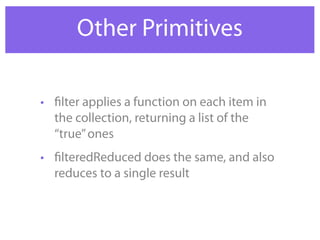
• filter applies a function on each item in 
the collection, returning a list of the 
“true” ones 
• filteredReduced does the same, and also 
reduces to a single result
Progress Indication 
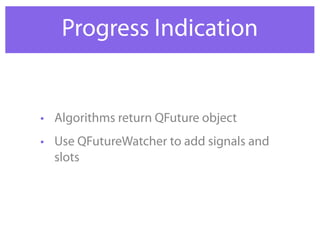
• Algorithms return QFuture object 
• Use QFutureWatcher to add signals and 
slots
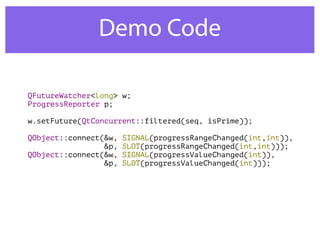
Demo Code 
QFutureWatcher<long> w; 
ProgressReporter p; 
w.setFuture(QtConcurrent::filtered(seq, isPrime)); 
QObject::connect(&w, SIGNAL(progressRangeChanged(int,int)), 
&p, SLOT(progressRangeChanged(int,int))); 
QObject::connect(&w, SIGNAL(progressValueChanged(int)), 
&p, SLOT(progressValueChanged(int)));
Progress Notes 
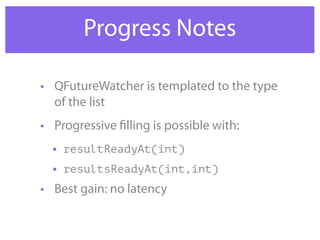
• QFutureWatcher is templated to the type 
of the list 
• Progressive filling is possible with: 
• resultReadyAt(int) 
• resultsReadyAt(int,int) 
• Best gain: no latency
Q & A
Concurrency Takeaways 
• Use worker threads for IO 
• Use QtConcurrent for algorithms 
• Latency is the enemy
Lab 
• Move our prime number detection code 
to a GUI app 
• User selects range, and the application 
prints all prime numbers in range 
• Try with and without QtConcurrent
Online Resources 
• http://qt-project.org/doc/qt-5.0/qtcore/ 
thread-basics.html 
• http://www.greenteapress.com/ 
semaphores/ 
• http://qt-project.org/videos/watch/ 
threaded_programming_with_qt
Thanks For Listening 
• Ynon Perek 
• ynon@ynonperek.com 
• http://ynonperek.com

Qt multi threads

  • 1.
  • 2.
    Agenda • Doingthings simultaneously • Using the event loop • Using threads • Using QtConcurrent algorithms
  • 3.
    The Event Loop MainLoop event 1 Handler Handler Handler
  • 4.
    You’re Already DoingIt • Network code runs in parallel • Timers
  • 5.
    Unfortunately … •DB queries block • Disk operations block • CPU operations block
  • 6.
  • 7.
    What We Need • Run something “in the background” • A single task • A worker thread • A full algorithm • Another application
  • 8.
    Single Task QThread QThreadPool QRunnable Thread Synchronization
  • 9.
    Threads Theory •Define tasks by extending QRunnable • Use QThreadsPool to run them
  • 10.
    Demo Runnable classMyTask : public QRunnable { virtual void run() { for ( int i=0; i < 10; i++ ) { qDebug() << "[" << QThread::currentThreadId() << "]" << " " << i; } } };
  • 11.
    Using The ThreadPool QCoreApplication a(argc, argv); MyTask *t1 = new MyTask; QThreadPool p; p.start(t1); p.waitForDone();
  • 12.
    Thread Pool Notes • start() takes ownership of the runnable. It will be deleted when done • Number of threads matches number of CPU cores • waitForDone() stops the event loop. Be careful with that one
  • 13.
    Yielding • Ifyou feel your thread has worked hard enough, rest with: QThread::yieldCurrentThread();
  • 14.
    Sharing • Coolin real life • Uncool for threads
  • 15.
    Sharing Problems •Shared resources can be manipulated from other threads • Even when you’re in the middle
  • 16.
    Sharing Problems Canyou use the code below from multiple threads ? class Counter { public: Counter() { n = 0; } void increment() { ++n; } void decrement() { --n; } int value() const { return n; } private: int n; }; Why ?
  • 17.
    Sharing Problems •Most Qt and C++ code is re-entrant • It means you can’t access same instance from different threads at the same time
  • 18.
    Quiz • Assume m_text is a QStringList • Can you use the code from multiple threads ? Why ? virtual void run() { m_text.append(m_a); for ( int i=0; i < 100; i++ ) { if ( m_text.last() == m_a ) { m_text.append(m_b); } else { m_text.append(m_a); } } }
  • 19.
    Thread Safety •Code is marked thread-safe if it’s ok to use it from multiple threads, on the same instance. • Thread-safe code manages data access
  • 20.
    Other Considerations •When locking threads, you lose concurrency • Previous example was better written by: • Separating the problem to sections • Solving each section in a thread
  • 21.
    Locking Options •QMutex • QSemaphore • QReadWriteLock • QWaitCondition
  • 22.
    QMutex • Onlyone thread can “hold” a mutex • Others wait till done • Like the java’s synchronized keyword
  • 23.
    QMutex Demo •Consider the two methods on the right • If called from multiple threads, they’ll break int number = 6; void method1() { number *= 5; number /= 4; } void method2() { number *= 3; number /= 2; }
  • 24.
    QMutex Demo •But the mutex changes everything • Now method2 has to wait for method1 to finish QMutex mutex; int number = 6; void method1() { mutex.lock(); number *= 5; number /= 4; mutex.unlock(); } void method2() { mutex.lock(); number *= 3; number /= 2; mutex.unlock(); }
  • 25.
    Deadlocks • Forgettingto unlock a mutex creates deadlocks • Unlocking in a wrong order creates deadlocks
  • 26.
    QMutexLocker With QMutexLocker,you’ll never forget to unlock your mutex virtual void run() { QMutexLocker l(&mutex); num = 6; m1(); m2(); qDebug() << QThread::currentThreadId() << ") n = " << num; }
  • 27.
  • 28.
    Lab • ModifyCounter code so it is thread safe
  • 29.
    QReadWriteLock • Multiplereads, single write • Prevents starvation
  • 30.
    Demo • Writea QRunnable class to run the following code • Did you segfault ? Good, now fix it virtual void run() { if ( m_writer ) { m_list << QString::number(qrand()); } else { qDebug() << m_list; } }
  • 31.
    QReadWriteLock vs. QMutex • Use QReadWriteLock when you have many readers and few writers • For other cases, mutex is sufficient
  • 32.
    QSemaphore • Producer-Consumerproblem • One producer, multiple consumers
  • 33.
    QSemaphore • Ageneral counting semaphore • Methods: • acquire(n) • release(n)
  • 34.
    Demo Code QSemaphoresem(5); // sem.available() == 5 sem.acquire(3); // sem.available() == 2 sem.acquire(2); // sem.available() == 0 sem.release(5); // sem.available() == 5 sem.release(5); // sem.available() == 10 sem.tryAcquire(1); // sem.available() == 9, returns true sem.tryAcquire(250); // sem.available() == 9, returns false
  • 35.
    Locking Alternatives •Locking mechanisms are used to sync with worker threads • Some alternatives: • Using QtConcurrent algorithms
  • 36.
  • 37.
    Qt Style WorkerThread Main Event Loop Secondary Event Loop Signals and Slots
  • 38.
    The Code •Create a worker thread as a normal QObject • Move it to another thread • Start the thread’s event loop MyWorker w; QThread t; w.moveToThread(&t); t.start();
  • 39.
    Why Is ItAwesome • Write code with normal signals and slots • Make it multi-threaded when needed • Almost no change
  • 40.
    Under The Hood • QObject::connect uses a message queue to call slots in other threads
  • 41.
    Lab • Writea GUI app that displays an image • Use QFileDialog to choose image file • Read image file from a worker thread
  • 42.
  • 43.
    Concurrent Algorithms •Algorithms on collections can make use of concurrent primitives • Qt provides: • map • filter • reduce
  • 44.
    Let’s Start WithA Demo int main(int argc, char *argv[]) { QCoreApplication a(argc, argv); QList<long> seq; QTime t1,t2; for (long i=2; i < 100000; i++ ) seq << i; t1.start(); QtConcurrent::blockingFiltered(seq, isPrime); qDebug("Time elapsed (Multi): %d ms", t1.elapsed()); t2.start(); foreach ( long n, seq ) isPrime(n); qDebug("Time elapsed (Single): %d ms", t2.elapsed()); return 0; }
  • 45.
    Results Time elapsed(Multi): 1433 ms Time elapsed (Single): 3408 ms
  • 46.
    The Good Parts • Easily implement algorithms on collections • Avoid common mistakes • No need to synchronize threads
  • 47.
    Other Primitives •map applies a function to each item in the collection, returning a list of the results • mappedReduced does map and reduces the result
  • 48.
    Other Primitives •filter applies a function on each item in the collection, returning a list of the “true” ones • filteredReduced does the same, and also reduces to a single result
  • 49.
    Progress Indication •Algorithms return QFuture object • Use QFutureWatcher to add signals and slots
  • 50.
    Demo Code QFutureWatcher<long>w; ProgressReporter p; w.setFuture(QtConcurrent::filtered(seq, isPrime)); QObject::connect(&w, SIGNAL(progressRangeChanged(int,int)), &p, SLOT(progressRangeChanged(int,int))); QObject::connect(&w, SIGNAL(progressValueChanged(int)), &p, SLOT(progressValueChanged(int)));
  • 51.
    Progress Notes •QFutureWatcher is templated to the type of the list • Progressive filling is possible with: • resultReadyAt(int) • resultsReadyAt(int,int) • Best gain: no latency
  • 52.
  • 53.
    Concurrency Takeaways •Use worker threads for IO • Use QtConcurrent for algorithms • Latency is the enemy
  • 54.
    Lab • Moveour prime number detection code to a GUI app • User selects range, and the application prints all prime numbers in range • Try with and without QtConcurrent
  • 55.
    Online Resources •http://qt-project.org/doc/qt-5.0/qtcore/ thread-basics.html • http://www.greenteapress.com/ semaphores/ • http://qt-project.org/videos/watch/ threaded_programming_with_qt
  • 56.
    Thanks For Listening • Ynon Perek • ynon@ynonperek.com • http://ynonperek.com