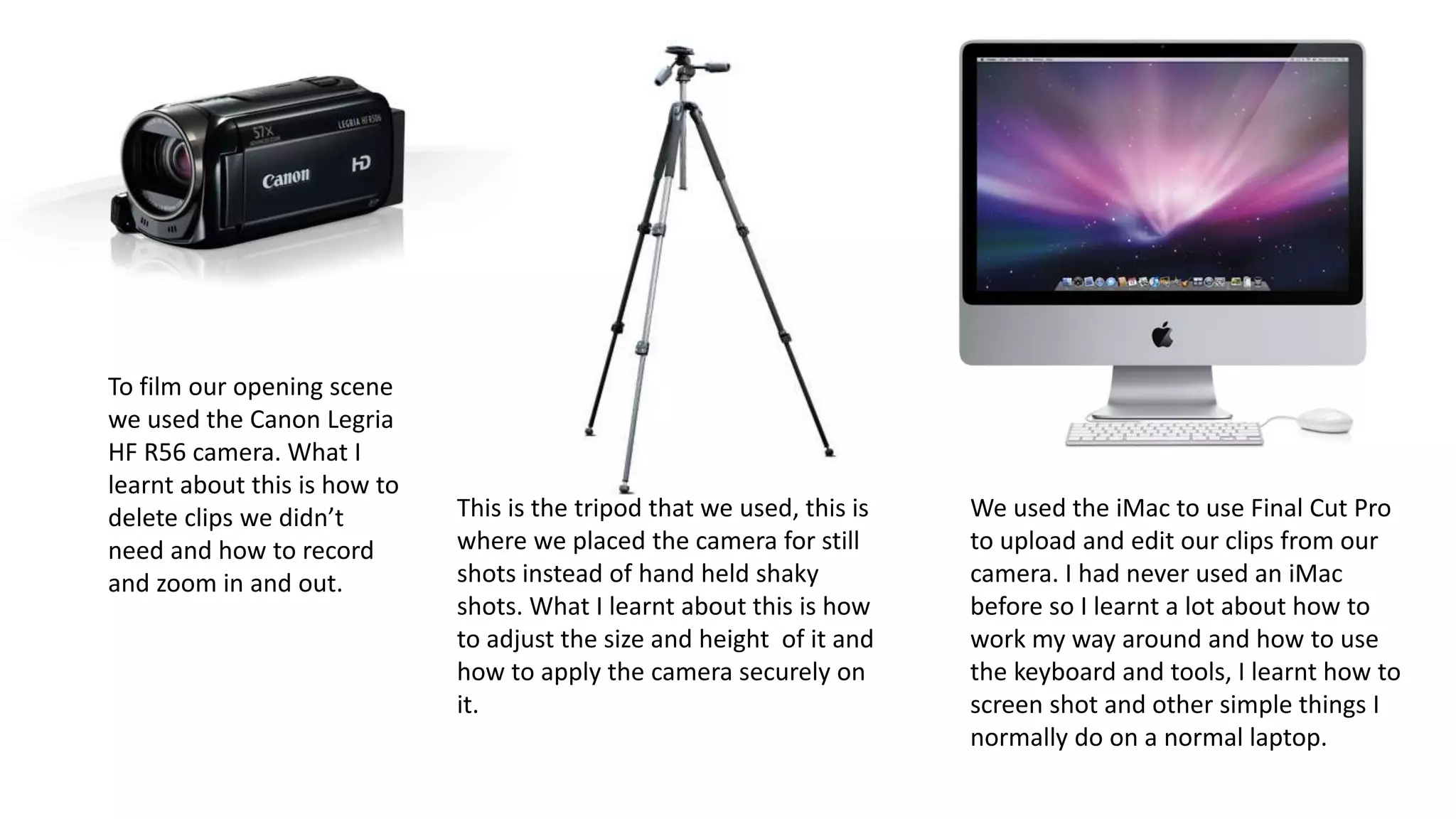
To film our opening scene
we used the Canon Legria
HF R56 camera. What I
learnt about this is how to
delete clips we didn’t
need and how to record
and zoom in and out.
This is the tripod that we used, this is
where we placed the camera for still
shots instead of hand held shaky
shots. What I learnt about this is how
to adjust the size and height of it and
how to apply the camera securely on
it.
We used the iMac to use Final Cut Pro
to upload and edit our clips from our
camera. I had never used an iMac
before so I learnt a lot about how to
work my way around and how to use
the keyboard and tools, I learnt how to
screen shot and other simple things I
normally do on a normal laptop.
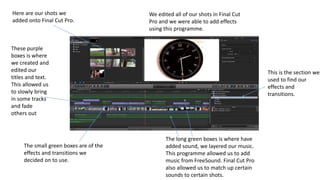
The small green boxes are of the
effects and transitions we
decided on to use.
The long green boxes is where have
added sound, we layered our music.
This programme allowed us to add
music from FreeSound. Final Cut Pro
also allowed us to match up certain
sounds to certain shots.
Here are our shots we
added onto Final Cut Pro.
We edited all of our shots in Final Cut
Pro and we were able to add effects
using this programme.
This is the section we
used to find our
effects and
transitions.
These purple
boxes is where
we created and
edited our
titles and text.
This allowed us
to slowly bring
in some tracks
and fade
others out
• The slide before was a collage of all the references to all the online
and computer programmes and internet resources that I have used
on this project.
• I have used Final Cut Pro to edit my opening scene, I used it for the
rough cut and the final opening sequence, this is how I added sound
and effects to it.
• I used YouTube to upload my rough cut, final cut and my annotated
version of the final cut.
• I used Mahara to update my journal to show my progress and for my
teacher to view my work.
• I used the site FreeSound to search up music for my opening scene
and then put it onto Final Cut Pro to use for my final cut.
• I made a SlideShare account to upload my PowerPoints of work to put
onto my journal on Mahara, so my journal is more presentable and
easy to view.

Annotation

  • 1.
    To film ouropening scene we used the Canon Legria HF R56 camera. What I learnt about this is how to delete clips we didn’t need and how to record and zoom in and out. This is the tripod that we used, this is where we placed the camera for still shots instead of hand held shaky shots. What I learnt about this is how to adjust the size and height of it and how to apply the camera securely on it. We used the iMac to use Final Cut Pro to upload and edit our clips from our camera. I had never used an iMac before so I learnt a lot about how to work my way around and how to use the keyboard and tools, I learnt how to screen shot and other simple things I normally do on a normal laptop.
  • 2.
    The small greenboxes are of the effects and transitions we decided on to use. The long green boxes is where have added sound, we layered our music. This programme allowed us to add music from FreeSound. Final Cut Pro also allowed us to match up certain sounds to certain shots. Here are our shots we added onto Final Cut Pro. We edited all of our shots in Final Cut Pro and we were able to add effects using this programme. This is the section we used to find our effects and transitions. These purple boxes is where we created and edited our titles and text. This allowed us to slowly bring in some tracks and fade others out
  • 4.
    • The slidebefore was a collage of all the references to all the online and computer programmes and internet resources that I have used on this project. • I have used Final Cut Pro to edit my opening scene, I used it for the rough cut and the final opening sequence, this is how I added sound and effects to it. • I used YouTube to upload my rough cut, final cut and my annotated version of the final cut. • I used Mahara to update my journal to show my progress and for my teacher to view my work. • I used the site FreeSound to search up music for my opening scene and then put it onto Final Cut Pro to use for my final cut. • I made a SlideShare account to upload my PowerPoints of work to put onto my journal on Mahara, so my journal is more presentable and easy to view.