W H A T H A V E Y O U L E A R N T A B O U T
T E C H N O L O G I E S F R O M T H E P R O C E S S O F
C O N S T R U C T I N G T H I S P R O D U C T ?
Task Six
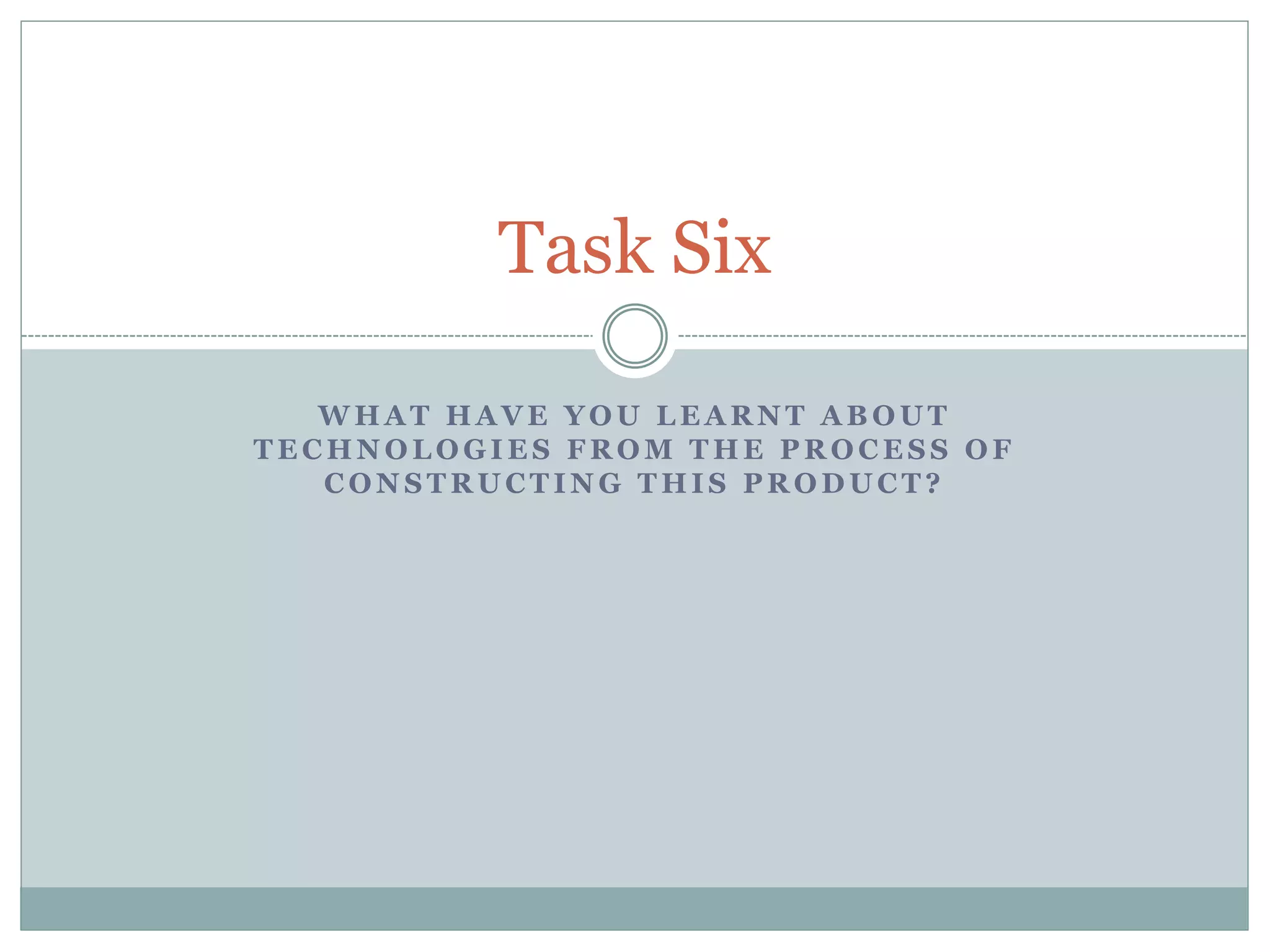
The camera we used was a ‘Canon Legria
HFR56’. It was quite a basic camera but
had good quality that allowed us to
zoom in and out. We used the camera to
film various shots within our opening
sequence. During this, we became more
familiar with what angles were best to
film from and how to position the
camera.
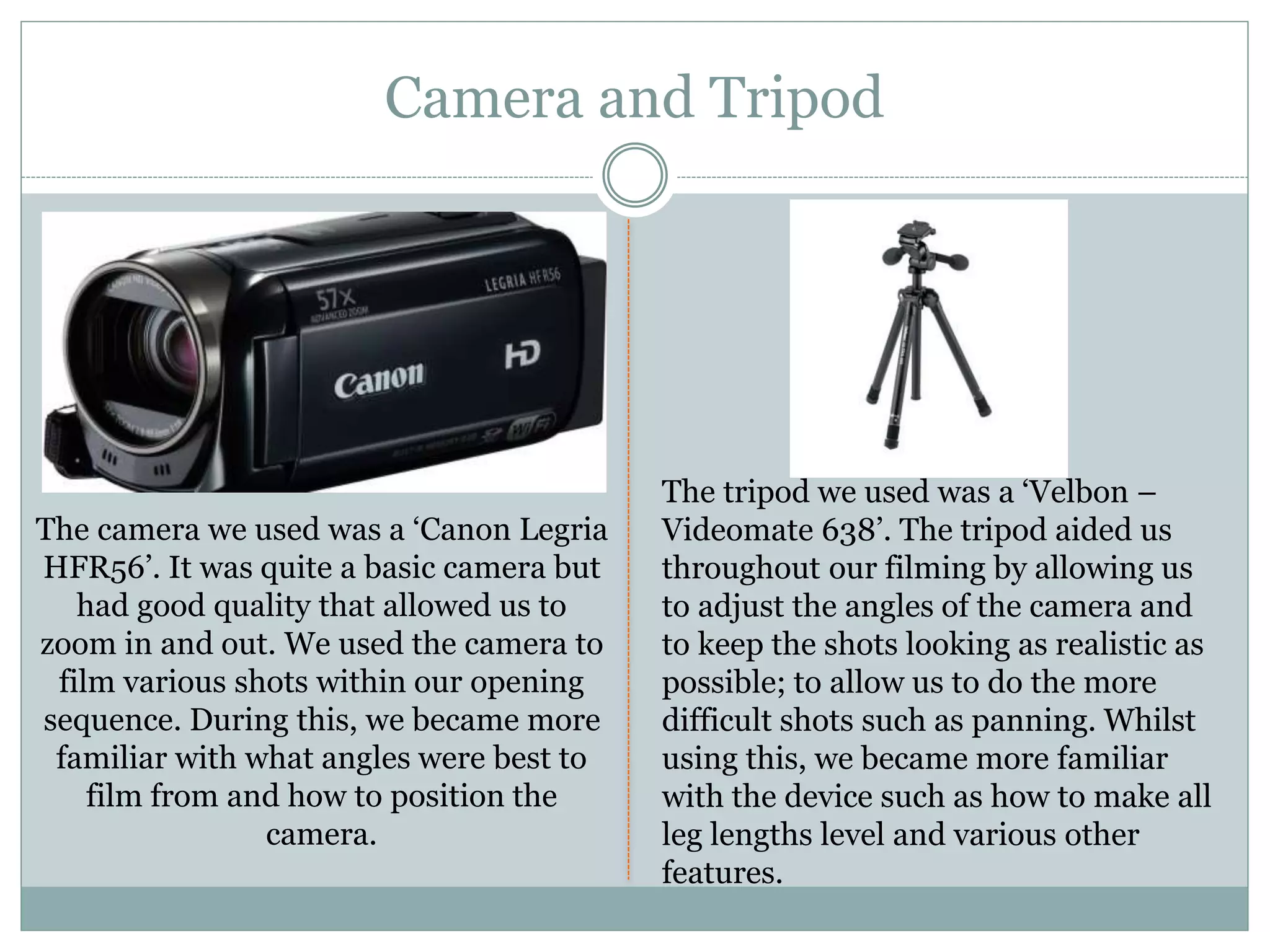
The tripod we used was a ‘Velbon –
Videomate 638’. The tripod aided us
throughout our filming by allowing us
to adjust the angles of the camera and
to keep the shots looking as realistic as
possible; to allow us to do the more
difficult shots such as panning. Whilst
using this, we became more familiar
with the device such as how to make all
leg lengths level and various other
features.
Camera and Tripod
Apple Mac Computer
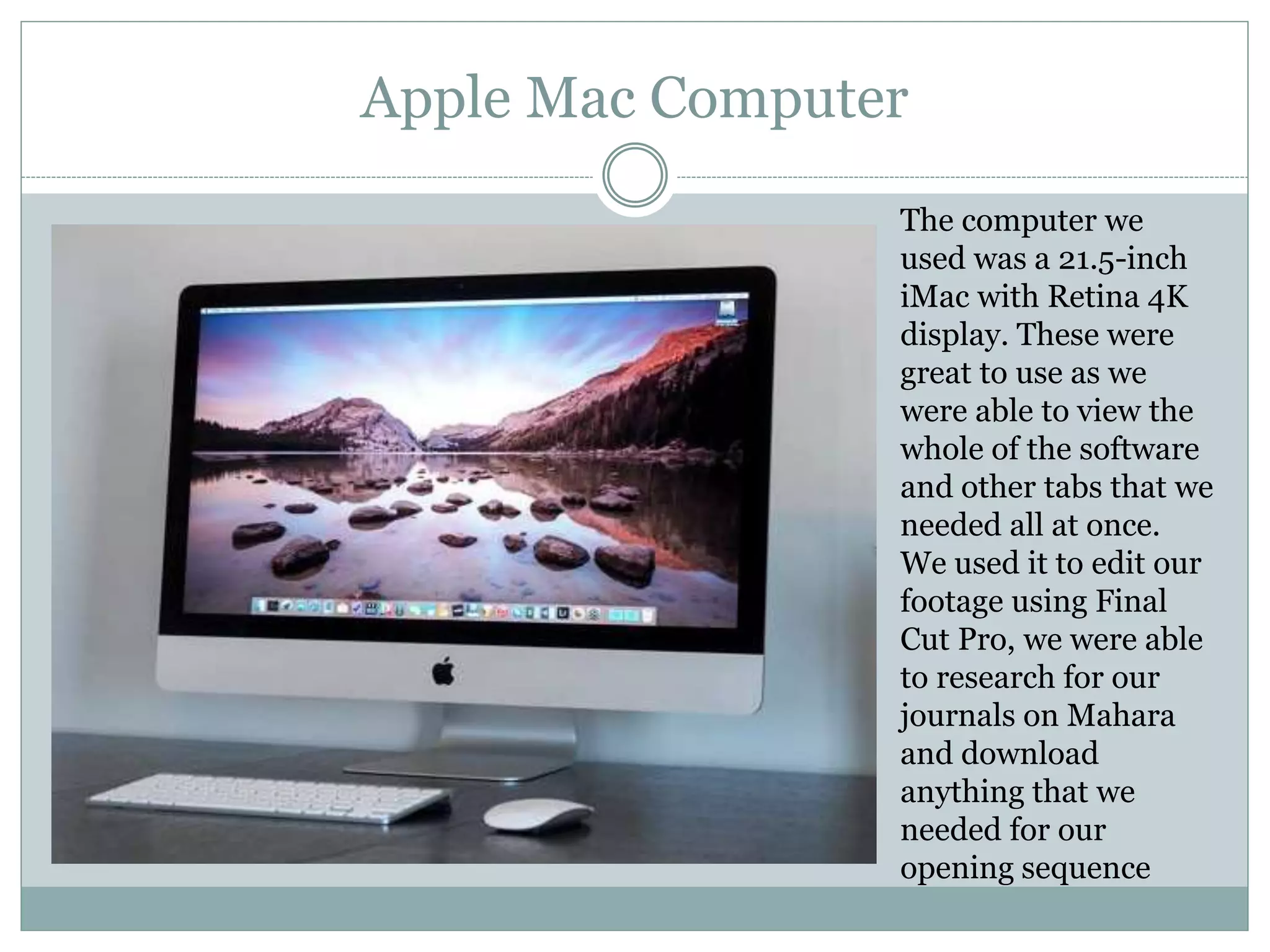
The computer we
used was a 21.5-inch
iMac with Retina 4K
display. These were
great to use as we
were able to view the
whole of the software
and other tabs that we
needed all at once.
We used it to edit our
footage using Final
Cut Pro, we were able
to research for our
journals on Mahara
and download
anything that we
needed for our
opening sequence
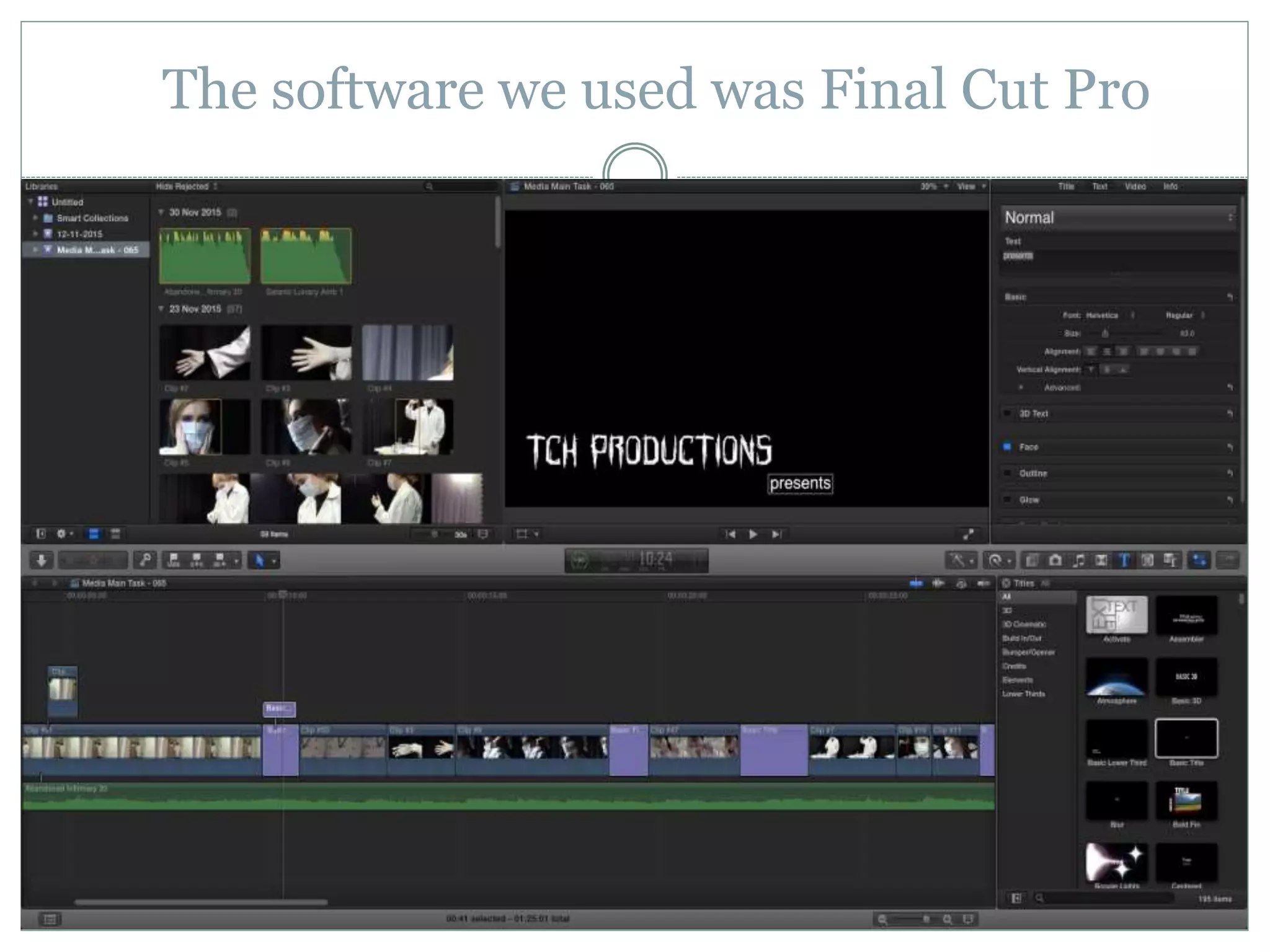
The software we used was Final Cut Pro
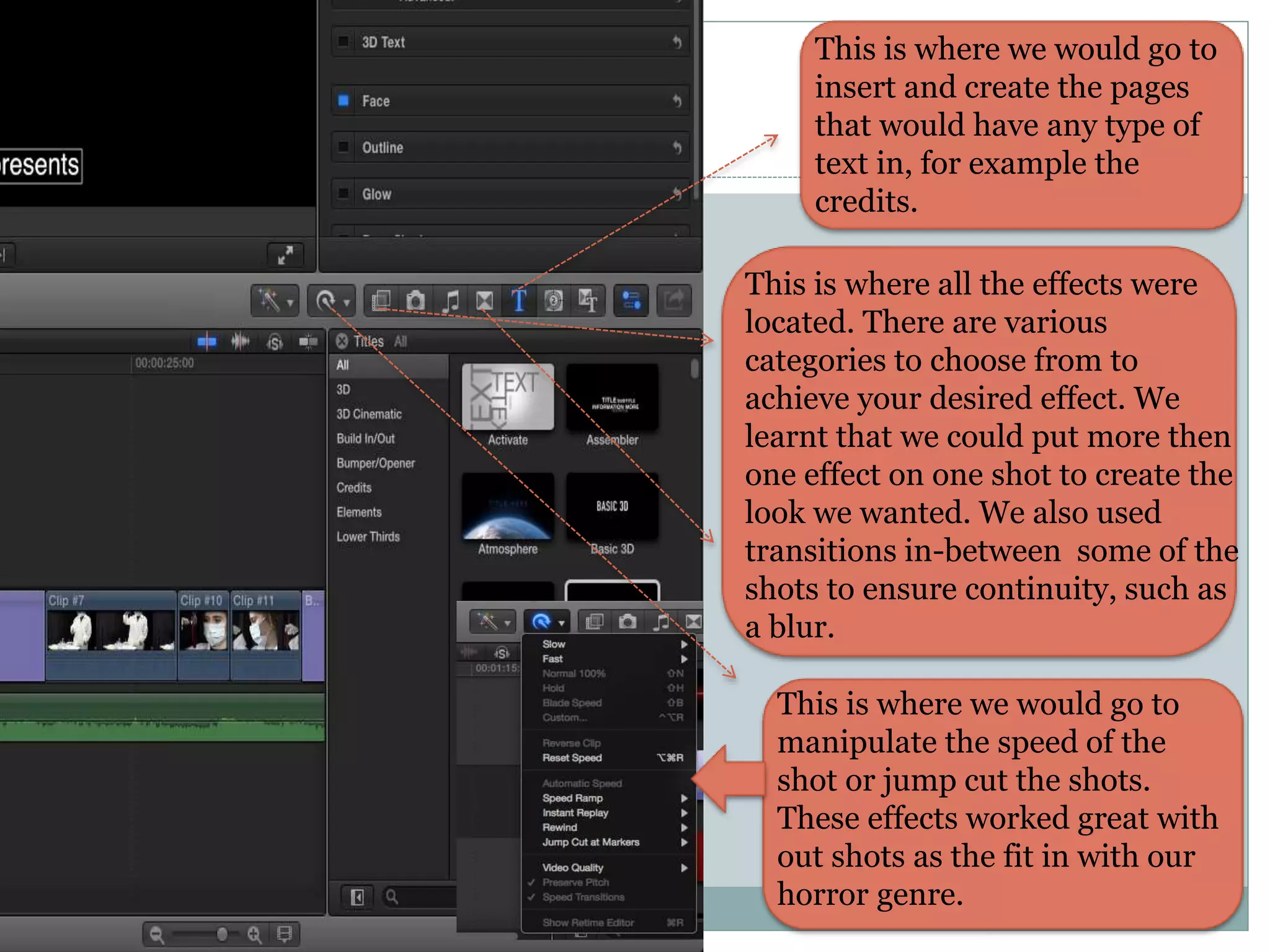
This is where we would go to
insert and create the pages
that would have any type of
text in, for example the
credits.
This is where all the effects were
located. There are various
categories to choose from to
achieve your desired effect. We
learnt that we could put more then
one effect on one shot to create the
look we wanted. We also used
transitions in-between some of the
shots to ensure continuity, such as
a blur.
This is where we would go to
manipulate the speed of the
shot or jump cut the shots.
These effects worked great with
out shots as the fit in with our
horror genre.
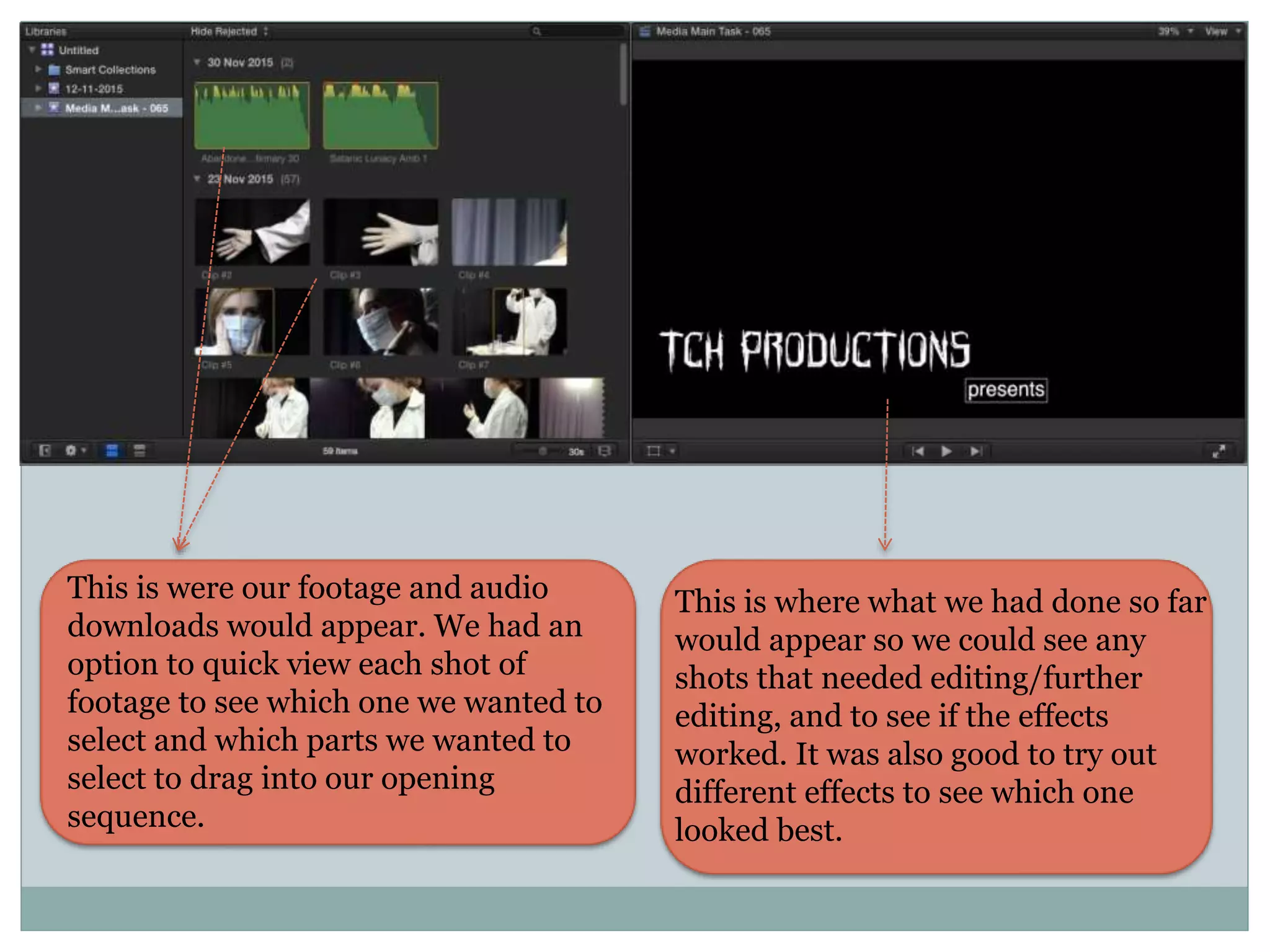
This is were our footage and audio
downloads would appear. We had an
option to quick view each shot of
footage to see which one we wanted to
select and which parts we wanted to
select to drag into our opening
sequence.
This is where what we had done so far
would appear so we could see any
shots that needed editing/further
editing, and to see if the effects
worked. It was also good to try out
different effects to see which one
looked best.
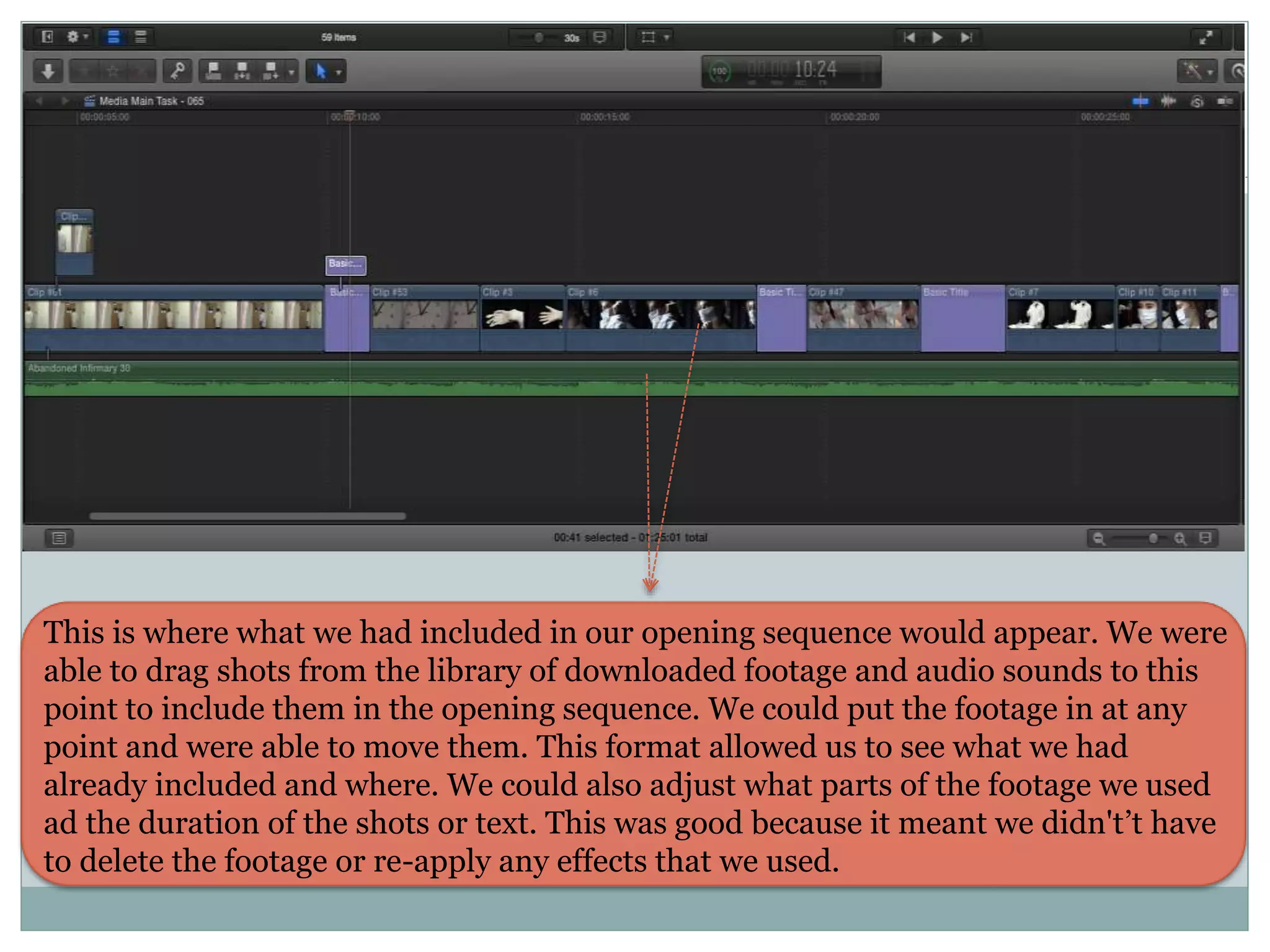
This is where what we had included in our opening sequence would appear. We were
able to drag shots from the library of downloaded footage and audio sounds to this
point to include them in the opening sequence. We could put the footage in at any
point and were able to move them. This format allowed us to see what we had
already included and where. We could also adjust what parts of the footage we used
ad the duration of the shots or text. This was good because it meant we didn't’t have
to delete the footage or re-apply any effects that we used.
Online Applications
We used freesound to
try and find various audio
sounds to match our
horror theme to use in
our opening sequence.
We were able to
download various tracks
for free.
We used
YouTube
primarily to
upload our
opening
sequence rough
and final cuts,
but we found a
lot of
inspirational
factors such as
effects and style
from other
horror movies,
that we could
also use in ours.
Mahara was the online blog page that we used to create
journal entries. These entries consisted of updates of our
progress during editing our opening sequence.
…
dafont was the
website where we
found the font that
we used for our
opening title and
credits.
We uploaded various things onto slideshare such as our pitch to propose to
the class and get feedback on our ideas.
We used
PowerPoint
to create our
pitch and
other things
that we were
to include in
out journal –
especially the
evaluation
tasks.

Task six

  • 1.
    W H AT H A V E Y O U L E A R N T A B O U T T E C H N O L O G I E S F R O M T H E P R O C E S S O F C O N S T R U C T I N G T H I S P R O D U C T ? Task Six
  • 2.
    The camera weused was a ‘Canon Legria HFR56’. It was quite a basic camera but had good quality that allowed us to zoom in and out. We used the camera to film various shots within our opening sequence. During this, we became more familiar with what angles were best to film from and how to position the camera. The tripod we used was a ‘Velbon – Videomate 638’. The tripod aided us throughout our filming by allowing us to adjust the angles of the camera and to keep the shots looking as realistic as possible; to allow us to do the more difficult shots such as panning. Whilst using this, we became more familiar with the device such as how to make all leg lengths level and various other features. Camera and Tripod
  • 3.
    Apple Mac Computer Thecomputer we used was a 21.5-inch iMac with Retina 4K display. These were great to use as we were able to view the whole of the software and other tabs that we needed all at once. We used it to edit our footage using Final Cut Pro, we were able to research for our journals on Mahara and download anything that we needed for our opening sequence
  • 4.
    The software weused was Final Cut Pro
  • 5.
    This is wherewe would go to insert and create the pages that would have any type of text in, for example the credits. This is where all the effects were located. There are various categories to choose from to achieve your desired effect. We learnt that we could put more then one effect on one shot to create the look we wanted. We also used transitions in-between some of the shots to ensure continuity, such as a blur. This is where we would go to manipulate the speed of the shot or jump cut the shots. These effects worked great with out shots as the fit in with our horror genre.
  • 6.
    This is wereour footage and audio downloads would appear. We had an option to quick view each shot of footage to see which one we wanted to select and which parts we wanted to select to drag into our opening sequence. This is where what we had done so far would appear so we could see any shots that needed editing/further editing, and to see if the effects worked. It was also good to try out different effects to see which one looked best.
  • 7.
    This is wherewhat we had included in our opening sequence would appear. We were able to drag shots from the library of downloaded footage and audio sounds to this point to include them in the opening sequence. We could put the footage in at any point and were able to move them. This format allowed us to see what we had already included and where. We could also adjust what parts of the footage we used ad the duration of the shots or text. This was good because it meant we didn't’t have to delete the footage or re-apply any effects that we used.
  • 8.
    Online Applications We usedfreesound to try and find various audio sounds to match our horror theme to use in our opening sequence. We were able to download various tracks for free. We used YouTube primarily to upload our opening sequence rough and final cuts, but we found a lot of inspirational factors such as effects and style from other horror movies, that we could also use in ours. Mahara was the online blog page that we used to create journal entries. These entries consisted of updates of our progress during editing our opening sequence.
  • 9.
    … dafont was the websitewhere we found the font that we used for our opening title and credits. We uploaded various things onto slideshare such as our pitch to propose to the class and get feedback on our ideas. We used PowerPoint to create our pitch and other things that we were to include in out journal – especially the evaluation tasks.