
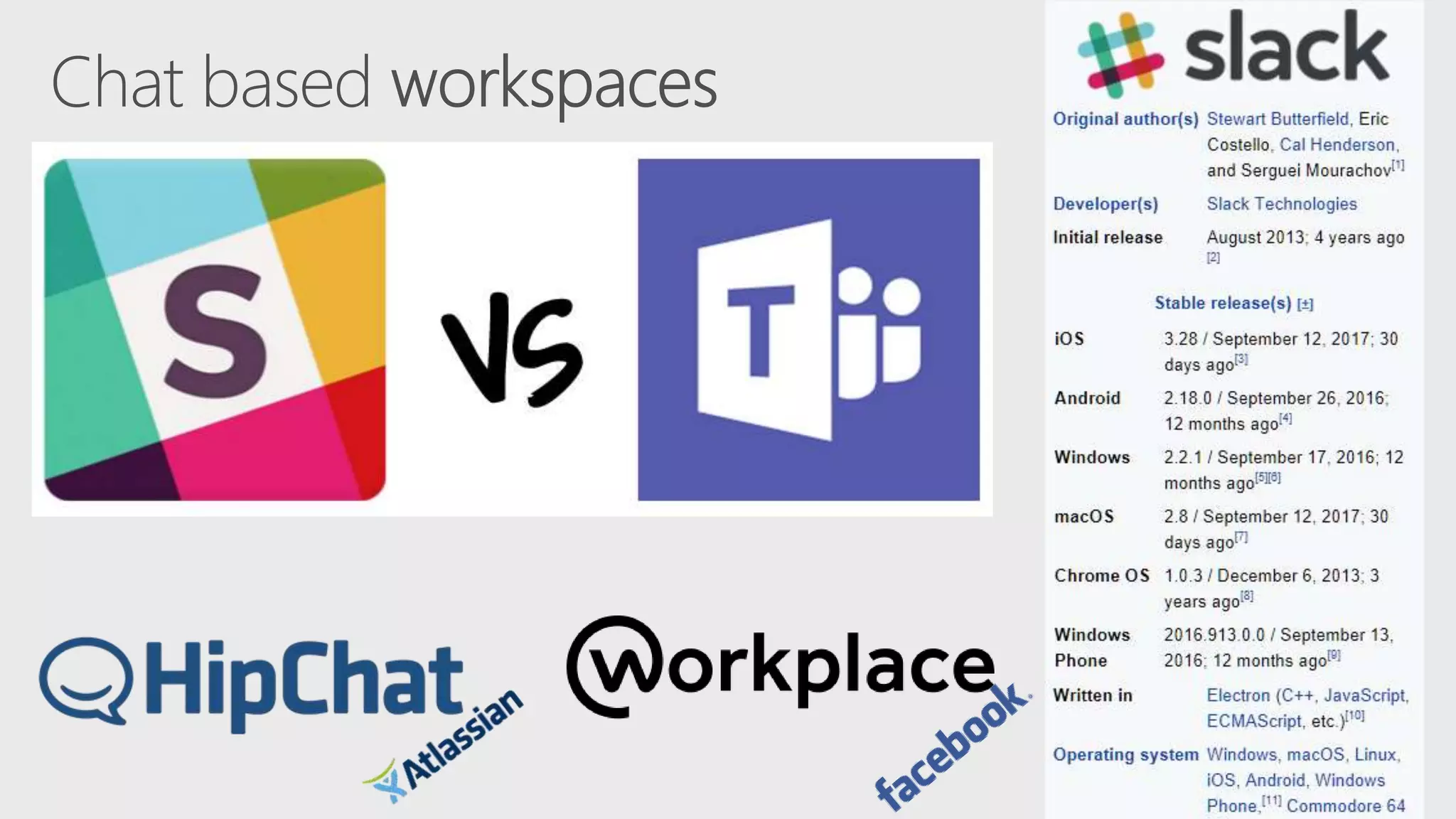
An overview of Microsoft
Teams Architecture
Agenda
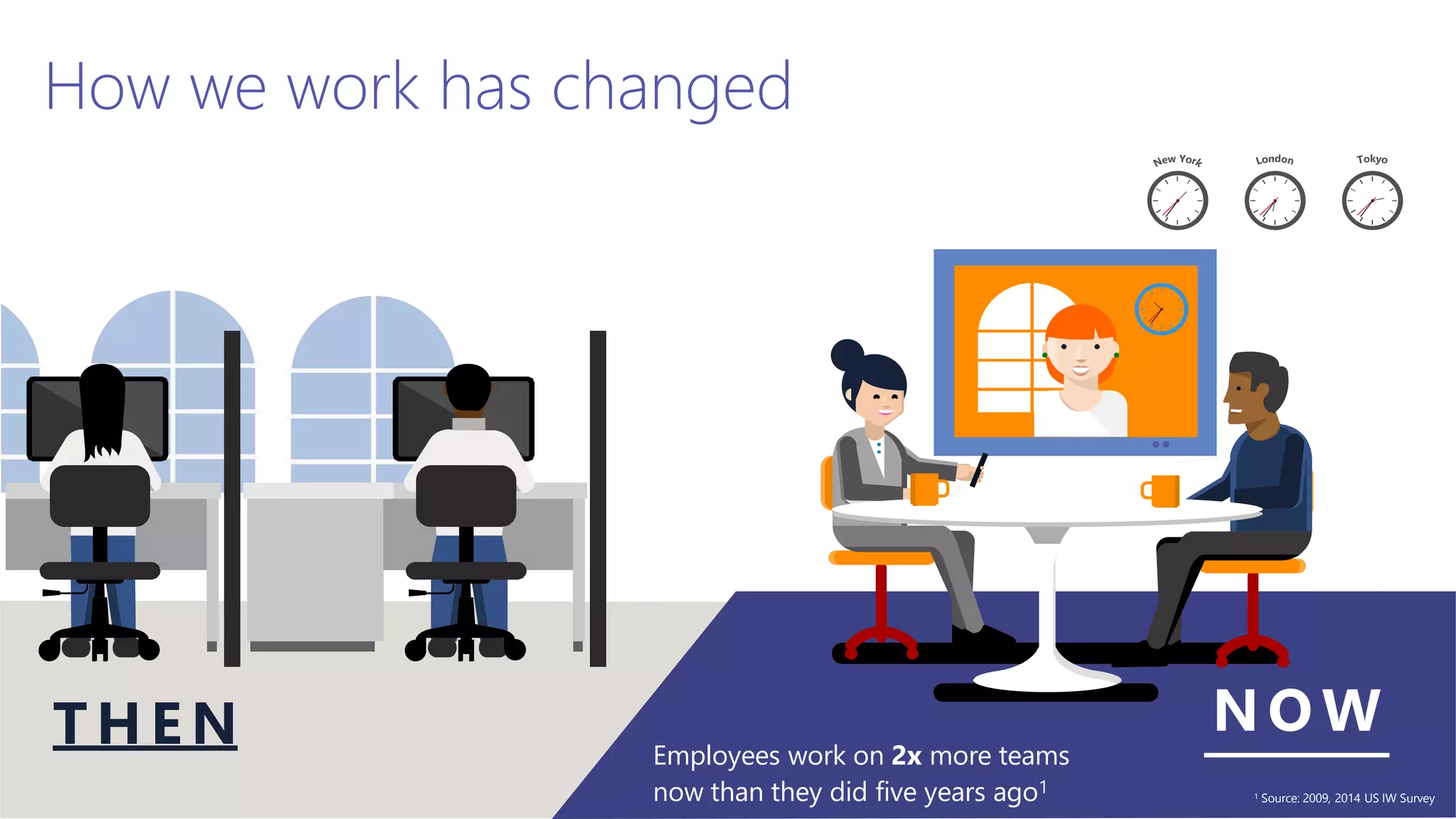
How we work has changed
NO WTH E N Employees work on 2x more teams
now than they did five years ago1 1 Source: 2009, 2014 US IW Survey
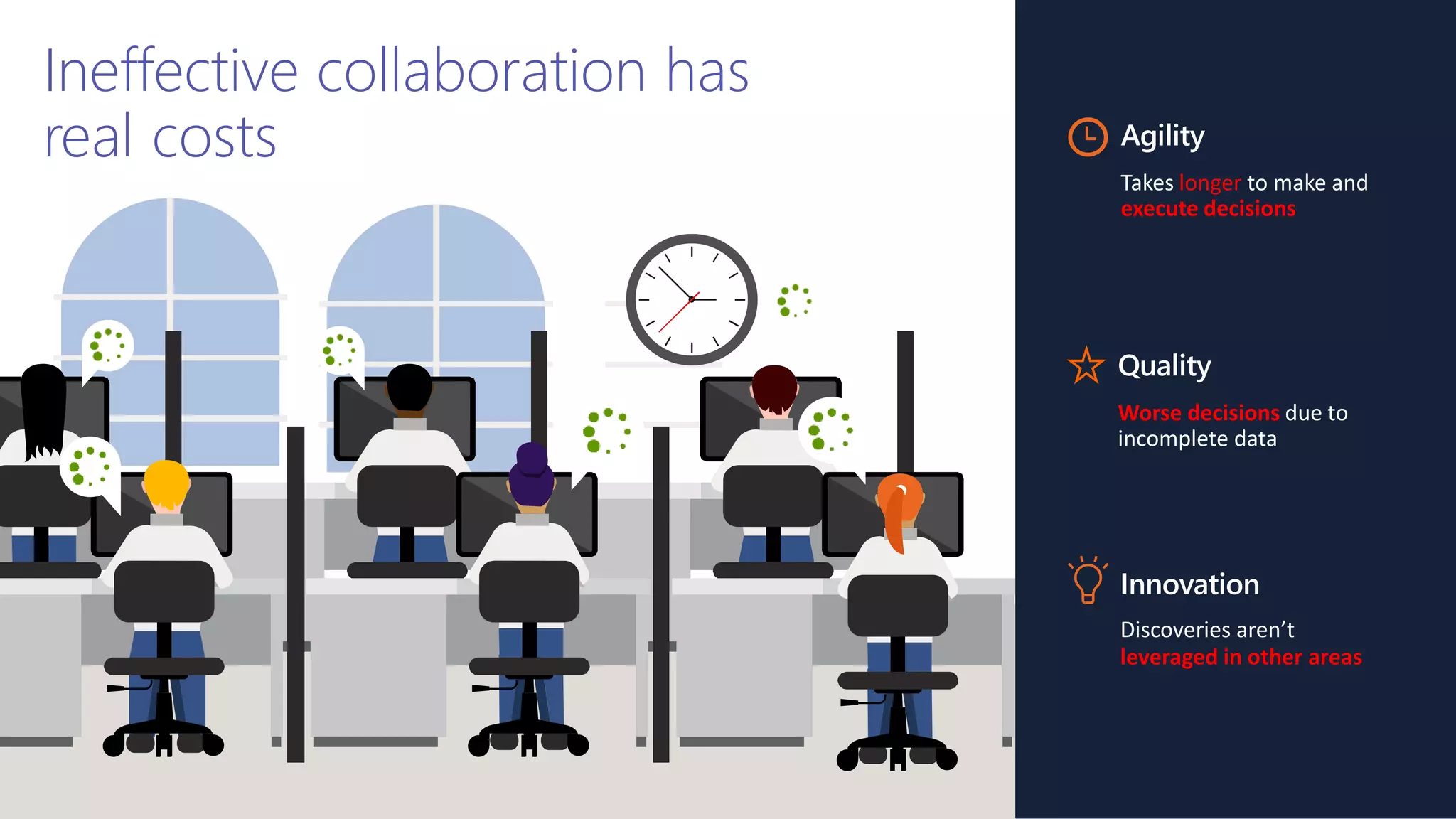
Ineffective collaboration has
real costs Agility
Takes longer to make and
execute decisions
Quality
Worse decisions due to
incomplete data
Innovation
Discoveries aren’t
leveraged in other areas
 Designed for the cloud
 Agility at scale
 Amplify the value of O365
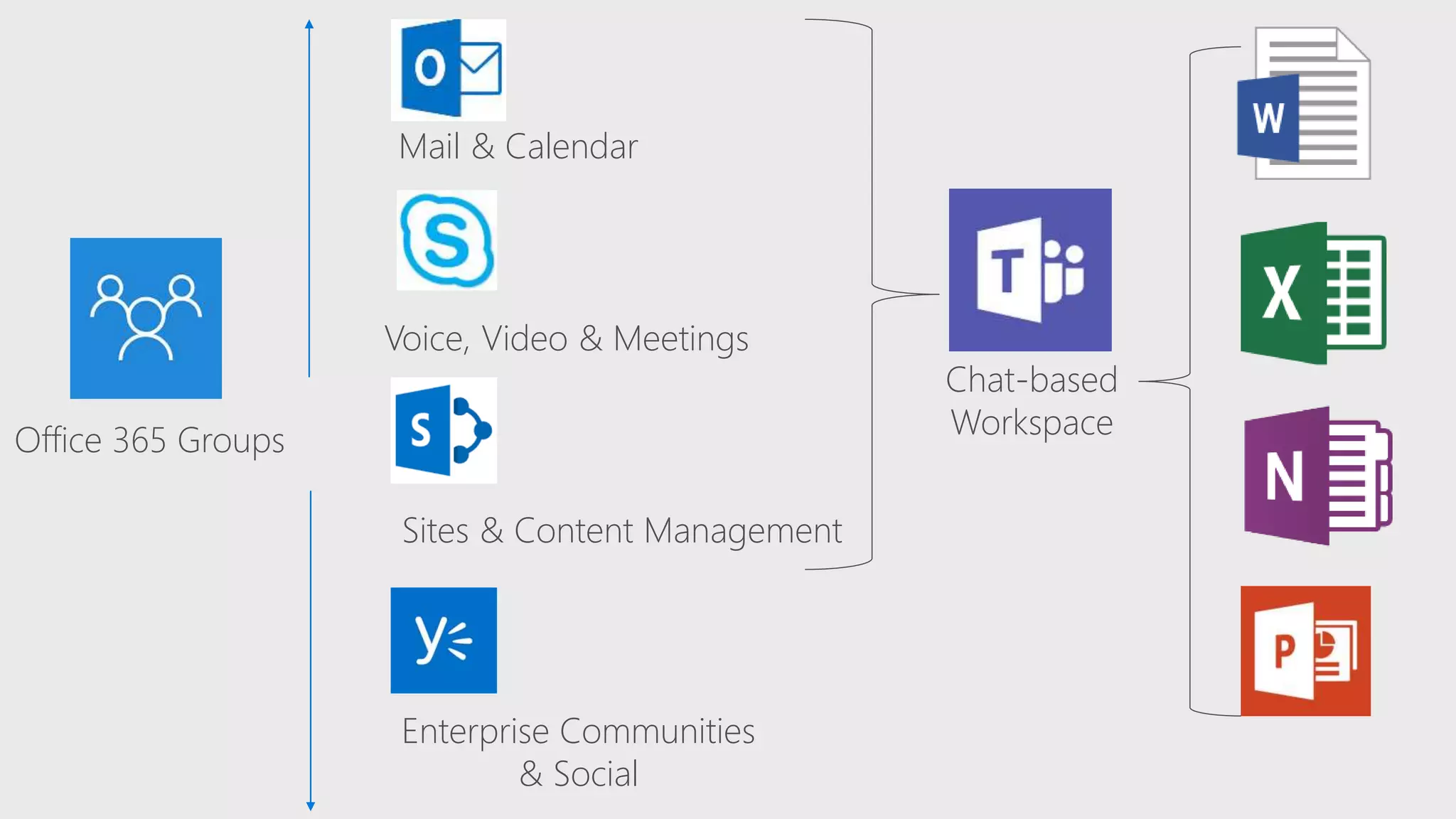
Office 365 Groups
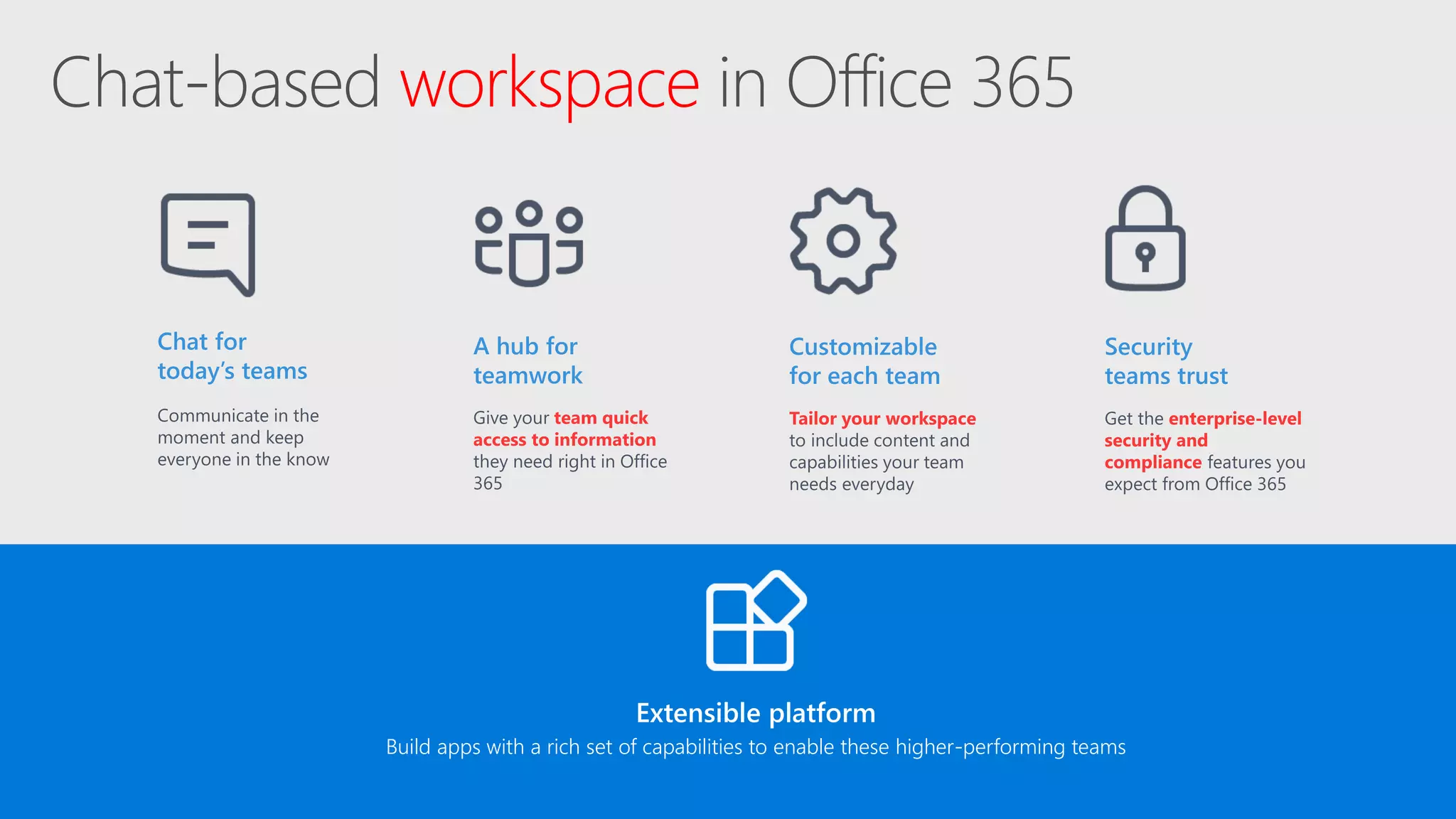
Chat-based
Workspace
Mail & Calendar
Voice, Video & Meetings
Sites & Content Management
Enterprise Communities
& Social
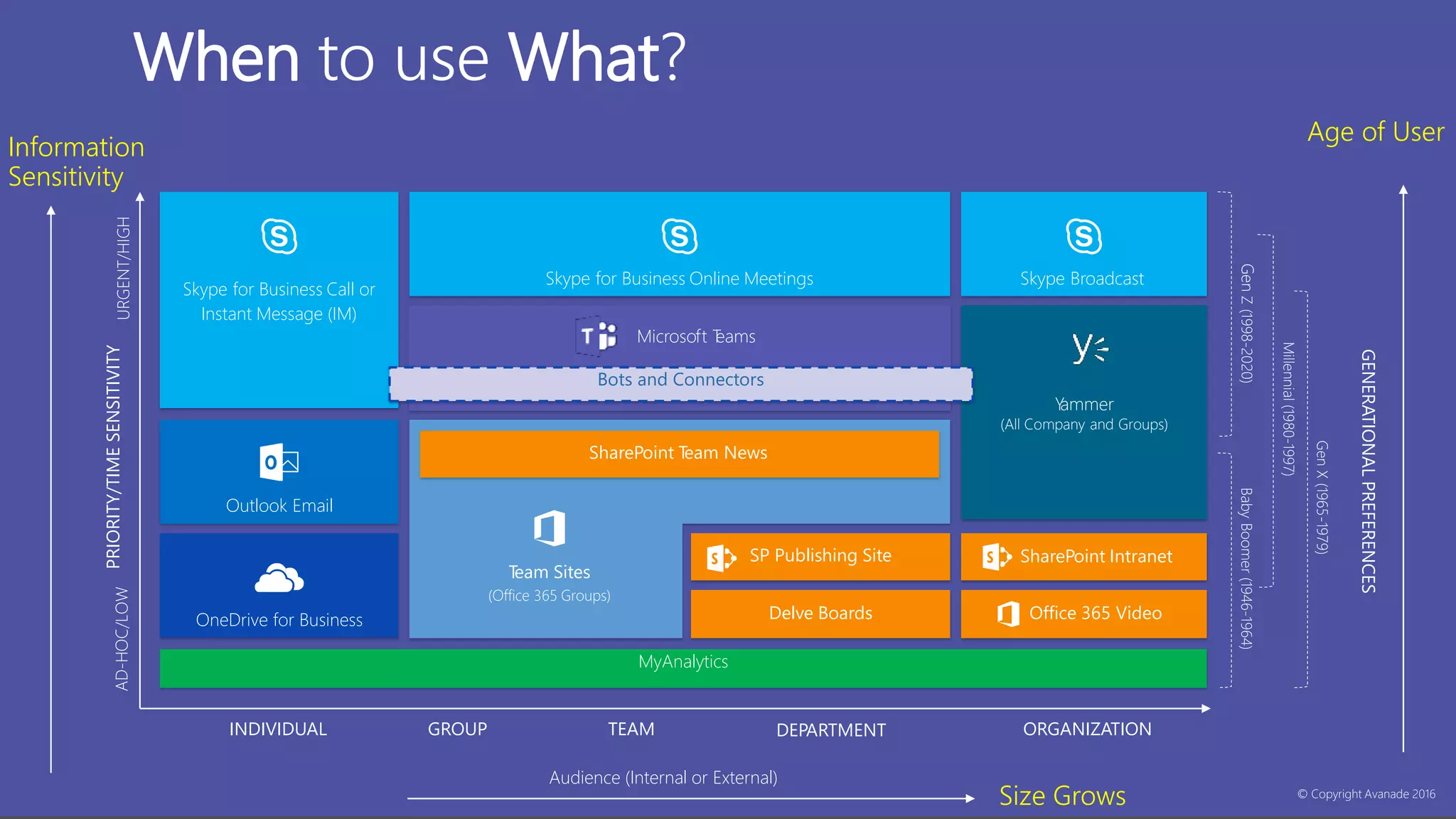
When to use What?
INDIVIDUAL GROUP TEAM ORGANIZATIONDEPARTMENT
Audience (Internal or External)
© Copyright Avanade 2016
GENERATIONALPREFERENCES
GenX(1965-1979)
Millennial(1980-1997)
GenZ(1998-2020)BabyBoomer(1946-1964)
PRIORITY/TIMESENSITIVITYAD-HOC/LOWURGENT/HIGH
MyAnalytics
Office 365 Video
SharePoint Intranet
OneDrive for Business
Team Sites
(Office 365 Groups)
SP Publishing Site
Delve Boards
Skype for Business Call or
Instant Message (IM)
Skype for Business Online Meetings Skype Broadcast
Microsoft Teams
Bots and Connectors
Yammer
(All Company and Groups)
SharePoint Team News
Outlook Email
Size Grows
Information
Sensitivity
Age of User
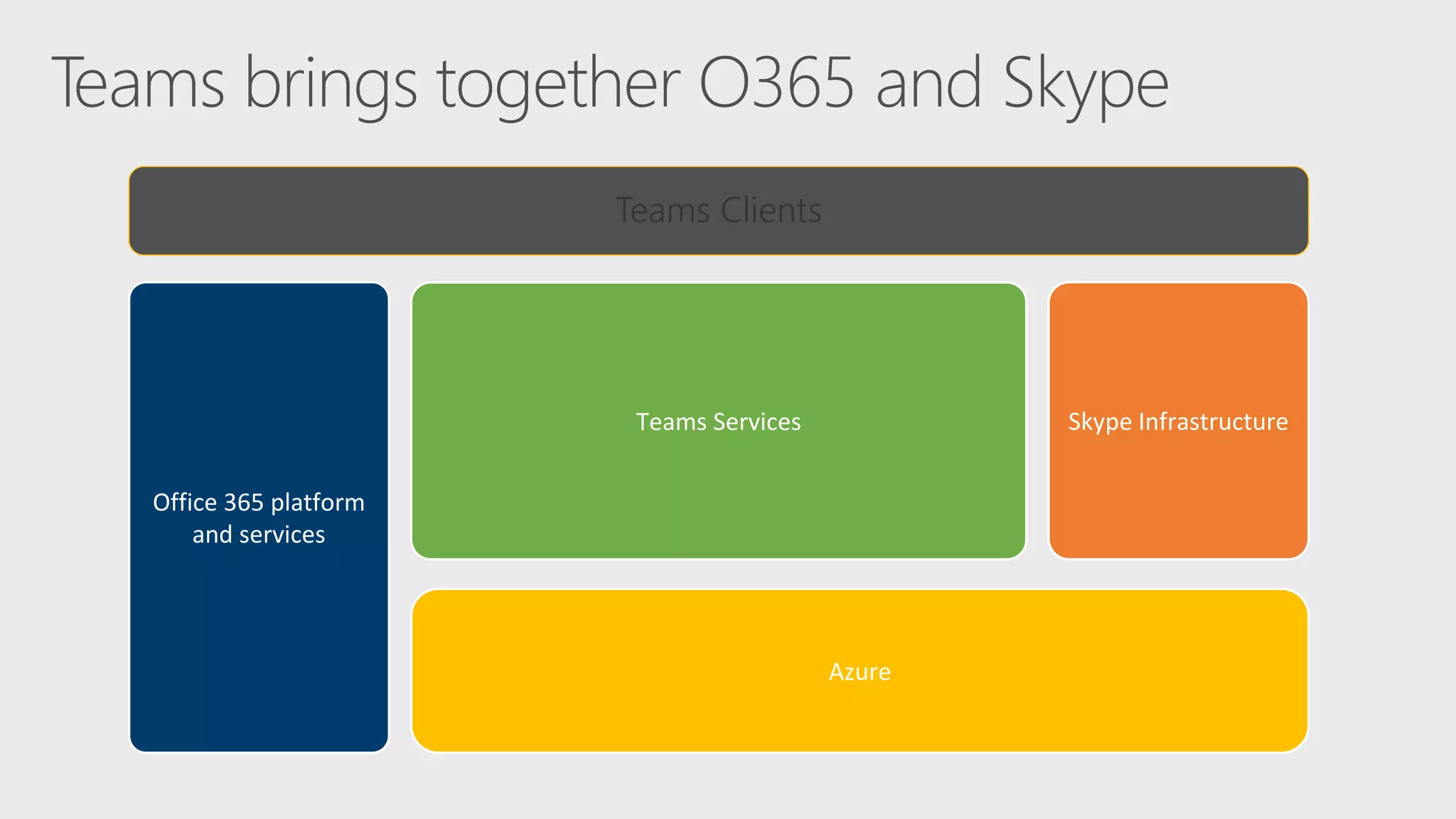
Azure
Office 365 platform
and services
Skype InfrastructureTeams Services
Teams Clients
Lets dig little deep into Teams
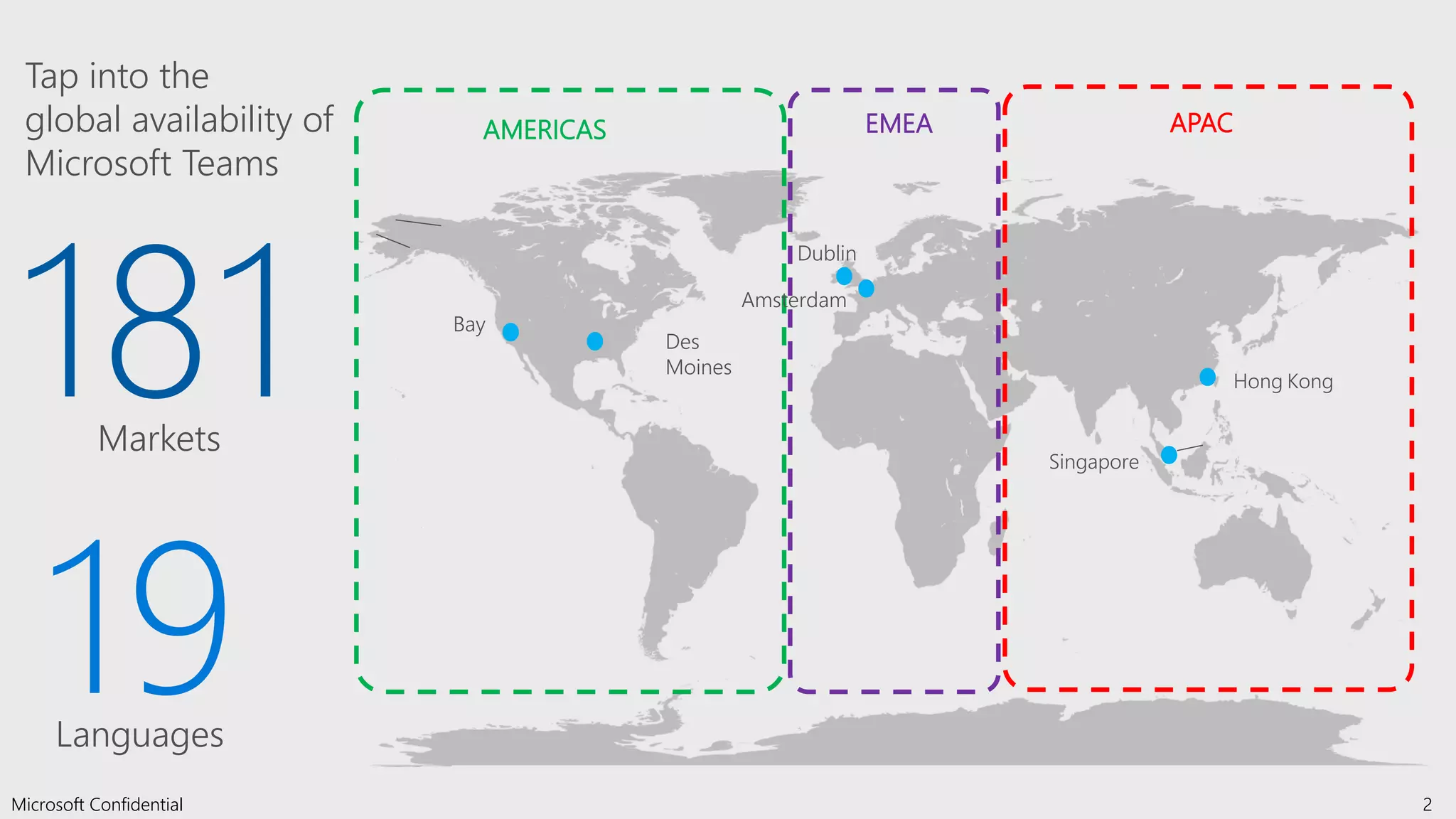
Des
Moines
Bay
Dublin
2Microsoft Confidential
Hong Kong
Singapore
Amsterdam
AMERICAS EMEA APAC
Tap into the
global availability of
Microsoft Teams
181Markets
19Languages
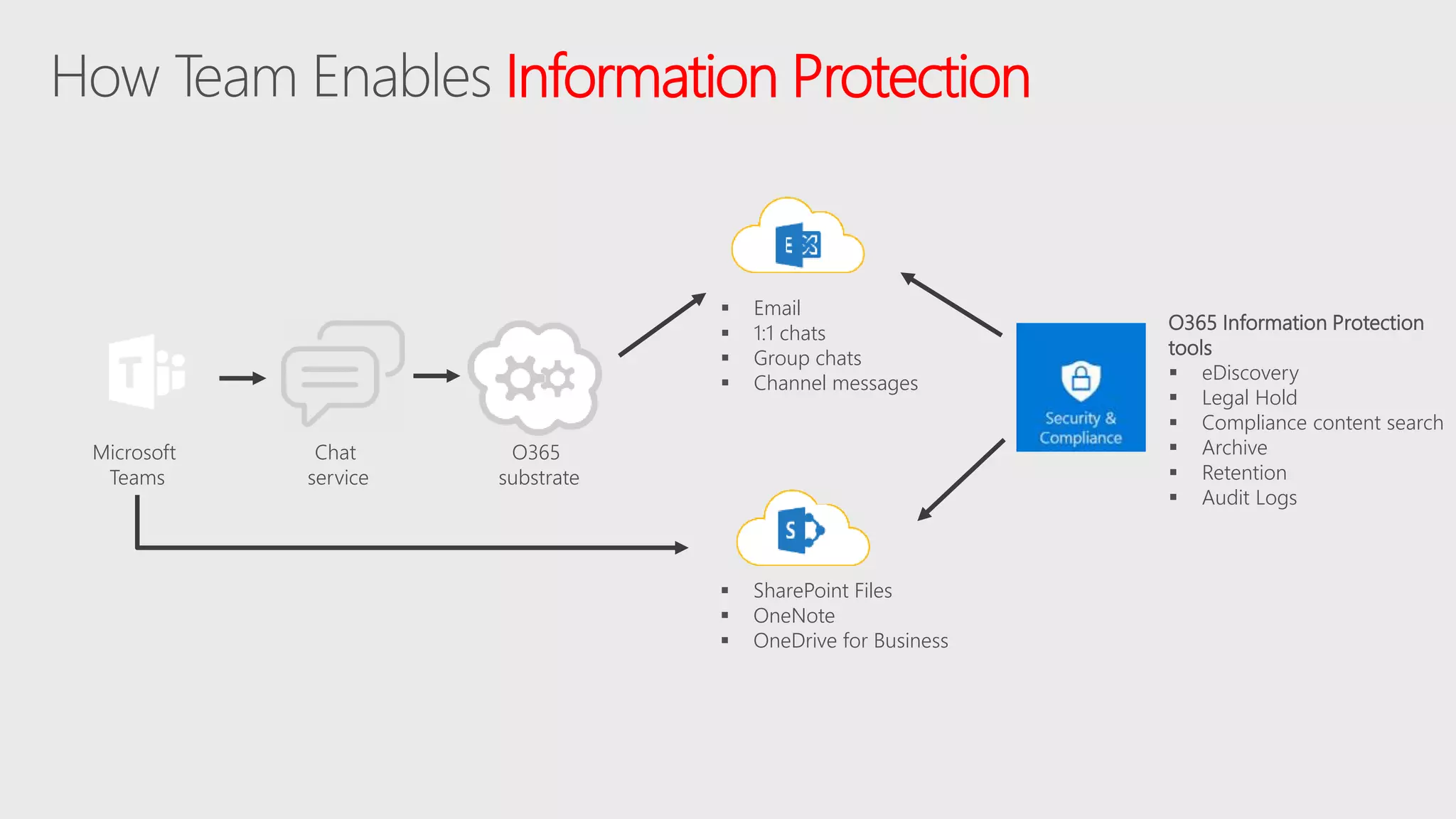
Information Protection
Chat
service
Microsoft
Teams
O365 Information Protection
tools
 eDiscovery
 Legal Hold
 Compliance content search
 Archive
 Retention
 Audit Logs
 Email
 1:1 chats
 Group chats
 Channel messages
 SharePoint Files
 OneNote
 OneDrive for Business
O365
substrate
workspace
Extensible platform
Build apps with a rich set of capabilities to enable these higher-performing teams
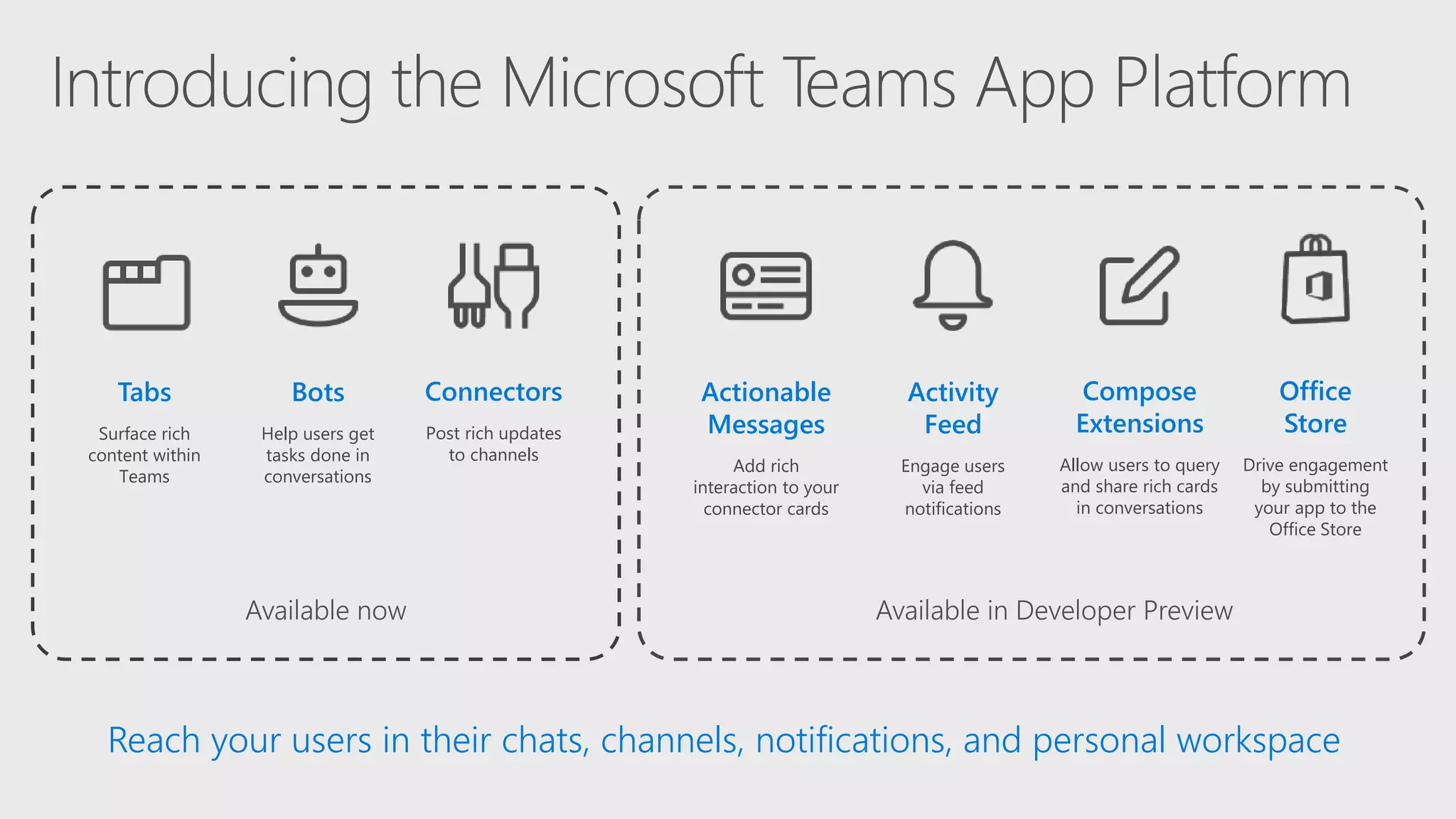
Reach your users in their chats, channels, notifications, and personal workspace
Available now
Bots
Help users get
tasks done in
conversations
Connectors
Post rich updates
to channels
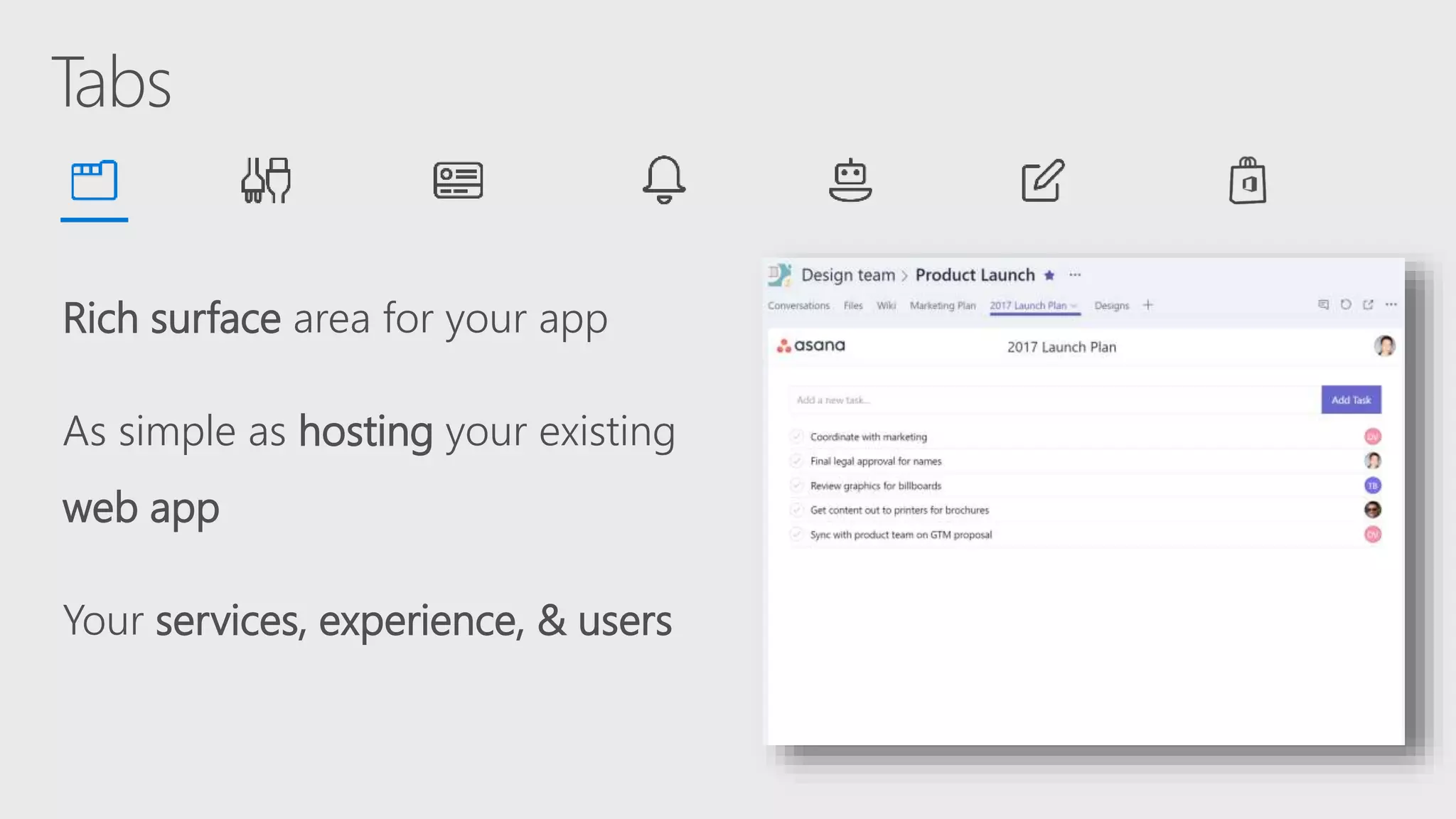
Tabs
Surface rich
content within
Teams
Office
Store
Drive engagement
by submitting
your app to the
Office Store
Actionable
Messages
Add rich
interaction to your
connector cards
Activity
Feed
Engage users
via feed
notifications
Compose
Extensions
Allow users to query
and share rich cards
in conversations
Available in Developer Preview
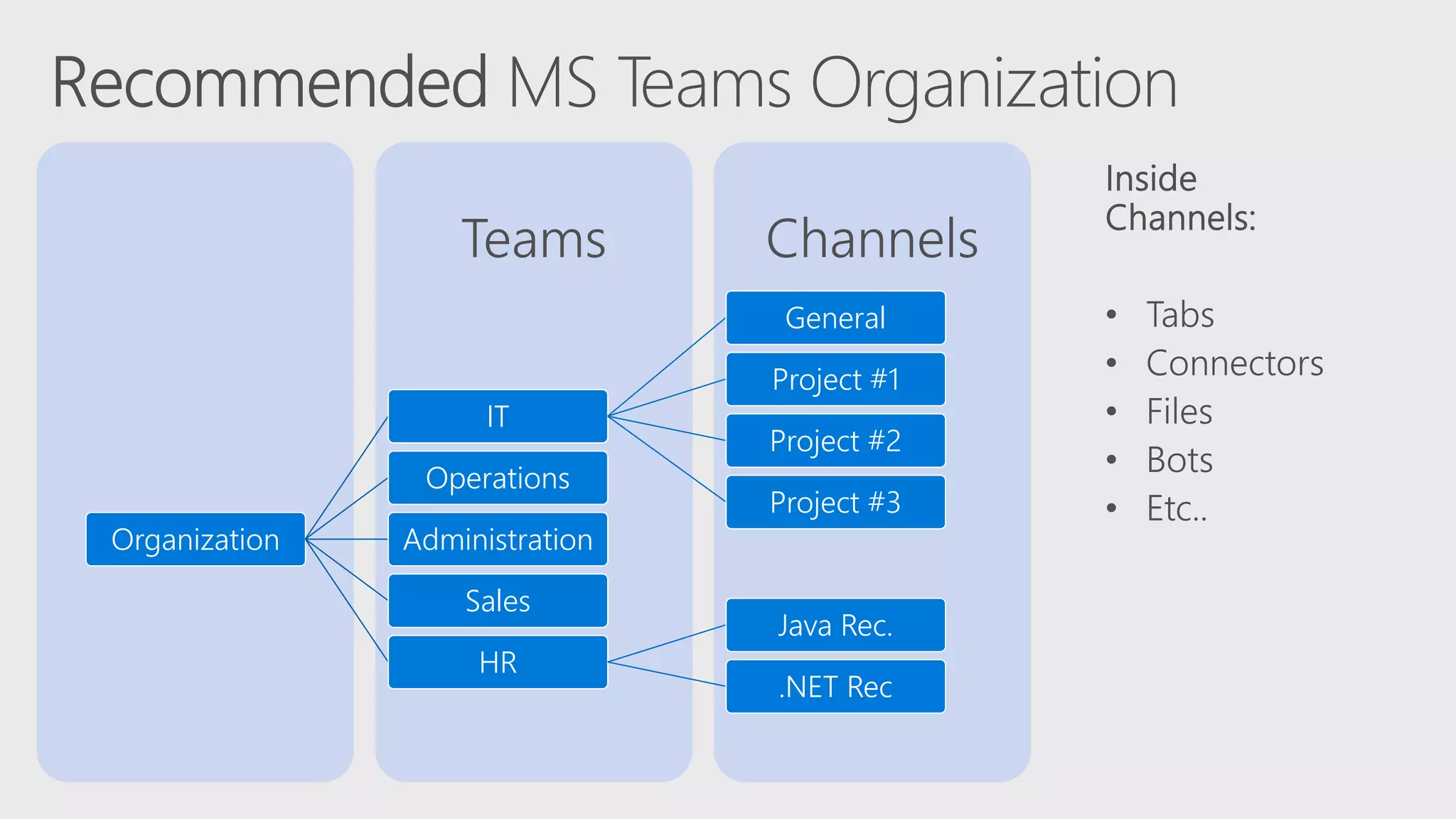
ChannelsTeams
Organization
IT
General
Project #1
Project #2
Project #3
Operations
Administration
Sales
HR
Java Rec.
.NET Rec
Rich surface area for your app
As simple as hosting your existing
web app
Your services, experience, & users
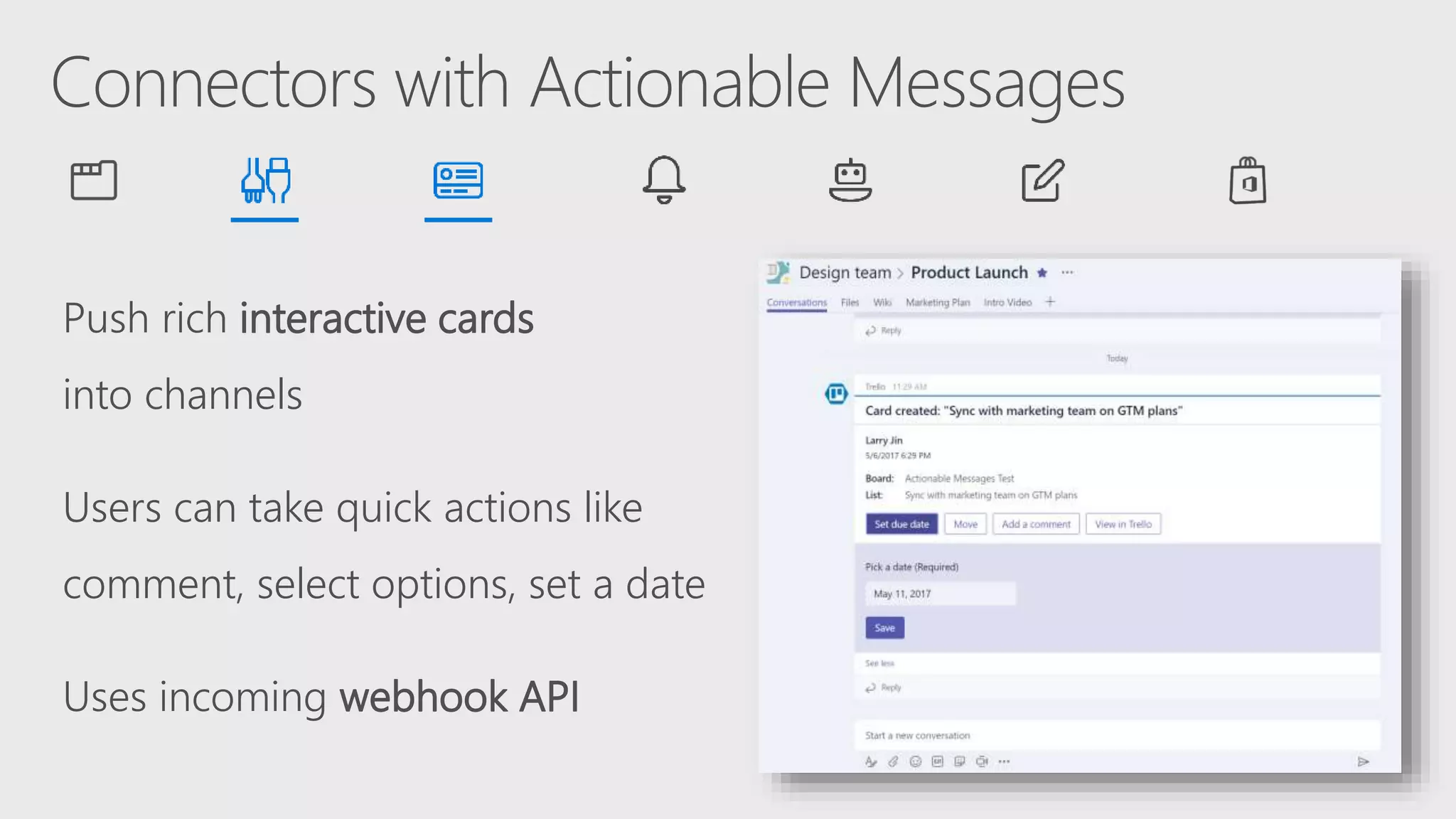
Push rich interactive cards
into channels
Users can take quick actions like
comment, select options, set a date
Uses incoming webhook API
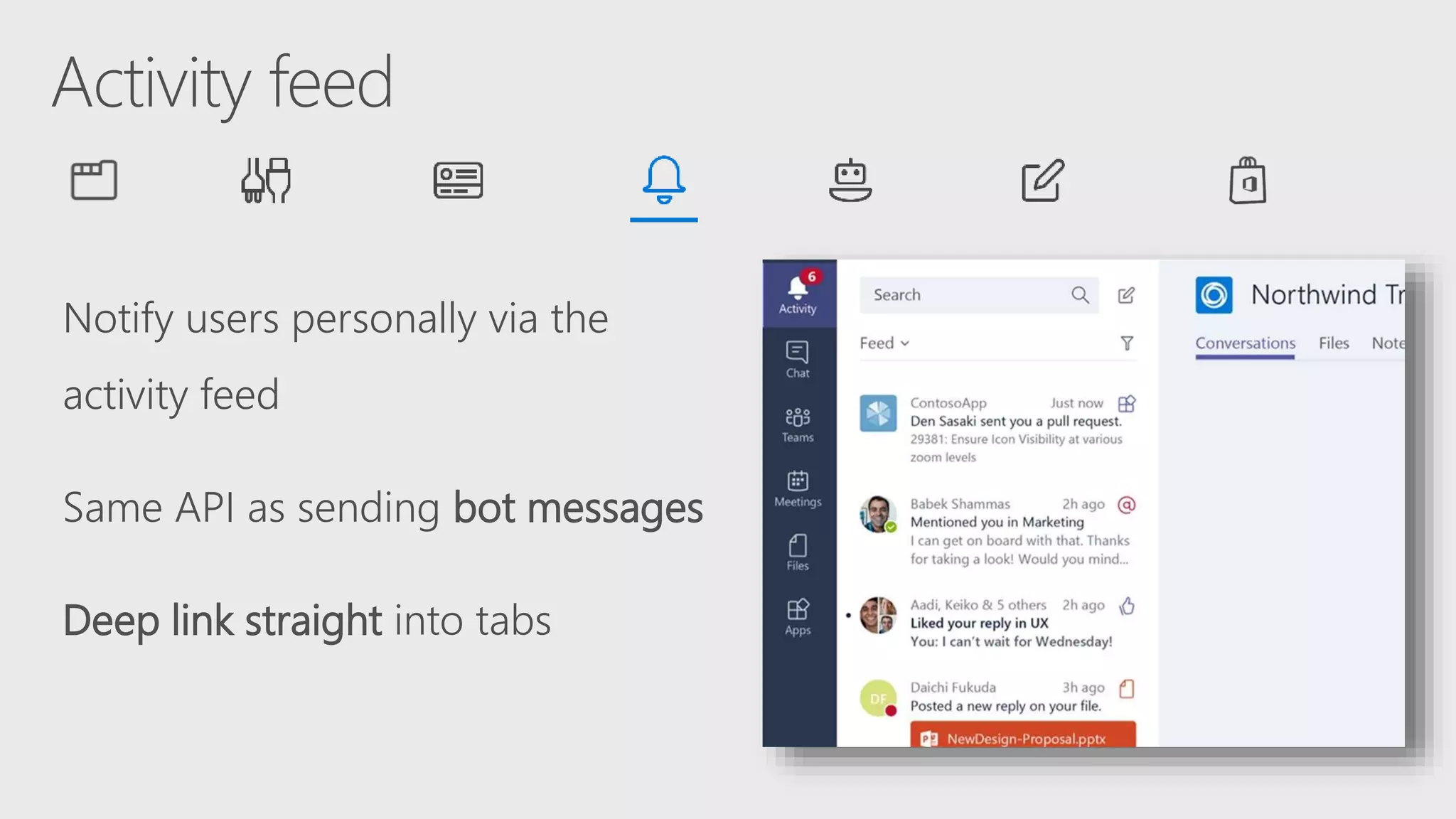
Notify users personally via the
activity feed
Same API as sending bot messages
Deep link straight into tabs
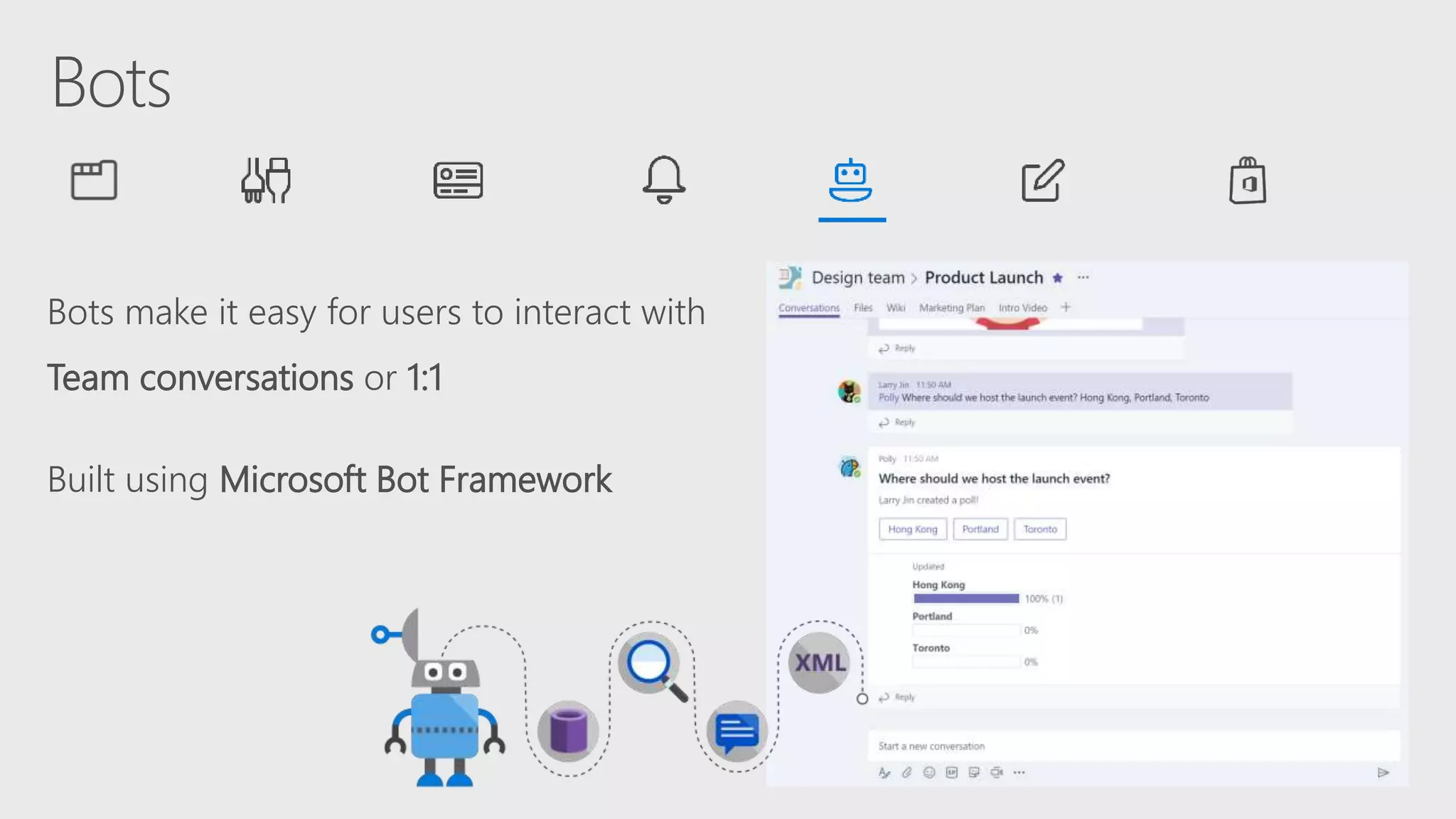
Bots make it easy for users to interact with
Team conversations or 1:1
Built using Microsoft Bot Framework
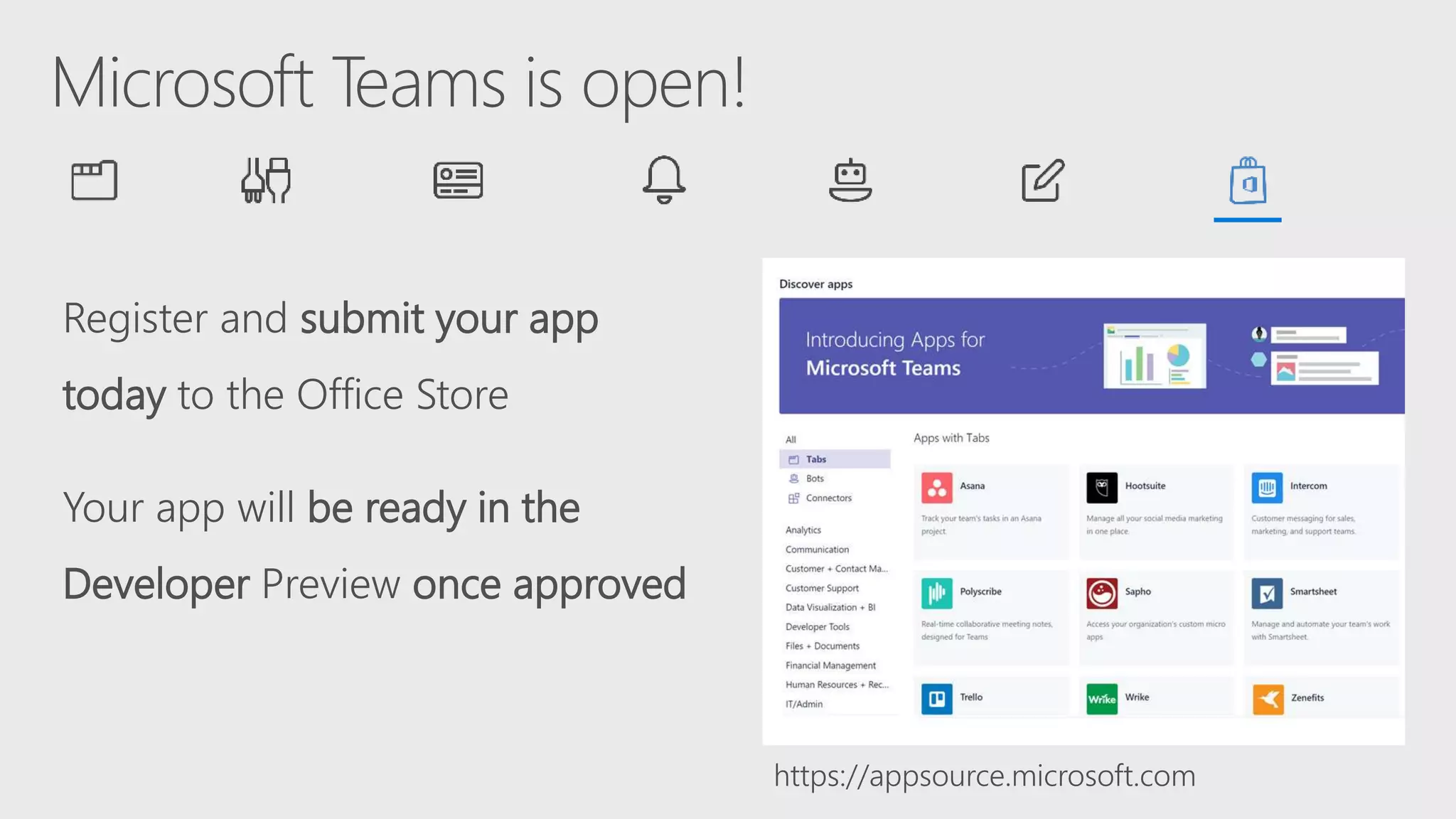
Register and submit your app
today to the Office Store
Your app will be ready in the
Developer Preview once approved
https://appsource.microsoft.com
Call to action
Go to
Dev.Office.com/Microsoft-Teams
Check out our starter project
aka.ms/teamsquickstart
Review our Design guidelines
aka.ms/microsoftteamsdesignguidelines

Enterprise Collaboration
Cloud Services
Client Side Frameworks
SharePoint
Thank you!

An Overview of Microsoft Teams Architecture | Kushan Lahiru Perera

  • 1.
    An overview ofMicrosoft Teams Architecture
  • 2.
  • 3.
    How we workhas changed NO WTH E N Employees work on 2x more teams now than they did five years ago1 1 Source: 2009, 2014 US IW Survey
  • 4.
    Ineffective collaboration has realcosts Agility Takes longer to make and execute decisions Quality Worse decisions due to incomplete data Innovation Discoveries aren’t leveraged in other areas
  • 7.
     Designed forthe cloud  Agility at scale  Amplify the value of O365
  • 8.
    Office 365 Groups Chat-based Workspace Mail& Calendar Voice, Video & Meetings Sites & Content Management Enterprise Communities & Social
  • 9.
    When to useWhat? INDIVIDUAL GROUP TEAM ORGANIZATIONDEPARTMENT Audience (Internal or External) © Copyright Avanade 2016 GENERATIONALPREFERENCES GenX(1965-1979) Millennial(1980-1997) GenZ(1998-2020)BabyBoomer(1946-1964) PRIORITY/TIMESENSITIVITYAD-HOC/LOWURGENT/HIGH MyAnalytics Office 365 Video SharePoint Intranet OneDrive for Business Team Sites (Office 365 Groups) SP Publishing Site Delve Boards Skype for Business Call or Instant Message (IM) Skype for Business Online Meetings Skype Broadcast Microsoft Teams Bots and Connectors Yammer (All Company and Groups) SharePoint Team News Outlook Email Size Grows Information Sensitivity Age of User
  • 10.
    Azure Office 365 platform andservices Skype InfrastructureTeams Services Teams Clients
  • 11.
    Lets dig littledeep into Teams
  • 12.
    Des Moines Bay Dublin 2Microsoft Confidential Hong Kong Singapore Amsterdam AMERICASEMEA APAC Tap into the global availability of Microsoft Teams 181Markets 19Languages
  • 13.
    Information Protection Chat service Microsoft Teams O365 InformationProtection tools  eDiscovery  Legal Hold  Compliance content search  Archive  Retention  Audit Logs  Email  1:1 chats  Group chats  Channel messages  SharePoint Files  OneNote  OneDrive for Business O365 substrate
  • 14.
    workspace Extensible platform Build appswith a rich set of capabilities to enable these higher-performing teams
  • 15.
    Reach your usersin their chats, channels, notifications, and personal workspace Available now Bots Help users get tasks done in conversations Connectors Post rich updates to channels Tabs Surface rich content within Teams Office Store Drive engagement by submitting your app to the Office Store Actionable Messages Add rich interaction to your connector cards Activity Feed Engage users via feed notifications Compose Extensions Allow users to query and share rich cards in conversations Available in Developer Preview
  • 16.
    ChannelsTeams Organization IT General Project #1 Project #2 Project#3 Operations Administration Sales HR Java Rec. .NET Rec
  • 18.
    Rich surface areafor your app As simple as hosting your existing web app Your services, experience, & users
  • 19.
    Push rich interactivecards into channels Users can take quick actions like comment, select options, set a date Uses incoming webhook API
  • 20.
    Notify users personallyvia the activity feed Same API as sending bot messages Deep link straight into tabs
  • 21.
    Bots make iteasy for users to interact with Team conversations or 1:1 Built using Microsoft Bot Framework
  • 23.
    Register and submityour app today to the Office Store Your app will be ready in the Developer Preview once approved https://appsource.microsoft.com
  • 25.
    Call to action Goto Dev.Office.com/Microsoft-Teams Check out our starter project aka.ms/teamsquickstart Review our Design guidelines aka.ms/microsoftteamsdesignguidelines 
  • 26.
  • 27.

Editor's Notes