The future of SharePoint/ O365 developer ecosystem
Kushan Lahiru Perera
PgD(UGC), PGD(UK), MCP, CCNA
kushanlahiru.wordpress.com
@kushanlahiru
kushanlahiru@live.com
Kushan Lahiru Perera
Full stack developer
Works for VirtusaPolaris
Post Graduate Diploma holder
 Introduction to SharePoint Framework
 Get introduced SharePoint Framework developer
ecosystem
 Develop with SharePoint Framework
 Deploying SharePoint Framework Solutions
Line up
Office Blog
blogs.office.com
SharePoint Farm
Solutions
Sandbox
Solutions
SharePoint
apps/add-ins
• Server-side object model
• Declarative code
• HTTP Handlers
• Runs on SharePoint
• CSOM/ REST
• Also runs in cloud
• Runs separately from SharePoint
SharePoint
Framework
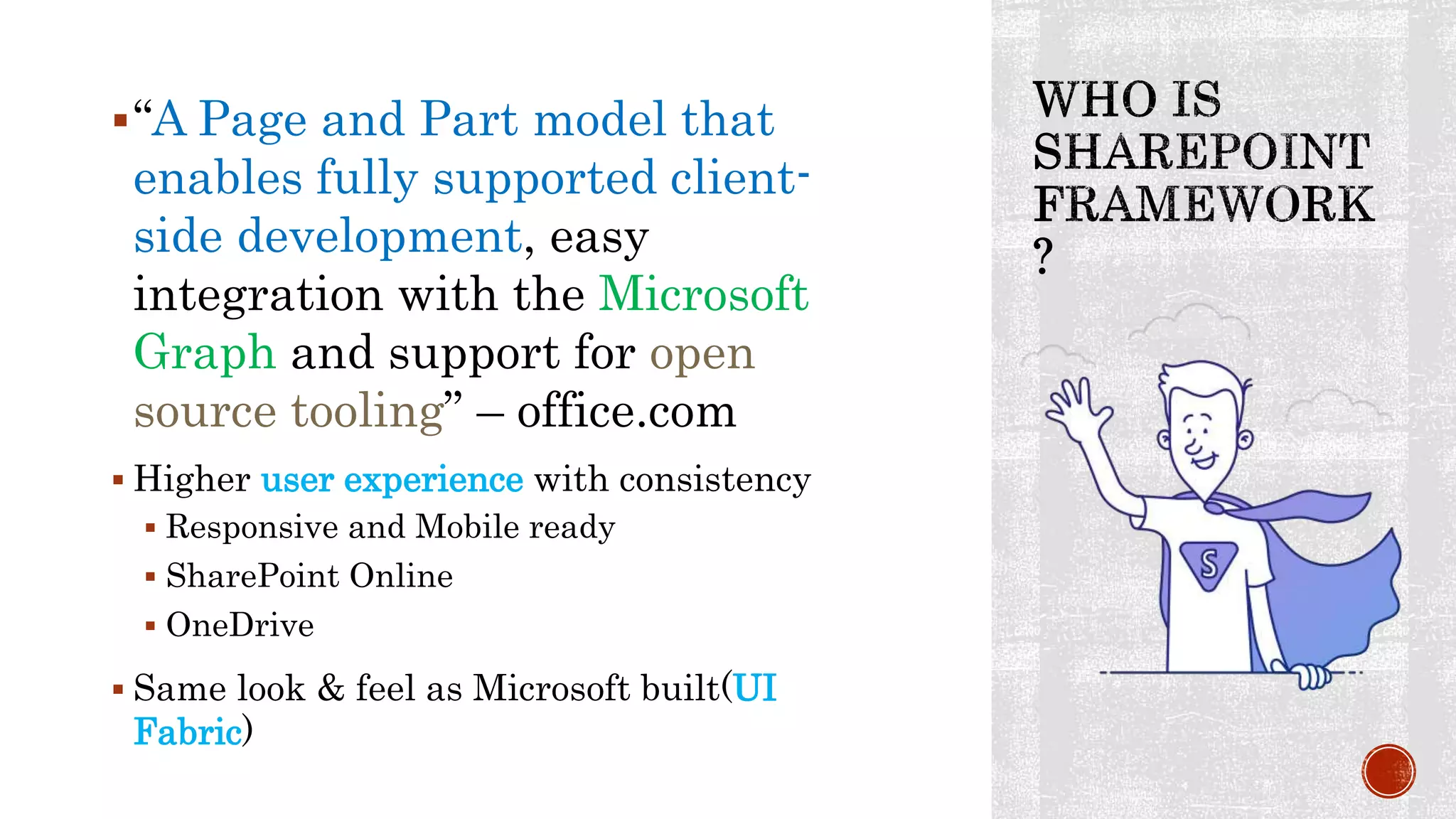
“A Page and Part model that
enables fully supported client-
side development, easy
integration with the Microsoft
Graph and support for open
source tooling” – office.com
 Higher user experience with consistency
 Responsive and Mobile ready
 SharePoint Online
 OneDrive
 Same look & feel as Microsoft built(UI
Fabric)
Deep customization is highly
capable. Since more tooling and
libraries can be used
Enabled for both cloud (O365) &
on premise
Allow developers to dive towards
other web technologies and gain
the potential of those…such as
AngularJS, EmberJS, React and
etc.
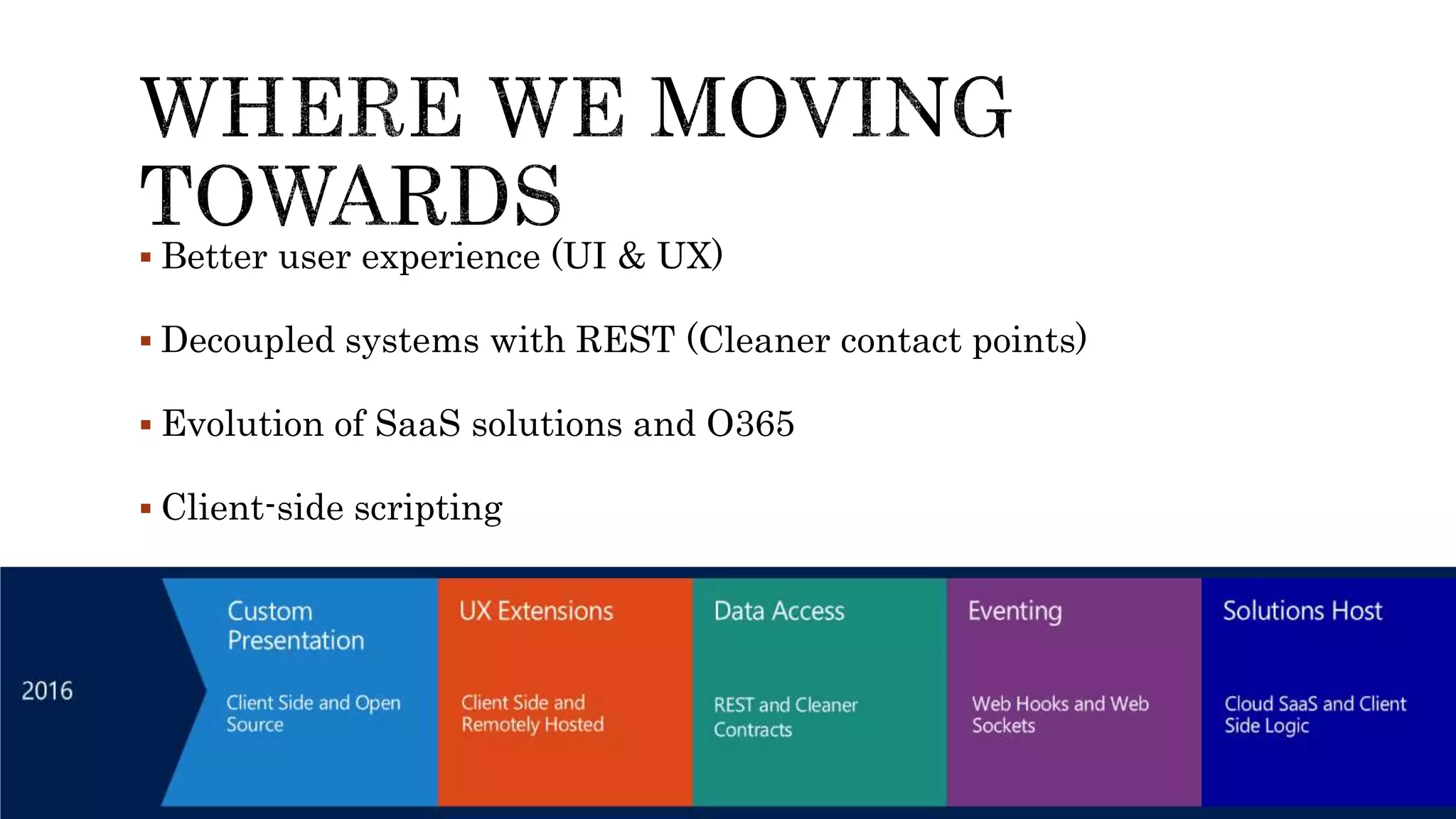
 Better user experience (UI & UX)
 Decoupled systems with REST (Cleaner contact points)
 Evolution of SaaS solutions and O365
 Client-side scripting
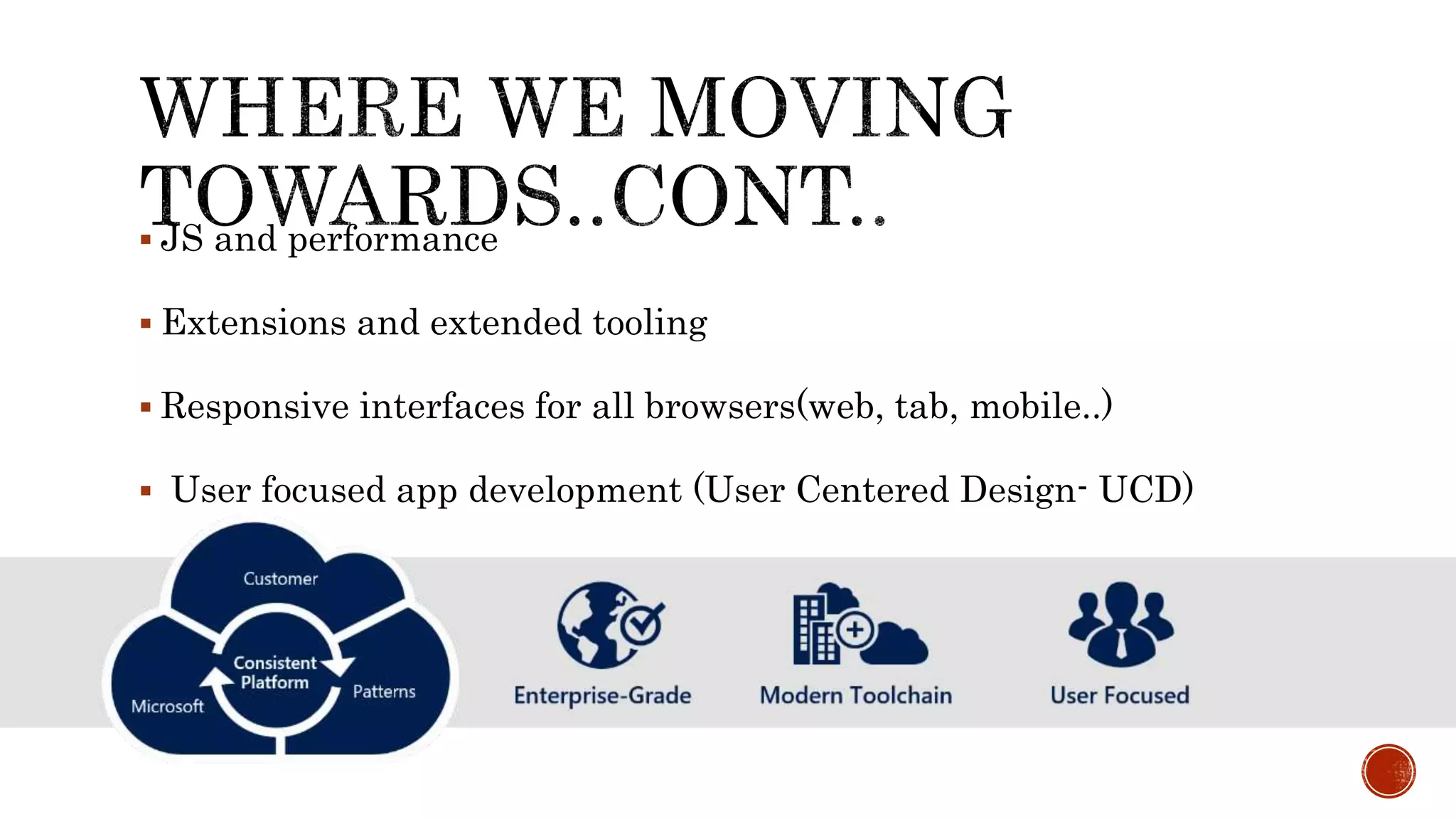
 JS and performance
 Extensions and extended tooling
 Responsive interfaces for all browsers(web, tab, mobile..)
 User focused app development (User Centered Design- UCD)
Now, with the SharePoint Framework, we have a structured
approach to modern app development, end-to-end, that’s not
dependent on .NET
“This means SharePoint evolving
to extensibility”
Despite the different forms of add-ins the model
has some limitations, one of which is the use of
iframes for integrating add-ins on pages.
Its another tool for your toolbox, its up to you to
pick the best for your job
Modern team sites look great and offer improved
user experience in the mobile-first world
Responsive mobile friendly
No iframe
Dynamic properties
List-based and Page-based
No need for cross-domain library to access
SharePoint resources
1. Infrastructure
No isolated app domain. No changes in DNS or setting up high-
trust.
2. Responsive
Web parts are not made as iframes and thereby can be made as
responsive and mobile friendly
3. Dynamic properties
Properties in SharePoint add-ins are defined decoratively in
XML. They can't be changed in runtime.
Tooling Frameworks
model provides dramatically better experiences,
performance, mobile support and more while
broadening our developer ecosystem from .NET and
beyond
– extended capabilities from .NET developer ecosystem
Uses JS frameworks like Angular and React
SharePoint Framework will be available to
existing SharePoint sites
You will be able to host client-side web parts
developed with the new SharePoint
Framework on existing SharePoint pages
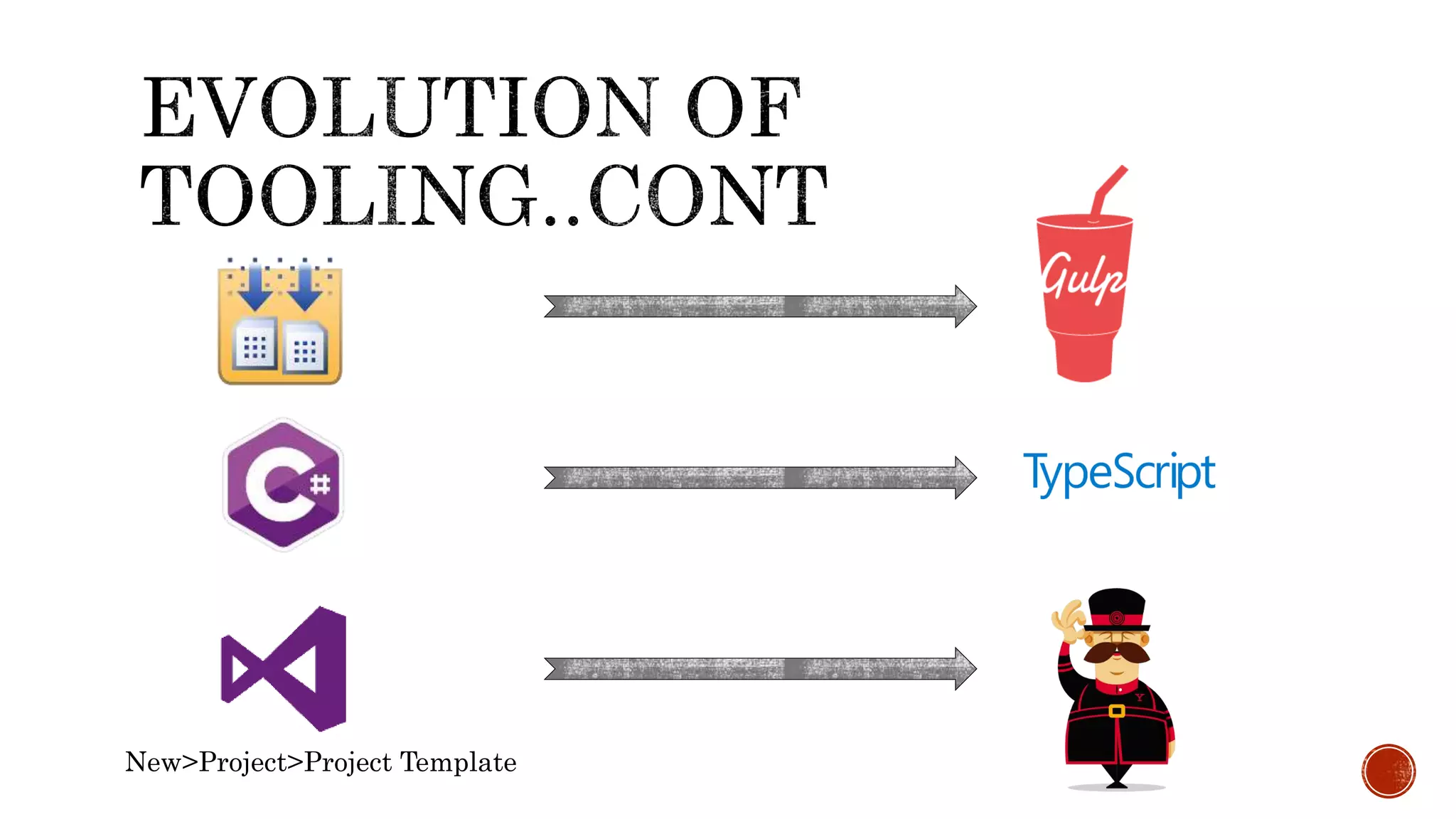
New>Project>Project Template
You are free to
use your
favorite
• Sublime - https://www.sublimetext.com
• Windows – PowerShell/ cmder - http://cmder.net
• Mac – oh my zsh - http://ohmyz.sh
Is develop time hosting platform
Cross-platform
Open source
Local JS runtime environment
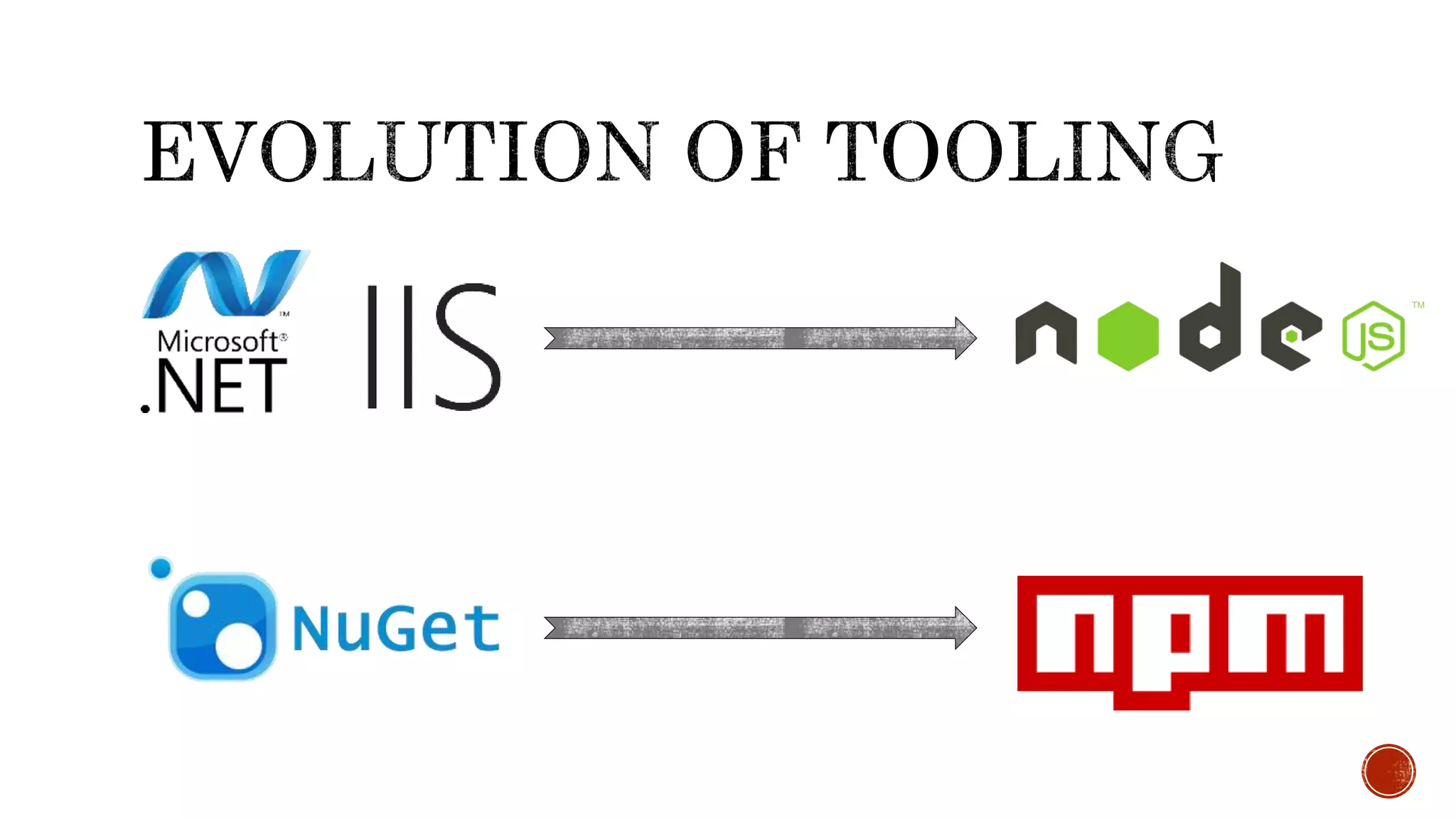
Same as IIS express in typical
Microsoft dev stack
Also capable of working with server
side code
https://nodejs.org/
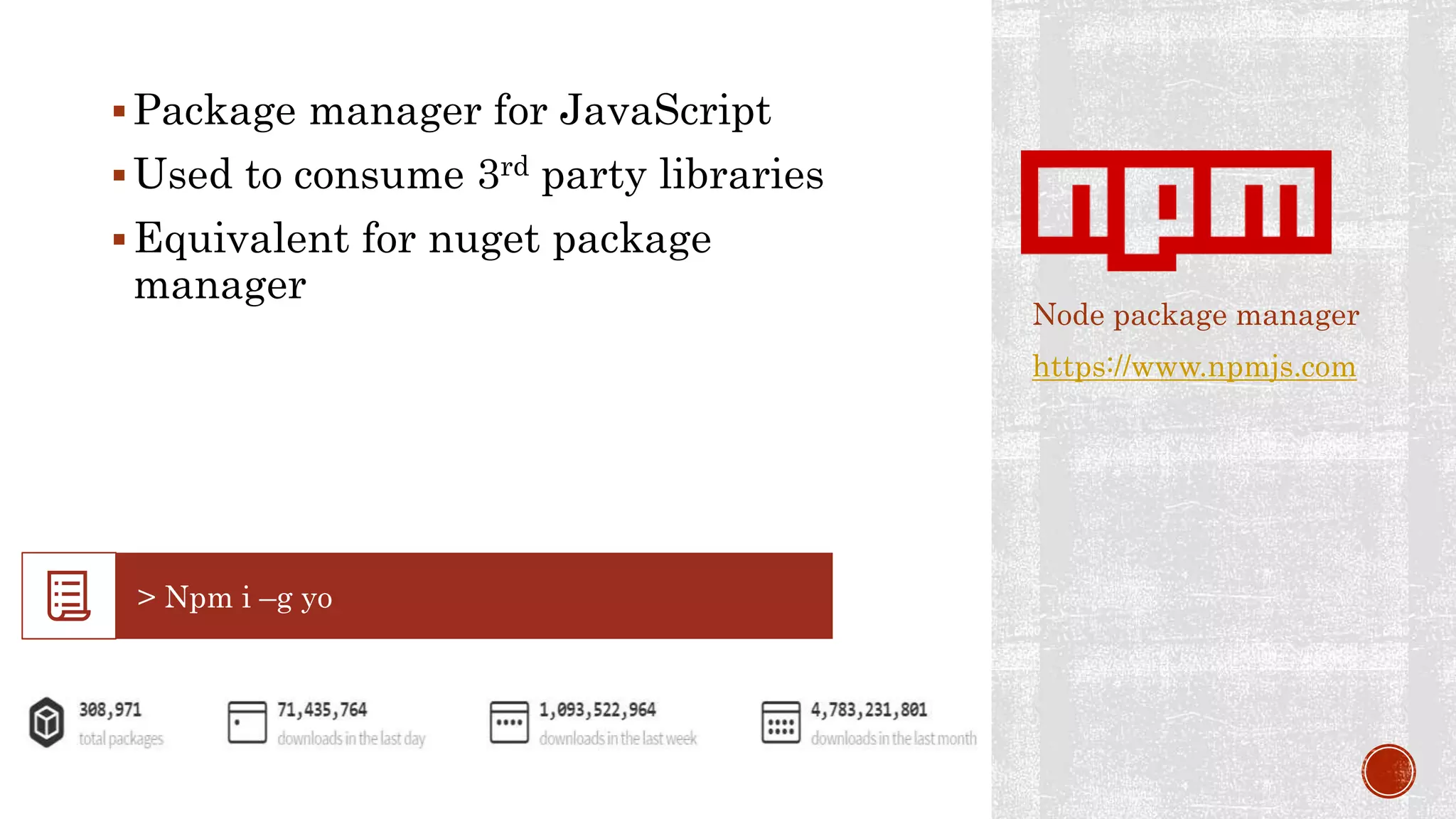
Package manager for JavaScript
Used to consume 3rd party libraries
Equivalent for nuget package
manager
Node package manager
https://www.npmjs.com
Scaffolding tool for development
(template engine)
Runs on top of Node.js
Can be used “npm” to install
Yeoman is responsible for creating the
project structure with all the files and
folders, just as Visual Studio does, but
using the console instead.
Template Repo
http://yeoman.io/
Provide automation for your
build tasks
Classically this has done by
 Microsoft Build/ Maven/ Ant
Test Automation
Task and build manager
http://gulpjs.com/
open-source language created and
maintained by Microsoft
super set of JavaScript that extends
the language
Can code both client-side and server-
side
All concepts same as C#
Typed JS
typescriptlang.org
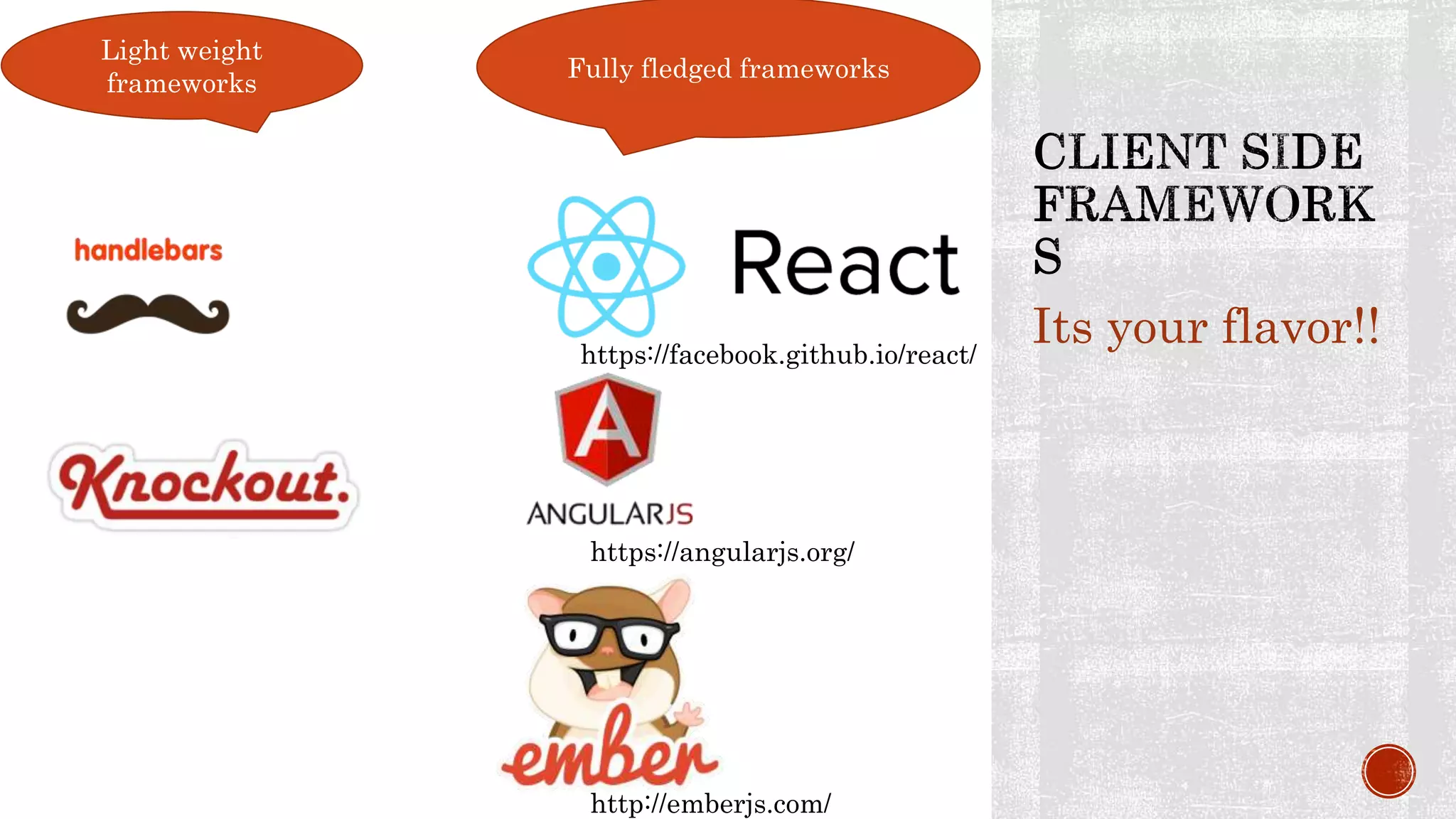
Its your flavor!!
Light weight
frameworks
Fully fledged frameworks
https://facebook.github.io/react/
https://angularjs.org/
http://emberjs.com/
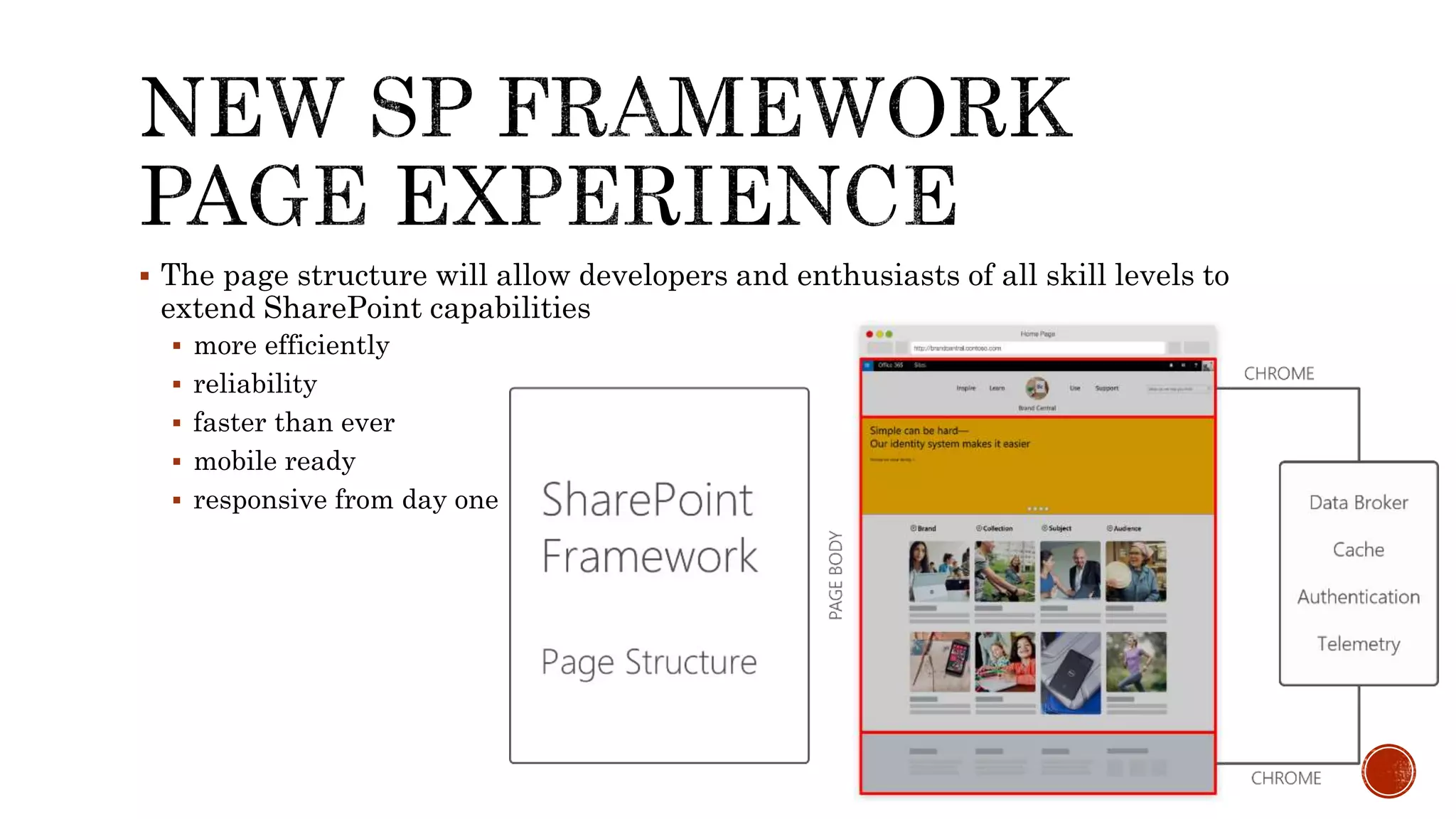
 The page structure will allow developers and enthusiasts of all skill levels to
extend SharePoint capabilities
 more efficiently
 reliability
 faster than ever
 mobile ready
 responsive from day one
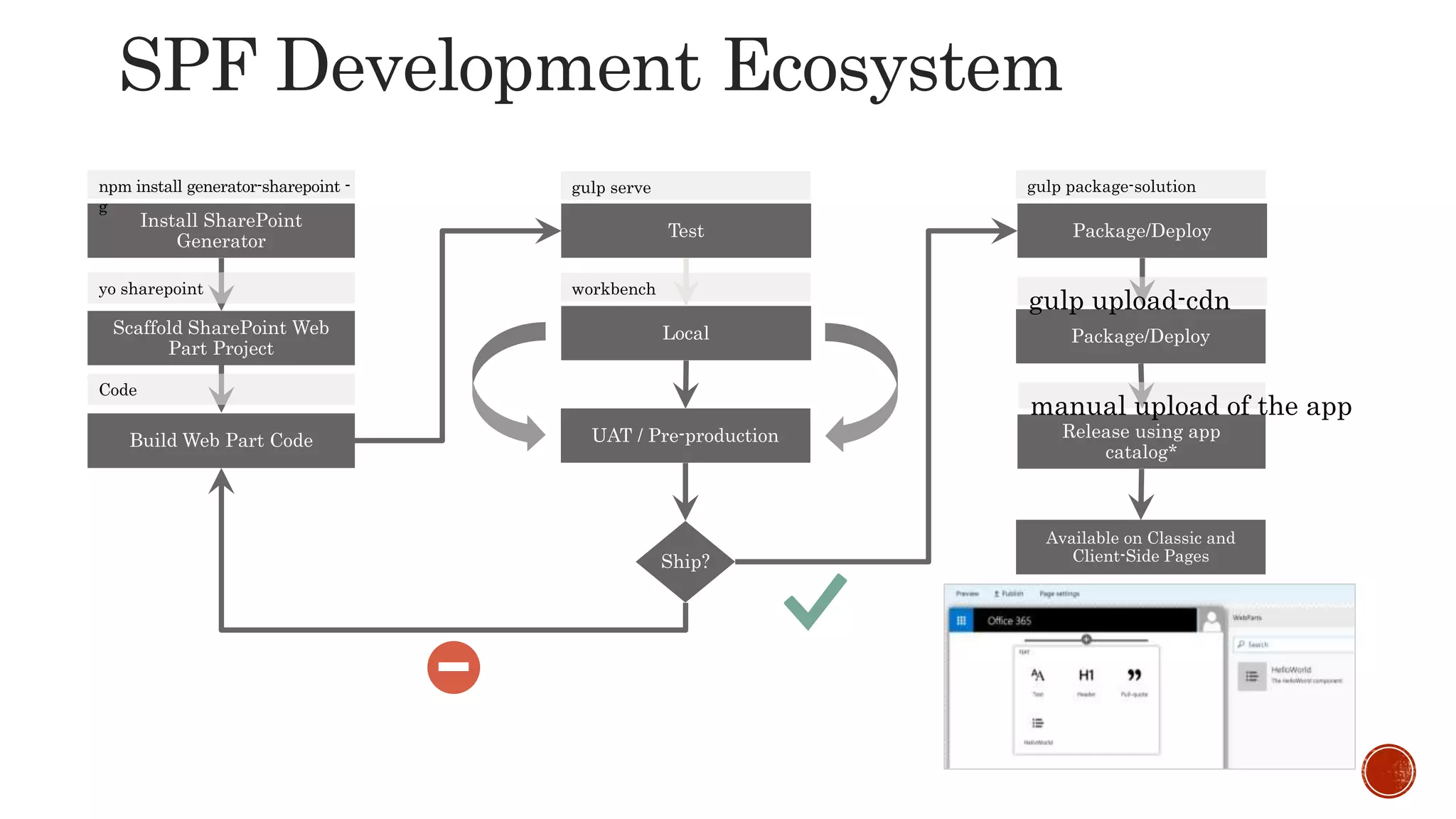
gulp upload-cdn
manual upload of the app
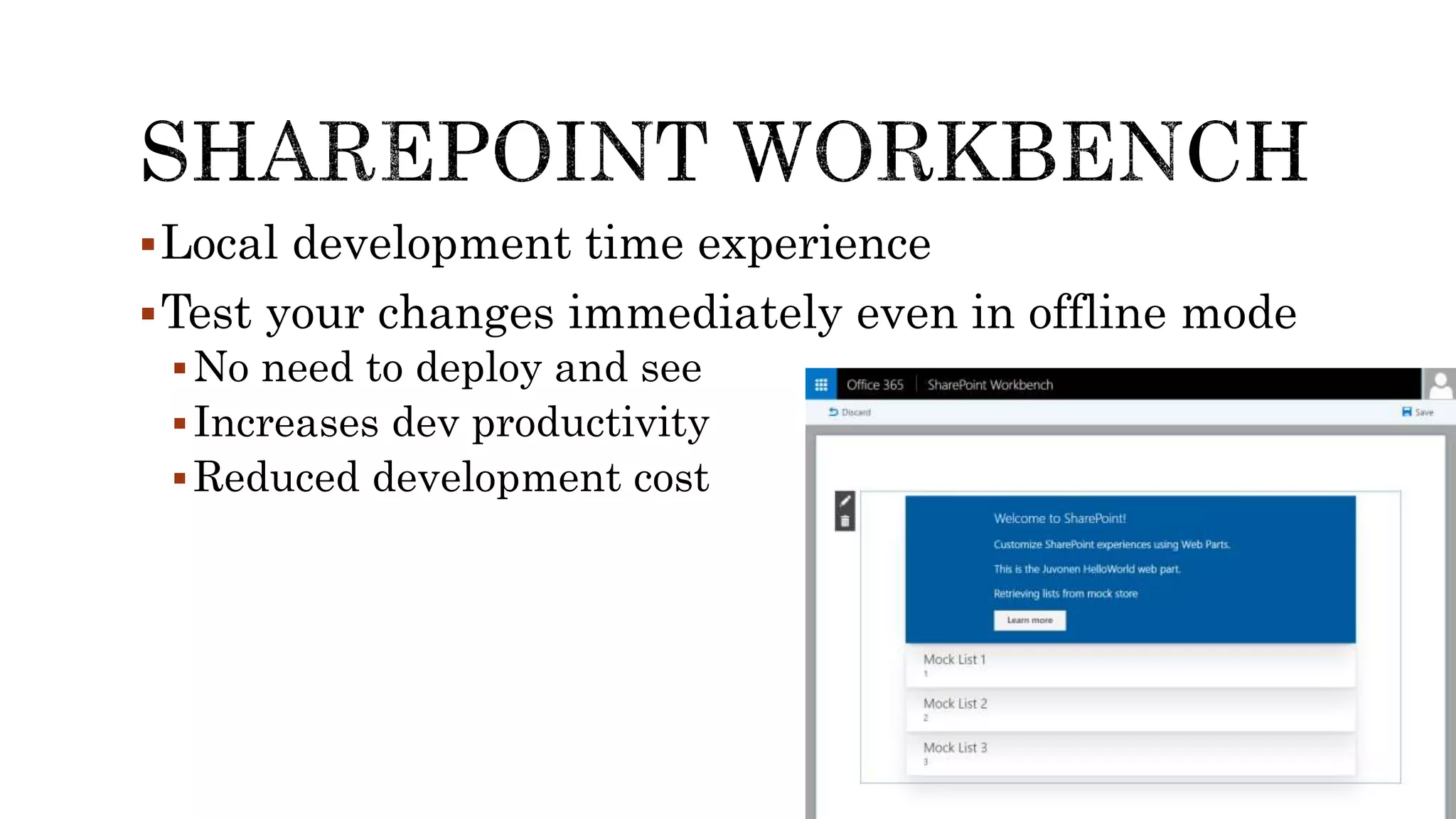
Local development time experience
Test your changes immediately even in offline mode
No need to deploy and see
Increases dev productivity
Reduced development cost
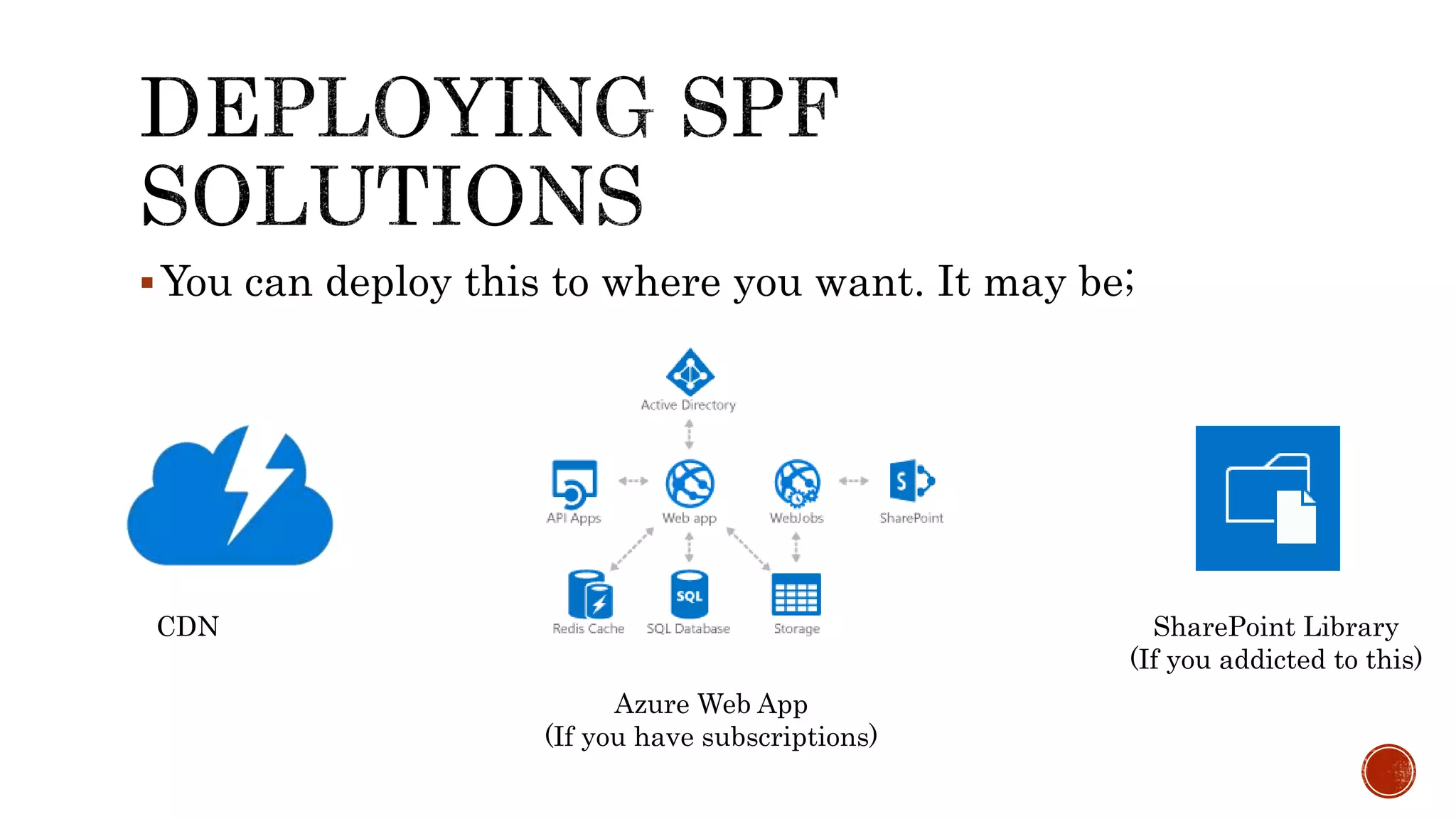
You can deploy this to where you want. It may be;
CDN
Azure Web App
(If you have subscriptions)
SharePoint Library
(If you addicted to this)
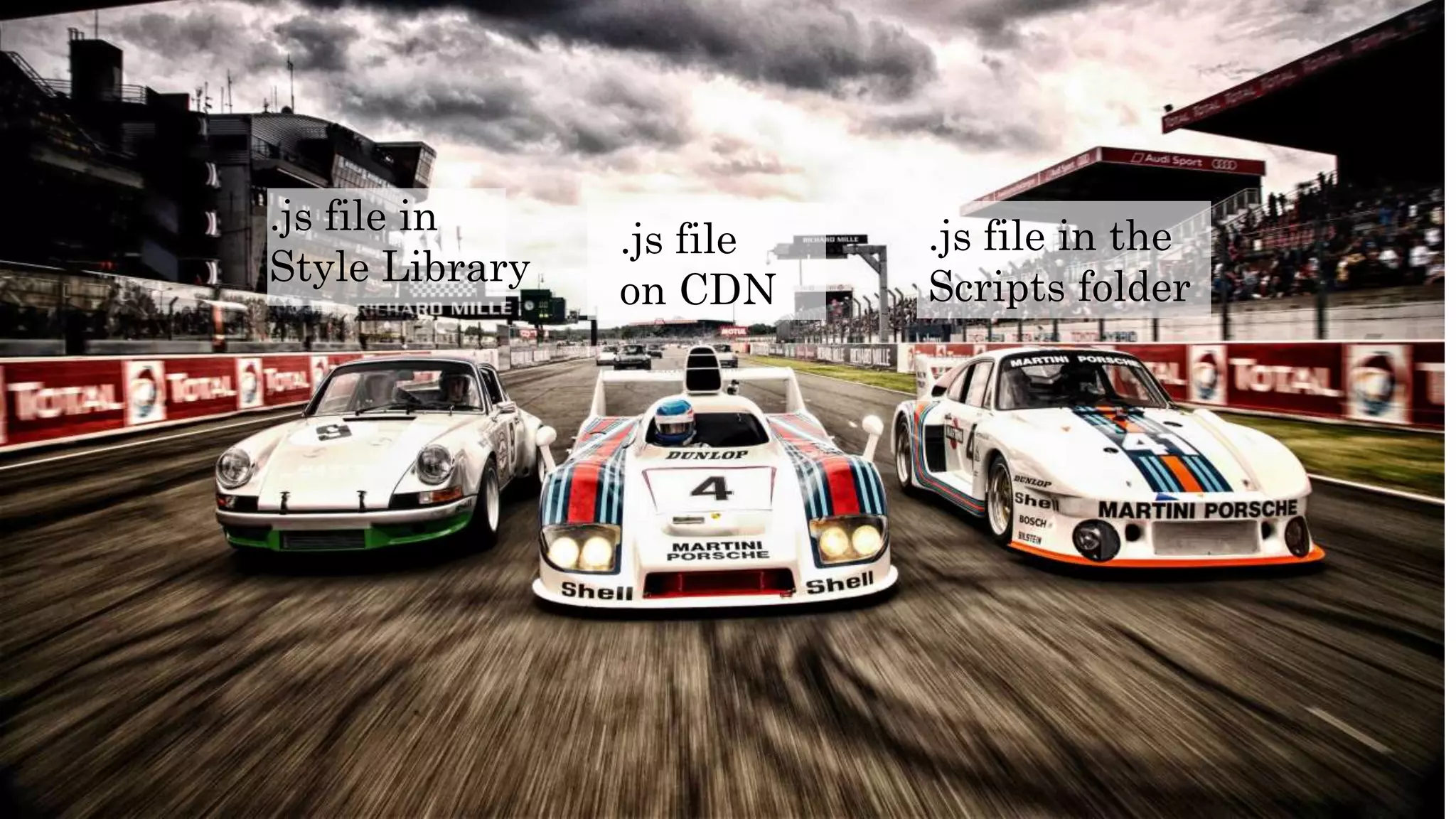
.js file in
Style Library
.js file in the
Scripts folder
.js file
on CDN
 Client web parts and client-side applications are the new
building blocks.
 these go along with the new page model.
 It’s a JavaScript world!
 Config files are in JSON
 Code is implemented in JavaScript on the client-side.
 The packaging of artifacts is different!
 There are new manifest files to learn about (e.g. a web part
manifest)
 Other files such as bundle.json, package-solution.json, upload-
cdn.json and more.
 Gulp tasks are used for packaging.
 Files for your web part or app can live anywhere
Anywhere that can be accessed on a URL by the end-user
basically.
 The “local development” model is very different –
 Gulp and node.js are used to host files locally, so you don’t
need to use IIS on your local machine.
All you need
to know about
SharePoint Framework
 No particular JavaScript framework is mandated – You
are free!!
 But if you are used React in the past continue with that
since less load and libraries on the page
 You should consider learning TypeScript
 At least the key parts such as modules, the type system and
so on.
 You no longer NEED to stick for Visual Studio
 Other lightweight code editors such as Visual Studio Code
or Sublime…or etc.
 SharePoint Webhooks – these are the new “event
receivers”
 Standardized to work with both On-prem and Online
All you need
to know about
SharePoint Framework
 The App Catalog is used as a packaging and
registration method
 Both client web parts and client-side applications are
packaged in this way (moving away from the web part
gallery we’re used to do)
 Page security needs some consideration
 Because all magic are done in the clients browser
 Since that server side validators & restrictions need to be
highly considered
All you need
to know about
SharePoint Framework
 Node.js and npm - www.nodejs.org
 Gulp – www.gulpjs.com
 TypeScript - https://www.typescriptlang.org
 Yeoman - www.yeoman.io
 Git - www.git-scm.com/
 Office UI Fabric - dev.office.com/fabric
 Webpack (Bundling of JS)- webpack.github.io
 React - facebook.github.io/react
 Angular - angularjs.org
 Knockout - knockoutjs.com
 Handlebars - handlebarsjs.com
kushanlahiru.wordpress.com
@kushanlahiru
about.me/KushanPerera
kushanlahiru.wordpress.com
@kushanlahiru
about.me/KushanPerera

SharePoint Framework -The future of SharePoint/ Office 365 developer ecosystem.

  • 1.
    The future ofSharePoint/ O365 developer ecosystem Kushan Lahiru Perera PgD(UGC), PGD(UK), MCP, CCNA
  • 2.
    kushanlahiru.wordpress.com @kushanlahiru kushanlahiru@live.com Kushan Lahiru Perera Fullstack developer Works for VirtusaPolaris Post Graduate Diploma holder
  • 3.
     Introduction toSharePoint Framework  Get introduced SharePoint Framework developer ecosystem  Develop with SharePoint Framework  Deploying SharePoint Framework Solutions Line up
  • 4.
  • 5.
    SharePoint Farm Solutions Sandbox Solutions SharePoint apps/add-ins • Server-sideobject model • Declarative code • HTTP Handlers • Runs on SharePoint • CSOM/ REST • Also runs in cloud • Runs separately from SharePoint SharePoint Framework
  • 6.
    “A Page andPart model that enables fully supported client- side development, easy integration with the Microsoft Graph and support for open source tooling” – office.com  Higher user experience with consistency  Responsive and Mobile ready  SharePoint Online  OneDrive  Same look & feel as Microsoft built(UI Fabric)
  • 7.
    Deep customization ishighly capable. Since more tooling and libraries can be used Enabled for both cloud (O365) & on premise Allow developers to dive towards other web technologies and gain the potential of those…such as AngularJS, EmberJS, React and etc.
  • 8.
     Better userexperience (UI & UX)  Decoupled systems with REST (Cleaner contact points)  Evolution of SaaS solutions and O365  Client-side scripting
  • 9.
     JS andperformance  Extensions and extended tooling  Responsive interfaces for all browsers(web, tab, mobile..)  User focused app development (User Centered Design- UCD)
  • 10.
    Now, with theSharePoint Framework, we have a structured approach to modern app development, end-to-end, that’s not dependent on .NET “This means SharePoint evolving to extensibility”
  • 11.
    Despite the differentforms of add-ins the model has some limitations, one of which is the use of iframes for integrating add-ins on pages. Its another tool for your toolbox, its up to you to pick the best for your job Modern team sites look great and offer improved user experience in the mobile-first world
  • 12.
    Responsive mobile friendly Noiframe Dynamic properties List-based and Page-based No need for cross-domain library to access SharePoint resources
  • 13.
    1. Infrastructure No isolatedapp domain. No changes in DNS or setting up high- trust. 2. Responsive Web parts are not made as iframes and thereby can be made as responsive and mobile friendly 3. Dynamic properties Properties in SharePoint add-ins are defined decoratively in XML. They can't be changed in runtime.
  • 15.
  • 16.
    model provides dramaticallybetter experiences, performance, mobile support and more while broadening our developer ecosystem from .NET and beyond – extended capabilities from .NET developer ecosystem Uses JS frameworks like Angular and React
  • 17.
    SharePoint Framework willbe available to existing SharePoint sites You will be able to host client-side web parts developed with the new SharePoint Framework on existing SharePoint pages
  • 21.
  • 22.
    You are freeto use your favorite • Sublime - https://www.sublimetext.com • Windows – PowerShell/ cmder - http://cmder.net • Mac – oh my zsh - http://ohmyz.sh
  • 23.
    Is develop timehosting platform Cross-platform Open source Local JS runtime environment Same as IIS express in typical Microsoft dev stack Also capable of working with server side code https://nodejs.org/
  • 24.
    Package manager forJavaScript Used to consume 3rd party libraries Equivalent for nuget package manager Node package manager https://www.npmjs.com
  • 25.
    Scaffolding tool fordevelopment (template engine) Runs on top of Node.js Can be used “npm” to install Yeoman is responsible for creating the project structure with all the files and folders, just as Visual Studio does, but using the console instead. Template Repo http://yeoman.io/
  • 26.
    Provide automation foryour build tasks Classically this has done by  Microsoft Build/ Maven/ Ant Test Automation Task and build manager http://gulpjs.com/
  • 27.
    open-source language createdand maintained by Microsoft super set of JavaScript that extends the language Can code both client-side and server- side All concepts same as C# Typed JS typescriptlang.org
  • 28.
    Its your flavor!! Lightweight frameworks Fully fledged frameworks https://facebook.github.io/react/ https://angularjs.org/ http://emberjs.com/
  • 29.
     The pagestructure will allow developers and enthusiasts of all skill levels to extend SharePoint capabilities  more efficiently  reliability  faster than ever  mobile ready  responsive from day one
  • 30.
  • 31.
    Local development timeexperience Test your changes immediately even in offline mode No need to deploy and see Increases dev productivity Reduced development cost
  • 32.
    You can deploythis to where you want. It may be; CDN Azure Web App (If you have subscriptions) SharePoint Library (If you addicted to this)
  • 33.
    .js file in StyleLibrary .js file in the Scripts folder .js file on CDN
  • 34.
     Client webparts and client-side applications are the new building blocks.  these go along with the new page model.  It’s a JavaScript world!  Config files are in JSON  Code is implemented in JavaScript on the client-side.  The packaging of artifacts is different!  There are new manifest files to learn about (e.g. a web part manifest)  Other files such as bundle.json, package-solution.json, upload- cdn.json and more.  Gulp tasks are used for packaging.  Files for your web part or app can live anywhere Anywhere that can be accessed on a URL by the end-user basically.  The “local development” model is very different –  Gulp and node.js are used to host files locally, so you don’t need to use IIS on your local machine. All you need to know about SharePoint Framework
  • 35.
     No particularJavaScript framework is mandated – You are free!!  But if you are used React in the past continue with that since less load and libraries on the page  You should consider learning TypeScript  At least the key parts such as modules, the type system and so on.  You no longer NEED to stick for Visual Studio  Other lightweight code editors such as Visual Studio Code or Sublime…or etc.  SharePoint Webhooks – these are the new “event receivers”  Standardized to work with both On-prem and Online All you need to know about SharePoint Framework
  • 36.
     The AppCatalog is used as a packaging and registration method  Both client web parts and client-side applications are packaged in this way (moving away from the web part gallery we’re used to do)  Page security needs some consideration  Because all magic are done in the clients browser  Since that server side validators & restrictions need to be highly considered All you need to know about SharePoint Framework
  • 37.
     Node.js andnpm - www.nodejs.org  Gulp – www.gulpjs.com  TypeScript - https://www.typescriptlang.org  Yeoman - www.yeoman.io  Git - www.git-scm.com/  Office UI Fabric - dev.office.com/fabric  Webpack (Bundling of JS)- webpack.github.io  React - facebook.github.io/react  Angular - angularjs.org  Knockout - knockoutjs.com  Handlebars - handlebarsjs.com
  • 38.
  • 39.

Editor's Notes

  • #5 Road map of SharePoint is announced and which highly invested in UX http://blogs.office.com/2016/05/04/the-future-of-sharepoint/
  • #6 Getting faster…with improved functionalities
  • #9 Client side & Open source Client side and remotely hosted REST and Cleaner Contracts Web hooks and web sockets Cloud SaaS & Client side logic
  • #12 Limitations of i-frame?
  • #13 With iFrames cant do RESPONSIVE
  • #14 No need to do changes set as you done earlier for SharePoint Apps
  • #16 Its upto you to decide as you wish
  • #17 We achieve goals in SharePoint ..hooray!!!!!
  • #18 No need to fear of integrating this..Good news
  • #19 MS build
  • #23 You can use any such as sublime, brackets…etc If you still prefer VS..you need to install https://www.visualstudio.com/en-us/features/node-js-vs.aspx Check for VS 2015 Update 3 https://www.visualstudio.com/news/releasenotes/vs2015-update3-vs
  • #27 windows->task runner explorer (to view available gulp tasks)
  • #30 Telemetry is a new compatibility monitoring framework--https://technet.microsoft.com/en-us/library/jj863580.aspx
  • #31 Youtube
  • #32 http://dev.office.com/blogs/creating-office-add-ins-with-any-editor-introducing-yo-office
  • #36 No need to get help from 3rd party UI frameworks like Bootstrap, SemanticUI..etc
  • #39 As for analytics….and as Microsoft Says!!! This is one of reason Microsoft gone for framework like this
  • #40 Some hints on browser behavior!!
  • #42 Create Azure CDN https://azure.microsoft.com/en-us/documentation/articles/cdn-create-new-endpoint/ South east asia https://azure.microsoft.com/en-us/documentation/articles/cdn-pop-locations/