Activity diagrams visually represent the flow of control and actions in a system, serving as a tool for business process modeling. Key components include initial states, actions, decisions, synchronization, and final states, which help delineate the sequence and structure of activities. These diagrams are useful for modeling workflows, business requirements, and understanding system functionalities.
An activitydiagram visually presents a series of actions or flow
of control in a system similar to a flowshart or a data
flow diagram. Activity diagrams are often used in business
process modeling.
Contrary to use case diagrams, in activity diagrams it is
obvious whether actors can perform business use cases
together or independently from one another
Overview
3.
Purpose:
Draw the activityflow of a system.
Describe the sequence from one activity to
another.
Describe the parallel, branched and
concurrent flow of the system.
4.
How to drawActivity Diagram?
before drawing an activity diagram we should identify
the following elements:
Initial State or Start Point
Activity or Action State
Object Flow
Decisions and Branching
Synchronization
Time Event
Final State or End Point
5.
Initial State orStart Point
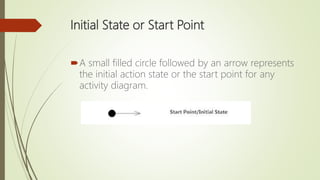
A small filled circle followed by an arrow represents
the initial action state or the start point for any
activity diagram.
6.
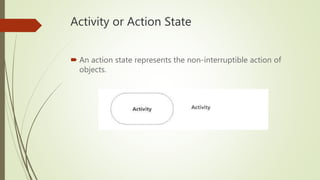
Activity or ActionState
An action state represents the non-interruptible action of
objects.
7.
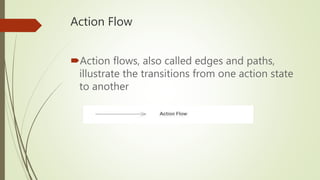
Action Flow
Action flows,also called edges and paths,
illustrate the transitions from one action state
to another
8.
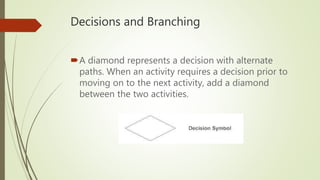
Decisions and Branching
Adiamond represents a decision with alternate
paths. When an activity requires a decision prior to
moving on to the next activity, add a diamond
between the two activities.
9.
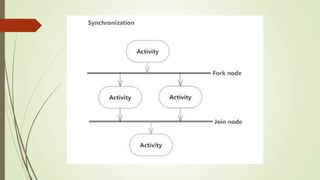
Synchronization
A fork nodeis used to split a single incoming
flow into multiple concurrent flows. It is
represented as a straight, slightly thicker line
in an activity diagram.
A join node joins multiple concurrent flows
back into a single outgoing flow.
A fork and join mode used together are
often referred to as synchronization.
11.
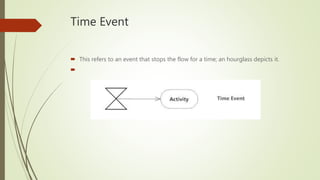
Time Event
Thisrefers to an event that stops the flow for a time; an hourglass depicts it.
12.
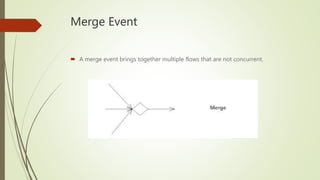
Merge Event
Amerge event brings together multiple flows that are not concurrent.
13.
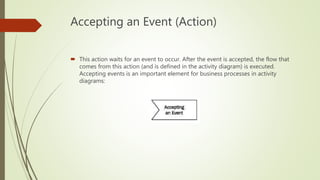
Accepting an Event(Action)
This action waits for an event to occur. After the event is accepted, the flow that
comes from this action (and is defined in the activity diagram) is executed.
Accepting events is an important element for business processes in activity
diagrams:
14.
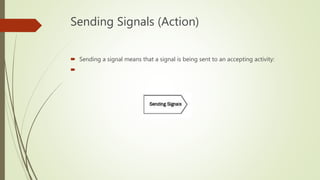
Sending Signals (Action)
Sending a signal means that a signal is being sent to an accepting activity:
15.
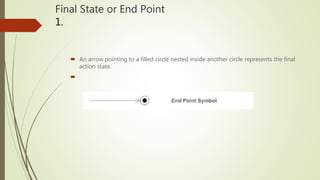
Final State orEnd Point
1.
An arrow pointing to a filled circle nested inside another circle represents the final
action state.
Where to useActivity Diagrams?
Modeling work flow by using activities.
Modeling business requirements.(usecase
scenario)
High level understanding of the system's
functionalities.
Investigate business requirements at a later
stage.