XSD schema properties
BizTalk schema
XSD Restrictions
What is the meaning of Restrictions ?
Restrictions are used to define acceptable values for XML elements or
attributes
What type of restriction
• Restrictions on Values
• Restrictions on a Set of Values
• Restrictions on a Series of Values
• Other Restrictions on a Series of Values
• Restrictions on Whitespace Characters
• Restrictions on Length
Restrictions on Values
Ex: restriction of values such as you have an element represent age
Age should between 15 and 60 so you want to make restriction on age
Steps :
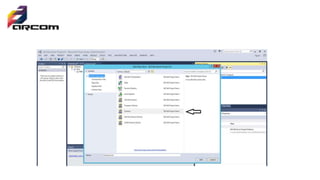
1. Create BizTalk project
2. Add schema with restriction values
3. Right click and add element with name age
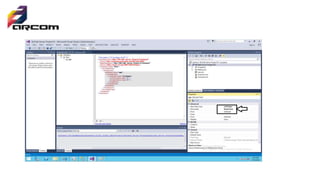
4. Right click on element and choose properties
5. Convert base datatype to integer
6. Make derived by restriction
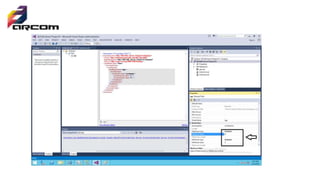
• Make max fact type to inclusive or exclusive depend on your business
• Determine the value minimum facet value and maximum facet value
Restrictions on a Set of Values
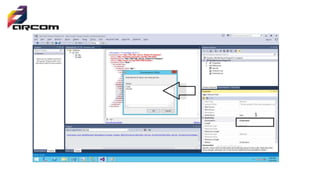
• To limit the content of an XML element to a set of acceptable values,
we would use the enumeration constraint
• Like the steps in previous example but there are option call
enumeration
• Click on enumeration and add the value you want every value in
separate record
Restrictions on Length
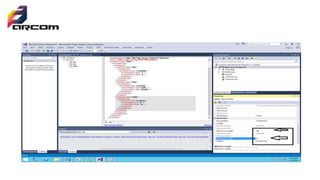
• To limit the length of a value in an element, we would use the length,
max Length, and min Length constraints.
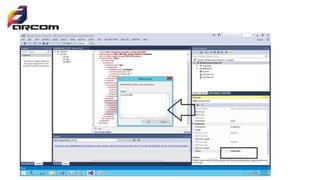
Restrictions on a Series of Values
• o limit the content of an XML element to define a series of numbers
or letters that can be used, we would use the pattern constraint.
• The example below defines an element called "letter" with a
restriction. The only acceptable value is ONE of the LOWERCASE
letters from a to z
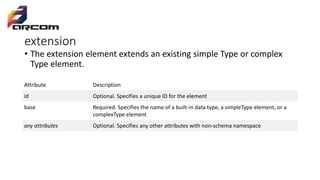
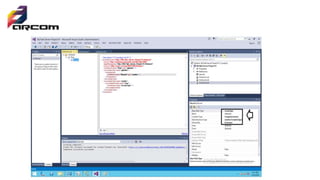
extension
• The extension element extends an existing simple Type or complex
Type element.
Attribute Description
id Optional. Specifies a unique ID for the element
base Required. Specifies the name of a built-in data type, a simpleType element, or a
complexType element
any attributes Optional. Specifies any other attributes with non-schema namespace
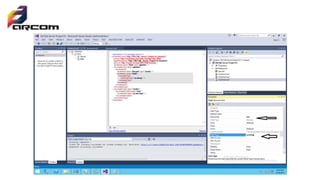
List And union property
• List allow Defines a simple type that contains a white space-separated
list of values of an inherited simple type.
• Union allow Defines a simple type that contains a union of the values
of two or more inherited simple types.
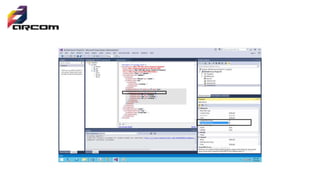
Sequence
• enquires the elements in the group to appear in the specified sequence
within the containing element.
Max Occurs
The maximum number of times the sequence can occur. The value can be an
integer greater than or equal to zero. To set no limit on the maximum
number, use the string "unbounded“
minOccurs
The minimum number of times the sequence can occur. The value can be an
integer greater than or equal to zero. To specify that this sequence group is
optional, set this attribute to zero.
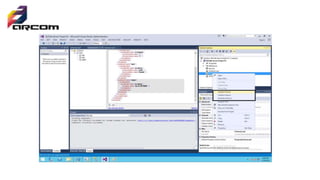
Schema validation
• Right click on schema and select one of three
• Validate scheme
• Validate instance
• Generate instance
Xsd biztalk schema

Xsd biztalk schema

  • 1.
  • 2.
    XSD Restrictions What isthe meaning of Restrictions ? Restrictions are used to define acceptable values for XML elements or attributes
  • 3.
    What type ofrestriction • Restrictions on Values • Restrictions on a Set of Values • Restrictions on a Series of Values • Other Restrictions on a Series of Values • Restrictions on Whitespace Characters • Restrictions on Length
  • 4.
    Restrictions on Values Ex:restriction of values such as you have an element represent age Age should between 15 and 60 so you want to make restriction on age Steps : 1. Create BizTalk project 2. Add schema with restriction values 3. Right click and add element with name age 4. Right click on element and choose properties 5. Convert base datatype to integer 6. Make derived by restriction
  • 5.
    • Make maxfact type to inclusive or exclusive depend on your business • Determine the value minimum facet value and maximum facet value
  • 9.
    Restrictions on aSet of Values • To limit the content of an XML element to a set of acceptable values, we would use the enumeration constraint • Like the steps in previous example but there are option call enumeration • Click on enumeration and add the value you want every value in separate record
  • 11.
    Restrictions on Length •To limit the length of a value in an element, we would use the length, max Length, and min Length constraints.
  • 13.
    Restrictions on aSeries of Values • o limit the content of an XML element to define a series of numbers or letters that can be used, we would use the pattern constraint. • The example below defines an element called "letter" with a restriction. The only acceptable value is ONE of the LOWERCASE letters from a to z
  • 15.
    extension • The extensionelement extends an existing simple Type or complex Type element. Attribute Description id Optional. Specifies a unique ID for the element base Required. Specifies the name of a built-in data type, a simpleType element, or a complexType element any attributes Optional. Specifies any other attributes with non-schema namespace
  • 17.
    List And unionproperty • List allow Defines a simple type that contains a white space-separated list of values of an inherited simple type. • Union allow Defines a simple type that contains a union of the values of two or more inherited simple types.
  • 19.
    Sequence • enquires theelements in the group to appear in the specified sequence within the containing element. Max Occurs The maximum number of times the sequence can occur. The value can be an integer greater than or equal to zero. To set no limit on the maximum number, use the string "unbounded“ minOccurs The minimum number of times the sequence can occur. The value can be an integer greater than or equal to zero. To specify that this sequence group is optional, set this attribute to zero.
  • 21.
    Schema validation • Rightclick on schema and select one of three • Validate scheme • Validate instance • Generate instance