# 
Sven Erik Knop 
Technical Marketing Manager 
Nick Poole 
Software Engineer
#
# 
• User authentication in Perforce – a brief overview 
• What is LDAP? 
• Integrating LDAP with Perforce
#
# 
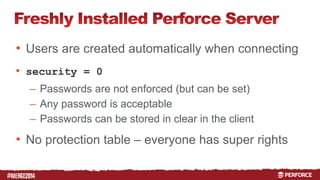
• Users are created automatically when connecting 
• security = 0 
– Passwords are not enforced (but can be set) 
– Any password is acceptable 
– Passwords can be stored in clear in the client 
• No protection table – everyone has super rights
# 
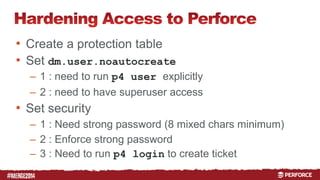
• Create a protection table 
• Set dm.user.noautocreate 
– 1 : need to run p4 user explicitly 
– 2 : need to have superuser access 
• Set security 
– 1 : Need strong password (8 mixed chars minimum) 
– 2 : Enforce strong password 
– 3 : Need to run p4 login to create ticket
# 
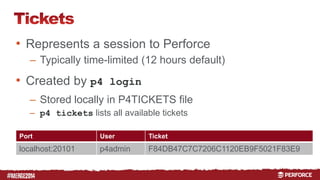
• Represents a session to Perforce 
– Typically time-limited (12 hours default) 
• Created by p4 login 
– Stored locally in P4TICKETS file 
– p4 tickets lists all available tickets 
Port User Ticket 
localhost:20101 p4admin F84DB47C7C7206C1120EB9F5021F83E9
# 
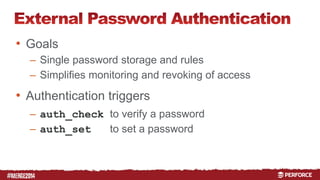
• Goals 
– Single password storage and rules 
– Simplifies monitoring and revoking of access 
• Authentication triggers 
– auth_check to verify a password 
– auth_set to set a password
# 
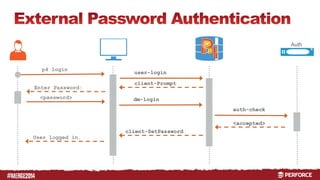
Auth 
p4 login 
user-login 
client-Prompt 
Enter Password: 
<password> dm-login 
auth-check 
<accepted> 
client-SetPassword 
User logged in.
#
# 
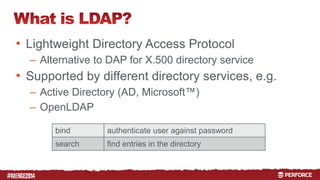
• Lightweight Directory Access Protocol 
– Alternative to DAP for X.500 directory service 
• Supported by different directory services, e.g. 
– Active Directory (AD, Microsoft™) 
– OpenLDAP 
bind authenticate user against password 
search find entries in the directory
# 
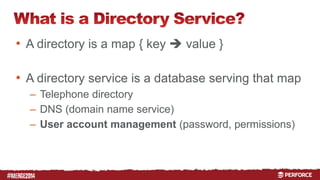
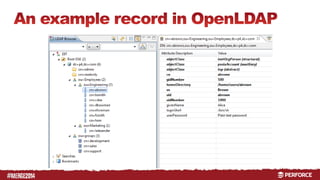
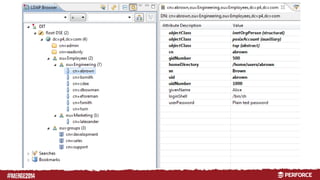
• A directory is a map { key  value } 
• A directory service is a database serving that map 
– Telephone directory 
– DNS (domain name service) 
– User account management (password, permissions)
#
# 
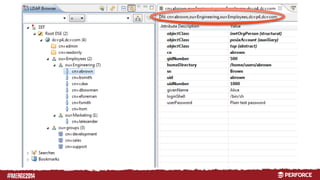
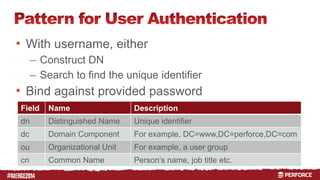
• With username, either 
– Construct DN 
– Search to find the unique identifier 
• Bind against provided password 
Field Name Description 
dn Distinguished Name Unique identifier 
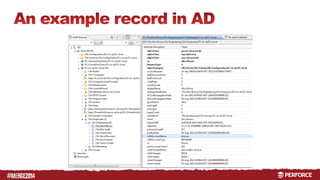
dc Domain Component For example, DC=www,DC=perforce,DC=com 
ou Organizational Unit For example, a user group 
cn Common Name Person’s name, job title etc.
# 
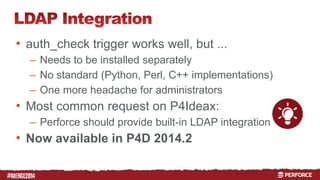
• auth_check trigger works well, but ... 
– Needs to be installed separately 
– No standard (Python, Perl, C++ implementations) 
– One more headache for administrators 
• Most common request on P4Ideax: 
– Perforce should provide built-in LDAP integration 
• Now available in P4D 2014.2
#
# 
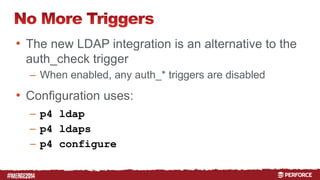
• The new LDAP integration is an alternative to the 
auth_check trigger 
– When enabled, any auth_* triggers are disabled 
• Configuration uses: 
– p4 ldap 
– p4 ldaps 
– p4 configure
# 
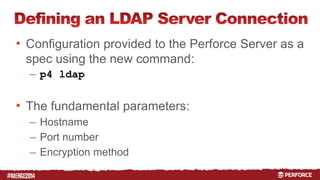
• Configuration provided to the Perforce Server as a 
spec using the new command: 
– p4 ldap 
• The fundamental parameters: 
– Hostname 
– Port number 
– Encryption method
# 
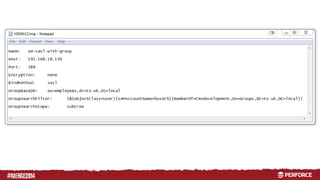
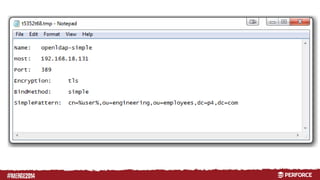
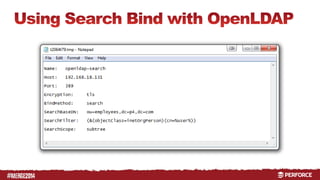
• The way that the user will be identified in the 
directory before we can authenticate needs to be 
configured. 
• 3 bind methods supported: 
– Simple 
– Search 
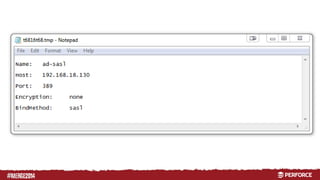
– SASL
#
# 
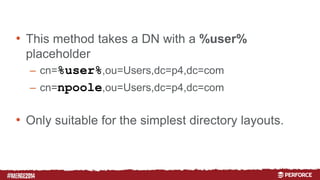
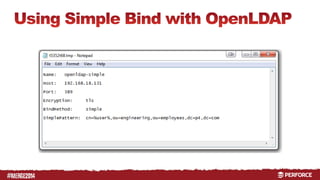
• This method takes a DN with a %user% 
placeholder 
– cn=%user%,ou=Users,dc=p4,dc=com 
– cn=npoole,ou=Users,dc=p4,dc=com 
• Only suitable for the simplest directory layouts.
#
# 
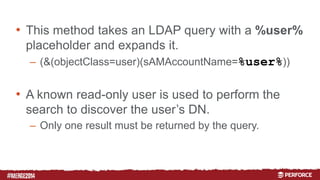
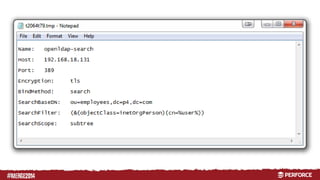
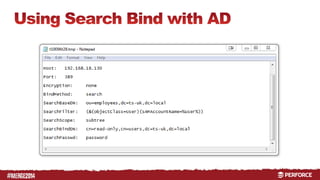
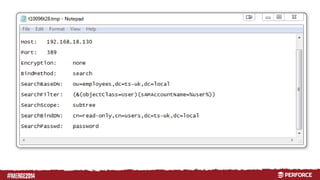
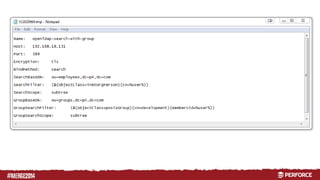
• This method takes an LDAP query with a %user% 
placeholder and expands it. 
– (&(objectClass=user)(sAMAccountName=%user%)) 
• A known read-only user is used to perform the 
search to discover the user’s DN. 
– Only one result must be returned by the query.
#
# 
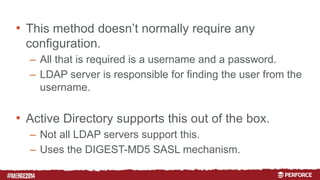
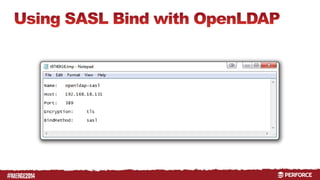
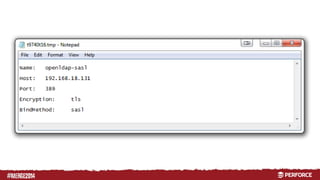
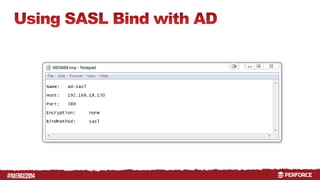
• This method doesn’t normally require any 
configuration. 
– All that is required is a username and a password. 
– LDAP server is responsible for finding the user from the 
username. 
• Active Directory supports this out of the box. 
– Not all LDAP servers support this. 
– Uses the DIGEST-MD5 SASL mechanism.
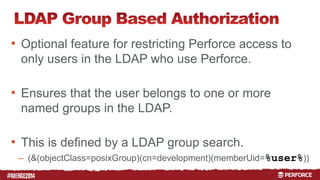
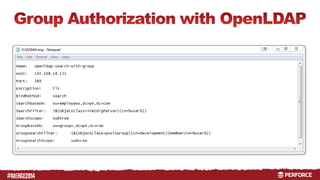
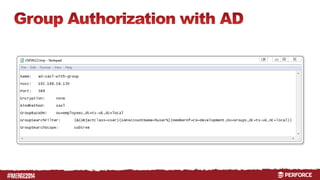
• Optional feature for restricting Perforce access to 
only users in the LDAP who use Perforce. 
• Ensures that the user belongs to one or more 
named groups in the LDAP. 
• This is defined by a LDAP group search. 
– (&(objectClass=posixGroup)(cn=development)(memberUid=%user%)) 
#
# 
• The new p4 ldap and p4 ldaps commands 
both have -t <username> options. 
– This allows an LDAP configuration to be tested before it 
is enabled. 
• Authentication failures are reported with more 
detailed messages than a user would see running 
p4 login.
# 
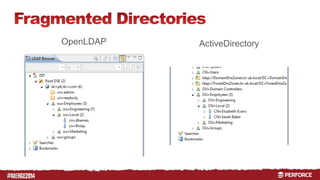
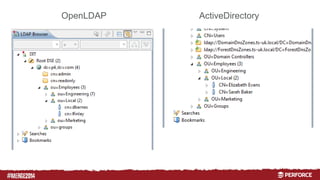
• Use p4 configure to set the ordered list of 
LDAP configurations: 
– p4 configure set auth.ldap.order.1=MasterAD 
• This supports: 
– Fragmented user directories (directory server per-office). 
– Replicated user directories (for failover).
# 
• Users must be configured to use LDAP. 
– Many background (non-human) Perforce users are not 
stored in LDAP. 
– A new AuthMethod field on the user spec switches 
users between authenticating against the Perforce 
database and LDAP.
# 
• The default user AuthMethod can be changed to 
ldap. 
• This enables automatic user creation for any user 
who can authenticate using p4 login. 
• This works best with the group based authorization.
#
# 
Sven Erik Knop 
sknop@perforce.com 
Nick Poole 
npoole@perforce.com 
@P4Nick
#
#
#
#
#
#
#
#
#
#
#
#
#
#
#
#
#
#
#
# 
OpenLDAP ActiveDirectory
# 
OpenLDAP ActiveDirectory
# 
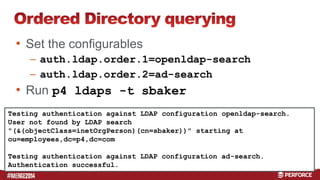
• Set the configurables 
– auth.ldap.order.1=openldap-search 
– auth.ldap.order.2=ad-search 
• Run p4 ldaps -t sbaker 
Testing authentication against LDAP configuration openldap-search. 
User not found by LDAP search 
"(&(objectClass=inetOrgPerson)(cn=sbaker))" starting at 
ou=employees,dc=p4,dc=com 
Testing authentication against LDAP configuration ad-search. 
Authentication successful.

Active Directory & LDAP Authentication Without Triggers

  • 1.
    # Sven ErikKnop Technical Marketing Manager Nick Poole Software Engineer
  • 2.
  • 3.
    # • Userauthentication in Perforce – a brief overview • What is LDAP? • Integrating LDAP with Perforce
  • 4.
  • 5.
    # • Usersare created automatically when connecting • security = 0 – Passwords are not enforced (but can be set) – Any password is acceptable – Passwords can be stored in clear in the client • No protection table – everyone has super rights
  • 6.
    # • Createa protection table • Set dm.user.noautocreate – 1 : need to run p4 user explicitly – 2 : need to have superuser access • Set security – 1 : Need strong password (8 mixed chars minimum) – 2 : Enforce strong password – 3 : Need to run p4 login to create ticket
  • 7.
    # • Representsa session to Perforce – Typically time-limited (12 hours default) • Created by p4 login – Stored locally in P4TICKETS file – p4 tickets lists all available tickets Port User Ticket localhost:20101 p4admin F84DB47C7C7206C1120EB9F5021F83E9
  • 8.
    # • Goals – Single password storage and rules – Simplifies monitoring and revoking of access • Authentication triggers – auth_check to verify a password – auth_set to set a password
  • 9.
    # Auth p4login user-login client-Prompt Enter Password: <password> dm-login auth-check <accepted> client-SetPassword User logged in.
  • 10.
  • 11.
    # • LightweightDirectory Access Protocol – Alternative to DAP for X.500 directory service • Supported by different directory services, e.g. – Active Directory (AD, Microsoft™) – OpenLDAP bind authenticate user against password search find entries in the directory
  • 12.
    # • Adirectory is a map { key  value } • A directory service is a database serving that map – Telephone directory – DNS (domain name service) – User account management (password, permissions)
  • 13.
  • 14.
    # • Withusername, either – Construct DN – Search to find the unique identifier • Bind against provided password Field Name Description dn Distinguished Name Unique identifier dc Domain Component For example, DC=www,DC=perforce,DC=com ou Organizational Unit For example, a user group cn Common Name Person’s name, job title etc.
  • 15.
    # • auth_checktrigger works well, but ... – Needs to be installed separately – No standard (Python, Perl, C++ implementations) – One more headache for administrators • Most common request on P4Ideax: – Perforce should provide built-in LDAP integration • Now available in P4D 2014.2
  • 16.
  • 17.
    # • Thenew LDAP integration is an alternative to the auth_check trigger – When enabled, any auth_* triggers are disabled • Configuration uses: – p4 ldap – p4 ldaps – p4 configure
  • 18.
    # • Configurationprovided to the Perforce Server as a spec using the new command: – p4 ldap • The fundamental parameters: – Hostname – Port number – Encryption method
  • 19.
    # • Theway that the user will be identified in the directory before we can authenticate needs to be configured. • 3 bind methods supported: – Simple – Search – SASL
  • 20.
  • 21.
    # • Thismethod takes a DN with a %user% placeholder – cn=%user%,ou=Users,dc=p4,dc=com – cn=npoole,ou=Users,dc=p4,dc=com • Only suitable for the simplest directory layouts.
  • 22.
  • 23.
    # • Thismethod takes an LDAP query with a %user% placeholder and expands it. – (&(objectClass=user)(sAMAccountName=%user%)) • A known read-only user is used to perform the search to discover the user’s DN. – Only one result must be returned by the query.
  • 24.
  • 25.
    # • Thismethod doesn’t normally require any configuration. – All that is required is a username and a password. – LDAP server is responsible for finding the user from the username. • Active Directory supports this out of the box. – Not all LDAP servers support this. – Uses the DIGEST-MD5 SASL mechanism.
  • 26.
    • Optional featurefor restricting Perforce access to only users in the LDAP who use Perforce. • Ensures that the user belongs to one or more named groups in the LDAP. • This is defined by a LDAP group search. – (&(objectClass=posixGroup)(cn=development)(memberUid=%user%)) #
  • 27.
    # • Thenew p4 ldap and p4 ldaps commands both have -t <username> options. – This allows an LDAP configuration to be tested before it is enabled. • Authentication failures are reported with more detailed messages than a user would see running p4 login.
  • 28.
    # • Usep4 configure to set the ordered list of LDAP configurations: – p4 configure set auth.ldap.order.1=MasterAD • This supports: – Fragmented user directories (directory server per-office). – Replicated user directories (for failover).
  • 29.
    # • Usersmust be configured to use LDAP. – Many background (non-human) Perforce users are not stored in LDAP. – A new AuthMethod field on the user spec switches users between authenticating against the Perforce database and LDAP.
  • 30.
    # • Thedefault user AuthMethod can be changed to ldap. • This enables automatic user creation for any user who can authenticate using p4 login. • This works best with the group based authorization.
  • 31.
  • 32.
    # Sven ErikKnop sknop@perforce.com Nick Poole npoole@perforce.com @P4Nick
  • 33.
  • 34.
  • 35.
  • 36.
  • 37.
  • 38.
  • 39.
  • 40.
  • 41.
  • 42.
  • 43.
  • 44.
  • 45.
  • 46.
  • 47.
  • 48.
  • 49.
  • 50.
  • 51.
  • 52.
  • 53.
  • 54.
    # • Setthe configurables – auth.ldap.order.1=openldap-search – auth.ldap.order.2=ad-search • Run p4 ldaps -t sbaker Testing authentication against LDAP configuration openldap-search. User not found by LDAP search "(&(objectClass=inetOrgPerson)(cn=sbaker))" starting at ou=employees,dc=p4,dc=com Testing authentication against LDAP configuration ad-search. Authentication successful.