LDAP

●   What is Directory Services
●   The need for LDAP
●   LDAP Overview and Basics
●   Setting up and tunning OpenLDAP
●   Other LDAP tools and applications
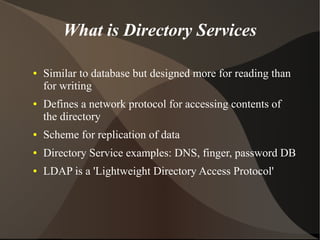
What is Directory Services

●   Similar to database but designed more for reading than
    for writing
●   Defines a network protocol for accessing contents of
    the directory
●   Scheme for replication of data
●   Directory Service examples: DNS, finger, password DB
●   LDAP is a 'Lightweight Directory Access Protocol'
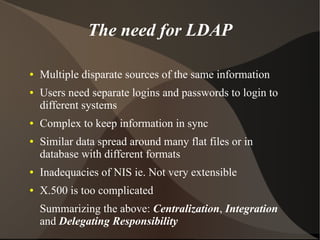
The need for LDAP

●   Multiple disparate sources of the same information
●   Users need separate logins and passwords to login to
    different systems
●   Complex to keep information in sync
●   Similar data spread around many flat files or in
    database with different formats
●   Inadequacies of NIS ie. Not very extensible
●   X.500 is too complicated
    Summarizing the above: Centralization, Integration
    and Delegating Responsibility
LDAP Overview

●   LDAP is a ‘Lightweight Directory Access Protocol’
●   LDAP marries a lightweight DAP with the X.500
    information model
●   Uses an extensible hierarchical object data model
●   An LDAP server may implement multiple ‘back-ends’:
    RDBMS, simple indexes (Berkeley DB), X.500
    gateway
●   Designed for frequent reads and infrequent writes
LDAP Benefits

●   Standardized schemas exist for many purposes
    (well beyond that of NIS)
●   Allows consolidation of many information sources
●   Well defined API, support from many applications
●   Easily replicated and distributed
●   Multiple backends allow integration with existing data
    sources (RDBMS, etc)
●   Much faster than RDBMS (using lightweight backend
    like Berkeley DB)
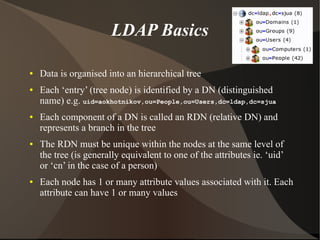
LDAP Basics

●   Data is organised into an hierarchical tree
●   Each ‘entry’ (tree node) is identified by a DN (distinguished
    name) e.g. uid=aokhotnikov,ou=People,ou=Users,dc=ldap,dc=sjua
●   Each component of a DN is called an RDN (relative DN) and
    represents a branch in the tree
●   The RDN must be unique within the nodes at the same level of
    the tree (is generally equivalent to one of the attributes ie. ‘uid’
    or ‘cn’ in the case of a person)
●   Each node has 1 or many attribute values associated with it. Each
    attribute can have 1 or many values
LDAP Basics (cont.)

●   ‘objectClass’ is a mandatory attribute which specifies
    the schema (attribute constraints) for the given node
●   Multiple ‘objectClass’ attributes can be combined
    together to achieve inheritance
●   Example ‘objectClass’ (common schema) attributes:
    dcObject, organizationalUnit, person, organizationalPerson,
    inetOrgPerson, inetLocalMailRecipient

●   CN (Canonical Name) is another common attribute
    used to provide a unique name for a directory object
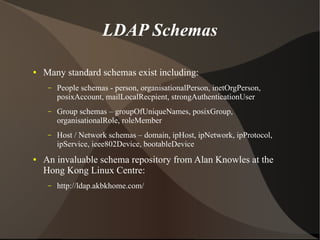
LDAP Schemas

●   Many standard schemas exist including:
     –   People schemas - person, organisationalPerson, inetOrgPerson,
         posixAccount, mailLocalRecpient, strongAuthenticationUser
     –   Group schemas – groupOfUniqueNames, posixGroup,
         organisationalRole, roleMember
     –   Host / Network schemas – domain, ipHost, ipNetwork, ipProtocol,
         ipService, ieee802Device, bootableDevice
●   An invaluable schema repository from Alan Knowles at the
    Hong Kong Linux Centre:
     –   http://ldap.akbkhome.com/
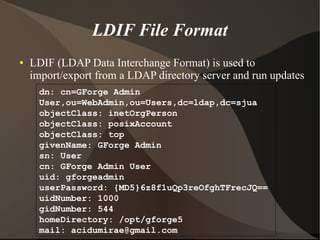
LDIF File Format
●   LDIF (LDAP Data Interchange Format) is used to
    import/export from a LDAP directory server and run updates
     dn: cn=GForge Admin
     User,ou=WebAdmin,ou=Users,dc=ldap,dc=sjua
     objectClass: inetOrgPerson
     objectClass: posixAccount
     objectClass: top
     givenName: GForge Admin
     sn: User
     cn: GForge Admin User
     uid: gforgeadmin
     userPassword: {MD5}6z8f1uQp3reOfghTFrecJQ==
     uidNumber: 1000
     gidNumber: 544
     homeDirectory: /opt/gforge5
     mail: acidumirae@gmail.com
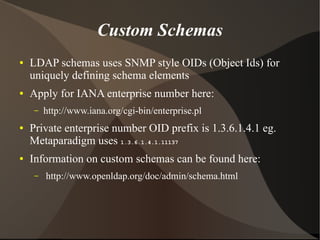
Custom Schemas
●   LDAP schemas uses SNMP style OIDs (Object Ids) for
    uniquely defining schema elements
●   Apply for IANA enterprise number here:
     –   http://www.iana.org/cgi-bin/enterprise.pl
●   Private enterprise number OID prefix is 1.3.6.1.4.1 eg.
    Metaparadigm uses 1.3.6.1.4.1.11137
●   Information on custom schemas can be found here:
     –   http://www.openldap.org/doc/admin/schema.html
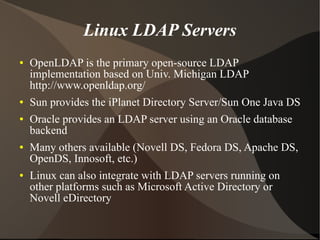
Linux LDAP Servers
●   OpenLDAP is the primary open-source LDAP
    implementation based on Univ. Michigan LDAP
    http://www.openldap.org/
●   Sun provides the iPlanet Directory Server/Sun One Java DS
●   Oracle provides an LDAP server using an Oracle database
    backend
●   Many others available (Novell DS, Fedora DS, Apache DS,
    OpenDS, Innosoft, etc.)
●   Linux can also integrate with LDAP servers running on
    other platforms such as Microsoft Active Directory or
    Novell eDirectory
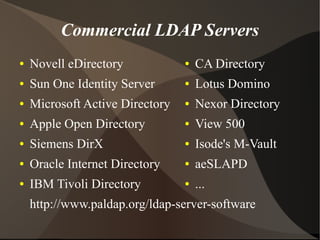
Commercial LDAP Servers
●   Novell eDirectory            ●   CA Directory
●   Sun One Identity Server      ●   Lotus Domino
●   Microsoft Active Directory   ●   Nexor Directory
●   Apple Open Directory         ●   View 500
●   Siemens DirX                 ●   Isode's M-Vault
●   Oracle Internet Directory    ●   aeSLAPD
●   IBM Tivoli Directory         ●   ...
    http://www.paldap.org/ldap-server-software
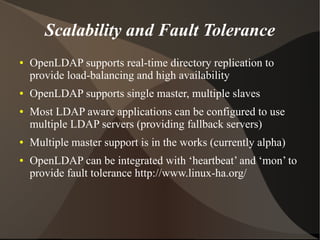
Scalability and Fault Tolerance
●   OpenLDAP supports real-time directory replication to
    provide load-balancing and high availability
●   OpenLDAP supports single master, multiple slaves
●   Most LDAP aware applications can be configured to use
    multiple LDAP servers (providing fallback servers)
●   Multiple master support is in the works (currently alpha)
●   OpenLDAP can be integrated with ‘heartbeat’ and ‘mon’ to
    provide fault tolerance http://www.linux-ha.org/
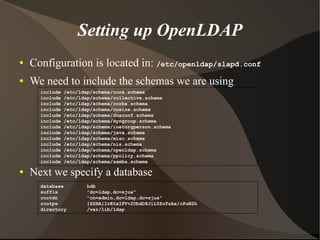
Setting up OpenLDAP
●   Configuration is located in: /etc/openldap/slapd.conf
●   We need to include the schemas we are using
      include   /etc/ldap/schema/core.schema
      include   /etc/ldap/schema/collective.schema
      include   /etc/ldap/schema/corba.schema
      include   /etc/ldap/schema/cosine.schema
      include   /etc/ldap/schema/duaconf.schema
      include   /etc/ldap/schema/dyngroup.schema
      include   /etc/ldap/schema/inetorgperson.schema
      include   /etc/ldap/schema/java.schema
      include   /etc/ldap/schema/misc.schema
      include   /etc/ldap/schema/nis.schema
      include   /etc/ldap/schema/openldap.schema
      include   /etc/ldap/schema/ppolicy.schema
      include   /etc/ldap/schema/samba.schema

●   Next we specify a database
      database         hdb
      suffix           "dc=ldap,dc=sjua"
      rootdn           "cn=admin,dc=ldap,dc=sjua"
      rootpw           {SSHA}IrKtxIFV+2UbdD8JiL5ZuTsAx/cPuN2h
      directory        /var/lib/ldap
Setting up OpenLDAP (cont.)
●   We can now start slapd (Standalone LDAP daemon)
      # /etc/init.d/ldap start
●   Next step is to add data to the directory using the LDIF
    example presented earlier

      # ldapadd -D cn=admin,dc=ldap,dc=sjua -W < init.ldif
      Enter LDAP Password: xxxxx
      adding new entry "dc=ldap,dc=sjua"

      adding new entry "ou=WebAdmin,ou=Users,dc=ldap,dc=sjua"

      adding new entry "uid=gfrogeadmin,ou=WebAdmin,ou=Users,dc=ldap,dc=sjua"
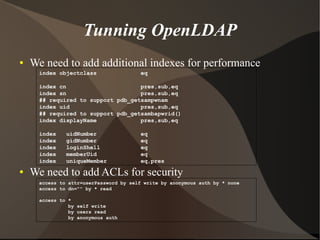
Tunning OpenLDAP
●   We need to add additional indexes for performance
      index objectclass                 eq

      index cn                      pres,sub,eq
      index sn                      pres,sub,eq
      ## required to support pdb_getsampwnam
      index uid                     pres,sub,eq
      ## required to support pdb_getsambapwrid()
      index displayName             pres,sub,eq

      index    uidNumber                eq
      index    gidNumber                eq
      index    loginShell               eq
      index    memberUid                eq
      index    uniqueMember             eq,pres
●   We need to add ACLs for security
      access to attr=userPassword by self write by anonymous auth by * none
      access to dn="" by * read

      access to *
                by self write
                by users read
                by anonymous auth
Tunning OpenLDAP (cont.)
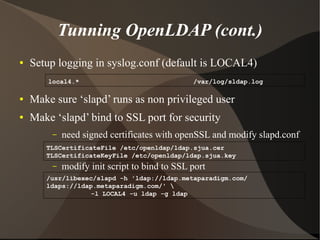
●   Setup logging in syslog.conf (default is LOCAL4)
        local4.*                               /var/log/sldap.log

●   Make sure ‘slapd’ runs as non privileged user
●   Make ‘slapd’ bind to SSL port for security
         –   need signed certificates with openSSL and modify slapd.conf
       TLSCertificateFile /etc/openldap/ldap.sjua.cer
       TLSCertificateKeyFile /etc/openldap/ldap.sjua.key
         –   modify init script to bind to SSL port
       /usr/libexec/slapd -h 'ldap://ldap.metaparadigm.com/
       ldaps://ldap.metaparadigm.com/' 
                   -l LOCAL4 -u ldap -g ldap
LDAP Search Filters
●   LDAP uses a simple ‘search filters’ syntax (RFC2254)
●   LDAP queries return all attributes of matching entries (or specifically
    selected attributes) which match the search filter
LDAP query particles are enclosed within parenthesis in the form of
( attribute <matching rule> value ) ie. (cn=GForge Admin User)
●   Matching rules include (=, =~, >=, <=)
●   * can be used as a wildcard within the value
●   These can be combined together using the boolean operators: and, or
    and not (&, |, !) eg:
     –   (&(cn=GForge Admin User)(objectClass=posixAccount))

     –   (&(objectClass=inetOrgPerson)(!(ou=People)))

     –   (|(cn=GForge Admin*)(cn=GForge*))
LDAP Search Filters (cont.)
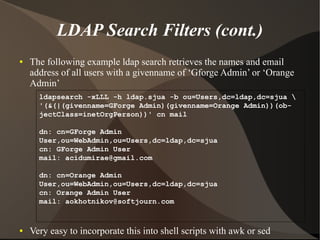
●   The following example ldap search retrieves the names and email
    address of all users with a givenname of ‘Gforge Admin’ or ‘Orange
    Admin’
      ldapsearch -xLLL -h ldap.sjua -b ou=Users,dc=ldap,dc=sjua 
      '(&(|(givenname=GForge Admin)(givenname=Orange Admin))(ob-
      jectClass=inetOrgPerson))' cn mail

      dn: cn=GForge Admin
      User,ou=WebAdmin,ou=Users,dc=ldap,dc=sjua
      cn: GForge Admin User
      mail: acidumirae@gmail.com

      dn: cn=Orange Admin
      User,ou=WebAdmin,ou=Users,dc=ldap,dc=sjua
      cn: Orange Admin User
      mail: aokhotnikov@softjourn.com


●   Very easy to incorporate this into shell scripts with awk or sed
LDAP Applications
●   Authenticate users in web applications
    (OrangeHRM, gForge, DokuWiki, etc.)
●   Authenticate users in Samba, Apache, ProFTPd, etc.
●   Possible NSS (Name Service Switch) integration
●   Possible PAM (Pluggable Authentication Module)
●   Possible mail routing: Sendmail, Postfix, etc.
●   Shared Address Book (Evolution, Mozilla, Outlook,
    Eudora, web clients, etc.)
●   Programming Libraries (Perl, Java, PHP, etc.)
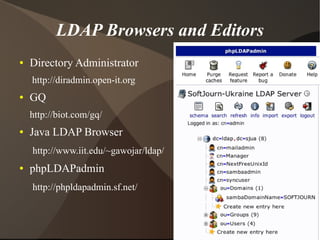
LDAP Browsers and Editors
●   Directory Administrator
    http://diradmin.open-it.org
●   GQ
    http://biot.com/gq/
●   Java LDAP Browser
    http://www.iit.edu/~gawojar/ldap/
●   phpLDAPadmin
    http://phpldapadmin.sf.net/
Migration to LDAP
●   Padl migration tools
    –   http://www.padl.com/OSS/MigrationTools.html
    –   passwd, group, hosts, networks, services, etc…
●   We have migrated users from OrangeHRM using
    custom PHP scrip that was generating LDIF files
    –   some issues with Samba – NTPassword is MD4
    –   minor issues with gForge – multiple
        installations(dirty database)
Resources
●   OpenLDAP: http://openldap.org
●   Practical LDAP from Metaparadigm Pte Ltd.
    http://gort.metaparadigm.com/ldap/
●   Ubuntu Documentation: OpenLDAP Server
    https://help.ubuntu.com/8.10/serverguide/C/openldap-server.html
●   Ubuntu Documentation: Samba and LDAP
    https://help.ubuntu.com/8.10/serverguide/C/samba-ldap.html
●   Introduction to LDAP and Single Sign-On
    http://tapor.ualberta.ca/Resources/Techdocs/completed/ldappresentation.pdf
●   LDAP and Directory Services
    http://ldap.mtu.edu/docs/public/mtu_dsinfo/techiefest/techiefest_files/v3_document.htm

Ldap 121020013604-phpapp01

  • 1.
    LDAP ● What is Directory Services ● The need for LDAP ● LDAP Overview and Basics ● Setting up and tunning OpenLDAP ● Other LDAP tools and applications
  • 2.
    What is DirectoryServices ● Similar to database but designed more for reading than for writing ● Defines a network protocol for accessing contents of the directory ● Scheme for replication of data ● Directory Service examples: DNS, finger, password DB ● LDAP is a 'Lightweight Directory Access Protocol'
  • 3.
    The need forLDAP ● Multiple disparate sources of the same information ● Users need separate logins and passwords to login to different systems ● Complex to keep information in sync ● Similar data spread around many flat files or in database with different formats ● Inadequacies of NIS ie. Not very extensible ● X.500 is too complicated Summarizing the above: Centralization, Integration and Delegating Responsibility
  • 4.
    LDAP Overview ● LDAP is a ‘Lightweight Directory Access Protocol’ ● LDAP marries a lightweight DAP with the X.500 information model ● Uses an extensible hierarchical object data model ● An LDAP server may implement multiple ‘back-ends’: RDBMS, simple indexes (Berkeley DB), X.500 gateway ● Designed for frequent reads and infrequent writes
  • 5.
    LDAP Benefits ● Standardized schemas exist for many purposes (well beyond that of NIS) ● Allows consolidation of many information sources ● Well defined API, support from many applications ● Easily replicated and distributed ● Multiple backends allow integration with existing data sources (RDBMS, etc) ● Much faster than RDBMS (using lightweight backend like Berkeley DB)
  • 6.
    LDAP Basics ● Data is organised into an hierarchical tree ● Each ‘entry’ (tree node) is identified by a DN (distinguished name) e.g. uid=aokhotnikov,ou=People,ou=Users,dc=ldap,dc=sjua ● Each component of a DN is called an RDN (relative DN) and represents a branch in the tree ● The RDN must be unique within the nodes at the same level of the tree (is generally equivalent to one of the attributes ie. ‘uid’ or ‘cn’ in the case of a person) ● Each node has 1 or many attribute values associated with it. Each attribute can have 1 or many values
  • 7.
    LDAP Basics (cont.) ● ‘objectClass’ is a mandatory attribute which specifies the schema (attribute constraints) for the given node ● Multiple ‘objectClass’ attributes can be combined together to achieve inheritance ● Example ‘objectClass’ (common schema) attributes: dcObject, organizationalUnit, person, organizationalPerson, inetOrgPerson, inetLocalMailRecipient ● CN (Canonical Name) is another common attribute used to provide a unique name for a directory object
  • 8.
    LDAP Schemas ● Many standard schemas exist including: – People schemas - person, organisationalPerson, inetOrgPerson, posixAccount, mailLocalRecpient, strongAuthenticationUser – Group schemas – groupOfUniqueNames, posixGroup, organisationalRole, roleMember – Host / Network schemas – domain, ipHost, ipNetwork, ipProtocol, ipService, ieee802Device, bootableDevice ● An invaluable schema repository from Alan Knowles at the Hong Kong Linux Centre: – http://ldap.akbkhome.com/
  • 9.
    LDIF File Format ● LDIF (LDAP Data Interchange Format) is used to import/export from a LDAP directory server and run updates dn: cn=GForge Admin User,ou=WebAdmin,ou=Users,dc=ldap,dc=sjua objectClass: inetOrgPerson objectClass: posixAccount objectClass: top givenName: GForge Admin sn: User cn: GForge Admin User uid: gforgeadmin userPassword: {MD5}6z8f1uQp3reOfghTFrecJQ== uidNumber: 1000 gidNumber: 544 homeDirectory: /opt/gforge5 mail: acidumirae@gmail.com
  • 10.
    Custom Schemas ● LDAP schemas uses SNMP style OIDs (Object Ids) for uniquely defining schema elements ● Apply for IANA enterprise number here: – http://www.iana.org/cgi-bin/enterprise.pl ● Private enterprise number OID prefix is 1.3.6.1.4.1 eg. Metaparadigm uses 1.3.6.1.4.1.11137 ● Information on custom schemas can be found here: – http://www.openldap.org/doc/admin/schema.html
  • 11.
    Linux LDAP Servers ● OpenLDAP is the primary open-source LDAP implementation based on Univ. Michigan LDAP http://www.openldap.org/ ● Sun provides the iPlanet Directory Server/Sun One Java DS ● Oracle provides an LDAP server using an Oracle database backend ● Many others available (Novell DS, Fedora DS, Apache DS, OpenDS, Innosoft, etc.) ● Linux can also integrate with LDAP servers running on other platforms such as Microsoft Active Directory or Novell eDirectory
  • 12.
    Commercial LDAP Servers ● Novell eDirectory ● CA Directory ● Sun One Identity Server ● Lotus Domino ● Microsoft Active Directory ● Nexor Directory ● Apple Open Directory ● View 500 ● Siemens DirX ● Isode's M-Vault ● Oracle Internet Directory ● aeSLAPD ● IBM Tivoli Directory ● ... http://www.paldap.org/ldap-server-software
  • 13.
    Scalability and FaultTolerance ● OpenLDAP supports real-time directory replication to provide load-balancing and high availability ● OpenLDAP supports single master, multiple slaves ● Most LDAP aware applications can be configured to use multiple LDAP servers (providing fallback servers) ● Multiple master support is in the works (currently alpha) ● OpenLDAP can be integrated with ‘heartbeat’ and ‘mon’ to provide fault tolerance http://www.linux-ha.org/
  • 14.
    Setting up OpenLDAP ● Configuration is located in: /etc/openldap/slapd.conf ● We need to include the schemas we are using include /etc/ldap/schema/core.schema include /etc/ldap/schema/collective.schema include /etc/ldap/schema/corba.schema include /etc/ldap/schema/cosine.schema include /etc/ldap/schema/duaconf.schema include /etc/ldap/schema/dyngroup.schema include /etc/ldap/schema/inetorgperson.schema include /etc/ldap/schema/java.schema include /etc/ldap/schema/misc.schema include /etc/ldap/schema/nis.schema include /etc/ldap/schema/openldap.schema include /etc/ldap/schema/ppolicy.schema include /etc/ldap/schema/samba.schema ● Next we specify a database database hdb suffix "dc=ldap,dc=sjua" rootdn "cn=admin,dc=ldap,dc=sjua" rootpw {SSHA}IrKtxIFV+2UbdD8JiL5ZuTsAx/cPuN2h directory /var/lib/ldap
  • 15.
    Setting up OpenLDAP(cont.) ● We can now start slapd (Standalone LDAP daemon) # /etc/init.d/ldap start ● Next step is to add data to the directory using the LDIF example presented earlier # ldapadd -D cn=admin,dc=ldap,dc=sjua -W < init.ldif Enter LDAP Password: xxxxx adding new entry "dc=ldap,dc=sjua" adding new entry "ou=WebAdmin,ou=Users,dc=ldap,dc=sjua" adding new entry "uid=gfrogeadmin,ou=WebAdmin,ou=Users,dc=ldap,dc=sjua"
  • 16.
    Tunning OpenLDAP ● We need to add additional indexes for performance index objectclass eq index cn pres,sub,eq index sn pres,sub,eq ## required to support pdb_getsampwnam index uid pres,sub,eq ## required to support pdb_getsambapwrid() index displayName pres,sub,eq index uidNumber eq index gidNumber eq index loginShell eq index memberUid eq index uniqueMember eq,pres ● We need to add ACLs for security access to attr=userPassword by self write by anonymous auth by * none access to dn="" by * read access to * by self write by users read by anonymous auth
  • 17.
    Tunning OpenLDAP (cont.) ● Setup logging in syslog.conf (default is LOCAL4) local4.* /var/log/sldap.log ● Make sure ‘slapd’ runs as non privileged user ● Make ‘slapd’ bind to SSL port for security – need signed certificates with openSSL and modify slapd.conf TLSCertificateFile /etc/openldap/ldap.sjua.cer TLSCertificateKeyFile /etc/openldap/ldap.sjua.key – modify init script to bind to SSL port /usr/libexec/slapd -h 'ldap://ldap.metaparadigm.com/ ldaps://ldap.metaparadigm.com/' -l LOCAL4 -u ldap -g ldap
  • 18.
    LDAP Search Filters ● LDAP uses a simple ‘search filters’ syntax (RFC2254) ● LDAP queries return all attributes of matching entries (or specifically selected attributes) which match the search filter LDAP query particles are enclosed within parenthesis in the form of ( attribute <matching rule> value ) ie. (cn=GForge Admin User) ● Matching rules include (=, =~, >=, <=) ● * can be used as a wildcard within the value ● These can be combined together using the boolean operators: and, or and not (&, |, !) eg: – (&(cn=GForge Admin User)(objectClass=posixAccount)) – (&(objectClass=inetOrgPerson)(!(ou=People))) – (|(cn=GForge Admin*)(cn=GForge*))
  • 19.
    LDAP Search Filters(cont.) ● The following example ldap search retrieves the names and email address of all users with a givenname of ‘Gforge Admin’ or ‘Orange Admin’ ldapsearch -xLLL -h ldap.sjua -b ou=Users,dc=ldap,dc=sjua '(&(|(givenname=GForge Admin)(givenname=Orange Admin))(ob- jectClass=inetOrgPerson))' cn mail dn: cn=GForge Admin User,ou=WebAdmin,ou=Users,dc=ldap,dc=sjua cn: GForge Admin User mail: acidumirae@gmail.com dn: cn=Orange Admin User,ou=WebAdmin,ou=Users,dc=ldap,dc=sjua cn: Orange Admin User mail: aokhotnikov@softjourn.com ● Very easy to incorporate this into shell scripts with awk or sed
  • 20.
    LDAP Applications ● Authenticate users in web applications (OrangeHRM, gForge, DokuWiki, etc.) ● Authenticate users in Samba, Apache, ProFTPd, etc. ● Possible NSS (Name Service Switch) integration ● Possible PAM (Pluggable Authentication Module) ● Possible mail routing: Sendmail, Postfix, etc. ● Shared Address Book (Evolution, Mozilla, Outlook, Eudora, web clients, etc.) ● Programming Libraries (Perl, Java, PHP, etc.)
  • 21.
    LDAP Browsers andEditors ● Directory Administrator http://diradmin.open-it.org ● GQ http://biot.com/gq/ ● Java LDAP Browser http://www.iit.edu/~gawojar/ldap/ ● phpLDAPadmin http://phpldapadmin.sf.net/
  • 22.
    Migration to LDAP ● Padl migration tools – http://www.padl.com/OSS/MigrationTools.html – passwd, group, hosts, networks, services, etc… ● We have migrated users from OrangeHRM using custom PHP scrip that was generating LDIF files – some issues with Samba – NTPassword is MD4 – minor issues with gForge – multiple installations(dirty database)
  • 23.
    Resources ● OpenLDAP: http://openldap.org ● Practical LDAP from Metaparadigm Pte Ltd. http://gort.metaparadigm.com/ldap/ ● Ubuntu Documentation: OpenLDAP Server https://help.ubuntu.com/8.10/serverguide/C/openldap-server.html ● Ubuntu Documentation: Samba and LDAP https://help.ubuntu.com/8.10/serverguide/C/samba-ldap.html ● Introduction to LDAP and Single Sign-On http://tapor.ualberta.ca/Resources/Techdocs/completed/ldappresentation.pdf ● LDAP and Directory Services http://ldap.mtu.edu/docs/public/mtu_dsinfo/techiefest/techiefest_files/v3_document.htm