
Synchronize AD and
OpenLDAP with LSC
Clément OUDOT
Table of contents
LDAP Synchronization Connector (LSC)
Active Directory specificities
Synchronize OpenLDAP and AD

2
Resume

3
Clément OUDOT
Engineer since 2003 at LINAGORA company
LinID Dream Team Manager: http://linid.org
Founder of LDAP Tool Box project:
http://ltb-project.org
Leader of LemonLDAP::NG project:
http://lemonldap-ng.org

4
LDAP Synchronization Connector

5
LDAP Synchronization Connector
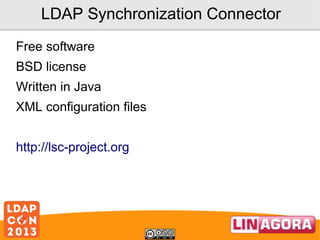
Free software
BSD license
Written in Java
XML configuration files
http://lsc-project.org
LDAP Synchronization Connector
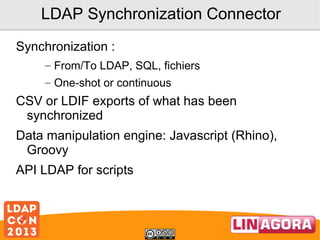
Synchronization :
– From/To LDAP, SQL, fichiers
– One-shot or continuous

CSV or LDIF exports of what has been
synchronized
Data manipulation engine: Javascript (Rhino),
Groovy
API LDAP for scripts
Main features
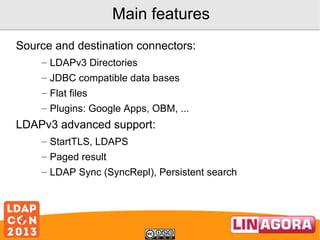
Source and destination connectors:
– LDAPv3 Directories
– JDBC compatible data bases
– Flat files
– Plugins: Google Apps, OBM, ...

LDAPv3 advanced support:
– StartTLS, LDAPS
– Paged result
– LDAP Sync (SyncRepl), Persistent search
How it works
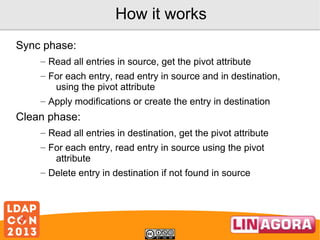
Sync phase:
– Read all entries in source, get the pivot attribute
– For each entry, read entry in source and in destination,
using the pivot attribute
– Apply modifications or create the entry in destination

Clean phase:
– Read all entries in destination, get the pivot attribute
– For each entry, read entry in source using the pivot
attribute
– Delete entry in destination if not found in source
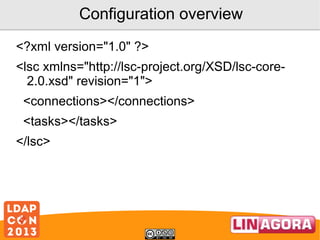
Configuration overview
<?xml version="1.0" ?>
<lsc xmlns="http://lsc-project.org/XSD/lsc-core2.0.xsd" revision="1">
<connections></connections>
<tasks></tasks>
</lsc>
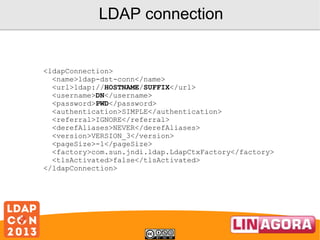
LDAP connection

<ldapConnection>
<name>ldap-dst-conn</name>
<url>ldap://HOSTNAME/SUFFIX</url>
<username>DN</username>
<password>PWD</password>
<authentication>SIMPLE</authentication>
<referral>IGNORE</referral>
<derefAliases>NEVER</derefAliases>
<version>VERSION_3</version>
<pageSize>-1</pageSize>
<factory>com.sun.jndi.ldap.LdapCtxFactory</factory>
<tlsActivated>false</tlsActivated>
</ldapConnection>
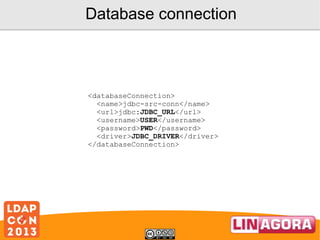
Database connection

<databaseConnection>
<name>jdbc-src-conn</name>
<url>jdbc:JDBC_URL</url>
<username>USER</username>
<password>PWD</password>
<driver>JDBC_DRIVER</driver>
</databaseConnection>
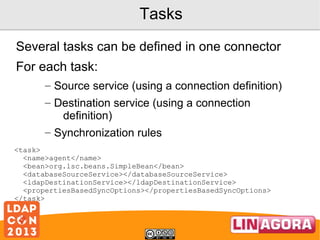
Tasks
Several tasks can be defined in one connector
For each task:
– Source service (using a connection definition)
– Destination service (using a connection
definition)
– Synchronization rules
<task>
<name>agent</name>
<bean>org.lsc.beans.SimpleBean</bean>
<databaseSourceService></databaseSourceService>
<ldapDestinationService></ldapDestinationService>
<propertiesBasedSyncOptions></propertiesBasedSyncOptions>
</task>
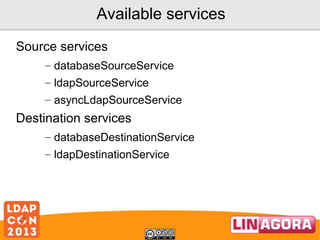
Available services
Source services
– databaseSourceService
– ldapSourceService
– asyncLdapSourceService

Destination services
– databaseDestinationService
– ldapDestinationService
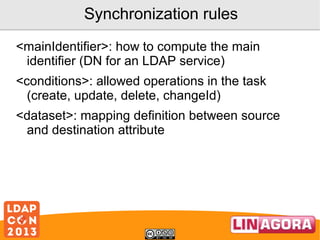
Synchronization rules
<mainIdentifier>: how to compute the main
identifier (DN for an LDAP service)
<conditions>: allowed operations in the task
(create, update, delete, changeId)
<dataset>: mapping definition between source
and destination attribute
Examples
<dataset>
<name>objectClass</name>
<policy>KEEP</policy>
<forceValues>
<string>"top"</string>
<string>"person"</string>
<string>"organizationalPerson"</string>
<string>"inetOrgPerson"</string>
</forceValues>
</dataset>
<dataset>
<name>cn</name>
<policy>FORCE</policy>
<forceValues>
<string><[CDATA[
srcBean.getDatasetFirstValueById("FIRSTNAME") +
srcBean.getDatasetFirstValueById("NAME");
]]></string>
</forceValues>
</dataset>
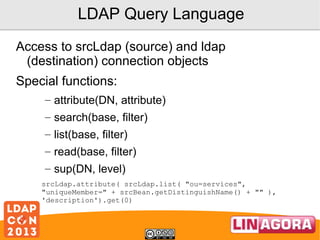
LDAP Query Language
Access to srcLdap (source) and ldap
(destination) connection objects
Special functions:
– attribute(DN, attribute)
– search(base, filter)
– list(base, filter)
– read(base, filter)
– sup(DN, level)
srcLdap.attribute( srcLdap.list( "ou=services",
"uniqueMember=" + srcBean.getDistinguishName() + "" ),
'description').get(0)
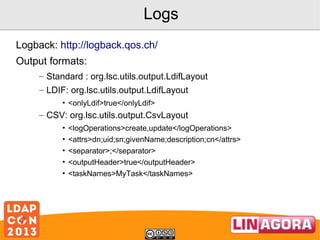
Logs
Logback: http://logback.qos.ch/
Output formats:
– Standard : org.lsc.utils.output.LdifLayout
– LDIF: org.lsc.utils.output.LdifLayout
• <onlyLdif>true</onlyLdif>

– CSV: org.lsc.utils.output.CsvLayout
•
•
•
•
•

<logOperations>create,update</logOperations>
<attrs>dn;uid;sn;givenName;description;cn</attrs>
<separator>;</separator>
<outputHeader>true</outputHeader>
<taskNames>MyTask</taskNames>
Active Directory

19
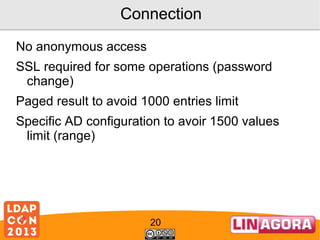
Connection
No anonymous access
SSL required for some operations (password
change)
Paged result to avoid 1000 entries limit
Specific AD configuration to avoir 1500 values
limit (range)

20
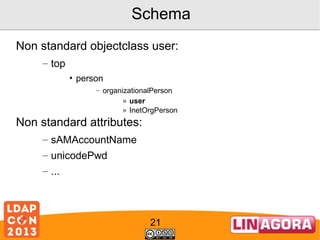
Schema
Non standard objectclass user:
– top
• person
– organizationalPerson
» user
» InetOrgPerson

Non standard attributes:
– sAMAccountName
– unicodePwd
– ...

21
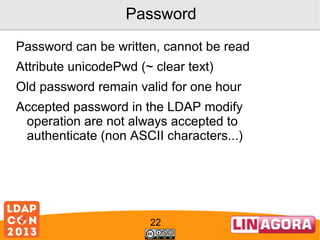
Password
Password can be written, cannot be read
Attribute unicodePwd (~ clear text)
Old password remain valid for one hour
Accepted password in the LDAP modify
operation are not always accepted to
authenticate (non ASCII characters...)

22
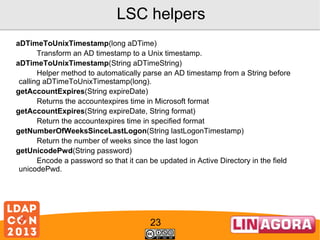
LSC helpers
aDTimeToUnixTimestamp(long aDTime)
Transform an AD timestamp to a Unix timestamp.
aDTimeToUnixTimestamp(String aDTimeString)
Helper method to automatically parse an AD timestamp from a String before
calling aDTimeToUnixTimestamp(long).
getAccountExpires(String expireDate)
Returns the accountexpires time in Microsoft format
getAccountExpires(String expireDate, String format)
Return the accountexpires time in specified format
getNumberOfWeeksSinceLastLogon(String lastLogonTimestamp)
Return the number of weeks since the last logon
getUnicodePwd(String password)
Encode a password so that it can be updated in Active Directory in the field
unicodePwd.

23
LSC helpers
unixTimestampToADTime(int unixTimestamp)
Transform a Unix timestamp to an AD timestamp.
unixTimestampToADTime(String unixTimestampString)
Helper method to automatically parse a Unix timestamp from a
String before calling unixTimestampToADTime(int).
userAccountControlCheck(int value, String constToCheck)
Check if a bit is set in UserAccountControl
userAccountControlSet(int origValue, String[] constToApply)
Set or unset some bits to a UserAccountControl attribute of an
AD
userAccountControlToggle(int value, String constToApply)
Toggle a bit in UserAccountControl

24
Synchronize OpenLDAP and AD

25
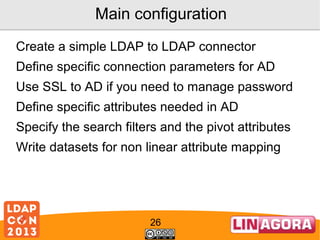
Main configuration
Create a simple LDAP to LDAP connector
Define specific connection parameters for AD
Use SSL to AD if you need to manage password
Define specific attributes needed in AD
Specify the search filters and the pivot attributes
Write datasets for non linear attribute mapping

26
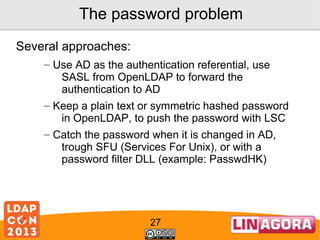
The password problem
Several approaches:
– Use AD as the authentication referential, use
SASL from OpenLDAP to forward the
authentication to AD
– Keep a plain text or symmetric hashed password
in OpenLDAP, to push the password with LSC
– Catch the password when it is changed in AD,
trough SFU (Services For Unix), or with a
password filter DLL (example: PasswdHK)

27
Almost the end...

28
Thanks
Special thanks to:
– LDAPCon !
– Company LINAGORA
– All LiniD developers

Keep in touch:
– Identica: @coudot
– Twitter: @clementoudot @LinID_FOSS
– IRC: KPTN #LinID@freenode
– Web: http://linid.org

29
Thanks!

Synchronize AD and OpenLDAP with LSC