Megan Townes
Abbotsleigh
Adventures with Windows 8
Abbotsleigh’s Adventure into
Windows 8
Megan Townes and Warwick Noble
ELH SchoolTech 2014
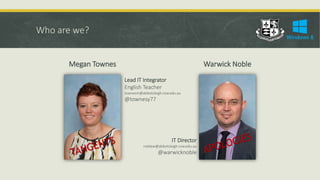
Who are we?
Megan Townes Warwick Noble
Lead IT Integrator
English Teacher
townesm@abbotsleigh.nsw.edu.au
@townesy77
IT Director
noblew@abbotsleigh.nsw.edu.au
@warwicknoble
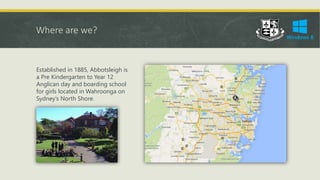
Where are we?
Established in 1885, Abbotsleigh is
a Pre Kindergarten to Year 12
Anglican day and boarding school
for girls located in Wahroonga on
Sydney’s North Shore.
Who are you?
 Classroom Teacher
 Executive Teacher
 Principal
 Primary Teacher
 Secondary Teacher
 Tertiary Teacher
 Technology Coordinator
 IT Manager
 Has Windows 8 at their school in some
capacity
 Intends to roll out Windows 8 at their
school in the next 12 months
 Has used Windows 8 either
professionally or personally
Why are you here?
This session will explore our planning, deployment and training strategies, logistics
and technical requirements, as well as explore a range of Windows apps relevant to
the classroom.
What would you like to hear about most?
 Planning strategies
 Deployment strategies
 Training strategies
 Technical and logistical requirements
Why Windows 8 at Abbotsleigh?
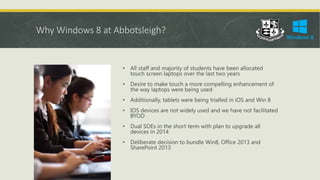
• All staff and majority of students have been allocated
touch screen laptops over the last two years
• Desire to make touch a more compelling enhancement of
the way laptops were being used
• Additionally, tablets were being trialled in iOS and Win 8
• IOS devices are not widely used and we have not facilitated
BYOD
• Dual SOEs in the short term with plan to upgrade all
devices in 2014
• Deliberate decision to bundle Win8, Office 2013 and
SharePoint 2013
Why Windows 8 at all?
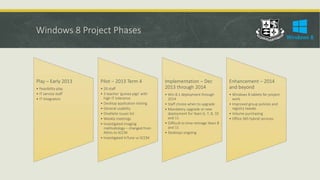
Windows 8 Project Phases
Play – Early 2013
• Feasibility play
• IT service staff
• IT Integrators
Pilot – 2013 Term 4
• 20 staff
• 3 teacher ‘guinea pigs’ with
high IT tolerance
• Desktop application testing
• General usability
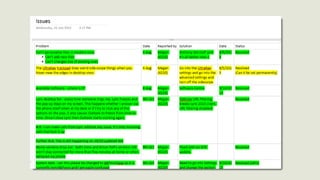
• OneNote issues list
• Weekly meetings
• Investigated imaging
methodology – changed from
Altiris to SCCM
• Investigated InTune vs SCCM
Implementation – Dec
2013 through 2014
• Win 8.1 deployment through
2014
• Staff choice when to upgrade
• Mandatory upgrade or new
deployment for Years 6, 7, 8, 10
and 11
• Difficult to time reimage Years 8
and 11
• Desktops ongoing
Enhancement – 2014
and beyond
• Windows 8 tablets for project
work
• Improved group policies and
registry tweaks
• Volume purchasing
• Office 365 hybrid services
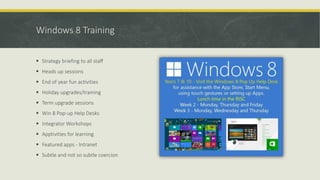
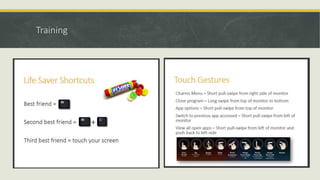
Windows 8 Training
 Strategy briefing to all staff
 Heads up sessions
 End of year fun activities
 Holiday upgrades/training
 Term upgrade sessions
 Win 8 Pop-up Help Desks
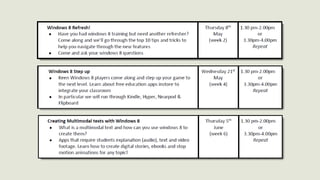
 Integrator Workshops
 Apptivities for learning
 Featured apps - Intranet
 Subtle and not so subtle coercion
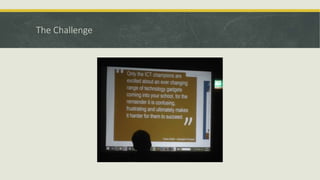
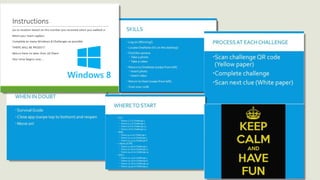
The Challenge
Training
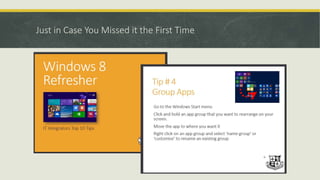
Just in Case You Missed it the First Time
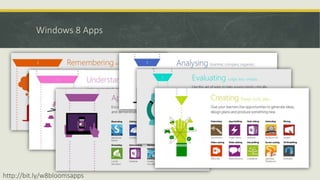
Windows 8 Apps
http://bit.ly/w8bloomsapps
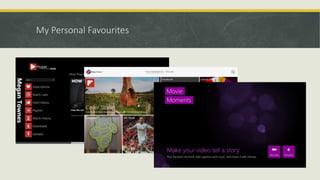
My Personal Favourites
Issues with Windows 8
 Apps – Win 8 small collection compared to iOS but building every day
 Staff comfort levels if committed to personal iOS apps
 Live accounts – Manual processes
 Volume Licensing – no clear solution at this point
 App management
 Dual SOE’s especially with desktops
 Some software required tweaking and waiting on updates
 Scheduling and timing of upgrades was time consuming
 New staff individual induction takes significantly longer time
 Some staff have had difficulty with desktop and Windows 8 Start menu
Live Accounts and Age Limits
 Students 13 or older have personal Live accounts, students under 13 we pre setup laptops with Live
accounts
 Spreadsheets are created with groups and default passwords for quick reference and cut and paste and
distributed amongst technicians. 30 students per technician per year group
 Naming convention on live account names smithj2020abb@outlook.com
 Second alternate address smithj2020.live@abbotsleigh.nsw.edu.au created as per requirements for Live
confirmation processes all go to one mailbox
 Validation process is sent to an IT account “Live Accounts”
 The accounts are created and bound as part of the setup process along with other tasks in setting up the
laptops
 Silly complications like “bank” in names
Evaluation
 Upgraded and deployed over 800 devices in two months
 Voluntary staff upgrades 120 since December
 Extremely successful upgrades and deployments processes
 Very smooth induction with students, best to date
 Speed improvements have been significant
 Student touch usage noticeably increased, not necessarily in tablet mode
 Split screen feature regarded as highly valuable and productive
 Desktops will require careful planning as Modern UI with mouse is less intuitive – likely boot to desktop
 Office 2013 bundled improved overall “freshness” but added to training requirements
Questions…
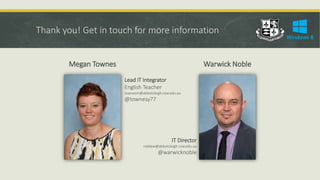
Thank you! Get in touch for more information
Megan Townes Warwick Noble
Lead IT Integrator
English Teacher
townesm@abbotsleigh.nsw.edu.au
@townesy77
IT Director
noblew@abbotsleigh.nsw.edu.au
@warwicknoble
Abbotsleigh's Adventures with Windows 8

Abbotsleigh's Adventures with Windows 8

  • 1.
  • 2.
    Abbotsleigh’s Adventure into Windows8 Megan Townes and Warwick Noble ELH SchoolTech 2014
  • 3.
    Who are we? MeganTownes Warwick Noble Lead IT Integrator English Teacher townesm@abbotsleigh.nsw.edu.au @townesy77 IT Director noblew@abbotsleigh.nsw.edu.au @warwicknoble
  • 4.
    Where are we? Establishedin 1885, Abbotsleigh is a Pre Kindergarten to Year 12 Anglican day and boarding school for girls located in Wahroonga on Sydney’s North Shore.
  • 5.
    Who are you? Classroom Teacher  Executive Teacher  Principal  Primary Teacher  Secondary Teacher  Tertiary Teacher  Technology Coordinator  IT Manager  Has Windows 8 at their school in some capacity  Intends to roll out Windows 8 at their school in the next 12 months  Has used Windows 8 either professionally or personally
  • 6.
    Why are youhere? This session will explore our planning, deployment and training strategies, logistics and technical requirements, as well as explore a range of Windows apps relevant to the classroom. What would you like to hear about most?  Planning strategies  Deployment strategies  Training strategies  Technical and logistical requirements
  • 7.
    Why Windows 8at Abbotsleigh? • All staff and majority of students have been allocated touch screen laptops over the last two years • Desire to make touch a more compelling enhancement of the way laptops were being used • Additionally, tablets were being trialled in iOS and Win 8 • IOS devices are not widely used and we have not facilitated BYOD • Dual SOEs in the short term with plan to upgrade all devices in 2014 • Deliberate decision to bundle Win8, Office 2013 and SharePoint 2013
  • 8.
  • 9.
    Windows 8 ProjectPhases Play – Early 2013 • Feasibility play • IT service staff • IT Integrators Pilot – 2013 Term 4 • 20 staff • 3 teacher ‘guinea pigs’ with high IT tolerance • Desktop application testing • General usability • OneNote issues list • Weekly meetings • Investigated imaging methodology – changed from Altiris to SCCM • Investigated InTune vs SCCM Implementation – Dec 2013 through 2014 • Win 8.1 deployment through 2014 • Staff choice when to upgrade • Mandatory upgrade or new deployment for Years 6, 7, 8, 10 and 11 • Difficult to time reimage Years 8 and 11 • Desktops ongoing Enhancement – 2014 and beyond • Windows 8 tablets for project work • Improved group policies and registry tweaks • Volume purchasing • Office 365 hybrid services
  • 11.
    Windows 8 Training Strategy briefing to all staff  Heads up sessions  End of year fun activities  Holiday upgrades/training  Term upgrade sessions  Win 8 Pop-up Help Desks  Integrator Workshops  Apptivities for learning  Featured apps - Intranet  Subtle and not so subtle coercion
  • 12.
  • 14.
  • 16.
    Just in CaseYou Missed it the First Time
  • 17.
  • 18.
  • 19.
    Issues with Windows8  Apps – Win 8 small collection compared to iOS but building every day  Staff comfort levels if committed to personal iOS apps  Live accounts – Manual processes  Volume Licensing – no clear solution at this point  App management  Dual SOE’s especially with desktops  Some software required tweaking and waiting on updates  Scheduling and timing of upgrades was time consuming  New staff individual induction takes significantly longer time  Some staff have had difficulty with desktop and Windows 8 Start menu
  • 20.
    Live Accounts andAge Limits  Students 13 or older have personal Live accounts, students under 13 we pre setup laptops with Live accounts  Spreadsheets are created with groups and default passwords for quick reference and cut and paste and distributed amongst technicians. 30 students per technician per year group  Naming convention on live account names smithj2020abb@outlook.com  Second alternate address smithj2020.live@abbotsleigh.nsw.edu.au created as per requirements for Live confirmation processes all go to one mailbox  Validation process is sent to an IT account “Live Accounts”  The accounts are created and bound as part of the setup process along with other tasks in setting up the laptops  Silly complications like “bank” in names
  • 21.
    Evaluation  Upgraded anddeployed over 800 devices in two months  Voluntary staff upgrades 120 since December  Extremely successful upgrades and deployments processes  Very smooth induction with students, best to date  Speed improvements have been significant  Student touch usage noticeably increased, not necessarily in tablet mode  Split screen feature regarded as highly valuable and productive  Desktops will require careful planning as Modern UI with mouse is less intuitive – likely boot to desktop  Office 2013 bundled improved overall “freshness” but added to training requirements
  • 22.
  • 23.
    Thank you! Getin touch for more information Megan Townes Warwick Noble Lead IT Integrator English Teacher townesm@abbotsleigh.nsw.edu.au @townesy77 IT Director noblew@abbotsleigh.nsw.edu.au @warwicknoble

Editor's Notes

  • #4 Warm bath or a cold shower?
  • #8 Basically, we’re a Microsoft school!
  • #9 First iGeneration kids started Year 7 this year and many had never had to click File > Save As
  • #10 SCCM System Center Configuration Manager
  • #11 OneNote issues list Integrators ‘played’ more than IT Service staff – tracked all issues from a technical and usability perspective Test on all devices
  • #12 Familiarity and Skills – don’t lead to change in the classroom Meaningfully embedding into the classroom will
  • #13 Get kids interested in technology