4 questions that every school should answer
before handing iPads to students
The iPad
classroom
workflow
More than 4 million iPads are deployed
in educational institutions each year
Picture by: https://www.flickr.com/photos/pestoverde/with/15028991903/
What do you need to make
your initiative a success?
Picture by: https://www.flickr.com/photos/johnkarakatsanis/
Think about the next 4
questions
? ? ? ?
Picture by: https://www.flickr.com/photos/pestoverde/with/15028991903/
1
Icons by http://thenounproject.com/vicentenovoa/ and http://thenounproject.com/edward/
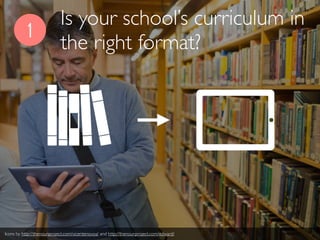
Is your school’s curriculum in
the right format?
Is your school’s curriculum in
the right format?
1
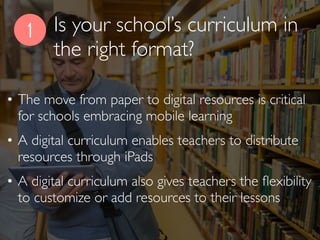
• The move from paper to digital resources is critical
for schools embracing mobile learning
• A digital curriculum enables teachers to distribute
resources through iPads
• A digital curriculum also gives teachers the flexibility
to customize or add resources to their lessons
Is your school’s curriculum in
the right format?
1
• Here are a few tips about digital formats:
✓ PDF is the best file format for students to annotate or record
over in a variety of apps
✓ .doc files can be edited with programs like Pages
✓ Video recordings can be shared through links to streaming
services like Khan Academy or to a school’sYoutube channel
✓ Links to flash content will not work on iPads
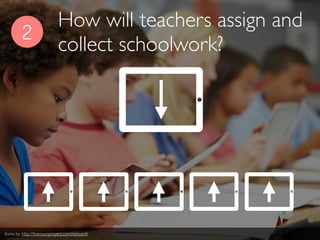
How will teachers assign and
collect schoolwork?
2
Icons by http://thenounproject.com/edward/
2
• Teachers need a way of sharing files with students which
will also allow them to send back completed work
• These tools should also make it possible to easily
differentiate work for individual or groups of students
• Students need apps to complete their daily school work as
well as a variety of projects
How will teachers assign and
collect schoolwork?
2
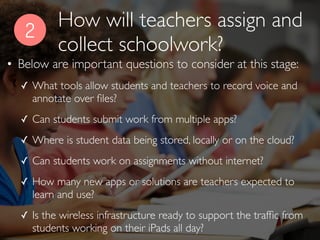
• Below are important questions to consider at this stage:
✓ What tools allow students and teachers to record voice and
annotate over files?
✓ Can students submit work from multiple apps?
✓ Where is student data being stored, locally or on the cloud?
✓ Can students work on assignments without internet?
✓ How many new apps or solutions are teachers expected to
learn and use?
✓ Is the wireless infrastructure ready to support the traffic from
students working on their iPads all day?
How will teachers assign and
collect schoolwork?
3
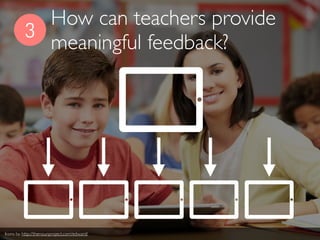
How can teachers provide
meaningful feedback?
Icons by http://thenounproject.com/edward/
3
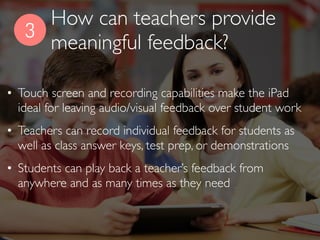
• Touch screen and recording capabilities make the iPad
ideal for leaving audio/visual feedback over student work
• Teachers can record individual feedback for students as
well as class answer keys, test prep, or demonstrations
• Students can play back a teacher’s feedback from
anywhere and as many times as they need
How can teachers provide
meaningful feedback?
3
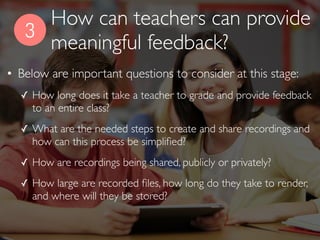
• Below are important questions to consider at this stage:
✓ How long does it take a teacher to grade and provide feedback
to an entire class?
✓ What are the needed steps to create and share recordings and
how can this process be simplified?
✓ How are recordings being shared, publicly or privately?
✓ How large are recorded files, how long do they take to render,
and where will they be stored?
How can teachers provide
meaningful feedback?
4
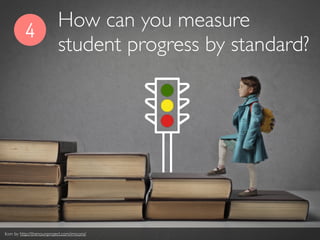
How can you measure
student progress by standard?
Icon by http://thenounproject.com/imicons/
4
• Districts implementing the common core should align
lessons, assignments and resources to standards
• Teachers need the ability to grade student assignments
using common core rubrics
• Grading with common core aligned rubrics makes it
possible to create portfolios of student work by standard
How can you measure
student progress by standard?
4
• A common core aligned workflow allows teachers to:
✓ Collaborate in the creation of content by standard
✓ Search for publicly available content by standard
✓ Use that content to supplement a lesson or share it with
students who need remediation
✓ Differentiate student work based on their performance in
specific standards
How can you measure
student progress by standard?
Never forget that teachers are at the center
of any iPad implementation
Most importantly!
2
1 3
4
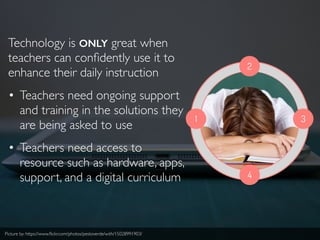
Technology is ONLY great when
teachers can confidently use it to
enhance their daily instruction
• Teachers need ongoing support
and training in the solutions they
are being asked to use
• Teachers need access to
resource such as hardware, apps,
support, and a digital curriculum
Picture by: https://www.flickr.com/photos/pestoverde/with/15028991903/
1 2 3 4
Think about these 4
questions as the
foundation to manage
your iPad classroom
Icons and pic by http://thenounproject.com/imicons/, http://thenounproject.com/edward/. and https://www.flickr.com/photos/pestoverde/with/15028991903/
2
1 3
4
A robust workflow should be able to solve
these 4 questions
Picture by: https://www.flickr.com/photos/pestoverde/with/15028991903/

4 key questions about iPad classroom management

  • 1.
    4 questions thatevery school should answer before handing iPads to students The iPad classroom workflow
  • 2.
    More than 4million iPads are deployed in educational institutions each year Picture by: https://www.flickr.com/photos/pestoverde/with/15028991903/
  • 3.
    What do youneed to make your initiative a success? Picture by: https://www.flickr.com/photos/johnkarakatsanis/
  • 4.
    Think about thenext 4 questions ? ? ? ? Picture by: https://www.flickr.com/photos/pestoverde/with/15028991903/
  • 5.
    1 Icons by http://thenounproject.com/vicentenovoa/and http://thenounproject.com/edward/ Is your school’s curriculum in the right format?
  • 6.
    Is your school’scurriculum in the right format? 1 • The move from paper to digital resources is critical for schools embracing mobile learning • A digital curriculum enables teachers to distribute resources through iPads • A digital curriculum also gives teachers the flexibility to customize or add resources to their lessons
  • 7.
    Is your school’scurriculum in the right format? 1 • Here are a few tips about digital formats: ✓ PDF is the best file format for students to annotate or record over in a variety of apps ✓ .doc files can be edited with programs like Pages ✓ Video recordings can be shared through links to streaming services like Khan Academy or to a school’sYoutube channel ✓ Links to flash content will not work on iPads
  • 8.
    How will teachersassign and collect schoolwork? 2 Icons by http://thenounproject.com/edward/
  • 9.
    2 • Teachers needa way of sharing files with students which will also allow them to send back completed work • These tools should also make it possible to easily differentiate work for individual or groups of students • Students need apps to complete their daily school work as well as a variety of projects How will teachers assign and collect schoolwork?
  • 10.
    2 • Below areimportant questions to consider at this stage: ✓ What tools allow students and teachers to record voice and annotate over files? ✓ Can students submit work from multiple apps? ✓ Where is student data being stored, locally or on the cloud? ✓ Can students work on assignments without internet? ✓ How many new apps or solutions are teachers expected to learn and use? ✓ Is the wireless infrastructure ready to support the traffic from students working on their iPads all day? How will teachers assign and collect schoolwork?
  • 11.
    3 How can teachersprovide meaningful feedback? Icons by http://thenounproject.com/edward/
  • 12.
    3 • Touch screenand recording capabilities make the iPad ideal for leaving audio/visual feedback over student work • Teachers can record individual feedback for students as well as class answer keys, test prep, or demonstrations • Students can play back a teacher’s feedback from anywhere and as many times as they need How can teachers provide meaningful feedback?
  • 13.
    3 • Below areimportant questions to consider at this stage: ✓ How long does it take a teacher to grade and provide feedback to an entire class? ✓ What are the needed steps to create and share recordings and how can this process be simplified? ✓ How are recordings being shared, publicly or privately? ✓ How large are recorded files, how long do they take to render, and where will they be stored? How can teachers provide meaningful feedback?
  • 14.
    4 How can youmeasure student progress by standard? Icon by http://thenounproject.com/imicons/
  • 15.
    4 • Districts implementingthe common core should align lessons, assignments and resources to standards • Teachers need the ability to grade student assignments using common core rubrics • Grading with common core aligned rubrics makes it possible to create portfolios of student work by standard How can you measure student progress by standard?
  • 16.
    4 • A commoncore aligned workflow allows teachers to: ✓ Collaborate in the creation of content by standard ✓ Search for publicly available content by standard ✓ Use that content to supplement a lesson or share it with students who need remediation ✓ Differentiate student work based on their performance in specific standards How can you measure student progress by standard?
  • 17.
    Never forget thatteachers are at the center of any iPad implementation Most importantly!
  • 18.
    2 1 3 4 Technology isONLY great when teachers can confidently use it to enhance their daily instruction • Teachers need ongoing support and training in the solutions they are being asked to use • Teachers need access to resource such as hardware, apps, support, and a digital curriculum Picture by: https://www.flickr.com/photos/pestoverde/with/15028991903/
  • 19.
    1 2 34 Think about these 4 questions as the foundation to manage your iPad classroom Icons and pic by http://thenounproject.com/imicons/, http://thenounproject.com/edward/. and https://www.flickr.com/photos/pestoverde/with/15028991903/
  • 20.
    2 1 3 4 A robustworkflow should be able to solve these 4 questions Picture by: https://www.flickr.com/photos/pestoverde/with/15028991903/