

THE PERSONAL LEARNING NETWORK:
THE SWISS ARMY KNIFE OF STUDY TOOLS
#AALL

Joyce Seitzinger
Faculty of Health
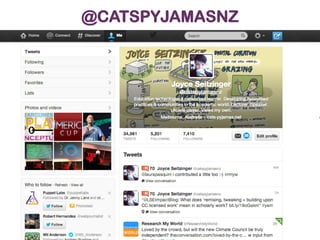
@catspyjamasnz
13 Nov 2013
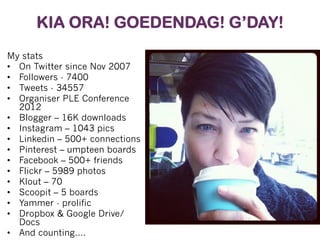
KIA ORA! GOEDENDAG! G’DAY!
My stats
•  On Twitter since Nov 2007
•  Followers - 7400
•  Tweets - 34557
•  Organiser PLE Conference
2012
•  Blogger – 16K downloads
•  Instagram – 1043 pics
•  Linkedin – 500+ connections
•  Pinterest – umpteen boards
•  Facebook – 500+ friends
•  Flickr – 5989 photos
•  Klout – 70
•  Scoopit – 5 boards
•  Yammer - prolific
•  Dropbox & Google Drive/
Docs
•  And counting….
@CATSPYJAMASNZ
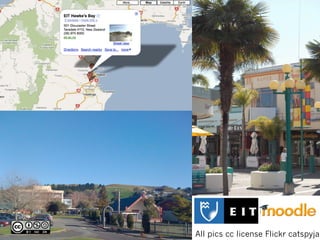
All pics cc license Flickr catspyjam
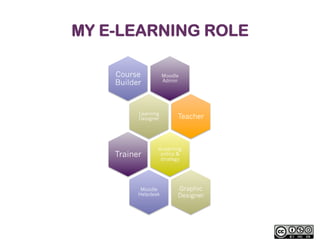
MY E-LEARNING ROLE
Course
Builder

Moodle
Admin

Learning
Designer

Trainer

Teacher

eLearning
policy &
strategy

Moodle
Helpdesk

Graphic
Designer
SOCIAL MEDIA SAVED MY LIFE…
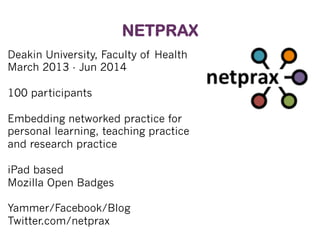
NETPRAX
Deakin University, Faculty of Health
March 2013 - Jun 2014
100 participants
Embedding networked practice for
personal learning, teaching practice
and research practice
iPad based
Mozilla Open Badges
Yammer/Facebook/Blog
Twitter.com/netprax
1

WHERE DO YOU
LIVE, DIGITALLY
SPEAKING?
11
CRICOS	
  Provider	
  Code:	
  00113B	
  
12
CRICOS	
  Provider	
  Code:	
  00113B	
  
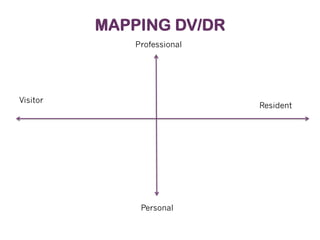
MAPPING DV/DR
Professional

Visitor

Resident

Personal
cc license http://www.flickr.com/photos/shareski/2655113202/
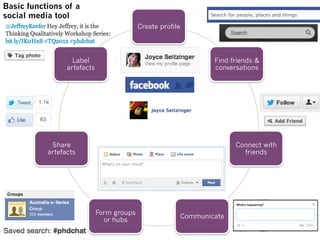
Basic functions of a
social media tool
Create profile

Label
artefacts

Find friends &
conversations

Share
artefacts

Connect with
friends

Form groups
or hubs

Communicate
http://www.flickr.com/photos/will-lion/3974469
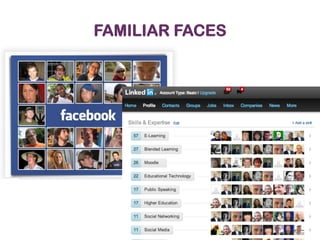
FAMILIAR FACES
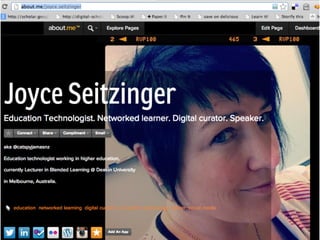
http://about.me/joyce.seitzinger
2

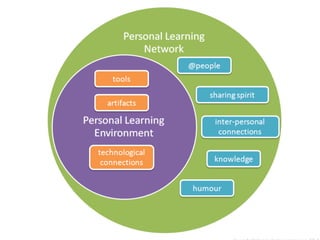
GROW YOUR
PERSONAL
LEARNING
NETWORK
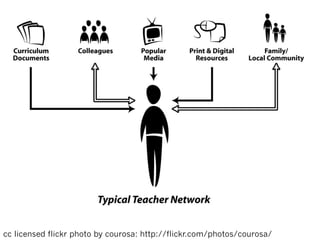
cc licensed flickr photo by courosa: http://flickr.com/photos/courosa/
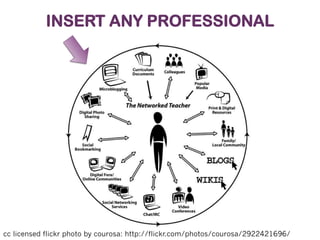
INSERT ANY PROFESSIONAL

cc licensed flickr photo by courosa: http://flickr.com/photos/courosa/2922421696/
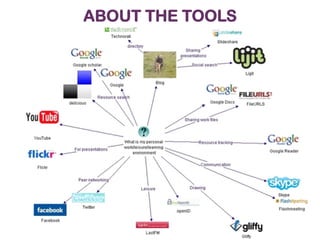
ABOUT THE TOOLS
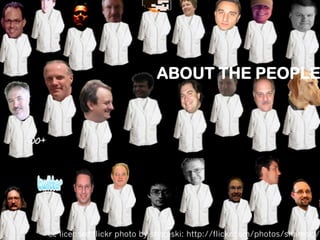
ABOUT THE PEOPLE

cc licensed flickr photo by shareski: http://flickr.com/photos/shareski/
ABOUT THE PEOPLE
You have the
building
blocks…

Flickr cc license by fragmented http://www.flickr.com/photos/fragmented/2645000
…how will you arrange them?

Flickr cc license by fragmented http://www.flickr.com/photos/fragmented/2645000
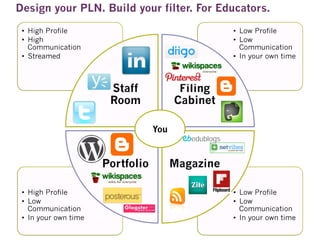
Design your PLN. Build your filter. For Educators.
•  High Profile
•  High
Communication
•  Streamed

•  Low Profile
•  Low
Communication
•  In your own time

Staff
Room

Filing
Cabinet
You

Portfolio
•  High Profile
•  Low
Communication
•  In your own time

Magazine
•  Low Profile
•  Low
Communication
•  In your own time
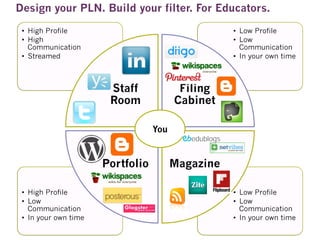
Design your PLN. Build your filter. For Educators.
•  High Profile
•  High
Communication
•  Streamed

•  Low Profile
•  Low
Communication
•  In your own time

Staff
Room

Filing
Cabinet
You

Portfolio
•  High Profile
•  Low
Communication
•  In your own time

Magazine
•  Low Profile
•  Low
Communication
•  In your own time
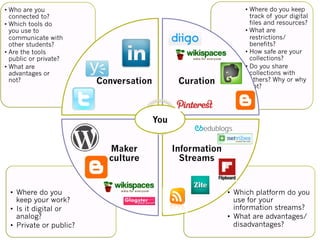
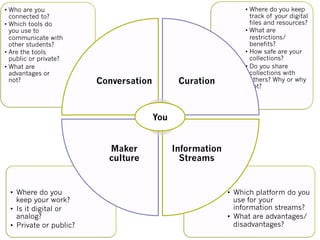
•  Who are you
connected to?
•  Which tools do
you use to
communicate with
other students?
•  Are the tools
public or private?
•  What are
advantages or
not?

Conversation

Curation

•  Where do you keep
track of your digital
files and resources?
•  What are
restrictions/
benefits?
•  How safe are your
collections?
•  Do you share
collections with
others? Why or why
not?

You
Maker
culture

•  Where do you
keep your work?
•  Is it digital or
analog?
•  Private or public?

Information
Streams

•  Which platform do you
use for your
information streams?
•  What are advantages/
disadvantages?
EXERCISE 1: MAP YOUR PLN
•  Get a piece of paper and map your
current PLN.
•  It’s personal so you can draw or map it
however you like.
•  But if you want you can use my
template.
•  Optional: add personal/professional or
private/public axis
•  Who are you
connected to?
•  Which tools do
you use to
communicate with
other students?
•  Are the tools
public or private?
•  What are
advantages or
not?

Conversation

Curation

•  Where do you keep
track of your digital
files and resources?
•  What are
restrictions/
benefits?
•  How safe are your
collections?
•  Do you share
collections with
others? Why or why
not?

You
Maker
culture

•  Where do you
keep your work?
•  Is it digital or
analog?
•  Private or public?

Information
Streams

•  Which platform do you
use for your
information streams?
•  What are advantages/
disadvantages?
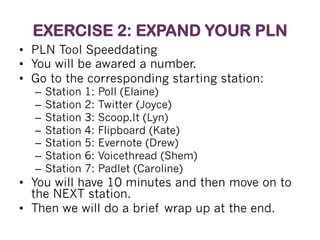
EXERCISE 2: EXPAND YOUR PLN
•  PLN Tool Speeddating
•  You will be awared a number.
•  Go to the corresponding starting station:
–  Station
–  Station
–  Station
–  Station
–  Station
–  Station
–  Station

1:
2:
3:
4:
5:
6:
7:

Poll (Elaine)
Twitter (Joyce)
Scoop.It (Lyn)
Flipboard (Kate)
Evernote (Drew)
Voicethread (Shem)
Padlet (Caroline)

•  You will have 10 minutes and then move on to
the NEXT station.
•  Then we will do a brief wrap up at the end.
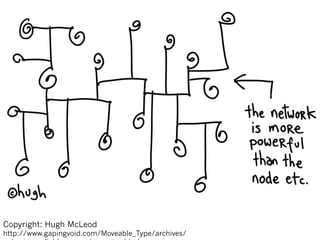
Copyright: Hugh McLeod

http://www.gapingvoid.com/Moveable_Type/archives/
STAY IN TOUCH
Website: www.deakin.edu.au
Blog: www.cats-pyjamas.net
Twitter: @catspyjamasnz
LinkedIn: find Joyce Seitzinger

Aall pln presentation

  • 1.
    THE PERSONAL LEARNINGNETWORK: THE SWISS ARMY KNIFE OF STUDY TOOLS #AALL Joyce Seitzinger Faculty of Health @catspyjamasnz 13 Nov 2013
  • 2.
    KIA ORA! GOEDENDAG!G’DAY! My stats •  On Twitter since Nov 2007 •  Followers - 7400 •  Tweets - 34557 •  Organiser PLE Conference 2012 •  Blogger – 16K downloads •  Instagram – 1043 pics •  Linkedin – 500+ connections •  Pinterest – umpteen boards •  Facebook – 500+ friends •  Flickr – 5989 photos •  Klout – 70 •  Scoopit – 5 boards •  Yammer - prolific •  Dropbox & Google Drive/ Docs •  And counting….
  • 3.
  • 4.
    All pics cclicense Flickr catspyjam
  • 5.
  • 6.
  • 7.
    NETPRAX Deakin University, Facultyof Health March 2013 - Jun 2014 100 participants Embedding networked practice for personal learning, teaching practice and research practice iPad based Mozilla Open Badges Yammer/Facebook/Blog Twitter.com/netprax
  • 10.
    1 WHERE DO YOU LIVE,DIGITALLY SPEAKING?
  • 11.
  • 12.
  • 13.
  • 14.
  • 15.
    Basic functions ofa social media tool Create profile Label artefacts Find friends & conversations Share artefacts Connect with friends Form groups or hubs Communicate
  • 16.
  • 17.
  • 19.
  • 21.
  • 22.
    cc licensed flickrphoto by courosa: http://flickr.com/photos/courosa/
  • 23.
    INSERT ANY PROFESSIONAL cclicensed flickr photo by courosa: http://flickr.com/photos/courosa/2922421696/
  • 24.
  • 25.
    ABOUT THE PEOPLE cclicensed flickr photo by shareski: http://flickr.com/photos/shareski/
  • 26.
  • 27.
    You have the building blocks… Flickrcc license by fragmented http://www.flickr.com/photos/fragmented/2645000
  • 29.
    …how will youarrange them? Flickr cc license by fragmented http://www.flickr.com/photos/fragmented/2645000
  • 31.
    Design your PLN.Build your filter. For Educators. •  High Profile •  High Communication •  Streamed •  Low Profile •  Low Communication •  In your own time Staff Room Filing Cabinet You Portfolio •  High Profile •  Low Communication •  In your own time Magazine •  Low Profile •  Low Communication •  In your own time
  • 32.
    Design your PLN.Build your filter. For Educators. •  High Profile •  High Communication •  Streamed •  Low Profile •  Low Communication •  In your own time Staff Room Filing Cabinet You Portfolio •  High Profile •  Low Communication •  In your own time Magazine •  Low Profile •  Low Communication •  In your own time
  • 33.
    •  Who areyou connected to? •  Which tools do you use to communicate with other students? •  Are the tools public or private? •  What are advantages or not? Conversation Curation •  Where do you keep track of your digital files and resources? •  What are restrictions/ benefits? •  How safe are your collections? •  Do you share collections with others? Why or why not? You Maker culture •  Where do you keep your work? •  Is it digital or analog? •  Private or public? Information Streams •  Which platform do you use for your information streams? •  What are advantages/ disadvantages?
  • 34.
    EXERCISE 1: MAPYOUR PLN •  Get a piece of paper and map your current PLN. •  It’s personal so you can draw or map it however you like. •  But if you want you can use my template. •  Optional: add personal/professional or private/public axis
  • 35.
    •  Who areyou connected to? •  Which tools do you use to communicate with other students? •  Are the tools public or private? •  What are advantages or not? Conversation Curation •  Where do you keep track of your digital files and resources? •  What are restrictions/ benefits? •  How safe are your collections? •  Do you share collections with others? Why or why not? You Maker culture •  Where do you keep your work? •  Is it digital or analog? •  Private or public? Information Streams •  Which platform do you use for your information streams? •  What are advantages/ disadvantages?
  • 36.
    EXERCISE 2: EXPANDYOUR PLN •  PLN Tool Speeddating •  You will be awared a number. •  Go to the corresponding starting station: –  Station –  Station –  Station –  Station –  Station –  Station –  Station 1: 2: 3: 4: 5: 6: 7: Poll (Elaine) Twitter (Joyce) Scoop.It (Lyn) Flipboard (Kate) Evernote (Drew) Voicethread (Shem) Padlet (Caroline) •  You will have 10 minutes and then move on to the NEXT station. •  Then we will do a brief wrap up at the end.
  • 37.
  • 38.
    STAY IN TOUCH Website:www.deakin.edu.au Blog: www.cats-pyjamas.net Twitter: @catspyjamasnz LinkedIn: find Joyce Seitzinger