Engaging
Learners with
Digital
Devices 
Presentation 5
Engaging
Learners with Computers
 Select and integrate computer resources into
instruction to promote student learning.
Presentation 5
Introduction
Presentation 5
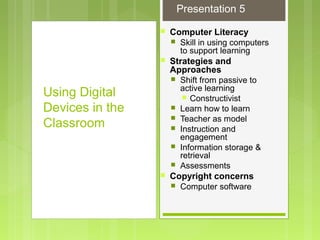
 Computer Literacy
 Skill in using computers
to support learning
 Strategies and
Approaches
 Shift from passive to
active learning
 Constructivist
 Learn how to learn
 Teacher as model
 Instruction and
engagement
 Information storage &
retrieval
 Assessments
 Copyright concerns
 Computer software
Using Digital
Devices in the
Classroom
Presentation 5
Using Digital Devices in the
Classroom
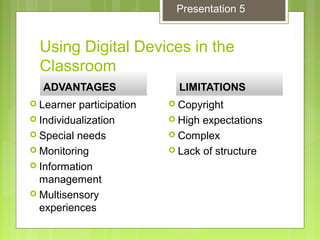
ADVANTAGESADVANTAGES
 Learner participation
 Individualization
 Special needs
 Monitoring
 Information
management
 Multisensory
experiences
LIMITATIONSLIMITATIONS
 Copyright
 High expectations
 Complex
 Lack of structure
Presentation 5
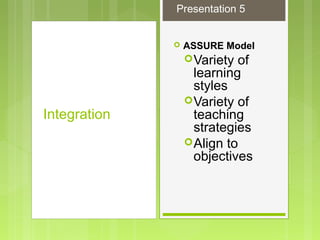
 ASSURE Model
Variety of
learning
styles
Variety of
teaching
strategies
Align to
objectives
Integration
Presentation 5
Integration
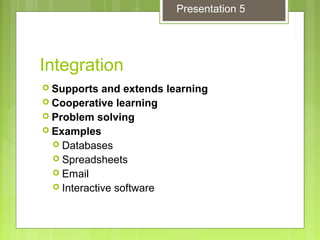
 Supports and extends learning
 Cooperative learning
 Problem solving
 Examples
 Databases
 Spreadsheets
 Email
 Interactive software
Presentation 5
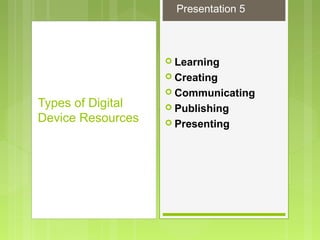
 Learning
 Creating
 Communicating
 Publishing
 Presenting
Types of Digital
Device Resources
Presentation 5
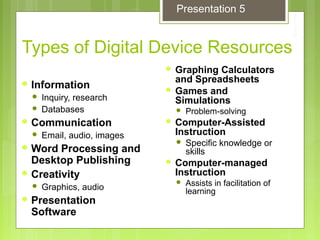
Types of Digital Device Resources
 Graphing Calculators
and Spreadsheets
 Games and
Simulations
 Problem-solving
 Computer-Assisted
Instruction
 Specific knowledge or
skills
 Computer-managed
Instruction
 Assists in facilitation of
learning
 Information
 Inquiry, research
 Databases
 Communication
 Email, audio, images
 Word Processing and
Desktop Publishing
 Creativity
 Graphics, audio
 Presentation
Software
Presentation 5
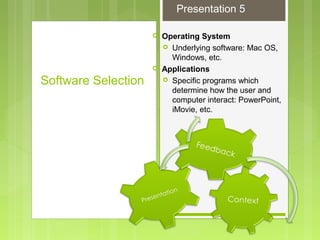
 Operating System
 Underlying software: Mac OS,
Windows, etc.
 Applications
 Specific programs which
determine how the user and
computer interact: PowerPoint,
iMovie, etc.
Software Selection
Presentation 5
Hardware-
 The physical
equipment that
makes up the
computer
Computer
Hardware
Presentation 5
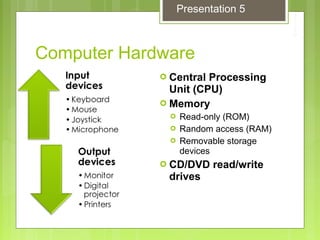
Computer Hardware
 Central Processing
Unit (CPU)
 Memory
 Read-only (ROM)
 Random access (RAM)
 Removable storage
devices
 CD/DVD read/write
drives
Presentation 5
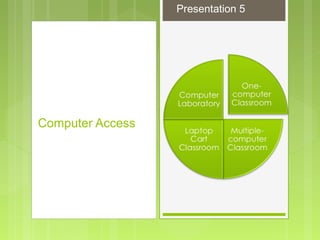
Computer Access
Presentation 5
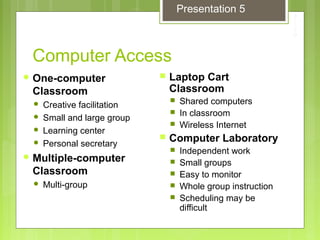
Computer Access
 One-computer
Classroom
 Creative facilitation
 Small and large group
 Learning center
 Personal secretary
 Multiple-computer
Classroom
 Multi-group
 Laptop Cart
Classroom
 Shared computers
 In classroom
 Wireless Internet
 Computer Laboratory
 Independent work
 Small groups
 Easy to monitor
 Whole group instruction
 Scheduling may be
difficult
Presentation 5
Demonstrating
Professional Knowledge
 Describe strategies for and examples of integrating digital
devices into the curriculum.
 Describe five types of software that might be used in the
classroom.
 Discuss the advantages and limitations of using technology
in learning.
 Discuss the differences among a single-device classroom, a
multiple-device classroom, technology carts, and technology
laboratories in terms of setups and uses.
 Describe an appropriate instructional situation for using
technology to support student learning. Include the setting,
topic, audience, objectives, content of the materials, and
rationale for using this media format.
Presentation 5

5 nur642engaging learners with digital devices  pp5

  • 1.
  • 2.
    Engaging Learners with Computers Select and integrate computer resources into instruction to promote student learning. Presentation 5
  • 3.
  • 4.
     Computer Literacy Skill in using computers to support learning  Strategies and Approaches  Shift from passive to active learning  Constructivist  Learn how to learn  Teacher as model  Instruction and engagement  Information storage & retrieval  Assessments  Copyright concerns  Computer software Using Digital Devices in the Classroom Presentation 5
  • 5.
    Using Digital Devicesin the Classroom ADVANTAGESADVANTAGES  Learner participation  Individualization  Special needs  Monitoring  Information management  Multisensory experiences LIMITATIONSLIMITATIONS  Copyright  High expectations  Complex  Lack of structure Presentation 5
  • 6.
     ASSURE Model Varietyof learning styles Variety of teaching strategies Align to objectives Integration Presentation 5
  • 7.
    Integration  Supports andextends learning  Cooperative learning  Problem solving  Examples  Databases  Spreadsheets  Email  Interactive software Presentation 5
  • 8.
     Learning  Creating Communicating  Publishing  Presenting Types of Digital Device Resources Presentation 5
  • 9.
    Types of DigitalDevice Resources  Graphing Calculators and Spreadsheets  Games and Simulations  Problem-solving  Computer-Assisted Instruction  Specific knowledge or skills  Computer-managed Instruction  Assists in facilitation of learning  Information  Inquiry, research  Databases  Communication  Email, audio, images  Word Processing and Desktop Publishing  Creativity  Graphics, audio  Presentation Software Presentation 5
  • 10.
     Operating System Underlying software: Mac OS, Windows, etc.  Applications  Specific programs which determine how the user and computer interact: PowerPoint, iMovie, etc. Software Selection Presentation 5
  • 11.
    Hardware-  The physical equipmentthat makes up the computer Computer Hardware Presentation 5
  • 12.
    Computer Hardware  CentralProcessing Unit (CPU)  Memory  Read-only (ROM)  Random access (RAM)  Removable storage devices  CD/DVD read/write drives Presentation 5
  • 13.
  • 14.
    Computer Access  One-computer Classroom Creative facilitation  Small and large group  Learning center  Personal secretary  Multiple-computer Classroom  Multi-group  Laptop Cart Classroom  Shared computers  In classroom  Wireless Internet  Computer Laboratory  Independent work  Small groups  Easy to monitor  Whole group instruction  Scheduling may be difficult Presentation 5
  • 15.
    Demonstrating Professional Knowledge  Describestrategies for and examples of integrating digital devices into the curriculum.  Describe five types of software that might be used in the classroom.  Discuss the advantages and limitations of using technology in learning.  Discuss the differences among a single-device classroom, a multiple-device classroom, technology carts, and technology laboratories in terms of setups and uses.  Describe an appropriate instructional situation for using technology to support student learning. Include the setting, topic, audience, objectives, content of the materials, and rationale for using this media format. Presentation 5