Computer as an Educational Aids ES-318 Block-5 A Presentation by Sanjaya Mishra,  PhD STRIDE, IGNOU
Objectives After this session, you should be able to: Identify the components of a computer and describe its capabilities; Explain various uses of computer in education in general and distance education in particular; and List various applications of computers as educational aids.
Computers Input Devices Output Devices Processing Unit (CPU) Hardware and Software Have now become a common tool in almost all walks of life
Capabilities High processing speed Store huge amount of data in different formats Now it is also portable, e.g. laptops Multimedia capabilities User-friendly and easy to operate
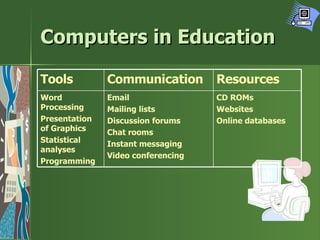
Computers in Education CD ROMs Websites Online databases Email Mailing lists Discussion forums Chat rooms Instant messaging Video conferencing Word Processing Presentation of Graphics Statistical analyses Programming Resources Communication Tools
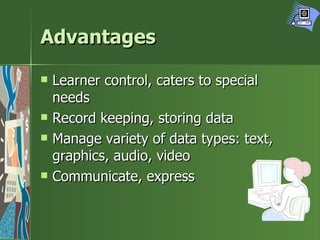
Advantages Learner control, caters to special needs Record keeping, storing data Manage variety of data types: text, graphics, audio, video Communicate, express
Uses/ Applications As a teaching tool Self learning Educational administration
Forms of Computer Use Computer Assisted Learning (CAL) Computer Managed Learning (CML) Computer Assisted/Aided Instruction (CAI) Computer-Based Training (CBT) Multimedia World Wide Web/ e-learning
Instructional Approaches Drill and Practice Tutorial Testing/ Quiz-based Discovery learning Simulation Inquiry/ search Dialogue/ interaction
Learning  from ,  in  &  with  Computers Self-paced, inquiry-based Learning in computer-based environment; may be teacher use PowerPoint Learning with computers, when the learner is engaged in some activities using computers to unleash his/her creativity
Computer in Distance Education Information processing: use computer to perform a task and learn Interaction: with computer and learn from the resources it carry Communication: with others and share ideas and learn from them
Your Roles/Questions How to use computers for distance education? How to use computer’s capabilities effectively for student support? What skills are required to teach? Should I know programming? Where should I begin?

ES-318: Computer As Educational Aids

  • 1.
    Computer as anEducational Aids ES-318 Block-5 A Presentation by Sanjaya Mishra, PhD STRIDE, IGNOU
  • 2.
    Objectives After thissession, you should be able to: Identify the components of a computer and describe its capabilities; Explain various uses of computer in education in general and distance education in particular; and List various applications of computers as educational aids.
  • 3.
    Computers Input DevicesOutput Devices Processing Unit (CPU) Hardware and Software Have now become a common tool in almost all walks of life
  • 4.
    Capabilities High processingspeed Store huge amount of data in different formats Now it is also portable, e.g. laptops Multimedia capabilities User-friendly and easy to operate
  • 5.
    Computers in EducationCD ROMs Websites Online databases Email Mailing lists Discussion forums Chat rooms Instant messaging Video conferencing Word Processing Presentation of Graphics Statistical analyses Programming Resources Communication Tools
  • 6.
    Advantages Learner control,caters to special needs Record keeping, storing data Manage variety of data types: text, graphics, audio, video Communicate, express
  • 7.
    Uses/ Applications Asa teaching tool Self learning Educational administration
  • 8.
    Forms of ComputerUse Computer Assisted Learning (CAL) Computer Managed Learning (CML) Computer Assisted/Aided Instruction (CAI) Computer-Based Training (CBT) Multimedia World Wide Web/ e-learning
  • 9.
    Instructional Approaches Drilland Practice Tutorial Testing/ Quiz-based Discovery learning Simulation Inquiry/ search Dialogue/ interaction
  • 10.
    Learning from, in & with Computers Self-paced, inquiry-based Learning in computer-based environment; may be teacher use PowerPoint Learning with computers, when the learner is engaged in some activities using computers to unleash his/her creativity
  • 11.
    Computer in DistanceEducation Information processing: use computer to perform a task and learn Interaction: with computer and learn from the resources it carry Communication: with others and share ideas and learn from them
  • 12.
    Your Roles/Questions Howto use computers for distance education? How to use computer’s capabilities effectively for student support? What skills are required to teach? Should I know programming? Where should I begin?