Teaching with Software Tools: Beyond the Basic Programs Chapter 5
Software support tools offer benefits of Improved efficiency and productivity Improved appearance of product Better accuracy and timeliness of information More support for interaction and sharing Range from nearly essential to “nice to have”
Recent developments in software tools These include increased use of PDA’s, more web connectivity features, and more collections of tools available in software suites.
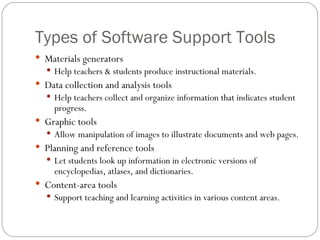
Types of Software Support Tools Materials generators Help teachers & students produce instructional materials. Data collection and analysis tools Help teachers collect and organize information that indicates student progress. Graphic tools Allow manipulation of images to illustrate documents and web pages. Planning and reference tools Let students look up information in electronic versions of encyclopedias, atlases, and dictionaries. Content-area tools Support teaching and learning activities in various content areas.
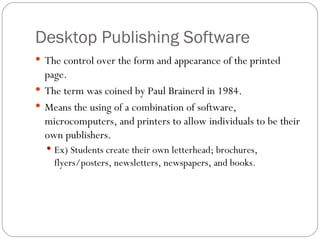
Desktop Publishing Software The control over the form and appearance of the printed page. The term was coined by Paul Brainerd in 1984. Means the using of a combination of software, microcomputers, and printers to allow individuals to be their own publishers. Ex) Students create their own letterhead; brochures, flyers/posters, newsletters, newspapers, and books.
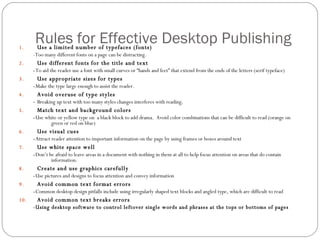
Rules for Effective Desktop Publishing Use a limited number of typefaces (fonts) -Too many different fonts on a page can be distracting. Use different fonts for the title and text - To aid the reader use a font with small curves or “hands and feet” that extend from the ends of the letters (serif typeface) Use appropriate sizes for types - Make the type large enough to assist the reader. Avoid overuse of type styles -  Breaking up text with too many styles changes interferes with reading. Match text and background colors - Use white or yellow type on  a black block to add drama.  Avoid color combinations that can be difficult to read (orange on green or red on blue) Use visual cues - Attract reader attention to important information on the page by using frames or boxes around text Use white space well - Don’t be afraid to leave areas in a document with nothing in them at all to help focus attention on areas that do contain information. Create and use graphics carefully - Use pictures and designs to focus attention and convey information Avoid common text format errors - Common desktop design pitfalls include using irregularly shaped text blocks and angled type, which are difficult to read Avoid common text breaks errors -Using desktop software to control leftover single words and phrases at the tops or bottoms of pages
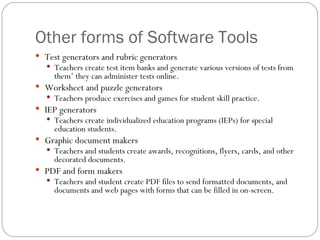
Other forms of Software Tools Test generators and rubric generators Teachers create test item banks and generate various versions of tests from them’ they can administer tests online. Worksheet and puzzle generators Teachers produce exercises and games for student skill practice. IEP generators Teachers create individualized education programs (IEPs) for special education students. Graphic document makers Teachers and students create awards, recognitions, flyers, cards, and other decorated documents. PDF and form makers Teachers and student create PDF files to send formatted documents, and documents and web pages with forms that can be filled in on-screen.
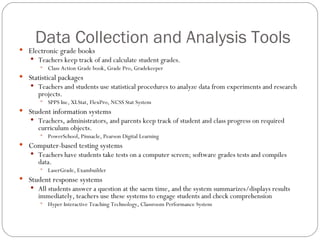
Data Collection and Analysis Tools Electronic grade books Teachers keep track of and calculate student grades. Class Action Grade book, Grade Pro, Gradekeeper Statistical packages Teachers and students use statistical procedures to analyze data from experiments and research projects. SPPS Inc, XLStat, FlexPro, NCSS Stat System Student information systems Teachers, administrators, and parents keep track of student and class progress on required curriculum objects. PowerSchool, Pinnacle, Pearson Digital Learning Computer-based testing systems Teachers have students take tests on a computer screen; software grades tests and compiles data. LaserGrade, Exambuilder Student response systems All students answer a question at the saem time, and the system summarizes/displays results immediately, teachers use these systems to engage students and check comprehension Hyper Interactive Teaching Technology, Classroom Performance System
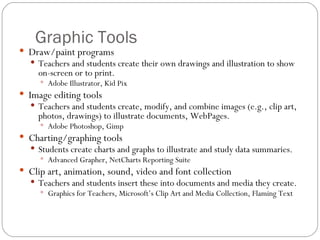
Graphic Tools Draw/paint programs Teachers and students create their own drawings and illustration to show on-screen or to print. Adobe Illustrator, Kid Pix Image editing tools Teachers and students create, modify, and combine images (e.g., clip art, photos, drawings) to illustrate documents, WebPages. Adobe Photoshop, Gimp Charting/graphing tools Students create charts and graphs to illustrate and study data summaries. Advanced Grapher, NetCharts Reporting Suite Clip art, animation, sound, video and font collection Teachers and students insert these into documents and media they create. Graphics for Teachers, Microsoft’s Clip Art and Media Collection, Flaming Text
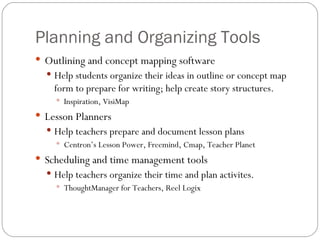
Planning and Organizing Tools Outlining and concept mapping software Help students organize their ideas in outline or concept map form to prepare for writing; help create story structures. Inspiration, VisiMap Lesson Planners Help teachers prepare and document lesson plans Centron’s Lesson Power, Freemind, Cmap, Teacher Planet Scheduling and time management tools Help teachers organize their time and plan activites. ThoughtManager for Teachers, Reel Logix
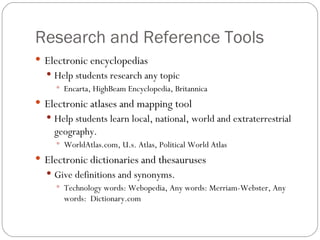
Research and Reference Tools Electronic encyclopedias Help students research any topic Encarta, HighBeam Encyclopedia, Britannica Electronic atlases and mapping tool Help students learn local, national, world and extraterrestrial geography. WorldAtlas.com, U.s. Atlas, Political World Atlas Electronic dictionaries and thesauruses Give definitions and synonyms. Technology words: Webopedia, Any words: Merriam-Webster, Any words:  Dictionary.com
Content-Area Specific Tools CAD systems Students create visual models of houses and other structures as they study design concepts. AutoCAD Music editors, sequencers, and MIDI tools Students create and revise their own musical pieces. Apple GarageBand Reading Tools Support reading instruction Readability calculation software Microcomputer-based labs, graphing calculators, and calculator-based labs Students collect and analyze data from experiments. TI graphing calculators Geographic Information Systems and Global Positioning Systems Students study geographical and social studies information and concepts. GPS Products for Education

Chapter 5

  • 1.
    Teaching with SoftwareTools: Beyond the Basic Programs Chapter 5
  • 2.
    Software support toolsoffer benefits of Improved efficiency and productivity Improved appearance of product Better accuracy and timeliness of information More support for interaction and sharing Range from nearly essential to “nice to have”
  • 3.
    Recent developments insoftware tools These include increased use of PDA’s, more web connectivity features, and more collections of tools available in software suites.
  • 4.
    Types of SoftwareSupport Tools Materials generators Help teachers & students produce instructional materials. Data collection and analysis tools Help teachers collect and organize information that indicates student progress. Graphic tools Allow manipulation of images to illustrate documents and web pages. Planning and reference tools Let students look up information in electronic versions of encyclopedias, atlases, and dictionaries. Content-area tools Support teaching and learning activities in various content areas.
  • 5.
    Desktop Publishing SoftwareThe control over the form and appearance of the printed page. The term was coined by Paul Brainerd in 1984. Means the using of a combination of software, microcomputers, and printers to allow individuals to be their own publishers. Ex) Students create their own letterhead; brochures, flyers/posters, newsletters, newspapers, and books.
  • 6.
    Rules for EffectiveDesktop Publishing Use a limited number of typefaces (fonts) -Too many different fonts on a page can be distracting. Use different fonts for the title and text - To aid the reader use a font with small curves or “hands and feet” that extend from the ends of the letters (serif typeface) Use appropriate sizes for types - Make the type large enough to assist the reader. Avoid overuse of type styles - Breaking up text with too many styles changes interferes with reading. Match text and background colors - Use white or yellow type on a black block to add drama. Avoid color combinations that can be difficult to read (orange on green or red on blue) Use visual cues - Attract reader attention to important information on the page by using frames or boxes around text Use white space well - Don’t be afraid to leave areas in a document with nothing in them at all to help focus attention on areas that do contain information. Create and use graphics carefully - Use pictures and designs to focus attention and convey information Avoid common text format errors - Common desktop design pitfalls include using irregularly shaped text blocks and angled type, which are difficult to read Avoid common text breaks errors -Using desktop software to control leftover single words and phrases at the tops or bottoms of pages
  • 7.
    Other forms ofSoftware Tools Test generators and rubric generators Teachers create test item banks and generate various versions of tests from them’ they can administer tests online. Worksheet and puzzle generators Teachers produce exercises and games for student skill practice. IEP generators Teachers create individualized education programs (IEPs) for special education students. Graphic document makers Teachers and students create awards, recognitions, flyers, cards, and other decorated documents. PDF and form makers Teachers and student create PDF files to send formatted documents, and documents and web pages with forms that can be filled in on-screen.
  • 8.
    Data Collection andAnalysis Tools Electronic grade books Teachers keep track of and calculate student grades. Class Action Grade book, Grade Pro, Gradekeeper Statistical packages Teachers and students use statistical procedures to analyze data from experiments and research projects. SPPS Inc, XLStat, FlexPro, NCSS Stat System Student information systems Teachers, administrators, and parents keep track of student and class progress on required curriculum objects. PowerSchool, Pinnacle, Pearson Digital Learning Computer-based testing systems Teachers have students take tests on a computer screen; software grades tests and compiles data. LaserGrade, Exambuilder Student response systems All students answer a question at the saem time, and the system summarizes/displays results immediately, teachers use these systems to engage students and check comprehension Hyper Interactive Teaching Technology, Classroom Performance System
  • 9.
    Graphic Tools Draw/paintprograms Teachers and students create their own drawings and illustration to show on-screen or to print. Adobe Illustrator, Kid Pix Image editing tools Teachers and students create, modify, and combine images (e.g., clip art, photos, drawings) to illustrate documents, WebPages. Adobe Photoshop, Gimp Charting/graphing tools Students create charts and graphs to illustrate and study data summaries. Advanced Grapher, NetCharts Reporting Suite Clip art, animation, sound, video and font collection Teachers and students insert these into documents and media they create. Graphics for Teachers, Microsoft’s Clip Art and Media Collection, Flaming Text
  • 10.
    Planning and OrganizingTools Outlining and concept mapping software Help students organize their ideas in outline or concept map form to prepare for writing; help create story structures. Inspiration, VisiMap Lesson Planners Help teachers prepare and document lesson plans Centron’s Lesson Power, Freemind, Cmap, Teacher Planet Scheduling and time management tools Help teachers organize their time and plan activites. ThoughtManager for Teachers, Reel Logix
  • 11.
    Research and ReferenceTools Electronic encyclopedias Help students research any topic Encarta, HighBeam Encyclopedia, Britannica Electronic atlases and mapping tool Help students learn local, national, world and extraterrestrial geography. WorldAtlas.com, U.s. Atlas, Political World Atlas Electronic dictionaries and thesauruses Give definitions and synonyms. Technology words: Webopedia, Any words: Merriam-Webster, Any words: Dictionary.com
  • 12.
    Content-Area Specific ToolsCAD systems Students create visual models of houses and other structures as they study design concepts. AutoCAD Music editors, sequencers, and MIDI tools Students create and revise their own musical pieces. Apple GarageBand Reading Tools Support reading instruction Readability calculation software Microcomputer-based labs, graphing calculators, and calculator-based labs Students collect and analyze data from experiments. TI graphing calculators Geographic Information Systems and Global Positioning Systems Students study geographical and social studies information and concepts. GPS Products for Education