Technology at Barry University
As a student you will be using a lot of
technology!
Students and Technology
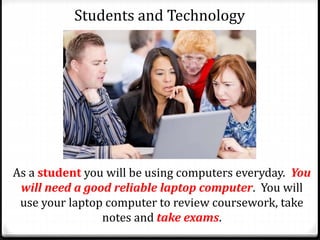
As a student you will be using computers everyday. You
will need a good reliable laptop computer. You will
use your laptop computer to review coursework, take
notes and take exams.
Students and Technology
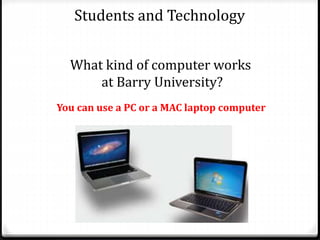
What kind of computer works
at Barry University?
You can use a PC or a MAC laptop computer
Students and Technology
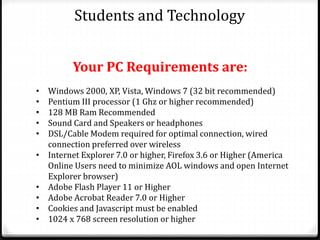
• Windows 2000, XP, Vista, Windows 7 (32 bit recommended)
• Pentium III processor (1 Ghz or higher recommended)
• 128 MB Ram Recommended
• Sound Card and Speakers or headphones
• DSL/Cable Modem required for optimal connection, wired
connection preferred over wireless
• Internet Explorer 7.0 or higher, Firefox 3.6 or Higher (America
Online Users need to minimize AOL windows and open Internet
Explorer browser)
• Adobe Flash Player 11 or Higher
• Adobe Acrobat Reader 7.0 or Higher
• Cookies and Javascript must be enabled
• 1024 x 768 screen resolution or higher
Your PC Requirements are:
Students and Technology
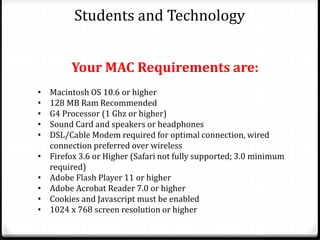
• Macintosh OS 10.6 or higher
• 128 MB Ram Recommended
• G4 Processor (1 Ghz or higher)
• Sound Card and speakers or headphones
• DSL/Cable Modem required for optimal connection, wired
connection preferred over wireless
• Firefox 3.6 or Higher (Safari not fully supported; 3.0 minimum
required)
• Adobe Flash Player 11 or higher
• Adobe Acrobat Reader 7.0 or higher
• Cookies and Javascript must be enabled
• 1024 x 768 screen resolution or higher
Your MAC Requirements are:
Students and Technology
What is DoIT ?
The Division of Information Technology
supports students, faculty, and staff by
providing excellent support for all
technology at Barry University.
Students and Technology
DoIT Can Help You!
Students and Technology
helpdesk@barry.edu 305-899-3604
Get information on all of DoIT’s services, technology, help, find
immediate answers, and report issues from anywhere that you
have an Internet connection. The IT support system allows
you to find articles, submit help, tickets, and track the progress
of any issue. Call, click or visit the IT Support Desk: 305-899-
3604, helpdesk@barry.edu, Monsignor William Barry
Library Main Floor 226.
Students and Technology
BARRYNET ACCOUNTS AND USERNAME
Student or Barrynet accounts are created in a number of
ways and are different than MyBarry account. They are in
the format firstname.lastname and sometimes are
appended with a numeral for common names. A new
password must be setup with an account the first time it is
used. To verify a username and change a password, visit
help.barry.edu or contact the IT Support Desk.
Students and Technology
PASSWORDS
Passwords adhere to strict
security standards and must
be changed every 90 days.
You can personally reset a
password by visiting
help.barry.edu . Your Barry
University ID #, your
birthday, and possibly SS#
may be needed to reset a
password.
Students and Technology
EMAIL
The official form of
communication at Barry
University is with the University
email account. Student email
addresses are in the format
username@mymail.barry.edu .
Student email is hosted by
Microsoft and includes a calendar,
contacts, and 50 GB of storage.
Students and Technology
WIFI INTERNET
WIFI access is available on all
Barry University campuses.
BARRYUGUEST allows for 3 days
of visitor internet access.
BARRYUWIRELESS is available
for official Barry community
members with a username and
password. For instructions on
your specific device setup
contact the IT Support Desk.
Students and Technology
CANVAS
Canvas is where you will find your
course materials, and take exams.
Access Canvas at
barry.instructure.com and login
with an official username and
password. Courses in which a
student is registered and to which
professors have given student
access are located in the My
Canvas menu.
Students and Technology
WEBADVISOR
Access Barry’s course catalogs online without a login at
webadvisor.barry.edu. Login with a username and password
for access to register for classes, check eligibility, check final
grades, print unofficial transcripts, make payments, get
financial and information, reset your emergency contact and
more.
Students and Technology
STORAGE
All students receive 5G of cloud
storage and free access to
software in the cloud. Visit
apps.barry.edu and login with a
username and password.
Discount Software is available to students
by visiting barry.onthehub.com
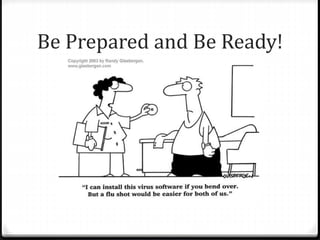
Be Prepared and Be Ready!

Technology 2017

  • 1.
    Technology at BarryUniversity As a student you will be using a lot of technology!
  • 2.
    Students and Technology Asa student you will be using computers everyday. You will need a good reliable laptop computer. You will use your laptop computer to review coursework, take notes and take exams.
  • 3.
    Students and Technology Whatkind of computer works at Barry University? You can use a PC or a MAC laptop computer
  • 4.
    Students and Technology •Windows 2000, XP, Vista, Windows 7 (32 bit recommended) • Pentium III processor (1 Ghz or higher recommended) • 128 MB Ram Recommended • Sound Card and Speakers or headphones • DSL/Cable Modem required for optimal connection, wired connection preferred over wireless • Internet Explorer 7.0 or higher, Firefox 3.6 or Higher (America Online Users need to minimize AOL windows and open Internet Explorer browser) • Adobe Flash Player 11 or Higher • Adobe Acrobat Reader 7.0 or Higher • Cookies and Javascript must be enabled • 1024 x 768 screen resolution or higher Your PC Requirements are:
  • 5.
    Students and Technology •Macintosh OS 10.6 or higher • 128 MB Ram Recommended • G4 Processor (1 Ghz or higher) • Sound Card and speakers or headphones • DSL/Cable Modem required for optimal connection, wired connection preferred over wireless • Firefox 3.6 or Higher (Safari not fully supported; 3.0 minimum required) • Adobe Flash Player 11 or higher • Adobe Acrobat Reader 7.0 or higher • Cookies and Javascript must be enabled • 1024 x 768 screen resolution or higher Your MAC Requirements are:
  • 6.
    Students and Technology Whatis DoIT ? The Division of Information Technology supports students, faculty, and staff by providing excellent support for all technology at Barry University.
  • 7.
  • 8.
    Students and Technology helpdesk@barry.edu305-899-3604 Get information on all of DoIT’s services, technology, help, find immediate answers, and report issues from anywhere that you have an Internet connection. The IT support system allows you to find articles, submit help, tickets, and track the progress of any issue. Call, click or visit the IT Support Desk: 305-899- 3604, helpdesk@barry.edu, Monsignor William Barry Library Main Floor 226.
  • 9.
    Students and Technology BARRYNETACCOUNTS AND USERNAME Student or Barrynet accounts are created in a number of ways and are different than MyBarry account. They are in the format firstname.lastname and sometimes are appended with a numeral for common names. A new password must be setup with an account the first time it is used. To verify a username and change a password, visit help.barry.edu or contact the IT Support Desk.
  • 10.
    Students and Technology PASSWORDS Passwordsadhere to strict security standards and must be changed every 90 days. You can personally reset a password by visiting help.barry.edu . Your Barry University ID #, your birthday, and possibly SS# may be needed to reset a password.
  • 11.
    Students and Technology EMAIL Theofficial form of communication at Barry University is with the University email account. Student email addresses are in the format username@mymail.barry.edu . Student email is hosted by Microsoft and includes a calendar, contacts, and 50 GB of storage.
  • 12.
    Students and Technology WIFIINTERNET WIFI access is available on all Barry University campuses. BARRYUGUEST allows for 3 days of visitor internet access. BARRYUWIRELESS is available for official Barry community members with a username and password. For instructions on your specific device setup contact the IT Support Desk.
  • 13.
    Students and Technology CANVAS Canvasis where you will find your course materials, and take exams. Access Canvas at barry.instructure.com and login with an official username and password. Courses in which a student is registered and to which professors have given student access are located in the My Canvas menu.
  • 14.
    Students and Technology WEBADVISOR AccessBarry’s course catalogs online without a login at webadvisor.barry.edu. Login with a username and password for access to register for classes, check eligibility, check final grades, print unofficial transcripts, make payments, get financial and information, reset your emergency contact and more.
  • 15.
    Students and Technology STORAGE Allstudents receive 5G of cloud storage and free access to software in the cloud. Visit apps.barry.edu and login with a username and password. Discount Software is available to students by visiting barry.onthehub.com
  • 16.
    Be Prepared andBe Ready!