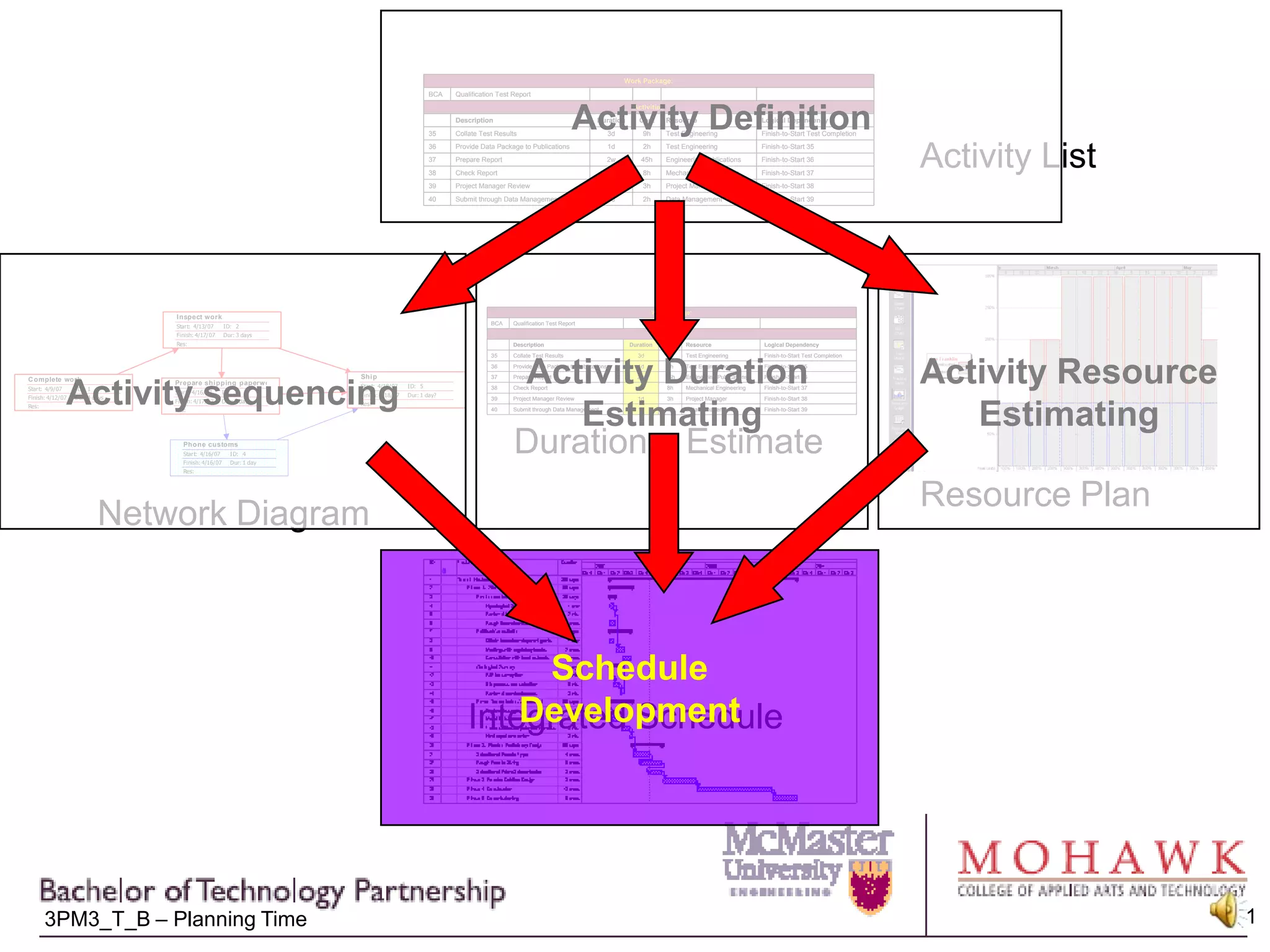
Activity DefinitionActivity ListResource PlanActivity sequencingActivity ResourceEstimatingActivity Duration EstimatingDuration    EstimateNetwork DiagramScheduleDevelopmentIntegrated Schedule
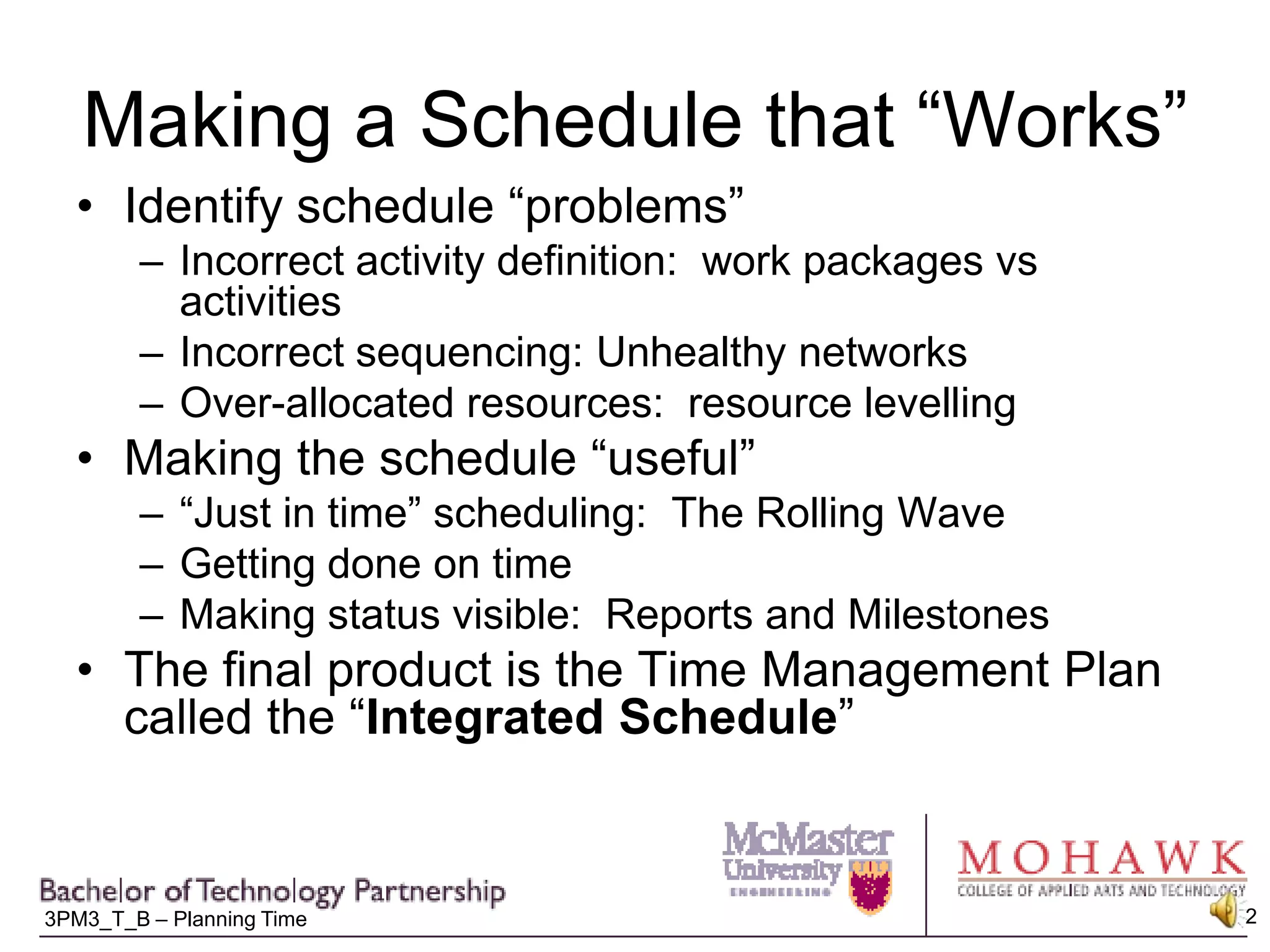
Making a Schedule that “Works”Identify schedule “problems”Incorrect activity definition:  work packages vs activitiesIncorrect sequencing: Unhealthy networksOver-allocated resources:  resource levellingMaking the schedule “useful”“Just in time” scheduling:  The Rolling WaveGetting done on timeMaking status visible:  Reports and MilestonesThe final product is the Time Management Plan called the “Integrated Schedule”
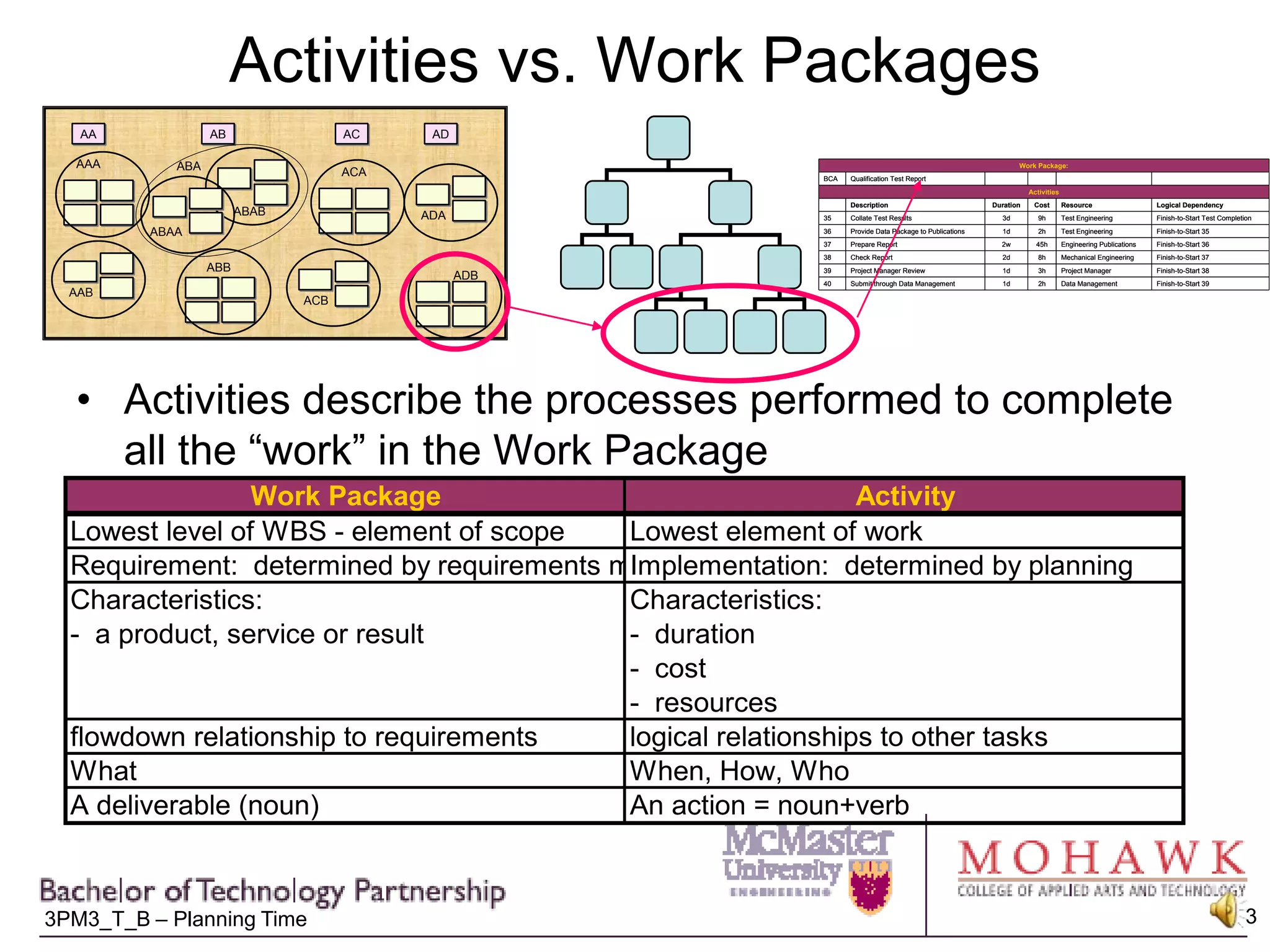
Activities vs. Work PackagesActivities describe the processes performed to complete all the “work” in the Work Package
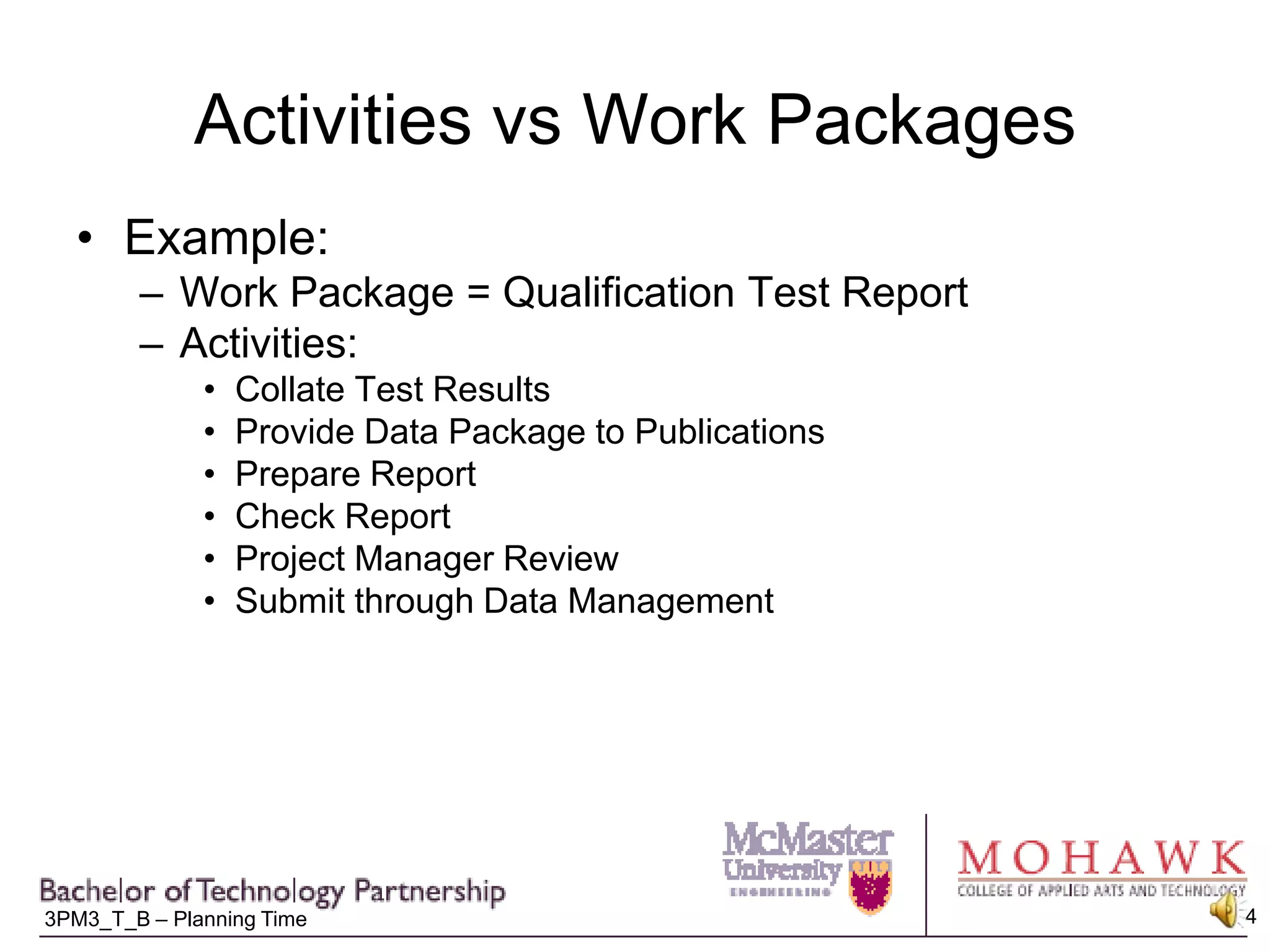
Activities vs Work PackagesExample:Work Package = Qualification Test ReportActivities:Collate Test ResultsProvide Data Package to PublicationsPrepare ReportCheck ReportProject Manager ReviewSubmit through Data Management
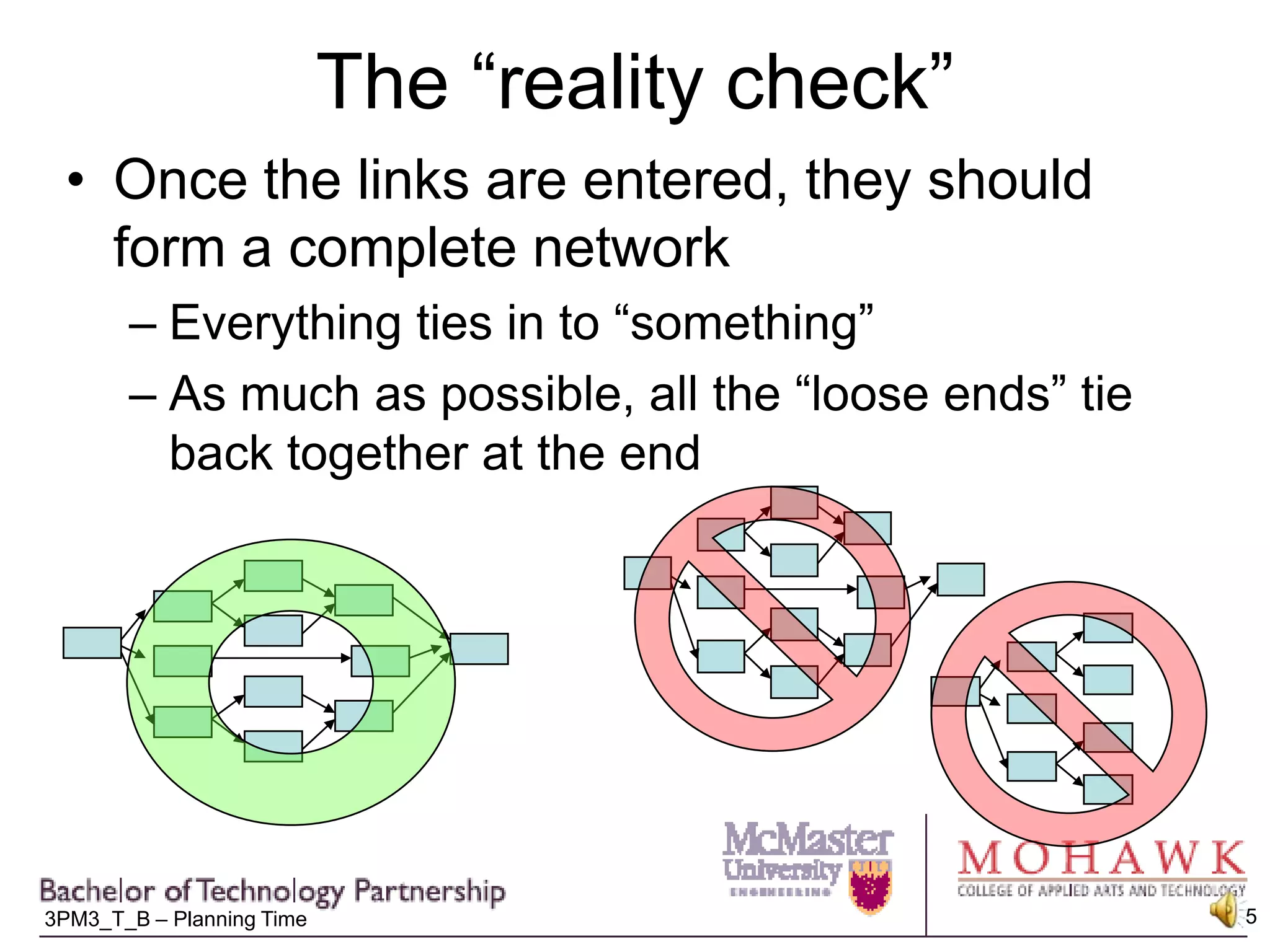
The “reality check”Once the links are entered, they should form a complete networkEverything ties in to “something”As much as possible, all the “loose ends” tie back together at the end
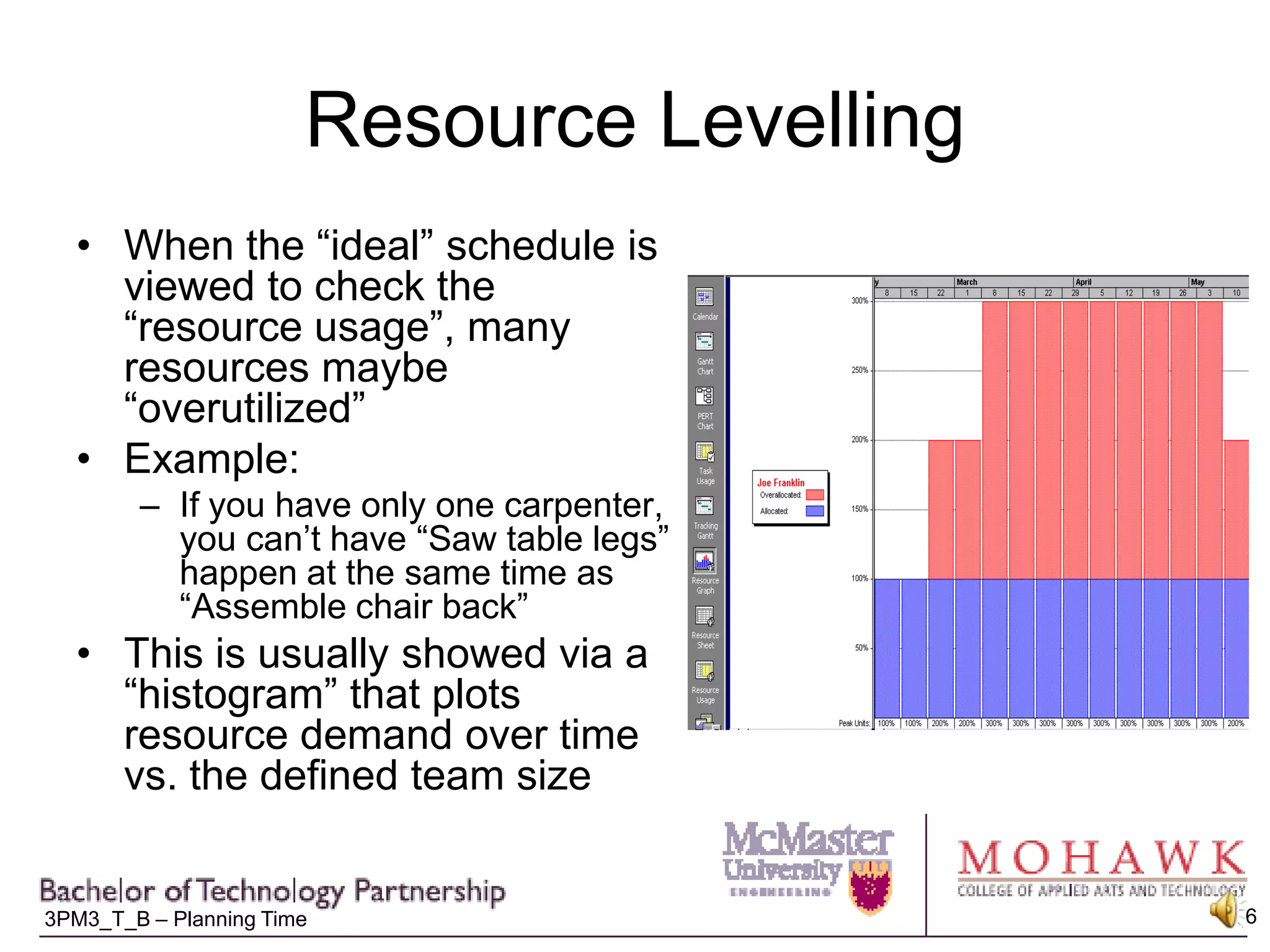
Resource LevellingWhen the “ideal” schedule is viewed to check the “resource usage”, many resources maybe “overutilized”Example:If you have only one carpenter, you can’t have “Saw table legs” happen at the same time as “Assemble chair back”This is usually showed via a “histogram” that plots resource demand over time vs. the defined team size
Options for dealing for overutilized resourcesNegotiate increased resources with functional managerIncrease “productivity” through overtime, or procurement of enabling technology Consider options for work re-allocation:OutsourcingWork segmentation to allow partial performance by another under-utilized function (eg. Getting an Admin Assistant to perform “clerical” tasks of writing a technical report)“Resource levelling” = re-arranging existing program resources and task sequence to minimize impacts to the “critical path” – delay “non-critical” tasks with conflicting resources
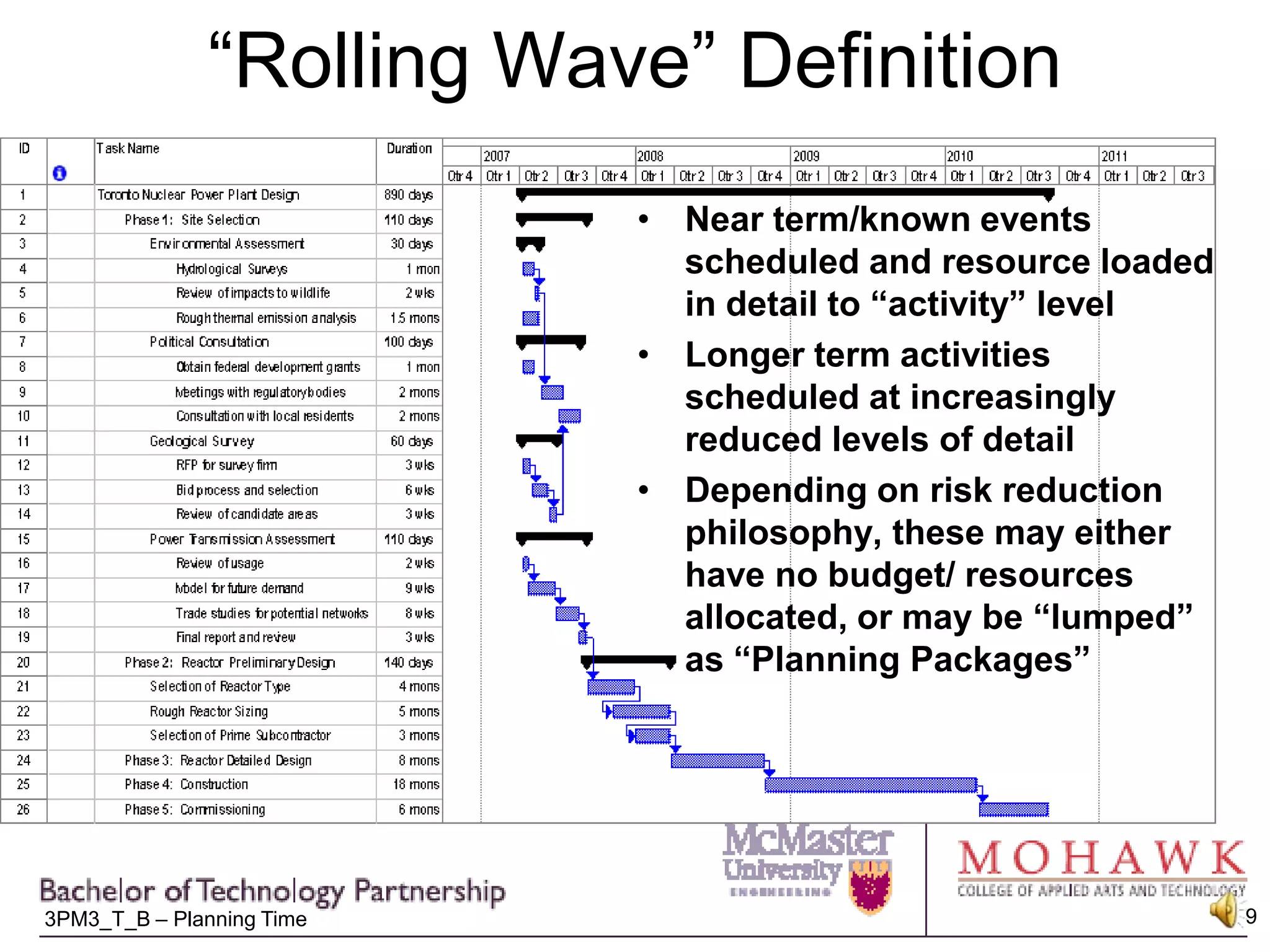
“Rolling Wave” Schedule DefinitionSome projects can be scheduled in detail at the beginning:Repeat of previous projects (eg. Building a house)Technology well understood, with little chance for environmental impact (eg. Database design)For many projects, however, only near term tasks are scheduled in detail:Technology not well developed or developed during project (eg.cold fusion reactor)Project involves significant “trade studies” or selection of alternative approaches (eg. Project to “develop corporate network” – Client/server vs. stand-alone? Mac vs. PC? Wireless vs broadband?) Project is lengthy and act of activity definition is a significant cost driverLatter using “Rolling Wave” scheduling
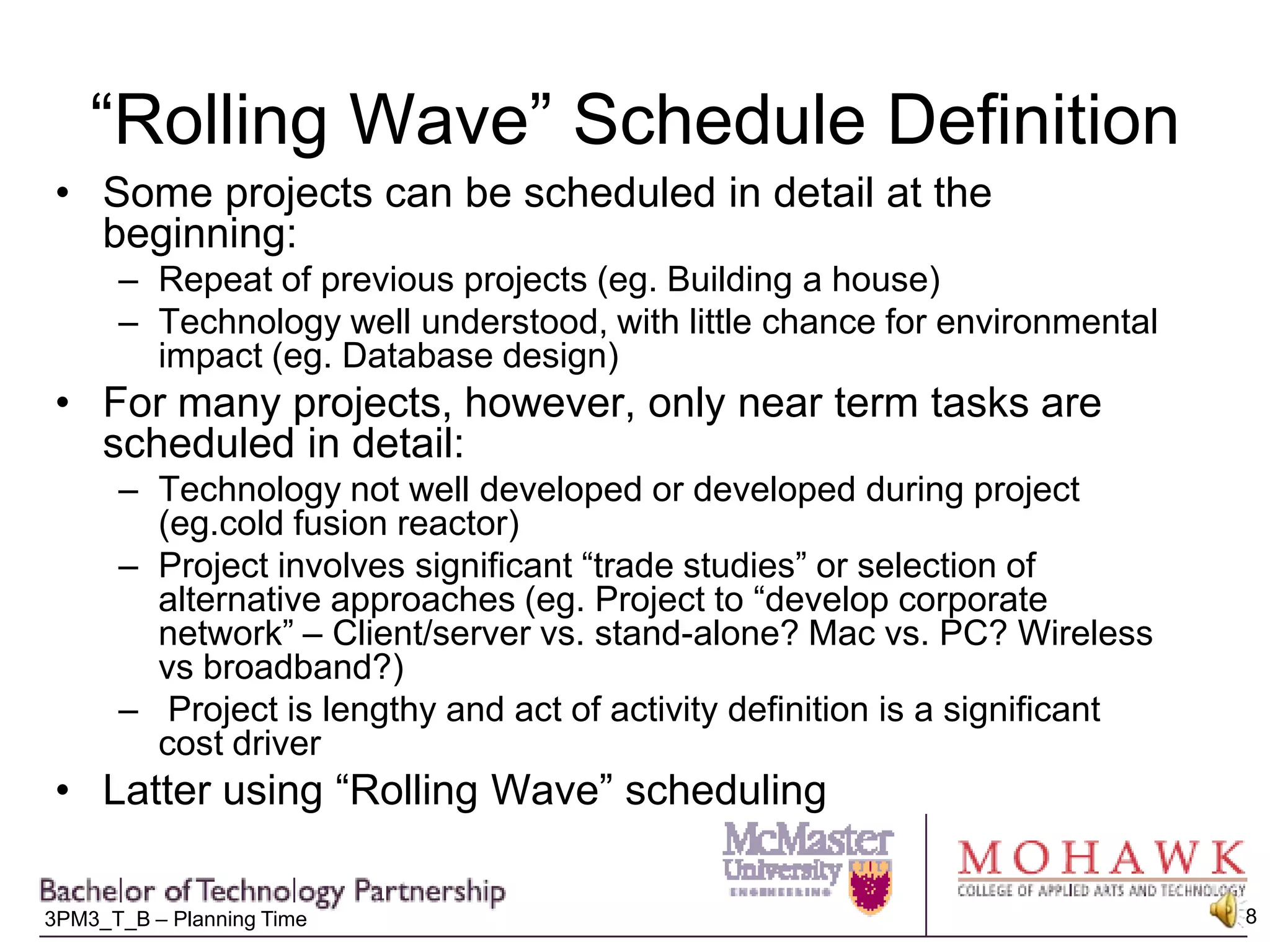
“Rolling Wave” DefinitionNear term/known events scheduled and resource loaded in detail to “activity” levelLonger term activities scheduled at increasingly reduced levels of detailDepending on risk reduction philosophy, these may either have no budget/ resources allocated, or may be “lumped” as “Planning Packages”
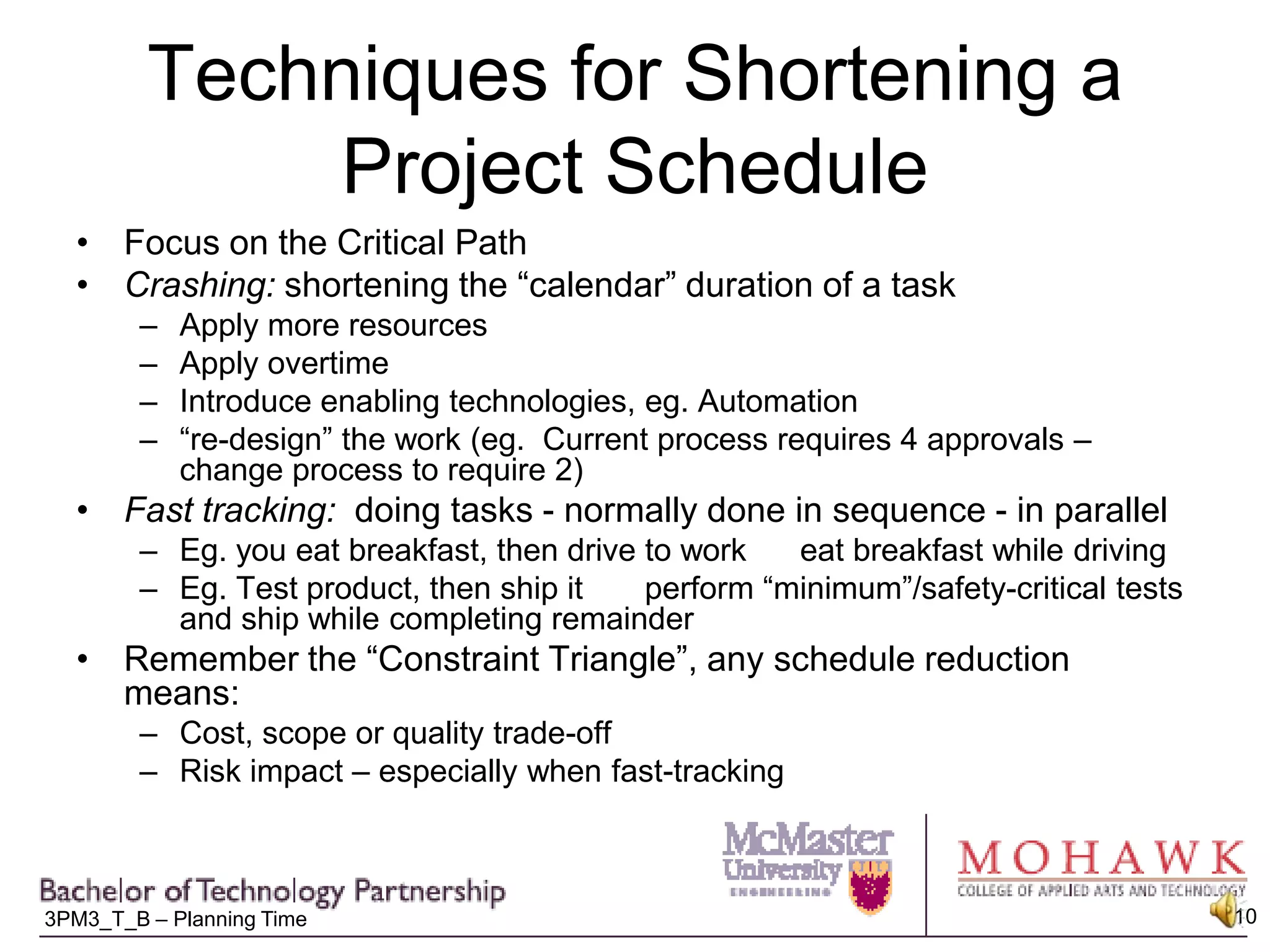
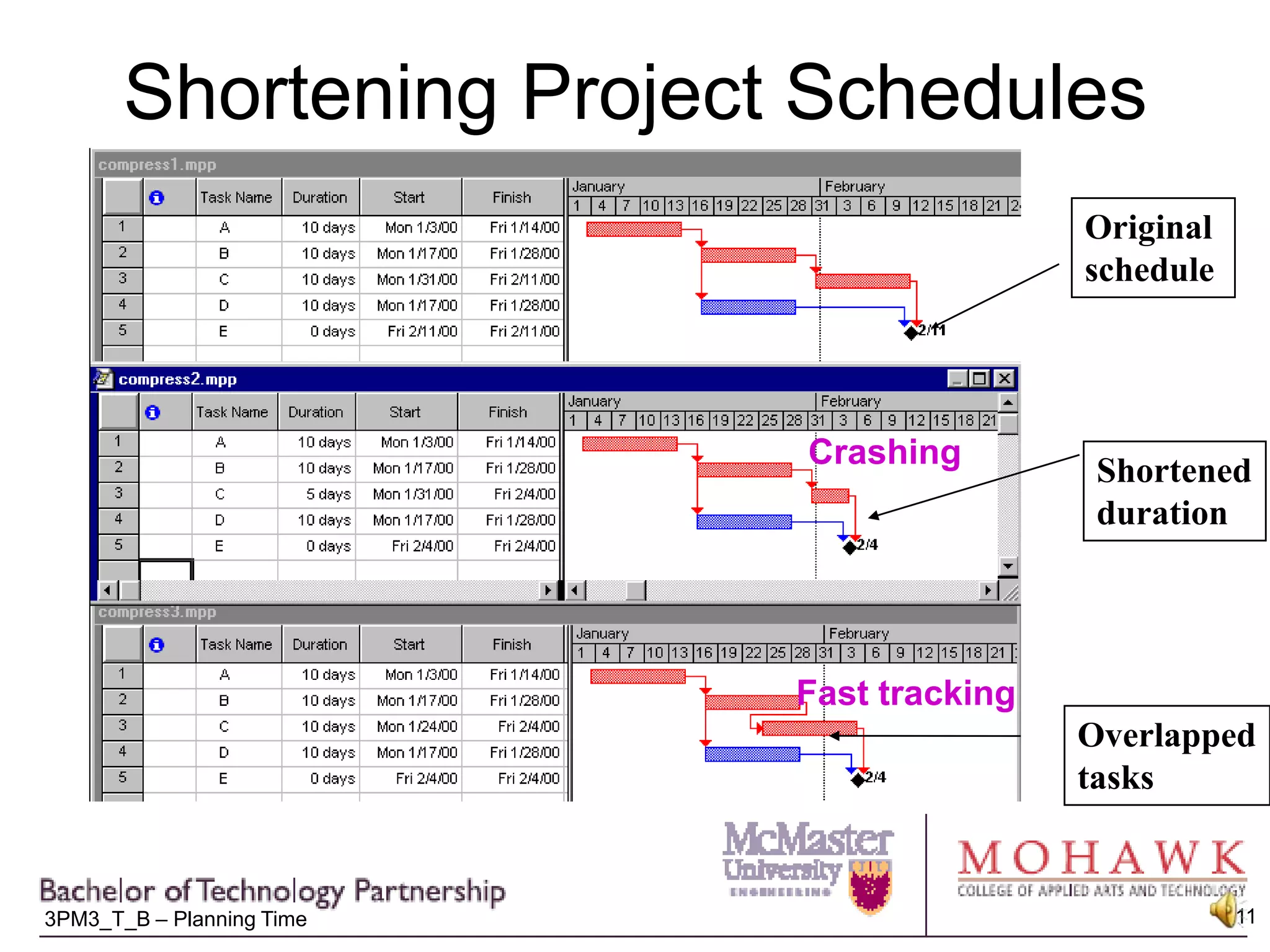
Techniques for Shortening a Project ScheduleFocus on the Critical PathCrashing: shortening the “calendar” duration of a taskApply more resourcesApply overtimeIntroduce enabling technologies, eg. Automation“re-design” the work (eg.  Current process requires 4 approvals – change process to require 2)Fast tracking:  doing tasks - normally done in sequence - in parallelEg. you eat breakfast, then drive to work      eat breakfast while drivingEg. Test product, then ship it       perform “minimum”/safety-critical tests and ship while completing remainderRemember the “Constraint Triangle”, any schedule reduction means:Cost, scope or quality trade-offRisk impact – especially when fast-tracking
Shortening Project SchedulesOriginal scheduleCrashingShorteneddurationFast trackingOverlappedtasks
MilestonesMilestones = zero duration tasks inserted into the schedule to provide visibility to key datesMay be mandated by contract or management, at PM discretion or bothLocation:“Milestone” section at the top of the projectProvides immediate summary of program goals and statusEasy access for changing and “What-if” analyses“Embedded” in the related task path if needed to clarify inputs critical to that pathDefinition methods:“Hard dates”:  Typed in as a “date”no “driving” dependenciesUsed to flow information “into” the schedule“Status Dates”:Hooked on to the end of a task network leading up to the state to be trackedUsed to flow information “out of” the schedule
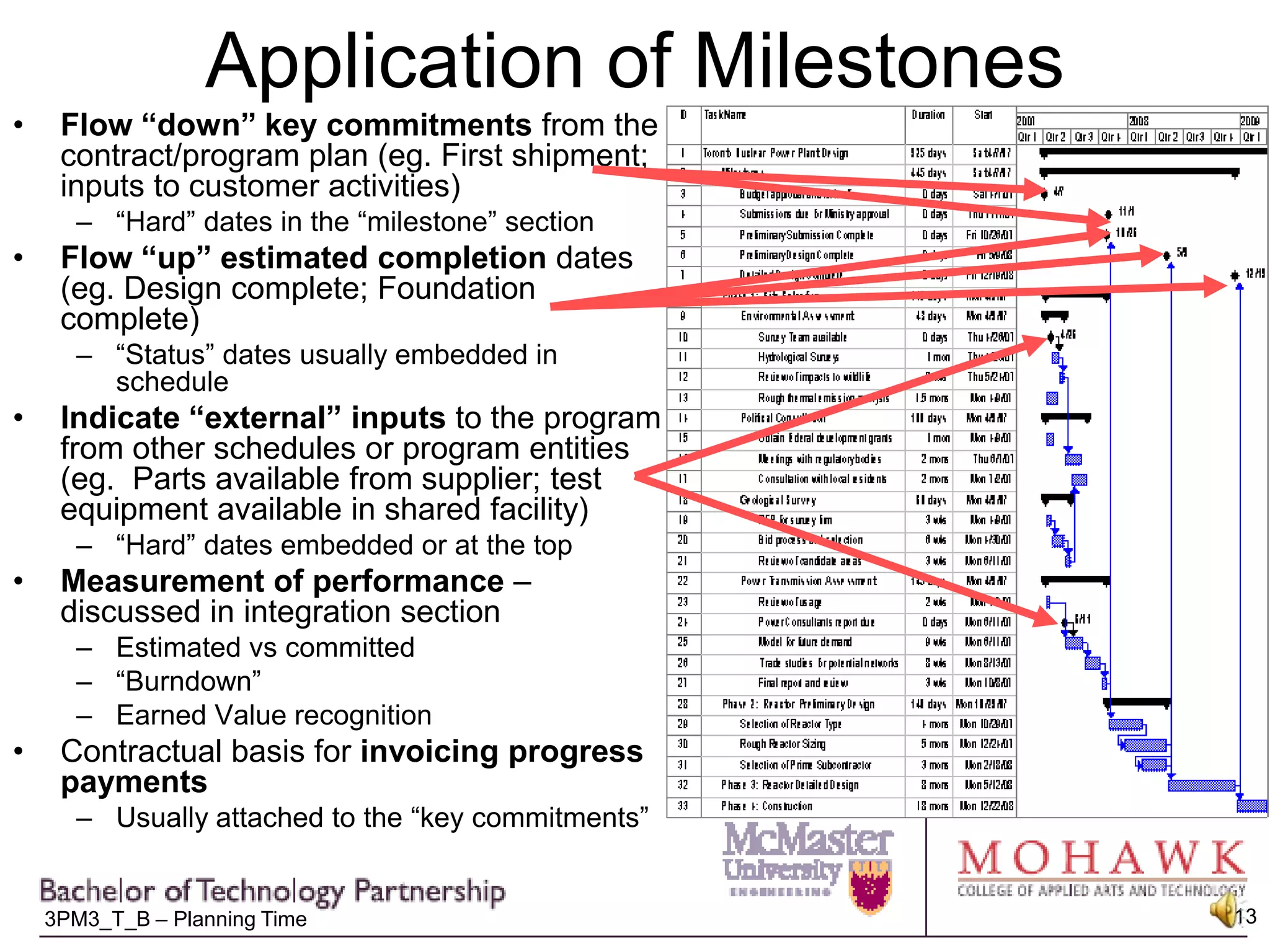
Application of MilestonesFlow “down” key commitments from the contract/program plan (eg. First shipment; inputs to customer activities)“Hard” dates in the “milestone” sectionFlow “up” estimated completion dates (eg. Design complete; Foundation complete)“Status” dates usually embedded in schedule Indicate “external” inputs to the program from other schedules or program entities (eg.  Parts available from supplier; test equipment available in shared facility)“Hard” dates embedded or at the topMeasurement of performance – discussed in integration sectionEstimated vs committed“Burndown”Earned Value recognitionContractual basis for invoicing progress paymentsUsually attached to the “key commitments”
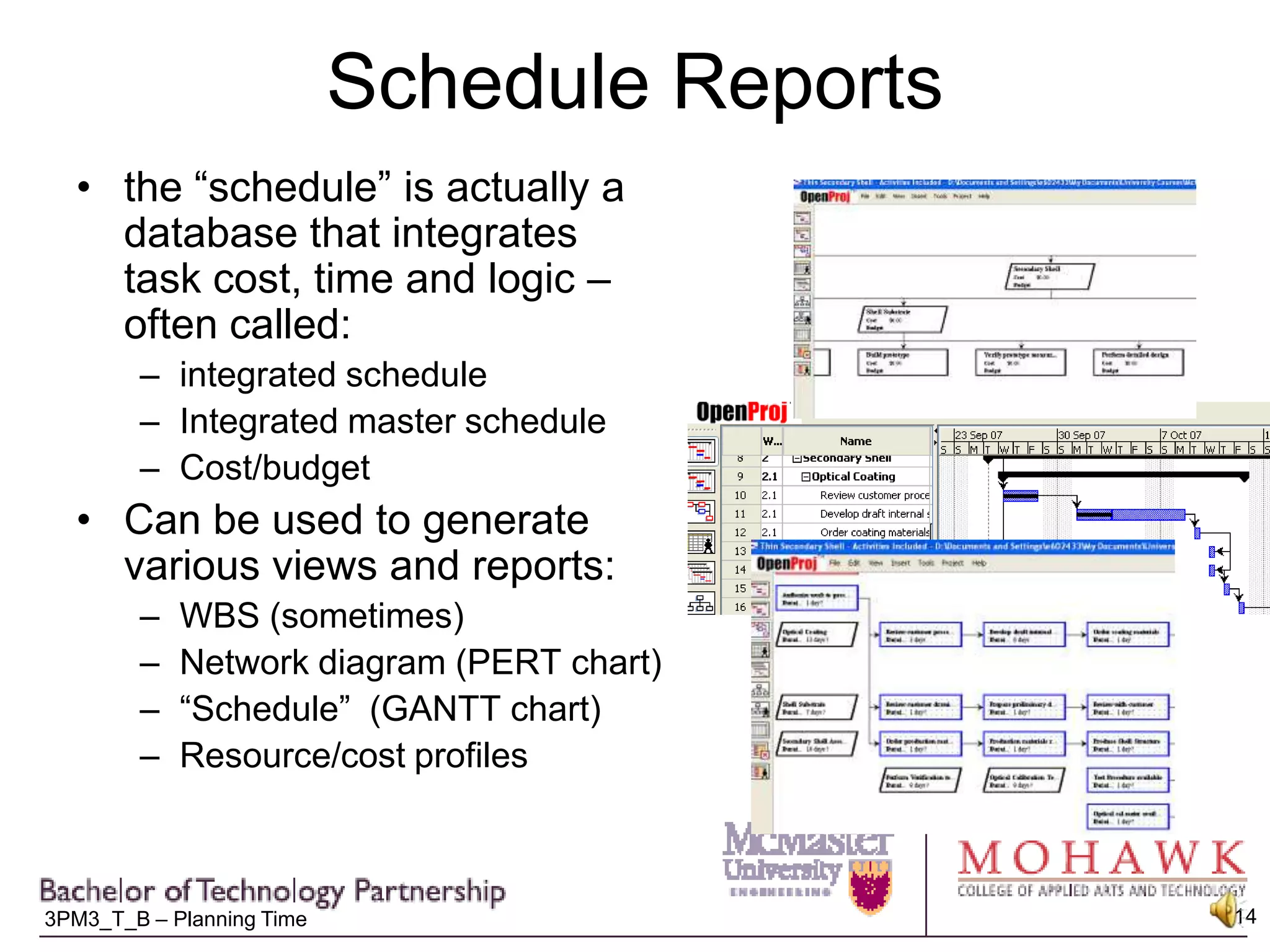
Schedule Reportsthe “schedule” is actually a database that integrates task cost, time and logic – often called: integrated scheduleIntegrated master scheduleCost/budgetCan be used to generate various views and reports:WBS (sometimes)Network diagram (PERT chart)“Schedule”  (GANTT chart)Resource/cost profiles

3 pm3 t_4%20-%20schedule%20development

  • 1.
    Activity DefinitionActivity ListResourcePlanActivity sequencingActivity ResourceEstimatingActivity Duration EstimatingDuration EstimateNetwork DiagramScheduleDevelopmentIntegrated Schedule
  • 2.
    Making a Schedulethat “Works”Identify schedule “problems”Incorrect activity definition: work packages vs activitiesIncorrect sequencing: Unhealthy networksOver-allocated resources: resource levellingMaking the schedule “useful”“Just in time” scheduling: The Rolling WaveGetting done on timeMaking status visible: Reports and MilestonesThe final product is the Time Management Plan called the “Integrated Schedule”
  • 3.
    Activities vs. WorkPackagesActivities describe the processes performed to complete all the “work” in the Work Package
  • 4.
    Activities vs WorkPackagesExample:Work Package = Qualification Test ReportActivities:Collate Test ResultsProvide Data Package to PublicationsPrepare ReportCheck ReportProject Manager ReviewSubmit through Data Management
  • 5.
    The “reality check”Oncethe links are entered, they should form a complete networkEverything ties in to “something”As much as possible, all the “loose ends” tie back together at the end
  • 6.
    Resource LevellingWhen the“ideal” schedule is viewed to check the “resource usage”, many resources maybe “overutilized”Example:If you have only one carpenter, you can’t have “Saw table legs” happen at the same time as “Assemble chair back”This is usually showed via a “histogram” that plots resource demand over time vs. the defined team size
  • 7.
    Options for dealingfor overutilized resourcesNegotiate increased resources with functional managerIncrease “productivity” through overtime, or procurement of enabling technology Consider options for work re-allocation:OutsourcingWork segmentation to allow partial performance by another under-utilized function (eg. Getting an Admin Assistant to perform “clerical” tasks of writing a technical report)“Resource levelling” = re-arranging existing program resources and task sequence to minimize impacts to the “critical path” – delay “non-critical” tasks with conflicting resources
  • 8.
    “Rolling Wave” ScheduleDefinitionSome projects can be scheduled in detail at the beginning:Repeat of previous projects (eg. Building a house)Technology well understood, with little chance for environmental impact (eg. Database design)For many projects, however, only near term tasks are scheduled in detail:Technology not well developed or developed during project (eg.cold fusion reactor)Project involves significant “trade studies” or selection of alternative approaches (eg. Project to “develop corporate network” – Client/server vs. stand-alone? Mac vs. PC? Wireless vs broadband?) Project is lengthy and act of activity definition is a significant cost driverLatter using “Rolling Wave” scheduling
  • 9.
    “Rolling Wave” DefinitionNearterm/known events scheduled and resource loaded in detail to “activity” levelLonger term activities scheduled at increasingly reduced levels of detailDepending on risk reduction philosophy, these may either have no budget/ resources allocated, or may be “lumped” as “Planning Packages”
  • 10.
    Techniques for Shorteninga Project ScheduleFocus on the Critical PathCrashing: shortening the “calendar” duration of a taskApply more resourcesApply overtimeIntroduce enabling technologies, eg. Automation“re-design” the work (eg. Current process requires 4 approvals – change process to require 2)Fast tracking: doing tasks - normally done in sequence - in parallelEg. you eat breakfast, then drive to work eat breakfast while drivingEg. Test product, then ship it perform “minimum”/safety-critical tests and ship while completing remainderRemember the “Constraint Triangle”, any schedule reduction means:Cost, scope or quality trade-offRisk impact – especially when fast-tracking
  • 11.
    Shortening Project SchedulesOriginalscheduleCrashingShorteneddurationFast trackingOverlappedtasks
  • 12.
    MilestonesMilestones = zeroduration tasks inserted into the schedule to provide visibility to key datesMay be mandated by contract or management, at PM discretion or bothLocation:“Milestone” section at the top of the projectProvides immediate summary of program goals and statusEasy access for changing and “What-if” analyses“Embedded” in the related task path if needed to clarify inputs critical to that pathDefinition methods:“Hard dates”: Typed in as a “date”no “driving” dependenciesUsed to flow information “into” the schedule“Status Dates”:Hooked on to the end of a task network leading up to the state to be trackedUsed to flow information “out of” the schedule
  • 13.
    Application of MilestonesFlow“down” key commitments from the contract/program plan (eg. First shipment; inputs to customer activities)“Hard” dates in the “milestone” sectionFlow “up” estimated completion dates (eg. Design complete; Foundation complete)“Status” dates usually embedded in schedule Indicate “external” inputs to the program from other schedules or program entities (eg. Parts available from supplier; test equipment available in shared facility)“Hard” dates embedded or at the topMeasurement of performance – discussed in integration sectionEstimated vs committed“Burndown”Earned Value recognitionContractual basis for invoicing progress paymentsUsually attached to the “key commitments”
  • 14.
    Schedule Reportsthe “schedule”is actually a database that integrates task cost, time and logic – often called: integrated scheduleIntegrated master scheduleCost/budgetCan be used to generate various views and reports:WBS (sometimes)Network diagram (PERT chart)“Schedule” (GANTT chart)Resource/cost profiles