


Presented byAjaiGovind G (191065)AnkitaSehjpal (191076)Khem Singh Chauhan (191090)
IntroductionMicrosoft Project is a project management software program developed and sold by MicrosoftDesigned to assist project managers in developing plans, assigning resources to tasks, tracking progress, managing budgets and analyzing workloads.The application creates critical path schedules, and critical chain which can be visualized in a Gantt chart.Available currently in two editions, Standard and Professional.MS Project's proprietary file format is *.mpp.
History Initially proposed by Microsoft's Manager of Product Development, Alan M. Boyd as an internal tool to help manage the huge number of software projects that were in development at any time inside the company.
 The first commercial version of Project was released for DOS in 1984. Subsequent DOS versions: V2 (1985), V3 (1986) and V4 (1986)
 First Windows version-1990
 Macintosh version -1991
 Subsequent versions-V3 (1992), V4 (1993), 1995, 1998, 2000, 2002, 2003, 2007 and 2010.CompetitorsOpenProj
Open Workbench
Primavera (software)
Project.net
Basecamp (software)
Gantt Project
Genius Inside
LiquidPlanner
MicroPlanner X-Pert
NavalPlanPurposeList each task necessary to complete a project in the order they should be performed.Assign start and finish dates to tasks or let the program set them for you by you specifying the duration of the task.Display the tasks graphically over a time line to get an overall view of the project.Assign workers, contractors, and other resources to tasks and print their schedules.Compute the hours and cost necessary to complete a task or the entire project.Monitor a project’s progress and compare it to your original estimate.Analyze such items as cost, hours, slack time, resource allocation, etc. using tables and graphs
Planning a ProjectDefine Goals
Develop Tasks
Establish Timeframes
Resource Availability

Ms project presentation

  • 1.
    Presented byAjaiGovind G(191065)AnkitaSehjpal (191076)Khem Singh Chauhan (191090)
  • 2.
    IntroductionMicrosoft Project isa project management software program developed and sold by MicrosoftDesigned to assist project managers in developing plans, assigning resources to tasks, tracking progress, managing budgets and analyzing workloads.The application creates critical path schedules, and critical chain which can be visualized in a Gantt chart.Available currently in two editions, Standard and Professional.MS Project's proprietary file format is *.mpp.
  • 3.
    History Initially proposedby Microsoft's Manager of Product Development, Alan M. Boyd as an internal tool to help manage the huge number of software projects that were in development at any time inside the company.
  • 4.
    The firstcommercial version of Project was released for DOS in 1984. Subsequent DOS versions: V2 (1985), V3 (1986) and V4 (1986)
  • 5.
  • 6.
  • 7.
    Subsequent versions-V3(1992), V4 (1993), 1995, 1998, 2000, 2002, 2003, 2007 and 2010.CompetitorsOpenProj
  • 8.
  • 9.
  • 10.
  • 11.
  • 12.
  • 13.
  • 14.
  • 15.
  • 16.
    NavalPlanPurposeList each tasknecessary to complete a project in the order they should be performed.Assign start and finish dates to tasks or let the program set them for you by you specifying the duration of the task.Display the tasks graphically over a time line to get an overall view of the project.Assign workers, contractors, and other resources to tasks and print their schedules.Compute the hours and cost necessary to complete a task or the entire project.Monitor a project’s progress and compare it to your original estimate.Analyze such items as cost, hours, slack time, resource allocation, etc. using tables and graphs
  • 17.
  • 18.
  • 19.
  • 20.
  • 21.
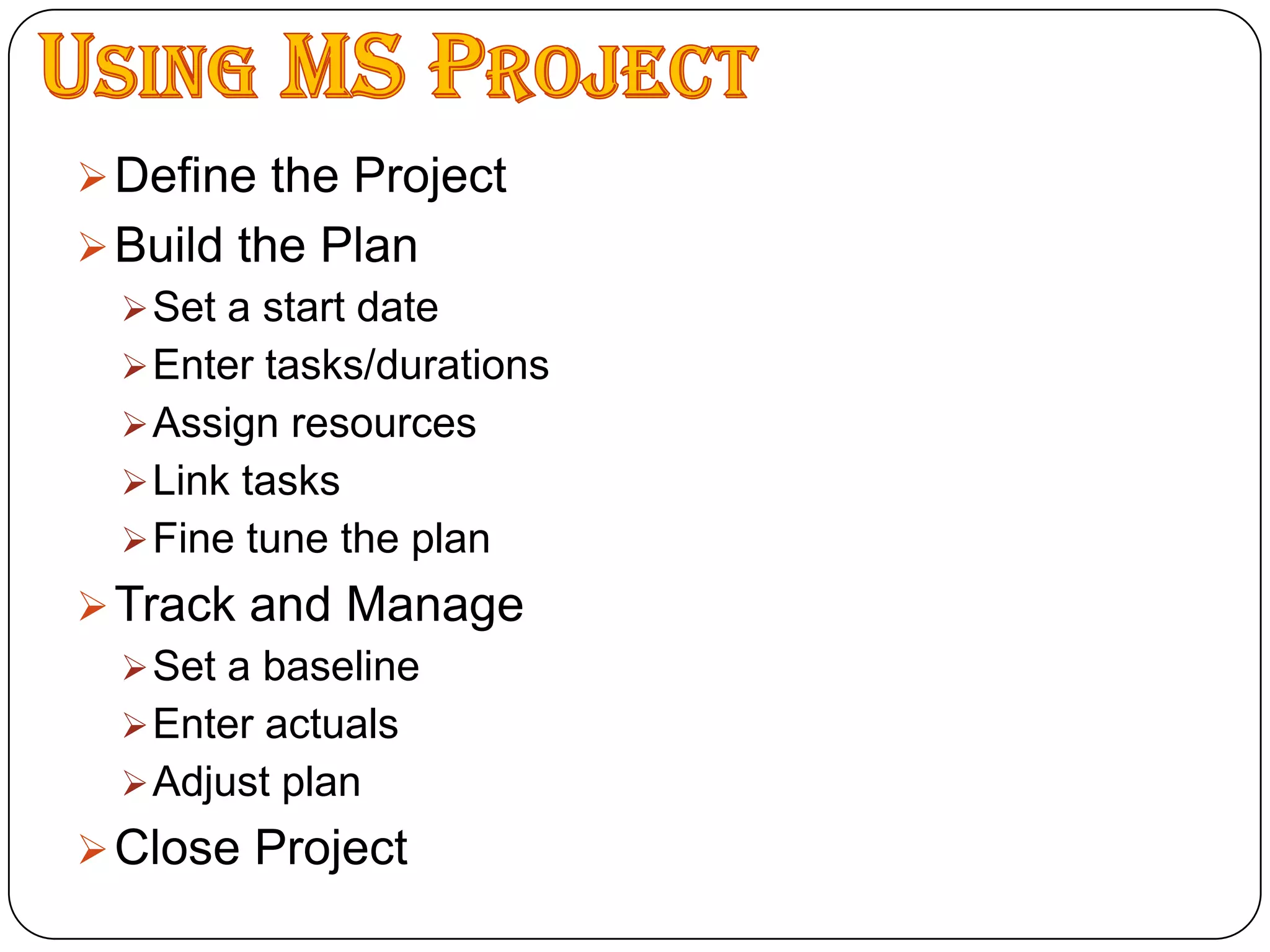
    Organize Using MSProjectDefine the Project
  • 22.
  • 23.
  • 24.
  • 25.
  • 26.
  • 27.
  • 28.
  • 29.
  • 30.
  • 31.
  • 32.
    Close ProjectDefining theProjectThe objective of the project should be defined by the person/group that is going to manage the project.Tasks, start times, and deadlines should be clearly established.
  • 33.
  • 34.
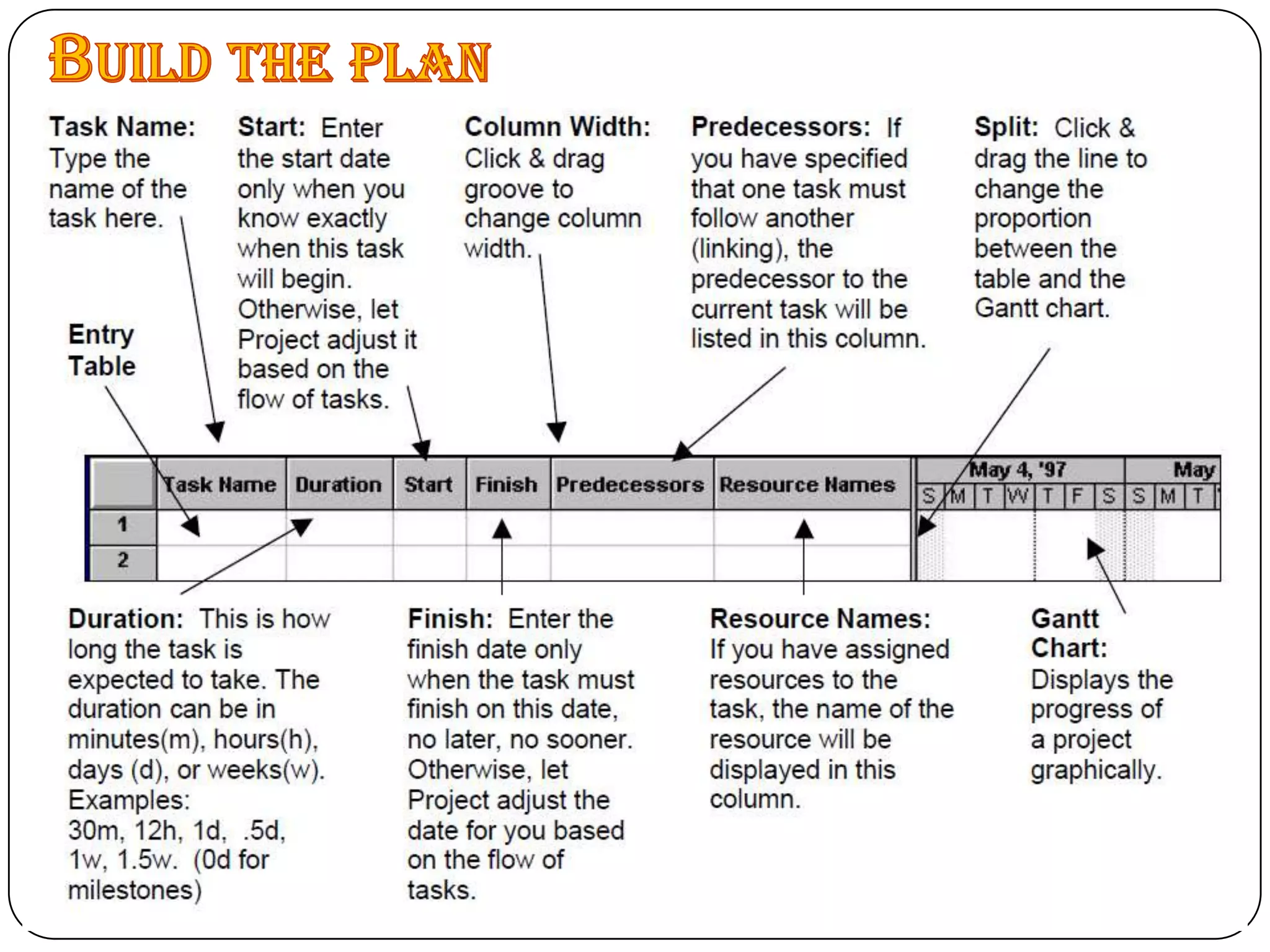
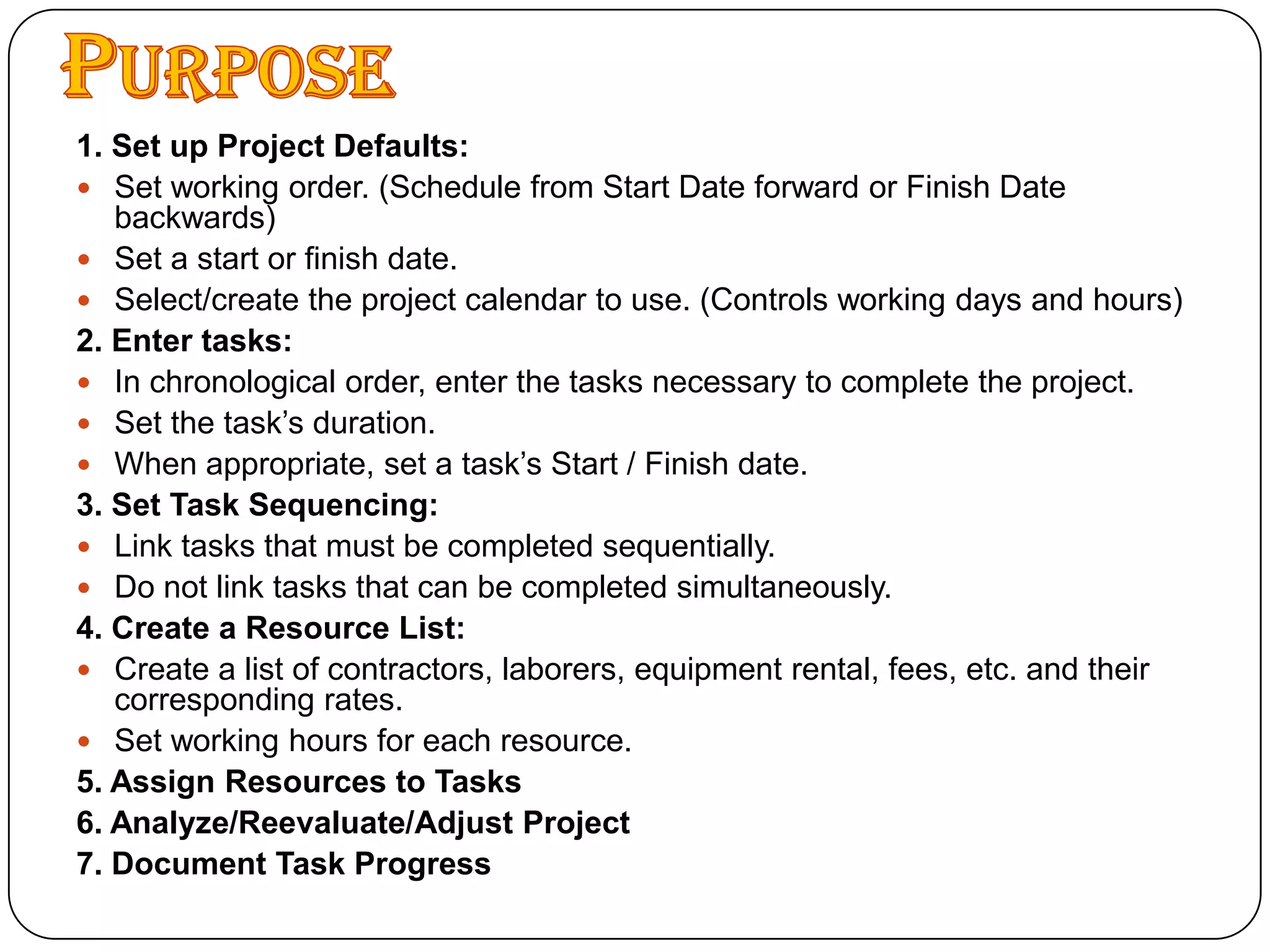
    Purpose1. Set upProject Defaults:Set working order. (Schedule from Start Date forward or Finish Date backwards)Set a start or finish date.Select/create the project calendar to use. (Controls working days and hours)2. Enter tasks:In chronological order, enter the tasks necessary to complete the project.Set the task’s duration.When appropriate, set a task’s Start / Finish date.3. Set Task Sequencing:Link tasks that must be completed sequentially.Do not link tasks that can be completed simultaneously.4. Create a Resource List:Create a list of contractors, laborers, equipment rental, fees, etc. and their corresponding rates.Set working hours for each resource.5. Assign Resources to Tasks6. Analyze/Reevaluate/Adjust Project7. Document Task Progress
  • 35.
  • 36.
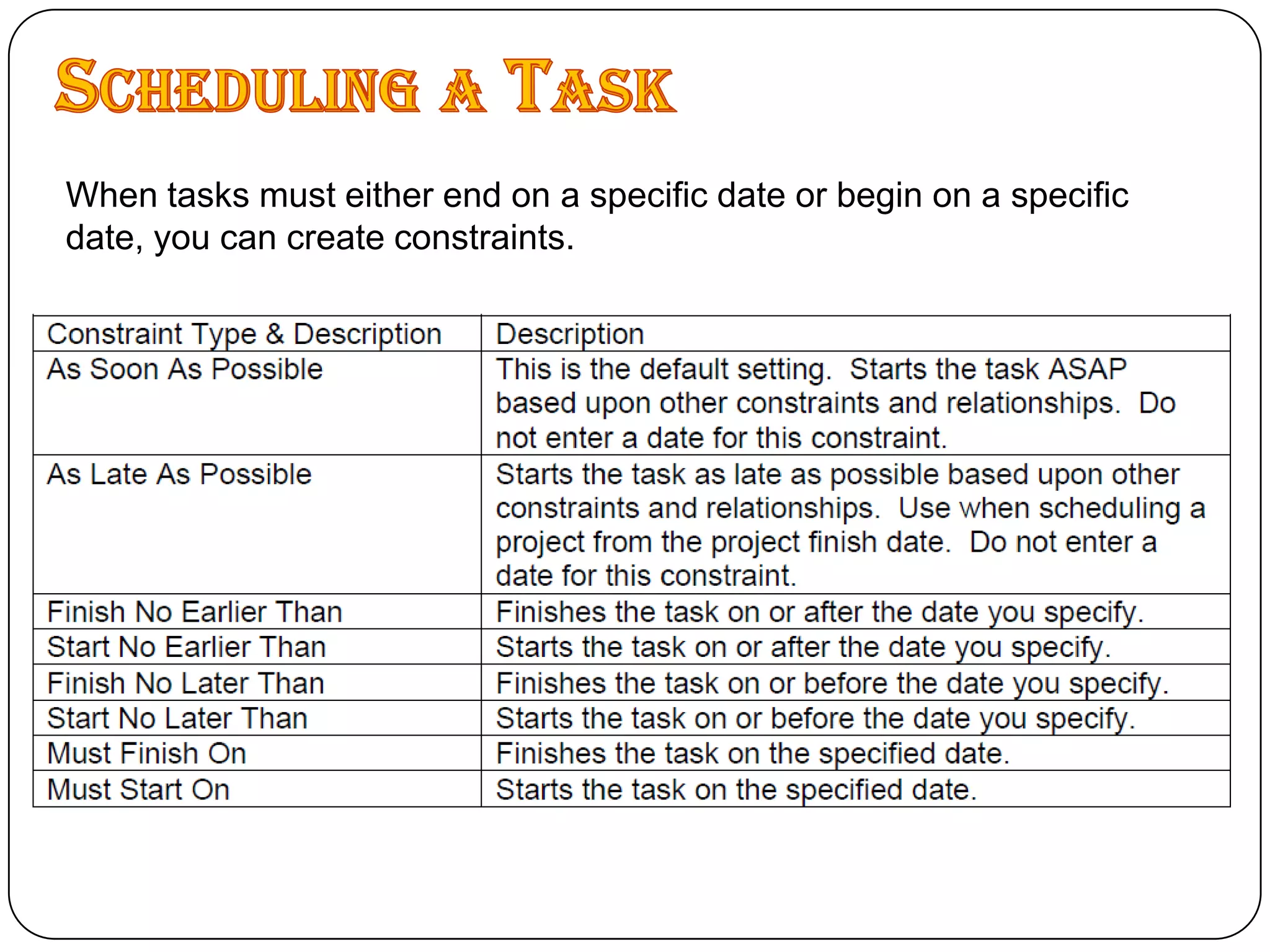
    Scheduling a TaskWhentasks must either end on a specific date or begin on a specific date, you can create constraints.
  • 37.
  • 39.
    Track and Managethe ProjectAs the project proceeds, you may wish to record its progress, noting any deviations from your planned schedule.Creating a BaselineA baseline is a snapshot of you project before actual work begins and changes are made to the schedule.
  • 40.
    The baseline includestask start and finish dates, resources, and costs.
  • 41.
    Compare the actualproject to the baseline.Critical PathThe sequence of activities which have no float or slack is called the critical path.Slack = Late Start – Early Start OR Late Finish - Early Finishi.e. A critical path is the sequence of project network activities which add up to the longest overall duration. This determines the shortest time possible to complete the project.Any delay of an activity on the critical path directly impacts the planned project completion date.A project can have several, parallel, near critical paths. An additional parallel path through the network with the total durations shorter than the critical path is called a sub-critical or non-critical path.
  • 42.
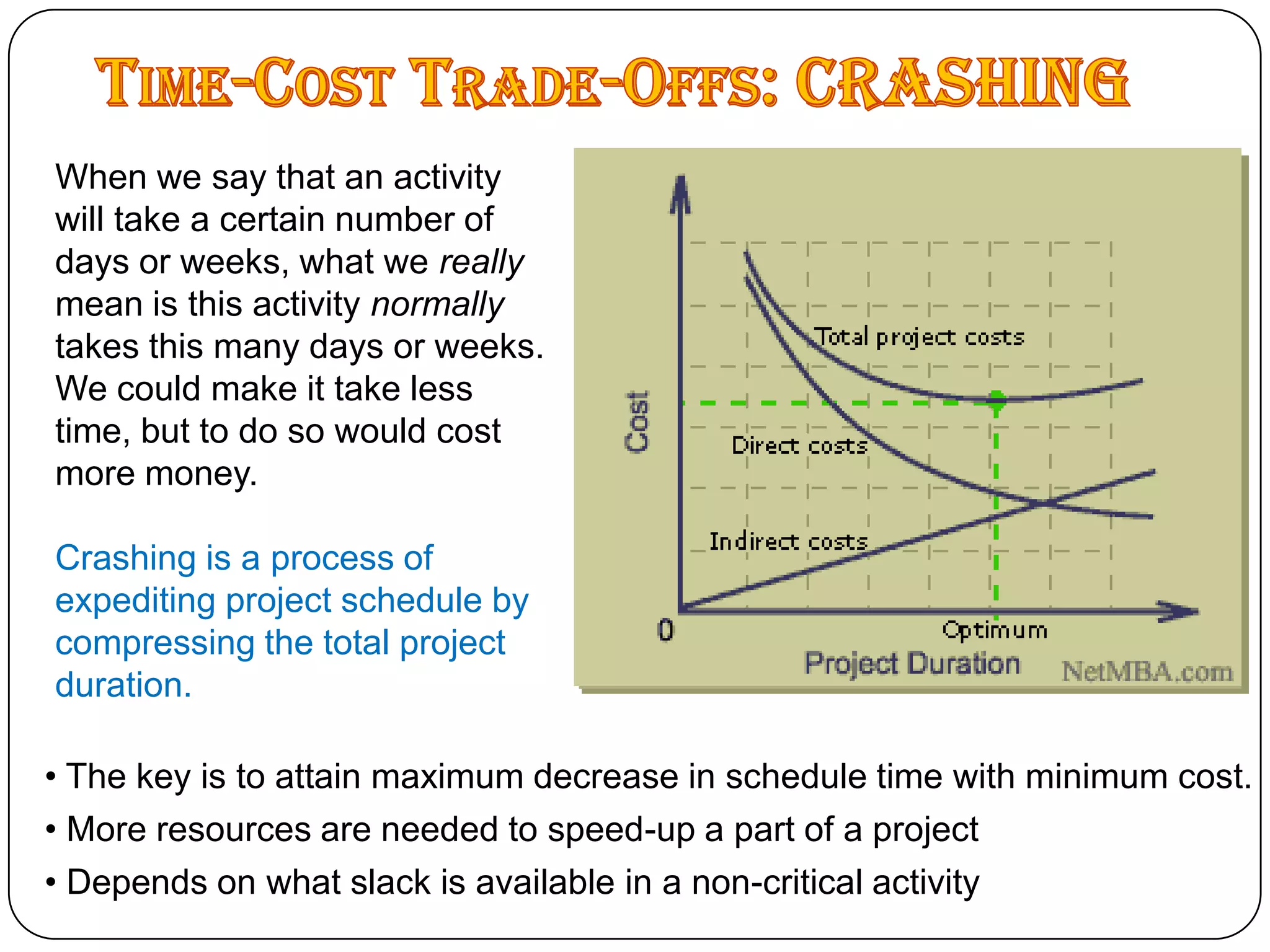
    Time-Cost Trade-Offs: CRASHINGWhenwe say that an activity will take a certain number of days or weeks, what we really mean is this activity normally takes this many days or weeks. We could make it take less time, but to do so would cost more money.Crashing is a process of expediting project schedule by compressing the total project duration. The key is to attain maximum decrease in schedule time with minimum cost.
  • 43.
    More resourcesare needed to speed-up a part of a project
  • 44.
    Depends onwhat slack is available in a non-critical activityWhen not to CRASHThe key to project crashing is attaining maximum reduction in schedule time with minimum cost. Quite simply, the time to stop crashing is when it no longer becomes cost effective. A simple guideline is:Crash only activities that are critical.
  • 45.
    Crash from theleast expensive to most expensive.
  • 46.
    Crash an activityonly until:
  • 47.
    It reaches itsmaximum time reduction.
  • 48.
    It causes anotherpath to also become critical.
  • 49.
    It becomes moreexpensive to crash than not to crash.Creating a CRASH Table Identify the critical path and the corresponding tasks.
  • 50.
    Export the workpackage tasks (ID and Task Name fields), the original duration (Duration field), and the original cost (Cost field) from your MS Project schedule, and open that file in Excel.
  • 51.
    You mustcalculate the potential crash duration for each critical path task and the cost to crash each task.
  • 52.
    On theExcel worksheet, add a column to calculate crash reduction, which is how many weeks you can crash each task. Crash reduction is simply the original duration minus the crash duration.
  • 53.
    Add anothercolumn to calculate the crash cost per week, which is the crash cost divided by the crash reduction value.