1 © 2001-2003 Marty Hall, Larry Brown http://www.corewebprogramming.com
core
programming
XLST
Processing with Java
XSL Transformations2 www.corewebprogramming.com
Agenda
• XSLT Overview
• Understanding XPath notation
• Processing elements in XSLT templates
• XSLT installation and setup
• An XSL Transformer
• Example:
– Document Editor
– XSLT custom tag
XSL Transformations3 www.corewebprogramming.com
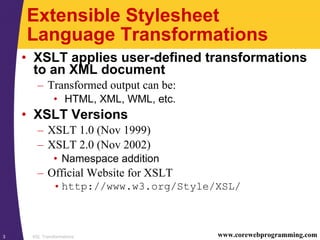
Extensible Stylesheet
Language Transformations
• XSLT applies user-defined transformations
to an XML document
– Transformed output can be:
• HTML, XML, WML, etc.
• XSLT Versions
– XSLT 1.0 (Nov 1999)
– XSLT 2.0 (Nov 2002)
• Namespace addition
– Official Website for XSLT
•http://www.w3.org/Style/XSL/
XSL Transformations4 www.corewebprogramming.com
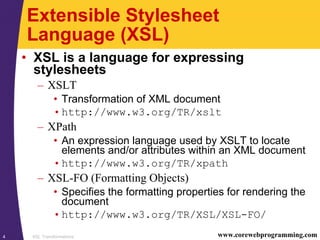
Extensible Stylesheet
Language (XSL)
• XSL is a language for expressing
stylesheets
– XSLT
• Transformation of XML document
•http://www.w3.org/TR/xslt
– XPath
• An expression language used by XSLT to locate
elements and/or attributes within an XML document
•http://www.w3.org/TR/xpath
– XSL-FO (Formatting Objects)
• Specifies the formatting properties for rendering the
document
•http://www.w3.org/TR/XSL/XSL-FO/
XSL Transformations5 www.corewebprogramming.com
XSLT Advantages and
Disadvantages
• Advantages
– Easy to merge XML data into a presentation
– More resilient to changes in the details of the XML
documents than low-level DOM and SAX
– Database queries can be retuned in XML
• Insensitive to column order
• Disadvantages
– Memory intensive and suffers a performance penalty
– Difficult to implement complicated business rules
– Have to learn a new language
– Can’t change the value of variables (requires recursion)
XSL Transformations6 www.corewebprogramming.com
XSLT Parsers
• Apache Xalan
– http://xml.apache.org/xalan/
• Oracle
– http://technet.oracle.com/tech/xml/
• Saxon
– http://saxon.sourceforge.net/
– Written by Michael Kay
• Microsoft’s XML Parser 4.0 (MSXML)
– http://www.microsoft.com/xml/
XSL Transformations7 www.corewebprogramming.com
XSLT Installation and Setup
(JDK 1.4)
• All the necessary classes are included with
JDK 1.4
• See javax.xml.transform package
• For XSLT with JDK 1.3 see following
viewgraphs
XSL Transformations8 www.corewebprogramming.com
XSLT Installation and Setup
(JDK 1.3)
1. Download a XSLT compliant parser
• XSLT parsers at
http://www.xmlsoftware.com/xslt/
• Recommend Apache Xalan-J 2.4.1 parser at
http://xml.apache.org/xalan-j/
• Xalan-Java implementation is bundled in
xalan.jar
• Xalan also requires xml-apis.jar
XSL Transformations9 www.corewebprogramming.com
XSLT Installation and Setup
(JDK 1.3, continued)
2. Download a SAX 2-compliant parser
• Java-based XML parsers at
http://www.xml.com/pub/rg/Java_Parsers
• Recommend Apache Xerces-J 2.2.x parser at
http://xml.apache.org/xerces-j/
• Note that Xerces-J 2.2.0 is bundled with the Xalan-J
2.4.1 download
• Xerces-Java implementation is bundled in
xercesImpl.jar
• Xerces also requires xml-apis.jar
XSL Transformations10 www.corewebprogramming.com
XSLT Installation and Setup
(continued)
3. Download the Java API for XML
Processing (JAXP)
• JAXP defines TrAX, a small layer on top of SAX and
DOM which supports specifying transformers through
system properties versus hard coded values
• See http://java.sun.com/xml/
• Note that TrAX is incorporated in Xalan-J
4. Bookmark the Java XSLT API
• Xalan-Java API is located at
http://xml.apache.org/xalan-j/
apidocs/
XSL Transformations11 www.corewebprogramming.com
XSLT Installation and Setup
(continued)
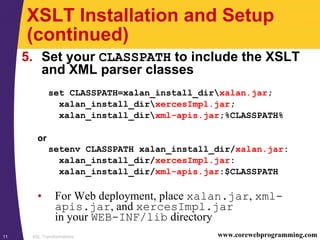
5. Set your CLASSPATH to include the XSLT
and XML parser classes
set CLASSPATH=xalan_install_dirxalan.jar;
xalan_install_dirxercesImpl.jar;
xalan_install_dirxml-apis.jar;%CLASSPATH%
or
setenv CLASSPATH xalan_install_dir/xalan.jar:
xalan_install_dir/xercesImpl.jar:
xalan_install_dir/xml-apis.jar:$CLASSPATH
• For Web deployment, place xalan.jar, xml-
apis.jar, and xercesImpl.jar
in your WEB-INF/lib directory
XSL Transformations12 www.corewebprogramming.com
XSL Transformations
• Use
– XPath to identify (select) parts of an XML document
– XSLT templates to apply transformations
• Requires
– Well formed XML document
– XSL document (style sheet) that contains formatting and
transformation templates
– XSLT parser to perform the transformation
XSL Transformations13 www.corewebprogramming.com
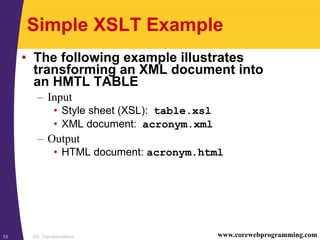
Simple XSLT Example
• The following example illustrates
transforming an XML document into
an HMTL TABLE
– Input
• Style sheet (XSL): table.xsl
• XML document: acronym.xml
– Output
• HTML document: acronym.html
XSL Transformations14 www.corewebprogramming.com
XSLT Stylesheet: table.xsl
<?xml version="1.0"?>
<xsl:stylesheet version="1.0"
xmlns:xsl="http://www.w3.org/1999/XSL/Transform">
<xsl:output method="html" />
<xsl:template match="/">
<TABLE CELLPADDING="3" BORDER="1" ALIGN="CENTER">
<!–- Build table header, by selecting the
name of each element in the first ROW. -->
<TR><TH></TH>
<xsl:for-each select="ROWSET/ROW[1]/*">
<TH><xsl:value-of select="name()" /></TH>
</xsl:for-each>
</TR>
<!–- Apply template to build table rows -->
<xsl:apply-templates select="ROWSET" />
</TABLE>
</xsl:template>
...
XSL Transformations15 www.corewebprogramming.com
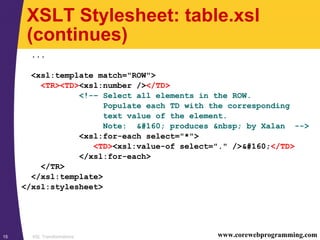
XSLT Stylesheet: table.xsl
(continues)
...
<xsl:template match="ROW">
<TR><TD><xsl:number /></TD>
<!-– Select all elements in the ROW.
Populate each TD with the corresponding
text value of the element.
Note: &#160; produces &nbsp; by Xalan -->
<xsl:for-each select="*">
<TD><xsl:value-of select="." />&#160;</TD>
</xsl:for-each>
</TR>
</xsl:template>
</xsl:stylesheet>
XSL Transformations16 www.corewebprogramming.com
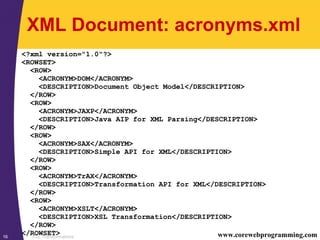
XML Document: acronyms.xml
<?xml version="1.0"?>
<ROWSET>
<ROW>
<ACRONYM>DOM</ACRONYM>
<DESCRIPTION>Document Object Model</DESCRIPTION>
</ROW>
<ROW>
<ACRONYM>JAXP</ACRONYM>
<DESCRIPTION>Java AIP for XML Parsing</DESCRIPTION>
</ROW>
<ROW>
<ACRONYM>SAX</ACRONYM>
<DESCRIPTION>Simple API for XML</DESCRIPTION>
</ROW>
<ROW>
<ACRONYM>TrAX</ACRONYM>
<DESCRIPTION>Transformation API for XML</DESCRIPTION>
</ROW>
<ROW>
<ACRONYM>XSLT</ACRONYM>
<DESCRIPTION>XSL Transformation</DESCRIPTION>
</ROW>
</ROWSET>
XSL Transformations17 www.corewebprogramming.com
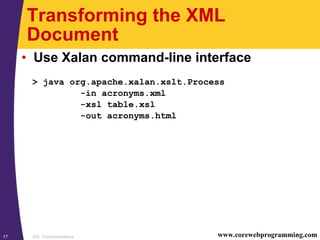
Transforming the XML
Document
• Use Xalan command-line interface
> java org.apache.xalan.xslt.Process
-in acronyms.xml
-xsl table.xsl
-out acronyms.html
XSL Transformations18 www.corewebprogramming.com
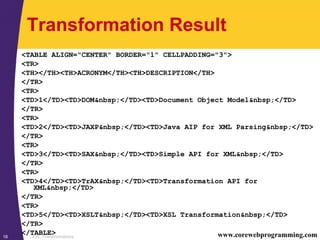
Transformation Result
<TABLE ALIGN="CENTER" BORDER="1" CELLPADDING="3">
<TR>
<TH></TH><TH>ACRONYM</TH><TH>DESCRIPTION</TH>
</TR>
<TR>
<TD>1</TD><TD>DOM&nbsp;</TD><TD>Document Object Model&nbsp;</TD>
</TR>
<TR>
<TD>2</TD><TD>JAXP&nbsp;</TD><TD>Java AIP for XML Parsing&nbsp;</TD>
</TR>
<TR>
<TD>3</TD><TD>SAX&nbsp;</TD><TD>Simple API for XML&nbsp;</TD>
</TR>
<TR>
<TD>4</TD><TD>TrAX&nbsp;</TD><TD>Transformation API for
XML&nbsp;</TD>
</TR>
<TR>
<TD>5</TD><TD>XSLT&nbsp;</TD><TD>XSL Transformation&nbsp;</TD>
</TR>
</TABLE>
XSL Transformations19 www.corewebprogramming.com
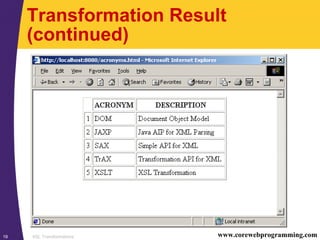
Transformation Result
(continued)
XSL Transformations20 www.corewebprogramming.com
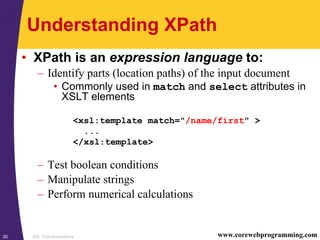
Understanding XPath
• XPath is an expression language to:
– Identify parts (location paths) of the input document
• Commonly used in match and select attributes in
XSLT elements
– Test boolean conditions
– Manipulate strings
– Perform numerical calculations
<xsl:template match="/name/first" >
...
</xsl:template>
XSL Transformations21 www.corewebprogramming.com
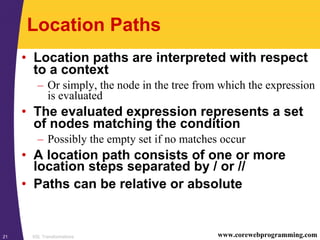
Location Paths
• Location paths are interpreted with respect
to a context
– Or simply, the node in the tree from which the expression
is evaluated
• The evaluated expression represents a set
of nodes matching the condition
– Possibly the empty set if no matches occur
• A location path consists of one or more
location steps separated by / or //
• Paths can be relative or absolute
XSL Transformations22 www.corewebprogramming.com
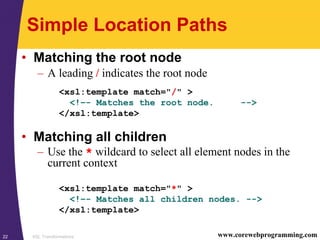
Simple Location Paths
• Matching the root node
– A leading / indicates the root node
<xsl:template match="/" >
<!–- Matches the root node. -->
</xsl:template>
• Matching all children
– Use the * wildcard to select all element nodes in the
current context
<xsl:template match="*" >
<!–- Matches all children nodes. -->
</xsl:template>
XSL Transformations23 www.corewebprogramming.com
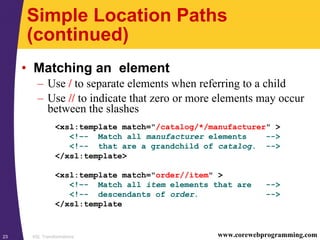
Simple Location Paths
(continued)
• Matching an element
– Use / to separate elements when referring to a child
– Use // to indicate that zero or more elements may occur
between the slashes
<xsl:template match="/catalog/*/manufacturer" >
<!–- Match all manufacturer elements -->
<!-- that are a grandchild of catalog. -->
</xsl:template>
<xsl:template match="order//item" >
<!–- Match all item elements that are -->
<!-- descendants of order. -->
</xsl:template
XSL Transformations24 www.corewebprogramming.com
Matching with Predicates
• Matching a specific element
– Use […] as a predicate filter to select a particular context
node
– The predicate is evaluated as a boolean expression; if the
condition is true, then the node is selected
<xsl:template match="author/name[middle]" >
<!–- Match all name elements that have an -->
<!–- author parent and a middle child. -->
</xsl:template>
<xsl:template match="/ROWSET/ROW[1]" >
<!–- Match the first ROW element that is -->
<!–- a child of ROWSET (from the root). -->
</xsl:template>
XSL Transformations25 www.corewebprogramming.com
Matching with Predicates
(continued)
• Matching a specific attribute
– Use the @ sign followed by the attribute name to
select a particular node
<xsl:template match="order[@discount]" >
<!–- Match all order elements that have a -->
<!-- discount attribute. -->
</xsl:template>
<xsl:template match="catalog/item[@id='3145']" >
<!–- Match all item elements that are a child -->
<!-- of catalog and have an id attribute with -->
<!-- a value of 3145. -->
</xsl:template>
XSL Transformations26 www.corewebprogramming.com
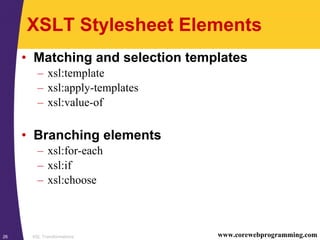
XSLT Stylesheet Elements
• Matching and selection templates
– xsl:template
– xsl:apply-templates
– xsl:value-of
• Branching elements
– xsl:for-each
– xsl:if
– xsl:choose
XSL Transformations27 www.corewebprogramming.com
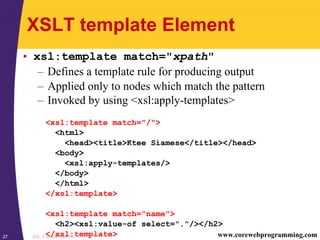
XSLT template Element
• xsl:template match="xpath"
– Defines a template rule for producing output
– Applied only to nodes which match the pattern
– Invoked by using <xsl:apply-templates>
<xsl:template match="/">
<html>
<head><title>Ktee Siamese</title></head>
<body>
<xsl:apply-templates/>
</body>
</html>
</xsl:template>
<xsl:template match="name">
<h2><xsl:value-of select="."/></h2>
</xsl:template>
XSL Transformations28 www.corewebprogramming.com
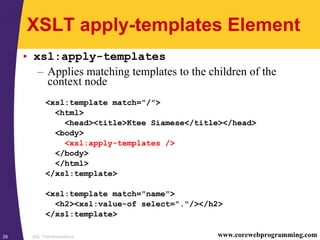
XSLT apply-templates Element
• xsl:apply-templates
– Applies matching templates to the children of the
context node
<xsl:template match="/">
<html>
<head><title>Ktee Siamese</title></head>
<body>
<xsl:apply-templates />
</body>
</html>
</xsl:template>
<xsl:template match="name">
<h2><xsl:value-of select="."/></h2>
</xsl:template>
XSL Transformations29 www.corewebprogramming.com
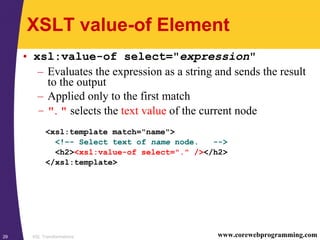
XSLT value-of Element
• xsl:value-of select="expression"
– Evaluates the expression as a string and sends the result
to the output
– Applied only to the first match
– ". " selects the text value of the current node
<xsl:template match="name">
<!–- Select text of name node. -->
<h2><xsl:value-of select="." /></h2>
</xsl:template>
XSL Transformations30 www.corewebprogramming.com
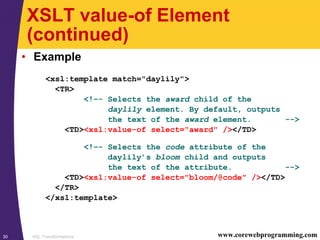
XSLT value-of Element
(continued)
• Example
<xsl:template match="daylily">
<TR>
<!–- Selects the award child of the
daylily element. By default, outputs
the text of the award element. -->
<TD><xsl:value-of select="award" /></TD>
<!–- Selects the code attribute of the
daylily’s bloom child and outputs
the text of the attribute. -->
<TD><xsl:value-of select="bloom/@code" /></TD>
</TR>
</xsl:template>
XSL Transformations31 www.corewebprogramming.com
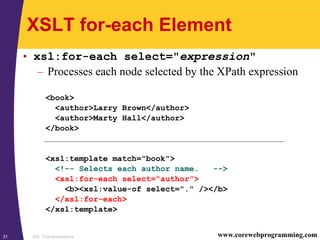
XSLT for-each Element
• xsl:for-each select="expression"
– Processes each node selected by the XPath expression
<book>
<author>Larry Brown</author>
<author>Marty Hall</author>
</book>
<xsl:template match="book">
<!-- Selects each author name. -->
<xsl:for-each select="author">
<b><xsl:value-of select="." /></b>
</xsl:for-each>
</xsl:template>
XSL Transformations32 www.corewebprogramming.com
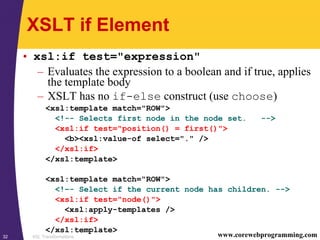
XSLT if Element
• xsl:if test="expression"
– Evaluates the expression to a boolean and if true, applies
the template body
– XSLT has no if-else construct (use choose)
<xsl:template match="ROW">
<!-- Selects first node in the node set. -->
<xsl:if test="position() = first()">
<b><xsl:value-of select="." />
</xsl:if>
</xsl:template>
<xsl:template match="ROW">
<!–- Select if the current node has children. -->
<xsl:if test="node()">
<xsl:apply-templates />
</xsl:if>
</xsl:template>
XSL Transformations33 www.corewebprogramming.com
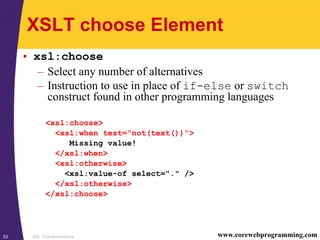
XSLT choose Element
• xsl:choose
– Select any number of alternatives
– Instruction to use in place of if-else or switch
construct found in other programming languages
<xsl:choose>
<xsl:when test="not(text())">
Missing value!
</xsl:when>
<xsl:otherwise>
<xsl:value-of select="." />
</xsl:otherwise>
</xsl:choose>
XSL Transformations34 www.corewebprogramming.com
XSLT output Element
• xsl:output
– Controls the format of the stylesheet output
– Useful attributes:
method= "[html|xml|text]"
indent="[yes|no]"
version="version"
doctype-public="specification"
encoding="encoding"
standalone="[yes|no]"
• Example
<xsl:output method="html"
doctype-public="-//W3C//DTD HTML 4.0 Transitional//EN"/>
XSL Transformations35 www.corewebprogramming.com
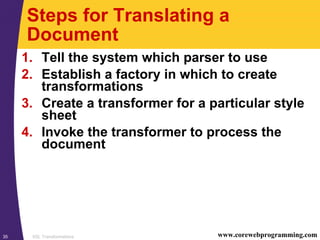
Steps for Translating a
Document
1. Tell the system which parser to use
2. Establish a factory in which to create
transformations
3. Create a transformer for a particular style
sheet
4. Invoke the transformer to process the
document
XSL Transformations36 www.corewebprogramming.com
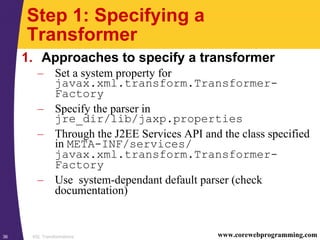
Step 1: Specifying a
Transformer
1. Approaches to specify a transformer
– Set a system property for
javax.xml.transform.Transformer-
Factory
– Specify the parser in
jre_dir/lib/jaxp.properties
– Through the J2EE Services API and the class specified
in META-INF/services/
javax.xml.transform.Transformer-
Factory
– Use system-dependant default parser (check
documentation)
XSL Transformations37 www.corewebprogramming.com
Specifying a Transformer,
Example
• The following example:
– Permits the user to specify the transformer through the
command line –D option
java –Djavax.xml.transform.TransformerFactory=
weblogic.apache.xalan.processor.TransformerFactoryImpl ...
– Uses the Apache Xalan transformer otherwise
public static void main(String[] args) {
String jaxpPropertyName =
"javax.xml.transform.TransformerFactory ";
if (System.getProperty(jaxpPropertyName) == null) {
String apacheXercesPropertyValue =
"org.apache.xalan.xsltc.trax.TransformerFactoryImpl";
System.setProperty(jaxpPropertyName,
apacheXercesPropertyValue);
}
...
}
XSL Transformations38 www.corewebprogramming.com
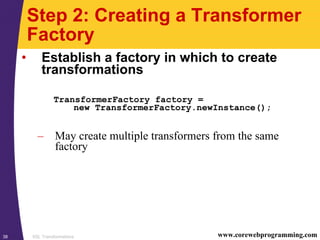
Step 2: Creating a Transformer
Factory
• Establish a factory in which to create
transformations
TransformerFactory factory =
new TransformerFactory.newInstance();
– May create multiple transformers from the same
factory
XSL Transformations39 www.corewebprogramming.com
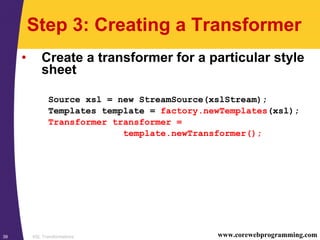
Step 3: Creating a Transformer
• Create a transformer for a particular style
sheet
Source xsl = new StreamSource(xslStream);
Templates template = factory.newTemplates(xsl);
Transformer transformer =
template.newTransformer();
XSL Transformations40 www.corewebprogramming.com
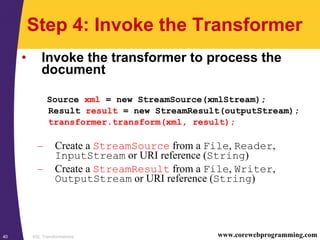
Step 4: Invoke the Transformer
• Invoke the transformer to process the
document
Source xml = new StreamSource(xmlStream);
Result result = new StreamResult(outputStream);
transformer.transform(xml, result);
– Create a StreamSource from a File, Reader,
InputStream or URI reference (String)
– Create a StreamResult from a File, Writer,
OutputStream or URI reference (String)
XSL Transformations41 www.corewebprogramming.com
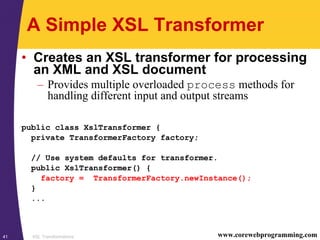
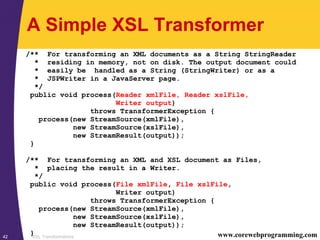
A Simple XSL Transformer
• Creates an XSL transformer for processing
an XML and XSL document
– Provides multiple overloaded process methods for
handling different input and output streams
public class XslTransformer {
private TransformerFactory factory;
// Use system defaults for transformer.
public XslTransformer() {
factory = TransformerFactory.newInstance();
}
...
XSL Transformations42 www.corewebprogramming.com
A Simple XSL Transformer
/** For transforming an XML documents as a String StringReader
* residing in memory, not on disk. The output document could
* easily be handled as a String (StringWriter) or as a
* JSPWriter in a JavaServer page.
*/
public void process(Reader xmlFile, Reader xslFile,
Writer output)
throws TransformerException {
process(new StreamSource(xmlFile),
new StreamSource(xslFile),
new StreamResult(output));
}
/** For transforming an XML and XSL document as Files,
* placing the result in a Writer.
*/
public void process(File xmlFile, File xslFile,
Writer output)
throws TransformerException {
process(new StreamSource(xmlFile),
new StreamSource(xslFile),
new StreamResult(output));
}
XSL Transformations43 www.corewebprogramming.com
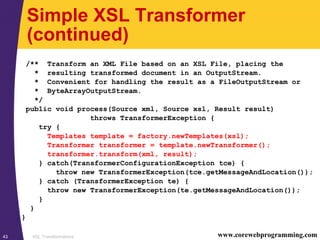
Simple XSL Transformer
(continued)
/** Transform an XML File based on an XSL File, placing the
* resulting transformed document in an OutputStream.
* Convenient for handling the result as a FileOutputStream or
* ByteArrayOutputStream.
*/
public void process(Source xml, Source xsl, Result result)
throws TransformerException {
try {
Templates template = factory.newTemplates(xsl);
Transformer transformer = template.newTransformer();
transformer.transform(xml, result);
} catch(TransformerConfigurationException tce) {
throw new TransformerException(tce.getMessageAndLocation());
} catch (TransformerException te) {
throw new TransformerException(te.getMessageAndLocation());
}
}
}
XSL Transformations44 www.corewebprogramming.com
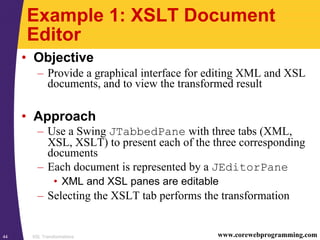
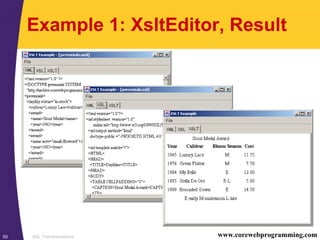
Example 1: XSLT Document
Editor
• Objective
– Provide a graphical interface for editing XML and XSL
documents, and to view the transformed result
• Approach
– Use a Swing JTabbedPane with three tabs (XML,
XSL, XSLT) to present each of the three corresponding
documents
– Each document is represented by a JEditorPane
• XML and XSL panes are editable
– Selecting the XSLT tab performs the transformation
XSL Transformations45 www.corewebprogramming.com
Example 1: XsltEditor
import java.awt.*;
import java.awt.event.*;
import javax.swing.*;
import javax.swing.event.*;
import java.io.*;
import javax.xml.transform.*;
import cwp.XslTransformer;
public class XsltEditor extends JFrame
implements ChangeListener {
private static final int XML = 0;
private static final int XSL = 1;
private static final int XSLT = 2;
private Action openAction, saveAction, exitAction;
private JTabbedPane tabbedPane;
private DocumentPane[] documents;
private XslTransformer transformer;
...
XSL Transformations46 www.corewebprogramming.com
Example 1: XsltEditor
(continued)
...
/** Checks to see which tabbed pane was selected by the
* user. If the XML and XSL panes hold a document, then
* selecting the XSLT tab will perform the transformation.
*/
public void stateChanged(ChangeEvent event) {
int index = tabbedPane.getSelectedIndex();
switch (index) {
case XSLT: if (documents[XML].isLoaded() &&
documents[XSL].isLoaded()) {
doTransform();
}
case XML:
case XSL: updateMenuAndTitle(index);
break;
default:
}
}
XSL Transformations47 www.corewebprogramming.com
Example 1: XsltEditor
(continued)
...
private void doTransform() {
StringWriter strWriter = new StringWriter();
try {
Reader xmlInput =
new StringReader(documents[XML].getText());
Reader xslInput =
new StringReader(documents[XSL].getText());
transformer.process(xmlInput, xslInput, strWriter);
} catch(TransformerException te) {
JOptionPane.showMessageDialog(this,
"Error: " + te.getMessage());
}
documents[XSLT].setText(strWriter.toString());
}
...
}
XSL Transformations48 www.corewebprogramming.com
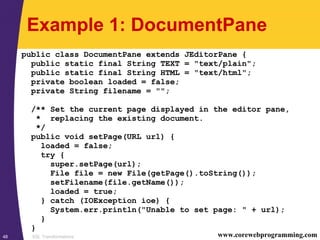
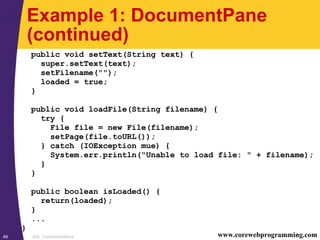
Example 1: DocumentPane
public class DocumentPane extends JEditorPane {
public static final String TEXT = "text/plain";
public static final String HTML = "text/html";
private boolean loaded = false;
private String filename = "";
/** Set the current page displayed in the editor pane,
* replacing the existing document.
*/
public void setPage(URL url) {
loaded = false;
try {
super.setPage(url);
File file = new File(getPage().toString());
setFilename(file.getName());
loaded = true;
} catch (IOException ioe) {
System.err.println("Unable to set page: " + url);
}
}
XSL Transformations49 www.corewebprogramming.com
Example 1: DocumentPane
(continued)
public void setText(String text) {
super.setText(text);
setFilename("");
loaded = true;
}
public void loadFile(String filename) {
try {
File file = new File(filename);
setPage(file.toURL());
} catch (IOException mue) {
System.err.println("Unable to load file: " + filename);
}
}
public boolean isLoaded() {
return(loaded);
}
...
}
XSL Transformations50 www.corewebprogramming.com
Example 1: XsltEditor, Result
XSL Transformations51 www.corewebprogramming.com
Example 2: XSLT Custom Tag
• Objective
– Develop a JSP custom tag to transform an XML
document and create an HTML table
• Problem
– THEAD, TBODY, and TFOOT elements supported by
Internet Explorer, but not by Netscape 4.x
XSL Transformations52 www.corewebprogramming.com
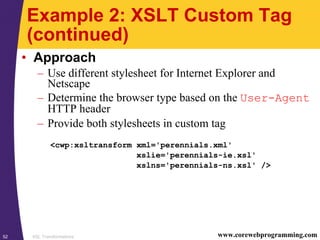
Example 2: XSLT Custom Tag
(continued)
• Approach
– Use different stylesheet for Internet Explorer and
Netscape
– Determine the browser type based on the User-Agent
HTTP header
– Provide both stylesheets in custom tag
<cwp:xsltransform xml='perennials.xml'
xslie='perennials-ie.xsl'
xslns='perennials-ns.xsl' />
XSL Transformations53 www.corewebprogramming.com
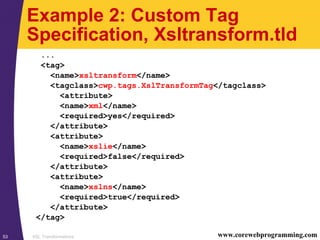
Example 2: Custom Tag
Specification, Xsltransform.tld
...
<tag>
<name>xsltransform</name>
<tagclass>cwp.tags.XslTransformTag</tagclass>
<attribute>
<name>xml</name>
<required>yes</required>
</attribute>
<attribute>
<name>xslie</name>
<required>false</required>
</attribute>
<attribute>
<name>xslns</name>
<required>true</required>
</attribute>
</tag>
XSL Transformations54 www.corewebprogramming.com
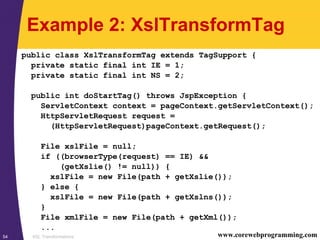
Example 2: XslTransformTag
public class XslTransformTag extends TagSupport {
private static final int IE = 1;
private static final int NS = 2;
public int doStartTag() throws JspException {
ServletContext context = pageContext.getServletContext();
HttpServletRequest request =
(HttpServletRequest)pageContext.getRequest();
File xslFile = null;
if ((browserType(request) == IE) &&
(getXslie() != null)) {
xslFile = new File(path + getXslie());
} else {
xslFile = new File(path + getXslns());
}
File xmlFile = new File(path + getXml());
...
XSL Transformations55 www.corewebprogramming.com
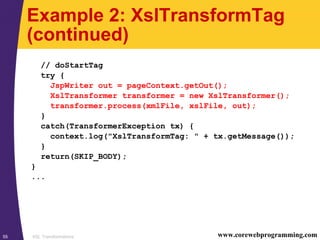
Example 2: XslTransformTag
(continued)
// doStartTag
try {
JspWriter out = pageContext.getOut();
XslTransformer transformer = new XslTransformer();
transformer.process(xmlFile, xslFile, out);
}
catch(TransformerException tx) {
context.log("XslTransformTag: " + tx.getMessage());
}
return(SKIP_BODY);
}
...
XSL Transformations56 www.corewebprogramming.com
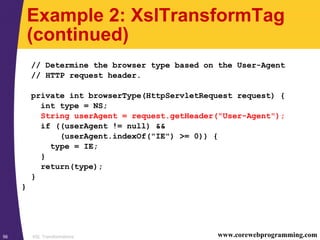
Example 2: XslTransformTag
(continued)
// Determine the browser type based on the User-Agent
// HTTP request header.
private int browserType(HttpServletRequest request) {
int type = NS;
String userAgent = request.getHeader("User-Agent");
if ((userAgent != null) &&
(userAgent.indexOf("IE") >= 0)) {
type = IE;
}
return(type);
}
}
XSL Transformations57 www.corewebprogramming.com
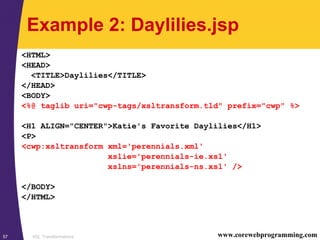
Example 2: Daylilies.jsp
<HTML>
<HEAD>
<TITLE>Daylilies</TITLE>
</HEAD>
<BODY>
<%@ taglib uri="cwp-tags/xsltransform.tld" prefix="cwp" %>
<H1 ALIGN="CENTER">Katie's Favorite Daylilies</H1>
<P>
<cwp:xsltransform xml='perennials.xml'
xslie='perennials-ie.xsl'
xslns='perennials-ns.xsl' />
</BODY>
</HTML>
XSL Transformations58 www.corewebprogramming.com
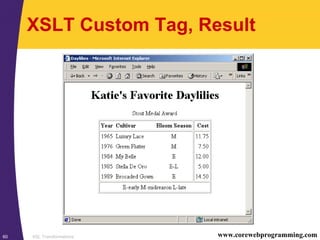
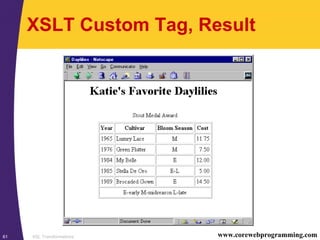
Example 2: perennials-ie.xsl
<xsl:template match="/">
<TABLE CELLPADDING="3" RULES="GROUPS" ALIGN="CENTER">
<CAPTION>Stout Medal Award</CAPTION>
<COLGROUP>
<COL ALIGN="CENTER"/>
<COL ALIGN="LEFT"/>
<COL ALIGN="CENTER"/>
<COL ALIGN="RIGHT"/>
</COLGROUP>
<THEAD>
<TR><TH>Year</TH><TH>Cultivar</TH><TH>Bloom Season</TH>
<TH>Cost</TH></TR>
</THEAD>
<TBODY>
<xsl:apply-templates
select="/perennials/daylily[award/name='Stout Medal']"/>
</TBODY>
<TFOOT>
<TR><TD COLSPAN="4">E-early M-midseason L-late</TD></TR>
</TFOOT>
</TABLE>
</xsl:template>
XSL Transformations59 www.corewebprogramming.com
Example 2: perennials-ns.xsl
<xsl:template match="/">
<TABLE CELLPADDING="3" BORDER="1" ALIGN="CENTER">
<CAPTION>Stout Medal Award</CAPTION>
<TR>
<TH>Year</TH>
<TH>Cultivar</TH>
<TH>Bloom Season</TH>
<TH>Cost</TH>
</TR>
<xsl:apply-templates
select="/perennials/daylily[award/name='Stout Medal']"/>
<TR>
<TD COLSPAN="4" ALIGN="CENTER">
E-early M-midseason L-late</TD>
</TR>
</TABLE>
</xsl:template>
XSL Transformations60 www.corewebprogramming.com
XSLT Custom Tag, Result
XSL Transformations61 www.corewebprogramming.com
XSLT Custom Tag, Result
XSL Transformations62 www.corewebprogramming.com
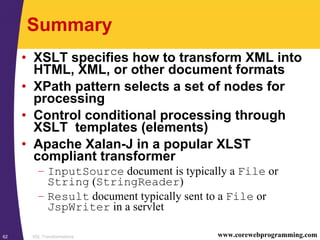
Summary
• XSLT specifies how to transform XML into
HTML, XML, or other document formats
• XPath pattern selects a set of nodes for
processing
• Control conditional processing through
XSLT templates (elements)
• Apache Xalan-J in a popular XLST
compliant transformer
– InputSource document is typically a File or
String (StringReader)
– Result document typically sent to a File or
JspWriter in a servlet
63 © 2001-2003 Marty Hall, Larry Brown http://www.corewebprogramming.com
core
programming
Questions?

26xslt

  • 1.
    1 © 2001-2003Marty Hall, Larry Brown http://www.corewebprogramming.com core programming XLST Processing with Java
  • 2.
    XSL Transformations2 www.corewebprogramming.com Agenda •XSLT Overview • Understanding XPath notation • Processing elements in XSLT templates • XSLT installation and setup • An XSL Transformer • Example: – Document Editor – XSLT custom tag
  • 3.
    XSL Transformations3 www.corewebprogramming.com ExtensibleStylesheet Language Transformations • XSLT applies user-defined transformations to an XML document – Transformed output can be: • HTML, XML, WML, etc. • XSLT Versions – XSLT 1.0 (Nov 1999) – XSLT 2.0 (Nov 2002) • Namespace addition – Official Website for XSLT •http://www.w3.org/Style/XSL/
  • 4.
    XSL Transformations4 www.corewebprogramming.com ExtensibleStylesheet Language (XSL) • XSL is a language for expressing stylesheets – XSLT • Transformation of XML document •http://www.w3.org/TR/xslt – XPath • An expression language used by XSLT to locate elements and/or attributes within an XML document •http://www.w3.org/TR/xpath – XSL-FO (Formatting Objects) • Specifies the formatting properties for rendering the document •http://www.w3.org/TR/XSL/XSL-FO/
  • 5.
    XSL Transformations5 www.corewebprogramming.com XSLTAdvantages and Disadvantages • Advantages – Easy to merge XML data into a presentation – More resilient to changes in the details of the XML documents than low-level DOM and SAX – Database queries can be retuned in XML • Insensitive to column order • Disadvantages – Memory intensive and suffers a performance penalty – Difficult to implement complicated business rules – Have to learn a new language – Can’t change the value of variables (requires recursion)
  • 6.
    XSL Transformations6 www.corewebprogramming.com XSLTParsers • Apache Xalan – http://xml.apache.org/xalan/ • Oracle – http://technet.oracle.com/tech/xml/ • Saxon – http://saxon.sourceforge.net/ – Written by Michael Kay • Microsoft’s XML Parser 4.0 (MSXML) – http://www.microsoft.com/xml/
  • 7.
    XSL Transformations7 www.corewebprogramming.com XSLTInstallation and Setup (JDK 1.4) • All the necessary classes are included with JDK 1.4 • See javax.xml.transform package • For XSLT with JDK 1.3 see following viewgraphs
  • 8.
    XSL Transformations8 www.corewebprogramming.com XSLTInstallation and Setup (JDK 1.3) 1. Download a XSLT compliant parser • XSLT parsers at http://www.xmlsoftware.com/xslt/ • Recommend Apache Xalan-J 2.4.1 parser at http://xml.apache.org/xalan-j/ • Xalan-Java implementation is bundled in xalan.jar • Xalan also requires xml-apis.jar
  • 9.
    XSL Transformations9 www.corewebprogramming.com XSLTInstallation and Setup (JDK 1.3, continued) 2. Download a SAX 2-compliant parser • Java-based XML parsers at http://www.xml.com/pub/rg/Java_Parsers • Recommend Apache Xerces-J 2.2.x parser at http://xml.apache.org/xerces-j/ • Note that Xerces-J 2.2.0 is bundled with the Xalan-J 2.4.1 download • Xerces-Java implementation is bundled in xercesImpl.jar • Xerces also requires xml-apis.jar
  • 10.
    XSL Transformations10 www.corewebprogramming.com XSLTInstallation and Setup (continued) 3. Download the Java API for XML Processing (JAXP) • JAXP defines TrAX, a small layer on top of SAX and DOM which supports specifying transformers through system properties versus hard coded values • See http://java.sun.com/xml/ • Note that TrAX is incorporated in Xalan-J 4. Bookmark the Java XSLT API • Xalan-Java API is located at http://xml.apache.org/xalan-j/ apidocs/
  • 11.
    XSL Transformations11 www.corewebprogramming.com XSLTInstallation and Setup (continued) 5. Set your CLASSPATH to include the XSLT and XML parser classes set CLASSPATH=xalan_install_dirxalan.jar; xalan_install_dirxercesImpl.jar; xalan_install_dirxml-apis.jar;%CLASSPATH% or setenv CLASSPATH xalan_install_dir/xalan.jar: xalan_install_dir/xercesImpl.jar: xalan_install_dir/xml-apis.jar:$CLASSPATH • For Web deployment, place xalan.jar, xml- apis.jar, and xercesImpl.jar in your WEB-INF/lib directory
  • 12.
    XSL Transformations12 www.corewebprogramming.com XSLTransformations • Use – XPath to identify (select) parts of an XML document – XSLT templates to apply transformations • Requires – Well formed XML document – XSL document (style sheet) that contains formatting and transformation templates – XSLT parser to perform the transformation
  • 13.
    XSL Transformations13 www.corewebprogramming.com SimpleXSLT Example • The following example illustrates transforming an XML document into an HMTL TABLE – Input • Style sheet (XSL): table.xsl • XML document: acronym.xml – Output • HTML document: acronym.html
  • 14.
    XSL Transformations14 www.corewebprogramming.com XSLTStylesheet: table.xsl <?xml version="1.0"?> <xsl:stylesheet version="1.0" xmlns:xsl="http://www.w3.org/1999/XSL/Transform"> <xsl:output method="html" /> <xsl:template match="/"> <TABLE CELLPADDING="3" BORDER="1" ALIGN="CENTER"> <!–- Build table header, by selecting the name of each element in the first ROW. --> <TR><TH></TH> <xsl:for-each select="ROWSET/ROW[1]/*"> <TH><xsl:value-of select="name()" /></TH> </xsl:for-each> </TR> <!–- Apply template to build table rows --> <xsl:apply-templates select="ROWSET" /> </TABLE> </xsl:template> ...
  • 15.
    XSL Transformations15 www.corewebprogramming.com XSLTStylesheet: table.xsl (continues) ... <xsl:template match="ROW"> <TR><TD><xsl:number /></TD> <!-– Select all elements in the ROW. Populate each TD with the corresponding text value of the element. Note: &#160; produces &nbsp; by Xalan --> <xsl:for-each select="*"> <TD><xsl:value-of select="." />&#160;</TD> </xsl:for-each> </TR> </xsl:template> </xsl:stylesheet>
  • 16.
    XSL Transformations16 www.corewebprogramming.com XMLDocument: acronyms.xml <?xml version="1.0"?> <ROWSET> <ROW> <ACRONYM>DOM</ACRONYM> <DESCRIPTION>Document Object Model</DESCRIPTION> </ROW> <ROW> <ACRONYM>JAXP</ACRONYM> <DESCRIPTION>Java AIP for XML Parsing</DESCRIPTION> </ROW> <ROW> <ACRONYM>SAX</ACRONYM> <DESCRIPTION>Simple API for XML</DESCRIPTION> </ROW> <ROW> <ACRONYM>TrAX</ACRONYM> <DESCRIPTION>Transformation API for XML</DESCRIPTION> </ROW> <ROW> <ACRONYM>XSLT</ACRONYM> <DESCRIPTION>XSL Transformation</DESCRIPTION> </ROW> </ROWSET>
  • 17.
    XSL Transformations17 www.corewebprogramming.com Transformingthe XML Document • Use Xalan command-line interface > java org.apache.xalan.xslt.Process -in acronyms.xml -xsl table.xsl -out acronyms.html
  • 18.
    XSL Transformations18 www.corewebprogramming.com TransformationResult <TABLE ALIGN="CENTER" BORDER="1" CELLPADDING="3"> <TR> <TH></TH><TH>ACRONYM</TH><TH>DESCRIPTION</TH> </TR> <TR> <TD>1</TD><TD>DOM&nbsp;</TD><TD>Document Object Model&nbsp;</TD> </TR> <TR> <TD>2</TD><TD>JAXP&nbsp;</TD><TD>Java AIP for XML Parsing&nbsp;</TD> </TR> <TR> <TD>3</TD><TD>SAX&nbsp;</TD><TD>Simple API for XML&nbsp;</TD> </TR> <TR> <TD>4</TD><TD>TrAX&nbsp;</TD><TD>Transformation API for XML&nbsp;</TD> </TR> <TR> <TD>5</TD><TD>XSLT&nbsp;</TD><TD>XSL Transformation&nbsp;</TD> </TR> </TABLE>
  • 19.
  • 20.
    XSL Transformations20 www.corewebprogramming.com UnderstandingXPath • XPath is an expression language to: – Identify parts (location paths) of the input document • Commonly used in match and select attributes in XSLT elements – Test boolean conditions – Manipulate strings – Perform numerical calculations <xsl:template match="/name/first" > ... </xsl:template>
  • 21.
    XSL Transformations21 www.corewebprogramming.com LocationPaths • Location paths are interpreted with respect to a context – Or simply, the node in the tree from which the expression is evaluated • The evaluated expression represents a set of nodes matching the condition – Possibly the empty set if no matches occur • A location path consists of one or more location steps separated by / or // • Paths can be relative or absolute
  • 22.
    XSL Transformations22 www.corewebprogramming.com SimpleLocation Paths • Matching the root node – A leading / indicates the root node <xsl:template match="/" > <!–- Matches the root node. --> </xsl:template> • Matching all children – Use the * wildcard to select all element nodes in the current context <xsl:template match="*" > <!–- Matches all children nodes. --> </xsl:template>
  • 23.
    XSL Transformations23 www.corewebprogramming.com SimpleLocation Paths (continued) • Matching an element – Use / to separate elements when referring to a child – Use // to indicate that zero or more elements may occur between the slashes <xsl:template match="/catalog/*/manufacturer" > <!–- Match all manufacturer elements --> <!-- that are a grandchild of catalog. --> </xsl:template> <xsl:template match="order//item" > <!–- Match all item elements that are --> <!-- descendants of order. --> </xsl:template
  • 24.
    XSL Transformations24 www.corewebprogramming.com Matchingwith Predicates • Matching a specific element – Use […] as a predicate filter to select a particular context node – The predicate is evaluated as a boolean expression; if the condition is true, then the node is selected <xsl:template match="author/name[middle]" > <!–- Match all name elements that have an --> <!–- author parent and a middle child. --> </xsl:template> <xsl:template match="/ROWSET/ROW[1]" > <!–- Match the first ROW element that is --> <!–- a child of ROWSET (from the root). --> </xsl:template>
  • 25.
    XSL Transformations25 www.corewebprogramming.com Matchingwith Predicates (continued) • Matching a specific attribute – Use the @ sign followed by the attribute name to select a particular node <xsl:template match="order[@discount]" > <!–- Match all order elements that have a --> <!-- discount attribute. --> </xsl:template> <xsl:template match="catalog/item[@id='3145']" > <!–- Match all item elements that are a child --> <!-- of catalog and have an id attribute with --> <!-- a value of 3145. --> </xsl:template>
  • 26.
    XSL Transformations26 www.corewebprogramming.com XSLTStylesheet Elements • Matching and selection templates – xsl:template – xsl:apply-templates – xsl:value-of • Branching elements – xsl:for-each – xsl:if – xsl:choose
  • 27.
    XSL Transformations27 www.corewebprogramming.com XSLTtemplate Element • xsl:template match="xpath" – Defines a template rule for producing output – Applied only to nodes which match the pattern – Invoked by using <xsl:apply-templates> <xsl:template match="/"> <html> <head><title>Ktee Siamese</title></head> <body> <xsl:apply-templates/> </body> </html> </xsl:template> <xsl:template match="name"> <h2><xsl:value-of select="."/></h2> </xsl:template>
  • 28.
    XSL Transformations28 www.corewebprogramming.com XSLTapply-templates Element • xsl:apply-templates – Applies matching templates to the children of the context node <xsl:template match="/"> <html> <head><title>Ktee Siamese</title></head> <body> <xsl:apply-templates /> </body> </html> </xsl:template> <xsl:template match="name"> <h2><xsl:value-of select="."/></h2> </xsl:template>
  • 29.
    XSL Transformations29 www.corewebprogramming.com XSLTvalue-of Element • xsl:value-of select="expression" – Evaluates the expression as a string and sends the result to the output – Applied only to the first match – ". " selects the text value of the current node <xsl:template match="name"> <!–- Select text of name node. --> <h2><xsl:value-of select="." /></h2> </xsl:template>
  • 30.
    XSL Transformations30 www.corewebprogramming.com XSLTvalue-of Element (continued) • Example <xsl:template match="daylily"> <TR> <!–- Selects the award child of the daylily element. By default, outputs the text of the award element. --> <TD><xsl:value-of select="award" /></TD> <!–- Selects the code attribute of the daylily’s bloom child and outputs the text of the attribute. --> <TD><xsl:value-of select="bloom/@code" /></TD> </TR> </xsl:template>
  • 31.
    XSL Transformations31 www.corewebprogramming.com XSLTfor-each Element • xsl:for-each select="expression" – Processes each node selected by the XPath expression <book> <author>Larry Brown</author> <author>Marty Hall</author> </book> <xsl:template match="book"> <!-- Selects each author name. --> <xsl:for-each select="author"> <b><xsl:value-of select="." /></b> </xsl:for-each> </xsl:template>
  • 32.
    XSL Transformations32 www.corewebprogramming.com XSLTif Element • xsl:if test="expression" – Evaluates the expression to a boolean and if true, applies the template body – XSLT has no if-else construct (use choose) <xsl:template match="ROW"> <!-- Selects first node in the node set. --> <xsl:if test="position() = first()"> <b><xsl:value-of select="." /> </xsl:if> </xsl:template> <xsl:template match="ROW"> <!–- Select if the current node has children. --> <xsl:if test="node()"> <xsl:apply-templates /> </xsl:if> </xsl:template>
  • 33.
    XSL Transformations33 www.corewebprogramming.com XSLTchoose Element • xsl:choose – Select any number of alternatives – Instruction to use in place of if-else or switch construct found in other programming languages <xsl:choose> <xsl:when test="not(text())"> Missing value! </xsl:when> <xsl:otherwise> <xsl:value-of select="." /> </xsl:otherwise> </xsl:choose>
  • 34.
    XSL Transformations34 www.corewebprogramming.com XSLToutput Element • xsl:output – Controls the format of the stylesheet output – Useful attributes: method= "[html|xml|text]" indent="[yes|no]" version="version" doctype-public="specification" encoding="encoding" standalone="[yes|no]" • Example <xsl:output method="html" doctype-public="-//W3C//DTD HTML 4.0 Transitional//EN"/>
  • 35.
    XSL Transformations35 www.corewebprogramming.com Stepsfor Translating a Document 1. Tell the system which parser to use 2. Establish a factory in which to create transformations 3. Create a transformer for a particular style sheet 4. Invoke the transformer to process the document
  • 36.
    XSL Transformations36 www.corewebprogramming.com Step1: Specifying a Transformer 1. Approaches to specify a transformer – Set a system property for javax.xml.transform.Transformer- Factory – Specify the parser in jre_dir/lib/jaxp.properties – Through the J2EE Services API and the class specified in META-INF/services/ javax.xml.transform.Transformer- Factory – Use system-dependant default parser (check documentation)
  • 37.
    XSL Transformations37 www.corewebprogramming.com Specifyinga Transformer, Example • The following example: – Permits the user to specify the transformer through the command line –D option java –Djavax.xml.transform.TransformerFactory= weblogic.apache.xalan.processor.TransformerFactoryImpl ... – Uses the Apache Xalan transformer otherwise public static void main(String[] args) { String jaxpPropertyName = "javax.xml.transform.TransformerFactory "; if (System.getProperty(jaxpPropertyName) == null) { String apacheXercesPropertyValue = "org.apache.xalan.xsltc.trax.TransformerFactoryImpl"; System.setProperty(jaxpPropertyName, apacheXercesPropertyValue); } ... }
  • 38.
    XSL Transformations38 www.corewebprogramming.com Step2: Creating a Transformer Factory • Establish a factory in which to create transformations TransformerFactory factory = new TransformerFactory.newInstance(); – May create multiple transformers from the same factory
  • 39.
    XSL Transformations39 www.corewebprogramming.com Step3: Creating a Transformer • Create a transformer for a particular style sheet Source xsl = new StreamSource(xslStream); Templates template = factory.newTemplates(xsl); Transformer transformer = template.newTransformer();
  • 40.
    XSL Transformations40 www.corewebprogramming.com Step4: Invoke the Transformer • Invoke the transformer to process the document Source xml = new StreamSource(xmlStream); Result result = new StreamResult(outputStream); transformer.transform(xml, result); – Create a StreamSource from a File, Reader, InputStream or URI reference (String) – Create a StreamResult from a File, Writer, OutputStream or URI reference (String)
  • 41.
    XSL Transformations41 www.corewebprogramming.com ASimple XSL Transformer • Creates an XSL transformer for processing an XML and XSL document – Provides multiple overloaded process methods for handling different input and output streams public class XslTransformer { private TransformerFactory factory; // Use system defaults for transformer. public XslTransformer() { factory = TransformerFactory.newInstance(); } ...
  • 42.
    XSL Transformations42 www.corewebprogramming.com ASimple XSL Transformer /** For transforming an XML documents as a String StringReader * residing in memory, not on disk. The output document could * easily be handled as a String (StringWriter) or as a * JSPWriter in a JavaServer page. */ public void process(Reader xmlFile, Reader xslFile, Writer output) throws TransformerException { process(new StreamSource(xmlFile), new StreamSource(xslFile), new StreamResult(output)); } /** For transforming an XML and XSL document as Files, * placing the result in a Writer. */ public void process(File xmlFile, File xslFile, Writer output) throws TransformerException { process(new StreamSource(xmlFile), new StreamSource(xslFile), new StreamResult(output)); }
  • 43.
    XSL Transformations43 www.corewebprogramming.com SimpleXSL Transformer (continued) /** Transform an XML File based on an XSL File, placing the * resulting transformed document in an OutputStream. * Convenient for handling the result as a FileOutputStream or * ByteArrayOutputStream. */ public void process(Source xml, Source xsl, Result result) throws TransformerException { try { Templates template = factory.newTemplates(xsl); Transformer transformer = template.newTransformer(); transformer.transform(xml, result); } catch(TransformerConfigurationException tce) { throw new TransformerException(tce.getMessageAndLocation()); } catch (TransformerException te) { throw new TransformerException(te.getMessageAndLocation()); } } }
  • 44.
    XSL Transformations44 www.corewebprogramming.com Example1: XSLT Document Editor • Objective – Provide a graphical interface for editing XML and XSL documents, and to view the transformed result • Approach – Use a Swing JTabbedPane with three tabs (XML, XSL, XSLT) to present each of the three corresponding documents – Each document is represented by a JEditorPane • XML and XSL panes are editable – Selecting the XSLT tab performs the transformation
  • 45.
    XSL Transformations45 www.corewebprogramming.com Example1: XsltEditor import java.awt.*; import java.awt.event.*; import javax.swing.*; import javax.swing.event.*; import java.io.*; import javax.xml.transform.*; import cwp.XslTransformer; public class XsltEditor extends JFrame implements ChangeListener { private static final int XML = 0; private static final int XSL = 1; private static final int XSLT = 2; private Action openAction, saveAction, exitAction; private JTabbedPane tabbedPane; private DocumentPane[] documents; private XslTransformer transformer; ...
  • 46.
    XSL Transformations46 www.corewebprogramming.com Example1: XsltEditor (continued) ... /** Checks to see which tabbed pane was selected by the * user. If the XML and XSL panes hold a document, then * selecting the XSLT tab will perform the transformation. */ public void stateChanged(ChangeEvent event) { int index = tabbedPane.getSelectedIndex(); switch (index) { case XSLT: if (documents[XML].isLoaded() && documents[XSL].isLoaded()) { doTransform(); } case XML: case XSL: updateMenuAndTitle(index); break; default: } }
  • 47.
    XSL Transformations47 www.corewebprogramming.com Example1: XsltEditor (continued) ... private void doTransform() { StringWriter strWriter = new StringWriter(); try { Reader xmlInput = new StringReader(documents[XML].getText()); Reader xslInput = new StringReader(documents[XSL].getText()); transformer.process(xmlInput, xslInput, strWriter); } catch(TransformerException te) { JOptionPane.showMessageDialog(this, "Error: " + te.getMessage()); } documents[XSLT].setText(strWriter.toString()); } ... }
  • 48.
    XSL Transformations48 www.corewebprogramming.com Example1: DocumentPane public class DocumentPane extends JEditorPane { public static final String TEXT = "text/plain"; public static final String HTML = "text/html"; private boolean loaded = false; private String filename = ""; /** Set the current page displayed in the editor pane, * replacing the existing document. */ public void setPage(URL url) { loaded = false; try { super.setPage(url); File file = new File(getPage().toString()); setFilename(file.getName()); loaded = true; } catch (IOException ioe) { System.err.println("Unable to set page: " + url); } }
  • 49.
    XSL Transformations49 www.corewebprogramming.com Example1: DocumentPane (continued) public void setText(String text) { super.setText(text); setFilename(""); loaded = true; } public void loadFile(String filename) { try { File file = new File(filename); setPage(file.toURL()); } catch (IOException mue) { System.err.println("Unable to load file: " + filename); } } public boolean isLoaded() { return(loaded); } ... }
  • 50.
  • 51.
    XSL Transformations51 www.corewebprogramming.com Example2: XSLT Custom Tag • Objective – Develop a JSP custom tag to transform an XML document and create an HTML table • Problem – THEAD, TBODY, and TFOOT elements supported by Internet Explorer, but not by Netscape 4.x
  • 52.
    XSL Transformations52 www.corewebprogramming.com Example2: XSLT Custom Tag (continued) • Approach – Use different stylesheet for Internet Explorer and Netscape – Determine the browser type based on the User-Agent HTTP header – Provide both stylesheets in custom tag <cwp:xsltransform xml='perennials.xml' xslie='perennials-ie.xsl' xslns='perennials-ns.xsl' />
  • 53.
    XSL Transformations53 www.corewebprogramming.com Example2: Custom Tag Specification, Xsltransform.tld ... <tag> <name>xsltransform</name> <tagclass>cwp.tags.XslTransformTag</tagclass> <attribute> <name>xml</name> <required>yes</required> </attribute> <attribute> <name>xslie</name> <required>false</required> </attribute> <attribute> <name>xslns</name> <required>true</required> </attribute> </tag>
  • 54.
    XSL Transformations54 www.corewebprogramming.com Example2: XslTransformTag public class XslTransformTag extends TagSupport { private static final int IE = 1; private static final int NS = 2; public int doStartTag() throws JspException { ServletContext context = pageContext.getServletContext(); HttpServletRequest request = (HttpServletRequest)pageContext.getRequest(); File xslFile = null; if ((browserType(request) == IE) && (getXslie() != null)) { xslFile = new File(path + getXslie()); } else { xslFile = new File(path + getXslns()); } File xmlFile = new File(path + getXml()); ...
  • 55.
    XSL Transformations55 www.corewebprogramming.com Example2: XslTransformTag (continued) // doStartTag try { JspWriter out = pageContext.getOut(); XslTransformer transformer = new XslTransformer(); transformer.process(xmlFile, xslFile, out); } catch(TransformerException tx) { context.log("XslTransformTag: " + tx.getMessage()); } return(SKIP_BODY); } ...
  • 56.
    XSL Transformations56 www.corewebprogramming.com Example2: XslTransformTag (continued) // Determine the browser type based on the User-Agent // HTTP request header. private int browserType(HttpServletRequest request) { int type = NS; String userAgent = request.getHeader("User-Agent"); if ((userAgent != null) && (userAgent.indexOf("IE") >= 0)) { type = IE; } return(type); } }
  • 57.
    XSL Transformations57 www.corewebprogramming.com Example2: Daylilies.jsp <HTML> <HEAD> <TITLE>Daylilies</TITLE> </HEAD> <BODY> <%@ taglib uri="cwp-tags/xsltransform.tld" prefix="cwp" %> <H1 ALIGN="CENTER">Katie's Favorite Daylilies</H1> <P> <cwp:xsltransform xml='perennials.xml' xslie='perennials-ie.xsl' xslns='perennials-ns.xsl' /> </BODY> </HTML>
  • 58.
    XSL Transformations58 www.corewebprogramming.com Example2: perennials-ie.xsl <xsl:template match="/"> <TABLE CELLPADDING="3" RULES="GROUPS" ALIGN="CENTER"> <CAPTION>Stout Medal Award</CAPTION> <COLGROUP> <COL ALIGN="CENTER"/> <COL ALIGN="LEFT"/> <COL ALIGN="CENTER"/> <COL ALIGN="RIGHT"/> </COLGROUP> <THEAD> <TR><TH>Year</TH><TH>Cultivar</TH><TH>Bloom Season</TH> <TH>Cost</TH></TR> </THEAD> <TBODY> <xsl:apply-templates select="/perennials/daylily[award/name='Stout Medal']"/> </TBODY> <TFOOT> <TR><TD COLSPAN="4">E-early M-midseason L-late</TD></TR> </TFOOT> </TABLE> </xsl:template>
  • 59.
    XSL Transformations59 www.corewebprogramming.com Example2: perennials-ns.xsl <xsl:template match="/"> <TABLE CELLPADDING="3" BORDER="1" ALIGN="CENTER"> <CAPTION>Stout Medal Award</CAPTION> <TR> <TH>Year</TH> <TH>Cultivar</TH> <TH>Bloom Season</TH> <TH>Cost</TH> </TR> <xsl:apply-templates select="/perennials/daylily[award/name='Stout Medal']"/> <TR> <TD COLSPAN="4" ALIGN="CENTER"> E-early M-midseason L-late</TD> </TR> </TABLE> </xsl:template>
  • 60.
  • 61.
  • 62.
    XSL Transformations62 www.corewebprogramming.com Summary •XSLT specifies how to transform XML into HTML, XML, or other document formats • XPath pattern selects a set of nodes for processing • Control conditional processing through XSLT templates (elements) • Apache Xalan-J in a popular XLST compliant transformer – InputSource document is typically a File or String (StringReader) – Result document typically sent to a File or JspWriter in a servlet
  • 63.
    63 © 2001-2003Marty Hall, Larry Brown http://www.corewebprogramming.com core programming Questions?