SAX PARSER
Introduction
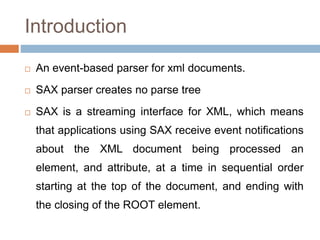
 An event-based parser for xml documents.
 SAX parser creates no parse tree
 SAX is a streaming interface for XML, which means
that applications using SAX receive event notifications
about the XML document being processed an
element, and attribute, at a time in sequential order
starting at the top of the document, and ending with
the closing of the ROOT element.
When to use?
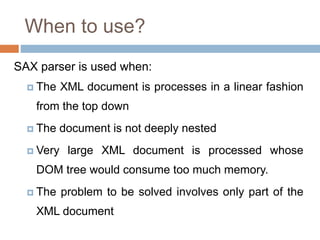
SAX parser is used when:
 The XML document is processes in a linear fashion
from the top down
 The document is not deeply nested
 Very large XML document is processed whose
DOM tree would consume too much memory.
 The problem to be solved involves only part of the
XML document
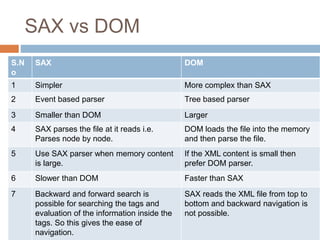
SAX vs DOM
S.N
o
SAX DOM
1 Simpler More complex than SAX
2 Event based parser Tree based parser
3 Smaller than DOM Larger
4 SAX parses the file at it reads i.e.
Parses node by node.
DOM loads the file into the memory
and then parse the file.
5 Use SAX parser when memory content
is large.
If the XML content is small then
prefer DOM parser.
6 Slower than DOM Faster than SAX
7 Backward and forward search is
possible for searching the tags and
evaluation of the information inside the
tags. So this gives the ease of
navigation.
SAX reads the XML file from top to
bottom and backward navigation is
not possible.
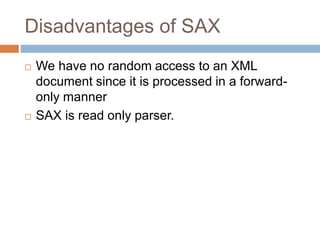
Disadvantages of SAX
 We have no random access to an XML
document since it is processed in a forward-
only manner
 SAX is read only parser.
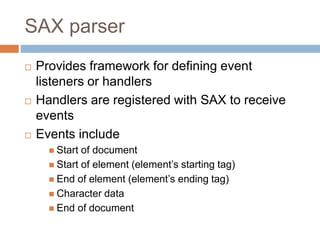
SAX parser
 Provides framework for defining event
listeners or handlers
 Handlers are registered with SAX to receive
events
 Events include
 Start of document
 Start of element (element’s starting tag)
 End of element (element’s ending tag)
 Character data
 End of document
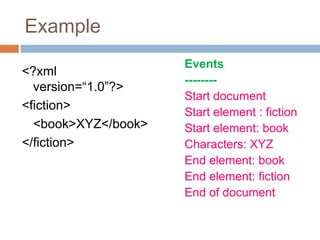
Example
<?xml
version=“1.0”?>
<fiction>
<book>XYZ</book>
</fiction>
Events
--------
Start document
Start element : fiction
Start element: book
Characters: XYZ
End element: book
End element: fiction
End of document
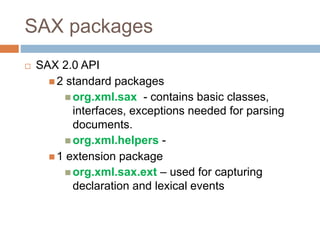
SAX packages
 SAX 2.0 API
 2 standard packages
 org.xml.sax - contains basic classes,
interfaces, exceptions needed for parsing
documents.
 org.xml.helpers -
 1 extension package
 org.xml.sax.ext – used for capturing
declaration and lexical events
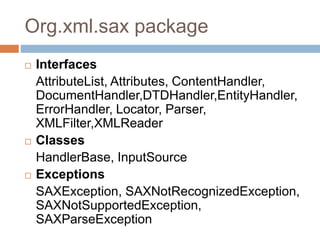
Org.xml.sax package
 Interfaces
AttributeList, Attributes, ContentHandler,
DocumentHandler,DTDHandler,EntityHandler,
ErrorHandler, Locator, Parser,
XMLFilter,XMLReader
 Classes
HandlerBase, InputSource
 Exceptions
SAXException, SAXNotRecognizedException,
SAXNotSupportedException,
SAXParseException
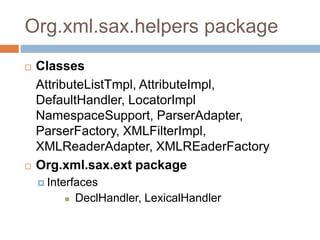
Org.xml.sax.helpers package
 Classes
AttributeListTmpl, AttributeImpl,
DefaultHandler, LocatorImpl
NamespaceSupport, ParserAdapter,
ParserFactory, XMLFilterImpl,
XMLReaderAdapter, XMLREaderFactory
 Org.xml.sax.ext package
 Interfaces
 DeclHandler, LexicalHandler
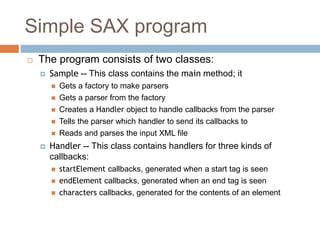
Simple SAX program
 The program consists of two classes:
 Sample -- This class contains the main method; it
 Gets a factory to make parsers
 Gets a parser from the factory
 Creates a Handler object to handle callbacks from the parser
 Tells the parser which handler to send its callbacks to
 Reads and parses the input XML file
 Handler -- This class contains handlers for three kinds of
callbacks:
 startElement callbacks, generated when a start tag is seen
 endElement callbacks, generated when an end tag is seen
 characters callbacks, generated for the contents of an element
Example
import javax.xml.parsers.*; // for both SAX and DOM
import org.xml.sax.*;
import org.xml.sax.helpers.*;
// For simplicity, we let the operating system handle exceptions
// In "real life" this is poor programming practice
public class Sample {
public static void main(String args[]) throws Exception {
// Create a parser factory
SAXParserFactory factory = SAXParserFactory.newInstance();
// Tell factory that the parser must understand namespaces
factory.setNamespaceAware(true);
// Make the parser
SAXParser saxParser = factory.newSAXParser();
XMLReader parser = saxParser.getXMLReader();
Example
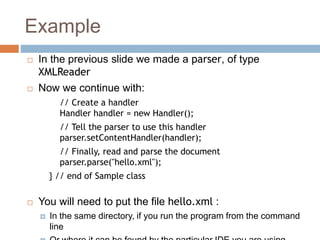
 In the previous slide we made a parser, of type
XMLReader
 Now we continue with:
// Create a handler
Handler handler = new Handler();
// Tell the parser to use this handler
parser.setContentHandler(handler);
// Finally, read and parse the document
parser.parse("hello.xml");
} // end of Sample class
 You will need to put the file hello.xml :
 In the same directory, if you run the program from the command
line
Example
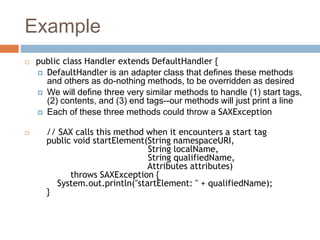
 public class Handler extends DefaultHandler {
 DefaultHandler is an adapter class that defines these methods
and others as do-nothing methods, to be overridden as desired
 We will define three very similar methods to handle (1) start tags,
(2) contents, and (3) end tags--our methods will just print a line
 Each of these three methods could throw a SAXException
 // SAX calls this method when it encounters a start tag
public void startElement(String namespaceURI,
String localName,
String qualifiedName,
Attributes attributes)
throws SAXException {
System.out.println("startElement: " + qualifiedName);
}
Example
 // SAX calls this method to pass in character data
public void characters(char ch[], int start, int length)
throws SAXException {
System.out.println("characters: " +
new String(ch, start, length));
}
 // SAX call this method when it encounters an end tag
public void endElement(String namespaceURI,
String localName,
String qualifiedName)
throws SAXException {
System.out.println("Element: /" + qualifiedName);
}
} // End of Handler class
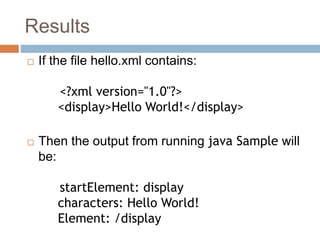
Results
 If the file hello.xml contains:
<?xml version="1.0"?>
<display>Hello World!</display>
 Then the output from running java Sample will
be:
startElement: display
characters: Hello World!
Element: /display
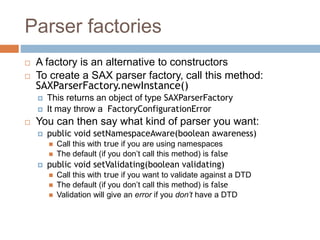
Parser factories
 A factory is an alternative to constructors
 To create a SAX parser factory, call this method:
SAXParserFactory.newInstance()
 This returns an object of type SAXParserFactory
 It may throw a FactoryConfigurationError
 You can then say what kind of parser you want:
 public void setNamespaceAware(boolean awareness)
 Call this with true if you are using namespaces
 The default (if you don’t call this method) is false
 public void setValidating(boolean validating)
 Call this with true if you want to validate against a DTD
 The default (if you don’t call this method) is false
 Validation will give an error if you don’t have a DTD
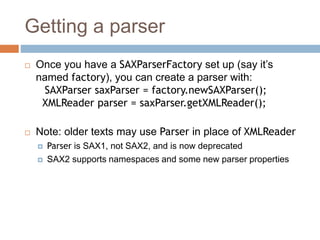
Getting a parser
 Once you have a SAXParserFactory set up (say it’s
named factory), you can create a parser with:
SAXParser saxParser = factory.newSAXParser();
XMLReader parser = saxParser.getXMLReader();
 Note: older texts may use Parser in place of XMLReader
 Parser is SAX1, not SAX2, and is now deprecated
 SAX2 supports namespaces and some new parser properties
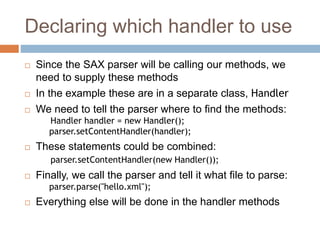
Declaring which handler to use
 Since the SAX parser will be calling our methods, we
need to supply these methods
 In the example these are in a separate class, Handler
 We need to tell the parser where to find the methods:
Handler handler = new Handler();
parser.setContentHandler(handler);
 These statements could be combined:
parser.setContentHandler(new Handler());
 Finally, we call the parser and tell it what file to parse:
parser.parse("hello.xml");
 Everything else will be done in the handler methods
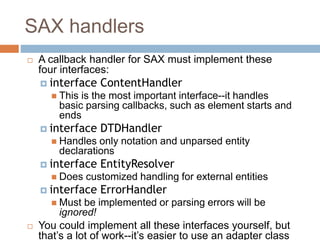
SAX handlers
 A callback handler for SAX must implement these
four interfaces:
 interface ContentHandler
 This is the most important interface--it handles
basic parsing callbacks, such as element starts and
ends
 interface DTDHandler
 Handles only notation and unparsed entity
declarations
 interface EntityResolver
 Does customized handling for external entities
 interface ErrorHandler
 Must be implemented or parsing errors will be
ignored!
 You could implement all these interfaces yourself, but
that’s a lot of work--it’s easier to use an adapter class
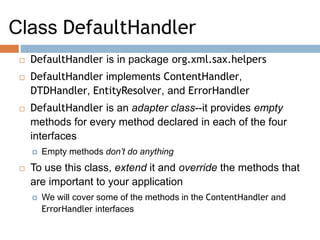
Class DefaultHandler
 DefaultHandler is in package org.xml.sax.helpers
 DefaultHandler implements ContentHandler,
DTDHandler, EntityResolver, and ErrorHandler
 DefaultHandler is an adapter class--it provides empty
methods for every method declared in each of the four
interfaces
 Empty methods don’t do anything
 To use this class, extend it and override the methods that
are important to your application
 We will cover some of the methods in the ContentHandler and
ErrorHandler interfaces
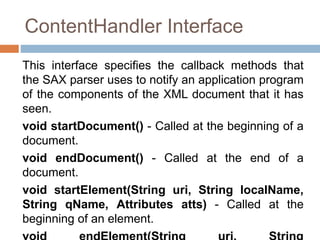
ContentHandler Interface
This interface specifies the callback methods that
the SAX parser uses to notify an application program
of the components of the XML document that it has
seen.
void startDocument() - Called at the beginning of a
document.
void endDocument() - Called at the end of a
document.
void startElement(String uri, String localName,
String qName, Attributes atts) - Called at the
beginning of an element.
ContentHandler interface
 void characters(char[] ch, int start, int length) - Called when
character data is encountered.
 void ignorableWhitespace( char[] ch, int start, int length) -
Called when a DTD is present and ignorable whitespace is
encountered.
 void processingInstruction(String target, String data) -
Called when a processing instruction is recognized.
 void setDocumentLocator(Locator locator)) - Provides a
Locator that can be used to identify positions in the document.
 void skippedEntity(String name) - Called when an unresolved
entity is encountered.
 void startPrefixMapping(String prefix, String uri) - Called
when a new namespace mapping is defined.
 void endPrefixMapping(String prefix) - Called when a
namespace definition ends its scope.
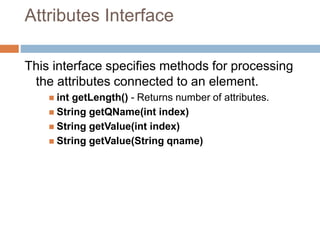
Attributes Interface
This interface specifies methods for processing
the attributes connected to an element.
 int getLength() - Returns number of attributes.
 String getQName(int index)
 String getValue(int index)
 String getValue(String qname)
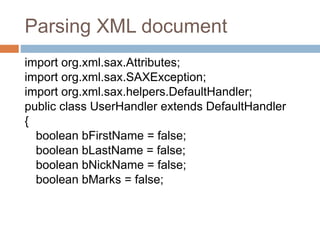
Parsing XML document
import org.xml.sax.Attributes;
import org.xml.sax.SAXException;
import org.xml.sax.helpers.DefaultHandler;
public class UserHandler extends DefaultHandler
{
boolean bFirstName = false;
boolean bLastName = false;
boolean bNickName = false;
boolean bMarks = false;
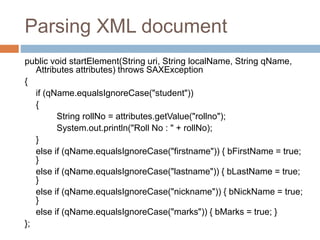
Parsing XML document
public void startElement(String uri, String localName, String qName,
Attributes attributes) throws SAXException
{
if (qName.equalsIgnoreCase("student"))
{
String rollNo = attributes.getValue("rollno");
System.out.println("Roll No : " + rollNo);
}
else if (qName.equalsIgnoreCase("firstname")) { bFirstName = true;
}
else if (qName.equalsIgnoreCase("lastname")) { bLastName = true;
}
else if (qName.equalsIgnoreCase("nickname")) { bNickName = true;
}
else if (qName.equalsIgnoreCase("marks")) { bMarks = true; }
};
Parsing XML document
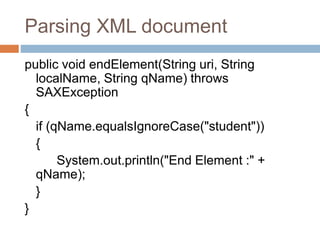
public void endElement(String uri, String
localName, String qName) throws
SAXException
{
if (qName.equalsIgnoreCase("student"))
{
System.out.println("End Element :" +
qName);
}
}
Parsing XML document
public void characters(char ch[], int start, int length) throws SAXException)
{ if (bFirstName)
{ System.out.println("First Name: " + new String(ch, start, length)); bFirstName =
false;
}
else if (bLastName)
{ System.out.println("Last Name: " + new String(ch, start, length)); bLastName =
false;
}
else if (bNickName)
{
System.out.println("Nick Name: " + new String(ch, start, length)); bNickName =
false;
}
else if (bMarks)
Parsing XML document
public class SAXParserDemo
{
public static void main(String[] args)
{
try
{
File inputFile = new File("input.txt");
SAXParserFactory factory = SAXParserFactory.newInstance();
SAXParser saxParser = factory.newSAXParser();
UserHandler userhandler = new UserHandler();
saxParser.parse(inputFile, userhandler);
}
catch (Exception e) { e.printStackTrace(); }
}
}

Sax parser

  • 1.
  • 2.
    Introduction  An event-basedparser for xml documents.  SAX parser creates no parse tree  SAX is a streaming interface for XML, which means that applications using SAX receive event notifications about the XML document being processed an element, and attribute, at a time in sequential order starting at the top of the document, and ending with the closing of the ROOT element.
  • 3.
    When to use? SAXparser is used when:  The XML document is processes in a linear fashion from the top down  The document is not deeply nested  Very large XML document is processed whose DOM tree would consume too much memory.  The problem to be solved involves only part of the XML document
  • 4.
    SAX vs DOM S.N o SAXDOM 1 Simpler More complex than SAX 2 Event based parser Tree based parser 3 Smaller than DOM Larger 4 SAX parses the file at it reads i.e. Parses node by node. DOM loads the file into the memory and then parse the file. 5 Use SAX parser when memory content is large. If the XML content is small then prefer DOM parser. 6 Slower than DOM Faster than SAX 7 Backward and forward search is possible for searching the tags and evaluation of the information inside the tags. So this gives the ease of navigation. SAX reads the XML file from top to bottom and backward navigation is not possible.
  • 5.
    Disadvantages of SAX We have no random access to an XML document since it is processed in a forward- only manner  SAX is read only parser.
  • 6.
    SAX parser  Providesframework for defining event listeners or handlers  Handlers are registered with SAX to receive events  Events include  Start of document  Start of element (element’s starting tag)  End of element (element’s ending tag)  Character data  End of document
  • 7.
    Example <?xml version=“1.0”?> <fiction> <book>XYZ</book> </fiction> Events -------- Start document Start element: fiction Start element: book Characters: XYZ End element: book End element: fiction End of document
  • 8.
    SAX packages  SAX2.0 API  2 standard packages  org.xml.sax - contains basic classes, interfaces, exceptions needed for parsing documents.  org.xml.helpers -  1 extension package  org.xml.sax.ext – used for capturing declaration and lexical events
  • 9.
    Org.xml.sax package  Interfaces AttributeList,Attributes, ContentHandler, DocumentHandler,DTDHandler,EntityHandler, ErrorHandler, Locator, Parser, XMLFilter,XMLReader  Classes HandlerBase, InputSource  Exceptions SAXException, SAXNotRecognizedException, SAXNotSupportedException, SAXParseException
  • 10.
    Org.xml.sax.helpers package  Classes AttributeListTmpl,AttributeImpl, DefaultHandler, LocatorImpl NamespaceSupport, ParserAdapter, ParserFactory, XMLFilterImpl, XMLReaderAdapter, XMLREaderFactory  Org.xml.sax.ext package  Interfaces  DeclHandler, LexicalHandler
  • 11.
    Simple SAX program The program consists of two classes:  Sample -- This class contains the main method; it  Gets a factory to make parsers  Gets a parser from the factory  Creates a Handler object to handle callbacks from the parser  Tells the parser which handler to send its callbacks to  Reads and parses the input XML file  Handler -- This class contains handlers for three kinds of callbacks:  startElement callbacks, generated when a start tag is seen  endElement callbacks, generated when an end tag is seen  characters callbacks, generated for the contents of an element
  • 12.
    Example import javax.xml.parsers.*; //for both SAX and DOM import org.xml.sax.*; import org.xml.sax.helpers.*; // For simplicity, we let the operating system handle exceptions // In "real life" this is poor programming practice public class Sample { public static void main(String args[]) throws Exception { // Create a parser factory SAXParserFactory factory = SAXParserFactory.newInstance(); // Tell factory that the parser must understand namespaces factory.setNamespaceAware(true); // Make the parser SAXParser saxParser = factory.newSAXParser(); XMLReader parser = saxParser.getXMLReader();
  • 13.
    Example  In theprevious slide we made a parser, of type XMLReader  Now we continue with: // Create a handler Handler handler = new Handler(); // Tell the parser to use this handler parser.setContentHandler(handler); // Finally, read and parse the document parser.parse("hello.xml"); } // end of Sample class  You will need to put the file hello.xml :  In the same directory, if you run the program from the command line
  • 14.
    Example  public classHandler extends DefaultHandler {  DefaultHandler is an adapter class that defines these methods and others as do-nothing methods, to be overridden as desired  We will define three very similar methods to handle (1) start tags, (2) contents, and (3) end tags--our methods will just print a line  Each of these three methods could throw a SAXException  // SAX calls this method when it encounters a start tag public void startElement(String namespaceURI, String localName, String qualifiedName, Attributes attributes) throws SAXException { System.out.println("startElement: " + qualifiedName); }
  • 15.
    Example  // SAXcalls this method to pass in character data public void characters(char ch[], int start, int length) throws SAXException { System.out.println("characters: " + new String(ch, start, length)); }  // SAX call this method when it encounters an end tag public void endElement(String namespaceURI, String localName, String qualifiedName) throws SAXException { System.out.println("Element: /" + qualifiedName); } } // End of Handler class
  • 16.
    Results  If thefile hello.xml contains: <?xml version="1.0"?> <display>Hello World!</display>  Then the output from running java Sample will be: startElement: display characters: Hello World! Element: /display
  • 17.
    Parser factories  Afactory is an alternative to constructors  To create a SAX parser factory, call this method: SAXParserFactory.newInstance()  This returns an object of type SAXParserFactory  It may throw a FactoryConfigurationError  You can then say what kind of parser you want:  public void setNamespaceAware(boolean awareness)  Call this with true if you are using namespaces  The default (if you don’t call this method) is false  public void setValidating(boolean validating)  Call this with true if you want to validate against a DTD  The default (if you don’t call this method) is false  Validation will give an error if you don’t have a DTD
  • 18.
    Getting a parser Once you have a SAXParserFactory set up (say it’s named factory), you can create a parser with: SAXParser saxParser = factory.newSAXParser(); XMLReader parser = saxParser.getXMLReader();  Note: older texts may use Parser in place of XMLReader  Parser is SAX1, not SAX2, and is now deprecated  SAX2 supports namespaces and some new parser properties
  • 19.
    Declaring which handlerto use  Since the SAX parser will be calling our methods, we need to supply these methods  In the example these are in a separate class, Handler  We need to tell the parser where to find the methods: Handler handler = new Handler(); parser.setContentHandler(handler);  These statements could be combined: parser.setContentHandler(new Handler());  Finally, we call the parser and tell it what file to parse: parser.parse("hello.xml");  Everything else will be done in the handler methods
  • 20.
    SAX handlers  Acallback handler for SAX must implement these four interfaces:  interface ContentHandler  This is the most important interface--it handles basic parsing callbacks, such as element starts and ends  interface DTDHandler  Handles only notation and unparsed entity declarations  interface EntityResolver  Does customized handling for external entities  interface ErrorHandler  Must be implemented or parsing errors will be ignored!  You could implement all these interfaces yourself, but that’s a lot of work--it’s easier to use an adapter class
  • 21.
    Class DefaultHandler  DefaultHandleris in package org.xml.sax.helpers  DefaultHandler implements ContentHandler, DTDHandler, EntityResolver, and ErrorHandler  DefaultHandler is an adapter class--it provides empty methods for every method declared in each of the four interfaces  Empty methods don’t do anything  To use this class, extend it and override the methods that are important to your application  We will cover some of the methods in the ContentHandler and ErrorHandler interfaces
  • 22.
    ContentHandler Interface This interfacespecifies the callback methods that the SAX parser uses to notify an application program of the components of the XML document that it has seen. void startDocument() - Called at the beginning of a document. void endDocument() - Called at the end of a document. void startElement(String uri, String localName, String qName, Attributes atts) - Called at the beginning of an element.
  • 23.
    ContentHandler interface  voidcharacters(char[] ch, int start, int length) - Called when character data is encountered.  void ignorableWhitespace( char[] ch, int start, int length) - Called when a DTD is present and ignorable whitespace is encountered.  void processingInstruction(String target, String data) - Called when a processing instruction is recognized.  void setDocumentLocator(Locator locator)) - Provides a Locator that can be used to identify positions in the document.  void skippedEntity(String name) - Called when an unresolved entity is encountered.  void startPrefixMapping(String prefix, String uri) - Called when a new namespace mapping is defined.  void endPrefixMapping(String prefix) - Called when a namespace definition ends its scope.
  • 24.
    Attributes Interface This interfacespecifies methods for processing the attributes connected to an element.  int getLength() - Returns number of attributes.  String getQName(int index)  String getValue(int index)  String getValue(String qname)
  • 25.
    Parsing XML document importorg.xml.sax.Attributes; import org.xml.sax.SAXException; import org.xml.sax.helpers.DefaultHandler; public class UserHandler extends DefaultHandler { boolean bFirstName = false; boolean bLastName = false; boolean bNickName = false; boolean bMarks = false;
  • 26.
    Parsing XML document publicvoid startElement(String uri, String localName, String qName, Attributes attributes) throws SAXException { if (qName.equalsIgnoreCase("student")) { String rollNo = attributes.getValue("rollno"); System.out.println("Roll No : " + rollNo); } else if (qName.equalsIgnoreCase("firstname")) { bFirstName = true; } else if (qName.equalsIgnoreCase("lastname")) { bLastName = true; } else if (qName.equalsIgnoreCase("nickname")) { bNickName = true; } else if (qName.equalsIgnoreCase("marks")) { bMarks = true; } };
  • 27.
    Parsing XML document publicvoid endElement(String uri, String localName, String qName) throws SAXException { if (qName.equalsIgnoreCase("student")) { System.out.println("End Element :" + qName); } }
  • 28.
    Parsing XML document publicvoid characters(char ch[], int start, int length) throws SAXException) { if (bFirstName) { System.out.println("First Name: " + new String(ch, start, length)); bFirstName = false; } else if (bLastName) { System.out.println("Last Name: " + new String(ch, start, length)); bLastName = false; } else if (bNickName) { System.out.println("Nick Name: " + new String(ch, start, length)); bNickName = false; } else if (bMarks)
  • 29.
    Parsing XML document publicclass SAXParserDemo { public static void main(String[] args) { try { File inputFile = new File("input.txt"); SAXParserFactory factory = SAXParserFactory.newInstance(); SAXParser saxParser = factory.newSAXParser(); UserHandler userhandler = new UserHandler(); saxParser.parse(inputFile, userhandler); } catch (Exception e) { e.printStackTrace(); } } }