XSLT
Introduction
• Stands for Extensible Styles Language
Transformations
• enables to transform XML documents into
another form
• For example, we can take XML document,
combine it with HTML/CSS, and it will look
completely different when viewing it in your
user agent/browser
XSLT Documents
• Is a valid XML document
• Consists of a number of
elements/tags/attributes
• These can be XSL elements or elements from
another language (such as HTML)
Processing a Transformation
• A transformation can take place in one of
three locations:
– On the server
– On the client (for example, your web browser)
– With a standalone program
XSLT Syntax
• XML Version
• XSL Root Element
• XSL Namespace Prefix
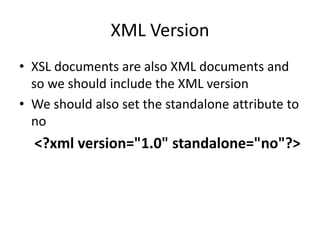
XML Version
• XSL documents are also XML documents and
so we should include the XML version
• We should also set the standalone attribute to
no
<?xml version="1.0" standalone="no"?>
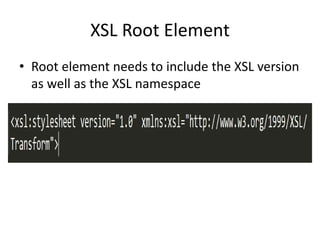
XSL Root Element
• Root element needs to include the XSL version
as well as the XSL namespace
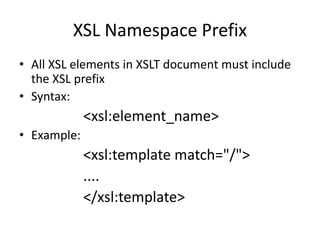
XSL Namespace Prefix
• All XSL elements in XSLT document must include
the XSL prefix
• Syntax:
<xsl:element_name>
• Example:
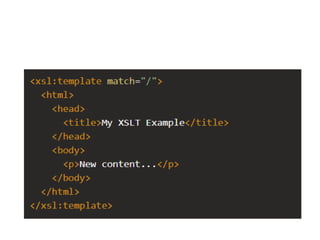
<xsl:template match="/">
....
</xsl:template>
XSLT <template> Element
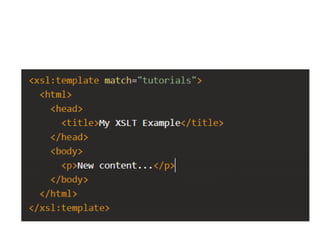
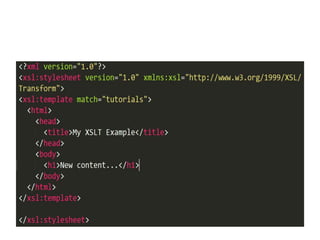
• The <xsl:template> element is what we use to
select a node from XML document and
transform its contents
• To select an element, we use the match
attribute.
• To transform its contents, we simply place the
new content between the opening
(<xsl:template>) and closing (</xsl:template>)
tags
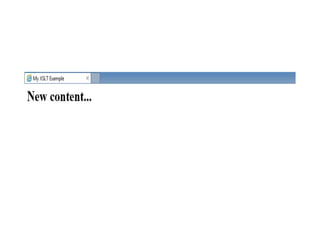
Example
XSLT <apply-templates> Element
• <xsl:template> element allows us to select any
node in our XML document and transform its
contents
• We can also use this element to work with the
children of that node.
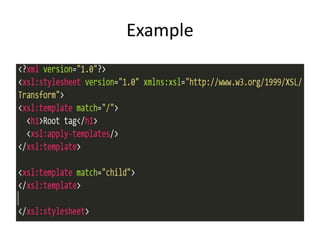
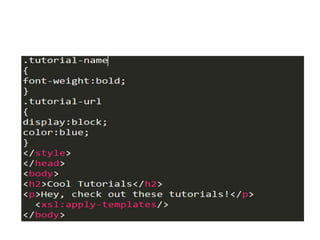
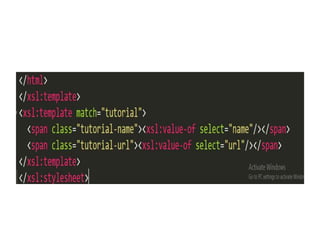
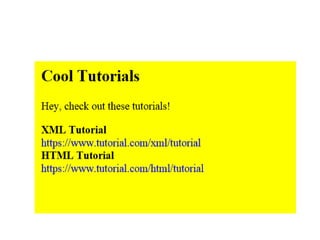
• <xsl:apply-templates/> element allows us to
determine where the content of its children
appear on our transformed document
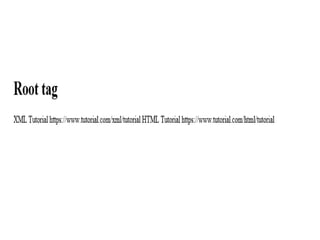
Example
XSLT <value-of> Element
• <xsl:value-of> element allows to retrieve the
value from a node
• When using the <xsl:value-of> element, we
use the select attribute to specify which node
we want to retrieve data from
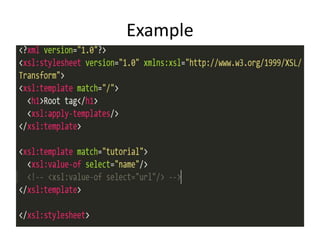
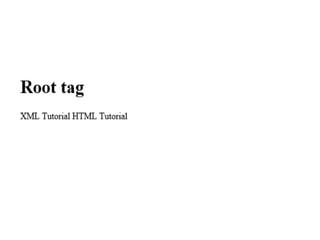
Example
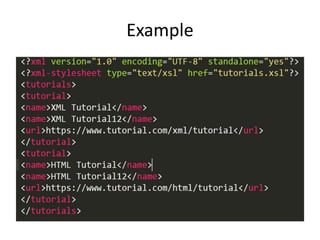
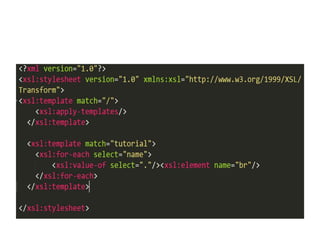
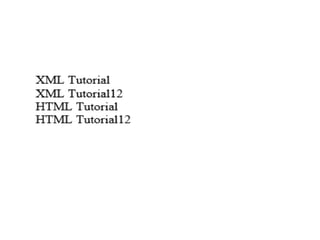
XSLT <for-each> Element
• <xsl:for-each> element allows to loop through
multiple nodes that match the selection
criteria
• This in turn, enables to retrieve data from
these nodes
• <xsl:for-each> is used in conjunction with
<xsl:value-of>
Example
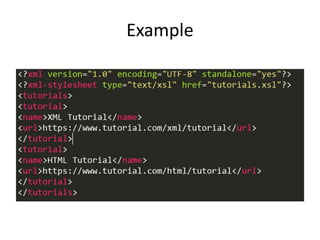
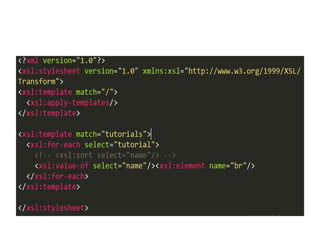
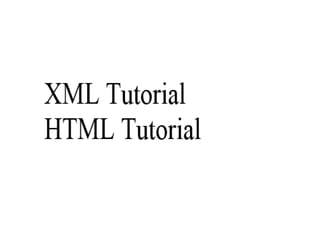
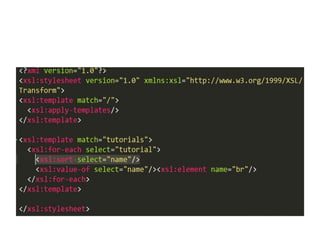
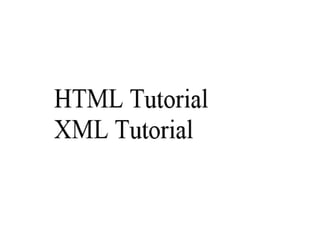
XSLT <sort> Element
• <xsl:sort> element allows to sort the output of
the <xsl:for-each> element
Example
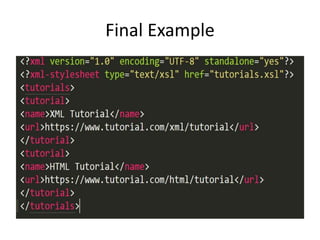
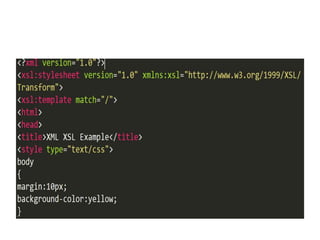
Final Example
XSLT
XSLT
XSLT
XSLT

XSLT

  • 1.
  • 2.
    Introduction • Stands forExtensible Styles Language Transformations • enables to transform XML documents into another form • For example, we can take XML document, combine it with HTML/CSS, and it will look completely different when viewing it in your user agent/browser
  • 3.
    XSLT Documents • Isa valid XML document • Consists of a number of elements/tags/attributes • These can be XSL elements or elements from another language (such as HTML)
  • 4.
    Processing a Transformation •A transformation can take place in one of three locations: – On the server – On the client (for example, your web browser) – With a standalone program
  • 5.
    XSLT Syntax • XMLVersion • XSL Root Element • XSL Namespace Prefix
  • 6.
    XML Version • XSLdocuments are also XML documents and so we should include the XML version • We should also set the standalone attribute to no <?xml version="1.0" standalone="no"?>
  • 7.
    XSL Root Element •Root element needs to include the XSL version as well as the XSL namespace
  • 8.
    XSL Namespace Prefix •All XSL elements in XSLT document must include the XSL prefix • Syntax: <xsl:element_name> • Example: <xsl:template match="/"> .... </xsl:template>
  • 9.
    XSLT <template> Element •The <xsl:template> element is what we use to select a node from XML document and transform its contents • To select an element, we use the match attribute. • To transform its contents, we simply place the new content between the opening (<xsl:template>) and closing (</xsl:template>) tags
  • 12.
  • 15.
    XSLT <apply-templates> Element •<xsl:template> element allows us to select any node in our XML document and transform its contents • We can also use this element to work with the children of that node. • <xsl:apply-templates/> element allows us to determine where the content of its children appear on our transformed document
  • 16.
  • 18.
    XSLT <value-of> Element •<xsl:value-of> element allows to retrieve the value from a node • When using the <xsl:value-of> element, we use the select attribute to specify which node we want to retrieve data from
  • 19.
  • 21.
    XSLT <for-each> Element •<xsl:for-each> element allows to loop through multiple nodes that match the selection criteria • This in turn, enables to retrieve data from these nodes • <xsl:for-each> is used in conjunction with <xsl:value-of>
  • 22.
  • 25.
    XSLT <sort> Element •<xsl:sort> element allows to sort the output of the <xsl:for-each> element
  • 26.
  • 31.