Risk Management in Geospatial Projects
GIS in the Rockies, 10 October 2013
Robert Crawford, Intermap Technologies
What is Risk Management?

 Risk Management includes the processes

concerned with identifying, analyzing, and
responding to project risk. (AMA, PMBOK)
 The act or practice of dealing with risk.
o Planning for risk
o Assessing (identify and analyze)
o Risk handling strategy
o Monitoring risks

2

© 2013 Intermap Technologies. All rights reserved.

(Kerzner)
Why is Risk Management Important?

As Project Managers we may be very skilled
at the mechanics of organizing and
managing the technical aspects of our
projects. But something unexpected
almost always happens during the course
of the project. If we can be prepared for
these unexpected events, we can
minimize or deflect their outcomes.

3

© 2013 Intermap Technologies. All rights reserved.
What are Risks?

 Are events that may or may not occur
 Will all have a probability
 Will all have an impact
 Can be positive or negative
 Are present on all projects

4

© 2013 Intermap Technologies. All rights reserved.
Risks

 Risk is characterized by three components
(Taylor)
o
o

o

5

The event (what can happen to the project?)
The probability of event occurrence (what are
the chances the event will happen?)
The impact to the project (what is the effect on
the project if the event actually does occur?)

© 2013 Intermap Technologies. All rights reserved.
More Definitions

 Project risk is an uncertain event or

condition that, if it occurs, has a positive or
negative effect on one or more project
objectives such as scope, schedule, cost,
and quality (PMBOK)
o

Positive outcome
• Example: additional resources become available
resulting in completing a task ahead of schedule
and maybe below budget
• For this presentation, we’ll be concerned with
negative risks and outcomes, commonly called
threats

6

© 2013 Intermap Technologies. All rights reserved.
More
o

Negative outcome
• Example: environmental permit required
Permitting agency may take longer than
planned to issue a permit
They may require additional data thus
necessitating additional development personnel




7

© 2013 Intermap Technologies. All rights reserved.
Two Types of Risk (Taylor)

 Business risk (can be managed)
o Business risk provides an opportunity for gain
as well as loss
o Example: Customer change to the Scope of
Work
• Negative: involves skills or expertise the
company does not possess
• Positive: might provide additional revenue
if company can comply

8

© 2013 Intermap Technologies. All rights reserved.
Two Types of Risk

 Pure or insurable risk (cannot be

managed, but can have contingency plan)
o Examples: natural disasters such as
fires, floods, hurricanes, and
earthquakes

9

© 2013 Intermap Technologies. All rights reserved.
Risk Management Process

 Plan Risk Management (define how to

conduct risk management activities)
 Identify Risks
 Risk Analysis
 Plan Risk Responses

10

© 2013 Intermap Technologies. All rights reserved.
Risk Management Process

 Control Risks
o Implement risk response plans
o Tracking identified risks
o Monitoring residual risks
o Identify new risks
o Evaluate risk process effectiveness

11

© 2013 Intermap Technologies. All rights reserved.
Risk Handling (Kurzner)

 Assumption
o The Project Manager says “I know the risk exists
and am aware of the possible consequences. I
am willing to wait and see what happens. I
accept the risk should it occur.”
 Avoidance
o The Project Manager says “I will not accept this
option because of the potentially unfavorable
results. I will either change the design to
preclude the issue or change the requirements
that lead to the issue.”
12

© 2013 Intermap Technologies. All rights reserved.
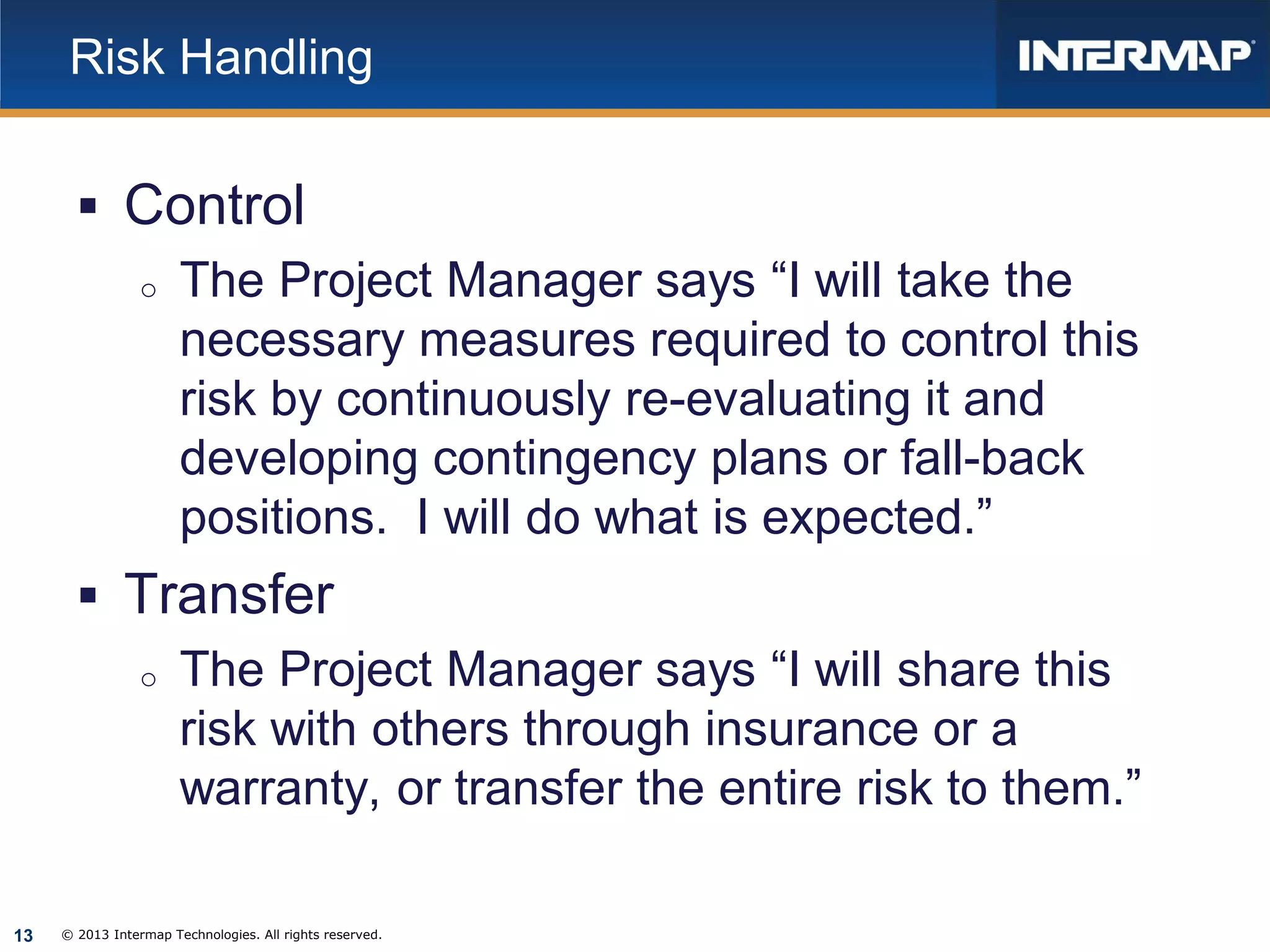
Risk Handling

 Control
o The Project Manager says “I will take the
necessary measures required to control this
risk by continuously re-evaluating it and
developing contingency plans or fall-back
positions. I will do what is expected.”
 Transfer
o The Project Manager says “I will share this
risk with others through insurance or a
warranty, or transfer the entire risk to them.”
13

© 2013 Intermap Technologies. All rights reserved.
How do we do it?


First, you need to have a mindset, or your organization a culture,
which recognizes and promotes Risk Management. There needs to
be a plan or a process on how you will identify and deal with risks.
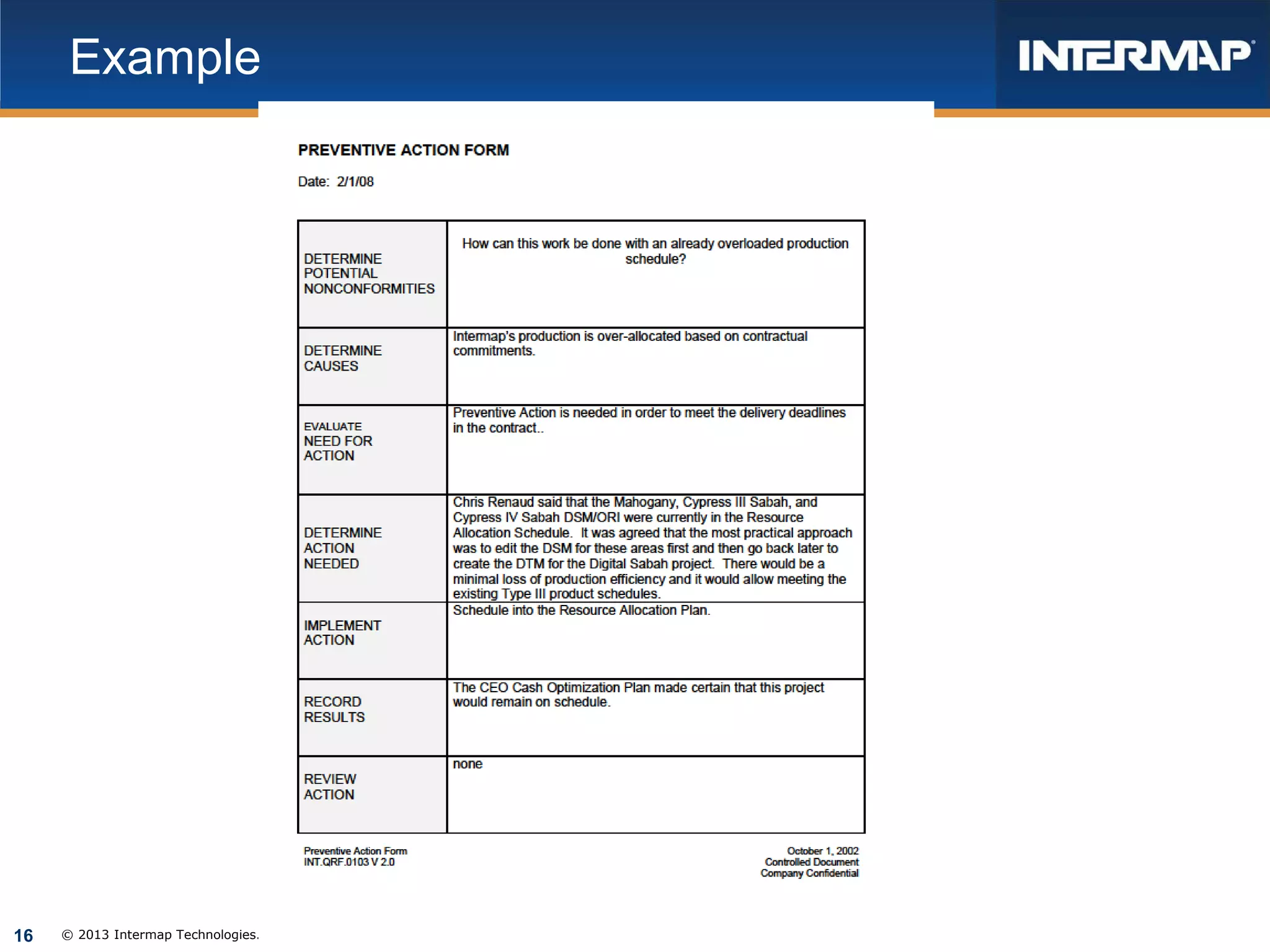
 At my company, Risk Management is accommodated in the Project
Management Process, although it is under the name of Preventive
Action. (PM.PRC.0010_v9.0 and PM.QRF.0103.doc)
 At the internal Kick Off Meeting (beginning of the project and
attended by all disciplines [functional departments] included in the
project), the Project Manager solicits input regarding what problems
can be envisioned that have not yet been addressed.
Brainstorming. These inputs are documented on the Preventive
Action Form and maintained and updated throughout the project.
These effectively serve as a Risk Management log.
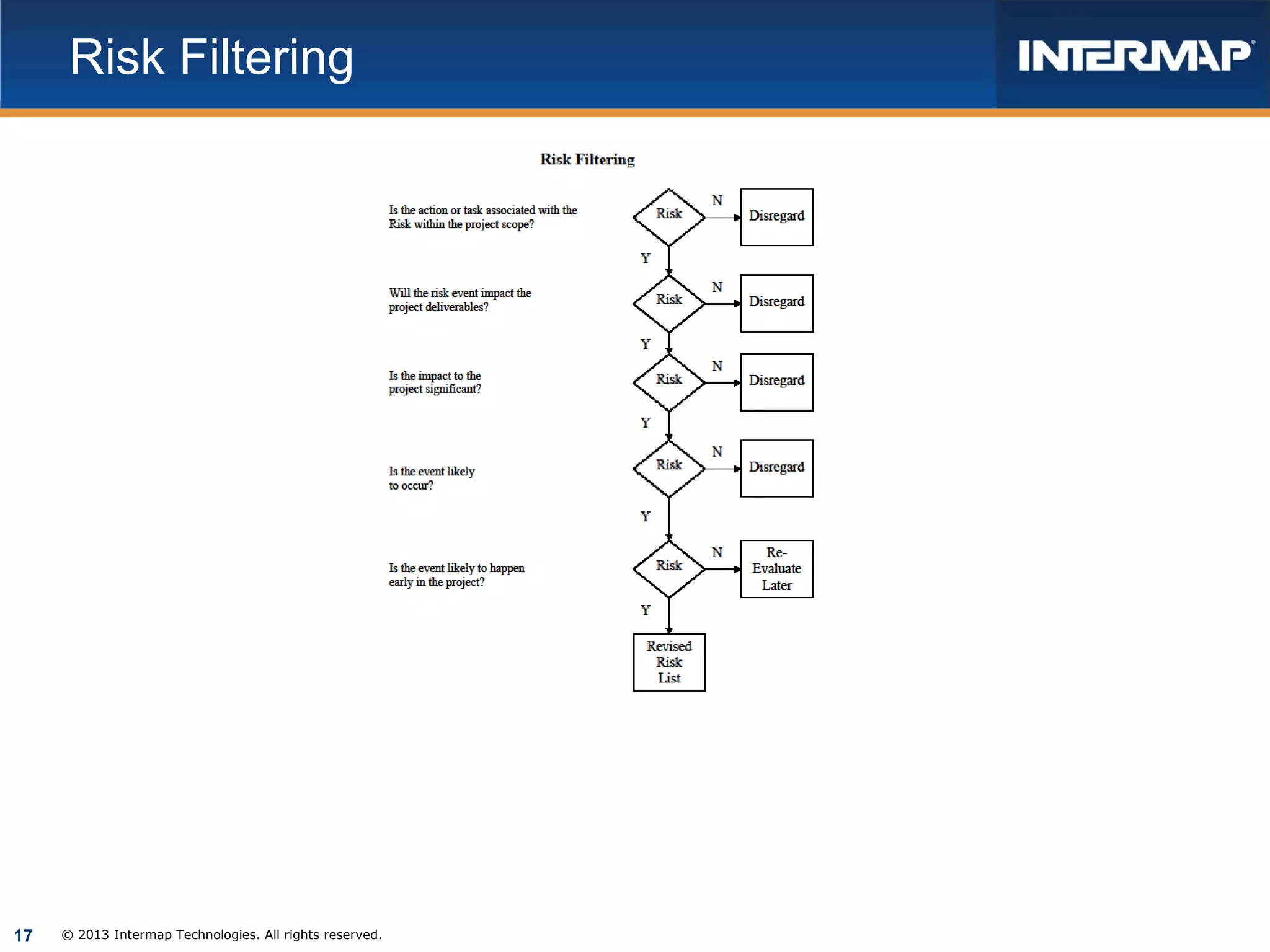
 Determine what risks are significant and develop the preventive
action.

14

© 2013 Intermap Technologies. All rights reserved.
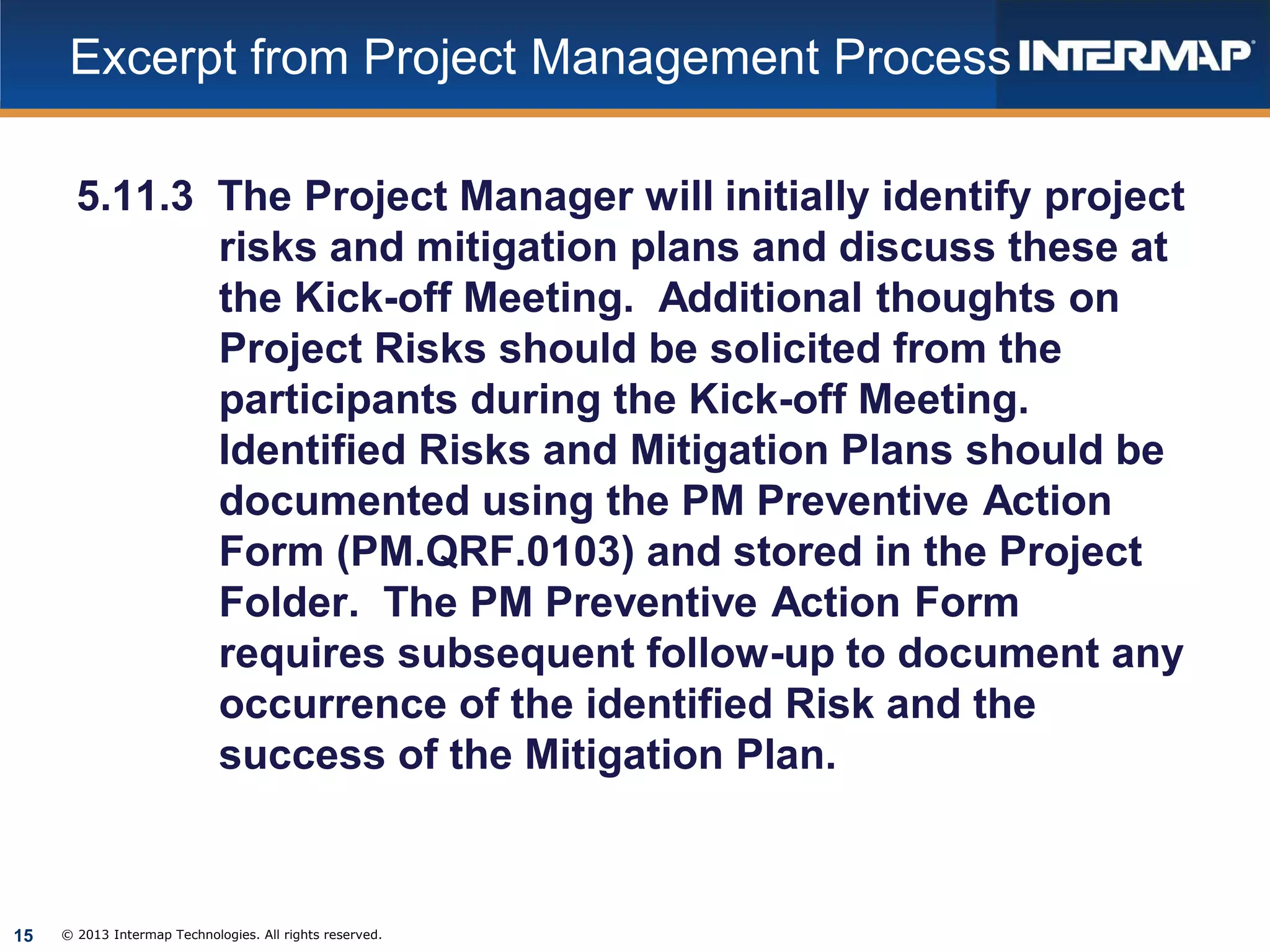
Excerpt from Project Management Process
5.11.3 The Project Manager will initially identify project
risks and mitigation plans and discuss these at
the Kick-off Meeting. Additional thoughts on
Project Risks should be solicited from the
participants during the Kick-off Meeting.
Identified Risks and Mitigation Plans should be
documented using the PM Preventive Action
Form (PM.QRF.0103) and stored in the Project
Folder. The PM Preventive Action Form
requires subsequent follow-up to document any
occurrence of the identified Risk and the
success of the Mitigation Plan.

15

© 2013 Intermap Technologies. All rights reserved.
Example

16

© 2013 Intermap Technologies. All rights reserved.
Risk Filtering

17

© 2013 Intermap Technologies. All rights reserved.
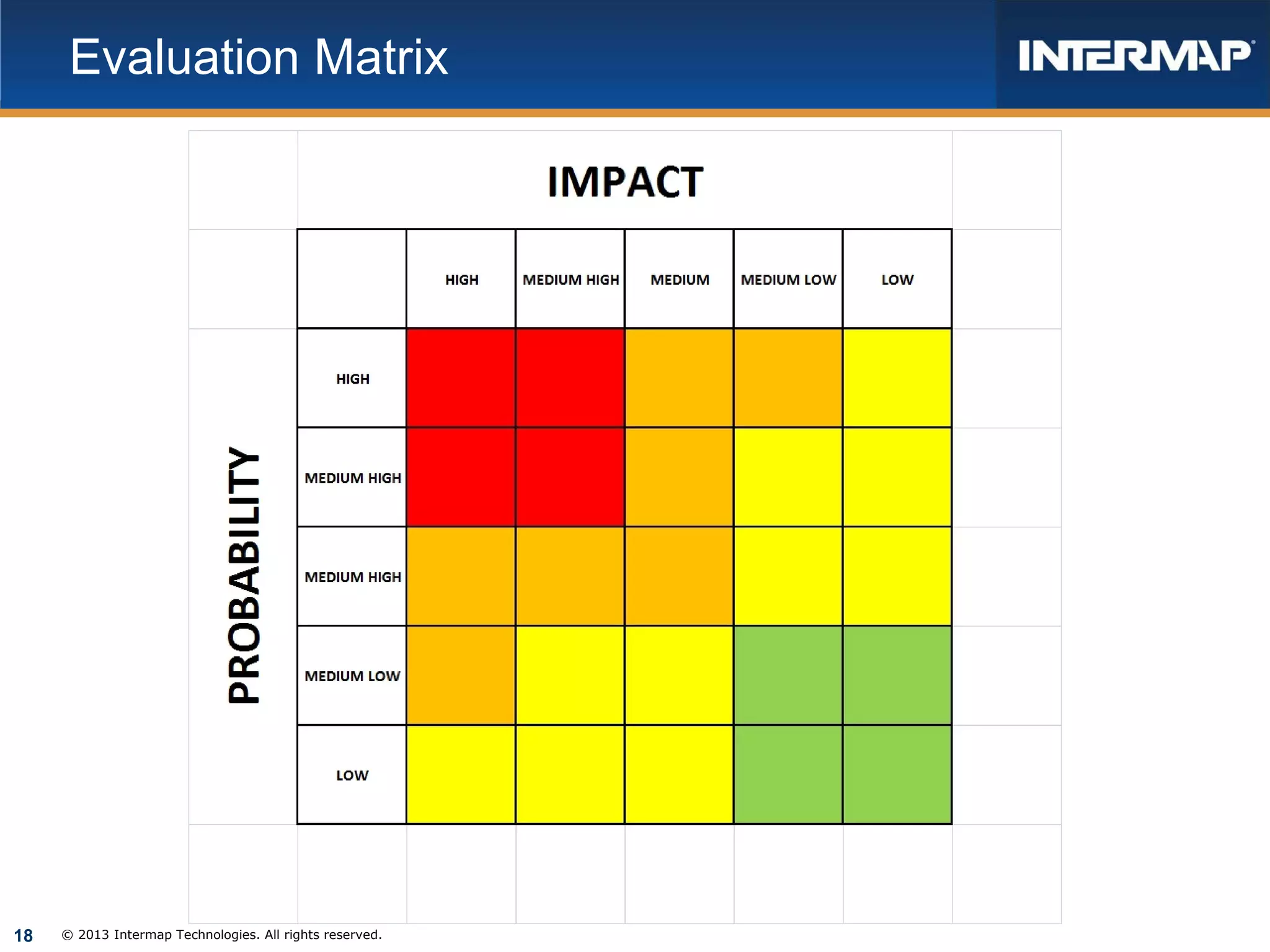
Evaluation Matrix

18

© 2013 Intermap Technologies. All rights reserved.
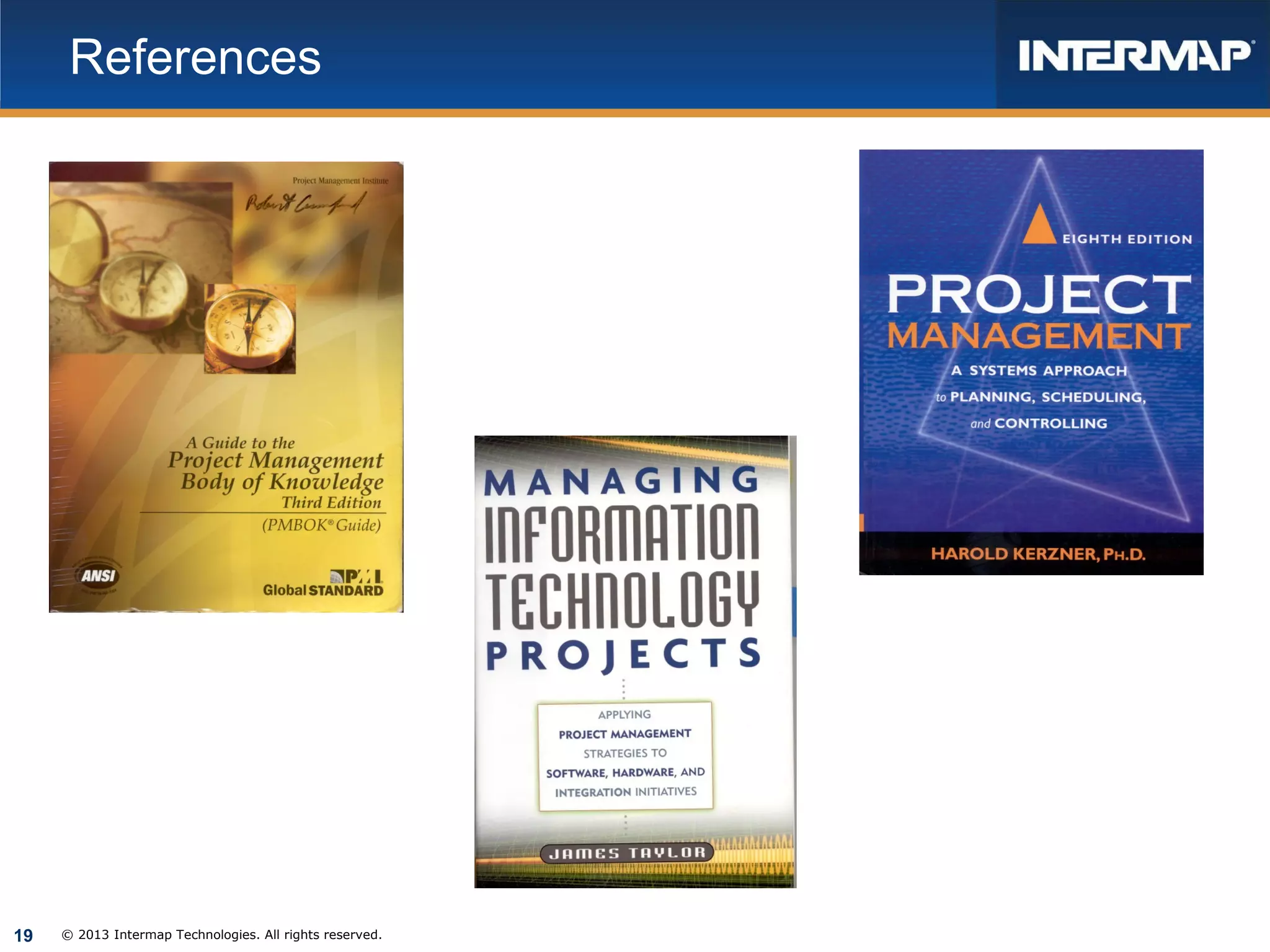
References

19

© 2013 Intermap Technologies. All rights reserved.

2013 Geospatial Data and Project Management Track, Risk Management in Geospatial Projects by Robert Crawford

  • 1.
    Risk Management inGeospatial Projects GIS in the Rockies, 10 October 2013 Robert Crawford, Intermap Technologies
  • 2.
    What is RiskManagement?  Risk Management includes the processes concerned with identifying, analyzing, and responding to project risk. (AMA, PMBOK)  The act or practice of dealing with risk. o Planning for risk o Assessing (identify and analyze) o Risk handling strategy o Monitoring risks 2 © 2013 Intermap Technologies. All rights reserved. (Kerzner)
  • 3.
    Why is RiskManagement Important? As Project Managers we may be very skilled at the mechanics of organizing and managing the technical aspects of our projects. But something unexpected almost always happens during the course of the project. If we can be prepared for these unexpected events, we can minimize or deflect their outcomes. 3 © 2013 Intermap Technologies. All rights reserved.
  • 4.
    What are Risks? Are events that may or may not occur  Will all have a probability  Will all have an impact  Can be positive or negative  Are present on all projects 4 © 2013 Intermap Technologies. All rights reserved.
  • 5.
    Risks  Risk ischaracterized by three components (Taylor) o o o 5 The event (what can happen to the project?) The probability of event occurrence (what are the chances the event will happen?) The impact to the project (what is the effect on the project if the event actually does occur?) © 2013 Intermap Technologies. All rights reserved.
  • 6.
    More Definitions  Projectrisk is an uncertain event or condition that, if it occurs, has a positive or negative effect on one or more project objectives such as scope, schedule, cost, and quality (PMBOK) o Positive outcome • Example: additional resources become available resulting in completing a task ahead of schedule and maybe below budget • For this presentation, we’ll be concerned with negative risks and outcomes, commonly called threats 6 © 2013 Intermap Technologies. All rights reserved.
  • 7.
    More o Negative outcome • Example:environmental permit required Permitting agency may take longer than planned to issue a permit They may require additional data thus necessitating additional development personnel   7 © 2013 Intermap Technologies. All rights reserved.
  • 8.
    Two Types ofRisk (Taylor)  Business risk (can be managed) o Business risk provides an opportunity for gain as well as loss o Example: Customer change to the Scope of Work • Negative: involves skills or expertise the company does not possess • Positive: might provide additional revenue if company can comply 8 © 2013 Intermap Technologies. All rights reserved.
  • 9.
    Two Types ofRisk  Pure or insurable risk (cannot be managed, but can have contingency plan) o Examples: natural disasters such as fires, floods, hurricanes, and earthquakes 9 © 2013 Intermap Technologies. All rights reserved.
  • 10.
    Risk Management Process Plan Risk Management (define how to conduct risk management activities)  Identify Risks  Risk Analysis  Plan Risk Responses 10 © 2013 Intermap Technologies. All rights reserved.
  • 11.
    Risk Management Process Control Risks o Implement risk response plans o Tracking identified risks o Monitoring residual risks o Identify new risks o Evaluate risk process effectiveness 11 © 2013 Intermap Technologies. All rights reserved.
  • 12.
    Risk Handling (Kurzner) Assumption o The Project Manager says “I know the risk exists and am aware of the possible consequences. I am willing to wait and see what happens. I accept the risk should it occur.”  Avoidance o The Project Manager says “I will not accept this option because of the potentially unfavorable results. I will either change the design to preclude the issue or change the requirements that lead to the issue.” 12 © 2013 Intermap Technologies. All rights reserved.
  • 13.
    Risk Handling  Control oThe Project Manager says “I will take the necessary measures required to control this risk by continuously re-evaluating it and developing contingency plans or fall-back positions. I will do what is expected.”  Transfer o The Project Manager says “I will share this risk with others through insurance or a warranty, or transfer the entire risk to them.” 13 © 2013 Intermap Technologies. All rights reserved.
  • 14.
    How do wedo it?  First, you need to have a mindset, or your organization a culture, which recognizes and promotes Risk Management. There needs to be a plan or a process on how you will identify and deal with risks.  At my company, Risk Management is accommodated in the Project Management Process, although it is under the name of Preventive Action. (PM.PRC.0010_v9.0 and PM.QRF.0103.doc)  At the internal Kick Off Meeting (beginning of the project and attended by all disciplines [functional departments] included in the project), the Project Manager solicits input regarding what problems can be envisioned that have not yet been addressed. Brainstorming. These inputs are documented on the Preventive Action Form and maintained and updated throughout the project. These effectively serve as a Risk Management log.  Determine what risks are significant and develop the preventive action. 14 © 2013 Intermap Technologies. All rights reserved.
  • 15.
    Excerpt from ProjectManagement Process 5.11.3 The Project Manager will initially identify project risks and mitigation plans and discuss these at the Kick-off Meeting. Additional thoughts on Project Risks should be solicited from the participants during the Kick-off Meeting. Identified Risks and Mitigation Plans should be documented using the PM Preventive Action Form (PM.QRF.0103) and stored in the Project Folder. The PM Preventive Action Form requires subsequent follow-up to document any occurrence of the identified Risk and the success of the Mitigation Plan. 15 © 2013 Intermap Technologies. All rights reserved.
  • 16.
    Example 16 © 2013 IntermapTechnologies. All rights reserved.
  • 17.
    Risk Filtering 17 © 2013Intermap Technologies. All rights reserved.
  • 18.
    Evaluation Matrix 18 © 2013Intermap Technologies. All rights reserved.
  • 19.
    References 19 © 2013 IntermapTechnologies. All rights reserved.